

Community listing page, reviews here may not be monitored by the author.
CheckmarkBan

No reviews yet
A lightweight client-side Fabric mod that adds clickable green checkmarks [✔] next to player names in chat. Click to open a customizable GUI with instant commands like.
Community voices
Reviews
No reviews yet. Be the first to review this project!
Get it on
Available Platforms
Compatibility
Supported Environments
Runs entirely on the client. Works on vanilla servers.
About
Project Details
For authors
Embed Badge
If you're the author of this project, you can embed a live badge anywhere that supports HTML or Markdown. It updates automatically whenever ratings change.
Use HTML for any page that supports it, or Markdown for README files and Markdown-based descriptions.
Identifiers
Platform IDs
Resources
External Links
About
Description
Green Checkmark GUI
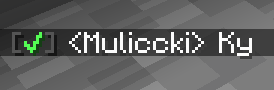
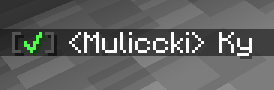
Green Checkmark GUI is a lightweight, 100% client-side Fabric mod for Minecraft 1.21+ that enhances chat interactivity. It automatically detects online player usernames in chat messages and appends a clickable green checkmark [✔] next to their names.
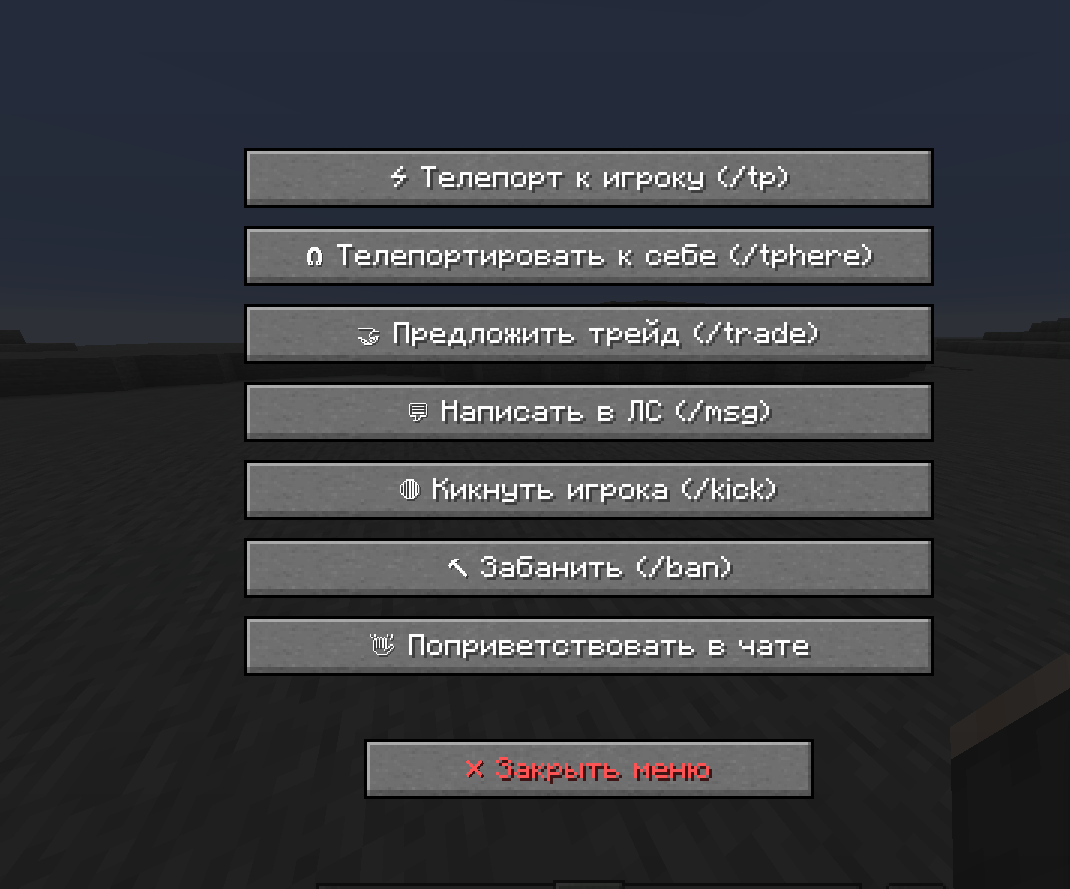
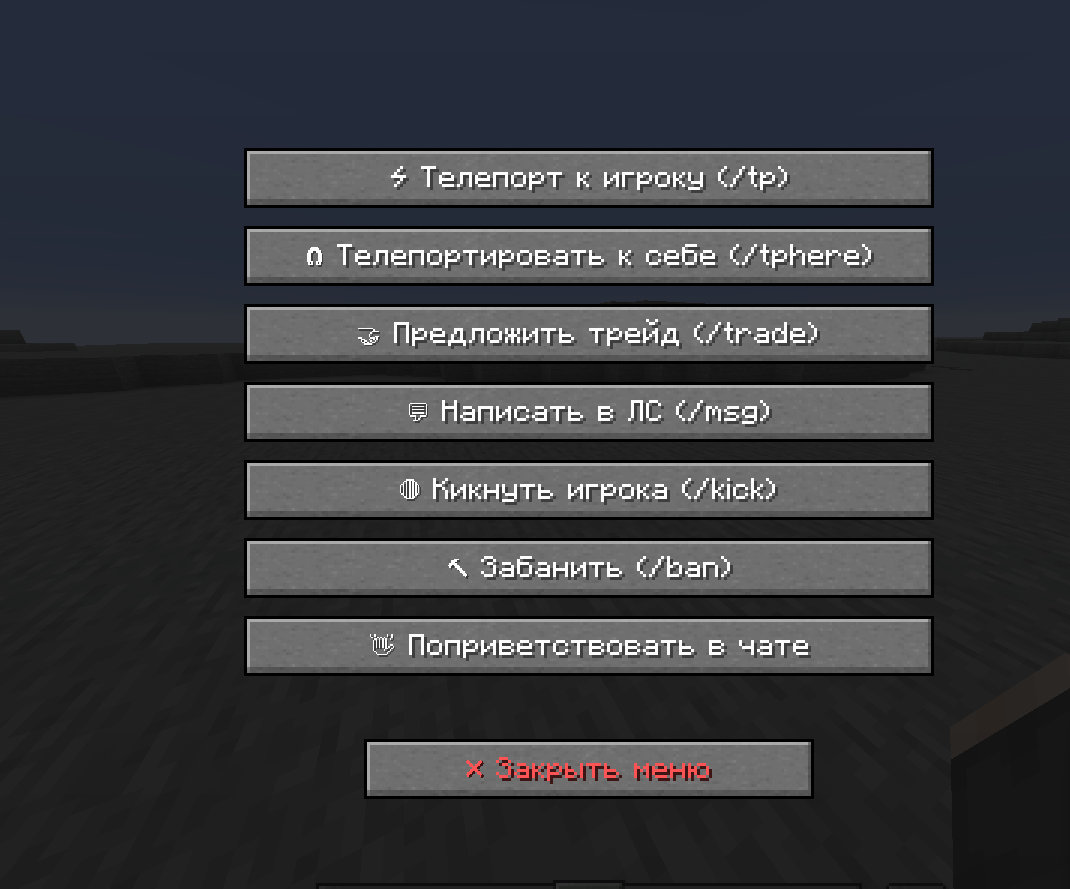
Clicking the checkmark opens a clean, customizable GUI menu with buttons that execute predefined commands or chat messages instantly.
If you encounter a mod issue, please contact me and I will fix it: Discord: Maleccki
Write me what can be added to the mod. Write me on discord: maleccki
✨ Features
- Interactive Chat Checkmarks: Automatically adds a bright green
[✔]tag next to online player nicknames in chat. - Custom Command GUI: Left-click any checkmark to open a sleek player management screen with interactive buttons.
- 100% Client-Side: Works on any multiplayer server (Vanilla, Paper, Spigot, Hypixel, modded servers, etc.) without requiring server-side installation.
- Fully Configurable Buttons: Define any command or message in the JSON config. Supports placeholders
{player}and%player%, which dynamically replace with the selected target's username. - In-Game Reloading: Edit your configuration file on the fly and apply changes instantly using
/gcm reloadwithout restarting Minecraft. - Shader & Mod Compatible: Optimized background rendering prevents crashes when used with shader packs (Iris, Sodium, Polytone) and custom GUI mods (OptiGUI).

⚙️ Configuration
Upon first launch, a configuration file is generated at .minecraft/config/greencheckmark.json. You can easily add, remove, or modify GUI buttons:
{
  "checkmarkSymbol": "✔",
  "checkmarkColor": "GREEN",
  "hoverTooltip": "§a[✔] §fClick to open command menu for §e{player}",
  "buttons": [
    {
      "label": "⚡ Teleport (/tp)",
      "command": "/tp {player}",
      "closeOnExecute": true
    },
    {
      "label": "🧲 Teleport Here (/tphere)",
      "command": "/tphere {player}",
      "closeOnExecute": true
    },
    {
      "label": "🤝 Trade (/trade)",
      "command": "/trade {player}",
      "closeOnExecute": true
    },
    {
      "label": "💬 Send PM (/msg)",
      "command": "/msg {player} Hello! How are you?",
      "closeOnExecute": true
    },
    {
      "label": "👋 Say Hello",
      "command": "Hello, {player}! Welcome to the server!",
      "closeOnExecute": true
    }
  ]
}
Screenshots
Gallery

Versions
Files
Relations
Project Relations
More like this
Similar Mods
Suggestions use data such as tags, dependencies, dependents, descriptions, titles, and more to rank how much they overlap with this mod.
On ModDex
Community snapshot
By the numbers
Statistics

Want to reach Minecraft players?
We're looking for a server hosting partner to feature here and other parts of the site. Interested? Send us a message!
Get in touchGet it on
Available Platforms
On ModDex
Community snapshot
By the numbers
Statistics
Resources