
Community listing page, reviews here may not be monitored by the author.
Chest Deposit


No reviews yet
Deposit and withdraw items to your chest from your hands!!!!
Community voices
Reviews
No reviews yet. Be the first to review this project!
Get it on
Available Platforms
Compatibility
Supported Environments
Must be installed on both the client and the server.
About
Project Details
For authors
Embed Badge
If you're the author of this project, you can embed a live badge anywhere that supports HTML or Markdown. It updates automatically whenever ratings change.
Use HTML for any page that supports it, or Markdown for README files and Markdown-based descriptions.
Identifiers
Platform IDs
Resources
External Links
About
Description
Chest Deposit
A Fabric mod that allows you to seamlessly deposit and withdraw items from storage blocks without opening a GUI.
Description
Improve your storage management with Chest Deposit. Instead of opening chests, clicking, dragging, and manually sorting through MASSIVE amounts of resources, this mod lets you transfer items between your inventory and storage blocks simply by interacting with them using hotkeys!
Plugin support: Plugin paper
Features & Mechanics
Chest Deposit uses a customizable modifier key (Default: Left Alt) and shift key to give you total control over your items!!
Visual HUD
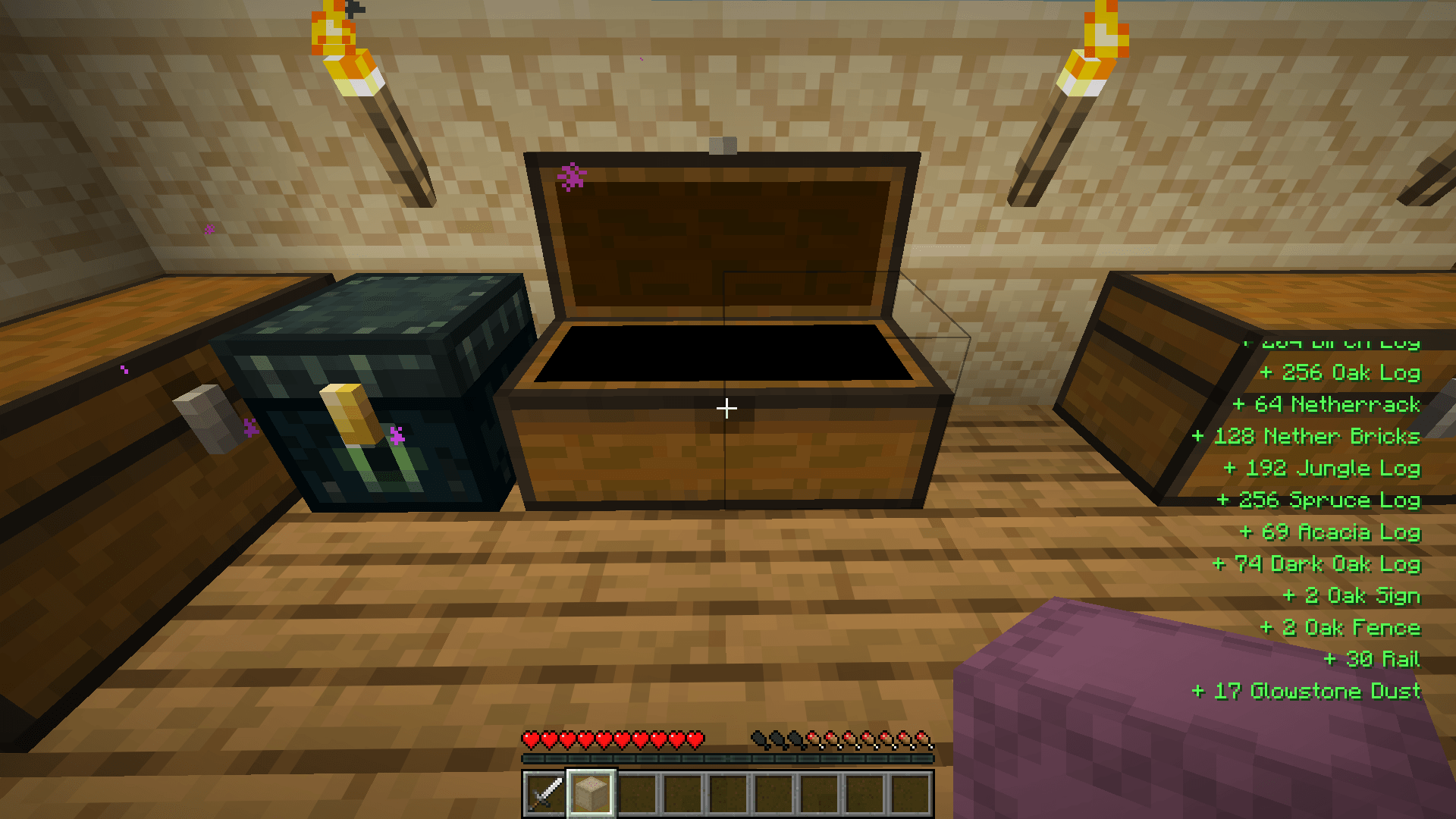
- Hotkey Tips and item logs (You can absolutely disable them in the settings)
Single deposit/withdraw
- Simply hold the item you want to deposit or take out, hold your
Left Altkey thenLeft Clickfor deposit ORRight Clickfor withdraw!
Bulk Mode
- Does the same as single deposit! But this time hold your
shiftkey. This will deposit/withdraw everything!
Key Combinations
- Alt + Left Click: Deposit held item and matching inventory items.
- Alt + Right Click: Withdraw matching items from the container.
- Alt + Shift + Left Click: Bulk Deposit all the matching items.
- Alt + Shift + Right Click: Bulk Withdraw all the matching items.
Holding a Shulker Box:
- Alt + Left Click: Deposit all items from the shulker that are already inside the chest.
- Alt + Right Click: Think of it like a search bar, put the items that you ONLY want the shulker to withdraw, it will pull matching items from the chest directly into your shulker box.
- Alt + Shift + Left Click: Deposit ALL items from the shulker into the chest without filters.
- Alt + Shift + Right Click: Withdraw everthing from the chest til its full.
Utility:
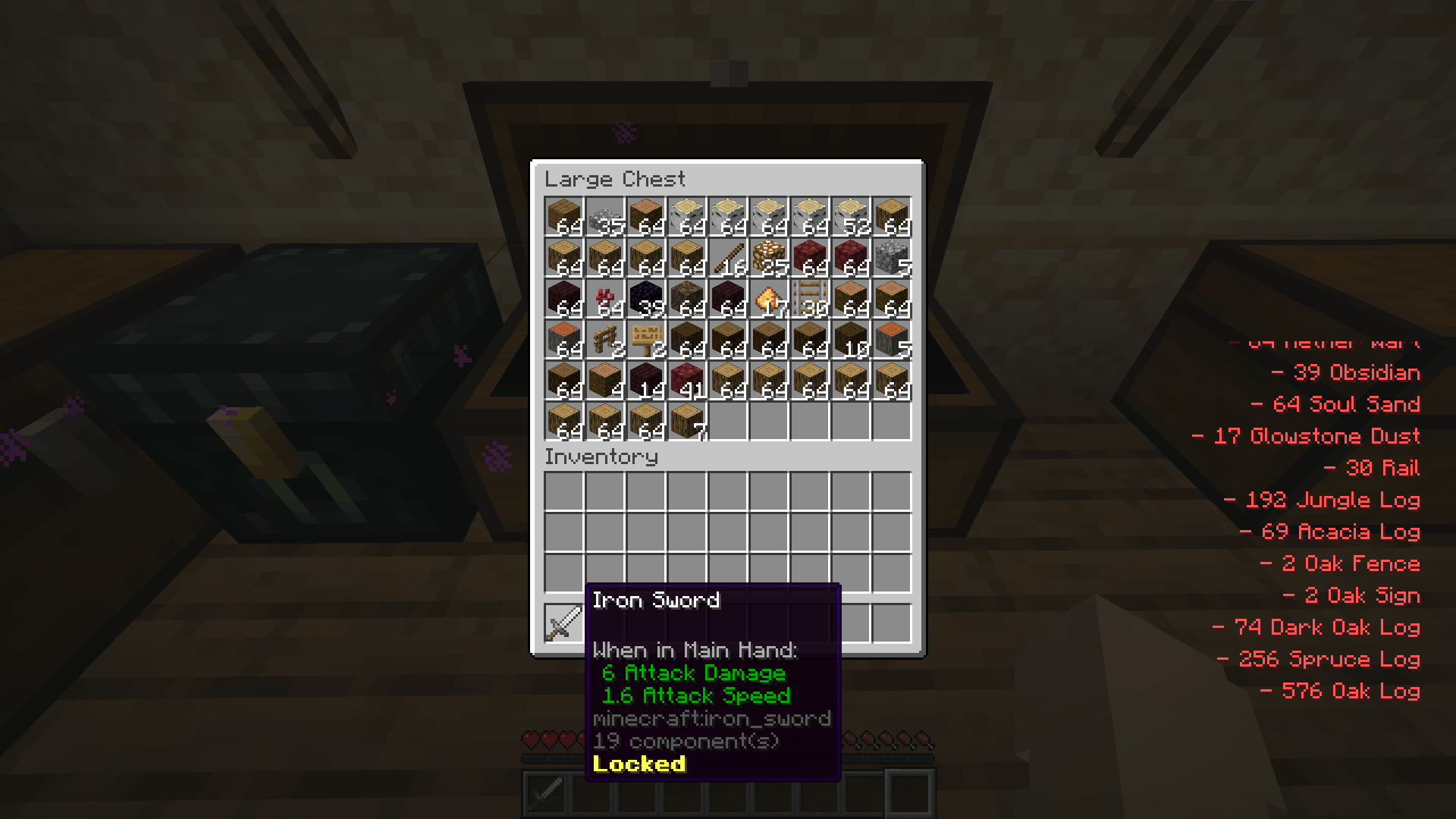
- Middle click a slot in the inventory or a chest to lock an item, preventing deposit or withdraw the item
(Note: The "Alt" modifier can be rebound to any key, such as "L" or "Caps Lock", in the standard Minecraft Controls menu.)
Configurability
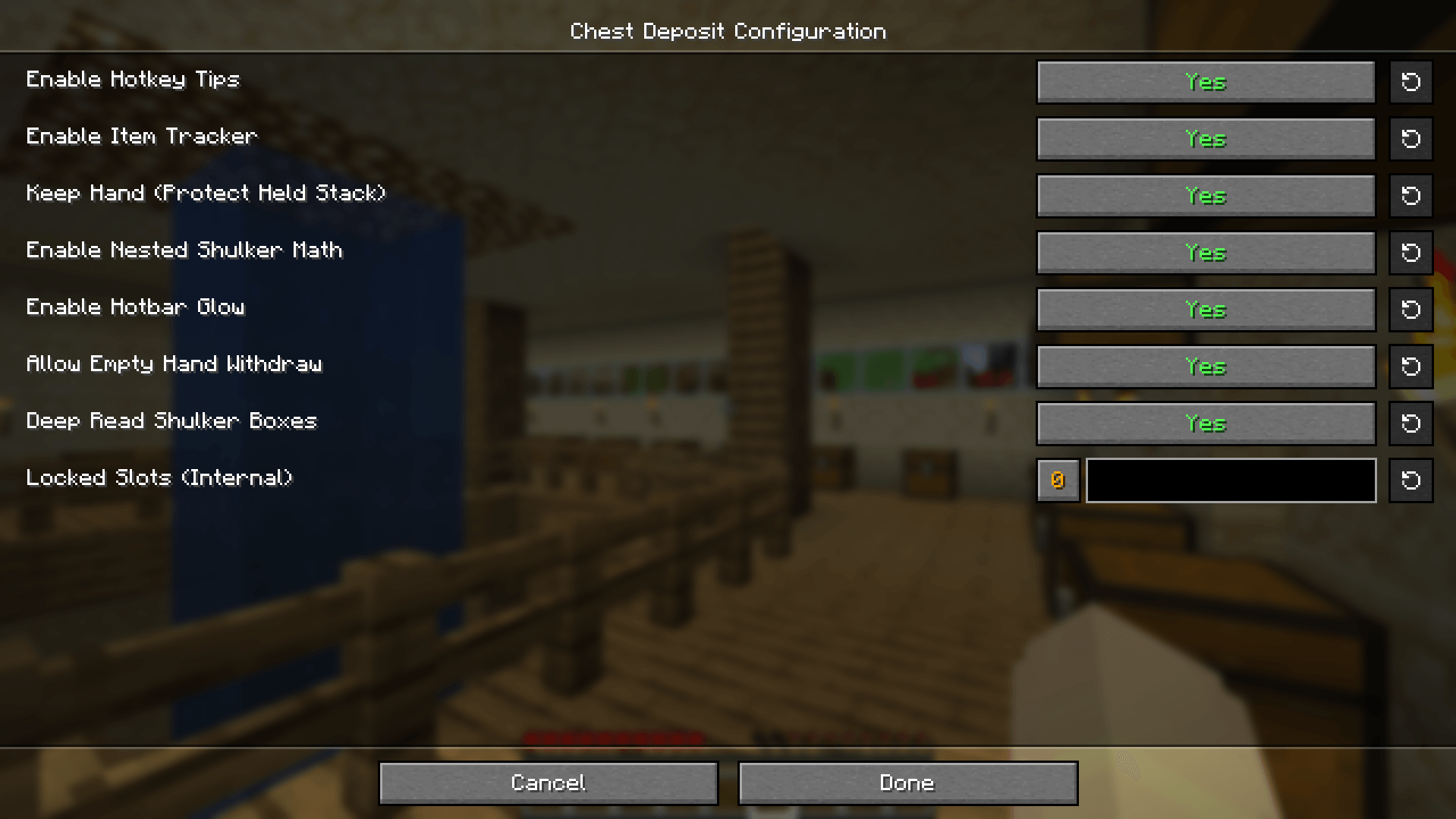
Customize your experience through the Mod Menu (requires Cloth Config/MidnightConfig):
- Toggle Tips: Turn the on-screen hotkey guides on or off.
- Toggle Item Tracker: Enable or disable the AMAZING DIGITAL items log.
- Shulker Support: Enable or disable the ability to interact with items inside Shulker Boxes.
- Keep Hand: Toggle whether the mod should protect the item stack currently in your hand during deposits.
Technical Details
- Interaction Safe: The mod prevent accidental block placement while you are transferring items.
- Server-Side Logic: All math is handled on the server to prevent "ghost items" and ensure inventory desync never happens.
- Optimized: Batched packet processing ensures that moving thousands of items at once causes zero server lag.
- Requirements: Requires Fabric API. Must be installed on both Client and Server.
Chest Deposit
A Fabric mod for Minecraft 26.1–26.2 that lets you deposit and withdraw items from storage blocks without opening inventory screen.
The issues in previous releases have been resolved, pleasee use the latest version.
Description
Chest Deposit makes storage management faster and cleaner. Hold the mod modifier while interacting with a container to move matching items, use bulk mode for large transfers, or use built-in tools for auto-restock, chest finding, undo, and item locking.
Transfers support normal containers, double chests, Ender Chests, shulker boxes, chest minecarts, and chest boats. Item particles now travel to and from the actual container that moved the item, even if you look away afterward.
Features & Mechanics
Visual HUD
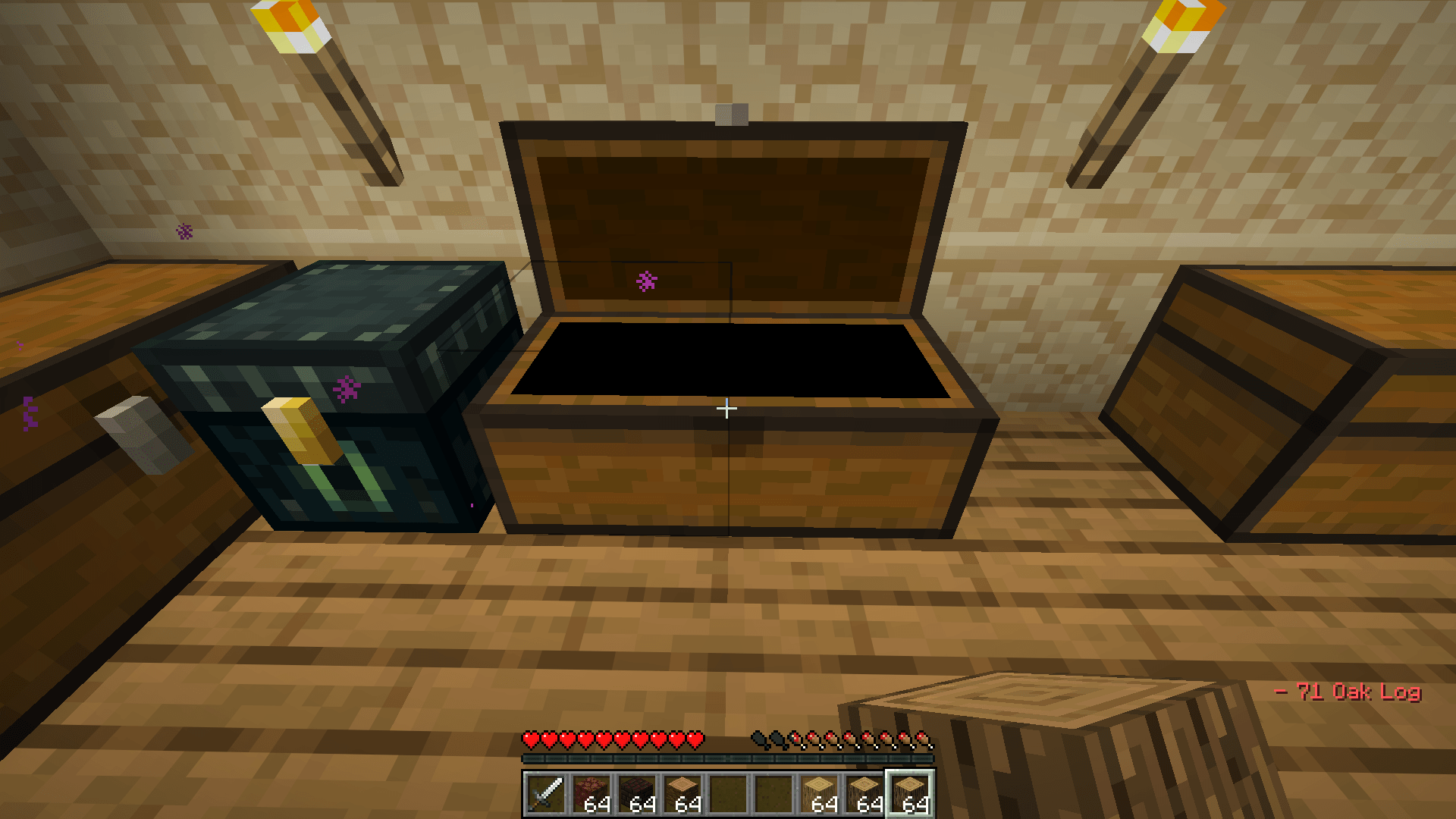
- Optional hotkey tips and transfer log
- Optional hotbar highlights for matching items
- Session totals for items deposited and withdrawn
Custom Settings Menu
Press the Settings & Guide key to open the in-game settings menu.
- General, Visuals, Shulkers, Auto-Restock, Chest Finder, Undo, and Guide tabs
- Numeric settings use sliders
- Settings save immediately and persist across restarts
- A search radius of
0uses the server view-distance range
Single deposit / withdraw
Hold the item you want to move, hold the modifier key, then:
- Left-click to deposit a matching stack
- Right-click to withdraw a matching stack
- Hold
Ctrlwhile right-clicking to withdraw exactly one item
Bulk mode
Hold the bulk modifier too to move all matching items.
Key Combinations
The default mod modifier is Left Alt. All keybinds can be changed in Minecraft's Controls menu.
Container transfers
- Alt + Left Click: Deposit a matching stack.
- Alt + Right Click: Withdraw a matching stack.
- Alt + Ctrl + Right Click: Withdraw exactly one matching item.
- Alt + Shift + Left Click: Bulk deposit all matching items.
- Alt + Shift + Right Click: Bulk withdraw matching items.
Holding a Shulker Box
- Alt + Left Click: Deposit shulker contents that already match the target container.
- Alt + Right Click: Pull matching container items into the shulker.
- Alt + Shift + Left Click: Deposit all shulker contents.
- Alt + Shift + Right Click: Fill the shulker from the container.
Empty hand
- Alt + Left Click: Deposit inventory items that already match the target container.
- Alt + Right Click: Withdraw one available stack.
- Alt + Shift + Left Click: Deposit the inventory into the container.
- Alt + Shift + Right Click: Withdraw as much as possible.
Utility
- Middle Mouse Button: Lock or unlock an item slot, preventing automated transfers. This keybind is configurable.
- R: Mark the selected hotbar slot for auto-restock.
- Ctrl + Z: Undo the most recent supported transfer.
- G: Toggle Chest Finder for the held item.
- O: Open the Settings & Guide menu.
Technical Details
- Requires Fabric API on both client and server.
- Transfers are handled server-side to keep inventories synchronized.
- Prevents accidental block interaction while using transfer controls.
- Supports Minecraft 26.1.x 26.2 (for now).
Screenshots
Gallery
-
 Screenshot 2026-04-11 015524.png Screenshot 2026-04-11 015524.png
 -
 a23cd21a6fdfa3b75e903492646a9f7546aa0ffa.png a23cd21a6fdfa3b75e903492646a9f7546aa0ffa.png
 -
 2026-04-11_02.11.50.png 2026-04-11_02.11.50.png
 -
 2026-04-11_02.10.03.png 2026-04-11_02.10.03.png
-
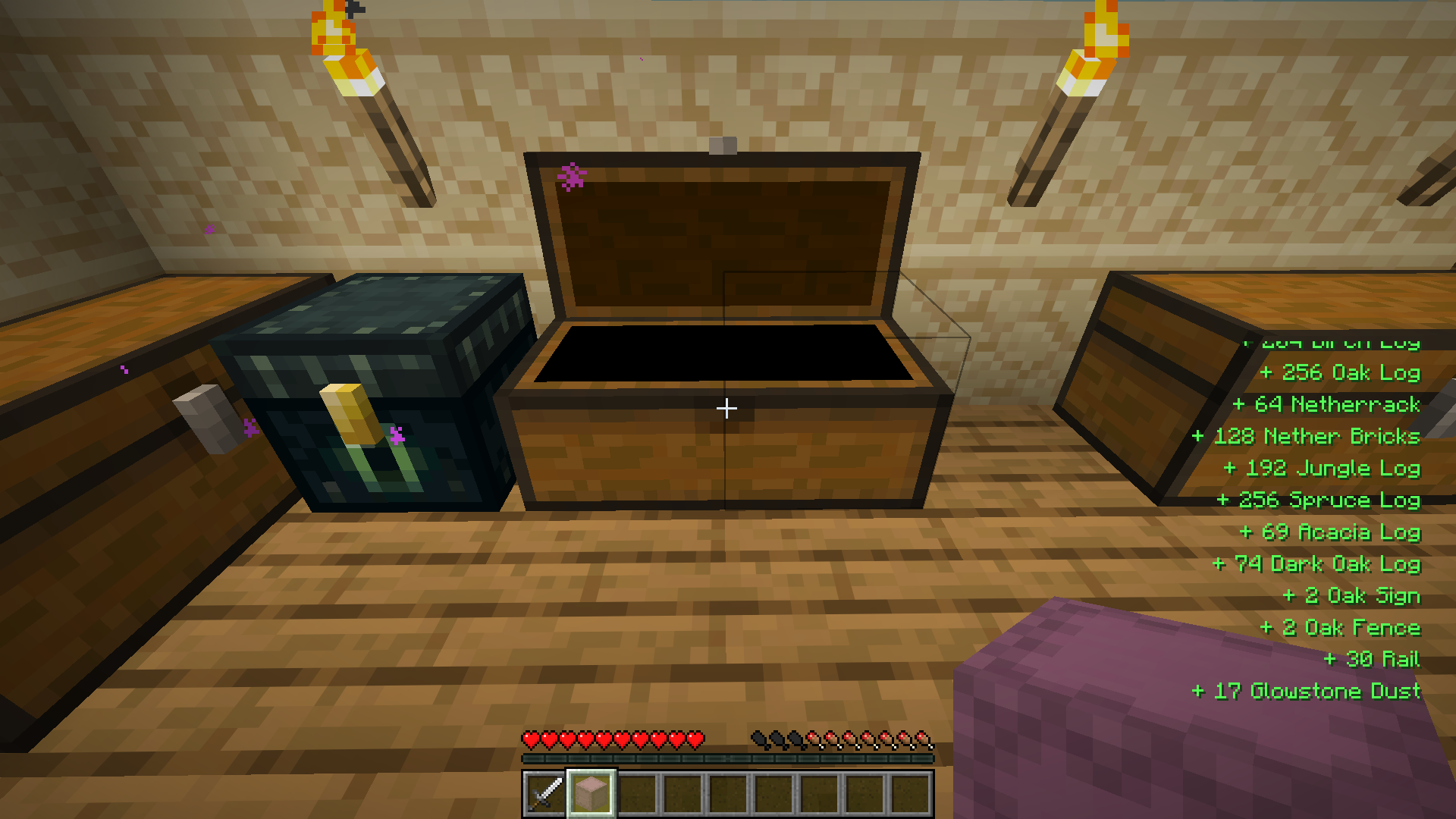 Withdraw
 -
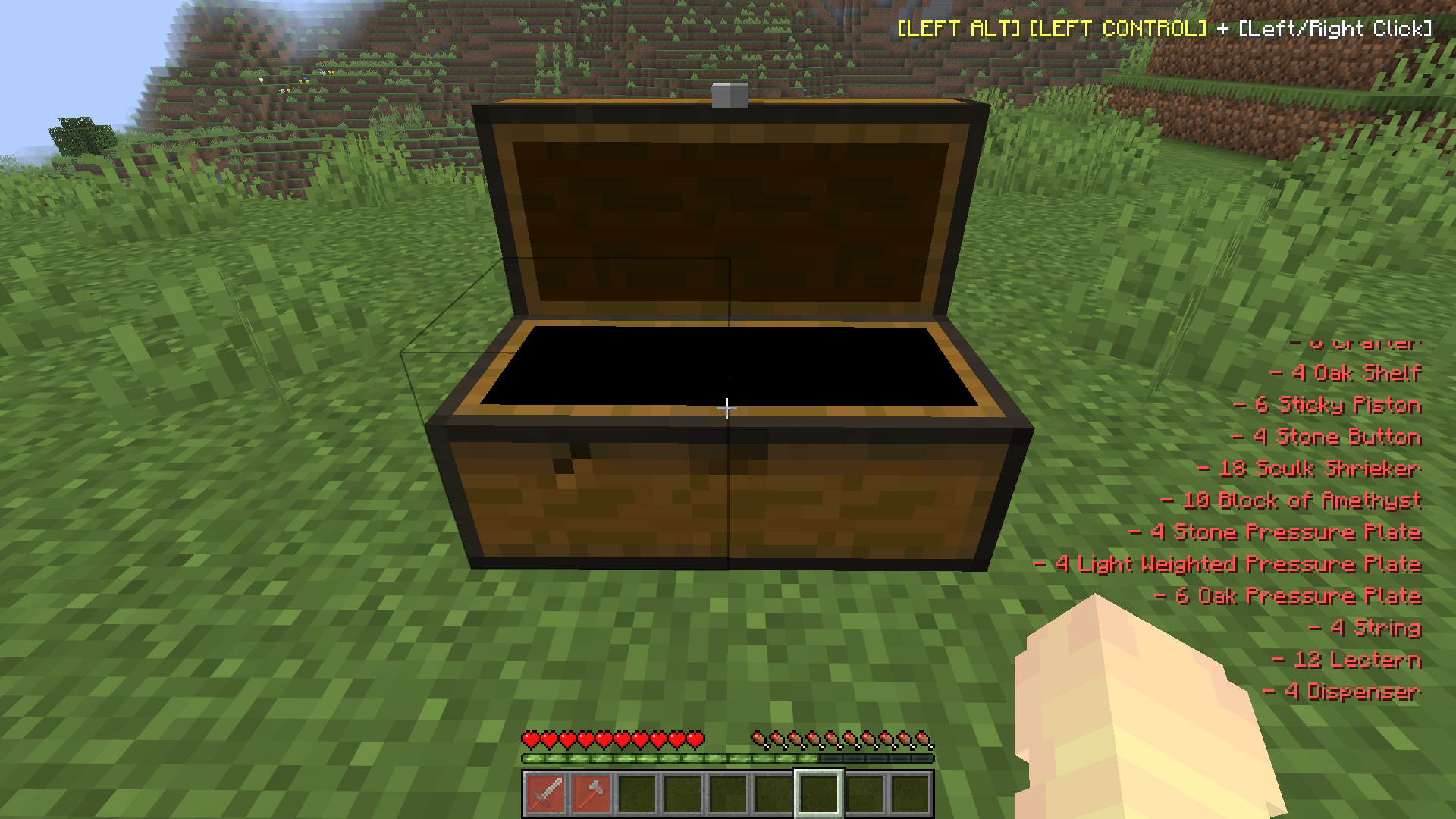 Locked Item
 -
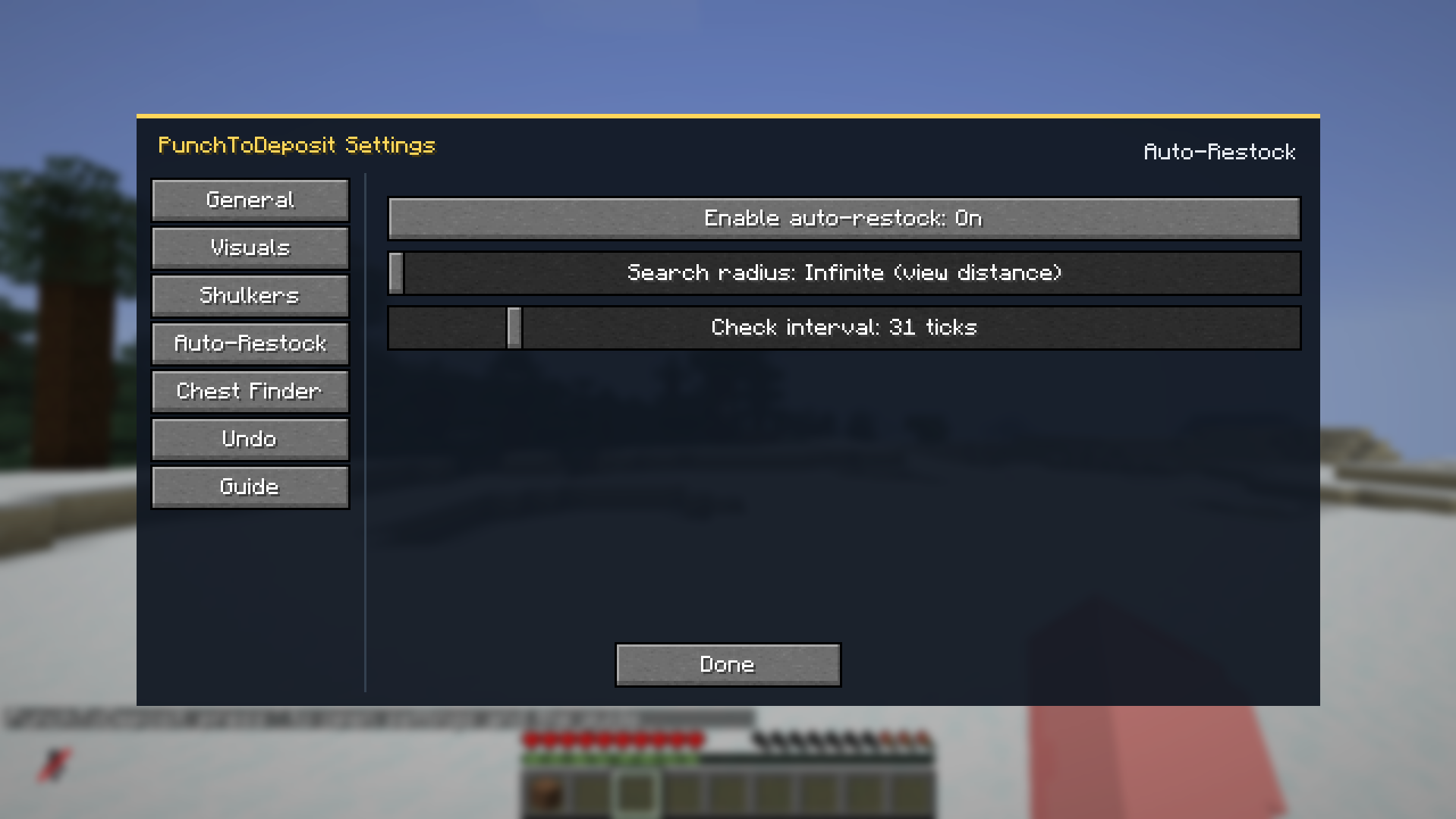 New settings update goodbai midnight config
 -
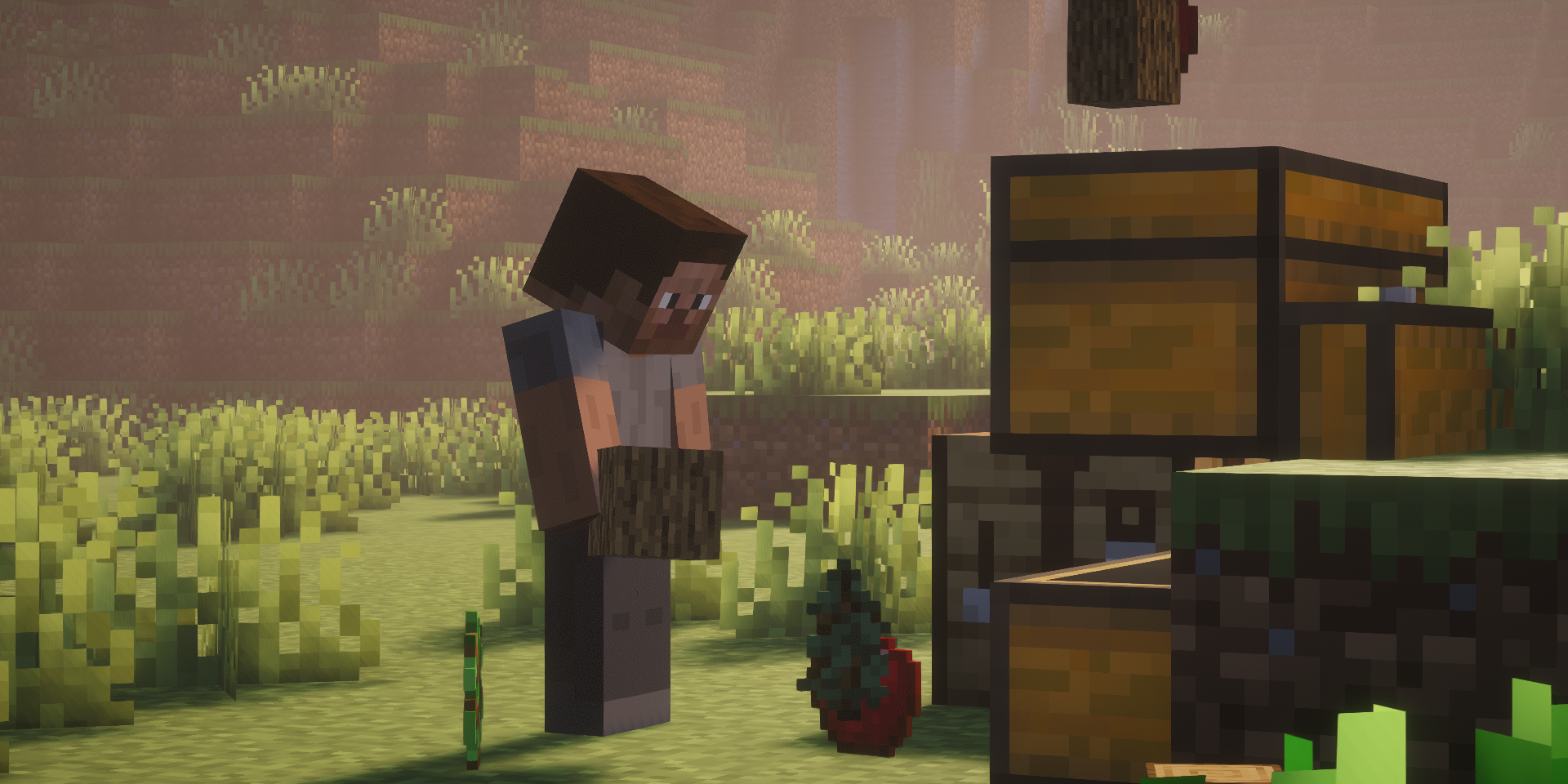 banner
 -
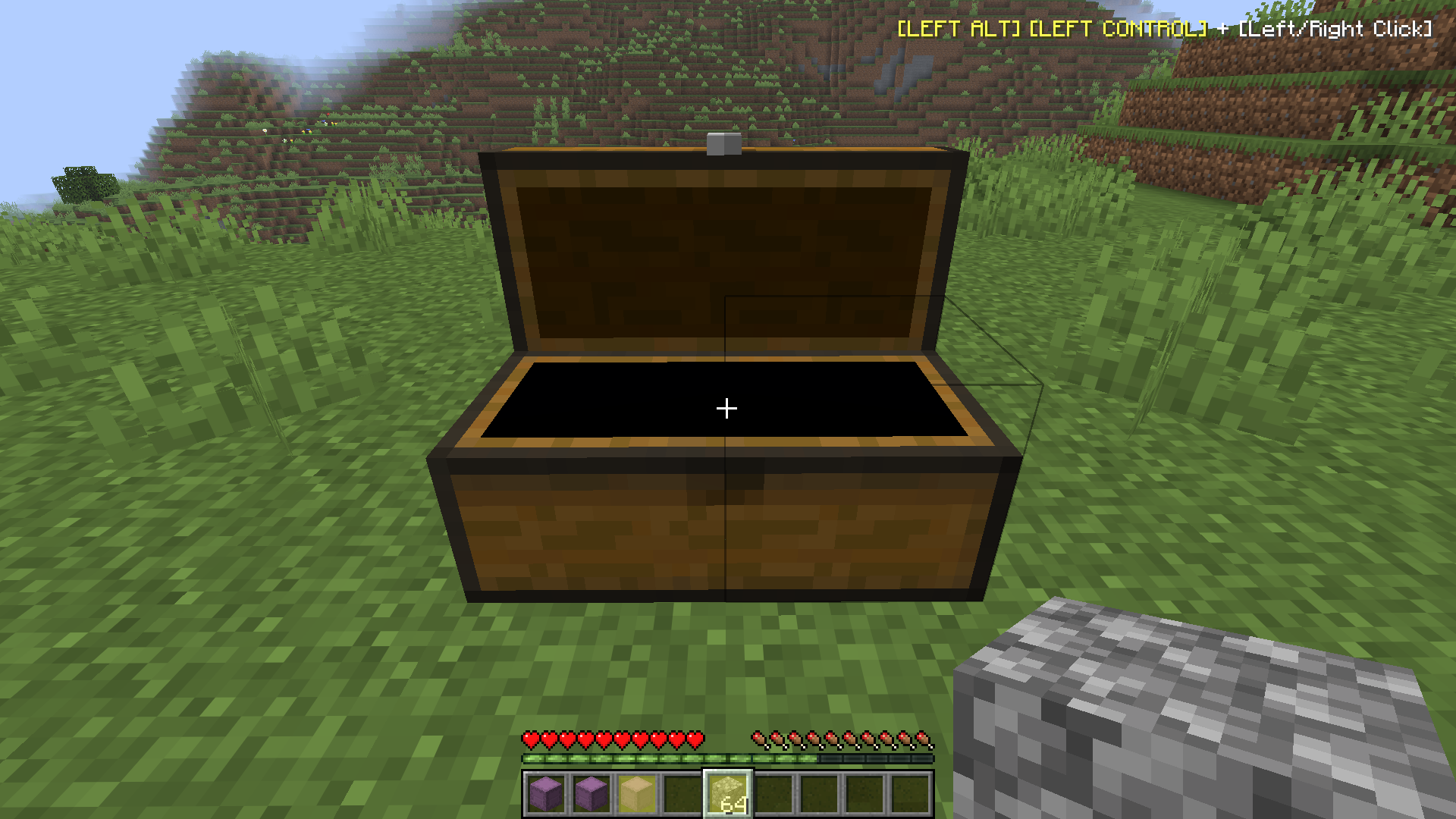 Deposit
Versions
Files
Relations
Project Relations
More like this
Similar Mods
Suggestions use data such as tags, dependencies, dependents, descriptions, titles, and more to rank how much they overlap with this mod.
On ModDex
Community snapshot
By the numbers
Statistics
Want to reach Minecraft players?
We're looking for a server hosting partner to feature here and other parts of the site. Interested? Send us a message!
Get in touchGet it on
Available Platforms
On ModDex
Community snapshot
By the numbers
Statistics
Resources