
Community listing page, reviews may not be monitored by the author.
Chest Search


No reviews yet
This project adds search bars to chest and shucker boxes to help you find items by highlighting matching words.

Community voices
Reviews
No reviews yet. Be the first to review this project!
Get it on
Available Platforms
Compatibility
Supported Environments
Runs entirely on the client. Works on vanilla servers.
About
Project Details
For authors
Embed Badge
If you're the author of this project, you can embed a live badge anywhere that supports HTML or Markdown. It updates automatically whenever ratings change.
Use HTML for any page that supports it, or Markdown for README files and Markdown-based descriptions.
Identifiers
Platform IDs
About
Description
Chest Search
About
This mod adds a search bar to let you search through chest and shulker boxes. It will then highlight with a chosen color in Mod Menu the items that match what you type.

Installation
To install it on Fabric first you must install the Fabric installer.
Fabric (for one version)
After having an instance of fabric installed, you must navigate to the mods folder.
Fabric
Windows
On Windows press WIN + R and in the box that shows up type appdata then hit enter. From there you should see a folder called .minecraft. Once inside there, you should see a folder called mods. In there put the mod .jar for the correct version.
Mac
Open Finder Window. In the top bar, select Go → Go to folder. Type in "~/Library/Application Support/minecraft". In there put the mod .jar for the correct version.
Linux (On Ubuntu could vary from distro)
Open Files and navigate to home. From there, press CTR + H to show hidden folders. From there, navigate to .minecraft. Then go to the mods folder and place the mod .jar for the correct version.
Chest Search
About
This mod adds a search bar to let you search through chest and shulker boxes. It will then highlight with a chosen colour in Mod Menu the items that match what you type. The coolest feature is you can change the colour (if you have modmenu and clothconfig installed to match either your resource pack or how you like to play the game. To do this hit Esc -> Mods -> Search "Chest Search" -> Click Settings -> Change Colour.
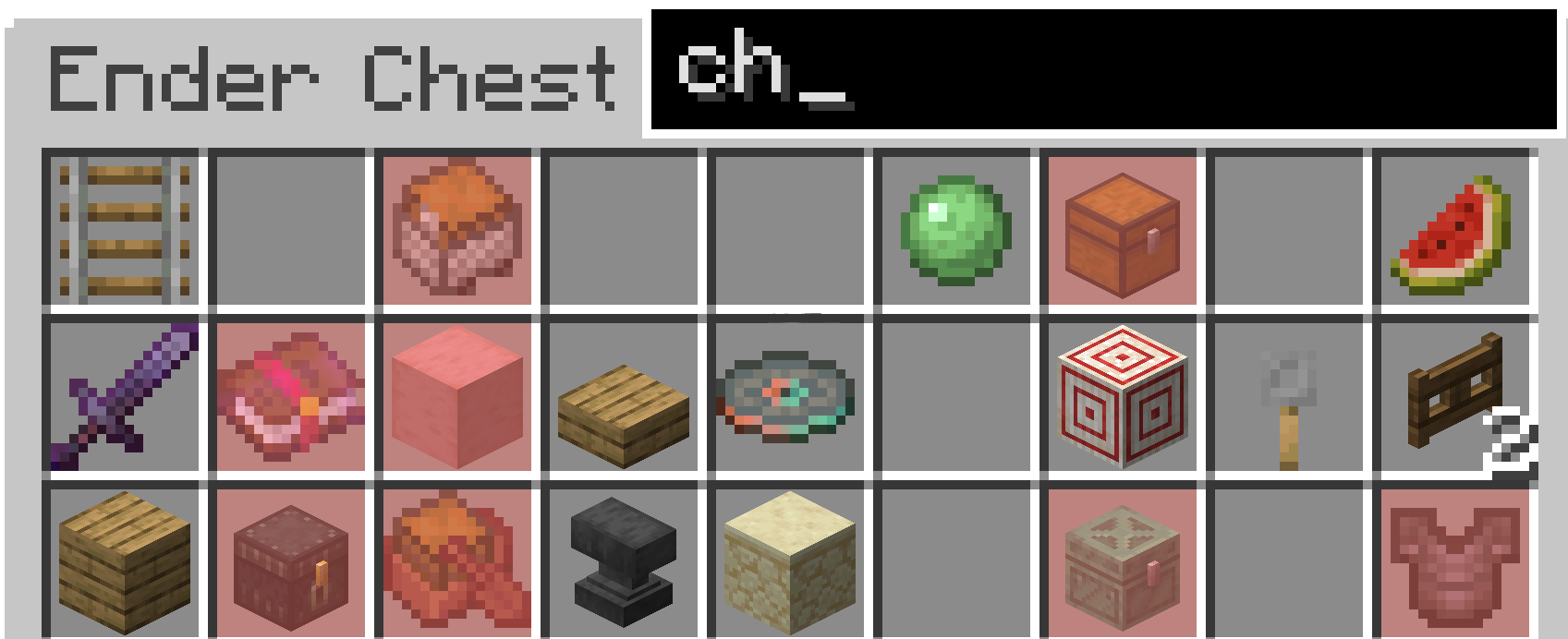
From 1.2.0+
You can now search for enchantments on weapons and books.
Installation
To install it on Fabric first you must install the Fabric installer. Or have the Modrinth app or a similar installation manager.
Fabric (for one version)
Modrinth (for multiple installations)
After having an instance of fabric installed, you must either navigate to the mods folder (Minecraft Launcher Fabric) or directly install it through the modrinth launcher.
Fabric
Windows
On Windows press WIN + R and in the box that shows up type appdata then hit enter. From there you should see a folder called .minecraft. Once inside there, you should see a folder called mods. In there put the mod .jar for the correct version.
Mac
Open Finder Window. In the top bar, select Go → Go to folder. Type in "~/Library/Application Support/minecraft". In there put the mod .jar for the correct version.
Linux (On Ubuntu could vary from distro)
Open Files and navigate to home. From there, press CTR + H to show hidden folders. From there, navigate to .minecraft. Then go to the mods folder and place the mod .jar for the correct version.
Modrinth
In the modrinth app go to your installation of fabric and there should be a tab called install mods. Click on this and search for this project. Then hit install. If you have trouble with this there are tutorials online, however it is quite straight forward.
Screenshots
Gallery
-
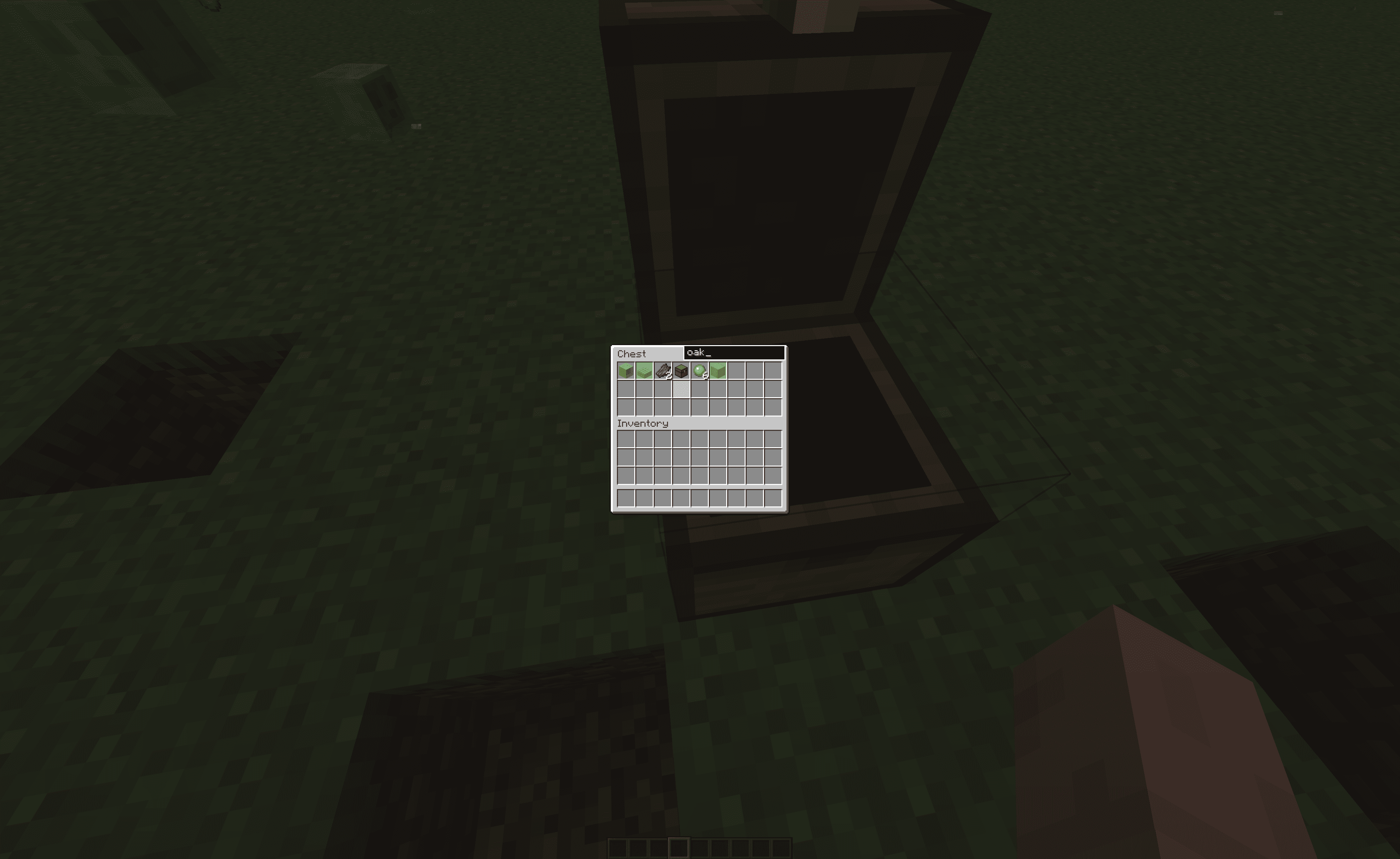 2026-01-07_15.24.38.png 2026-01-07_15.24.38.png
-
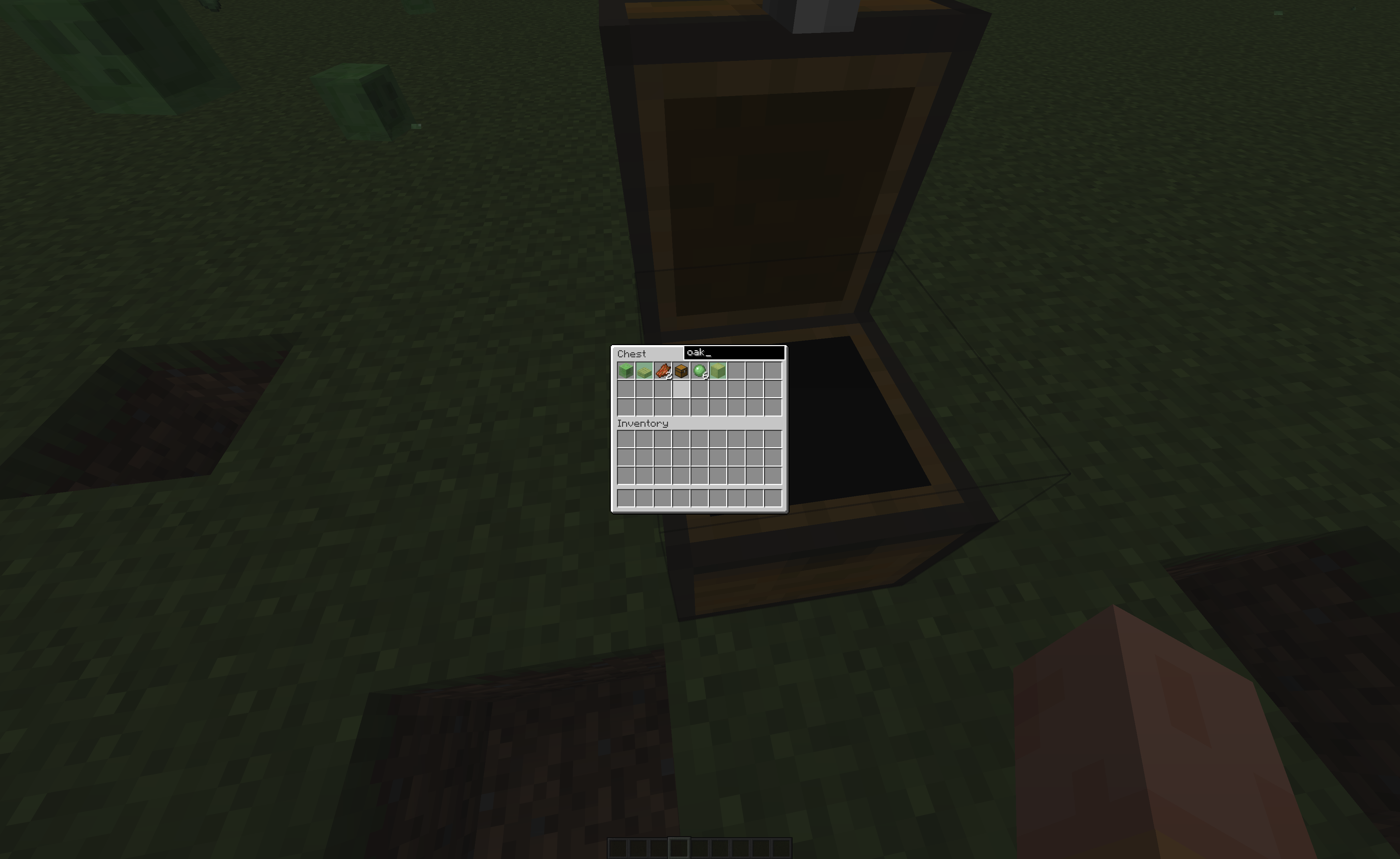 Demonstration This shows the mod being used with a light green colour.
Versions
Files
Relations
Project Relations
More like this
Similar Mods
Suggestions use data such as tags, dependencies, dependents, descriptions, titles, and more to rank how much they overlap with this mod.
On ModDex
Community snapshot
By the numbers
Statistics
 (opens in a new tab)
Get it on
Available Platforms
On ModDex
Community snapshot
By the numbers