
ChestLabels
No reviews yet
This project allows you to add labels and icons to chests!
Features systems for better item storage and organization.
Forge is a popular mod loader for versions 1.1+ of Minecraft.
Community voices
Reviews
Click once to include, again to exclude, again to clear
No reviews yet. Be the first to review this project!
Get it on
Available Platforms
 Modrinth
Compatibility
Supported Environments
About
Project Details
For authors
Embed Badge
If you're the author of this project, you can embed a live badge anywhere that supports HTML or Markdown. It updates automatically whenever ratings change.
Use HTML for any page that supports it, or Markdown for README files and Markdown-based descriptions.
Identifiers
Platform IDs
Resources
External Links
About
Description

A Minecraft mod that allows you to organize your storage by giving chests custom names and icons directly inside the chest interface.
No more guessing what's inside your storage, quickly identify your chests with custom labels and Minecraft item icons!
If you have any issues, PLEASE report them on our GitHub Issues page.
Features
🏷️ Custom Chest Labels
Give your chests unique names directly from the chest GUI.
Labels are saved directly to the chest and remain visible whenever you open it.
🖼️ Chest Icons
Assign any Minecraft item as a custom icon for your chest.
Choose from:
- 🧱 Blocks
- ⚔️ Tools
- 🌱 Items
- 💎 Resources
- 🪨 Any item available in Minecraft
Icons make it easy to recognize storage at a glance.
🏰 Storage Organization
Quick Identification:
- Find your storage faster.
- Separate different categories of items.
- Create cleaner storage rooms.
- Make large bases easier to navigate.
Perfect for:
- Survival worlds
- Multiplayer servers
- Large storage systems
- Builders
⚙️ Customization
In-Game Editing:
Customize your chest directly from the chest interface:
- Change chest name
- Select a custom icon
- Remove labels
- Update existing storage
No commands or external configuration required.
📥 Installation
- Install Forge Loader.
- Download the Chest Labels mod
.jarfile. - Place both files into your
.minecraft/modsfolder. - Launch Minecraft and start organizing!
🛠️ Configuration
Access customization options directly through the chest GUI.
Configure:
- Custom chest names
- Chest icons
- Label visibility settings
- Storage appearance options
✨ Made for Better Storage
Chest Labels brings a simple quality-of-life improvement to Minecraft by making storage management faster, cleaner, and more customizable.
Created in LumaBlossom by Orb4t3l
Screenshots
Gallery
-
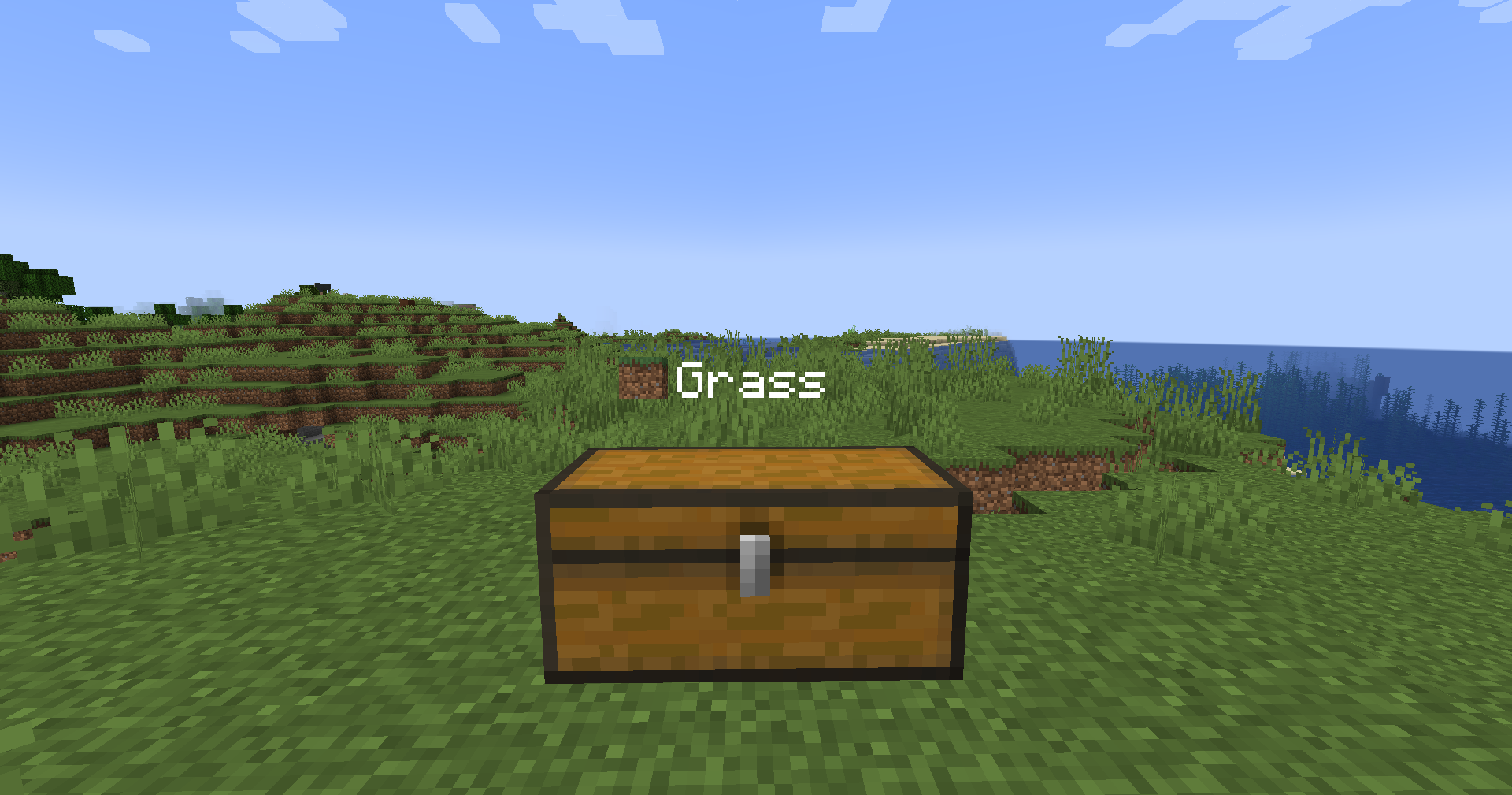 Labled Chest a chest with a grass block as the icon, and the text "Grass" as the label
 -
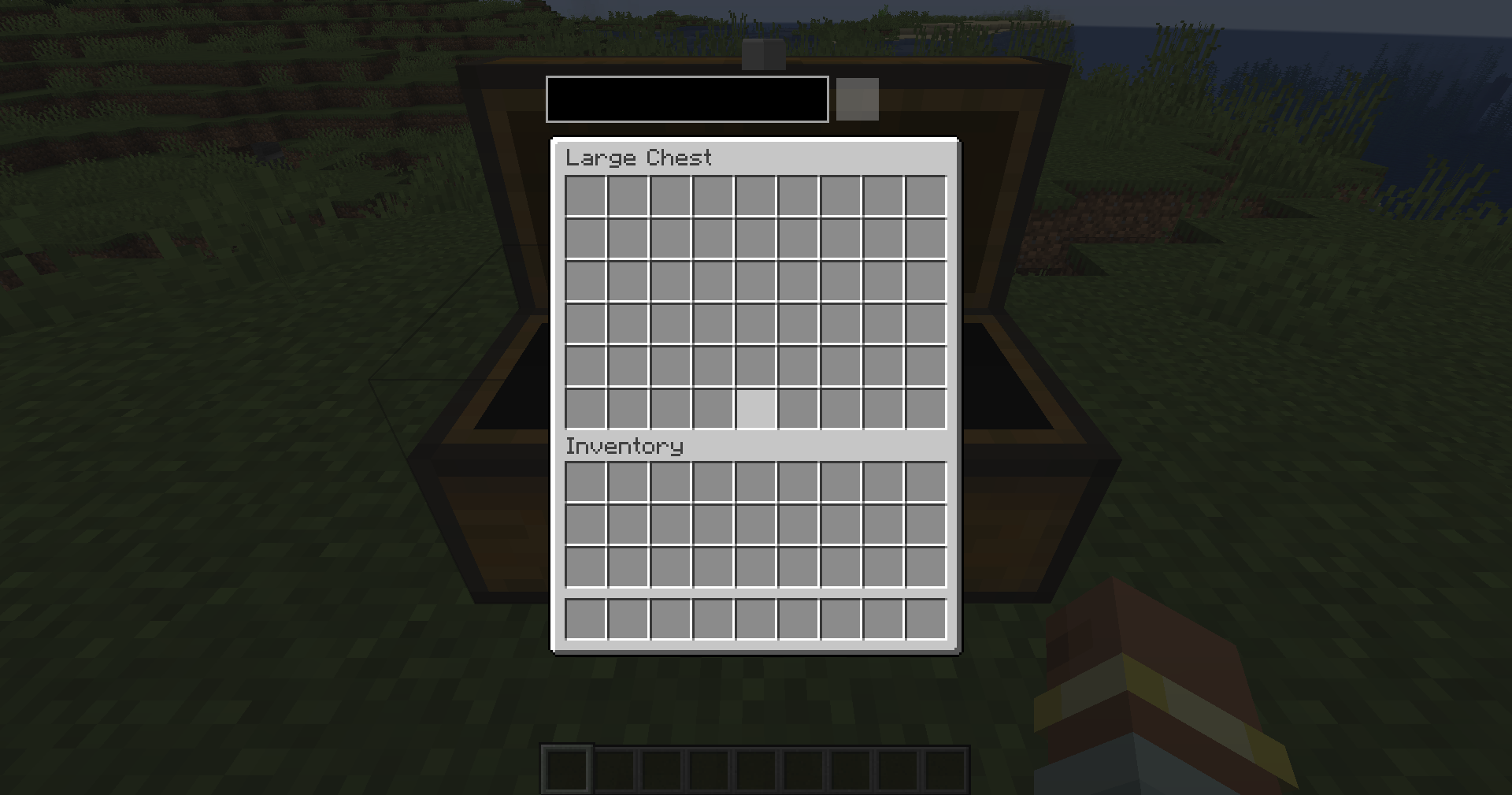 GUI the gui that has the label textbox and icon area
 -
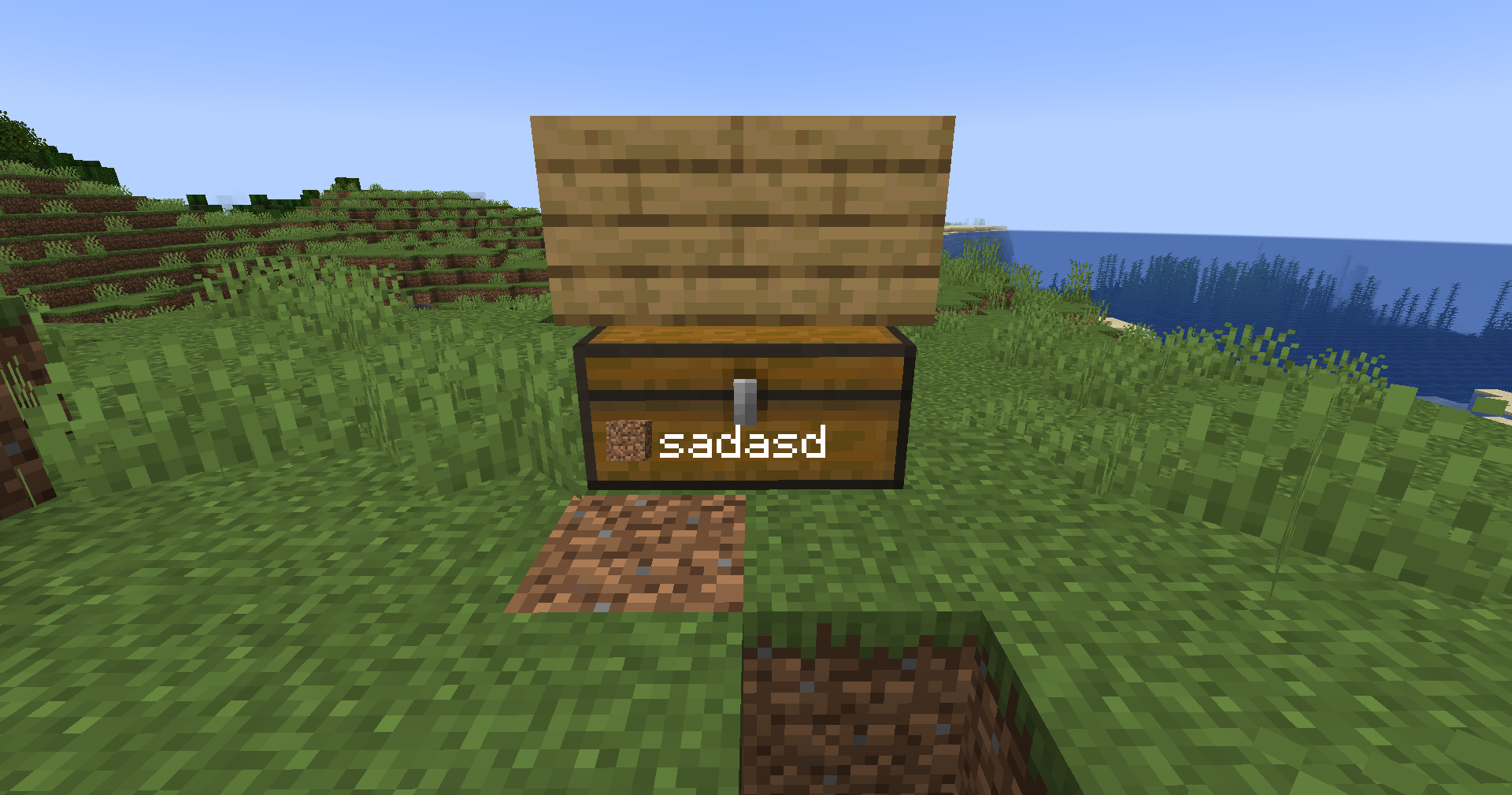 Blocked Labled Chest when a chest has a block that covers the label, it will move spots
Versions
Files
Relations
Project Relations
More like this
Similar Mods
Suggestions use data such as tags, dependencies, dependents, descriptions, titles, and more to rank how much they overlap with this mod.
On ModDex
Community snapshot
By the numbers
Statistics

Want to reach Minecraft players?
We're looking for a server hosting partner to feature here and other parts of the site. Interested? Send us a message!
Get in touchGet it on
Available Platforms
On ModDex
Community snapshot
By the numbers
Statistics
Resources