
Community listing page, reviews here may not be monitored by the author.
Chroma Names

No reviews yet
Adds animated colored effects to the chat
Community voices
Reviews
No reviews yet. Be the first to review this project!
Get it on
Available Platforms
Compatibility
Supported Environments
Works on the client or the server alone, but does more when on both.
About
Project Details
For authors
Embed Badge
If you're the author of this project, you can embed a live badge anywhere that supports HTML or Markdown. It updates automatically whenever ratings change.
Use HTML for any page that supports it, or Markdown for README files and Markdown-based descriptions.
Identifiers
Platform IDs
Resources
External Links
About
Description
Chroma Names
Add animated effects to your chat!
Features
- Animated color effects
- Formatting
- Supports Minecraft default colors and custom HEX colors
- Server support
- GUI
- Prefixes and suffixes
Default key to open the GUI is C
Commands
| Command | Description |
|---|---|
/chateffect <effect> <color1> <color2> <speed> |
Apply animated effects to the chat text |
/nameeffect <effect> <color1> <color2> <speed> |
Apply animated effects to the player's name |
/synceffect <effect> <color1> <color2> <speed> |
Apply animated effects to the chat text and player's name at the same time |
/chatformat add <formats> |
Apply formatting to the chat text |
/nameformat add <formats> |
Apply formatting to the player's name |
syncformat add <formats> |
Apply formatting to the chat text and player's name at the same time |
/prefix add <prefix> <effect> <color1> <color2> <mode> <speed> |
Adds a prefix to the players chat, scoreboard and tab list |
/suffix add <suffix> <effect> <color1> <color2> <mode> <speed> |
Adds a suffix to the players chat, scoreboard and tab list |
/prefixformat add <formats> |
Apply formatting to the prefix |
/suffixformat add <formats> |
Apply formatting to the suffix |
/chateffect clear |
Remove all effects on the chat text |
/nameeffect clear |
Remove all effects on the player's name |
/synceffect clear |
Remove all effects on the chat text and player's name |
/chatformat clear |
Remove all formatting on the chat text |
/nameformat clear |
Remove all formatting on the player's name |
/syncformat clear |
Remove all formatting on the chat text and player's name |
/prefix |
Removes prefix |
/suffix |
Removes suffix |
/prefixformat clear |
Removes prefix formatting |
/suffixformat clear |
Removes suffix formatting |
❤️ Support & Feedback
Screenshots
Gallery
-
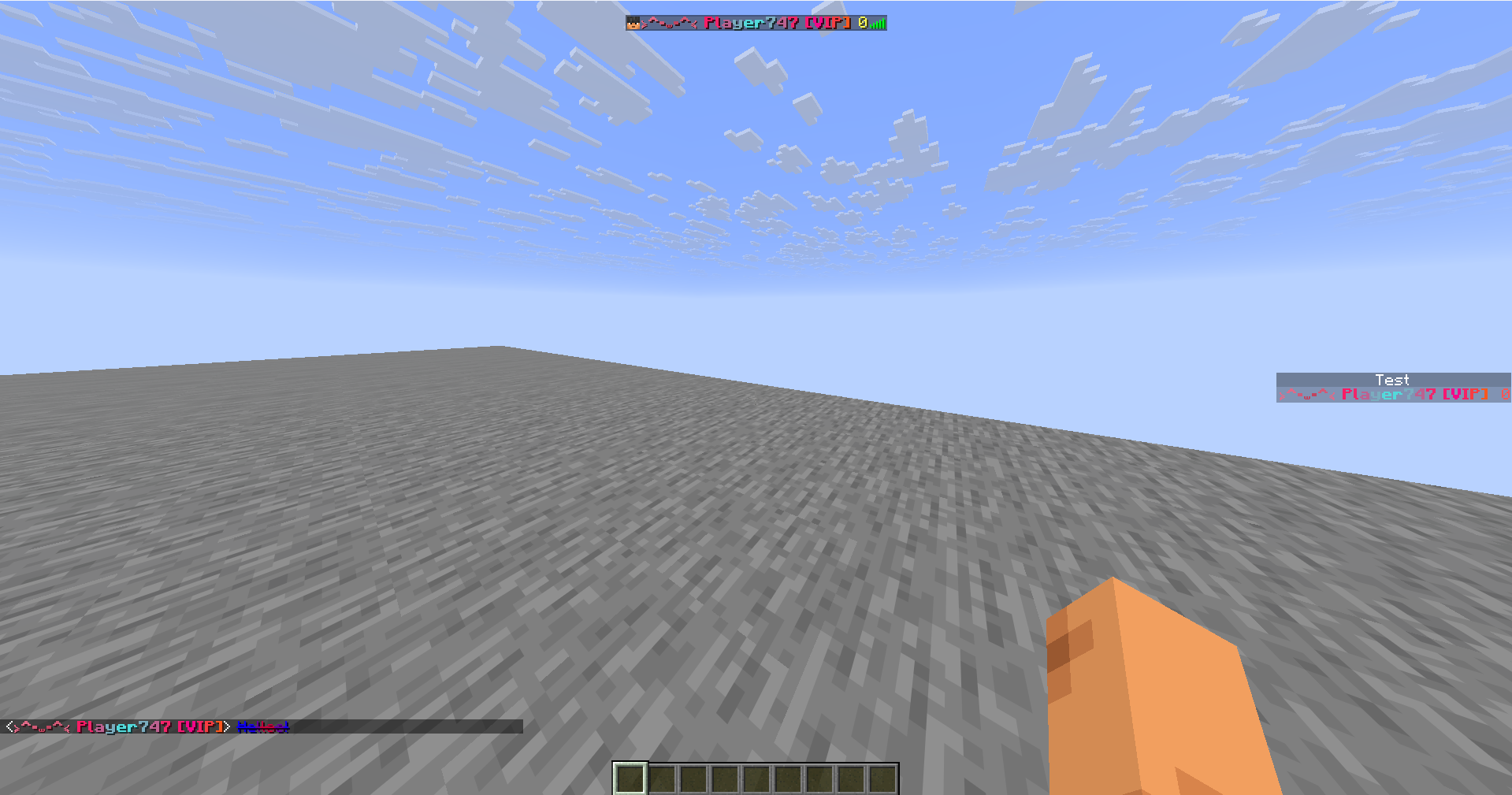 Prefixes and suffixes
 -
 Rainbow effect Rainbow and gradient effect
 -
 Synced effects One effect for both the name and the chat text
 -
 Disco effect and pulse effect
 -
 Formatted text with effects
 -
 Even more effects and more formatting
Versions
Files
Relations
Project Relations
More like this
Similar Mods
Suggestions use data such as tags, dependencies, dependents, descriptions, titles, and more to rank how much they overlap with this mod.
On ModDex
Community snapshot
By the numbers
Statistics

Want to reach Minecraft players?
We're looking for a server hosting partner to feature here and other parts of the site. Interested? Send us a message!
Get in touchGet it on
Available Platforms
On ModDex
Community snapshot
By the numbers
Statistics
Resources