Community listing page, reviews here may not be monitored by the author.
Chromaglow


No reviews yet
Automatically grants every player and pet a glowing effect, allowing them to customize their outline color and auto-hide it using contextual settings.
Community voices
Reviews
No reviews yet. Be the first to review this project!
Get it on
Available Platforms
Compatibility
Supported Environments
Runs entirely on the server. Also works in singleplayer.
About
Project Details
For authors
Embed Badge
If you're the author of this project, you can embed a live badge anywhere that supports HTML or Markdown. It updates automatically whenever ratings change.
Use HTML for any page that supports it, or Markdown for README files and Markdown-based descriptions.
Identifiers
Platform IDs
Resources
External Links
About
Description
Chromaglow
What it does
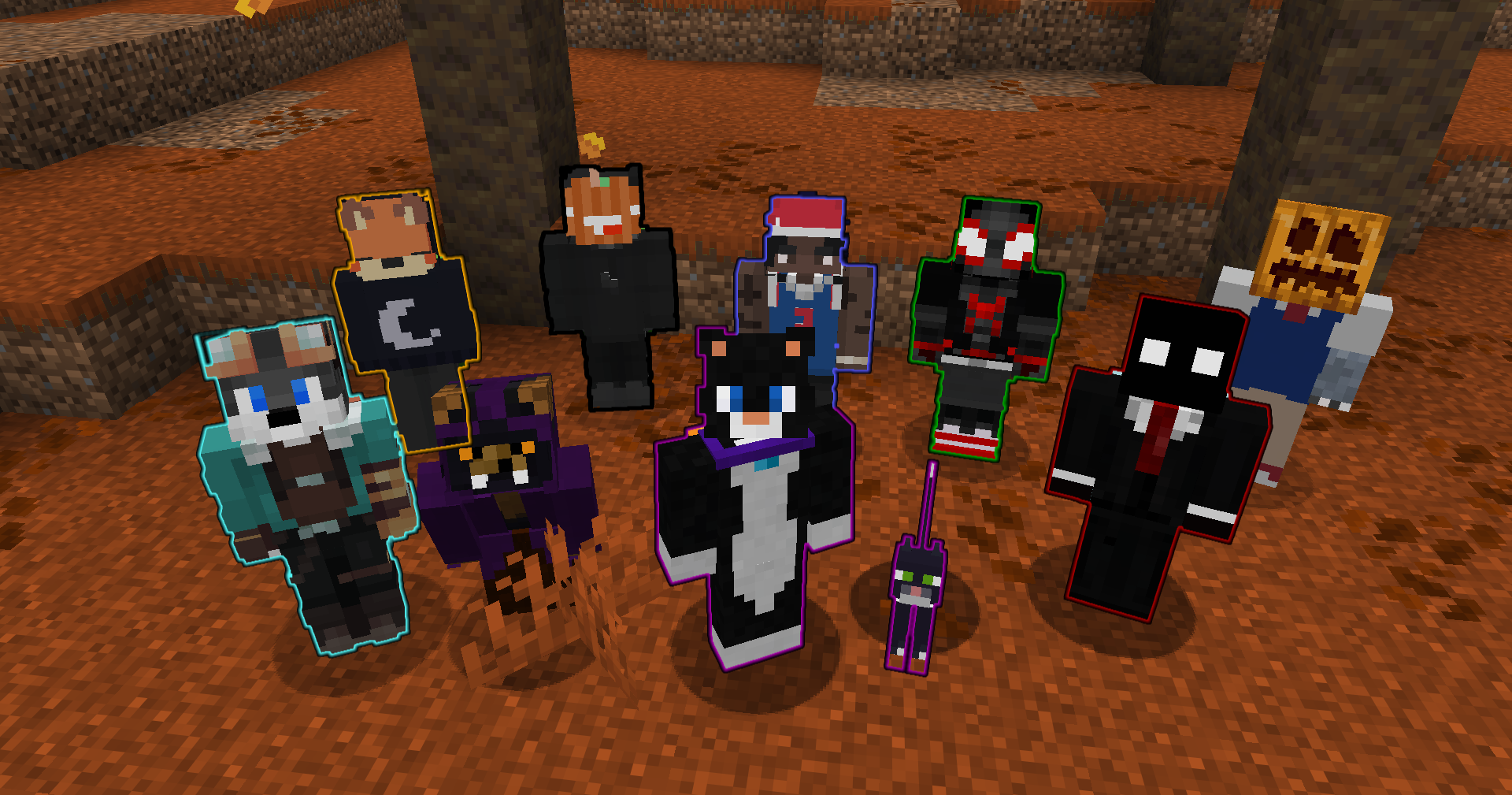
Chromaglow automatically gives players and their owned pets a glowing outline and lets players customize how it behaves. Player outlines can use Chromaglow team colors, while pets can either follow their owner's color or use their collar color.
Glowing can also be hidden automatically in different situations, with personal settings available through /trigger chromaglow and global controls available to server admins.
Personal Menu
Run /trigger chromaglow to open your personal menu.
- Colors: Choose from Chromaglow's color teams to change your glowing outline color.
- Player Settings: Choose whether you glow and when your Glowing is hidden.
- Pet Settings: Choose whether your pets glow, when their Glowing is automatically hidden, and where their color comes from.
Personal choices follow the server's global defaults unless overridden, and server admins can force individual settings when needed.
Player Glowing
Players can configure whether Chromaglow applies Glowing and whether it should be hidden in specific situations:
- Crouching: Hide Glowing while sneaking.
- Invisibility: Hide Glowing while under the Invisibility effect.
- Disguises: Hide Glowing while wearing an item from
#chromaglow:disguisesin an armor slot.
These settings can be changed personally unless they are forced by the server configuration.
Pet Glowing
Chromaglow can also automatically apply Glowing to owned pets.
Players can configure:
- Glow Pets: Enable or disable Glowing for their pets.
- Auto Hide: Choose whether pet Glowing is hidden while Sitting, while Standing, or Never automatically hidden.
- Pet Color: Use either the Owner's Chromaglow team color or the pet's Collar color when available.
By default, pets glow using their owner's color and automatically hide their Glowing while sitting.
Customization
Use /function chromaglow:_config to configure global server settings.
Server admins can:
- Control whether players and pets glow by default.
- Force individual player and pet settings.
- Configure contextual player hiding rules.
- Configure pet auto-hide behavior and color source.
- Require the
chromaglow.glowingtag separately for players and pets. - Choose which personal menu categories players can access.
Each setting can be reset individually, while groups and the entire configuration can also be restored to their defaults.
Uninstallation
Use /function chromaglow:uninstall to remove Chromaglow's persistent data before removing the datapack.
What's Next
In a future update I plan to expand glowing granting to other entities by interacting with an item.
Chromaglow
What it does
Chromaglow automatically gives players and their owned pets a glowing outline and lets players customize how it behaves. Player outlines can use Chromaglow team colors, while pets can either follow their owner's color or use their collar color.
Glowing can also be hidden automatically in different situations, with personal settings available through /trigger chromaglow and global controls available to server admins.
Personal Menu
Run /trigger chromaglow to open your personal menu.
- Colors: Choose from Chromaglow's color teams to change your glowing outline color.
- Player Settings: Choose whether you glow and when your Glowing is hidden.
- Pet Settings: Choose whether your pets glow, when their Glowing is automatically hidden, and where their color comes from.
Personal choices follow the server's global defaults unless overridden, and server admins can force individual settings when needed.
Player Glowing
Players can configure whether Chromaglow applies Glowing and whether it should be hidden in specific situations:
- Crouching: Hide Glowing while sneaking.
- Invisibility: Hide Glowing while under the Invisibility effect.
- Disguises: Hide Glowing while wearing an item from
#chromaglow:disguisesin an armor slot.
These settings can be changed personally unless they are forced by the server configuration.
Pet Glowing
Chromaglow can also automatically apply Glowing to owned pets.
Players can configure:
- Glow Pets: Enable or disable Glowing for their pets.
- Auto Hide: Choose whether pet Glowing is hidden while Sitting, while Standing, or Never automatically hidden.
- Pet Color: Use either the Owner's Chromaglow team color or the pet's Collar color when available.
By default, pets glow using their owner's color and automatically hide their Glowing while sitting.
Customization
Use /function chromaglow:_config to configure global server settings.
Server admins can:
- Control whether players and pets glow by default.
- Force individual player and pet settings.
- Configure contextual player hiding rules.
- Configure pet auto-hide behavior and color source.
- Require the
chromaglow.glowingtag separately for players and pets. - Choose which personal menu categories players can access.
Each setting can be reset individually, while groups and the entire configuration can also be restored to their defaults.
Uninstallation
Use /function chromaglow:uninstall to remove Chromaglow's persistent data before removing the datapack.
What's Next
In a future update I plan to expand glowing granting to other entities by interacting with an item.
Screenshots
Gallery
-
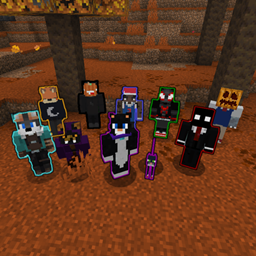
Chromaglowing Players An example image showing me and my friends with colored glowing effects. • Tefuzitos (aqua) • H'yuki (crouching) • BielFoxyz (gold) • ydS2 (black) • Devz15 (blue) • GuilhermeExt (dark green) • Tisora19 (dark red) • Jotitoss (pumpkin)
Versions
Files
Relations
Project Relations
More like this
Similar Mods
Suggestions use data such as tags, dependencies, dependents, descriptions, titles, and more to rank how much they overlap with this mod.
On ModDex
Community snapshot
By the numbers
Statistics
Want to reach Minecraft players?
We're looking for a server hosting partner to feature here and other parts of the site. Interested? Send us a message!
Get in touchGet it on
Available Platforms
On ModDex
Community snapshot
By the numbers
Statistics
Resources