
Chronicle: World Calendar
No reviews yet
A fully customizable handheld calendar featuring configurable days, months, years, eras, and scheduled world events, all displayed through an immersive interface. Perfect for adding structure, organization, and immersion to survival worlds, RPGs, and multi
Fabric is a mod loader for versions 1.14+ of Minecraft, particularly popular for client side and optimization mods.
Community voices
Reviews
Click once to include, again to exclude, again to clear
No reviews yet. Be the first to review this project!
Get it on
Available Platforms
 Modrinth
Compatibility
Supported Environments
About
Project Details
For authors
Embed Badge
If you're the author of this project, you can embed a live badge anywhere that supports HTML or Markdown. It updates automatically whenever ratings change.
Use HTML for any page that supports it, or Markdown for README files and Markdown-based descriptions.
Identifiers
Platform IDs
Resources
External Links
About
Description
Chronicle: World Calendar
Bring your Minecraft world to life with a fully customizable calendar and event system. Chronicle: World Calendar allows you to create a living timeline for your world, complete with seasons, festivals, battles, celebrations, announcements, and story-driven events.
Designed for RPG worlds, roleplay servers, adventure maps, and custom civilizations, Chronicle gives your world a sense of history and progression.
Features
📅 Custom World Calendar
Track the passage of time with a fully customizable in-game calendar.
Features:
- Custom years
- Custom months
- Custom day lengths
- Current date tracking
- Calendar GUI
- Upcoming event display
Create your own world's timeline and let history unfold naturally. Grab the calendar item from the creative menu and right click to open the calendar GUI. There you will see event details on the left and the calendar on the right. Events and Calendar layout/specs are nearly entirely configurable.
🎉 Event System
Create custom events that occur on specific dates.
Events can include:
- Custom names
- Titles and subtitles
- Descriptions
- Locations
- Colors
- Icons
- Start and end dates
- Commands
- Music
Examples:
- Royal festivals
- Arena tournaments
- Holidays
- Historical battles
- Seasonal celebrations
- Story events
- Event Announcements
Events can automatically broadcast cinematic announcements to players.
Example:
Title:
Colosseum Games
Subtitle:
Champions enter the arena!
Events can trigger:
- Titles
- Subtitles
- Server commands
- Custom effects
- Other mod integrations
- 🎵 Music Regions Integration
Chronicle integrates with Music Regions to provide dynamic event soundtracks.
Events can have custom music playlists that automatically play when the event begins.
Features:
- Custom event soundtracks
- Multiple songs per event
- Regional music override
- Automatic return to regional music after events
Example:
A Roman Colosseum event can:
- Display announcements
- Start battle music
- Override the Colosseum's normal soundtrack
- Resume normal music after the games end
Creating Events
Events are created using JSON files located in the Chronicle configuration folder.
Each event can define:
- Event ID
- Name
- Date
- Location
- Description
- Display colors
- Icons
- Commands
- Music tracks
Example event:
{
  "id": "roman_colosseum_games",
  "name": "Roman Colosseum Games",
  "month": 2,
  "startDay": 20,
  "endDay": 24,
  "musicTracks": [
    "arena_theme",
    "battle_music"
  ],
  "overrideRegionMusic": true
}
Designed For
Chronicle works especially well for:
🏰 Medieval kingdoms ⚔️ RPG adventures 🌎 Custom civilizations 📖 Story-driven worlds 🎭 Roleplay servers 🗺️ Adventure maps
Create a world where time matters and events happen naturally.
Compatibility
Optional integrations:
Music Regions 1.1.1
- Event-based music
- Dynamic soundtracks
- Regional music overrides
Chronicle does not require Music Regions to function. Events, calendars, and commands work independently.
Future Plans
- More calendar customization
- Additional event actions
- More integrations
- Expanded GUI features
- More world progression tools
Notes
Chronicle: World Calendar is designed to provide the foundation for living Minecraft worlds. Whether you are creating a fantasy empire, a historical simulation, or an adventure campaign, Chronicle allows your world to develop its own timeline and stories.
Screenshots
Gallery
-
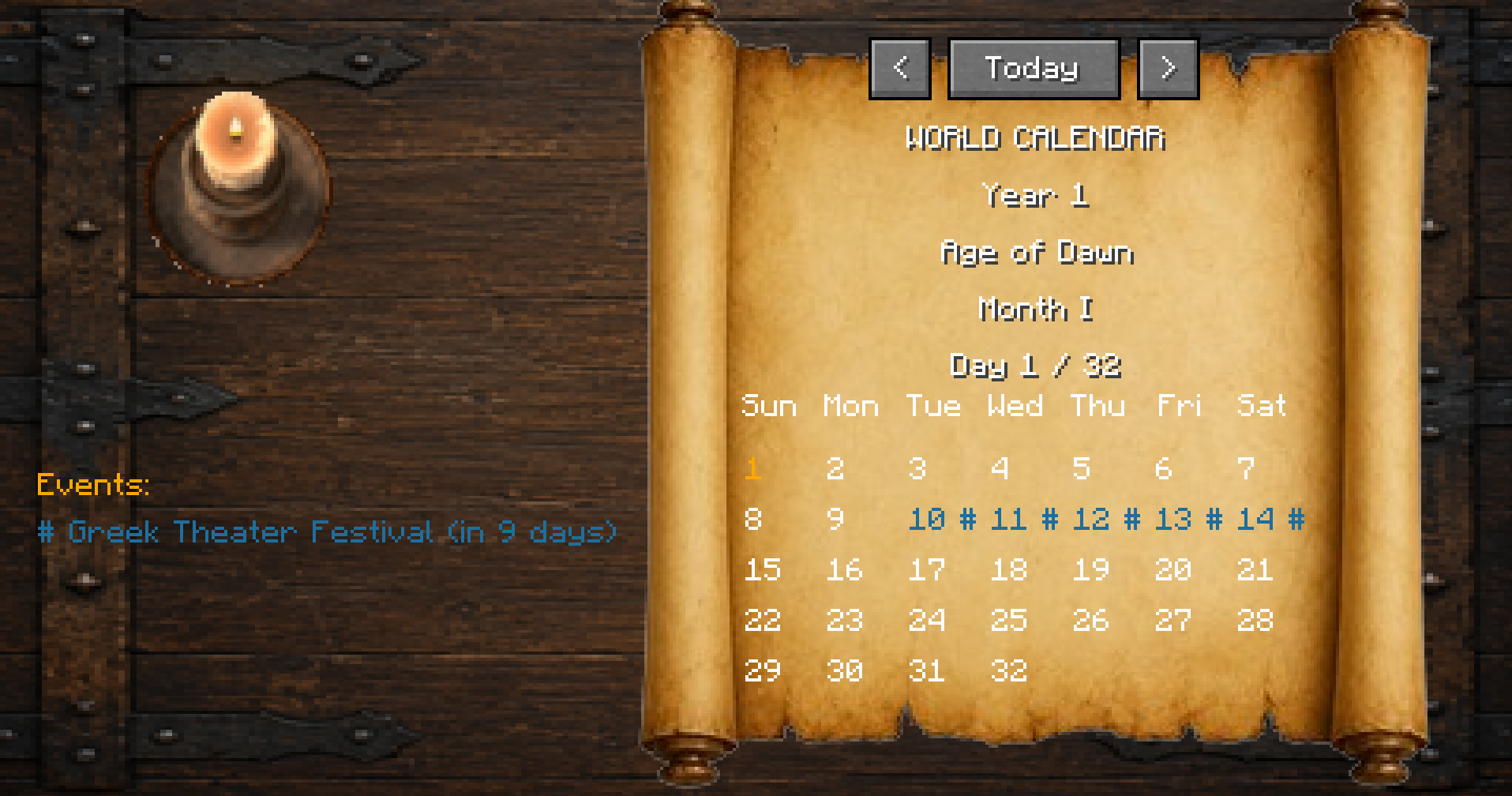 Opening the Calendar This is what the default calendar looks like. You have the navigation buttons on the top, the title, year, era, month, day, and then the day grid. Current day is highlighed (1 here for example), and special events are highlighted a custom color.
 -
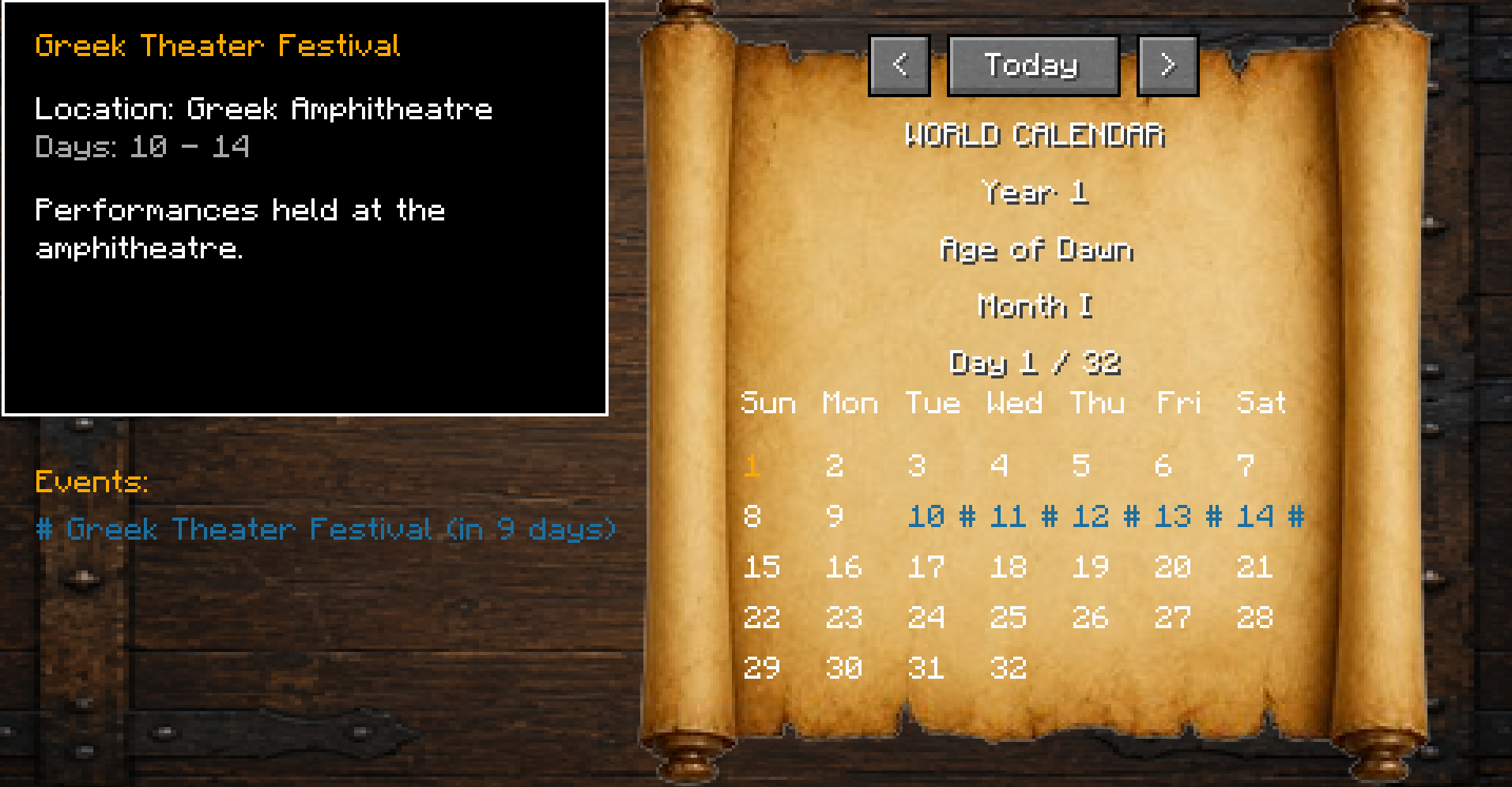 Tooltip Once you hover over an event (colored days with an icon on the grid), a tooltip will pop up with information about that event.
 -
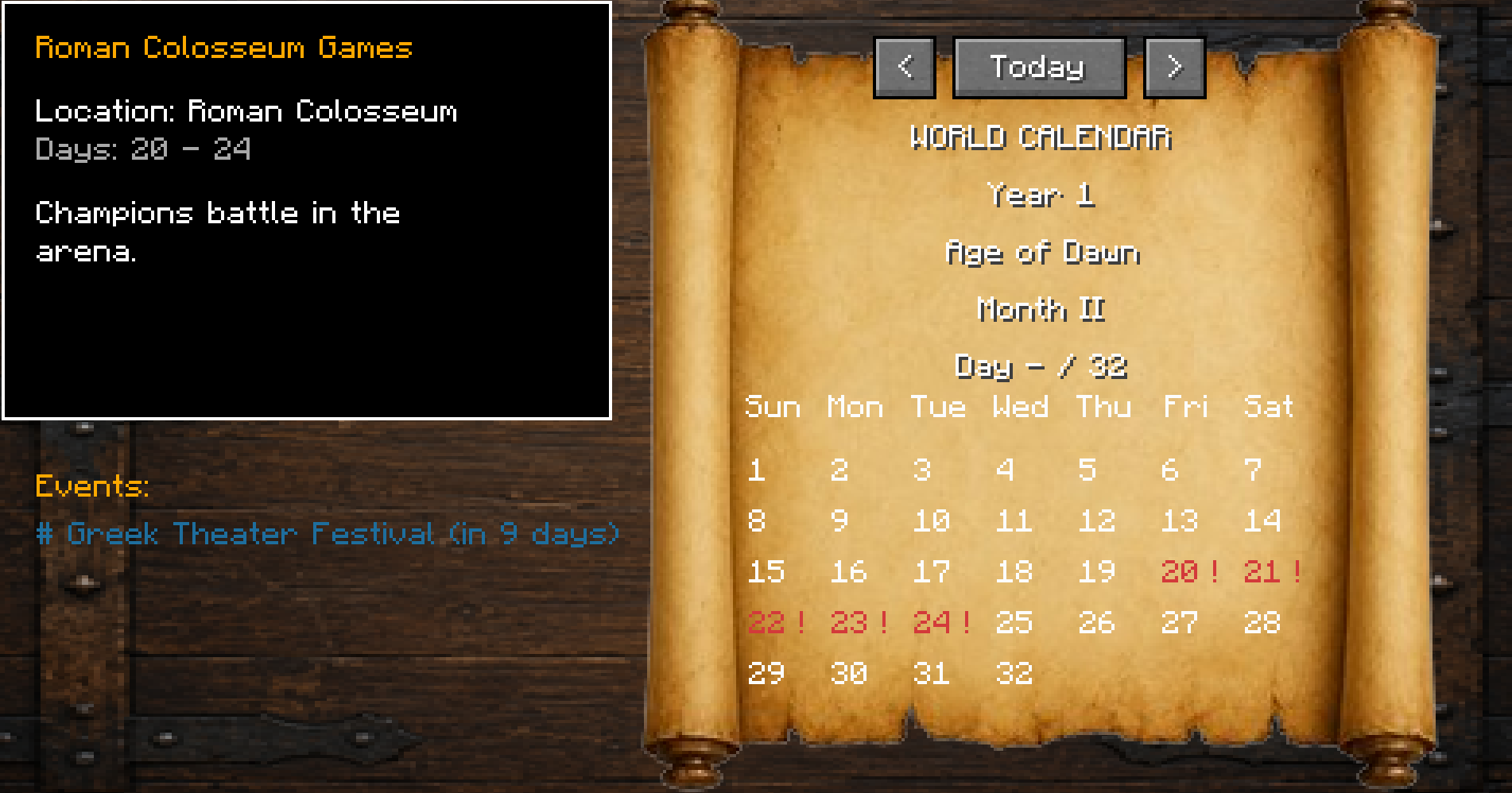 Next Month clicking on the ">" button will send you to the next month where you can view the event.
 -
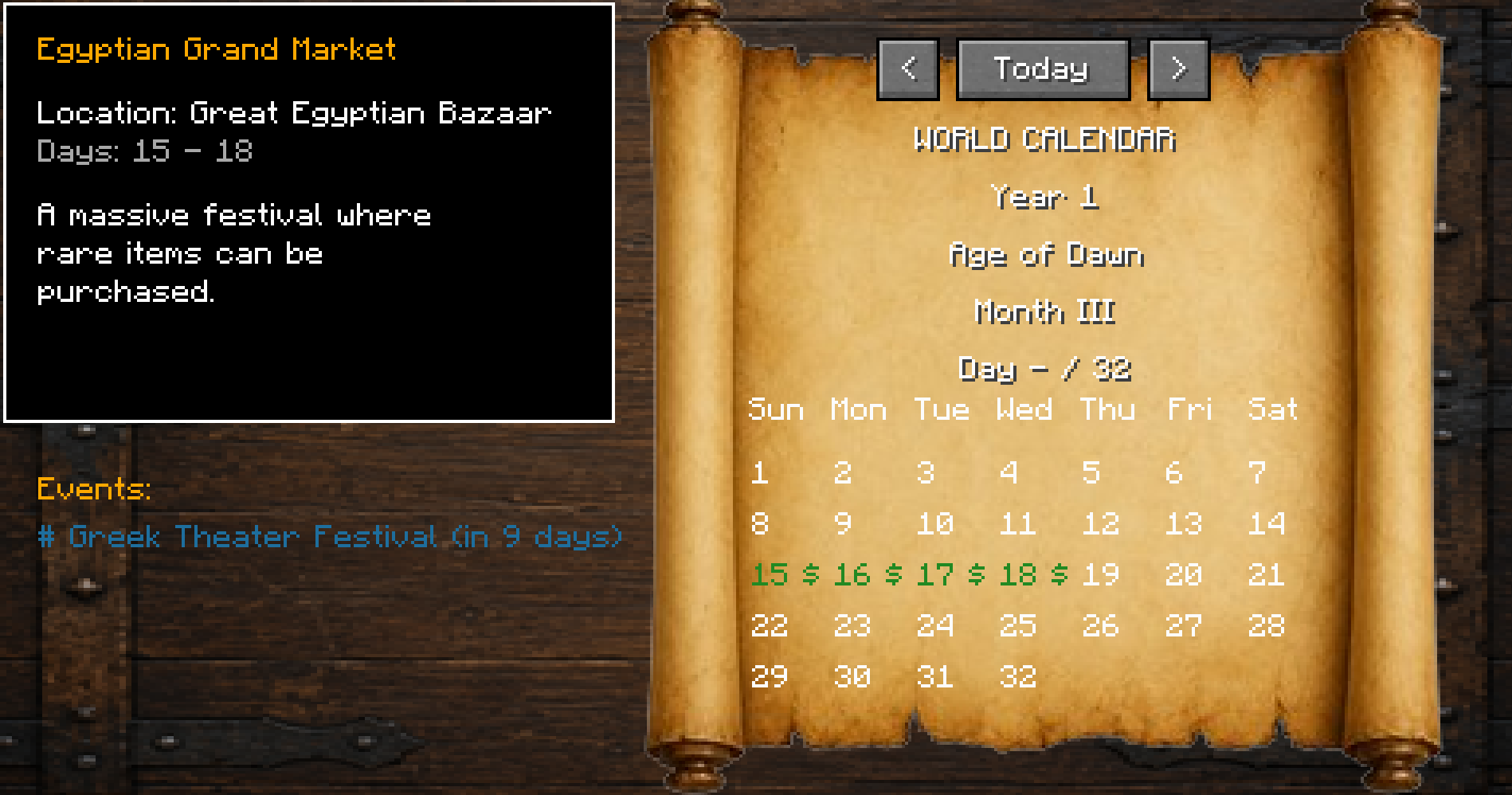 Next Month II This is the default next month.
 -
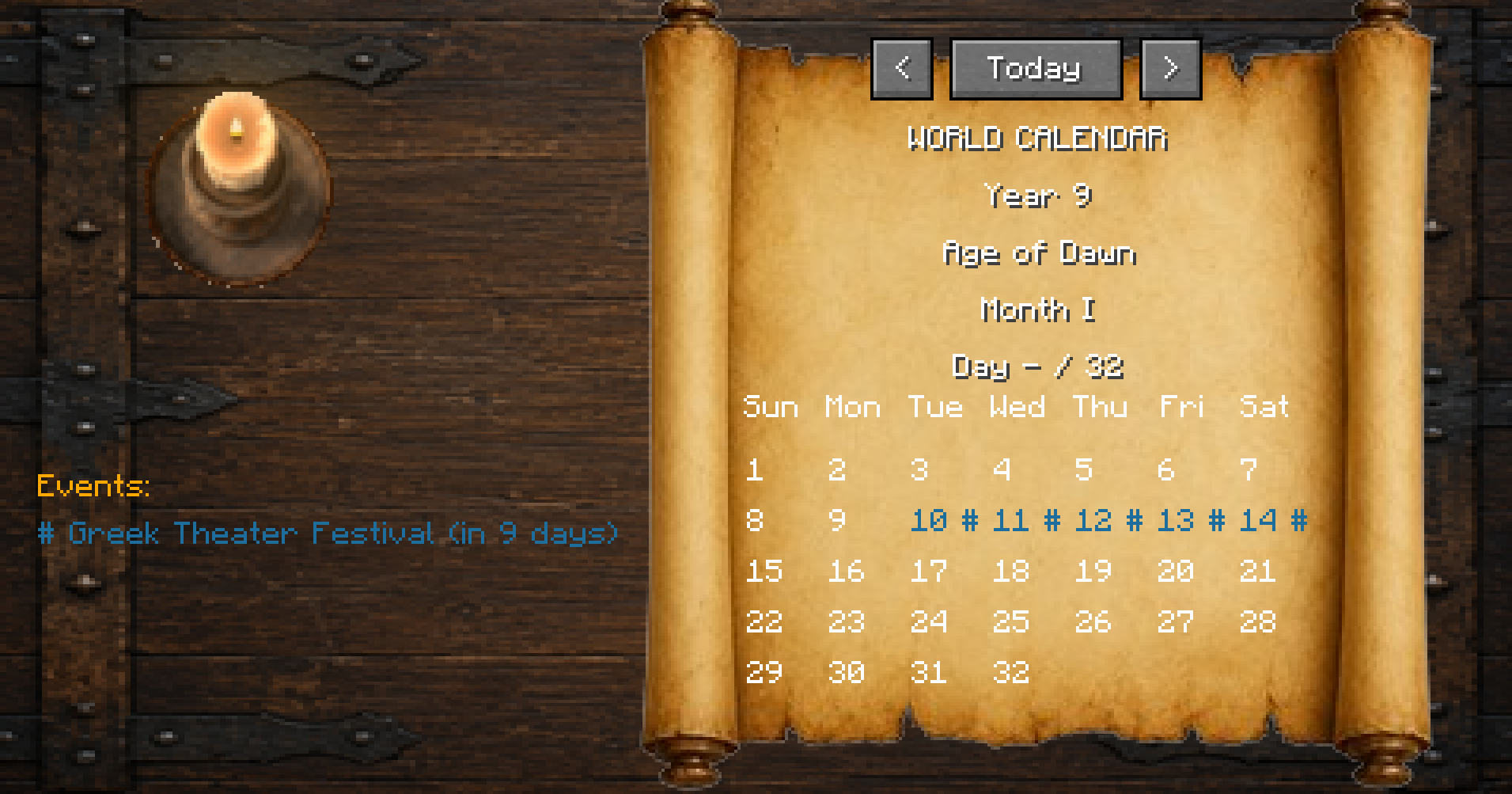 Future Dates You can go as far into the future as you want to view dates. To head back to your current month, simply click the "Today" button and it will take you to your current month.
 -
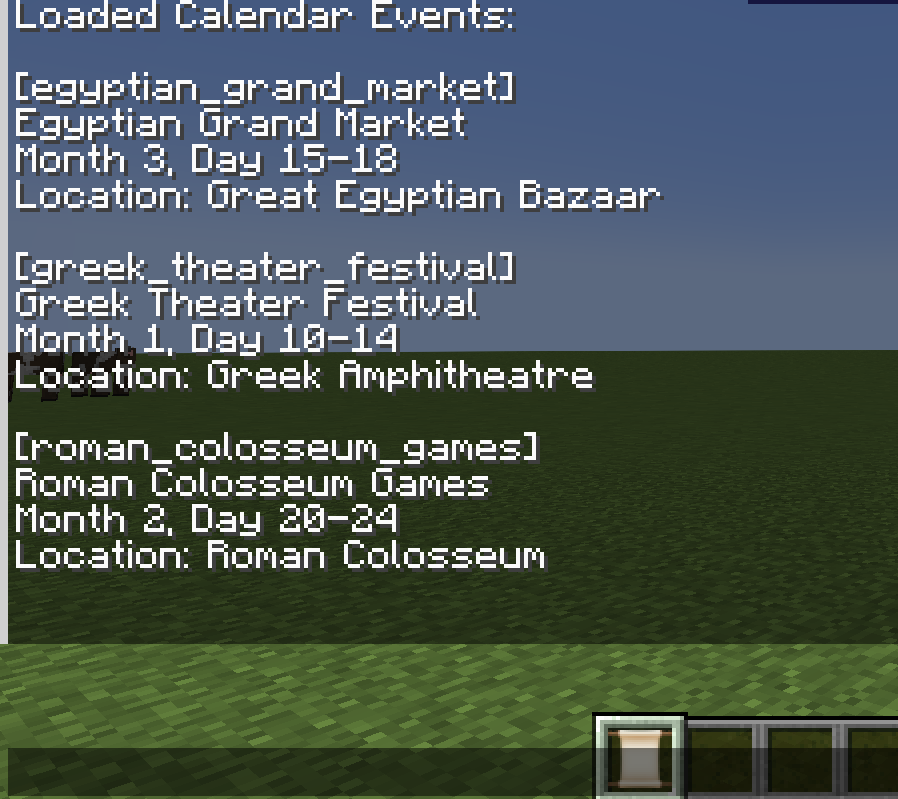 Event List After typing in /calendar, you will see auto fill commands that allow you to reload the calendar with your json configurations, added events, and list all events.
Versions
Files
Relations
Project Relations
More like this
Similar Mods
Suggestions use data such as tags, dependencies, dependents, descriptions, titles, and more to rank how much they overlap with this mod.
On ModDex
Community snapshot
By the numbers
Statistics

Want to reach Minecraft players?
We're looking for a server hosting partner to feature here and other parts of the site. Interested? Send us a message!
Get in touchGet it on
Available Platforms
On ModDex
Community snapshot
By the numbers
Statistics
Resources