Community listing page, reviews may not be monitored by the author.
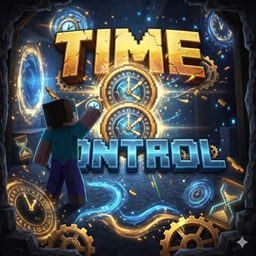
CHRONOS - TIME CONTROL

No reviews yet
The entire universe slows to a crawl, but your hands and reflexes still move at the speed of light.

Community voices
Reviews
No reviews yet. Be the first to review this project!
Get it on
Available Platforms
About
Project Details
For authors
Embed Badge
If you're the author of this project, you can embed a live badge anywhere that supports HTML or Markdown. It updates automatically whenever ratings change.
Use HTML for any page that supports it, or Markdown for README files and Markdown-based descriptions.
Identifiers
Platform IDs
Resources
External Links
About
Description
1. 🌟 Overview & Design Philosophy
Chronos - Time Control is an advanced time-dilation mod for Minecraft Java Edition (1.20.1 Fabric). It directly hooks into the core game and server physics simulation loops (Tick Loop) to alter the flow of time itself.
Unlike traditional in-game effects (such as the Slowness potion effect, which merely lowers player walking speed), Chronos decelerates the entire physical fabric of Minecraft: free-fall gravity, player momentum, mob AI, projectile trajectories, lava/water flow, and the day-night cycle.
Most importantly, the mod adds zero extra items, blocks, or custom equipment to your inventory. The vanilla sandbox remains completely pure and focused 100% on temporal manipulation.
2. ⚡ The Breakthrough: Decoupled Render & Physics Engine
The standout innovation of Chronos is its Dual-Tick / Decoupled Input Architecture:
- Fall 10 Blocks in 10 Seconds: At
0.05x–0.08xspeed, leaping off a 10-block ledge takes approximately 10 full real-world seconds to reach the ground. Supported by continuous sub-tick frame interpolation, falling and entity movements are silky smooth without any stutter or frame skips. - Unthrottled Mouse & Native Display FPS: While the game world and player physics tick in slow motion, your mouse cursor, GUI interactions, and camera look-rotation run at your hardware's full refresh rate (60 / 144 / 240+ FPS).
- Mid-Air Crafting: Pressing
Eopens your inventory instantly with zero tick delay. Mouse cursor movement, drag-and-drop, and crafting table interactions operate at native real-time speed. You can craft an entire set of iron/diamond armor and equip it mid-air before hitting the ground!
3. 🎨 Cyber-Glassmorphism Control Dashboard (Press N)
Pressing the N key brings up a modern, elegant Dark Glassmorphism control panel:
- Dynamic Neon Glow Border: The dialog border dynamically reacts to your current temporal state:
- ❄ Neon Cyan: When in Slow Motion (< 0.99x).
- ⚡ Amber Gold: When in Fast Forward (> 1.01x).
- ✦ Emerald Green: When at Normal Speed (1.00x / 20 TPS).
- Live Time Dilation Gauge & Telemetry:
- Displays real-time speed multipliers (e.g.,
0.05x (20.0x Slower)). - Detailed engine metrics:
1.0 TPS | 1000 ms/tick. - An animated visual gauge bar illustrating relative time dilation.
- Contextual hint: "💡 Tip: At 0.05x - 0.08x, you fall 10 blocks in about 10 seconds!"
- Displays real-time speed multipliers (e.g.,
- Fine-Tuned Speed Slider: Smoothly scale game speed anywhere from 0.01x (ultra slow-mo) up to 3.00x (fast forward). The left half of the slider is weighted specifically for micro-adjustments in the slow-motion spectrum.
- 6 Quick-Select Presets:
0.05x: The signature Matrix cinematic mode (10s for 10-block fall).0.10x/0.25x/0.50x: Convenient 10x, 4x, and 2x slow-down tiers.1.00x: Instant reset to standard Minecraft (20 TPS).2.00x: 2x Fast-Forward to accelerate waiting times (smelting, crop growth, daytime).
- In-Menu Keybinding Rebinds: Click any shortcut button (
Menu Key,Toggle Slow-Mo, orHUD Key) and simply press any keyboard key to rebind it immediately without navigating Minecraft's options menu.
4. 🖥 Flexible & Non-Intrusive HUD Overlay
A sleek, modern pill-style HUD badge resides in the top corner of your screen:
- 3 Visibility Modes:
- Only Slow-Mo: Automatically displays the badge when time is dilated/altered, and automatically hides during normal gameplay to keep your screen clean and immersive.
- Always Show: Keeps the HUD gauge permanently pinned.
- Hidden: Completely disables the HUD.
- On-the-Fly Toggle Key (
H): PressHat any moment in-game to toggle the HUD on or off, accompanied by an instant action-bar notification.
5. 🔊 Cinematic Audio Pitch Dilation
When time slows down, ambient game sounds (wind rushes, falling sound, footfalls, block breaking, and impacts) automatically downscale in acoustic pitch. This delivers a deep, cinematic rumble effect (can be toggled ON/OFF in the menu).
6. 🌐 Bilingual Support (English & Vietnamese)
- Automatic Game Language Detection: Matches your Minecraft language setting automatically.
- 1-Click Instant Language Switcher: A dedicated button on the menu (
[ 🌐 Language: English / Tiếng Việt / Auto ]) instantly switches all UI elements, presets, slider messages, and HUD text on the spot without requiring a game restart.
🎮 Default Controls & Commands
| Keybind | Function |
|---|---|
N |
Open the Chronos Time Control Dashboard |
V |
Quick Toggle Slow Motion on/off (1.0x ⮂ 0.05x) |
H |
Quick Toggle HUD Speed Display on/off |
] |
Increase Game Speed (+0.05x) |
[ |
Decrease Game Speed (-0.05x) |
| Chat Commands | /timespeed <speed> (e.g., /timespeed 0.05 or /timespeed reset) |
Screenshots
Gallery
Versions
Files
Relations
Project Relations
More like this
Similar Mods
Suggestions use data such as tags, dependencies, dependents, descriptions, titles, and more to rank how much they overlap with this mod.
On ModDex
Community snapshot
By the numbers
Statistics

Get it on
Available Platforms
On ModDex
Community snapshot
By the numbers
Statistics
Resources