
Community listing page, reviews here may not be monitored by the author.

Community voices
Reviews
No reviews yet. Be the first to review this project!
Get it on
Available Platforms
Compatibility
Supported Environments
Required on the server. Installing it on the client adds functionality.
About
Project Details
For authors
Embed Badge
If you're the author of this project, you can embed a live badge anywhere that supports HTML or Markdown. It updates automatically whenever ratings change.
Use HTML for any page that supports it, or Markdown for README files and Markdown-based descriptions.
Identifiers
Platform IDs
About
Description
ChronoVault
ChronoVault is a incremental backup mod for Minecraft worlds with deduplication and compression
Content-Addressable Storage
Unlike traditional backup tools that copy entire worlds, ChronoVault uses content-addressable storage (CAS):
How It Works:
- Each 512×512 chunk is hashed with BLAKE3
- Chunks are stored by their hash, not by filename
- Zstd compression is applied to each chunk individually
- A snapshot manifest records which chunks existed at that point in time
Storage Efficiency:
- Incremental saves — Only modified chunks consume new storage
- Cross-snapshot deduplication — Identical chunks are stored once, shared by all snapshots
- Per-world isolation — Each world's objects are stored separately
Features
- Async backups — Non-blocking, runs while you play
- In-game GUI — Browse and restore snapshots without leaving the game
- Auto backup — Schedule automatic snapshots
- Safe restoration — Restores to a new world; original is untouched
Commands
/chronovault backup [description]— Create snapshot/chronovault list [world]— List all snapshots/chronovault info <id>— Snapshot details/chronovault restore <id> [name]— Restore to new world
How to Restore (GUI)
- Open the Edit World screen (click "Edit" on a world in the world list)
- Click "Restore Backups" button
- Select a snapshot from the list
- Confirm restoration
- A new world is created with the restored data
Screenshots
Gallery
-
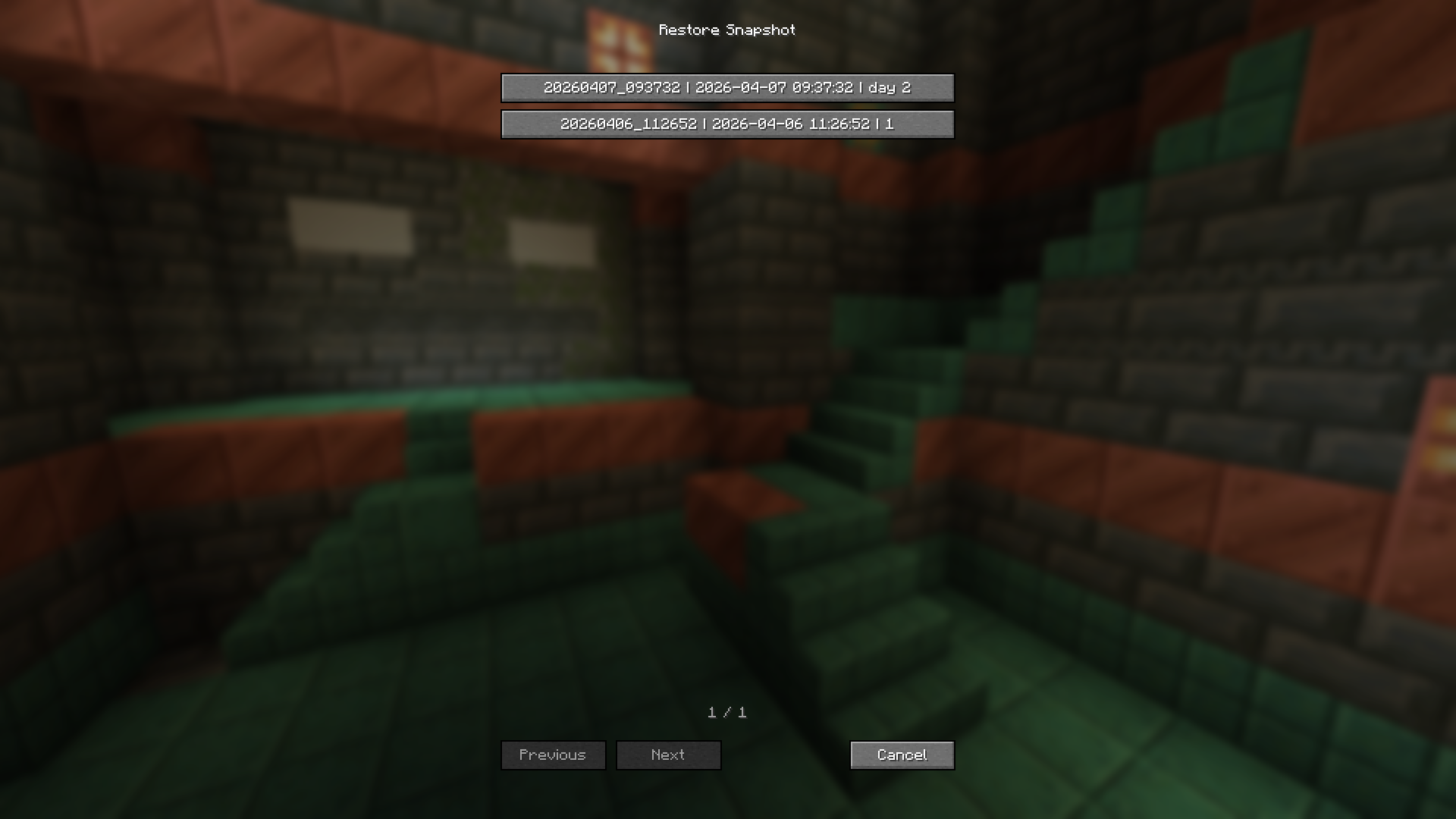 Restore backup in GUI
Versions
Files
Relations
Project Relations
More like this
Similar Mods
Suggestions use data such as tags, dependencies, dependents, descriptions, titles, and more to rank how much they overlap with this mod.
On ModDex
Community snapshot
By the numbers
Statistics

Want to reach Minecraft players?
We're looking for a server hosting partner to feature here and other parts of the site. Interested? Send us a message!
Get in touchGet it on
Available Platforms
On ModDex
Community snapshot
By the numbers