Community listing page, reviews may not be monitored by the author.
ChunkBorders

No reviews yet
Visualize chunk borders, locate chunk centers, and more.

Community voices
Reviews
No reviews yet. Be the first to review this project!
Get it on
Available Platforms
About
Project Details
For authors
Embed Badge
If you're the author of this project, you can embed a live badge anywhere that supports HTML or Markdown. It updates automatically whenever ratings change.
Use HTML for any page that supports it, or Markdown for README files and Markdown-based descriptions.
Identifiers
Platform IDs
Resources
External Links
About
Description
ChunkBorders provides an easy way to see the edges and centers of chunks, as well as identify your world's spawn chunks and spawn area. This can be very useful for people who play on Towny, Factions, or similar servers where chunk boundaries are important for setting up a town, building, and protection. While Minecraft includes chunk border functionality via F3+G, this mod includes that functionality and expands upon it in a few ways.


Usage:
- To enable the mod, install it and simply press F9 (by default) in-game.
- You can adjust the radius and other settings using NumPad7 (by default) in-game.
Settings:
- Radius:
How many chunks in each direction will be visualized for the ground borders (0 will display only the single chunk you're in, up to 16 which is huge).
- Auto Height (Block Below):
Makes the borders render at highest block below the player. Moves as you move.
- Auto Height (Player):
Makes the borders render at the player's feet and move automatically when you change height.
- Manual Height:
Keeps the borders at the same height, adjustable using the (+) and (-) keys by default.
- Show center of current chunk:
Shows the 2x2 chunk center for the chunk you're currently standing in
- Show spawn chunks and spawn area:
Toggles visualizing spawn chunks and the 20x20 spawn area.
Installation:
For 1.14 and later:
1. Install the Fabric Mod Loader.
2. Download the Fabric API and place the .jar file in the /.minecraft/mods/ folder.
3. Download ChunkBorders and place the .jar file in the /.minecraft/mods/ folder.
4. Launch Minecraft using the Fabric profile.
For 1.12.2 and Earlier
1. Install LiteLoader.
Click here for LiteLoader downloads
2. Download ChunkBorders and place the .litemod file in the /.minecraft/mods/ folder. Do not change the extension from .litemod or it will not load.
3. Launch Minecraft using the LiteLoader profile.
Screenshots
Gallery
-
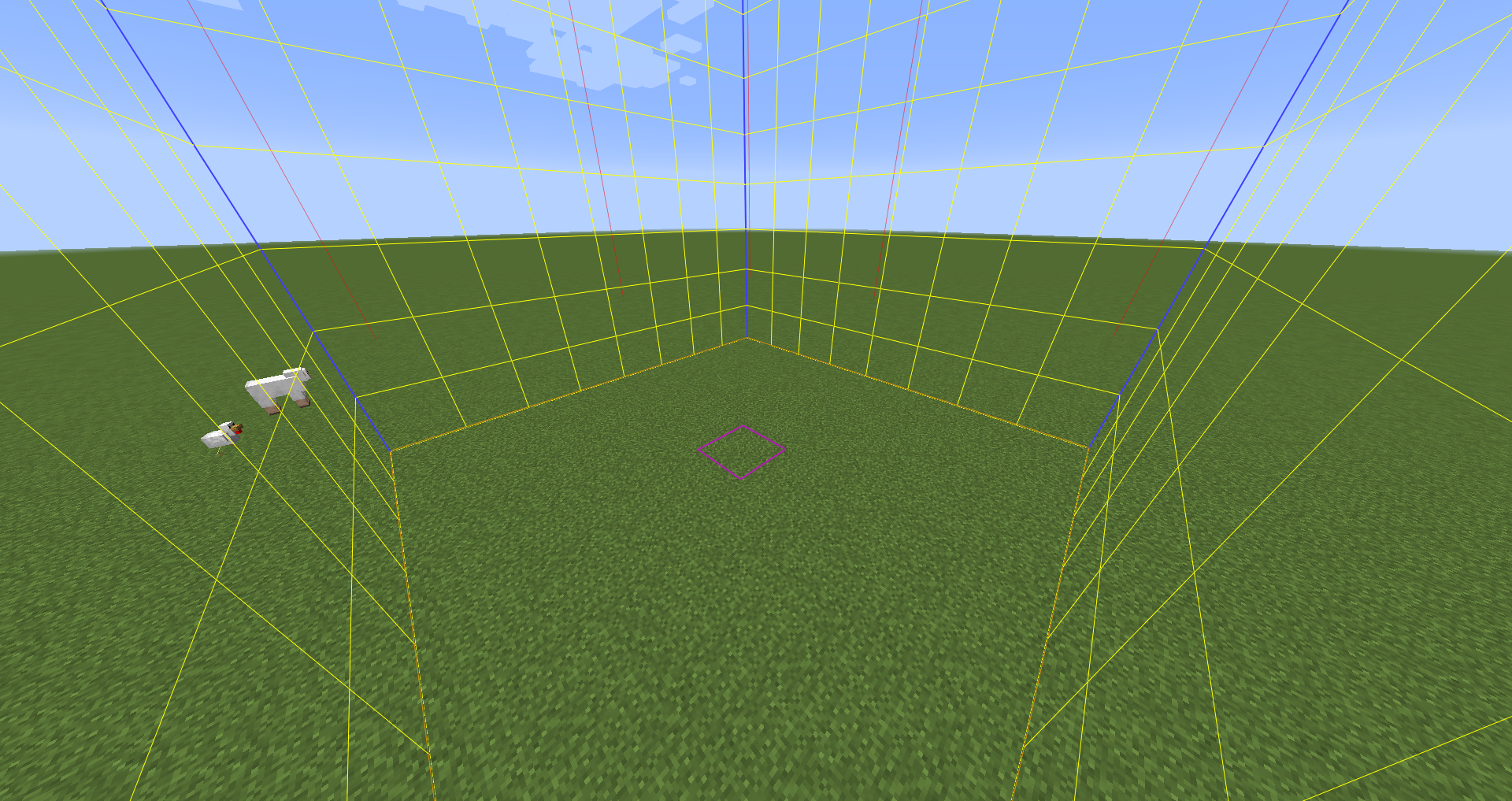 Borders 2
 -
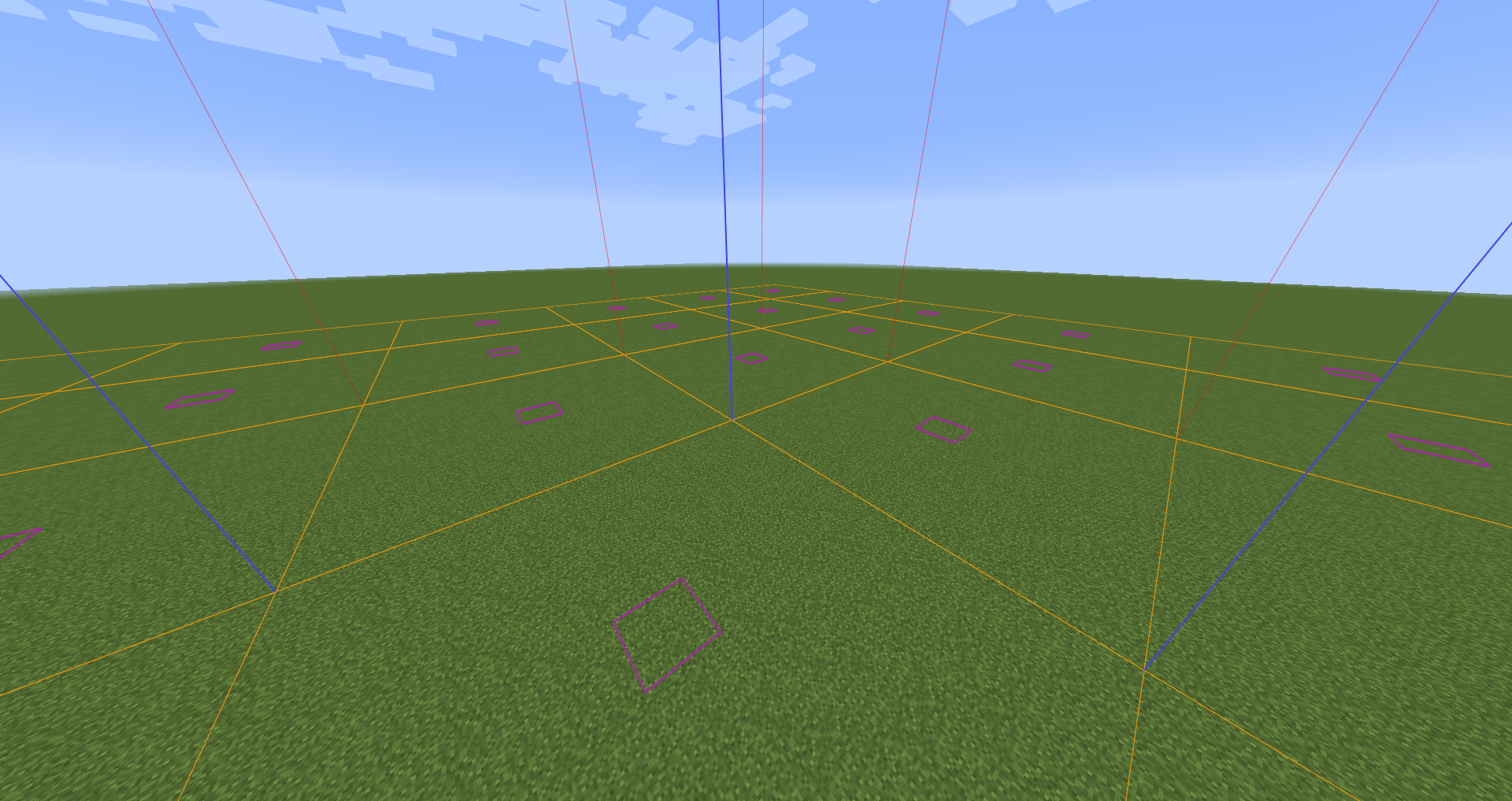 Borders 1
 -
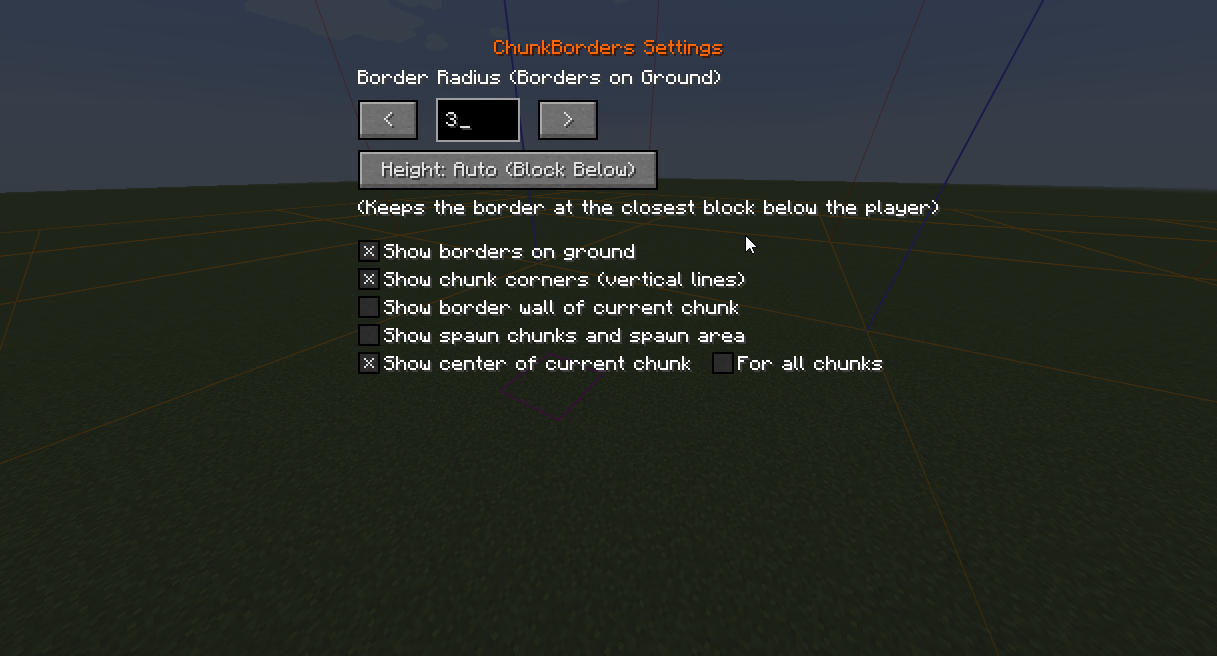 Config
Versions
Files
Relations
Project Relations
More like this
Similar Mods
Suggestions use data such as tags, dependencies, dependents, descriptions, titles, and more to rank how much they overlap with this mod.
On ModDex
Community snapshot
By the numbers
Statistics

Get it on
Available Platforms
On ModDex
Community snapshot
By the numbers
Statistics
Resources