CIDE-CC
No reviews yet
A better, more user friendly computer craft editor that is entirely in-game, including built-in wiki, jumping to definitions and many of the familiar shortcuts.
Neoforge is a fork of the Minecraft Forge available for versions 1.20.1+ of Minecraft. Many Forge mods are compatible with Neoforge and vice versa.
Community voices
Reviews
Click once to include, again to exclude, again to clear
No reviews yet. Be the first to review this project!
Get it on
Available Platforms
 Modrinth
Compatibility
Supported Environments
About
Project Details
For authors
Embed Badge
If you're the author of this project, you can embed a live badge anywhere that supports HTML or Markdown. It updates automatically whenever ratings change.
Use HTML for any page that supports it, or Markdown for README files and Markdown-based descriptions.
Identifiers
Platform IDs
About
Description
In-game editor for computer craft is practically unusable - very small screen, no copy and paste, no undo and redo. Anyone that is actually busy with computer craft use an external editor, like VSC.
This mod aims to rectify such problem as multiplayer makes using an external editor hard and giving a proper editor for computer craft code would make quick editing much easier. Right clicking a function name will try to jump to where its defined in the file, right clicking computer craft (or lua) functions will open a wiki in game. a file tree, and so on.
What is currently working:
- variable autocomplete in a given context (Wont offer you the variable that is declared inside a for loop 300 lines up
- fully functional file/folder tree, paired with zoom
- right clicking a variable / function name will jump to its definition in that file
- Peripherals that is wrapped in a variable will send you to the wiki of that peripheral if the variable is right clicked, doesnt work if the peripheral is not hardcoded, with the exception being of wrapping sides of the computer - that will correctly give you the wiki page.
By default, only Advanced computer is given such functionality, and is opened by shift-right clicking the PC. But can be given to all computers via config.
Its not feature complete, but you'll likely have a better experience than the Computer craft editor, if you find any issues (Like a variable being suggested when it shouldn't be or otherwise should be when it isn't) feel free to make an issue report on the issue tracker.
Requires CC:Tweaked. Lua and CC functions for wiki are baked in, everything else is not.
For adding your own autocomplete, read the example mod that adds both autocomplete and a wiki entry Click me for example mod
Screenshots
Gallery
-
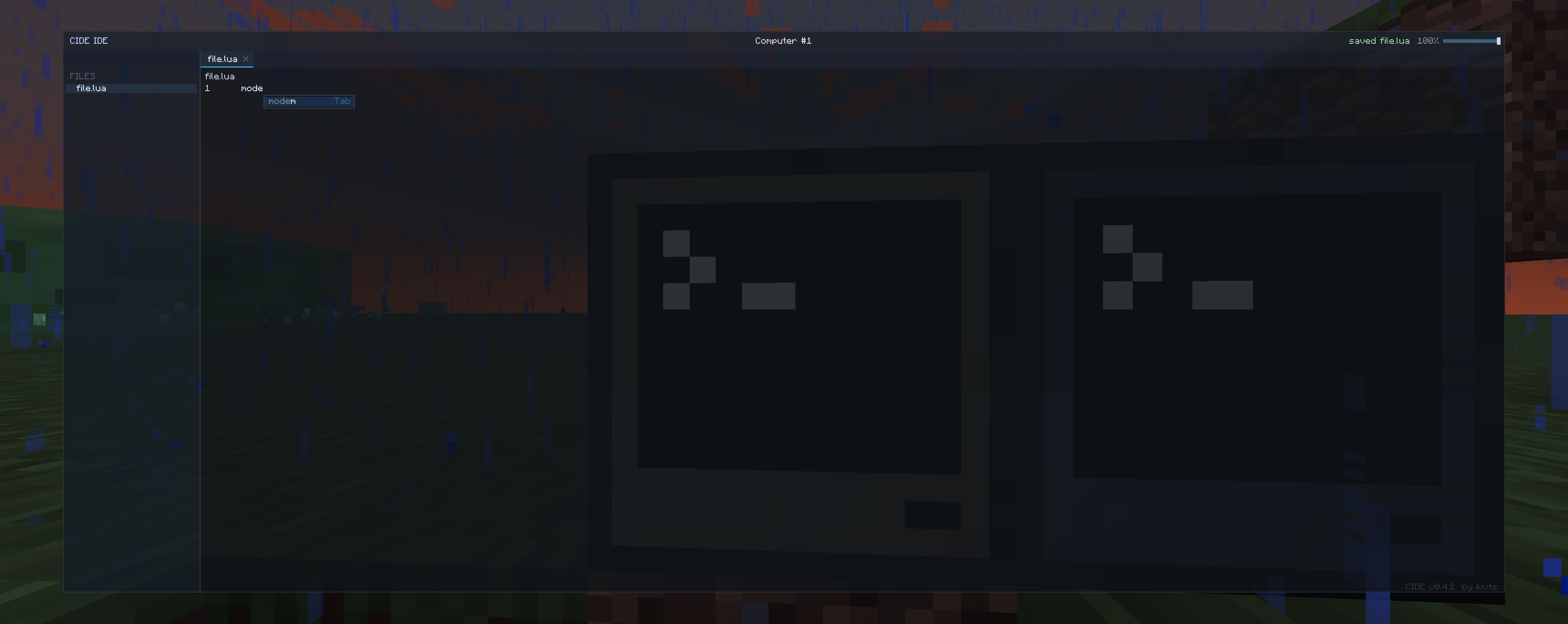 Editor itself. Screenshot shows a file tree, the autocomplete, and the style of the editor.
Versions
Files
Relations
Project Relations
More like this
Similar Mods
Suggestions use data such as tags, dependencies, dependents, descriptions, titles, and more to rank how much they overlap with this mod.
On ModDex
Community snapshot
By the numbers
Statistics

Want to reach Minecraft players?
We're looking for a server hosting partner to feature here and other parts of the site. Interested? Send us a message!
Get in touchGet it on
Available Platforms
On ModDex
Community snapshot
By the numbers