Community listing page, reviews may not be monitored by the author.
Ciderlight

No reviews yet
Native Apple Metal rendering for Minecraft on Apple Silicon Macs, with built-in shadows, atmospheric lighting, and water effects.

Community voices
Reviews
No reviews yet. Be the first to review this project!
Get it on
Available Platforms
About
Project Details
For authors
Embed Badge
If you're the author of this project, you can embed a live badge anywhere that supports HTML or Markdown. It updates automatically whenever ratings change.
Use HTML for any page that supports it, or Markdown for README files and Markdown-based descriptions.
Identifiers
Platform IDs
Resources
External Links
About
Description
Ciderlight
Minecraft, rendered natively on Apple Silicon.
Ciderlight adds an Apple Metal renderer to Minecraft 26.3, next to the game's own OpenGL and Vulkan ones. On a Mac it runs the game at about double the frame rate of vanilla, and adds built-in shaders you can use without OptiFine or Iris.
Requires an Apple Silicon Mac (M1 or newer) on macOS 14 or later. On any other computer, Ciderlight switches itself off and the game runs normally.
Performance
M1 Pro, render distance 16, vsync off, same scene:
| Median FPS | 1% low | |
|---|---|---|
| Vanilla | 95 | 27 |
| Ciderlight, shaders off | 216 | 109 |
| Ciderlight, shaders on | 192 | 127 |
Built-in shaders
On by default, written for Metal from scratch:
- Real-time shadows from the sun and moon, including coloured shadows through stained glass
- Light shafts through trees and gaps in buildings, with layered mist and haze
- Warm torch lighting, and torches or lanterns in your hand light up the world around you
- Ambient occlusion for soft contact shadows in corners and under mobs
- Water with reflections, waves, and light that fades and tints as you go deeper
- Waving leaves, grass and crops
- A new sky with sunrises, sunsets and darker nights, and clouds that glow warm on the side facing a low sun
Vanilla resource packs keep working.
Shader settings
Go to Options > Video Settings and click Ciderlight… under the graphics preset. Shaders switches between:
- High: everything at full quality.
- Low: smaller shadow maps, coarser fog, and the world drawn at a lower resolution. Much lighter on the graphics chip, with most of the look.
- Off: Minecraft's normal look, still drawn with Metal.
Below it you can turn Shadows, Waving Plants, Water Reflections and Ambient Occlusion off one by one (Shadows off saves the most), and set the Render Scale. Shadows and Ambient Occlusion change straight away; the rest apply after you restart the game. Pick Low on A-series or lower-tier M chips, and High on everything else. A-series Macs and the plain M1, M2, M3 and M4 start on Low by themselves; all others start on High.
Installing
Modrinth App or Prism Launcher (easiest)
- Create a new instance for Minecraft 26.3 with Fabric as the loader.
- Add Ciderlight to that instance (search for it, or drag the
.jarinto the instance's Mods tab). - Play.
Official Minecraft Launcher
- Install Fabric Loader for 26.3 from fabricmc.net/use. The installer needs Java.
- Put the Ciderlight
.jarin~/Library/Application Support/minecraft/mods/. In Finder, press ⌘⇧G and paste that path. - Pick the Fabric 26.3 profile in the launcher and play.
Ciderlight doesn't need Fabric API. It is client-side only, so it works on any server.
Don't install Sodium, Iris or Sodium Extra alongside it. Fabric won't launch with them in the same instance.
NeoForge (beta)
NeoForge for 26.3 is still a beta, and so is Ciderlight's NeoForge version. Make the instance with NeoForge as the loader and pick the NeoForge file (ciderlight-neoforge-…). Optionally add --enable-native-access=ciderlight to the JVM arguments to silence a Java warning, and keep NeoForge's update check on: with it off, NeoForge 26.3's title screen crashes.
Good to know
- It doesn't work with Sodium, or with mods that need it such as Iris and Sodium Extra: Fabric won't load them together. It hasn't been tested with other rendering mods, so try it on its own first.
- OptiFine and Iris shader packs aren't supported. Ciderlight has its own shaders instead.
- On NeoForge, mods that draw with NeoForge's stencil support may look wrong: Ciderlight doesn't apply it yet.
- Turn it off without uninstalling by adding
-Dciderlight.disable=trueto the JVM arguments.
License
Ciderlight is open source under the Apache License 2.0. You can use, modify and fork it, as long as you keep the copyright and NOTICE file crediting Richard Qi and mark what you changed.
Screenshots
Gallery
-
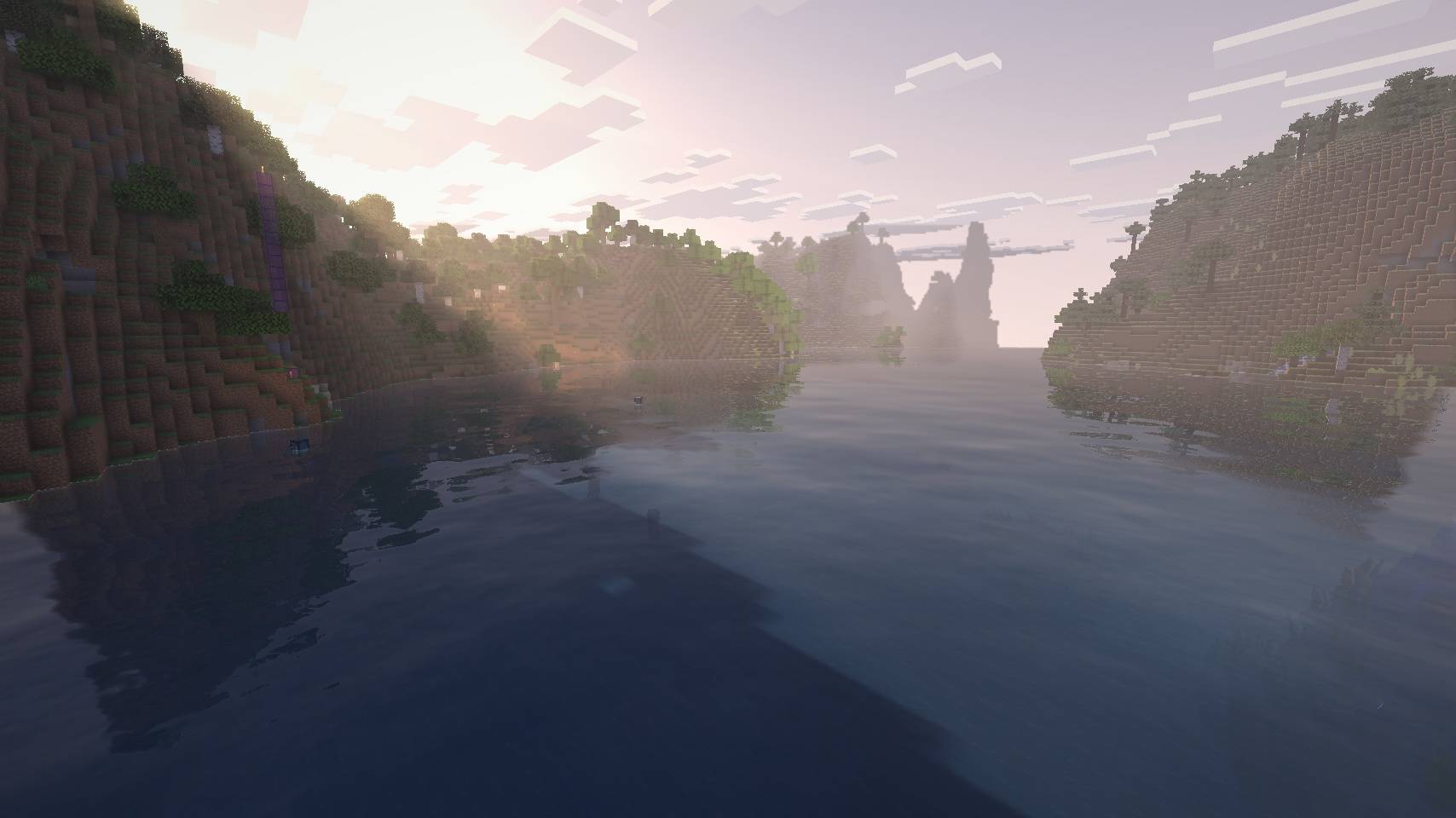 Golden-hour light over the river High quality, Apple M1 Pro. Captured in-game with the HUD hidden. Natural terrain, water reflections, and atmospheric light shafts; no post-processing.
 -
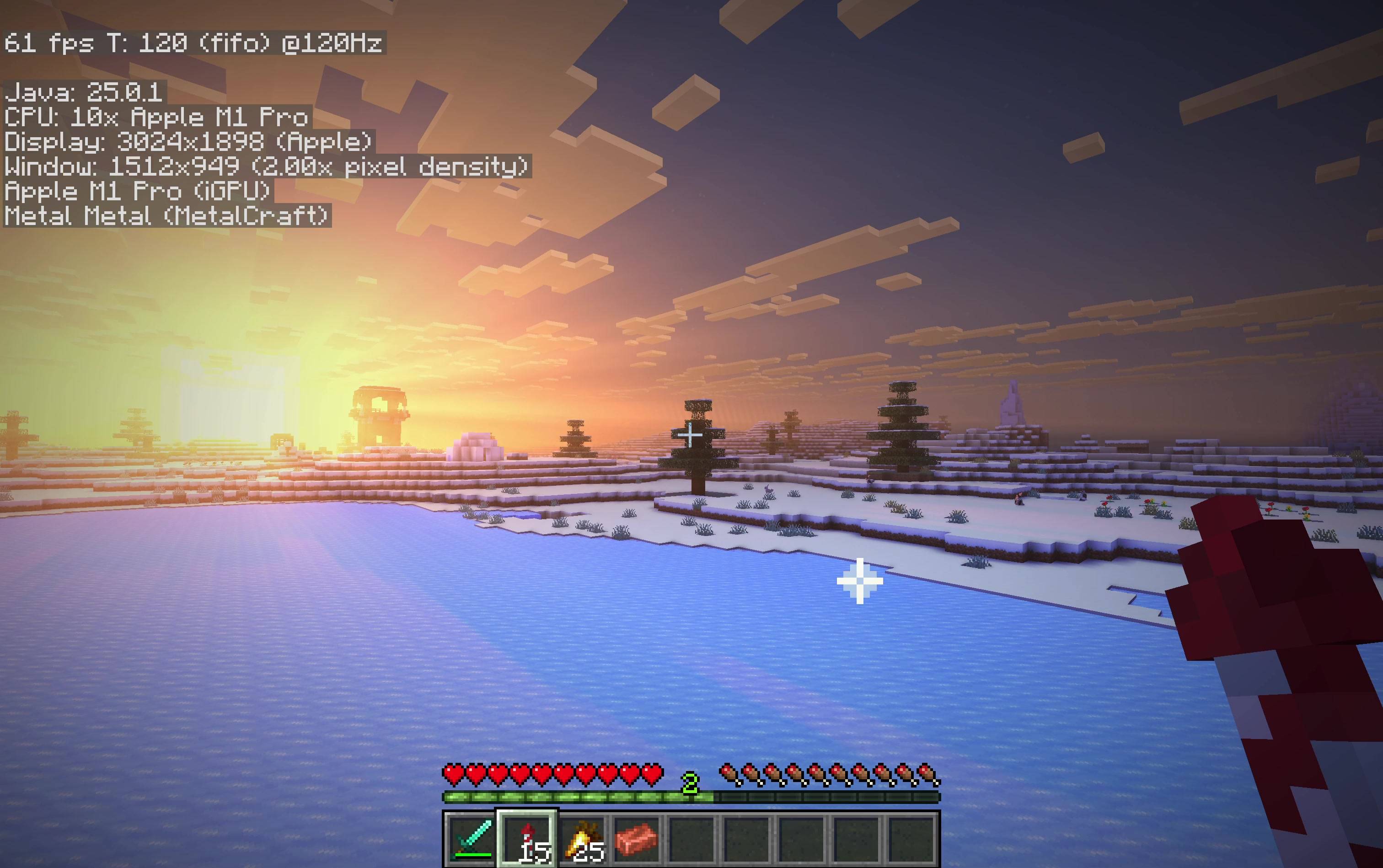 Sunset lighting over a snowy landscape Unretouched frame from an Apple Silicon gameplay recording using Ciderlight’s Metal renderer and built-in shaders. The debug overlay retains the earlier MetalCraft development name.
 -
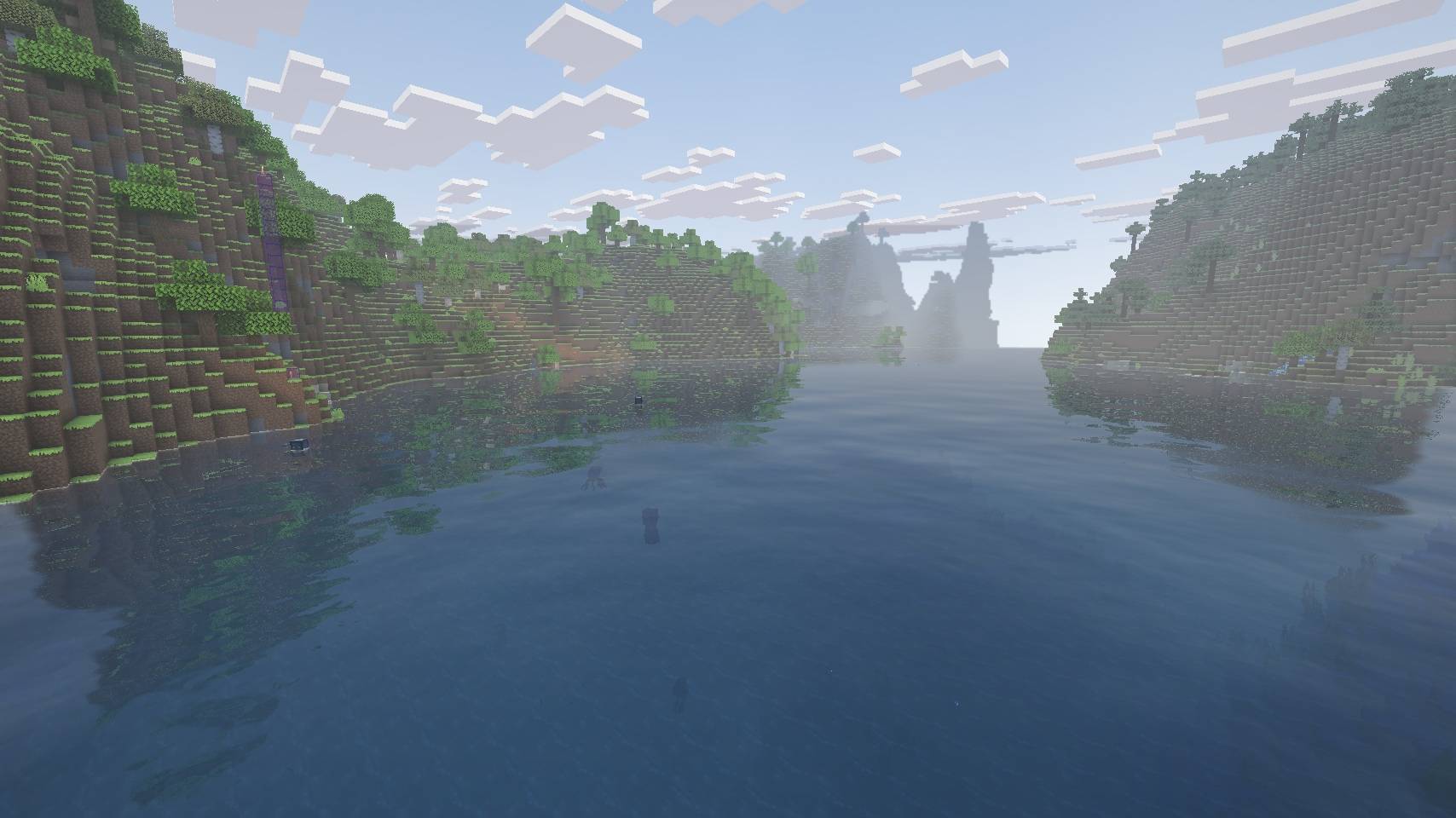 Daylight river reflections High quality, Apple M1 Pro. In-game capture of a river between forested hills, showing water reflections and distant haze. HUD hidden; no post-processing.
 -
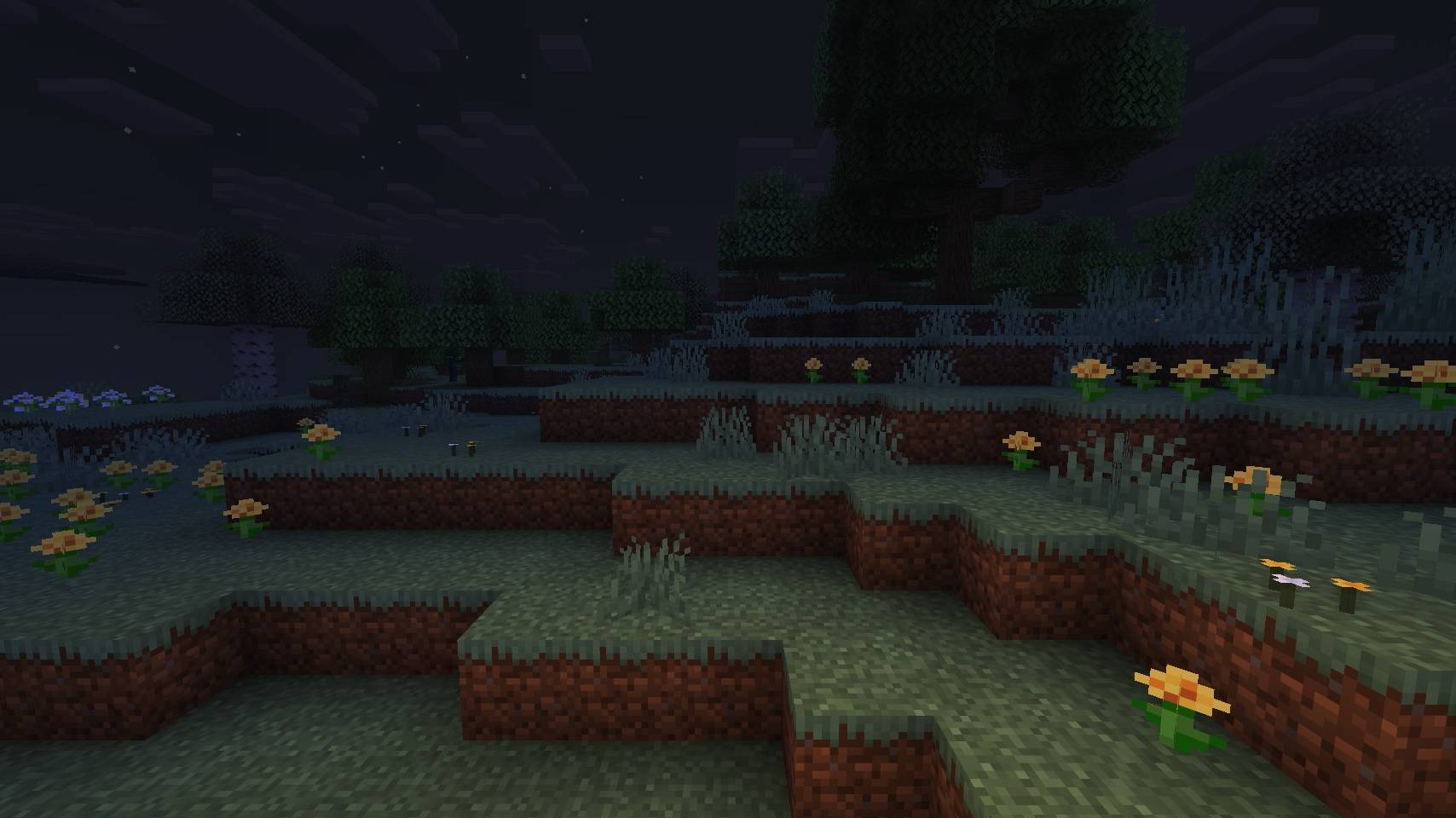 Woodland at night High quality, Apple M1 Pro. Nighttime woodland with a carried lantern lighting the nearby terrain. HUD hidden; captured in-game without post-processing.
 -
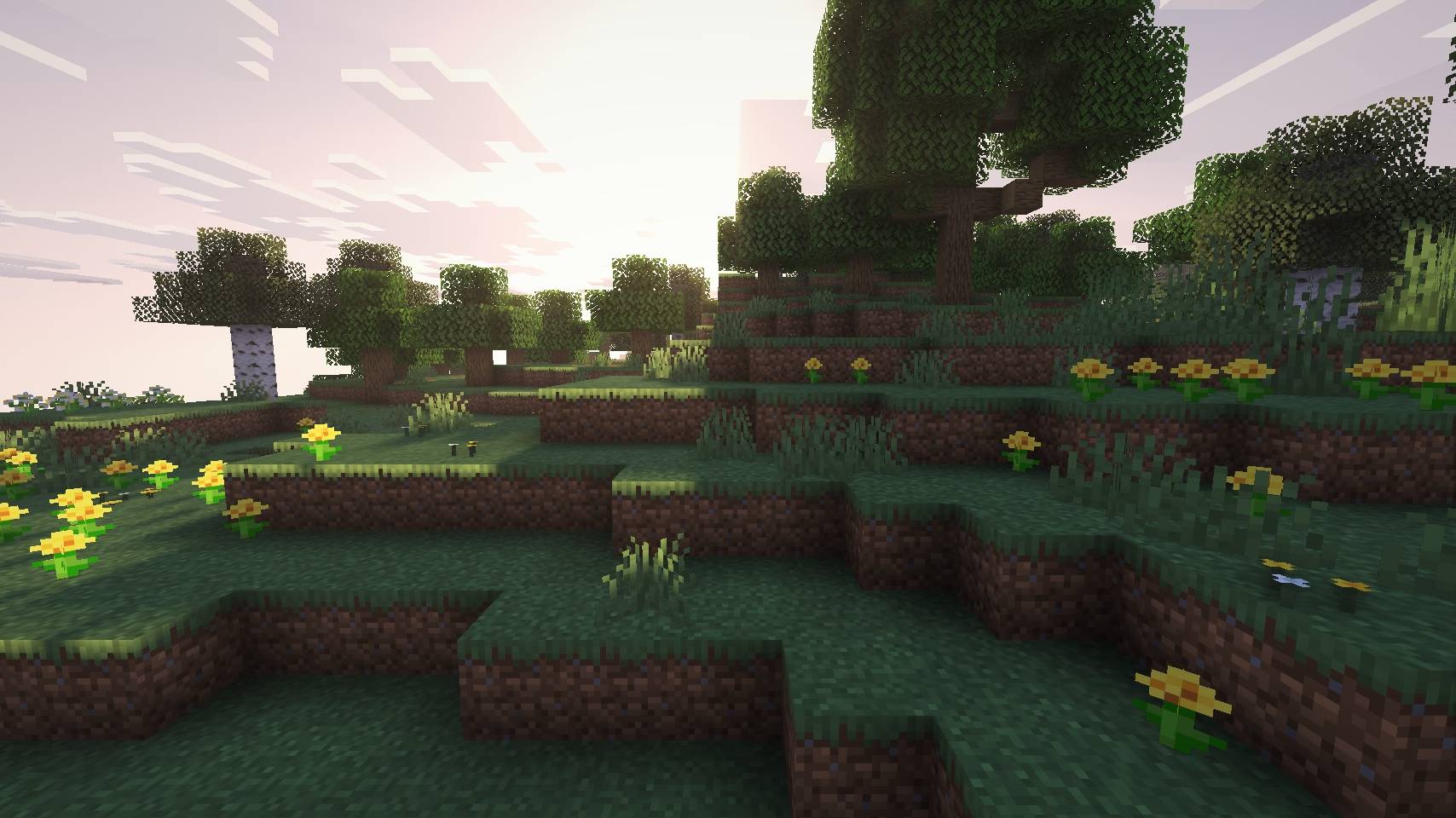 Golden-hour woodland High quality, Apple M1 Pro. Low sunlight through oak and birch trees, with flower-covered terrain and foliage shadows. HUD hidden; captured in-game without post-processing.
Versions
Files
Relations
Project Relations
More like this
Similar Mods
Suggestions use data such as tags, dependencies, dependents, descriptions, titles, and more to rank how much they overlap with this mod.
On ModDex
Community snapshot
By the numbers
Statistics

Get it on
Available Platforms
On ModDex
Community snapshot
By the numbers
Statistics
Resources