
Citrus
No reviews yet
A Minimalistic WAILA (What Am I Looking At) mod built for Fabric
Fabric is a mod loader for versions 1.14+ of Minecraft, particularly popular for client side and optimization mods.
Community voices
Reviews
Click once to include, again to exclude, again to clear
No reviews yet. Be the first to review this project!
Get it on
Available Platforms
 Modrinth
Compatibility
Supported Environments
About
Project Details
For authors
Embed Badge
If you're the author of this project, you can embed a live badge anywhere that supports HTML or Markdown. It updates automatically whenever ratings change.
Use HTML for any page that supports it, or Markdown for README files and Markdown-based descriptions.
Identifiers
Platform IDs
Resources
External Links
About
Description
What does the Citrus mod do? 🍊
Citrus will add a minimalistic and simple HUD (Heads Up Display) which shows the user information about objects/mobs in game.
Take a look at the gallery to see the information shown when looking at different objects.

What information does the mod display? 🍊
The mod displays a small variety of information based on what you're looking at.
Blocks:
The block name, and item texture.
Items:
The dropped item's name, texture, as well as the number of that item on the floor.
Mobs:
The mob's name, as well as its current health / max health.
Armor Info (Citrus 1.2.0+):
When the user puts on a piece of armor, the health of that piece of armor will show as either a percentage or a number.
Armor Durability HUD (Heads up Display) 🍊
For this feature, make sure you download Citrus 1.2.0 or later. Adds a HUD on the bottom right showing the status of the armor that you're wearing. The Displayed health is color coded:
- White 🤍 (51-100% durability)
- Orange 🧡 (11-50% durability)
- Red ❤️ (0-10% durability)
The displayed health can be set to either a percent or a number.
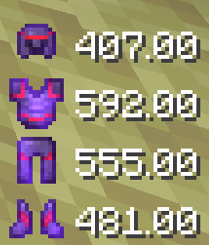
How do I toggle certain HUD elements on or off? 🍊
Citrus 1.2.0+ uses Mod Menu, a mod that lets you view and configure the settings of the mods you have installed. Mod Menu is optional for Citrus but it is required if you would like to change the settings shown below.
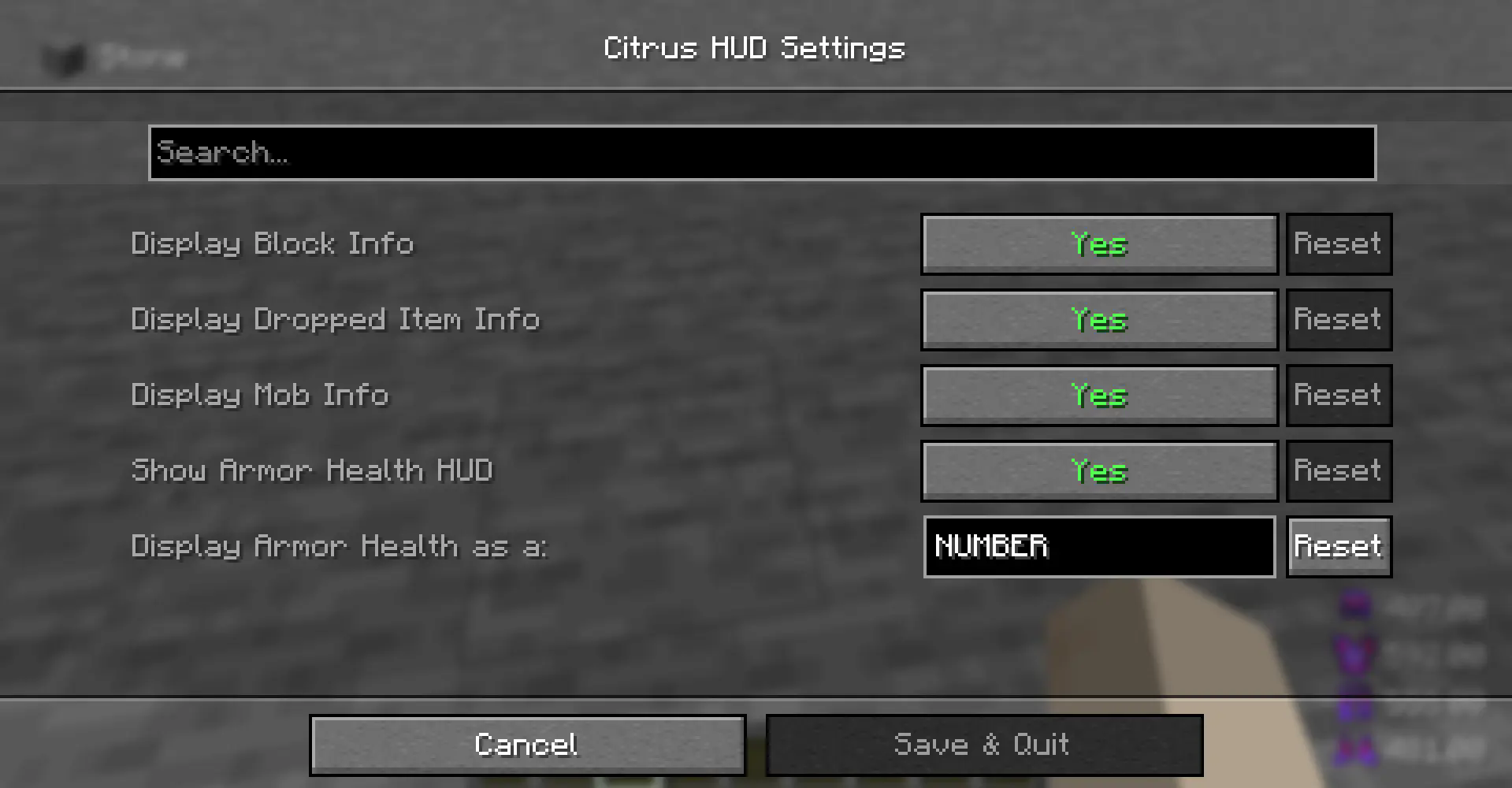
To configure Citrus 1.2.0+,
-
Make sure you install Mod Menu along with Citrus
-
Look for the Mods button on your homepage/escape screen
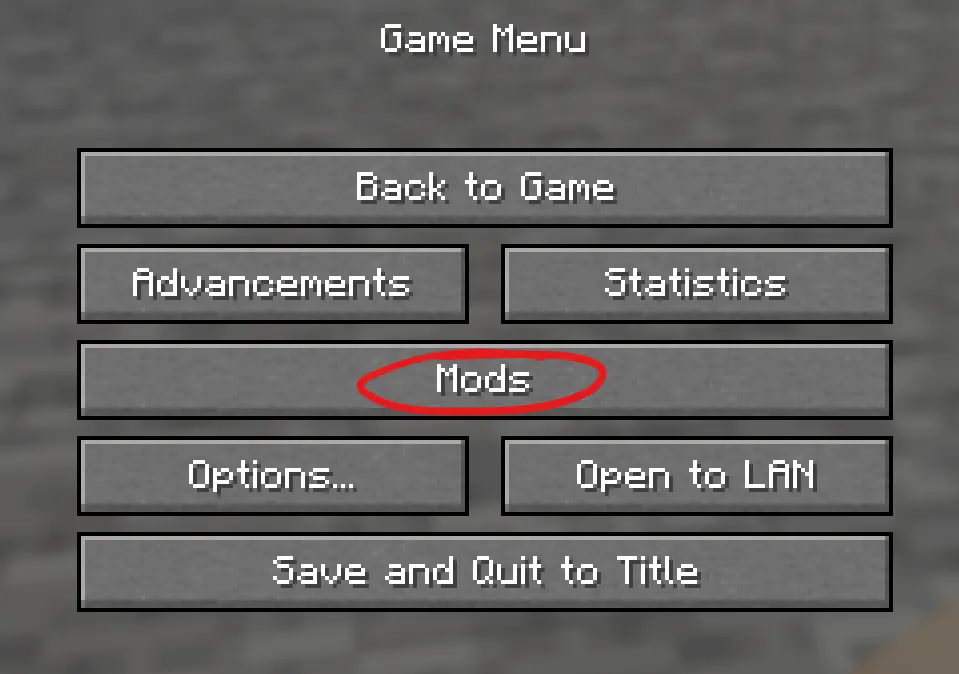
-
Locate Citrus in the Mod Menu and press the Configure button.
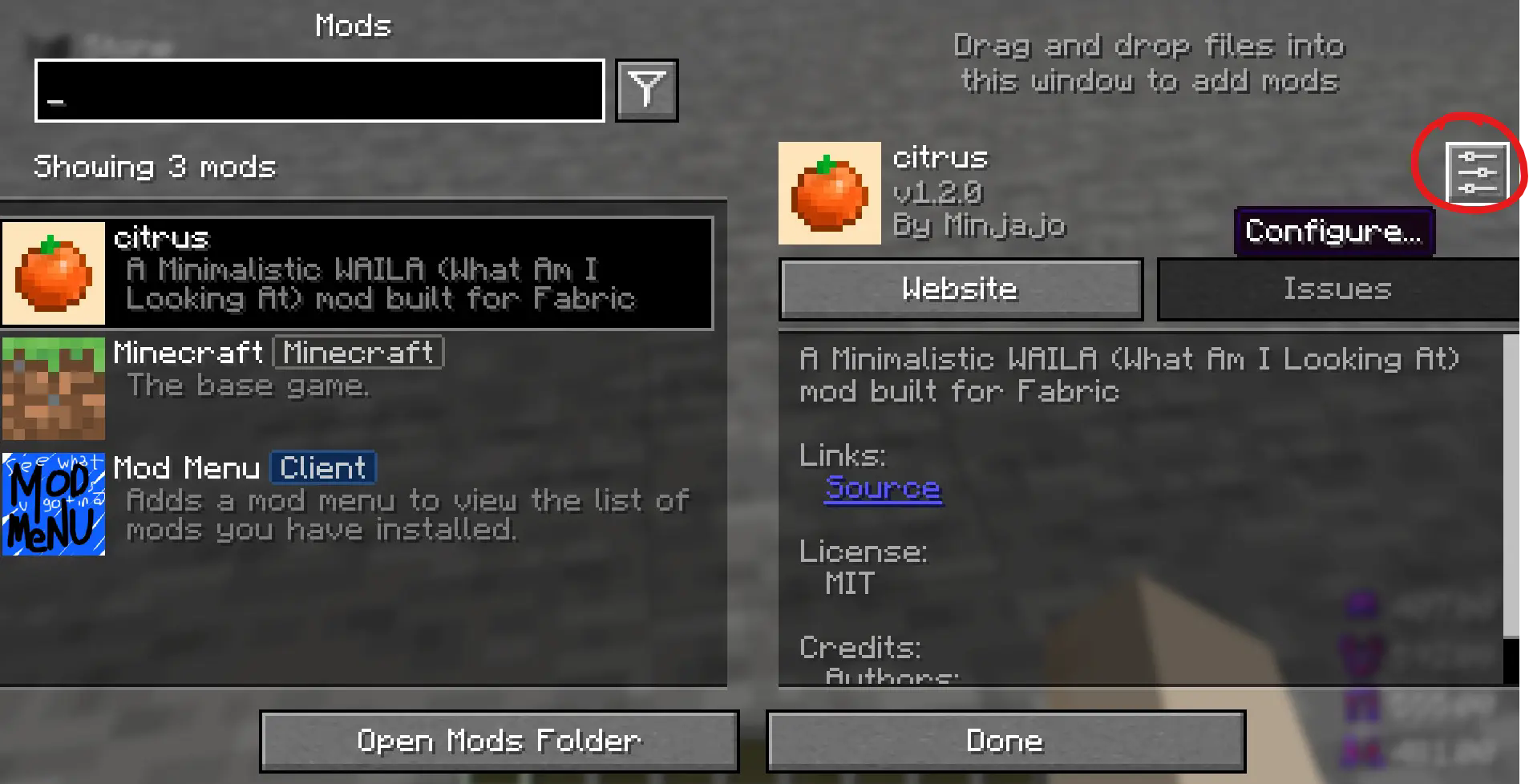
That will take you to the configuration page. Thank you for trying Citrus! 🍊🧡
Screenshots
Gallery
-
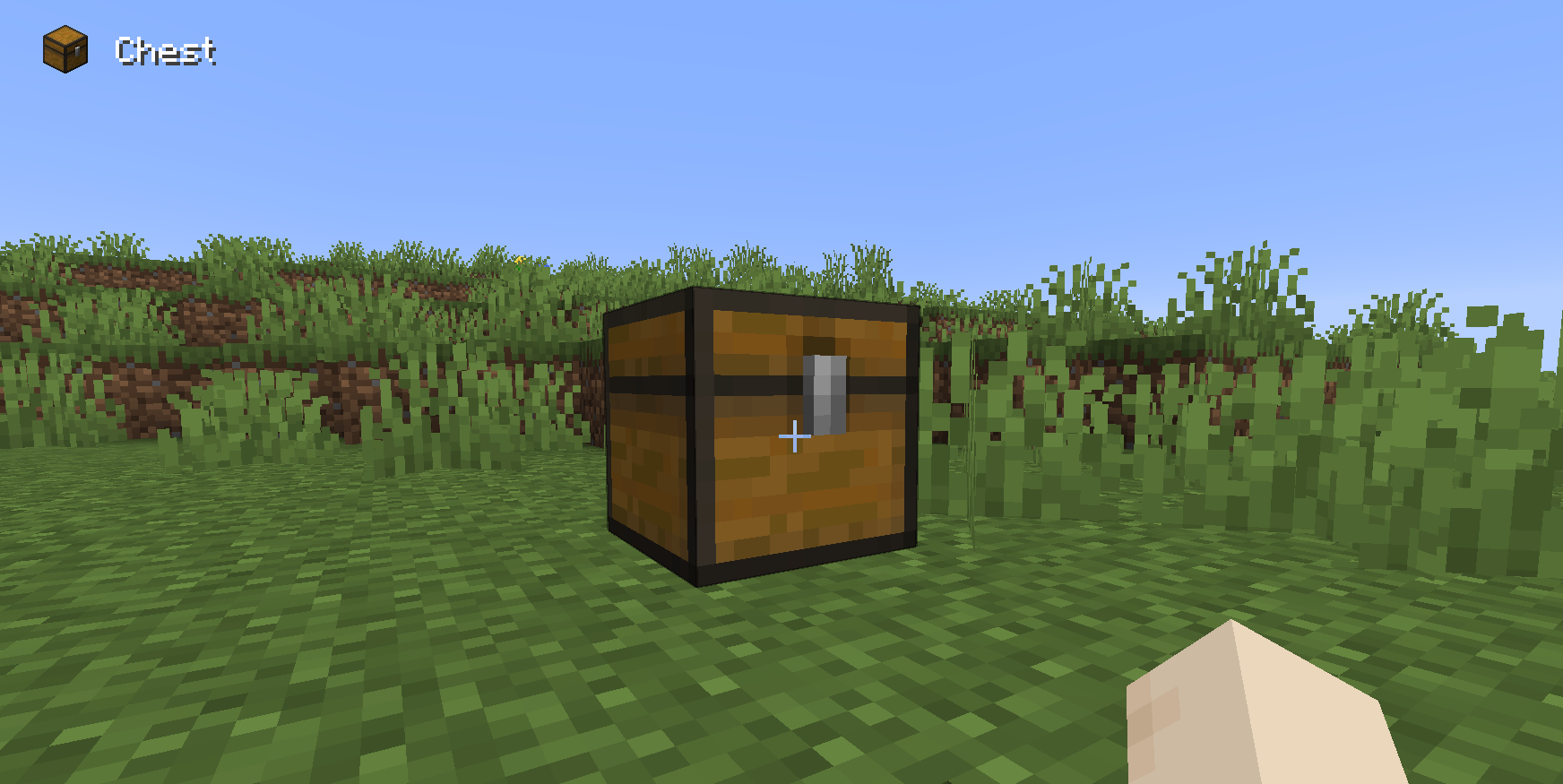 Block HUD View the names of blocks and view their item model as well.
 -
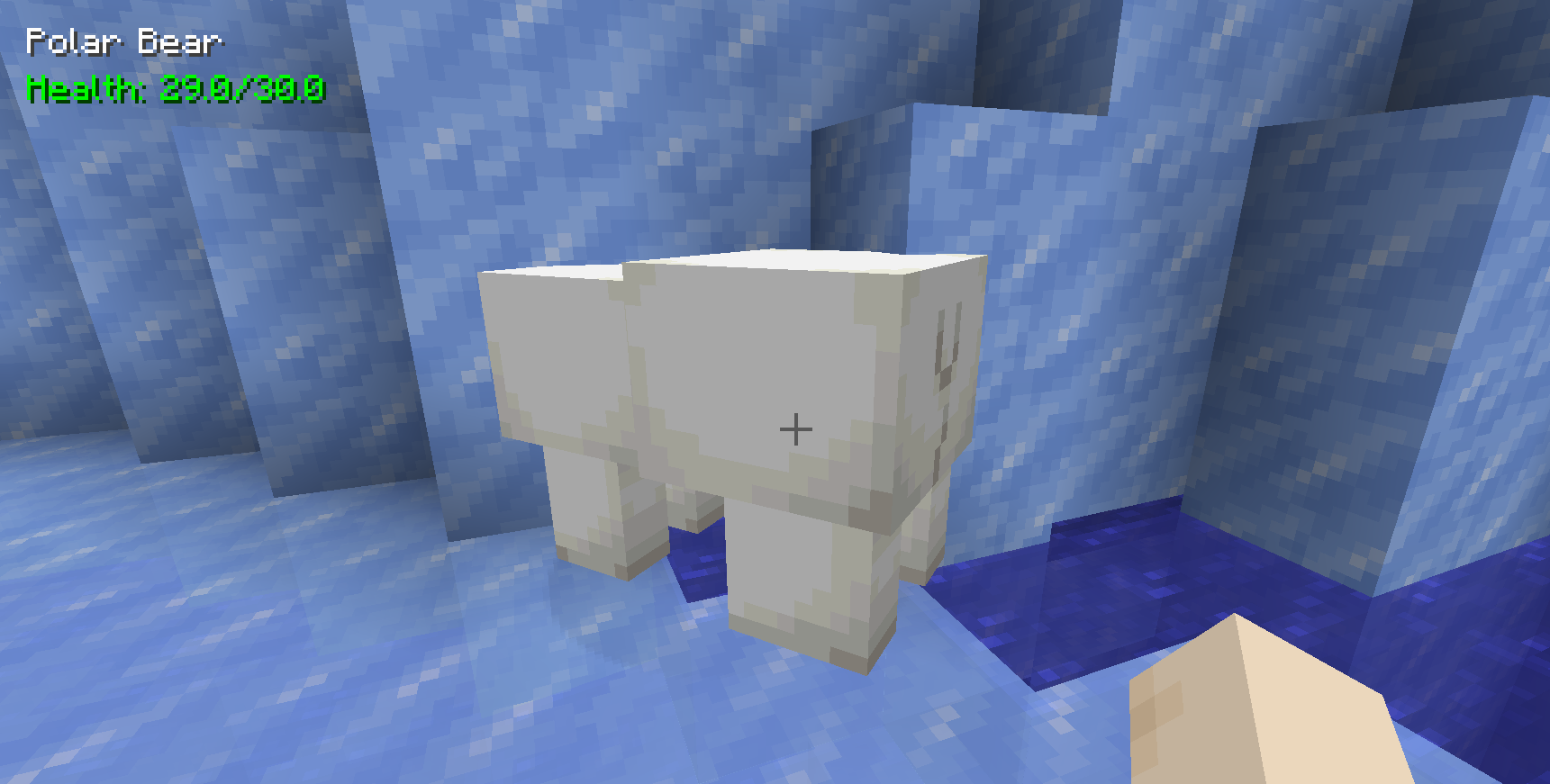 Living Entity HUD View the name of living entities as well as their health.
 -
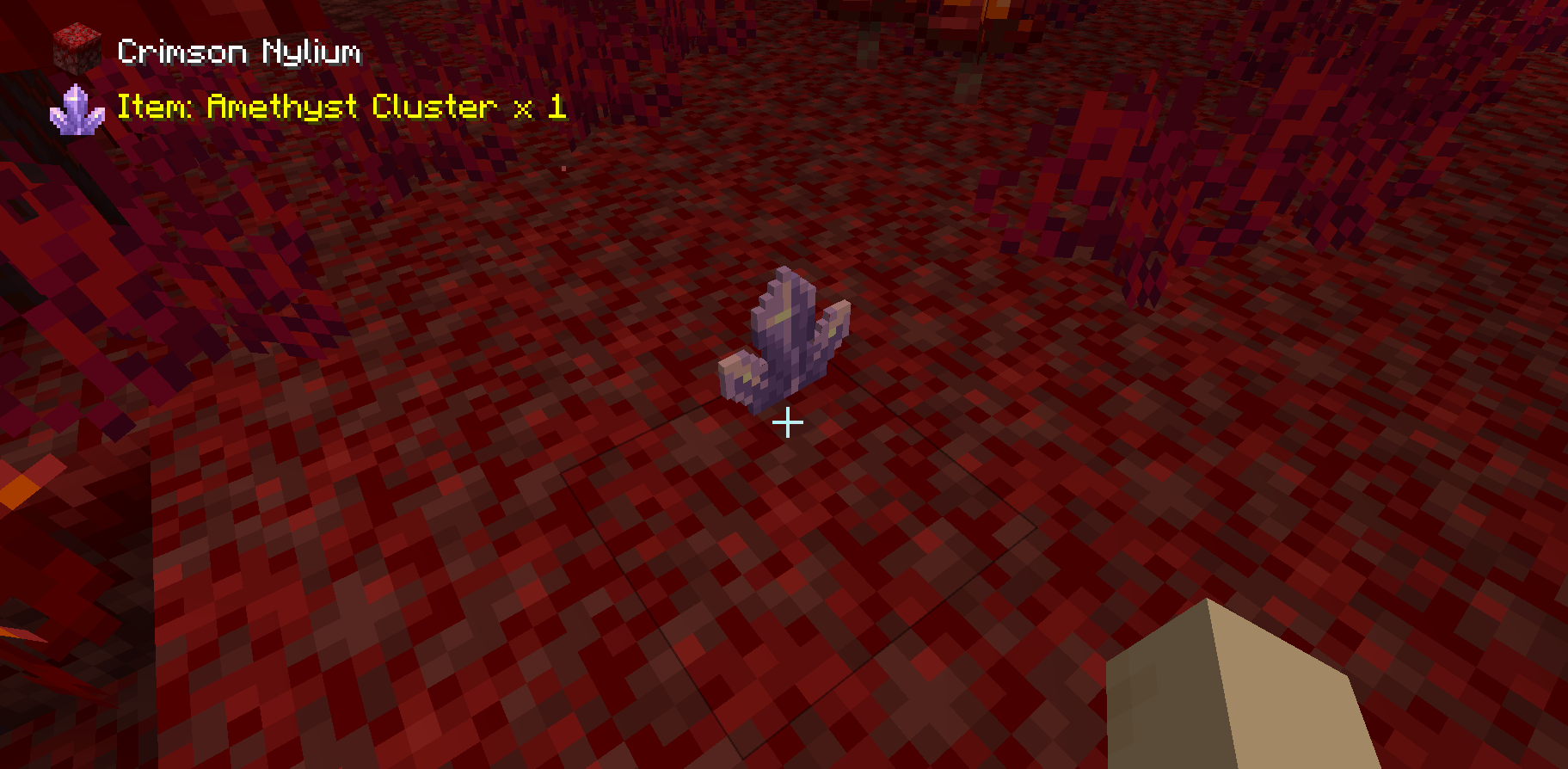 Item Entity HUD View a dropped item's name, texture, and count while simultaneously viewing the block underneath
 -
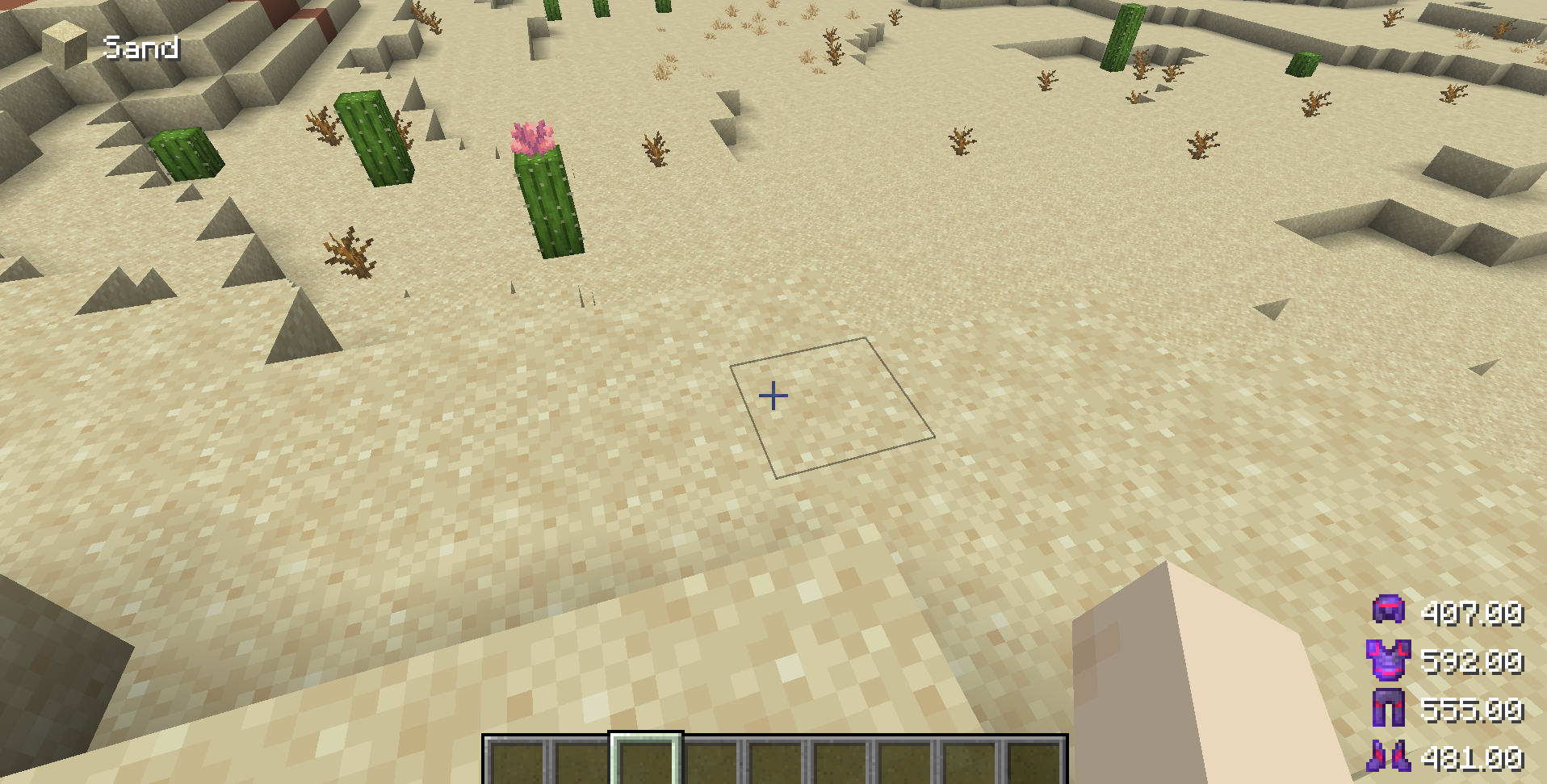 Armor Durability HUD View the durability of your armor as either a percent or a number.
 -
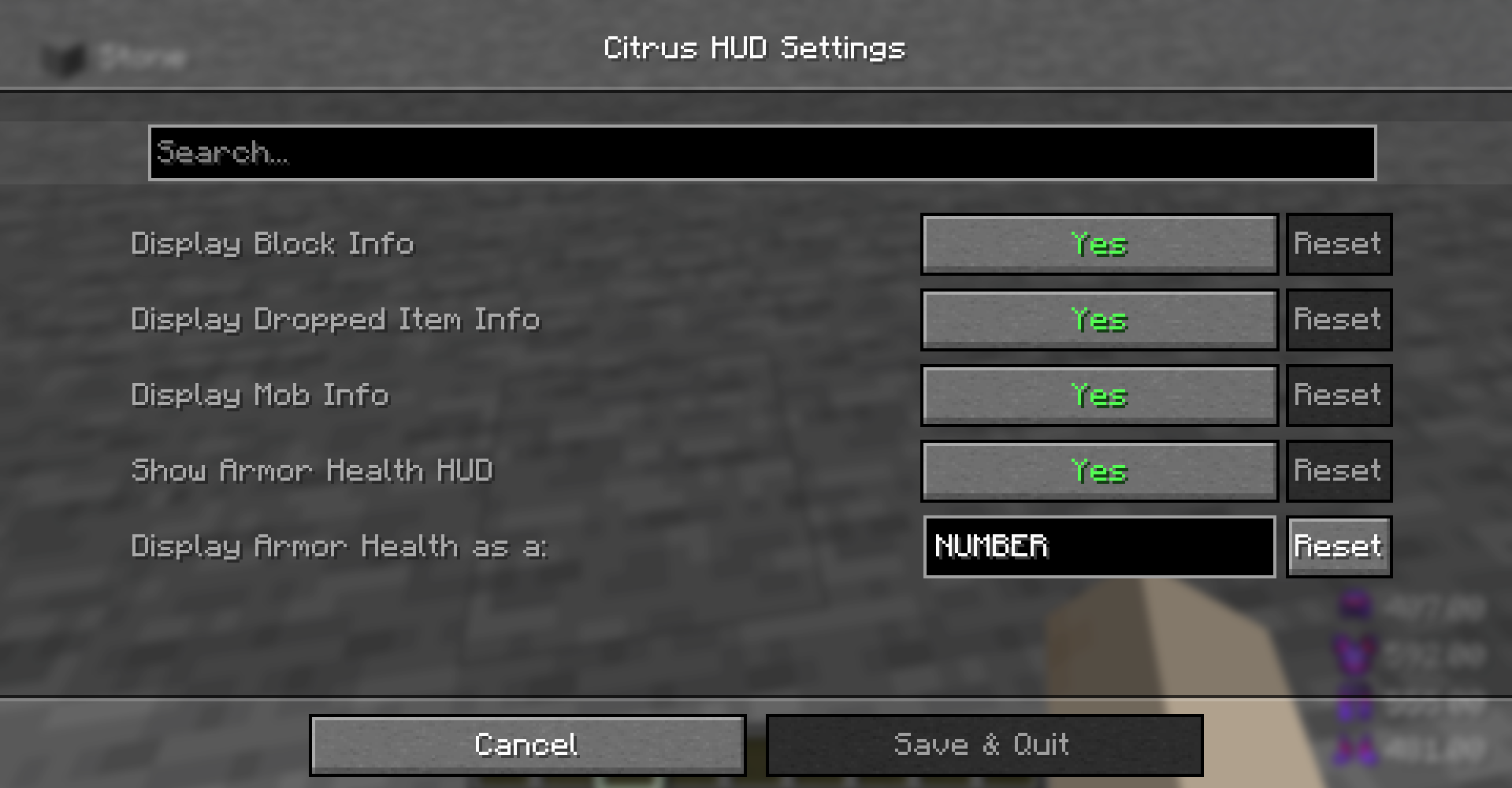 Citrus HUD Settings Configure Citrus in the Mod Menu settings.
Versions
Files
Relations
Project Relations
More like this
Similar Mods
Suggestions use data such as tags, dependencies, dependents, descriptions, titles, and more to rank how much they overlap with this mod.
On ModDex
Community snapshot
By the numbers
Statistics

Want to reach Minecraft players?
We're looking for a server hosting partner to feature here and other parts of the site. Interested? Send us a message!
Get in touchGet it on
Available Platforms
On ModDex
Community snapshot
By the numbers
Statistics
Resources