
Clean HUD
No reviews yet
Only shows health/hunger/armor when they change, fades out otherwise
Forge is a popular mod loader for versions 1.1+ of Minecraft.
Neoforge is a fork of the Minecraft Forge available for versions 1.20.1+ of Minecraft. Many Forge mods are compatible with Neoforge and vice versa.
Fabric is a mod loader for versions 1.14+ of Minecraft, particularly popular for client side and optimization mods.
Community voices
Reviews
Click once to include, again to exclude, again to clear
No reviews yet. Be the first to review this project!
Get it on
Available Platforms
 Modrinth
Compatibility
Supported Environments
About
Project Details
For authors
Embed Badge
If you're the author of this project, you can embed a live badge anywhere that supports HTML or Markdown. It updates automatically whenever ratings change.
Use HTML for any page that supports it, or Markdown for README files and Markdown-based descriptions.
Identifiers
Platform IDs
Resources
External Links
About
Description
CleanHUD
CleanHUD keeps your screen clean without taking useful information away. Core HUD elements can fade out when they are not needed, and optional Info HUD lines can stay visible exactly where you want them.
Built for Fabric, Forge, and NeoForge.
What CleanHUD Can Do
Fade the vanilla HUD
You can configure these HUD elements individually:
healthhungerarmorairexperiencemount_healthhotbarcrosshairheld_itemstatus_effectsboss_bar
Each supported HUD element can be configured with:
- Fade enabled on/off
- Fade if not full on/off where it makes sense
- Hold ticks
- Fade ticks
- Reset to global/default behavior
Show an optional Info HUD
CleanHUD also includes an Info HUD with individually toggleable items:
coords— player coordinatesfps— FPS counterchunk— chunk coordinatesfacing— facing directionlight— light levelbiome— current biomememory— memory usagelooking— what you are looking at, with coordinatesspeed— movement speedping— player ping
Each Info HUD item can be:
- Enabled or disabled individually
- Placed in any corner:
top_lefttop_rightbottom_rightbottom_left
The Info HUD also has a single global text size setting shared by all info items.
Available text sizes currently include:
0.25x0.50x0.75x1.00x1.25x1.50x1.75x2.00x
In-Game Configuration
Open the menu with:
/cleanhud/ch
From the main config screen you can:
- Configure fading behavior for vanilla HUD elements
- Open the dedicated Info HUD screen
- Toggle each info item on/off
- Change each info item corner
- Change Info HUD text size
- Use All ON and All OFF for the Info HUD
Commands
Open the menu
/cleanhud/cleanhud menu/ch/ch menu
HUD fade commands
/cleanhud status [element]
/cleanhud fade <element|all> <true|false>
/cleanhud hold <element|all> <ticks>
/cleanhud fadeTicks <element|all> <ticks>
/cleanhud reset <element|all>
Info HUD commands
/cleanhud info status [item]
/cleanhud info toggle <item|all> <true|false>
/cleanhud info corner <item|all> <top_left|top_right|bottom_right|bottom_left>
/cleanhud info allOn
/cleanhud info allOff
The same commands are also available through /ch.
Why Use CleanHUD?
CleanHUD is made for players who want less clutter without losing useful information. You can keep the screen minimal during normal gameplay, while still showing the exact HUD and player info you care about.
Screenshots
Gallery
-
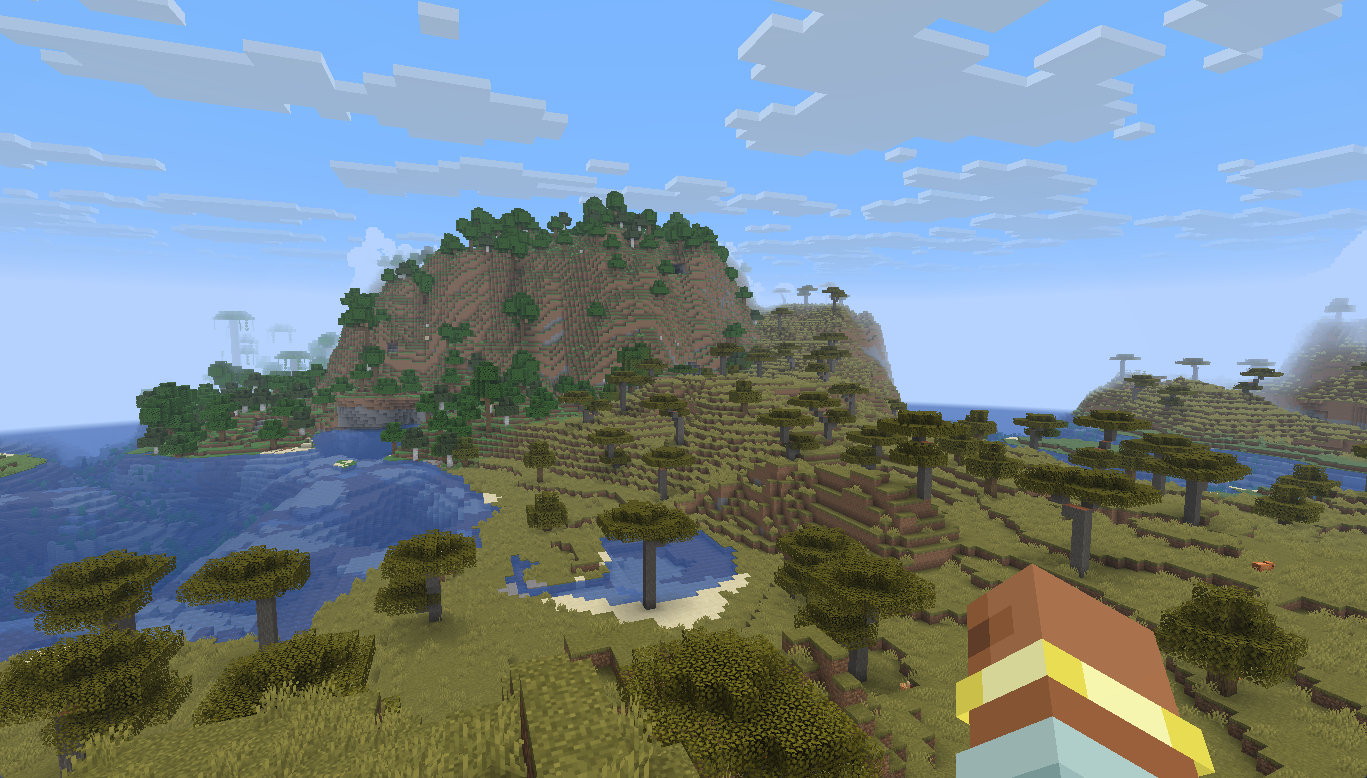
-
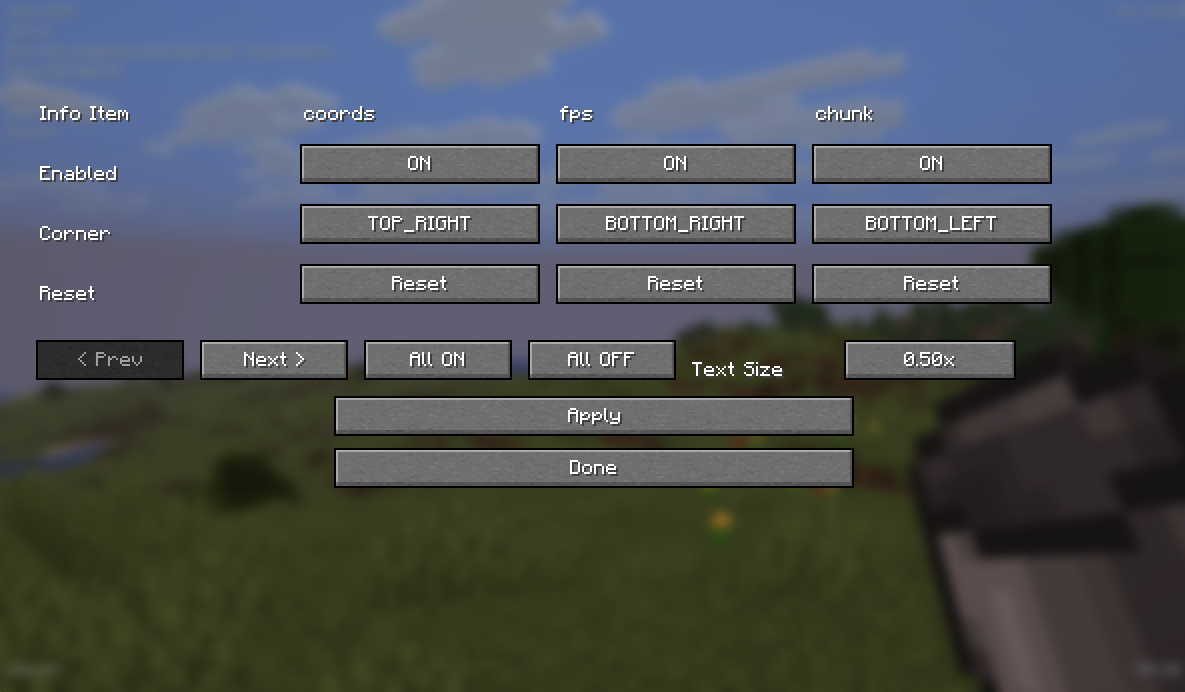 Info hud
 -
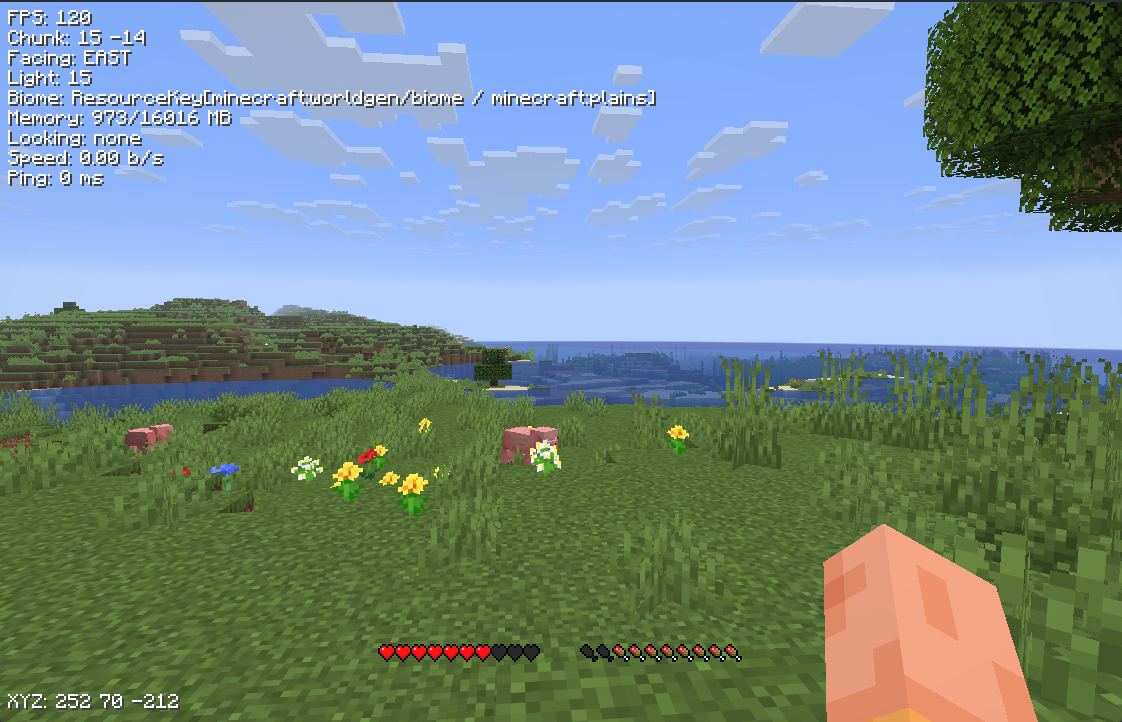 info hud example
 -
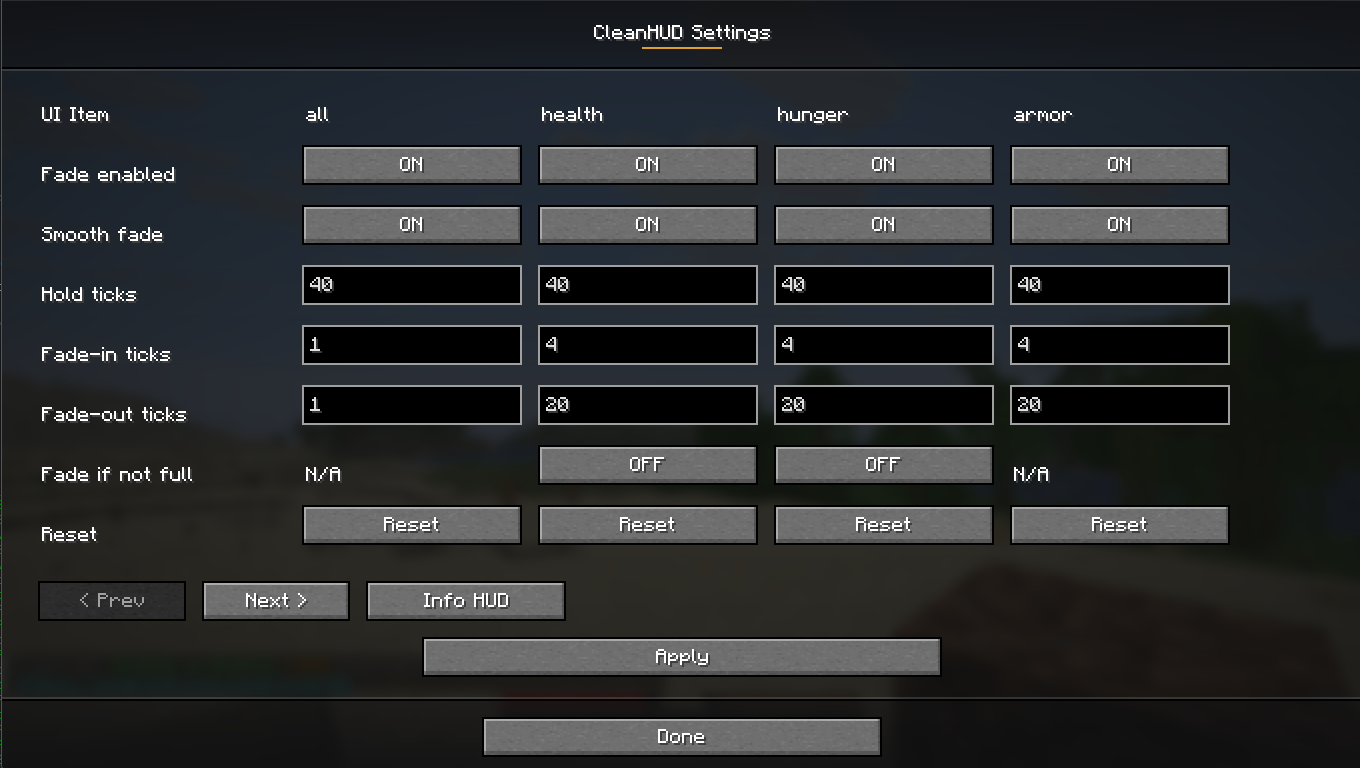 New fade in and fade out settings
Versions
Files
Relations
Project Relations
More like this
Similar Mods
Suggestions use data such as tags, dependencies, dependents, descriptions, titles, and more to rank how much they overlap with this mod.
On ModDex
Community snapshot
By the numbers
Statistics

Want to reach Minecraft players?
We're looking for a server hosting partner to feature here and other parts of the site. Interested? Send us a message!
Get in touchGet it on
Available Platforms
On ModDex
Community snapshot
By the numbers
Statistics
Resources