
Community listing page, reviews here may not be monitored by the author.
ClickMobs


No reviews yet
Pick up any mob into your inventory and carry them around!
Community voices
Reviews
No reviews yet. Be the first to review this project!
Get it on
Available Platforms
Compatibility
Supported Environments
Runs entirely on the server. Also works in singleplayer.
Required on the server. Installing it on the client adds functionality.
Varies by version.
About
Project Details
For authors
Embed Badge
If you're the author of this project, you can embed a live badge anywhere that supports HTML or Markdown. It updates automatically whenever ratings change.
Use HTML for any page that supports it, or Markdown for README files and Markdown-based descriptions.
Identifiers
Platform IDs
About
Description





ClickMobs
ClickMobs is a simple quality of life mod/plugin that allows you to pick up any mob into your inventory and carry them around.

Features
- Pick mobs up into your inventory by shift + right clicking them.
- Place them back by placing the mob head.
- Place the mobs directly into boats, minecarts, etc.
- Use dispensers to spawn the mobs back automatically. (On Paper/Spigot 1.21+)
- Clean messages, sound effects and particle effects.
- Highly configurable.
- Hostile mobs can't be picked up by default.
- Blacklist/whitelist any mob you want.
- Language support: German & English (Paper/Spigot only)

ClickMobs
ClickMobs is a simple quality of life mod/plugin that allows you to pick up any mob into your inventory and carry them around.


Features
- Pick mobs up into your inventory by shift + right clicking them.
- Place them back by placing the mob head.
- Place the mobs directly into boats, minecarts, etc.
- Use dispensers to spawn the mobs back automatically.
- Clean messages, sound effects and particle effects.
- Blacklist/whitelist any mob you want using tags!
- Language support: German & English (Paper/Spigot only)
Blacklisting & Whitelisting Mobs
- Blacklist/whitelist any mob you want using tags.
- You can use and combine tags like
?hostile,?nametagged(...),?baby, etc. to select multiple mobs based on their properties. - For more information, read the wiki: Wiki/Tags
- You can also blacklist/whitelist individual mobs.
- You can manage the blacklist/whitelist in the "config.yml" file.
- You can use and combine tags like
Configuration
- For Paper/Spigot, you will find the configuration file at "plugins/ClickMobs/config.yml".
- For Fabric, you will find the configuration file at ".minecraft/config/ClickMobs/config.yml".
- WARNING: If you are using another client (i.E. Modrinth App), the config file will be located at the installation directory instead.
- Make sure you save the config file after making changes and do the following:
- For Paper/Spigot, reload/restart your server or use the command "/clickvillagers reload".
- For Fabric, restart your game or server fully.
Compatibility
- ClickMobs is fully compatible with ClickVillagers!
Licensing
- This project is licensed under the GPLv3 license.
- Refer to LICENSE.md for more information.
Screenshots
Gallery
-
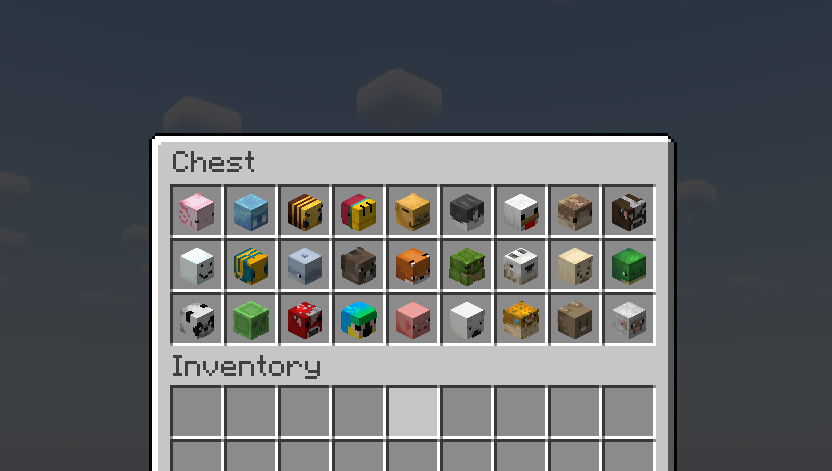 Picked up mobs in a chest
 -
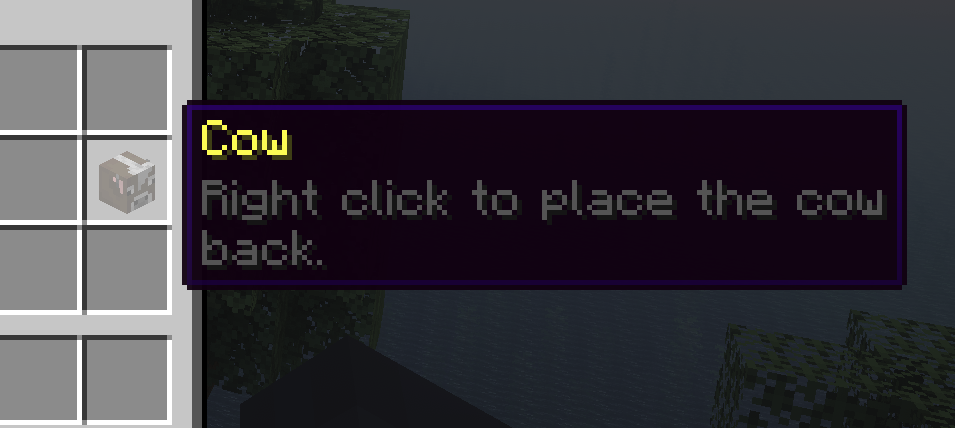 A picked up mob in the inventory
 -
 A cow
A cow -
 After picking up the cow
Versions
Files
Relations
Project Relations
More like this
Similar Mods
Suggestions use data such as tags, dependencies, dependents, descriptions, titles, and more to rank how much they overlap with this mod.
On ModDex
Community snapshot
By the numbers
Statistics
Want to reach Minecraft players?
We're looking for a server hosting partner to feature here and other parts of the site. Interested? Send us a message!
Get in touchGet it on
Available Platforms
On ModDex
Community snapshot
By the numbers