Client Effect Remover
No reviews yet
Remove effects in client-side.
Fabric is a mod loader for versions 1.14+ of Minecraft, particularly popular for client side and optimization mods.
Community voices
Reviews
Click once to include, again to exclude, again to clear
No reviews yet. Be the first to review this project!
Get it on
Available Platforms
 Modrinth
Compatibility
Supported Environments
About
Project Details
For authors
Embed Badge
If you're the author of this project, you can embed a live badge anywhere that supports HTML or Markdown. It updates automatically whenever ratings change.
Use HTML for any page that supports it, or Markdown for README files and Markdown-based descriptions.
Identifiers
Platform IDs
Resources
External Links
About
Description
Client Effect Remover
This mod can disable some status effects in the client-side, such as blindness, darkness and others you don't like(including effects of mods).
If a type of status effects is disabled, you will not see the icon in your client.But they are still existent in the server. For example, you have disabled the slowness effect, but you walk slow still.
Commands
The main command: effectr
effectr disable <effect>: Append the effect to the disabled list.
effectr enable <effect>: Remove the effect from the disabled list.
effectr list: Show the disabled list.
effectr remove <effect>: Remove the effect in your client for once.
Config File
Config file path: config/effectremover.json
The file should be like this:
{
  "disabled_effects": [
    "minecraft:effect"
    // ...more
  ]
}
Chinese version:
Client Effect Remover (客户端效果移除)
该mod可以在客户端屏蔽某些效果,例如失明、黑暗或者其他你不喜欢的(包括mod效果)。
如果你禁用了一种状态效果,你将不会看到它的图标。但是它们仍然在服务端存在。 例如,即使你已经禁用了缓慢效果,但是你仍然会走得很慢。
命令
主命令: effectr
effectr disable <效果>: 将效果添加到屏蔽列表。
effectr enable <效果>: 将效果从屏蔽列表删除。
effectr list: 查看屏蔽列表。
effectr remove <效果>: 在客户端一次性删除状态效果。
配置文件
配置文件路径: config/effectremover.json
这个文件应该是像这样的:
{
  "disabled_effects": [
    "minecraft:effect"
    // ...more
  ]
}
Screenshots
Gallery
-
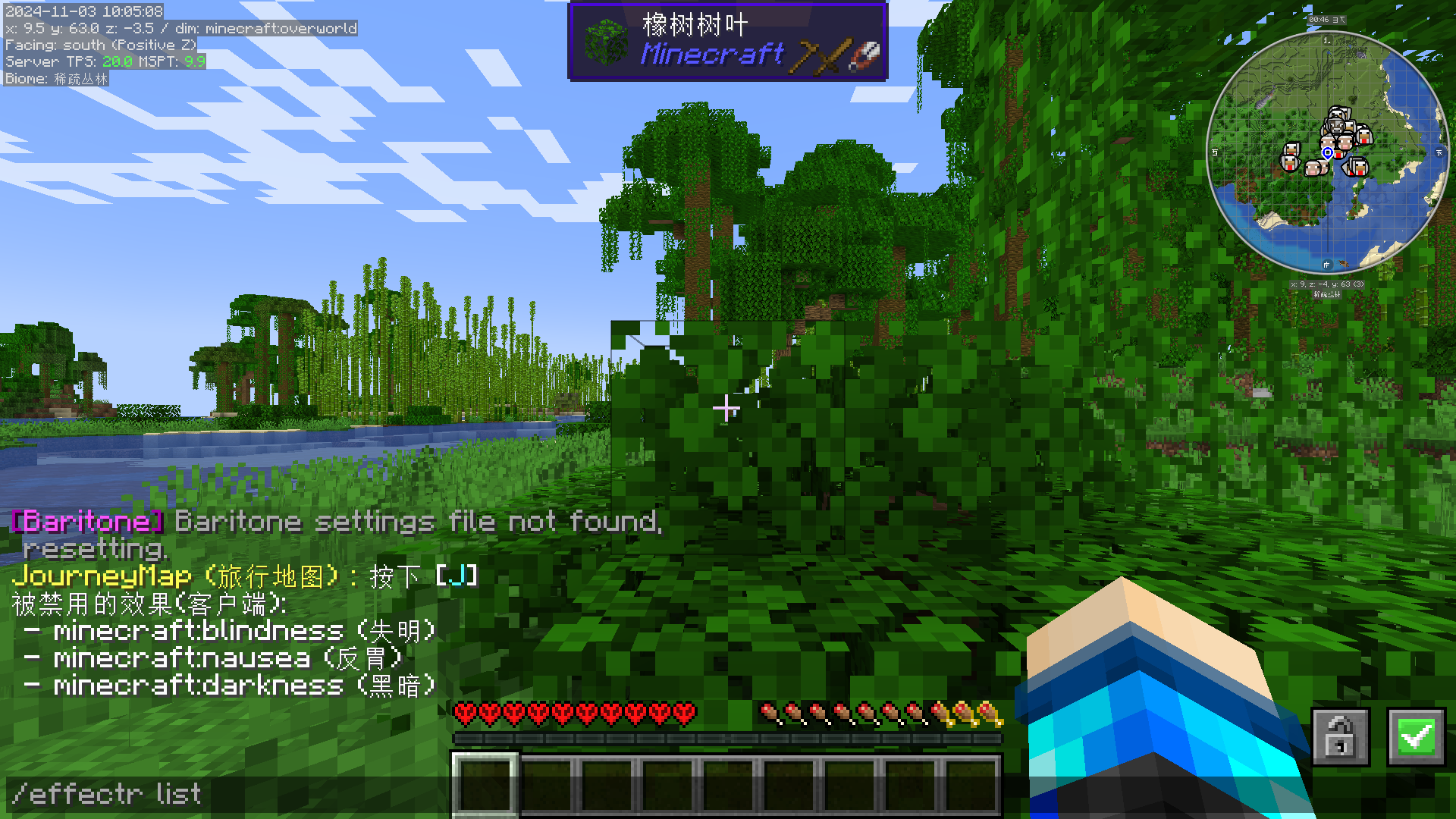 Effect disabled list The text in the screen: "Disabled effects(client):"(in Engilish)
Versions
Files
Relations
Project Relations
More like this
Similar Mods
Suggestions use data such as tags, dependencies, dependents, descriptions, titles, and more to rank how much they overlap with this mod.
On ModDex
Community snapshot
By the numbers
Statistics

Want to reach Minecraft players?
We're looking for a server hosting partner to feature here and other parts of the site. Interested? Send us a message!
Get in touchGet it on
Available Platforms
On ModDex
Community snapshot
By the numbers
Statistics
Resources