Community listing page, reviews here may not be monitored by the author.
ClientsideEssentials StationAPI

No reviews yet
Fixes some common graphical issues, adds some missing sounds, and adds some extra keybindings for controls. Special thanks to Dany and Birevan for helping with many of the changes and fixes!
Community voices
Reviews
No reviews yet. Be the first to review this project!
Get it on
Available Platforms
Compatibility
Supported Environments
Runs entirely on the client. Works on vanilla servers.
About
Project Details
For authors
Embed Badge
If you're the author of this project, you can embed a live badge anywhere that supports HTML or Markdown. It updates automatically whenever ratings change.
Use HTML for any page that supports it, or Markdown for README files and Markdown-based descriptions.
Identifiers
Platform IDs
About
Description
ClientsideEssentials StationAPI Edition for Minecraft Beta 1.7.3
A b1.7.3 mod with StationAPI that fixes some common graphical issues, adds some missing sounds, adds a basic score mechanic, and adds extra keybindings if MojangFixStationAPI/MojangFix is installed. All changes are configurable with GlassConfigAPI.
- Incompatible with UniTweaks (UniTweaks does the same thing and more than this mod)
- Incompatible with FinalBeta (FinalBeta does the same thing and less than this mod, speaking of clientside only here, checkout GameplayEssentials for what's lacking in this mod)
Changes to Score
Moved to new Scoring/Achievement mod below:
Graphical Fixes
- Render bow correctly when held by player and skeletons
- Fix items rendering underneath container text
- Fix death screen displaying &e0 instead of coloring score as yellow
- Fix minecart flickering when riding on rails
- Fix leg armor rendering in vehicles
- Fix un-named slabs crashing the game
Graphical Additions
- Ability to change brightness (AKA gamma) in options
- Ability to change FPS limit in options
- Ability to change FOV in options
- Added
LCtrlto zoom in on things quickly - Install MojangFixStationAPI/MojangFix to change this keybinding
- Ability to change cloud height in options
- Ability to show/hide clouds in options
- Ability to change fog density in options
- Ability to disable particles
- Ability to disable id tags in debug screen
- Tags are disabled by default, re-enable using the mod's config
- Add total hours of play time to debug screen
- Add light level to debug screen
- Calculated at player's eye level
- Add biome type to debug screen
- Add day count to debug screen
- Add slime chunk to debug screen
- Added
Sound Additions
- Add chest open sound
- Add chest close sound
- Add food eat sound
- Add food burp sound
- Plays when a food heals you above max health
- Add item break sound
- Add sheep shear sound
- Add minecart rolling sound
Keybinding Additions
- Add keybinding for dismounting a vehicle (default:
LShift)
All other additional keybindings are only added if MojangFixStationAPI/MojangFix is installed.
- Add keybinding for hiding player HUD (default:
F1) - Add keybinding for taking a screenshot (default:
F2) - Add keybinding for toggling debug HUD (default:
F3) - Add keybinding for togglien third-person mode (default:
F5) - Add keybinding for toggling cinematic camera mode (default:
F6) - Add keybinding for toggling fullscreen mode (default:
F11) - Add keybinding for zooming in/out (default:
LCtrl) - Add keybinding for hotbar slot 1 (default:
1) - Add keybinding for hotbar slot 2 (default:
2) - Add keybinding for hotbar slot 3 (default:
3) - Add keybinding for hotbar slot 4 (default:
4) - Add keybinding for hotbar slot 5 (default:
5) - Add keybinding for hotbar slot 6 (default:
6) - Add keybinding for hotbar slot 7 (default:
7) - Add keybinding for hotbar slot 8 (default:
8) - Add keybinding for hotbar slot 9 (default:
9)
Installation using Prism Launcher
- Download an instance of Babric for Prism Launcher: https://github.com/Glass-Series/babric-prism-instance
- Install Java 17 and set the instance to use it: https://adoptium.net/temurin/releases/
- Add GlassConfigAPI 3.0.2+ to the mod folder for the instance: https://modrinth.com/mod/glass-config-api
- Add Glass Networking to the mod folder for the instance: https://modrinth.com/mod/glass-networking
- Add StationAPI to the mod folder for the instance: https://modrinth.com/mod/stationapi
- (Optional) Add Mod Menu to the mod folder for the instance: https://modrinth.com/mod/modmenu-beta
- Add this mod to the mod folder for the instance: https://github.com/telvarost/BetaTweaks-StationAPI/releases
- Run and enjoy! 👍
FAQ
- Q. Why is minecraft so small and part of my screen white?
- A. You probably have screen scaling on or are using a high DPI screen. There are 5 possible ways to fix this:
- The best option is to install Gambac: https://modrinth.com/mod/gambac
- You could also pass the following string in as a java argument in the settings tab
-Dsun.java2d.uiScale=1.0
- You could also install ClientsideEssentials mod or UniTweaks and use their screen scaling fix from GCAPI config options (fix may produce small artifacts with this option)
- You could also change the DPI settings for Prism Launcher to system
- Or, you could change your screen scaling to 100%
- A. You probably have screen scaling on or are using a high DPI screen. There are 5 possible ways to fix this:
Feedback
Got any suggestions on what should be added next? Feel free to share it by creating an issue. Know how to code and want to do it yourself? Then look below on how to get started.
Contributing
Thanks for considering contributing! To get started fork this repository, make your changes, and create a PR.
If you are new to StationAPI consider watching the following videos on Babric/StationAPI Minecraft modding: https://www.youtube.com/watch?v=9-sVGjnGJ5s&list=PLa2JWzyvH63wGcj5-i0P12VkJG7PDyo9T
Screenshots
Gallery
-
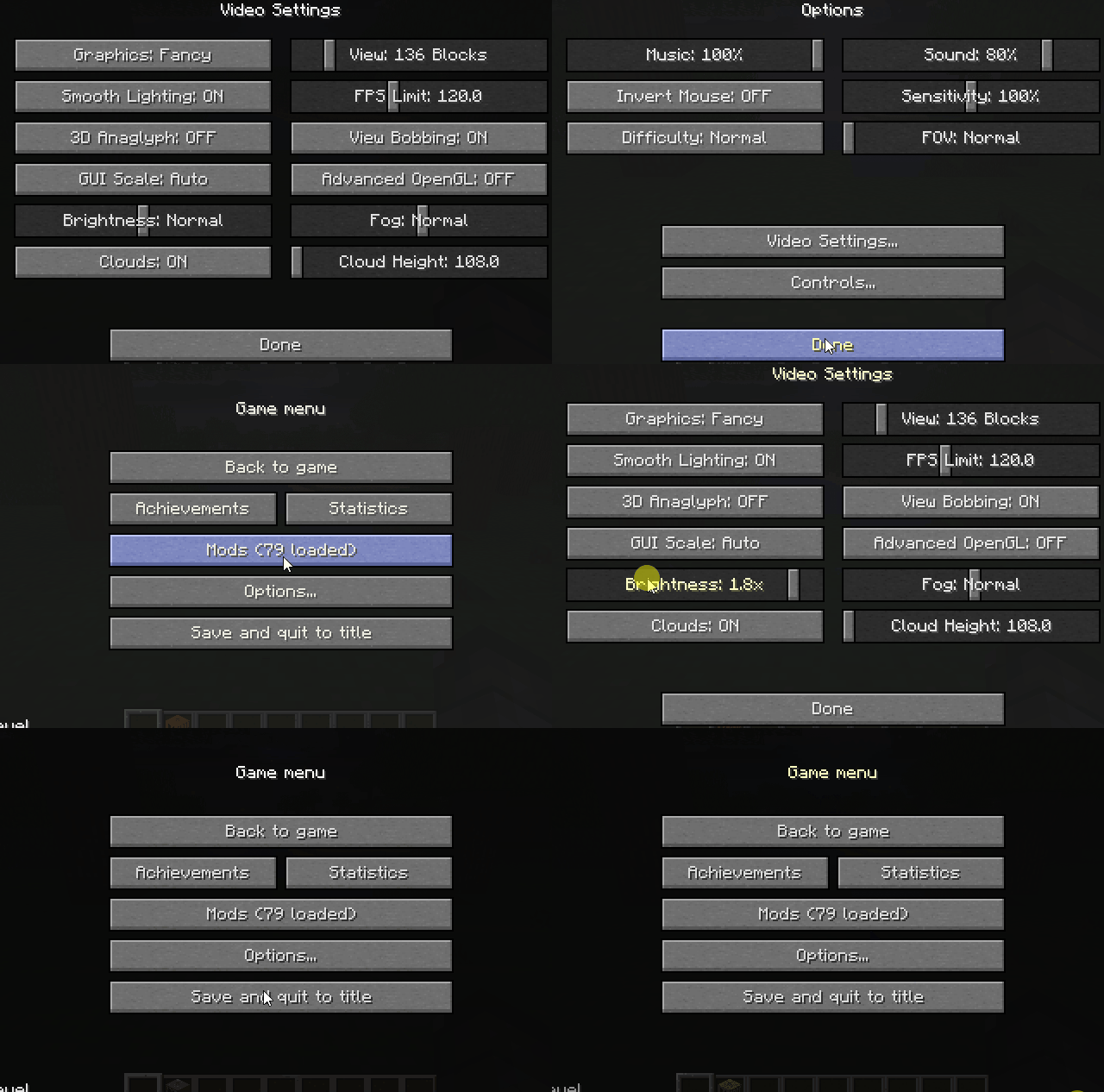 Brightness Slider (Nighttime)
 -
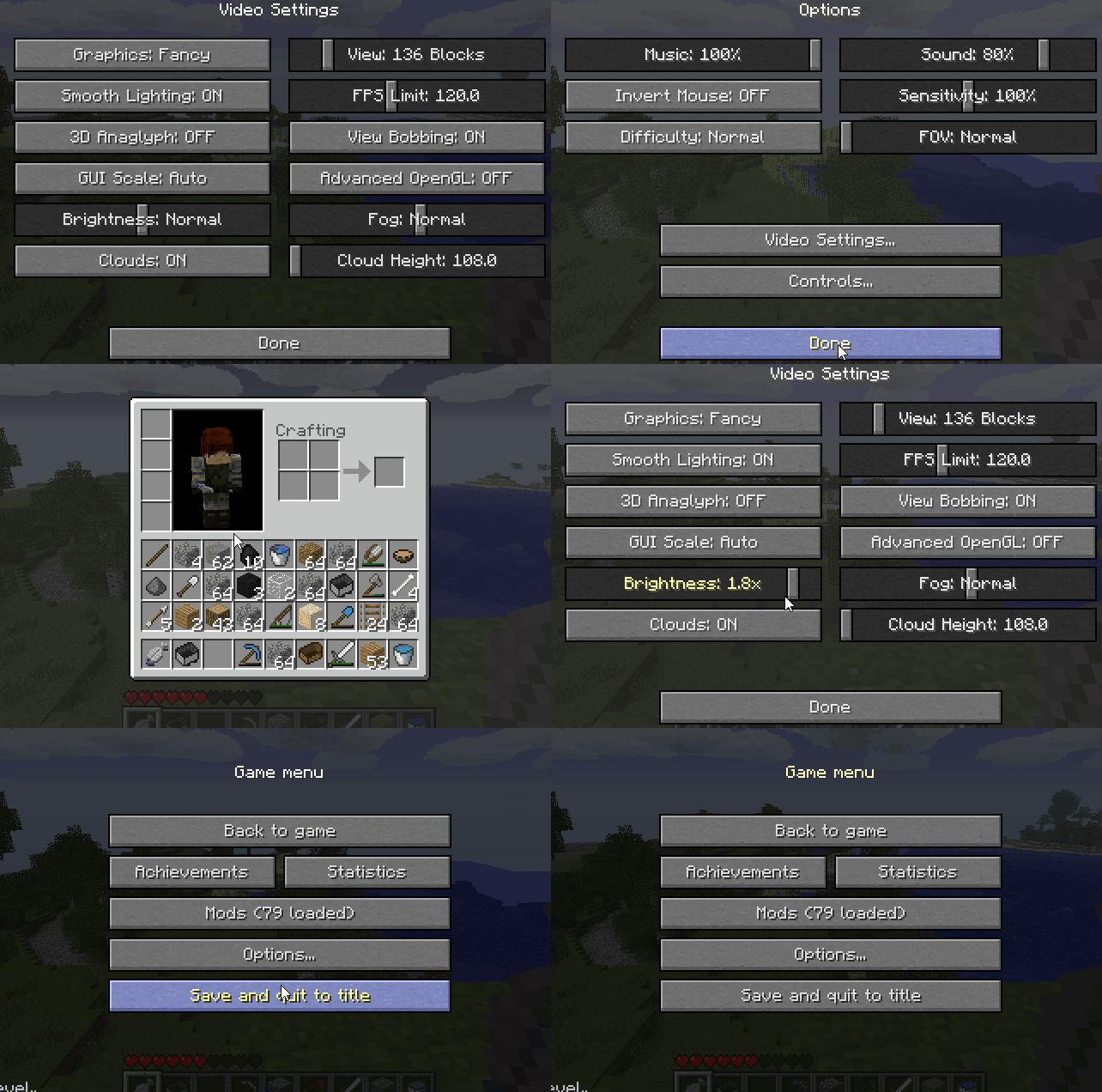 Brightness Slider (Daytime)
 -
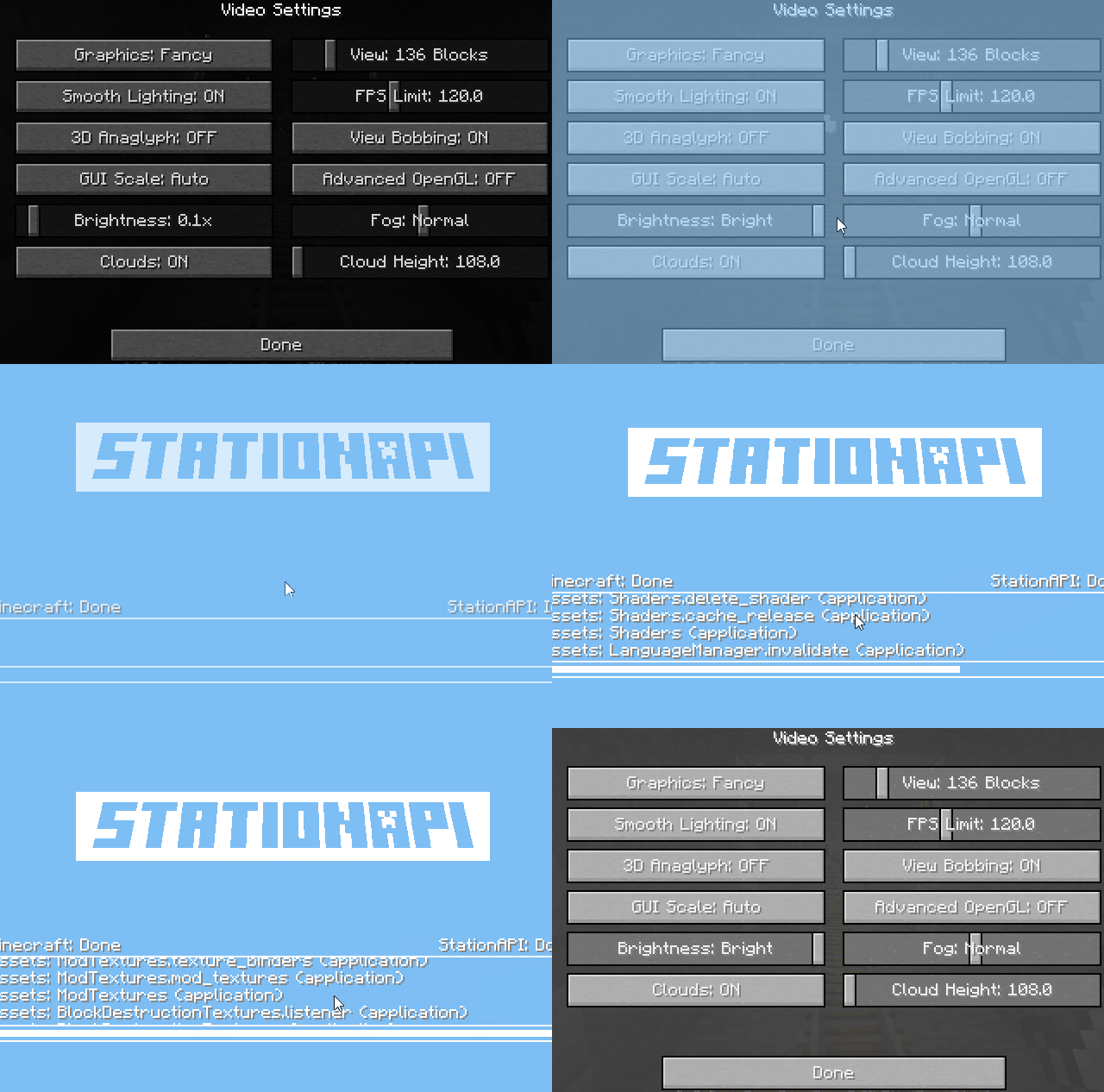 GUI Brightness Toggle Disabled by default, so that the screen will load faster. When enabled the GUI will also change brightness with the brightness slider.
Versions
Files
Relations
Project Relations
More like this
Similar Mods
Suggestions use data such as tags, dependencies, dependents, descriptions, titles, and more to rank how much they overlap with this mod.
On ModDex
Community snapshot
By the numbers
Statistics

Want to reach Minecraft players?
We're looking for a server hosting partner to feature here and other parts of the site. Interested? Send us a message!
Get in touchGet it on
Available Platforms
On ModDex
Community snapshot
By the numbers