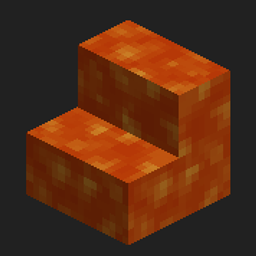
Community listing page, reviews may not be monitored by the author.
Cloak

No reviews yet
A mod used to combine block models and other block textures

Community voices
Reviews
No reviews yet. Be the first to review this project!
Get it on
Available Platforms
About
Project Details
For authors
Embed Badge
If you're the author of this project, you can embed a live badge anywhere that supports HTML or Markdown. It updates automatically whenever ratings change.
Use HTML for any page that supports it, or Markdown for README files and Markdown-based descriptions.
Identifiers
Platform IDs
About
Description
To put it short, this is a mod that allows you to take one blocks model and colliding box and all that stuff, and put a diffrent texture onto it.
For example, you can take the stair block, and but ANY other blocks texture on it. You can do the same with fences, and every other block in the game.
How to use
Its simple! There are currently no crafting recipes in the game, so they only way to use this mod in survival would be to create your own. There will be recipes in the future. To use this mod, first take a Block Capture Card and right click on the block you want as the model. Then, get a new Block Capture Card, and right click on the block you want as the texture (If you want a liquid as the texture, please use the Liquid Capture Card). Place down the Cloaking Machine, and open it. At the top left place the Capture Card for the block you want to be the model, and at the top right, the Capture Card for the block you want to use a the texture. You will then see the model being rendered in the center of the screen. (Holding right click will move the model around). Once you are happy with your model, place a Cloak Block in the slot to the left (shift clicking it will do), then click the button labled "Cloak". This will then set the output item to be the Cloaked Block. Now you can go and make your world just that much better! If you still require help, consult the videos below.
Indevidual face texturing
Also included within this mod is indevidual face texturing. That means you can have a block with the top texture being stone, and the sides being dirt. To do this go into the Cloaking Machine, and place your model and base texture Capture Cards. Then, left click on the face you want to change. It will be highlighted, and in the top right a new slot will appear. Place the capture Card you want the certian face to change to and there you go. Your model should be rendering in the center. Then just put a Cloak Block in the left slot, click the button and there you go. If you still require help, consult the videos below.
External textures
INSTRUCTIONS BELOW ARE OBESLEATE. SYSTEM IS CHANGING IN NEXT UPDATE
Please note that this is still in very early testing, and does not yet work on servers.
Firstly, after you load up the game, go to your games run directory / .minecraft (Instructions on how to do that can be found here). There should be a folder called "cloak-images". If not then create it. Then, put the images you want to use in-game into that folder. There is currently no image size checking, so it dosnt have to be a square, or 16x16, although the texture may bug out if otherwise. Once you've put the texture into that folder, go in game, and right click with the External Capture Card. You should see a list of all files within that folder (Gui isnt finished, its just a placeholder for now). Type in the name (and file extension) of the image you want to use, then press enter. If it has worked, the image will be rendered inside the item. You can then use the Capture Card in the same way as other capture cards. If you need more help on this, consult the videos below.
Plans
- Add hopper support so it can be automated
- Redstone signal acts the same way as clicking the "Cloak" button
- 2 tiers of Cloaking Machine, one can select faces, the other can't.
Have a suggestion? Please leave it at the issue tracker and Ill be more than happy to take a look at it
This mod is very similar, but thought of and coded independently, to Paint ALL the things!, which includes some features this mod does not. If you enjoyed this mod, please go check it out.
Link to videos:
Screenshots
Gallery
-
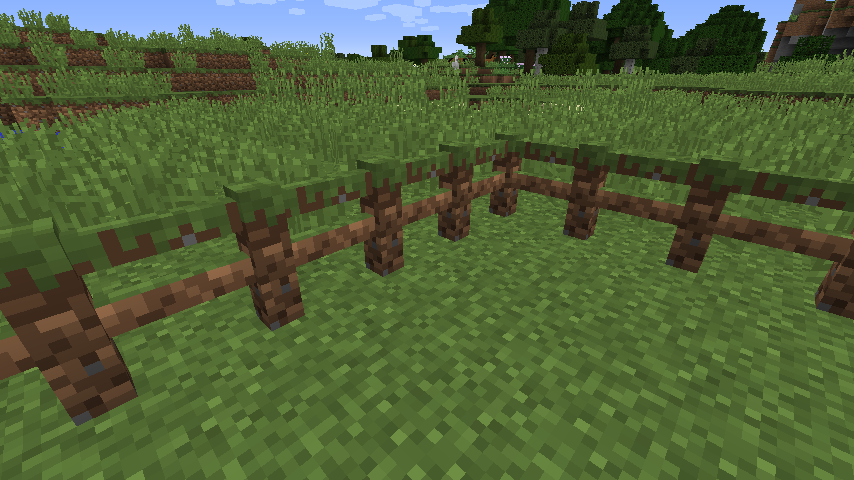 Grass Fence Grass fence made of fence blocks with their texture changed to grass
 -
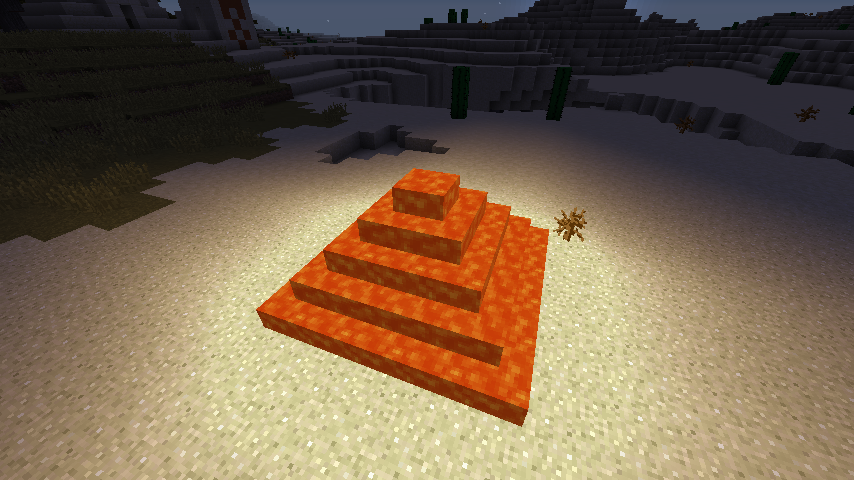 Lava pyramid Lava pyramid made of stairs and slabs, with their textures changed to lava
Versions
Files
Relations
Project Relations
More like this
Similar Mods
Suggestions use data such as tags, dependencies, dependents, descriptions, titles, and more to rank how much they overlap with this mod.
On ModDex
Community snapshot
By the numbers
Statistics

Get it on
Available Platforms
On ModDex
Community snapshot
By the numbers