
Clockwork: Time HUDs
No reviews yet
A minecraft time-related client side only mod which tells the time in real life as well as the in game time!
Fabric is a mod loader for versions 1.14+ of Minecraft, particularly popular for client side and optimization mods.
Community voices
Reviews
Click once to include, again to exclude, again to clear
No reviews yet. Be the first to review this project!
Get it on
Available Platforms
 Modrinth
Compatibility
Supported Environments
About
Project Details
For authors
Embed Badge
If you're the author of this project, you can embed a live badge anywhere that supports HTML or Markdown. It updates automatically whenever ratings change.
Use HTML for any page that supports it, or Markdown for README files and Markdown-based descriptions.
Identifiers
Platform IDs
Resources
External Links
About
Description
Clockwork is a lightweight client-side HUD mod that shows:
- ✅ In-game time (daytime ticks + label)
- ✅ Real-life time (local system time)
- ✅ Animated clock icon (smooth frame-based animation)
- ✅ Drag & drop HUD positioning (Edit HUD Position menu)
- ✅ Toggles for in-game time and IRL time
How to use
Open Clockwork menu (press the comma key [,] The keybind can be changed in controls)
Toggle:
Time in game: ON/OFF
Time in real life: ON/OFF
Click Edit HUD Position and drag the HUDs where you want them.
Notes
Client-side only (safe to use on servers).
Works on Minecraft 1.21.11 (Fabric).
More features planned in future updates.
Credits
Created by Voltasonic.
Screenshots
Gallery
-
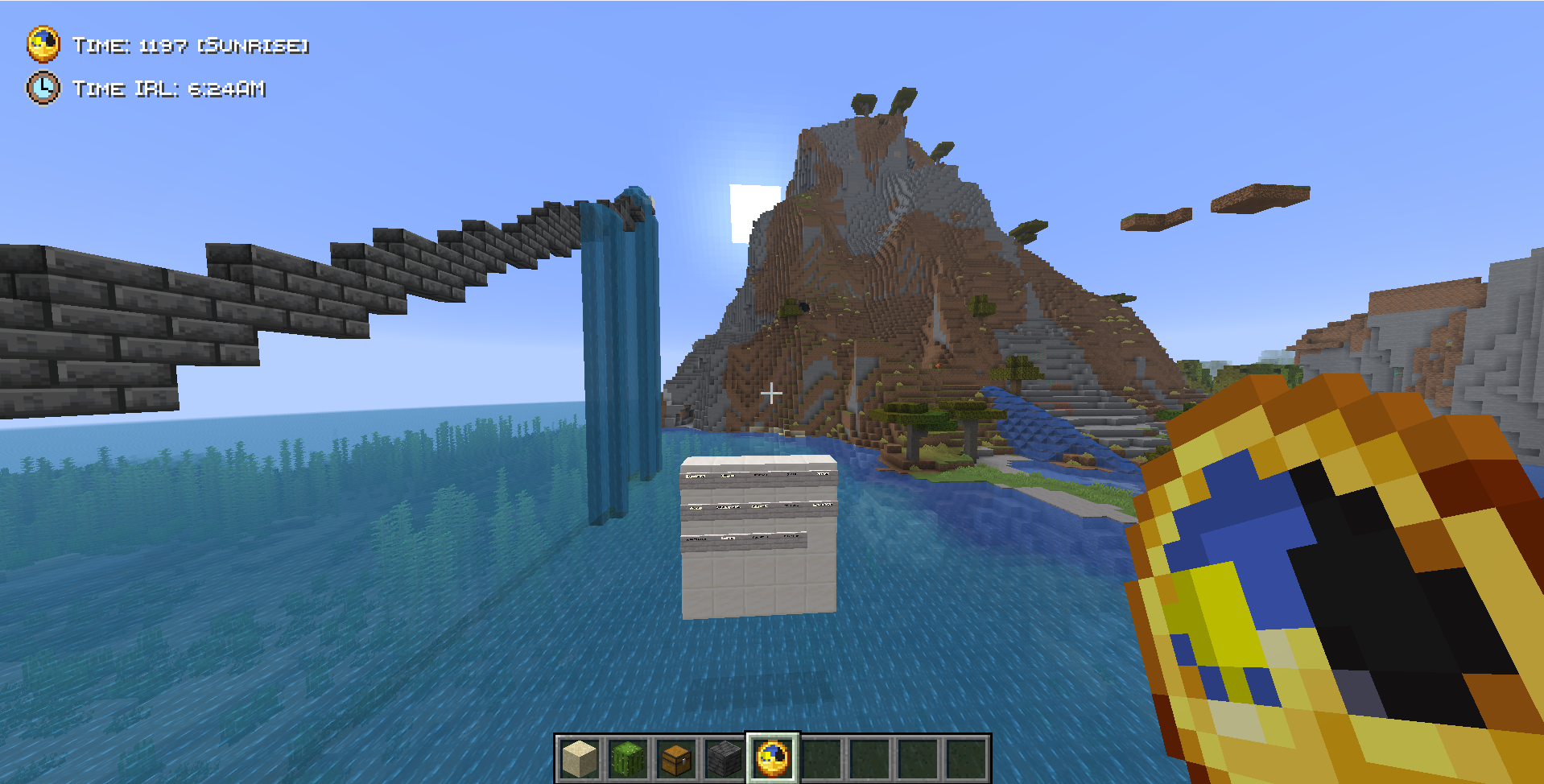 HUDs of In game time and Real life time
 -
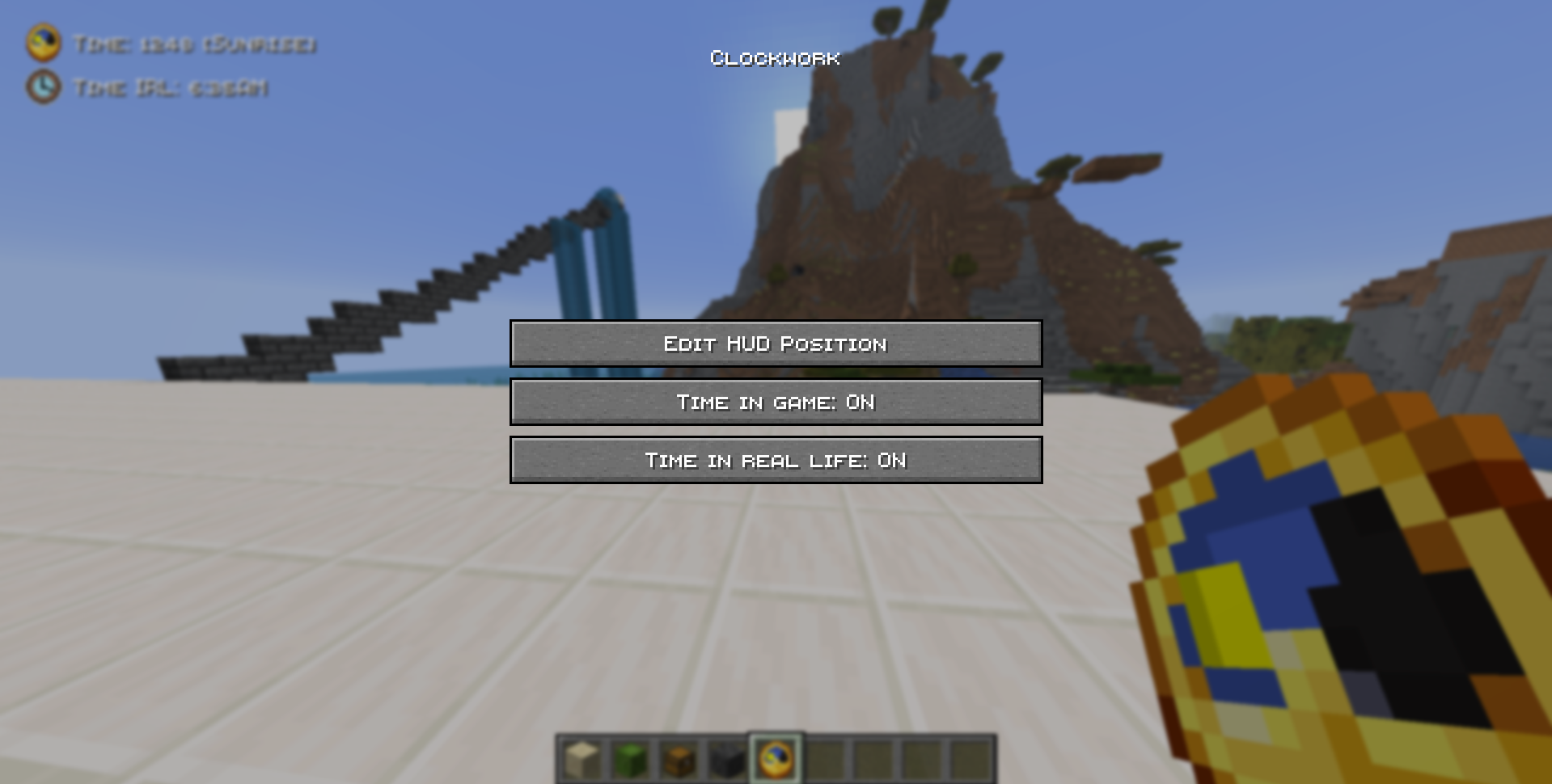 Clockwork Menu Consists of 3 buttons: The first one allows you to drag and drop the HUDs to wherever you like. The second and third ones are toggleable buttons for the HUDs. This menu is opened using the comma key (,)however you can use any other key by changing keybind
 -
 Comparison of animated icon of in game time with the clock item. Tick rate here is 10000 for demonstration purposes. You can see the comparison here.
 -
 HUD Position Editing (Drag and Drop System) Showcase. Within the clockwork menu, by clicking the Edit HUD Position button, you can drag and drop the HUD to wherever you like on the screen.
Versions
Files
Relations
Project Relations
More like this
Similar Mods
Suggestions use data such as tags, dependencies, dependents, descriptions, titles, and more to rank how much they overlap with this mod.
On ModDex
Community snapshot
By the numbers
Statistics

Want to reach Minecraft players?
We're looking for a server hosting partner to feature here and other parts of the site. Interested? Send us a message!
Get in touchGet it on
Available Platforms
On ModDex
Community snapshot
By the numbers
Statistics
Resources