
Integrade Cloudflared Tunnel mod
No reviews yet
Create a Cloudflare Tunnel to connect to a Minecraft server
Fabric is a mod loader for versions 1.14+ of Minecraft, particularly popular for client side and optimization mods.
Community voices
Reviews
Click once to include, again to exclude, again to clear
No reviews yet. Be the first to review this project!
Get it on
Available Platforms
 Modrinth
Compatibility
Supported Environments
About
Project Details
For authors
Embed Badge
If you're the author of this project, you can embed a live badge anywhere that supports HTML or Markdown. It updates automatically whenever ratings change.
Use HTML for any page that supports it, or Markdown for README files and Markdown-based descriptions.
Identifiers
Platform IDs
About
Description
Cloudflared Tunnel Mod
Table of Contents
- What is the Cloudflared Tunnel Mod?
- How It Works
- Installation
- Configuration
- How to Use
- Requirements
- Troubleshooting
- Contributing
- License
What is the Cloudflared Tunnel Mod?
The Cloudflared Tunnel Mod is a Minecraft Fabric mod that integrates Cloudflare Tunnel (cloudflared) directly into your Minecraft client. It allows you to create tunnels to connect to Minecraft servers without needing port forwarding or dealing with dynamic IPs.
Where did the idea come from?
This solution was inspired by community discussions on how to use Cloudflare tunnels for gaming:
- Running a Minecraft Server – Reddit discussion on hosting Minecraft servers via Cloudflare Tunnel
- Is it possible to use a tunnel? – Official Cloudflare Community thread exploring technical feasibility
- Hosting through Cloudflare – Community experiences with server hosting
The mod automates all the manual steps discussed in these threads, making the solution accessible to all players.
How It Works
Technical Overview
-
Automatic Initialization: When you launch Minecraft with the mod installed, it automatically:
- Extracts the
cloudflared.exeexecutable from the JAR to the./data/folder - Starts a Cloudflare tunnel using your configuration
- Connects the tunnel to a specific local port
- Extracts the
-
Process Management: The mod manages the entire cloudflared process lifecycle:
- Starts the process automatically
- Monitors output and logs
- Stops the process when needed
- Reconnects automatically if the tunnel fails
Network Architecture
[Your Minecraft] ←→ [Local Tunnel] ←→ [Cloudflare Edge] ←→ [Internet] ←→ [Other Players]
     Local Port      cloudflared     Global Network         Public Access
Installation
Prerequisites
- Minecraft 1.21.8
- Fabric Loader 0.16.14+
- Fabric API
- Java 21+
Installation Steps
-
Download Required Tools:
-
Download the Mod:
- Place the
.jarfile in yourmods/folder
- Place the
⚙️ Configuration
📁 Configuration File
The config/cloudflared-tunnel.properties file is created automatically:
# Use random port (recommended to avoid conflicts with other players)
useRandomPort=true

# Fixed port (if useRandomPort=false)
fixedPort=25565

# Tunnel hostname
hostname=play.exemple.com

# Automatically add to server list
autoAddToServerList=true

# Server name in the list
serverName=Nosferk
In-Menu Configuration
Access the configuration menu via the mod menu to adjust settings.
How to Use
Basic Usage
- Launch Minecraft with the mod installed
- Wait for Initialization: The tunnel will be created automatically
- Check Logs: Confirm that the tunnel has been successfully established
Monitoring
- Logs: Check
logs/latest.logfor detailed info - Process: The mod automatically manages the cloudflared process
Reloading
If you need to change settings:
- Modify the configuration file
- Use the reload function in the mod’s GUI
- The tunnel will restart automatically
Requirements
System
- Windows: Windows 10/11 (native support)
- Linux: Ubuntu 18.04+ / Debian 9+ / CentOS 7+
- macOS: macOS 10.15+
Minecraft
- Version: 1.21.8
- Mod Loader: Fabric 0.16.14+
- APIs: Fabric API
- Java: OpenJDK/Oracle JDK 21+
Network
- Connection: Stable internet connection
- Ports: Outbound access to the internet (HTTPS/80,443)
- Firewall: Allow
cloudflared.exeto run
Troubleshooting
Common Issues
"cloudflared.exe not found"
- Make sure the file is included in the
./data/folder - Check folder permissions
"Failed to start tunnel"
- Check your internet connection
- Ensure there are no firewall blocks
- Try using a different port
"Cannot connect to server"
- Confirm the tunnel is active via logs
- Verify the local port is correct
- Test local connectivity first
Diagnostics
- Check Logs:
logs/latest.log - Test Connectivity: Ping cloudflare.com
- Check Processes: Ensure cloudflared is running
- Test Locally: Try connecting on the local network
Getting Help
- Issues: GitHub Issues
- Docs: Project Wiki
- Website: nosferk.com
Contributing
Contributions are welcome! Please:
- Fork the repository
- Create a branch for your feature
- Commit your changes
- Push the branch
- Open a Pull Request
Guidelines
- Follow existing code conventions
- Add tests where appropriate
- Document significant changes
- Use descriptive commit messages
License
This project is licensed under the Attribution-NonCommercial-NoDerivatives 4.0 International license.
Author
Nosferk
- Website: nosferk.com
- Project: Cloudflared Tunnel
- GitHub: @Nosferk
Screenshots
Gallery
-
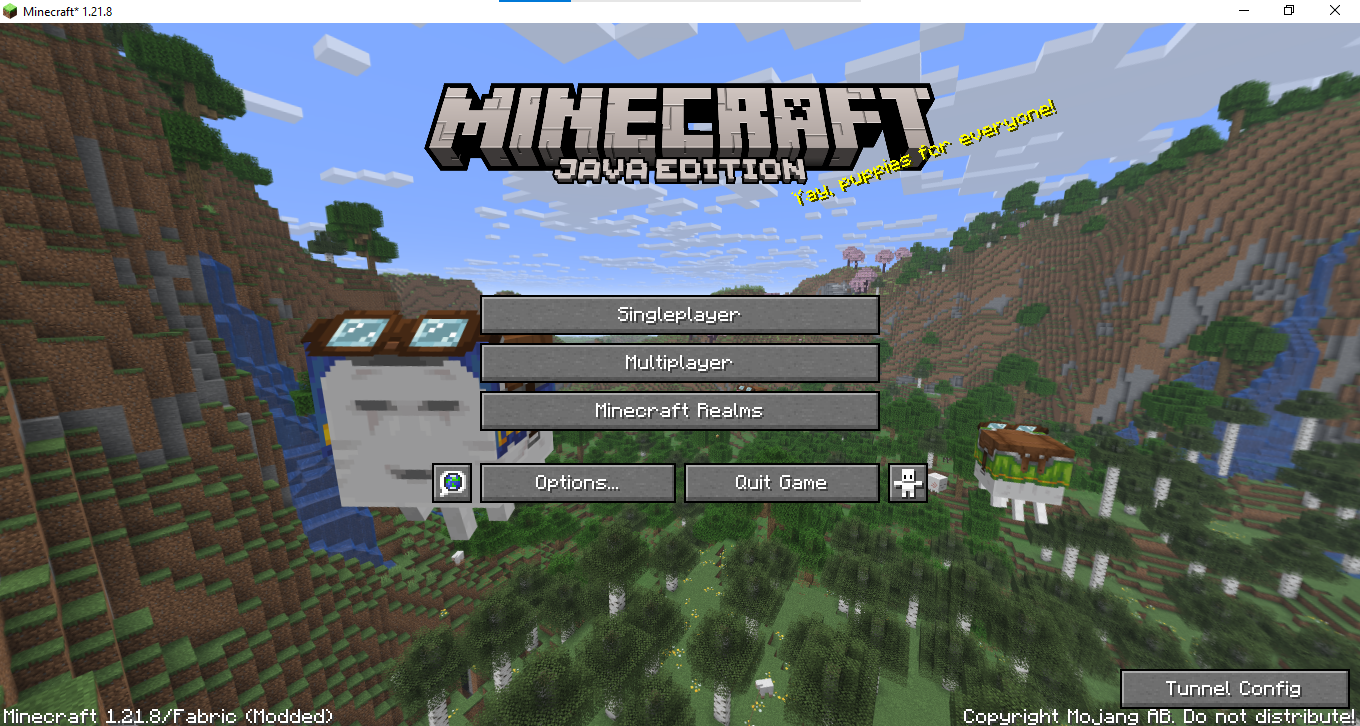 Config Button
 -
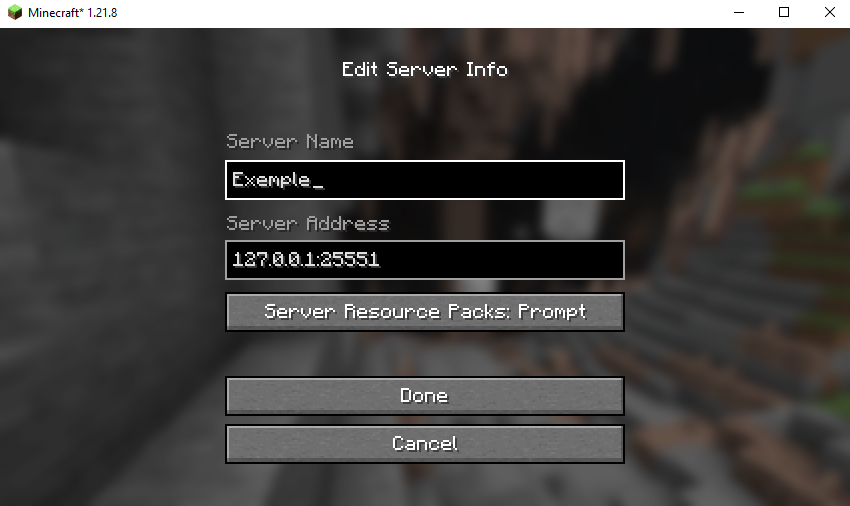 Server exemple
 -
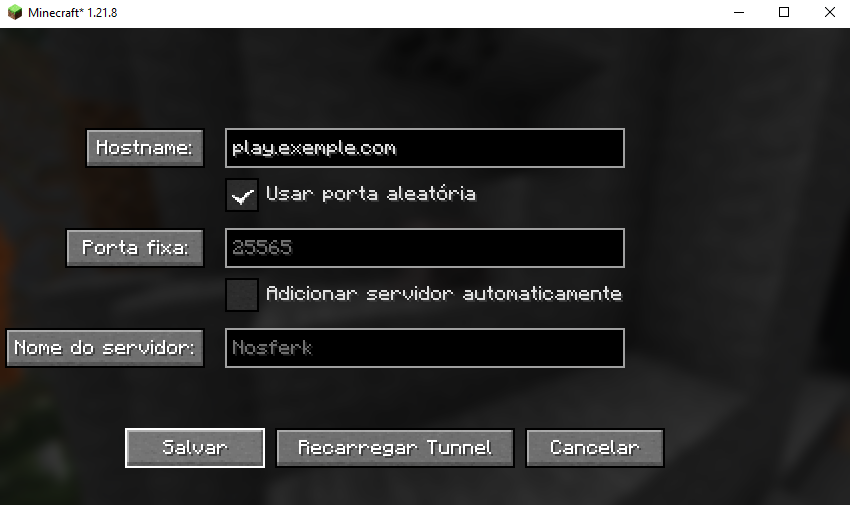 Config Menu
Versions
Files
Relations
Project Relations
More like this
Similar Mods
Suggestions use data such as tags, dependencies, dependents, descriptions, titles, and more to rank how much they overlap with this mod.
On ModDex
Community snapshot
By the numbers
Statistics

Want to reach Minecraft players?
We're looking for a server hosting partner to feature here and other parts of the site. Interested? Send us a message!
Get in touchGet it on
Available Platforms
On ModDex
Community snapshot
By the numbers