
Community listing page, reviews here may not be monitored by the author.
Coal to Dye

No reviews yet
Adds a recipe to craft Black dye from Coal.
Community voices
Reviews
No reviews yet. Be the first to review this project!
Get it on
Available Platforms
About
Project Details
For authors
Embed Badge
If you're the author of this project, you can embed a live badge anywhere that supports HTML or Markdown. It updates automatically whenever ratings change.
Use HTML for any page that supports it, or Markdown for README files and Markdown-based descriptions.
Identifiers
Platform IDs
Resources
External Links
About
Description


What kind of datapack is this?
This datapack introduces a small but convenient tweak to your survival experience.
Coal finally gets a little more versatile.
- Got too much coal? Turn it into something useful.
- No ink sacs nearby? No problem.
- Simple, logical, and fits vanilla gameplay.
Test how this tiny addition can make your resource management just a bit smoother
Features
Interactions
- Craft Black Dye using different types of coal:
- Regular Coal
- Charcoal
- Simple crafting recipes that feel natural and balanced
- No need to hunt squids just for dye anymore
Miscellaneous effects
- Fully vanilla-friendly (no new items, only recipes)
- Works in both singleplayer and multiplayer worlds
- Lightweight and performance-friendly
Installation Guide
Step 1: Download the datapack
Download the datapack file(it should be a .zip archive, do not extract it!).
Step 2: Install into the world
- First method(new world)
- Create new world
- Go to the “More” tab
- Click "Data Packs" then "Open Pack Folder"
- Second method(an existing world)
- Launch Minecraft
- Go to Singleplayer
- Select your world
- Click Edit → Open World Folder
- Find the "datapacks" folder
Step 3: Install the datapack
Move the downloaded .zip file into the folder(make sure the file stays zipped)
Extra
If something isn't working, double-check the following:
- Does the data pack version match the Minecraft version?
- Is the data pack installed in the correct folder (not just in .minecraft)?
- Did you re-enter the world after installation?
If any of these are missing, the datapack may not work as expected.
Screenshots
Gallery
-
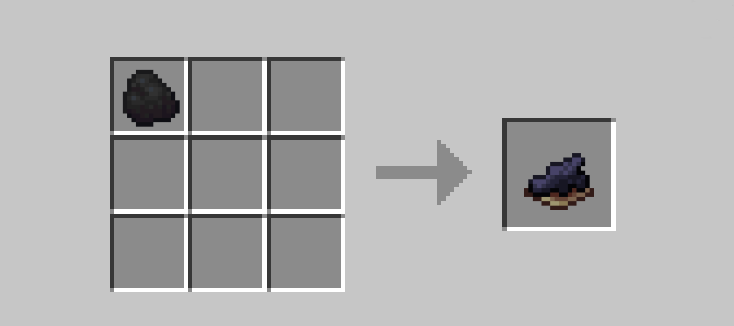 in-game recipe
Versions
Files
Relations
Project Relations
More like this
Similar Mods
Suggestions use data such as tags, dependencies, dependents, descriptions, titles, and more to rank how much they overlap with this mod.
On ModDex
Community snapshot
By the numbers
Statistics

Want to reach Minecraft players?
We're looking for a server hosting partner to feature here and other parts of the site. Interested? Send us a message!
Get in touchGet it on
Available Platforms
On ModDex
Community snapshot
By the numbers
Statistics
Resources