Community listing page, reviews here may not be monitored by the author.
Coasters Simulated: Track Styles


No reviews yet
An unofficial addon for Create: Coasters Simulated that adds track styles based off real life coaster manufacturer track.
Community voices
Reviews
No reviews yet. Be the first to review this project!
Get it on
Available Platforms
Compatibility
Supported Environments
Must be installed on both the client and the server.
About
Project Details
For authors
Embed Badge
If you're the author of this project, you can embed a live badge anywhere that supports HTML or Markdown. It updates automatically whenever ratings change.
Use HTML for any page that supports it, or Markdown for README files and Markdown-based descriptions.
Identifiers
Platform IDs
Resources
External Links
About
Description
Coasters Simulated: Track Styles
This is an unofficial NeoForge addon for Create: Coasters Simulated that adds custom, realistic track models based off real life manufacturer track, independent rail and spine color customization by HEX code, and an in-game tool to easily configure track styles.
It's currently pretty experimental, but functional if you want to build more realistic real-life roller coaster layouts or experiment with different track styles.
What It Adds
- Custom Track Models: Adds 15+ track types covering B&M, Intamin, Vekoma, Arrow, RMC, and Wooden styles.
- Mid-Spline Transitions: You can switch track types along the same curve (e.g., transitioning from single-spine to double-spine track).
- In-Game Style Tool & GUI: A custom tool with a GUI for setting styles and entering hex colors.
- Independent Rail & Spine Colors: Set rail colors and spine/tie colors separately using Hex codes (
#RRGGBB). - Bulk Apply & Picker: Apply styles down the entire connected track circuit in one click, or sample styles off an existing anchor.
- labPBR Support: Built-in PBR textures for realistic shine/reflections when running shaders with PBR enabled.
- (Experimental) Anchor Style Tool: A custom tool with GUI for styling the coaster anchorpoint block along with the girder that connects it to the track.
- Invisible style works, but the custom style can have some visual issues for the anchorpoint block when Forgified Fabric API is in your pack.
Included Track Styles
- B&M Steel
- Intamin Box Truss
- Intamin Tri Truss
- Intamin Heavy
- Intamin Heavy Double Spine
- Intamin BB
- Intamin BB Double Spine
- Steel Flat
- Steel Flat Truss
- Wooden (all wood types + white)
- Vekoma New-Gen
- Premier Rides (Steel, Tri, Tri Tall Spine, LSM)
- Arrow Tubular
- RMC I-Box
- RMC I-Box (Mixed Rail Test)
- (works, but sometimes the two rail colors get flipped, just make a second style with the two colors flipped)
For the future:
- Arrow 4D
How to Use
Get the Coaster Style Tool from the new creative tab:
- Right-Click in air: Opens the GUI to pick a style, enter base/rail hex codes, or toggle "Match Base Color".
- Right-Click anchor: Applies the tool's settings to that specific anchor.
- Shift + Right-Click anchor: Applies settings to all connected anchors along that track circuit.
- Alt + Right-Click anchor: Copies the style and colors off the anchor into your tool.
- Shift (Hover in inventory): Shows a quick control reference.
Rendering & Shaders Setup
This mod relies on Flywheel instance rendering to display custom track models:
- Flywheel must be ON: Set Flywheel to Indirect (Default) or Instancing. If Flywheel is disabled, custom track models will not render.
- If using shaders: You need one of these compatibility mods so Flywheel instances render properly through shaders:
- Iris Flywheel Compat (Works with most shaderpacks)
- Colorwheel (For Colorwheel-supported shaderpacks)
(Tested with Complementary by EminGT in labPBR mode and Nostalgia by RRe36 with resource pack reflections turned on).
Resource Packs
All models can be overridden using a resource pack. Extract the mod .jar file to check the asset path structure (assets/coasterssimulatedextratypes/...) and model naming conventions.
Requirements & License
-
Environment: NeoForge for Minecraft 1.21.1 ONLY
-
Dependencies:
-
Create (
6.0.10+) -
License: MIT
Disclaimer: This is an unofficial addon. It is not affiliated with Mojang, the Create Team, Sable / Aeronautics, or SilverGold (creator of Create: Coasters Simulated).
- Trademarks: All manufacturer names (Intamin, Vekoma, Arrow Dynamics, B&M, RMC, etc.) are used purely for descriptive purposes to identify track geometry styles and belong to their respective trademark owners.
Coasters Simulated: Track Styles
This is an unofficial NeoForge addon for Create: Coasters Simulated that adds custom, realistic track models based off real life manufacturer track, independent rail and spine color customization by HEX code, and an in-game tool to easily configure track styles.
It's currently pretty experimental, but functional if you want to build more realistic real-life roller coaster layouts or experiment with different track styles.

What It Adds
- Custom Track Models: Adds 15+ track types covering B&M, Intamin, Vekoma, Arrow, RMC, and Wooden styles.
- Mid-Spline Transitions: You can switch track types along the same curve (e.g., transitioning from single-spine to double-spine track).
- In-Game Style Tool & GUI: A custom tool with a GUI for setting styles and entering hex colors.
- Independent Rail & Spine Colors: Set rail colors and spine/tie colors separately using Hex codes (
#RRGGBB). - Bulk Apply & Picker: Apply styles down the entire connected track circuit in one click, or sample styles off an existing anchor.
- labPBR Support: Built-in PBR textures for realistic shine/reflections when running shaders with PBR enabled.
- (Experimental) Anchor Style Tool: A custom tool with GUI for styling the coaster anchorpoint block along with the girder that connects it to the track.
- Invisible style works, but the custom style can have some visual issues for the anchorpoint block when Forgified Fabric API is in your pack.
Included Track Styles
- B&M Steel
- Intamin Box Truss
- Intamin Tri Truss
- Intamin Heavy
- Intamin Heavy Double Spine
- Intamin BB
- Intamin BB Double Spine
- Steel Flat
- Steel Flat Truss
- Wooden (all wood types + white)
- Vekoma New-Gen
- Premier Rides (Steel, Tri, Tri Tall Spine, LSM)
- Arrow Tubular
- RMC I-Box
- RMC I-Box (Mixed Rail Test)
- (works, but sometimes the two rail colors get flipped, just make a second style with the two colors flipped)
For the future:
- Arrow 4D
How to Use
Get the Coaster Style Tool from the new creative tab:
- Right-Click in air: Opens the GUI to pick a style, enter base/rail hex codes, or toggle "Match Base Color".
- Right-Click anchor: Applies the tool's settings to that specific anchor.
- Shift + Right-Click anchor: Applies settings to all connected anchors along that track circuit.
- Alt + Right-Click anchor: Copies the style and colors off the anchor into your tool.
- Shift (Hover in inventory): Shows a quick control reference.
Note
Due to some limitations, You must right click the track anchor to apply a style, not the track itself. If nothing is changing, click another anchor.
Rendering & Shaders Setup
This mod relies on Flywheel instance rendering to display custom track models:
- Flywheel must be ON: Set Flywheel to Indirect (Default) or Instancing. If Flywheel is disabled, custom track models will not render.
- If using shaders: You need one of these compatibility mods so Flywheel instances render properly through shaders:
- Iris Flywheel Compat (Works with most shaderpacks)
- Colorwheel (For Colorwheel-supported shaderpacks)
(Tested with Complementary by EminGT in labPBR mode and Nostalgia by RRe36 with resource pack reflections turned on).
Resource Packs
All models can be overridden using a resource pack. Extract the mod .jar file to check the asset path structure (assets/coasterssimulatedextratypes/...) and model naming conventions.
Requirements & License
-
Environment: NeoForge for Minecraft 1.21.1 ONLY
-
Dependencies:
-
Create (
6.0.10+) -
License: MIT
Disclaimer: This is an unofficial addon. It is not affiliated with Mojang, the Create Team, Sable / Aeronautics, or SilverGold (creator of Create: Coasters Simulated).
- Trademarks: All manufacturer names (Intamin, Vekoma, Arrow Dynamics, B&M, RMC, etc.) are used purely for descriptive purposes to identify track geometry styles and belong to their respective trademark owners.
Screenshots
Gallery
-
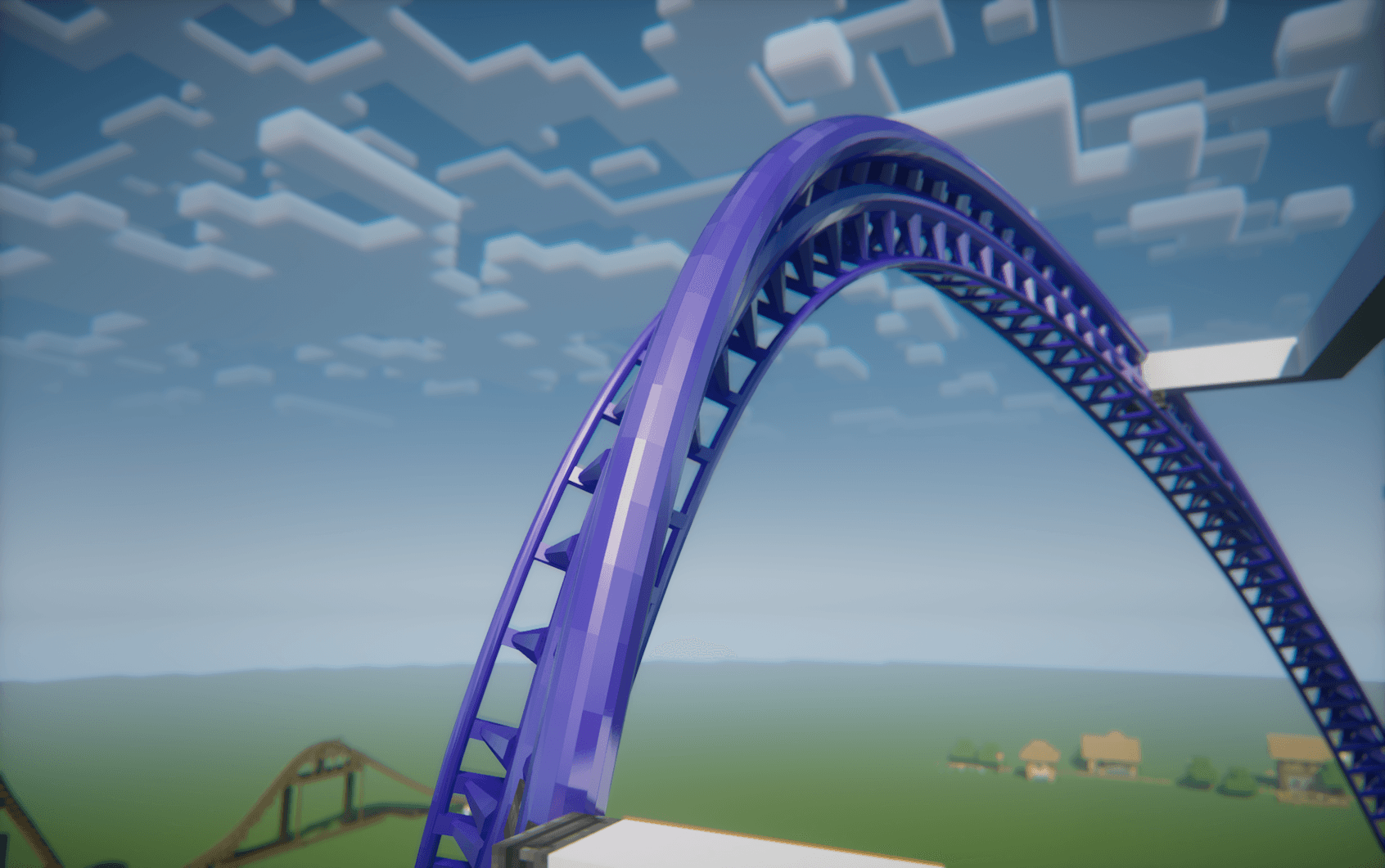 Intamin Heavy Double Spine - Shaders Style: Intamin Heavy Double Spine Base & rail color: #4422AA
 -
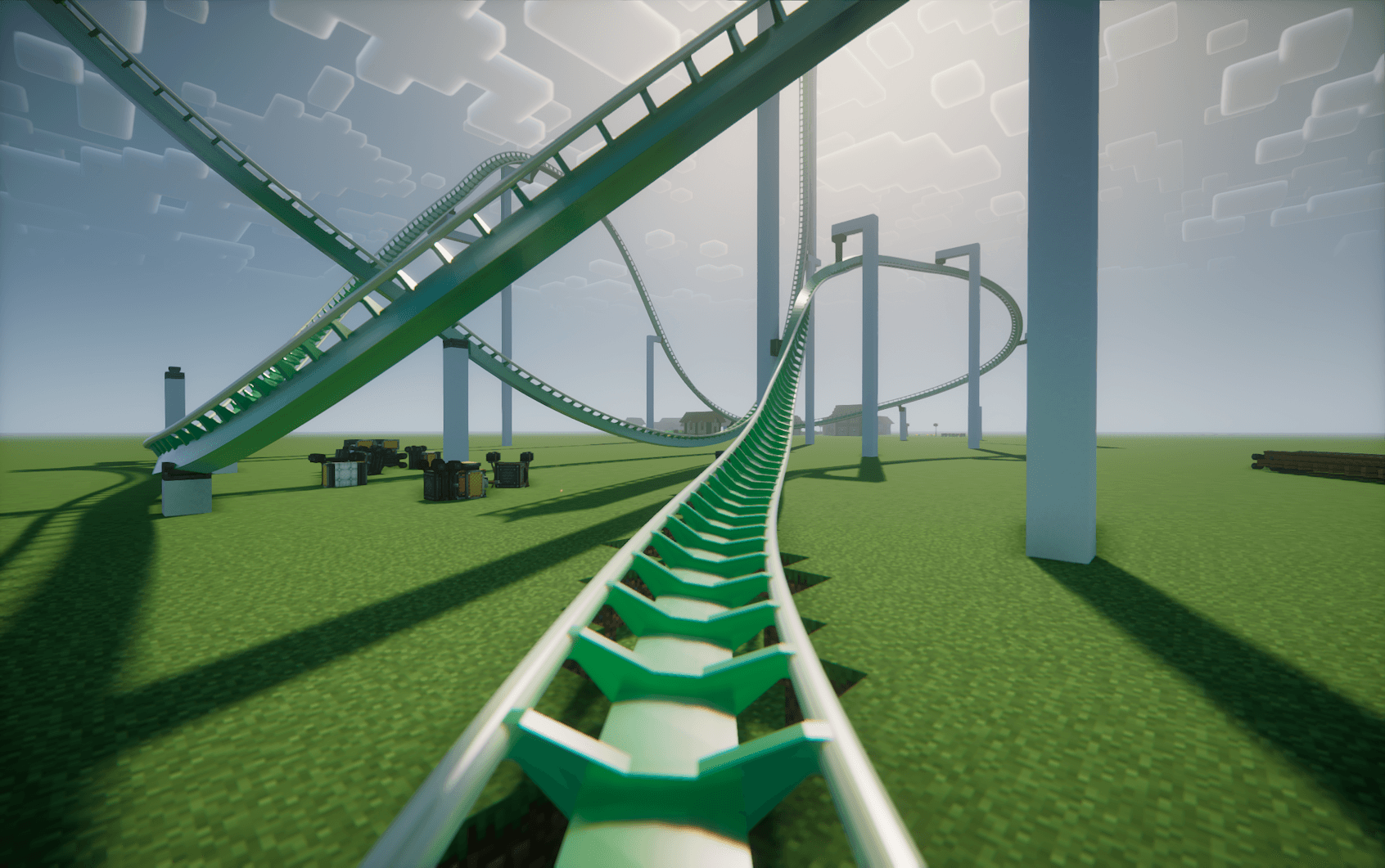 B&M Style: B&M Steel Base color: #22AA44 Rail color: #DDDDAA
 -
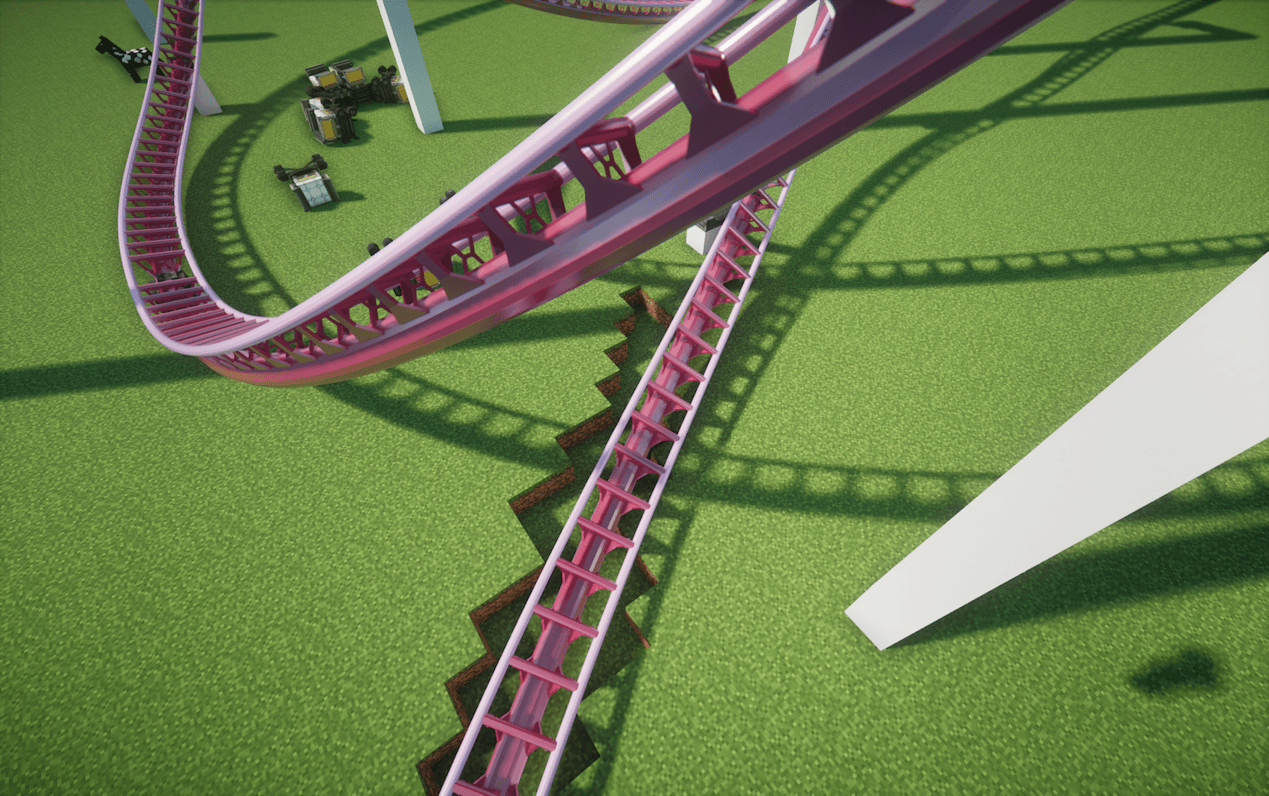 Dyable base and rail colors Style: Intamin BB Base color: #AA2244 Rail color: #DDAADD
 -
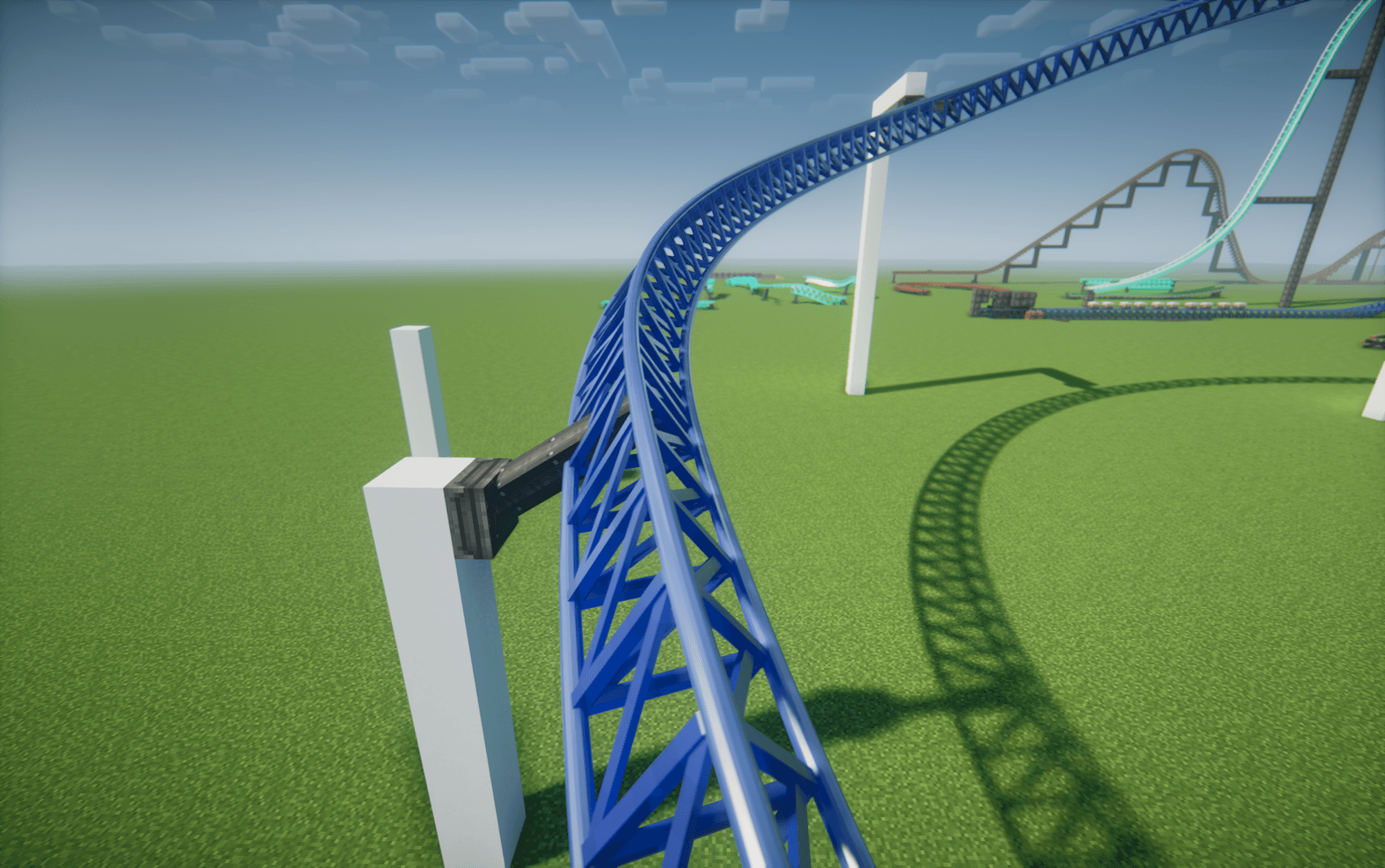 Intamin Triangular Truss Style: Intamin Tri Truss Base color: #2244AA Rail color: #4466AA
 -
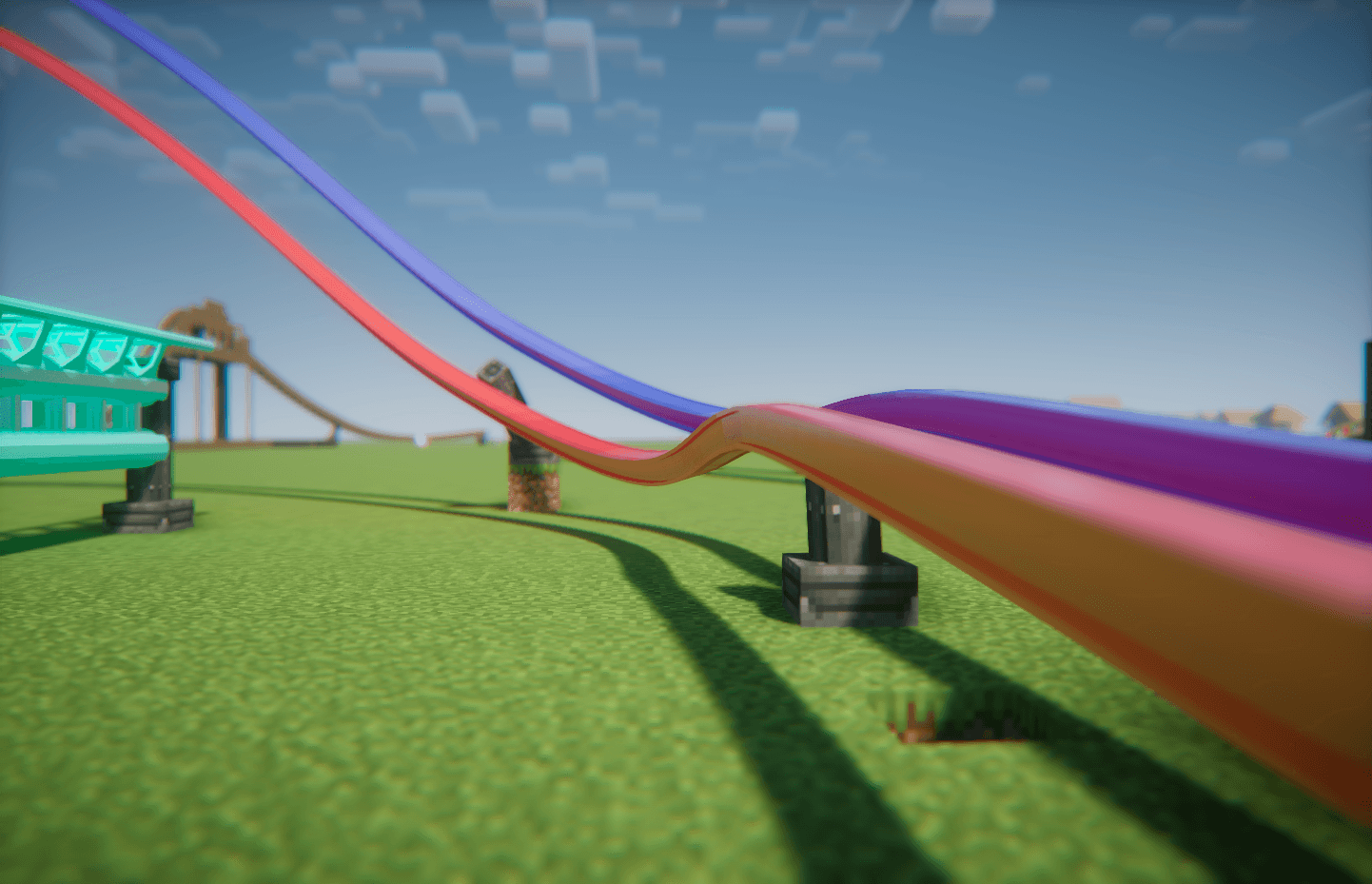 RMC I-Box Mixed Rail Test
 -
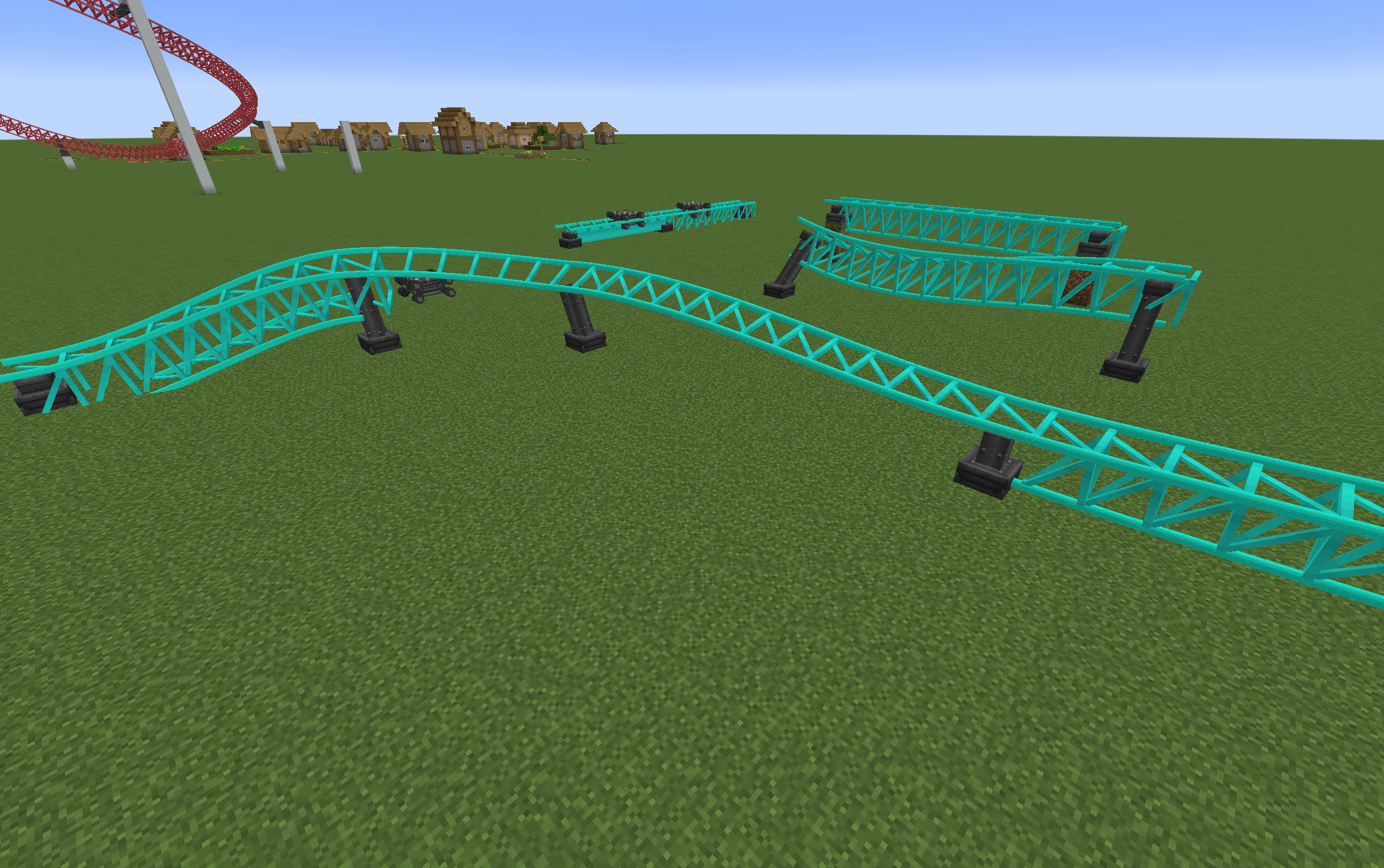 Rails line up when switching track types
 -
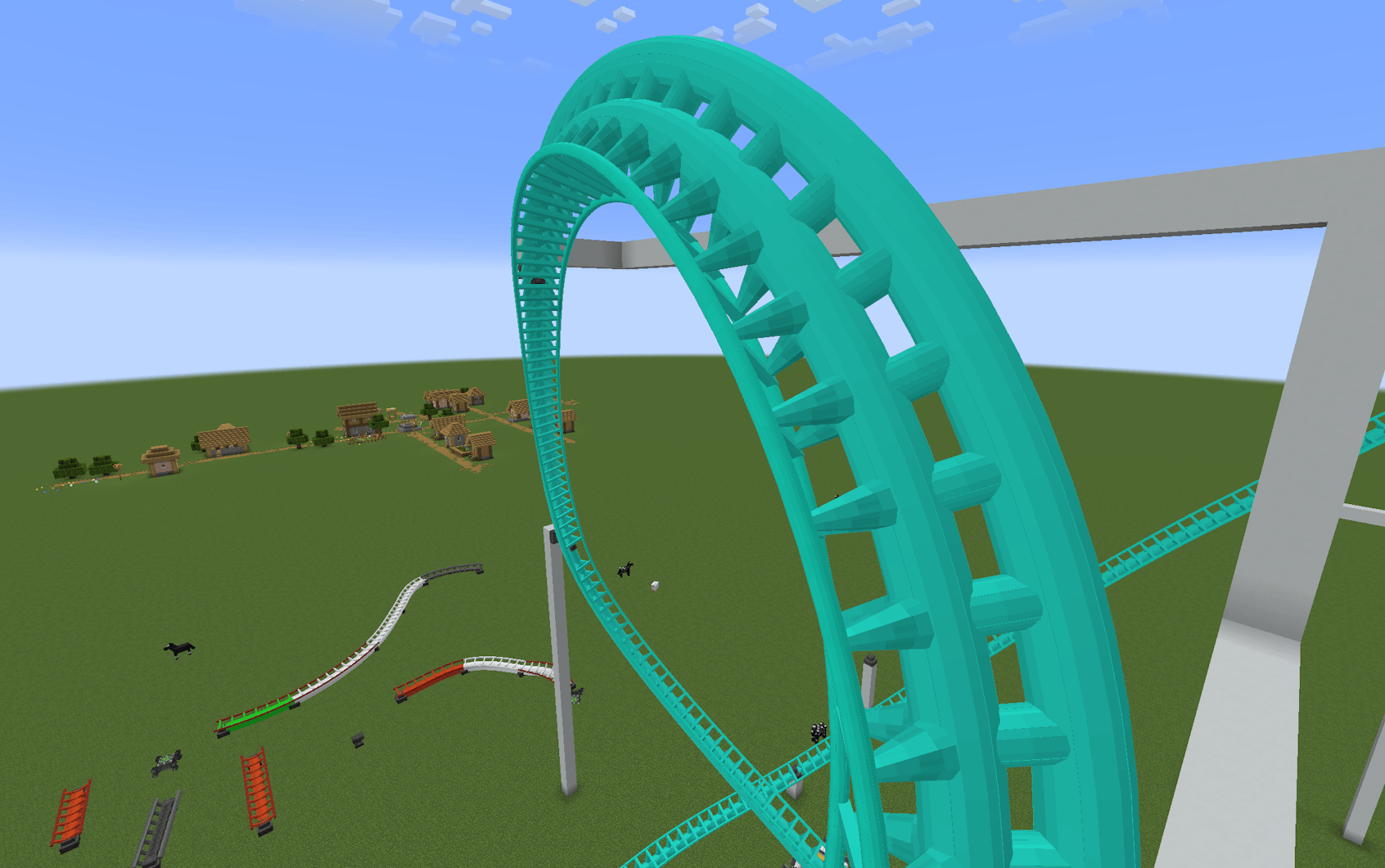 Intamin Heavy Double Spine - No shaders
 -
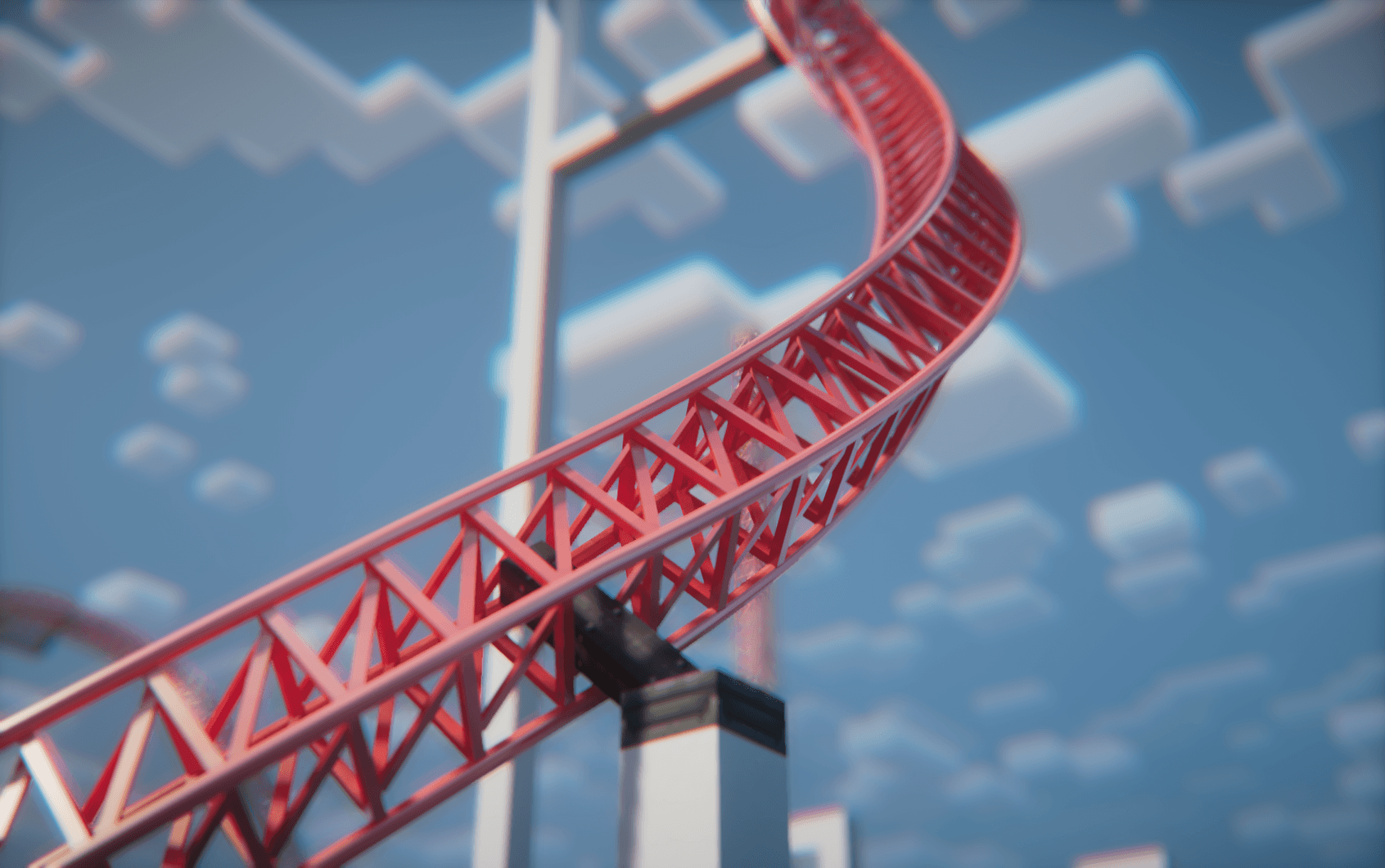 Project icon
 -
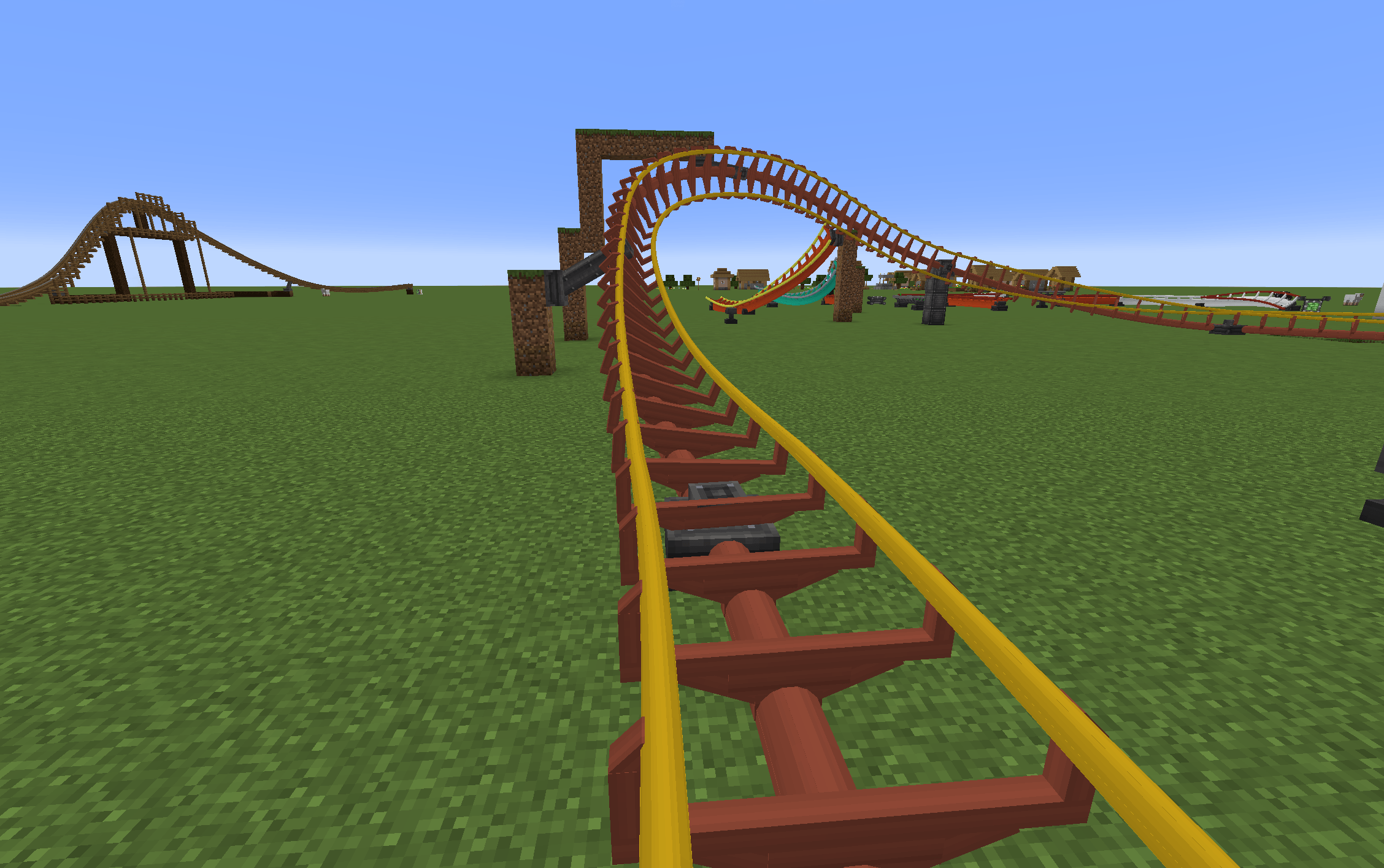 Arrow Track
 -
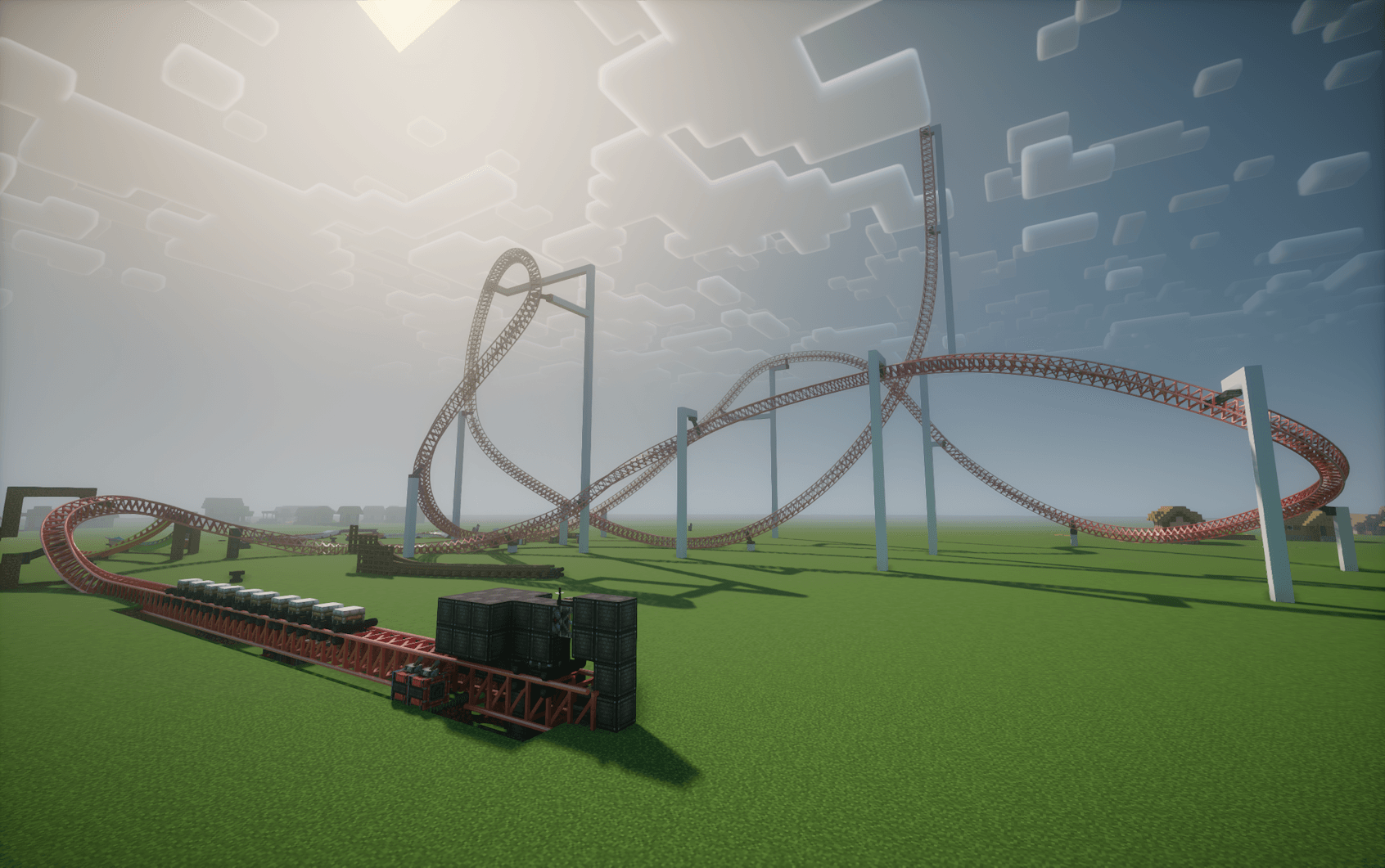 A random test track inspired by Storm Runner
 -
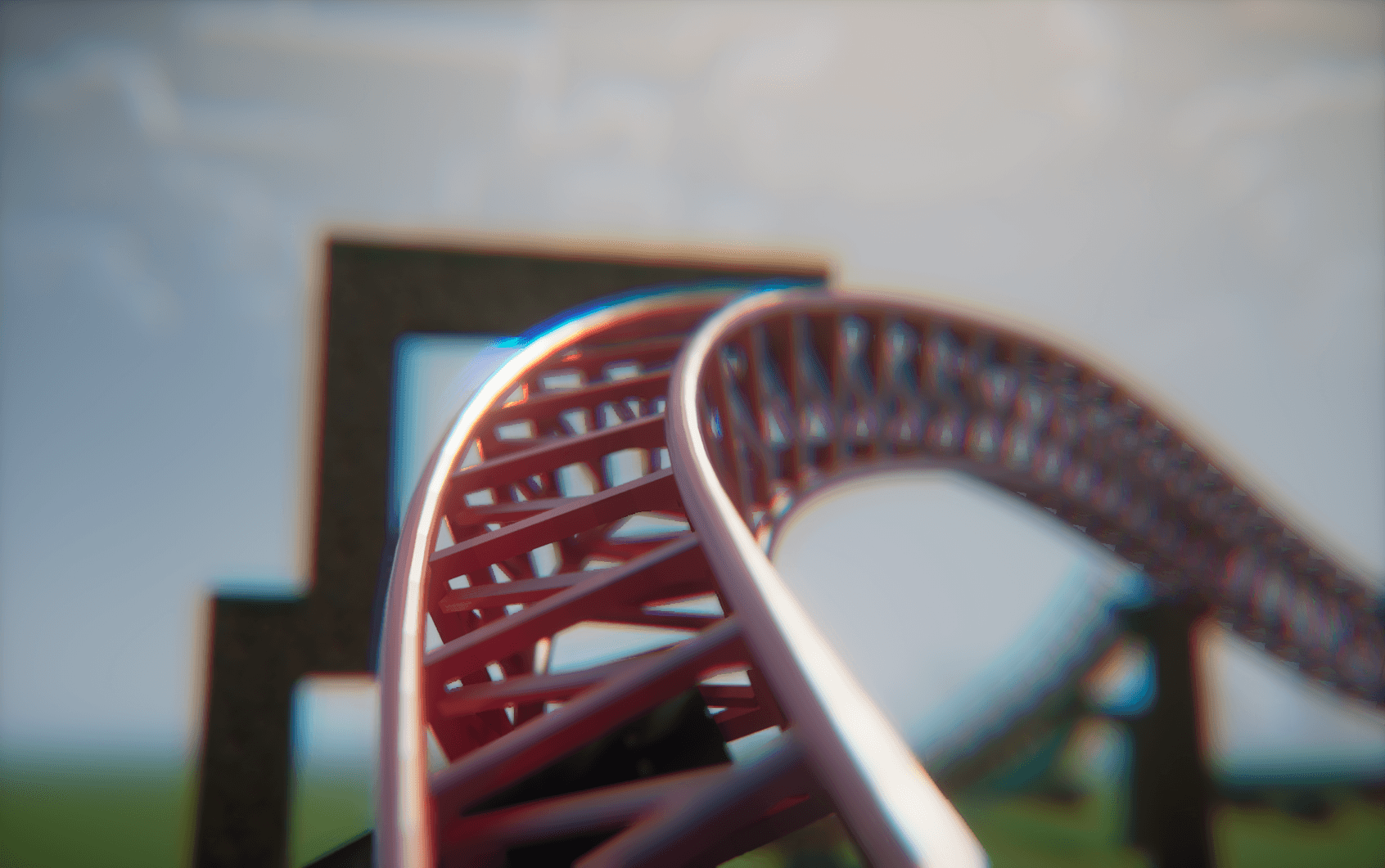 With Nostalgia Shaders
 -
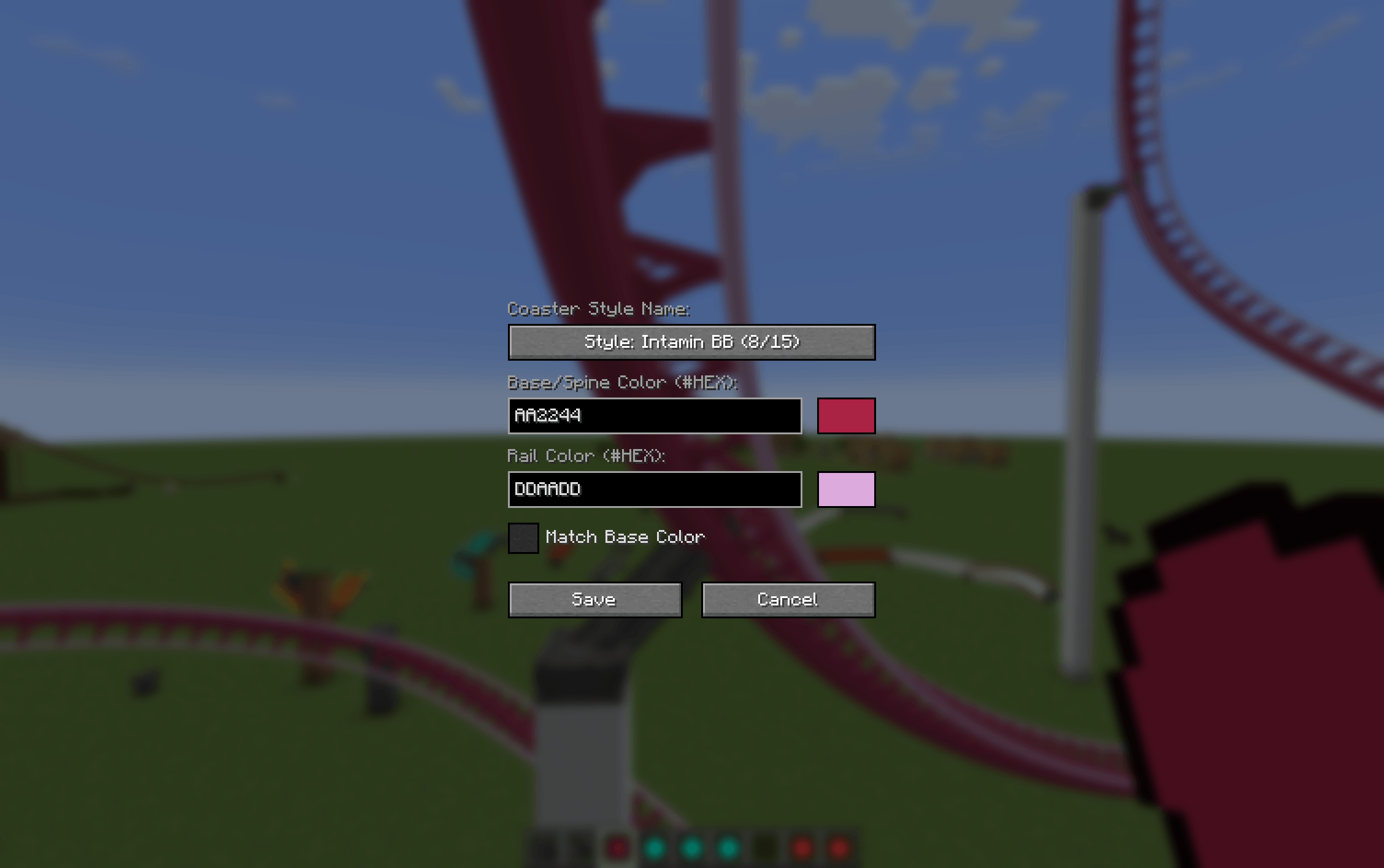 Track Type Selection
-
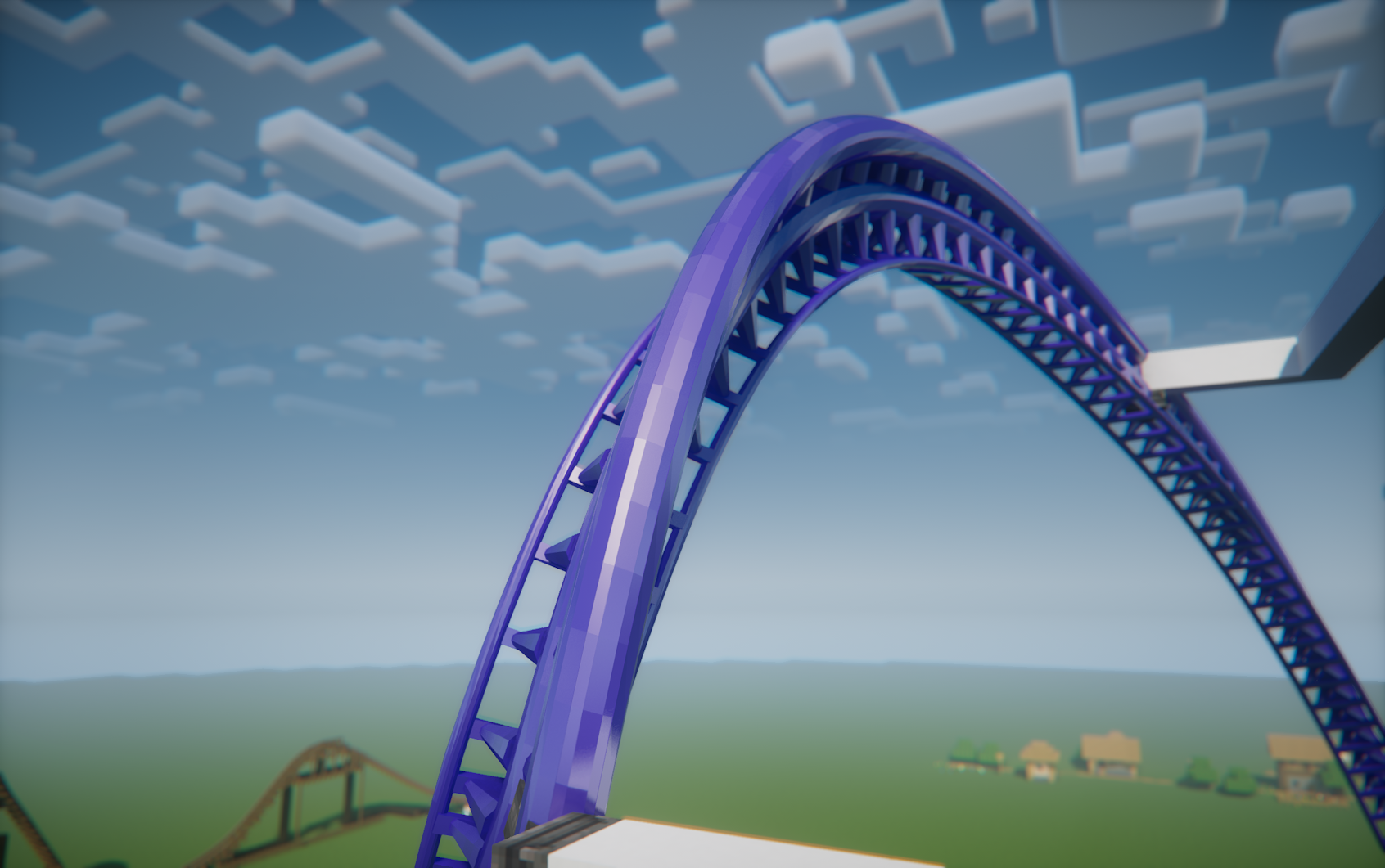 Intamin Heavy Double Spine - Shaders Style: Intamin Heavy Double Spine Base & rail color: #4422AA
 -
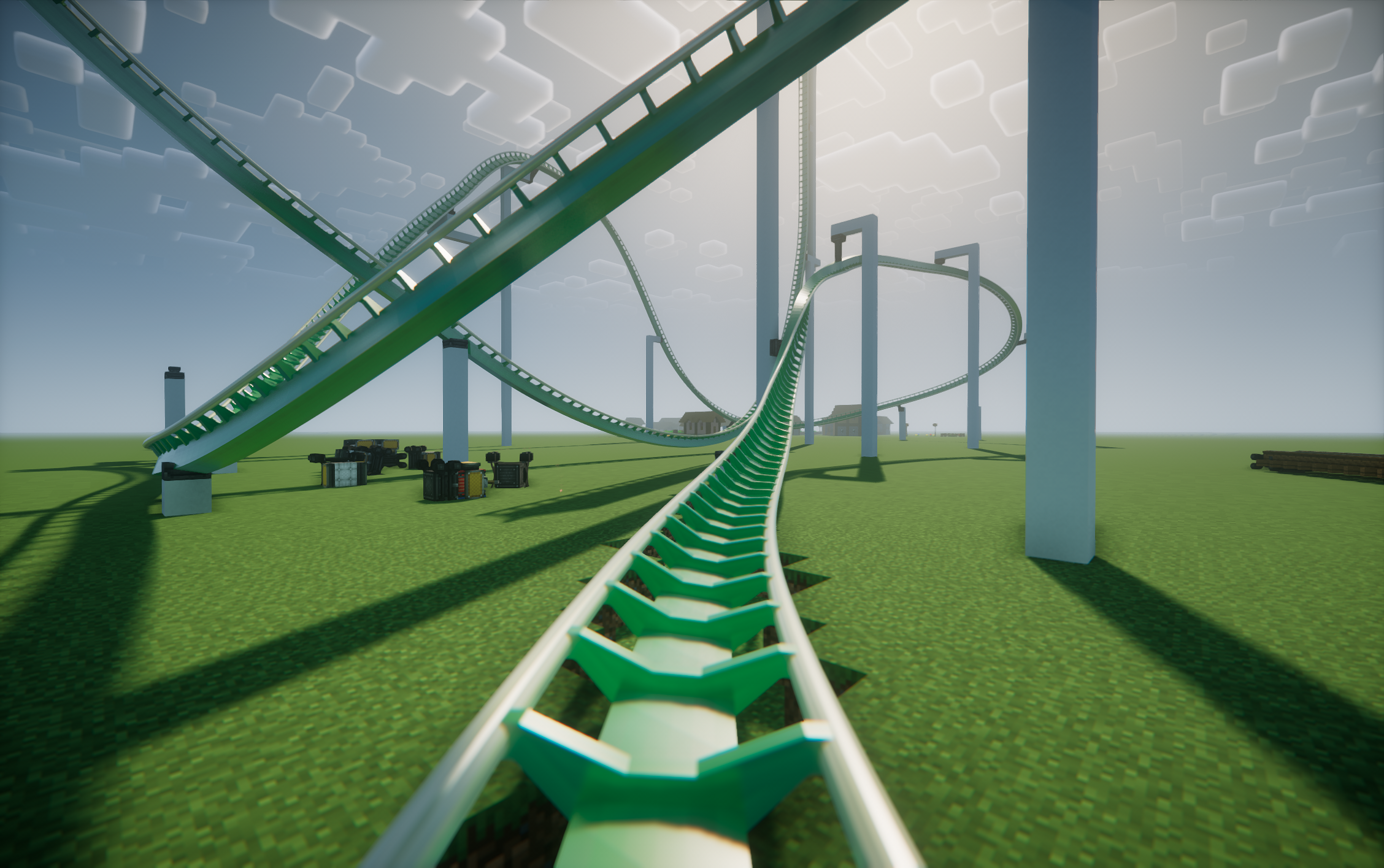 B&M Style: B&M Steel Base color: #22AA44 Rail color: #DDDDAA
 -
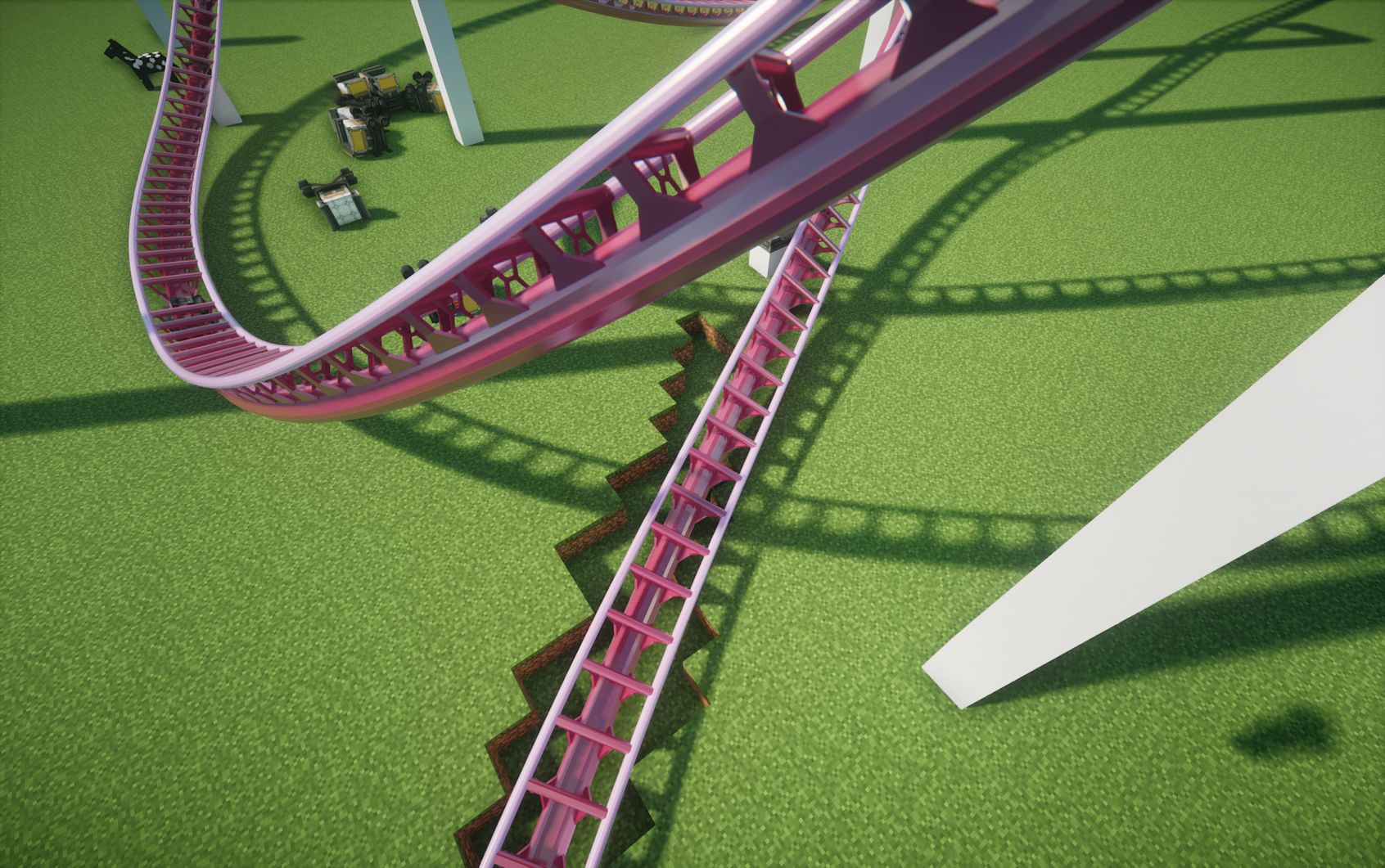 Dyable base and rail colors Style: Intamin BB Base color: #AA2244 Rail color: #DDAADD
 -
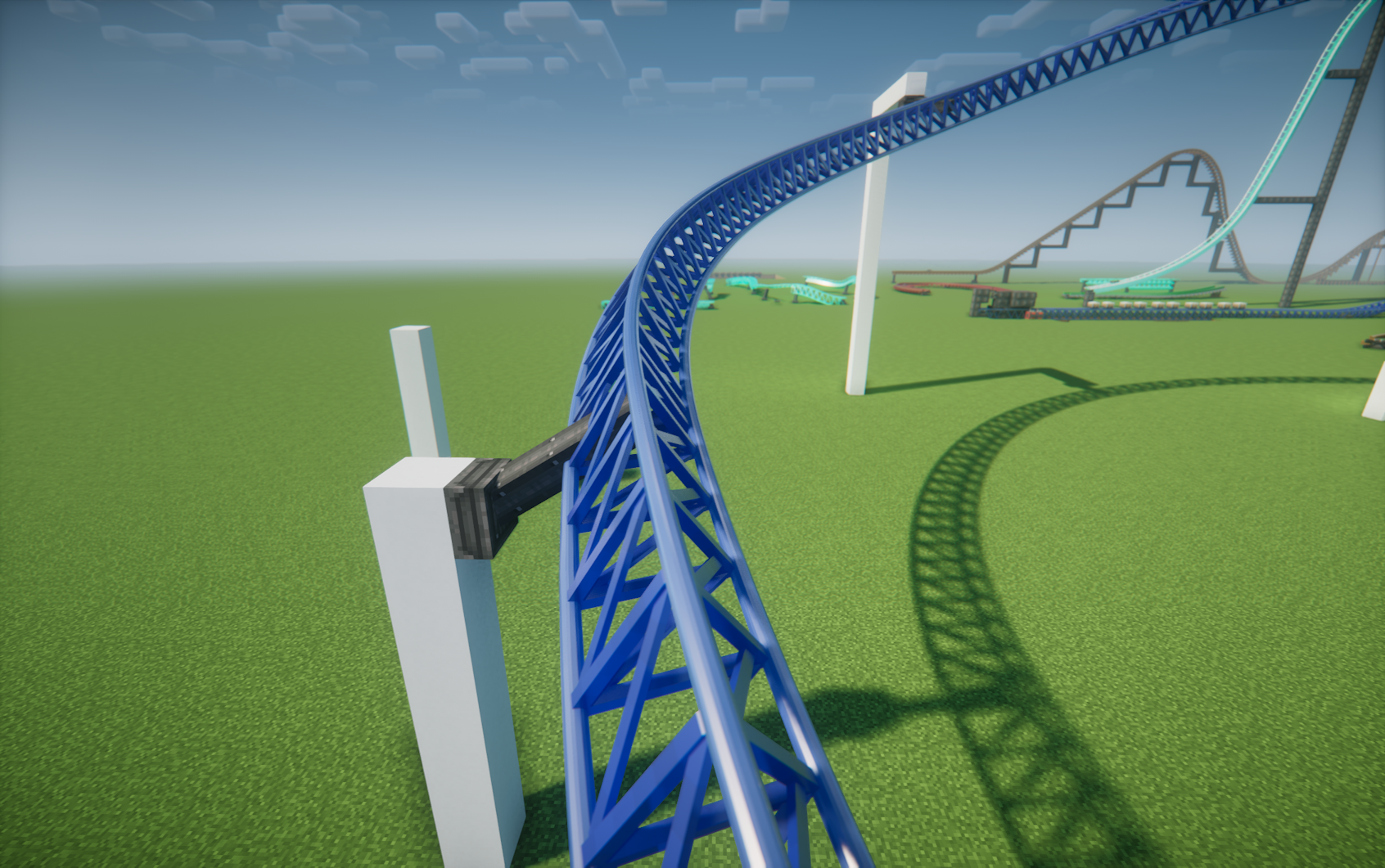 Intamin Triangular Truss Style: Intamin Tri Truss Base color: #2244AA Rail color: #4466AA
 -
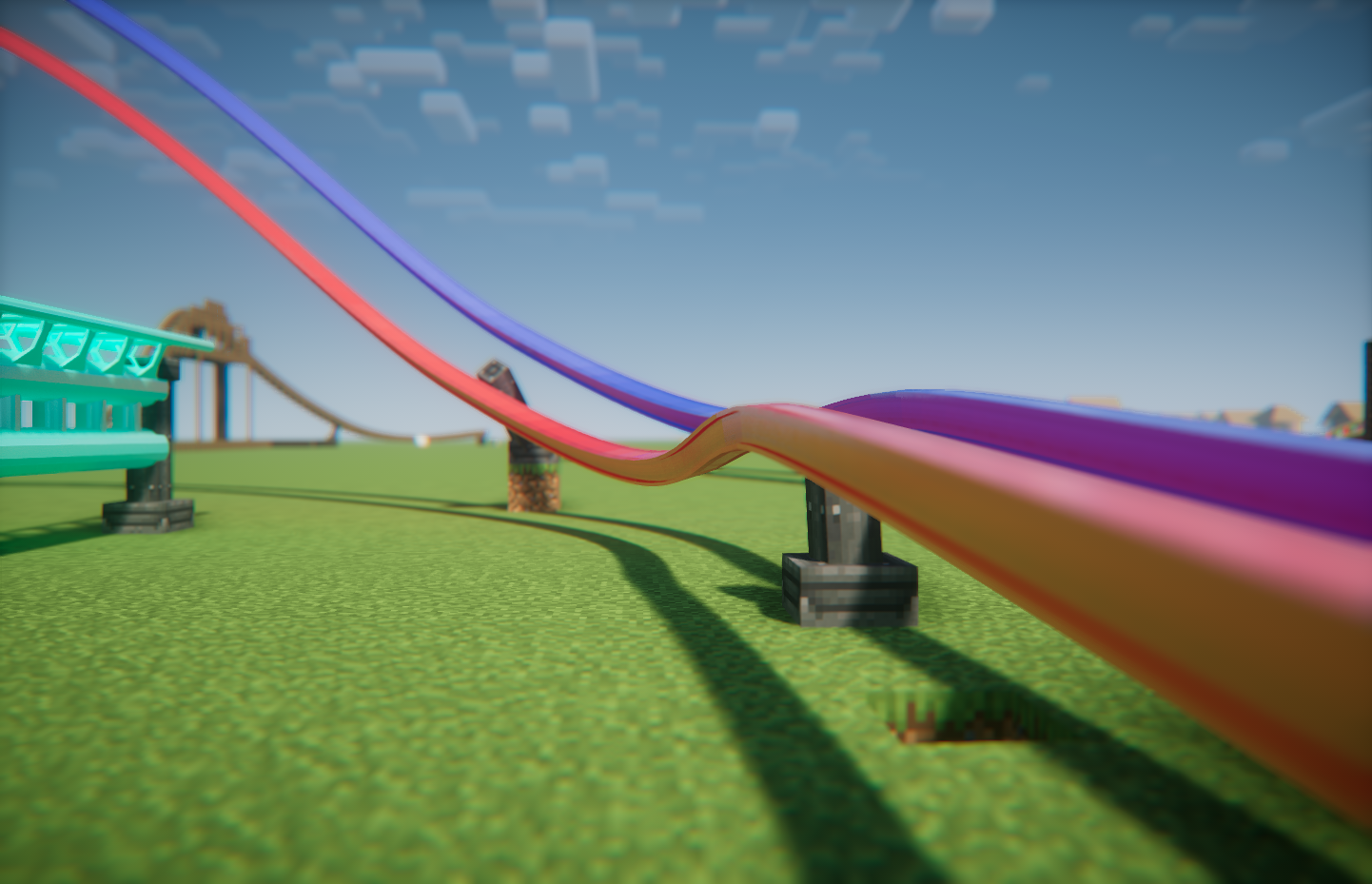 RMC I-Box Mixed Rail Test
 -
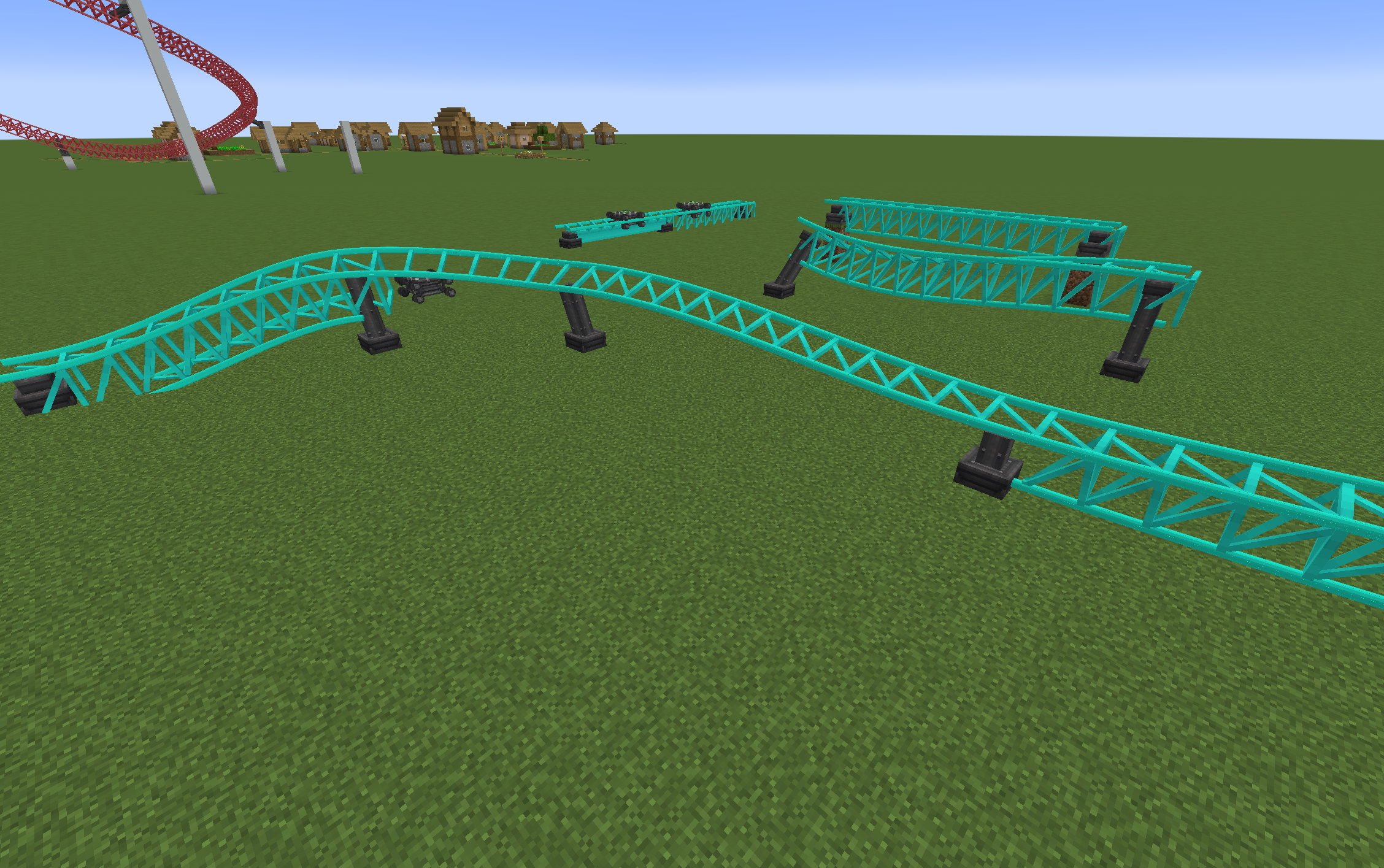 Rails line up when switching track types
 -
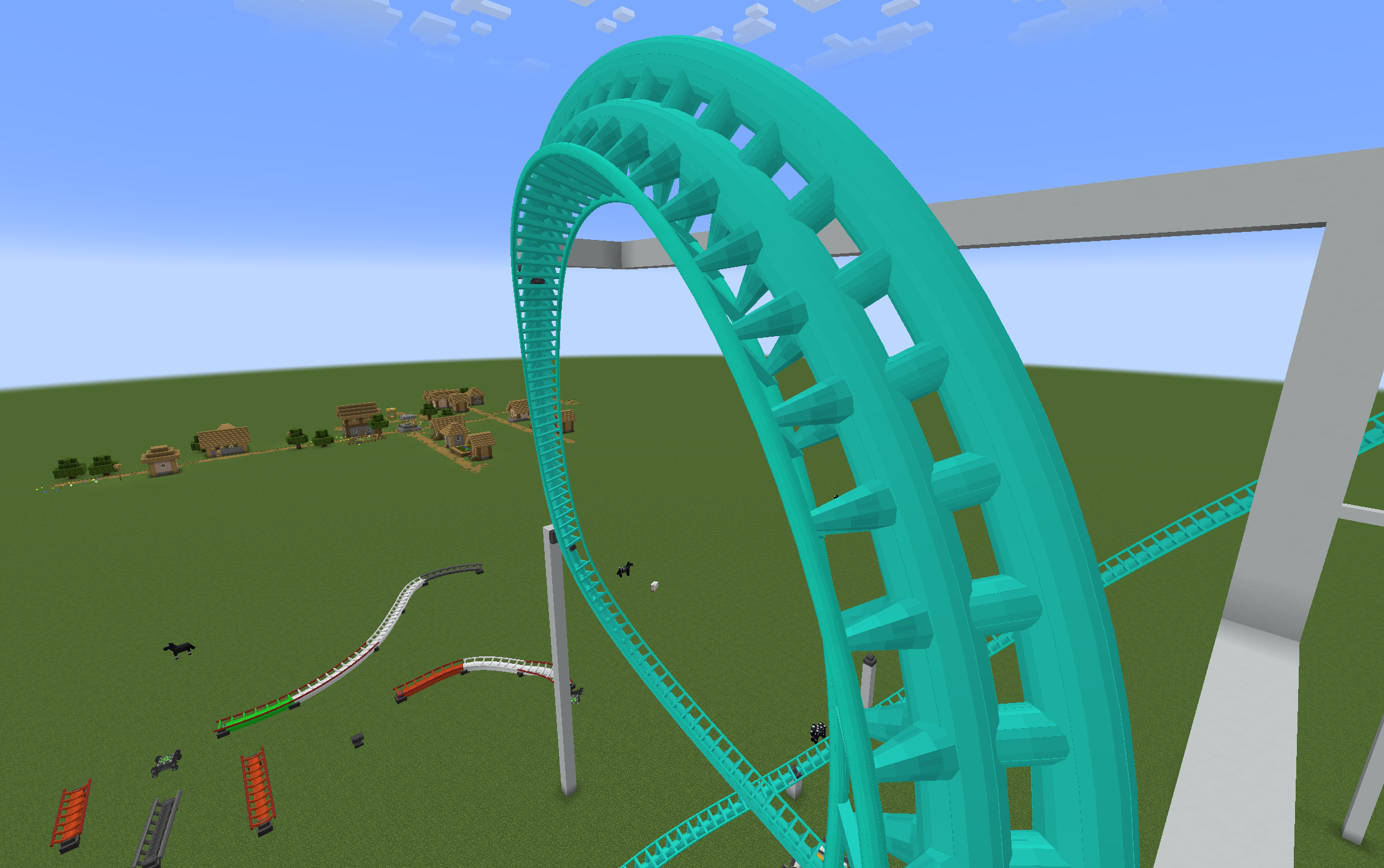 Intamin Heavy Double Spine - No shaders
 -
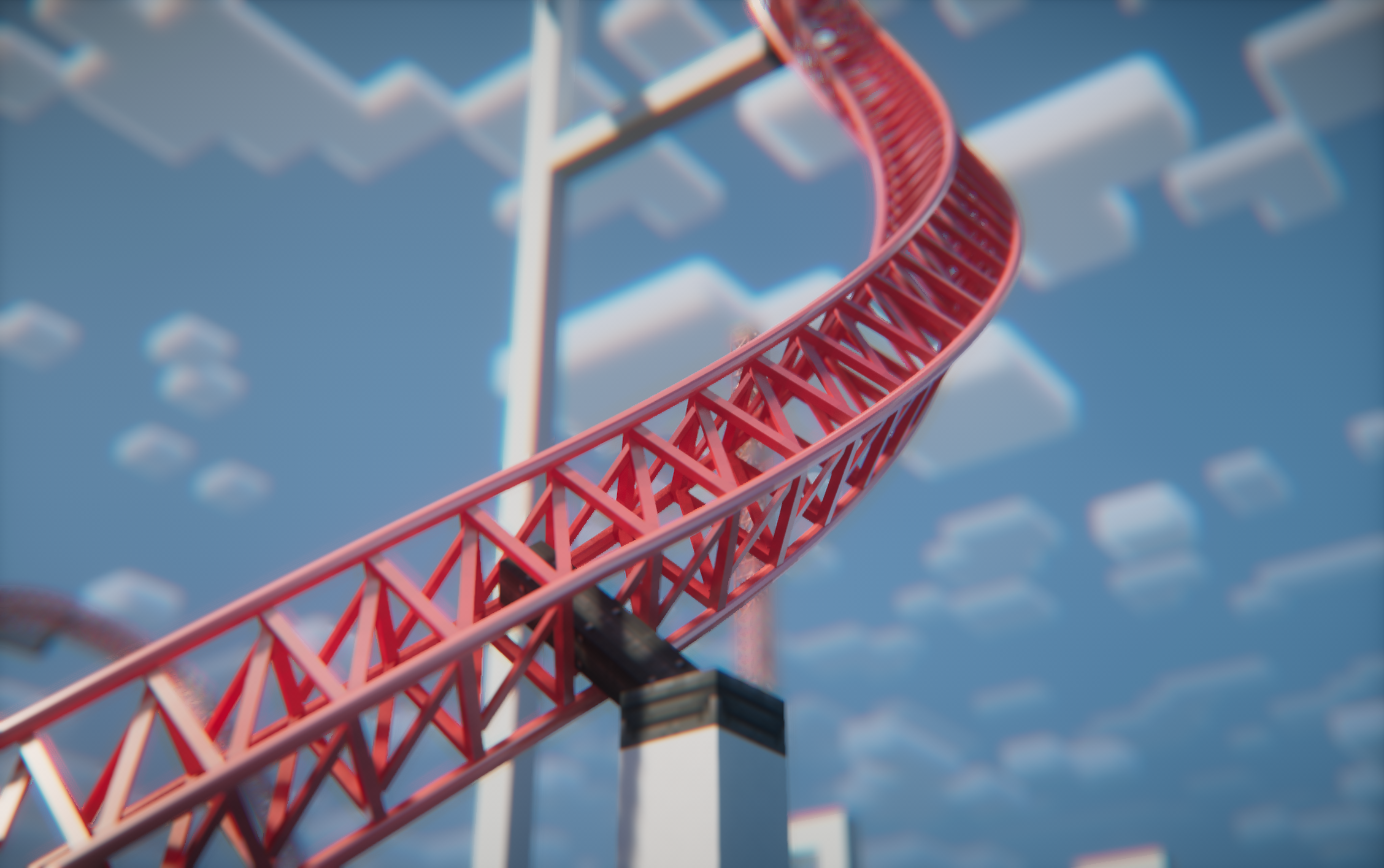 Project icon
 -
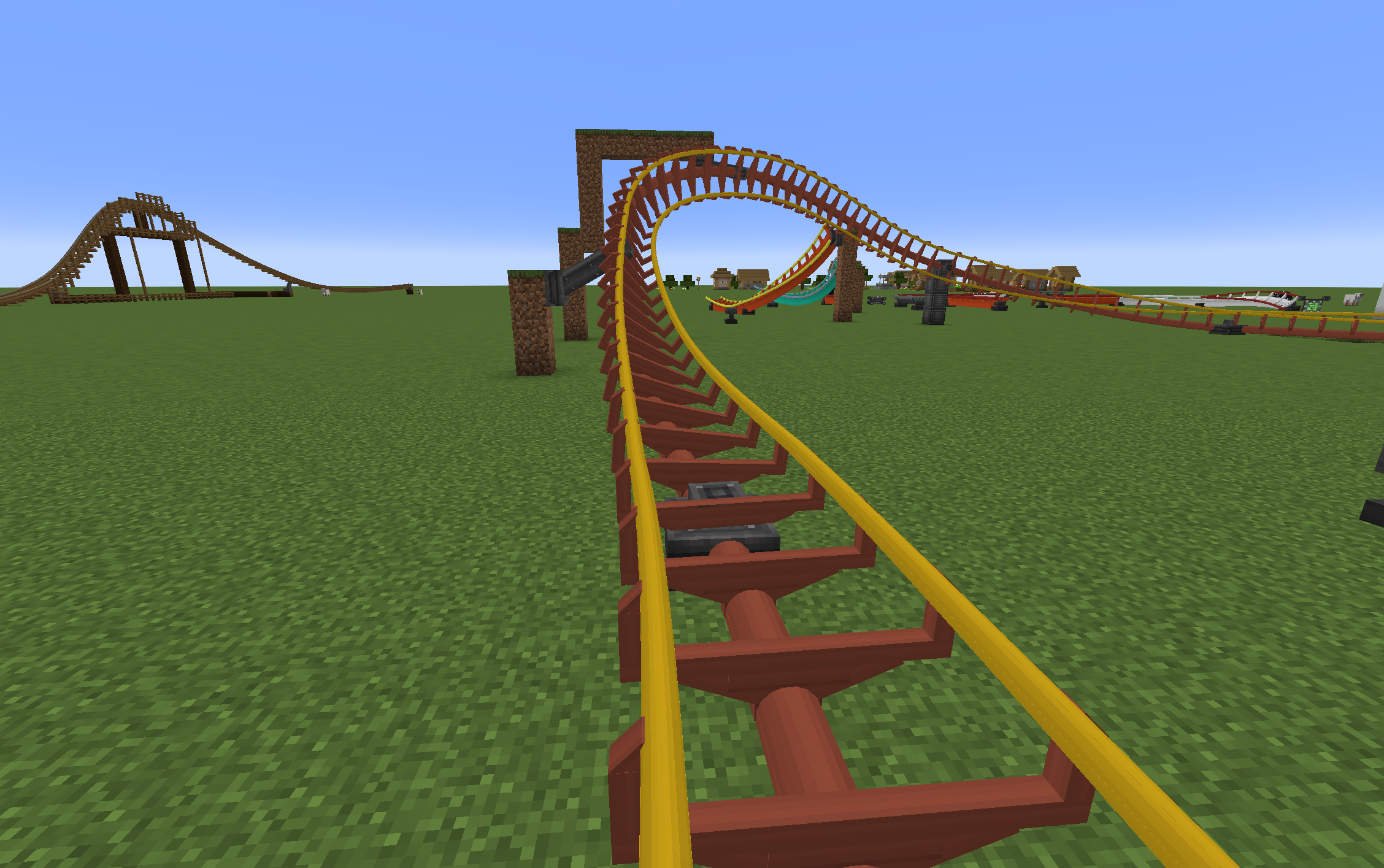 Arrow Track
 -
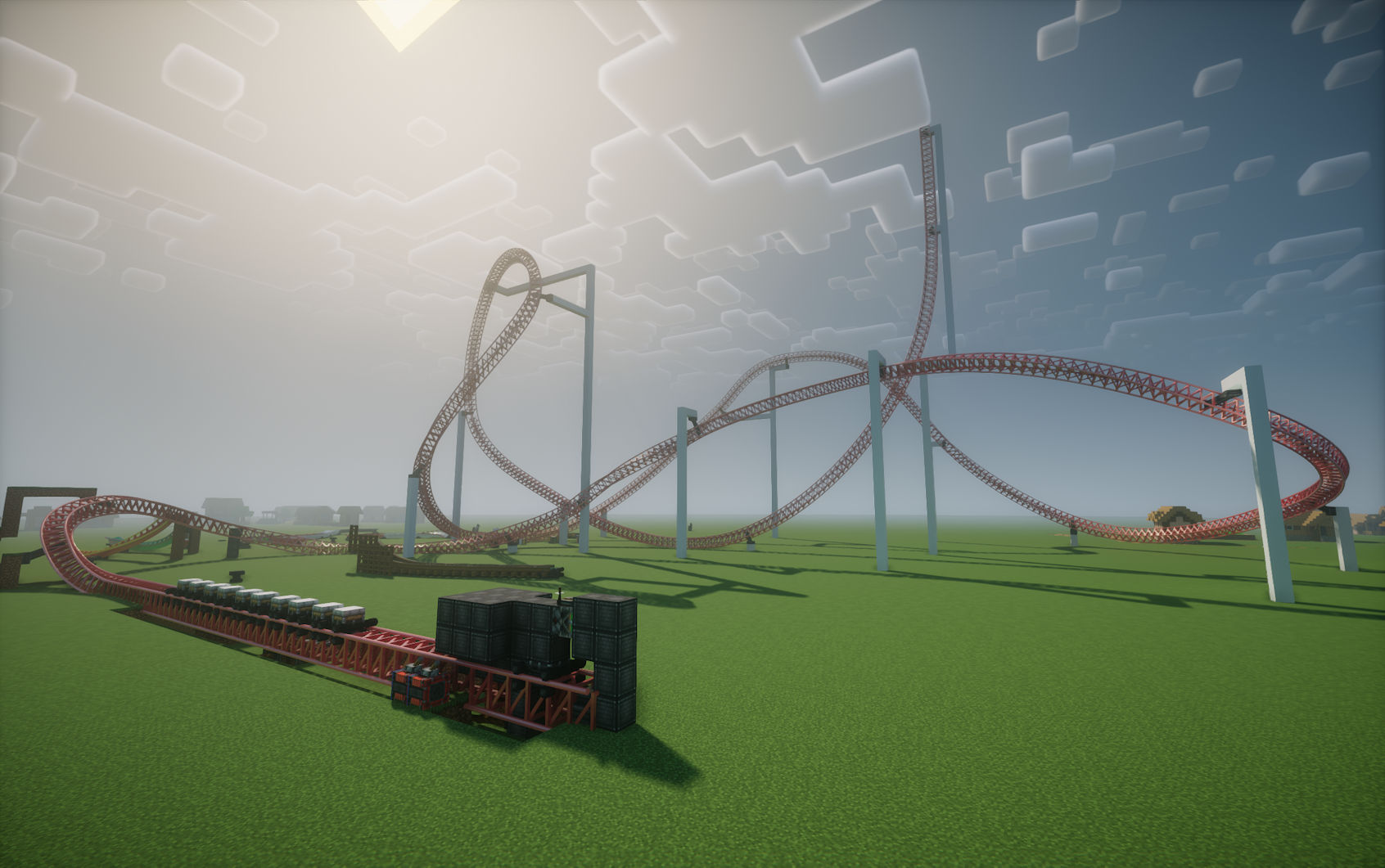 A random test track inspired by Storm Runner.
 -
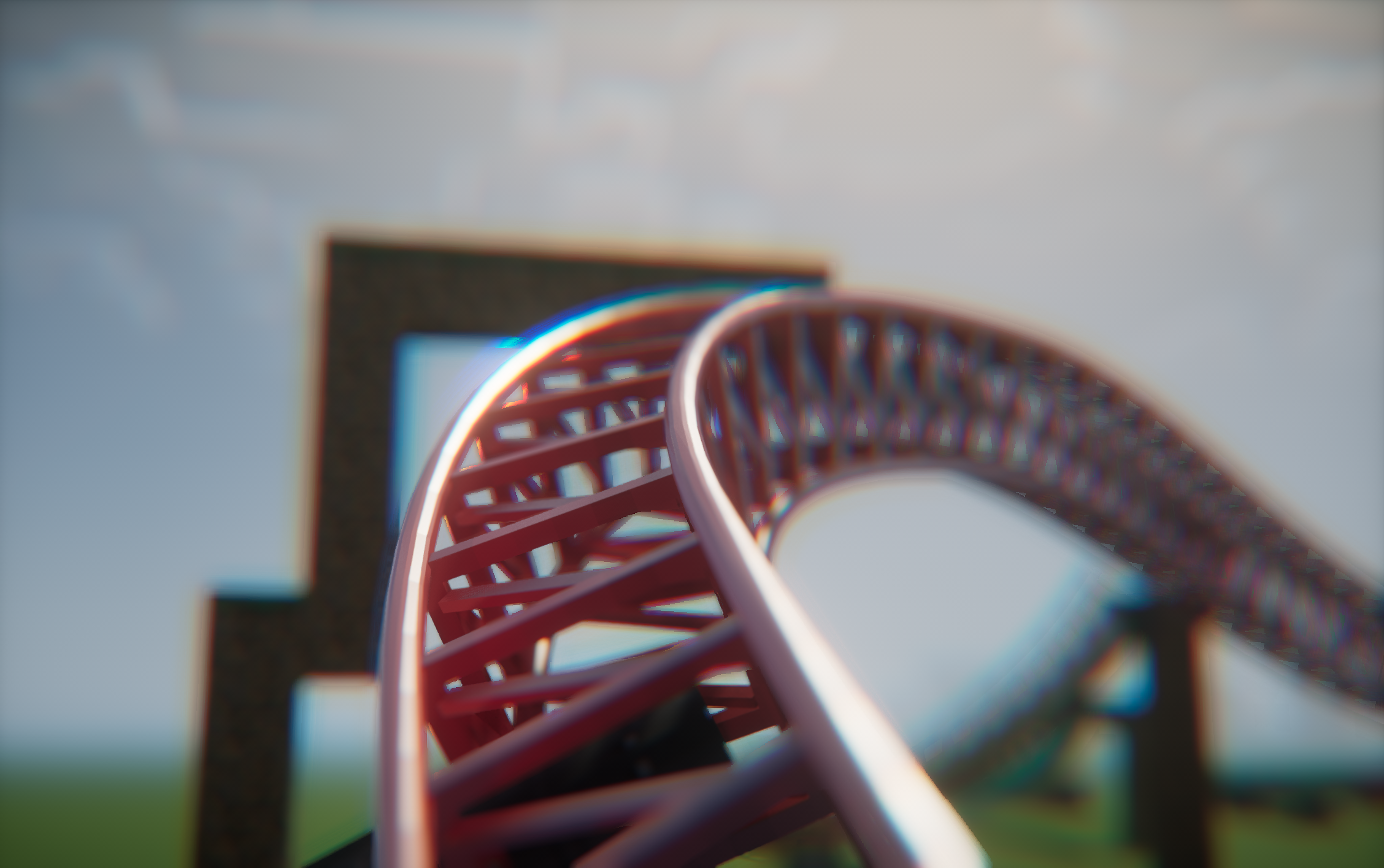 With Nostalgia Shaders
 -
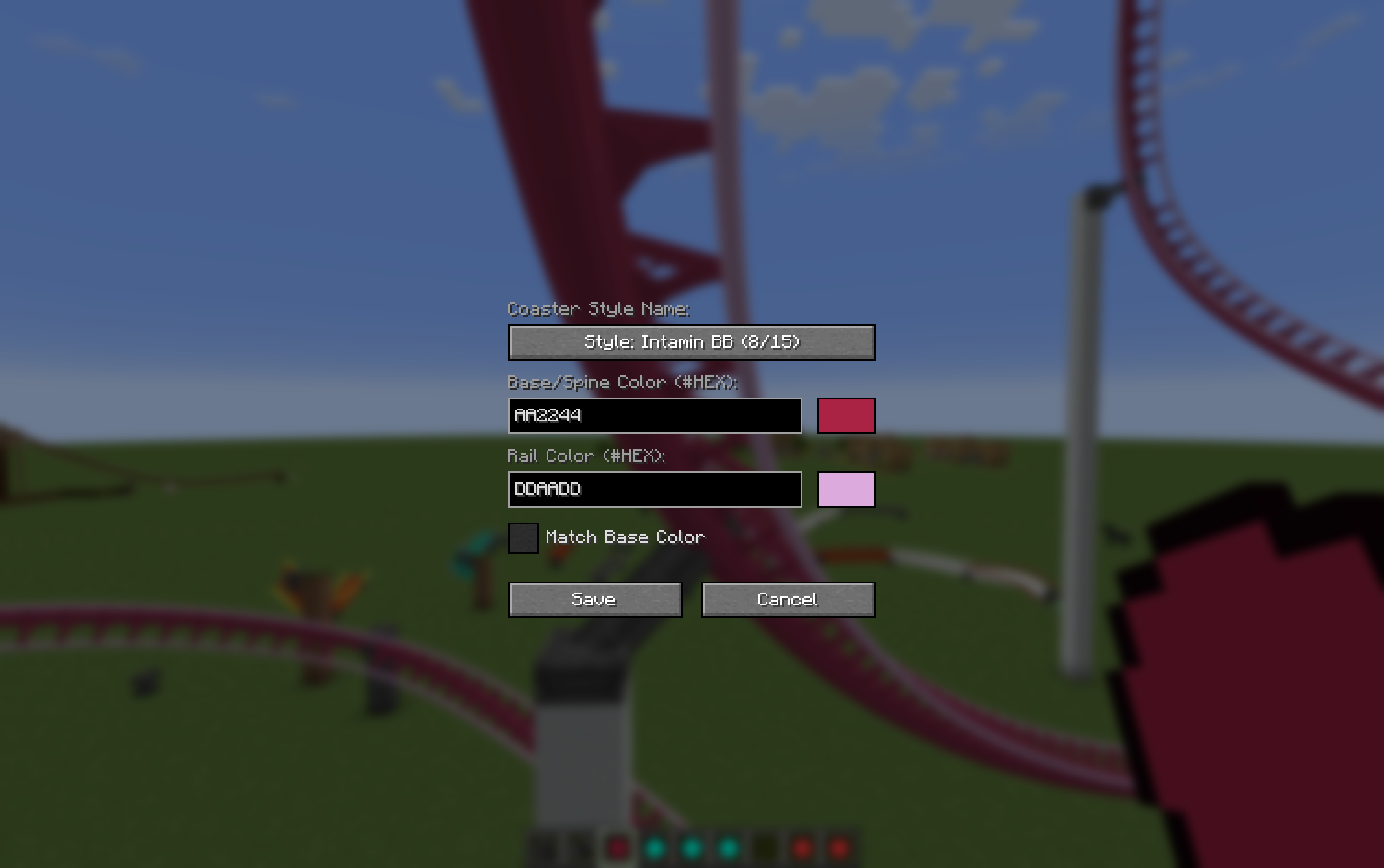 Track Type Selection
Versions
Files
Relations
Project Relations
More like this
Similar Mods
Suggestions use data such as tags, dependencies, dependents, descriptions, titles, and more to rank how much they overlap with this mod.
On ModDex
Community snapshot
By the numbers
Statistics
Want to reach Minecraft players?
We're looking for a server hosting partner to feature here and other parts of the site. Interested? Send us a message!
Get in touchGet it on
Available Platforms
On ModDex
Community snapshot
By the numbers
Statistics
Resources