Community listing page, reviews here may not be monitored by the author.
Cobblemon Armor Plus

No reviews yet
[Important: this needs Optifine and Optifabric to work; and make sure to turn on custom armor in settings] A data/resource pack which adds extra armor in the Cobblemon Mod, all designed after the main line games
Community voices
Reviews
No reviews yet. Be the first to review this project!
Get it on
Available Platforms
About
Project Details
For authors
Embed Badge
If you're the author of this project, you can embed a live badge anywhere that supports HTML or Markdown. It updates automatically whenever ratings change.
Use HTML for any page that supports it, or Markdown for README files and Markdown-based descriptions.
Identifiers
Platform IDs
Resources
External Links
About
Description
A data/resource which adds additional armor sets in the Cobblemon Mod all designed after main-line villains
For recipes check images and replace the Cobblemon Items for different sets
Recipe:
Grunts (diamond) - Cobblemon Item
- Team Magma: magmarizer
- Team Aqua: never melt ice
- Team Plasma: silk scarf
- Neo-Team Plasma: black belt
- Team Rocket: heavy-duty boots
- Team Galactic: upgrade
- Team Flair: focus band
- Team Skull: spell tag
Leaders (netherite) - Cobblemon Item
- Archie : never melt ice
- Maxie: magmarizer
- Cyrus: upgrade
- N: silk scarf
- Giovanni: heavy duty boots
Installation guide YOU WILL NEED THE FOLLOWING MODS for the textures to show, A more clear guide on how to use:
- For Forge download optifine (make sure it's for minecraft 1.19.2) mod and place it in your mods folder.
For Fabric download optifine (make sure it's for minecraft 1.19.2) and download optifabric as well (make sure it's ver. 1.13.15 or .16 as they run for minecraft 1.19.2), and place them in your mods folder
Make sure to have options-> video settings-> quality -> custom items [on]
- Download the datapack and place it in
resource packsfrom your options. Make sure to press f3+T in-game to refresh all your resource packs
Place the same datapack in World folder -> datapacks as well, if on single player just click on edit when selecting your world and will have the option to open the world folder.
And you're done.
KEEP IN MIND: during the crafting it will show normal diamond/netherite armor pieces, but they will work fine (if they appear with the right crafting pattern, it's all good)
I have a mod version where crafting is less scuffed: https://www.curseforge.com/minecraft/mc-mods/cobble-armor-plus
Enjoy
Screenshots
Gallery
-
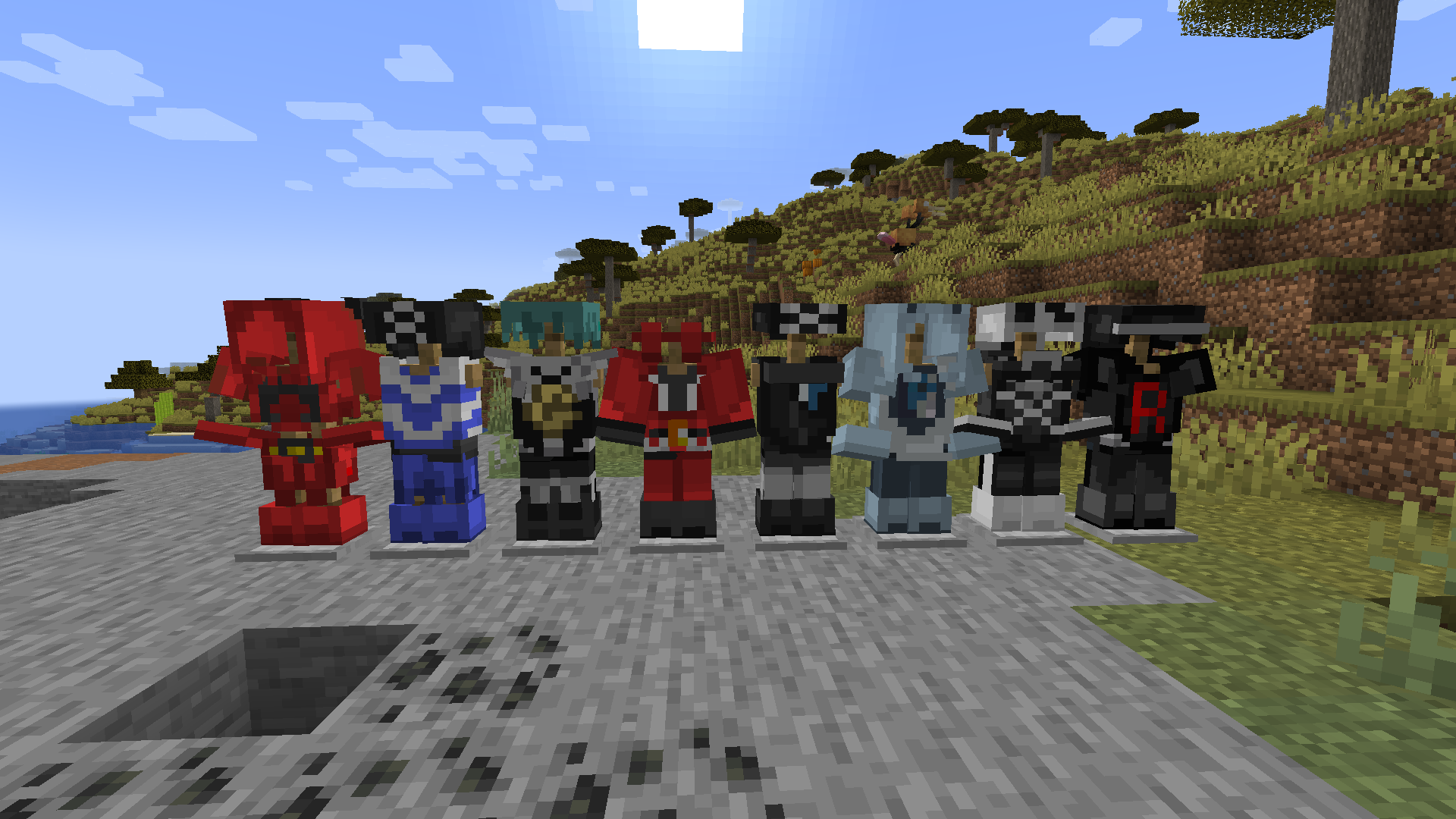 Cobblemon Grunts
 -
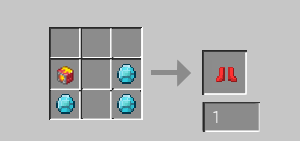 Grunts Boots change Cobblemon item for different set
 -
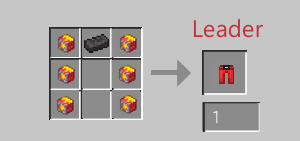 Leader Leggings change Cobblemon item for different set
 -
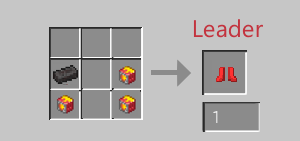 Leader Boots change Cobblemon item for different set
 -
 Cobblemon Leaders
 -
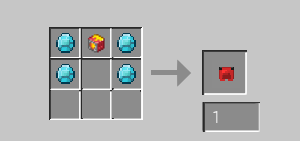 Grunts Helmet change Cobblemon item for different set
 -
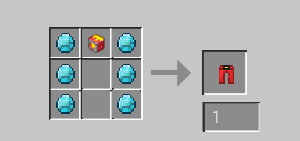 Grunts Leggings change Cobblemon item for different set
 -
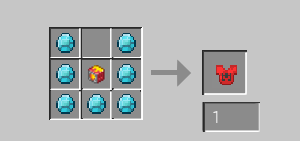 Grunts chestplate change Cobblemon item for different set
 -
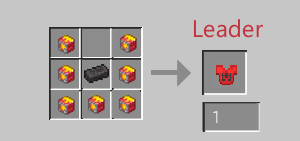 Leader Chestplate change Cobblemon item for different set
 -
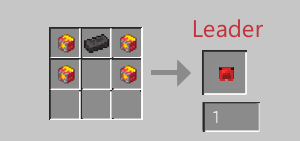 Leader Helmet change Cobblemon item for different set
Versions
Files
Relations
Project Relations
More like this
Similar Mods
Suggestions use data such as tags, dependencies, dependents, descriptions, titles, and more to rank how much they overlap with this mod.
On ModDex
Community snapshot
By the numbers
Statistics

Want to reach Minecraft players?
We're looking for a server hosting partner to feature here and other parts of the site. Interested? Send us a message!
Get in touchGet it on
Available Platforms
On ModDex
Community snapshot
By the numbers
Statistics
Resources