![CogTrade [deprecated]](https://cdn.modrinth.com/data/ILEdyCcx/7f3a4a228d5ed6c97b09733a916e59ff6c4daed1_96.webp)
Community listing page, reviews may not be monitored by the author.
CogTrade [deprecated]

No reviews yet
A physical trading and economy mod for Fabric servers and singleplayer worlds.

Community voices
Reviews
No reviews yet. Be the first to review this project!
Get it on
Available Platforms
Compatibility
Supported Environments
Must be installed on both the client and the server.
About
Project Details
For authors
Embed Badge
If you're the author of this project, you can embed a live badge anywhere that supports HTML or Markdown. It updates automatically whenever ratings change.
Use HTML for any page that supports it, or Markdown for README files and Markdown-based descriptions.
Identifiers
Platform IDs
About
Description
CogTrade
CogTrade is a Fabric economy and trading mod for Minecraft 1.20.1, built for survival servers and automation-focused worlds.
Most economy mods give you a command and a menu. CogTrade gives you a physical, world-integrated trading system — one where stock comes from real chests, prices are set by real players, and the economy grows from actual gameplay.
⚠️ Alpha Release — Core systems are playable, but bugs and breaking changes may still occur. Back up your world before installing or updating.
How It Works
Players place a Trade Depot and connect it to one or more chests. The depot reads real inventory — no fake stock, no abstract numbers. Then they place a Trade Post, which customers right-click to browse and buy available items. Everything is physical, visible, and part of the world.
The Server Market sits alongside this as a central admin-controlled marketplace — useful for seeding the economy with base-level items and giving players a reference point for pricing.
Players can also trade directly with each other in real time — offering items and coins through a synchronized live trade interface — or use the BookTrade system built into the in-game book GUI.
Features
📖 CogTrade Book GUI
- Press L or right-click a Market Block to open the unified CogTrade book
- All major interfaces in one place: Market · Depot · Trade Post · Trade
- Book-themed design with consistent scaling across all screen sizes and resolutions
🏪 Server Market
- Buy and sell items through a clean, full-featured market interface
- Search bar, category filters, and sorting (name / price / stock)
- Favorites system and recently viewed items
- Transaction history
- Admin-controlled catalog — add, remove, and price items via commands
🏗️ Player Shop System
- Trade Depot — connects to multiple chests, reads real inventory as stock
- Trade Post — customer-facing shop block, right-click to browse
- Physical stock system: if it's not in the chest, it can't be sold
- Floating 3D name labels above trade blocks
- Category tags on listings:
Misc·Block·Food·Tool·Material - Only the owner can break their own blocks
🤝 Direct Player Trading
- Send a live trade request to any online player with
/trade offer <player> - Synchronized real-time GUI — both players see the same offer state instantly
- Each side offers up to 9 item slots and a coin amount
- Dual-confirmation system — trade only completes when both players press READY
- Changing any offer automatically resets ready states (prevents last-second swaps)
- Left-click to move a full stack, right-click for a single item, middle-click for a custom quantity
- Items are always returned safely — offline players receive theirs on next login
- All completed trades are logged to the database
🤜🤛 BookTrade
- Trade items with another player directly from within the Book GUI
- Real-time offer / accept / reject with server-side validation
- No commands needed — everything in one interface
💰 Economy
- Per-player balance with configurable starting funds
- Daily earnings and spending tracker
- Animated balance HUD on screen
/balanceand/paycommands- 100+ items with built-in reference prices (minerals, Nether/End materials, food, tools, armor) to help players set fair rates
Commands
Player Commands
| Command | Description |
|---|---|
/market |
Open the server market |
/market locate |
Highlight the nearest Market Block |
/market history |
View your transaction history |
/balance |
Check your current balance |
/pay <player> <amount> |
Send coins to another player |
/trade offer <player> |
Send a direct trade request |
/trade accept |
Accept an incoming trade request |
/trade reject |
Reject an incoming trade request |
/trade cancel |
Cancel your active trade session |
Operator Commands (level 2)
| Command | Description |
|---|---|
/ctadmin balance add|remove|set|check |
Manage player balances |
/ctadmin market add|remove|edit|price|stock |
Manage the server market catalog |
/ctadmin config |
View and edit mod configuration |
/placemarket |
Place a Server Market block |
Singleplayer & Multiplayer
In Singleplayer
Use the server market as a personal economy layer — trade with the world's item catalog, track your spending, and manage your own shop system.
In Multiplayer
CogTrade becomes a full player economy framework:
- Players supply their own stock from real storage
- Sellers compete on price across different categories
- The Trade Post encourages players to visit each other's bases
- Players can trade directly without needing a shop
- Ideal for SMP servers and automation-heavy modpacks
Design Philosophy
Economy should come from real storage, real stock, and real player activity.
| ❌ What CogTrade avoids | ✅ What CogTrade does instead |
|---|---|
| Fake infinite shop stock | Stock comes from real chests |
| Abstract markets disconnected from the world | Physical depot and post blocks in the world |
| Command-only trade systems | Live synchronized GUI for both players |
| Selling items you don't own | No stock = no sale |
Planned Features
The current Alpha focuses on the core trading foundation. Planned additions:
| Feature | Category |
|---|---|
| Player buy orders | Economy |
| Physical coin item | Economy |
| ATM block | Economy |
| Taxes and rent system | Economy |
| Chunk claim integration | World |
| Auctions | Trading |
| Quests and professions | Progression |
| Guild system | Social |
| Deeper Create mod integration | Technical |
| CogDungeon expansion content | Content |
Technical
- SQLite database, stored per world — no external setup required
- SQLite driver bundled inside the JAR
- Fabric 1.20.1 — requires Fabric API
Alpha Notice
This project is in active Alpha development.
- Core features are playable and functional
- UI and balance values may change between versions
- Database schema changes may require a reset on major updates
- Feedback and bug reports are extremely welcome
If something breaks, please report it — that's how this mod gets better.
Screenshots
Gallery
-
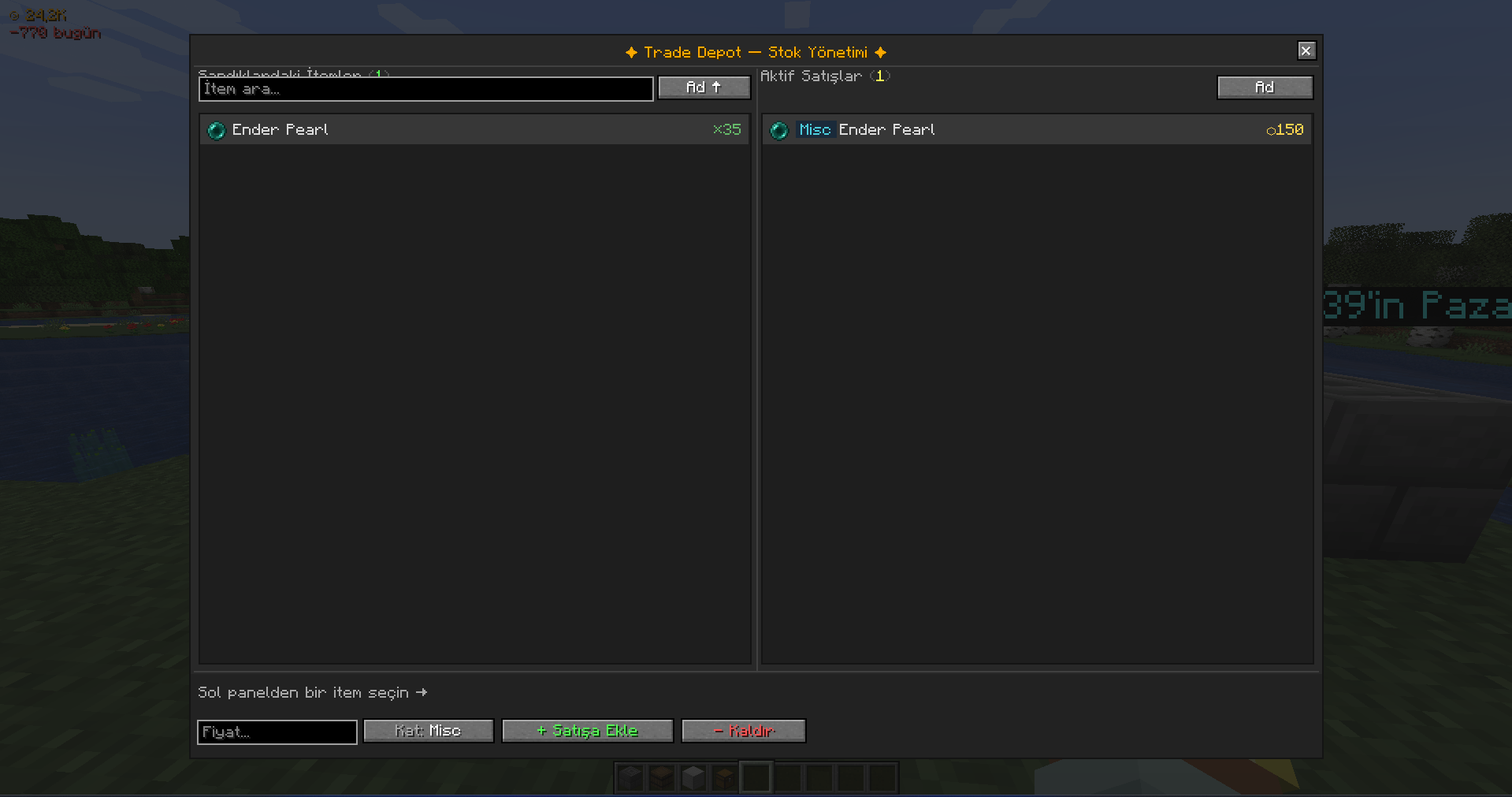 Trade Depot GUI
 -
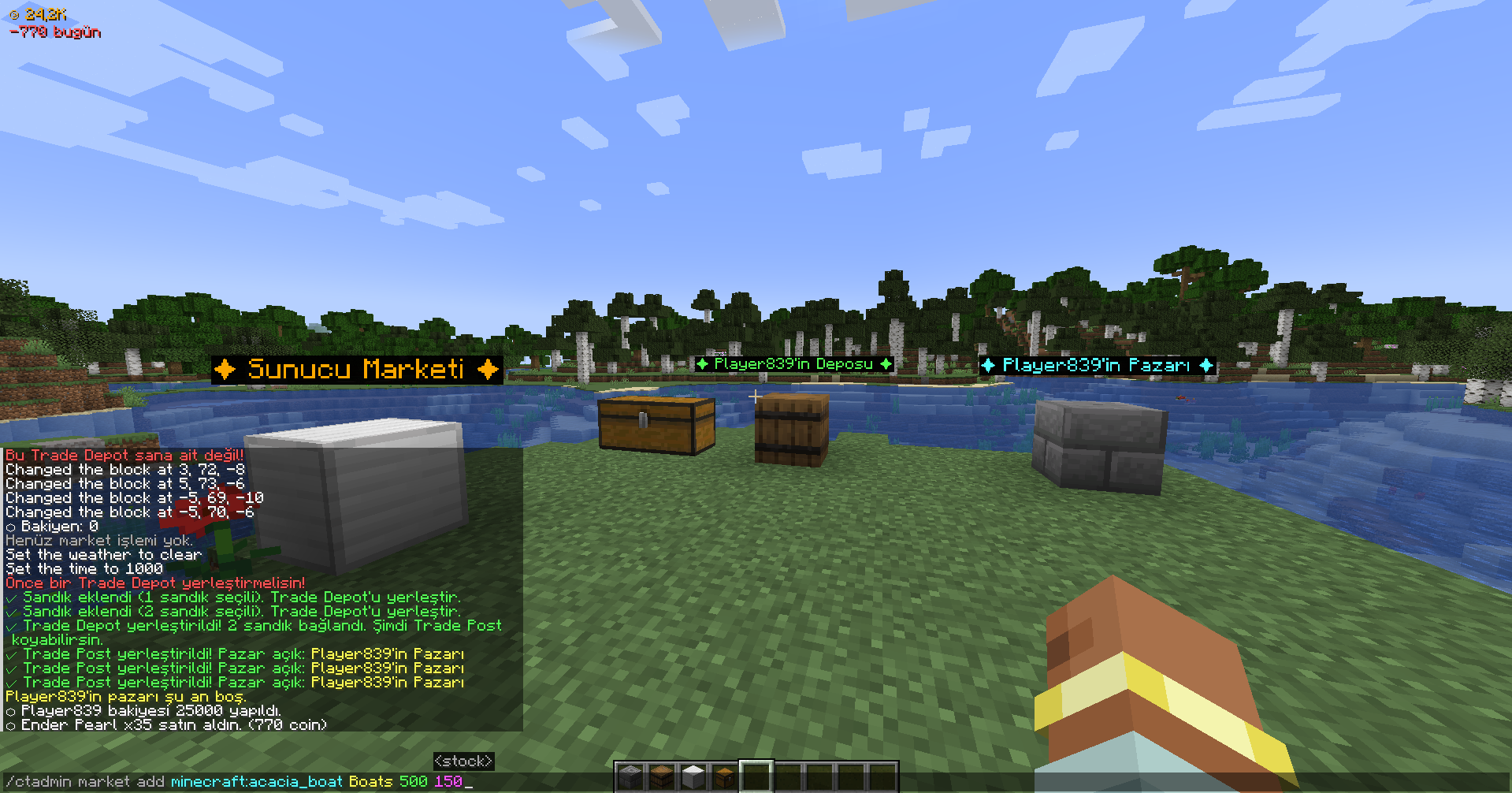 Balance HUD & /ctadmin command
 -
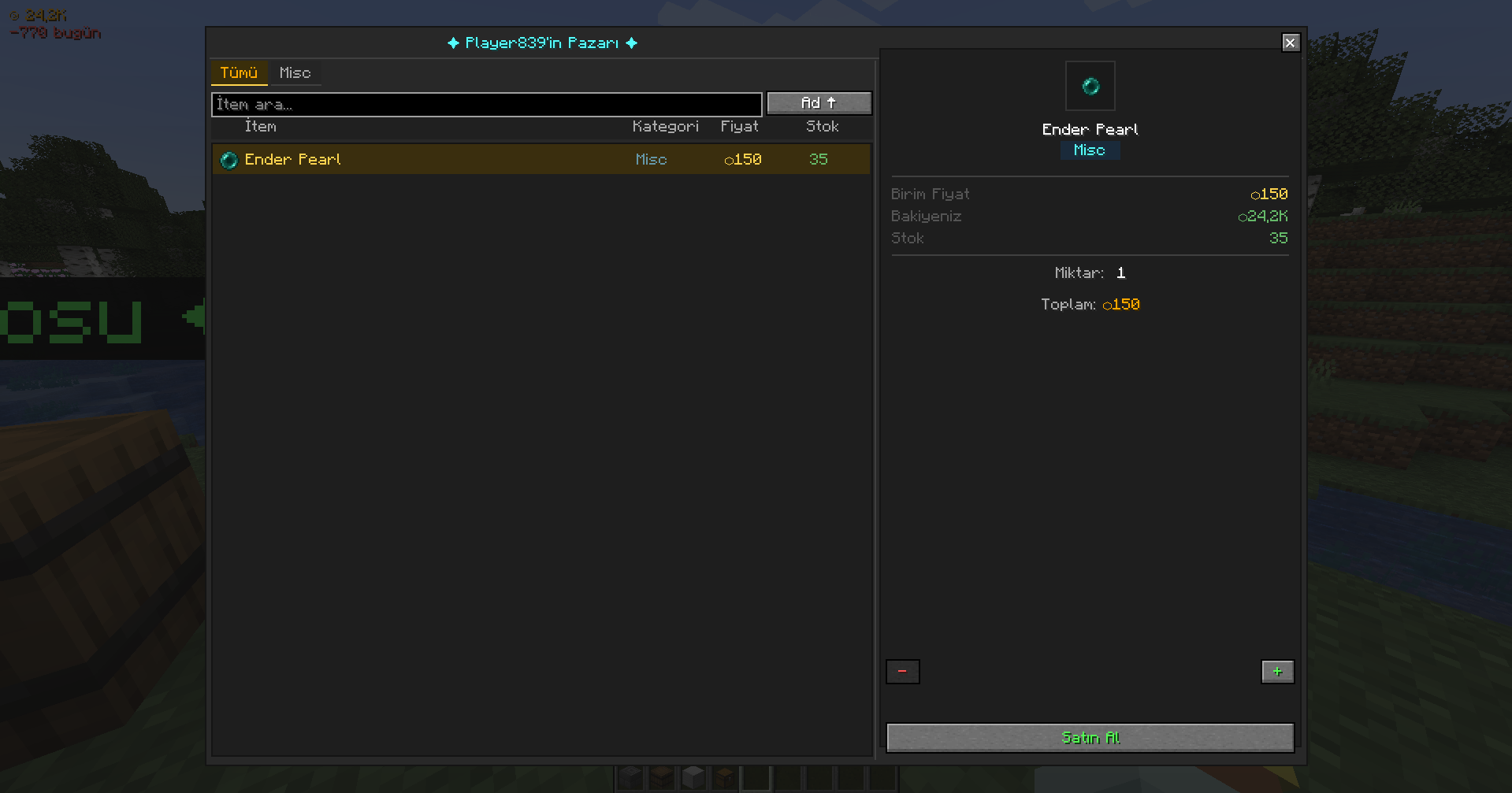 Trade Post (Player's Market) GUI
 -
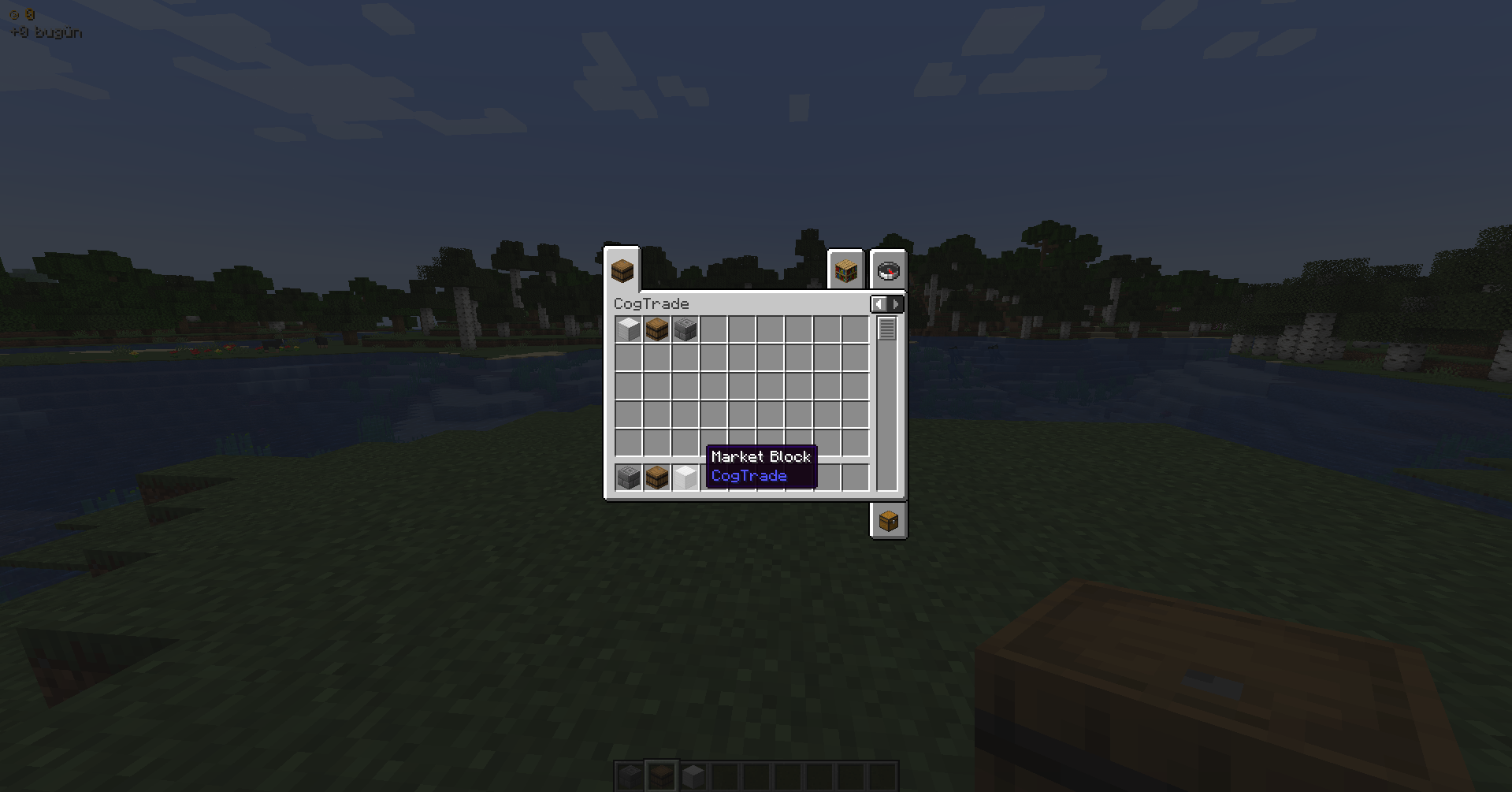 Item List
 -
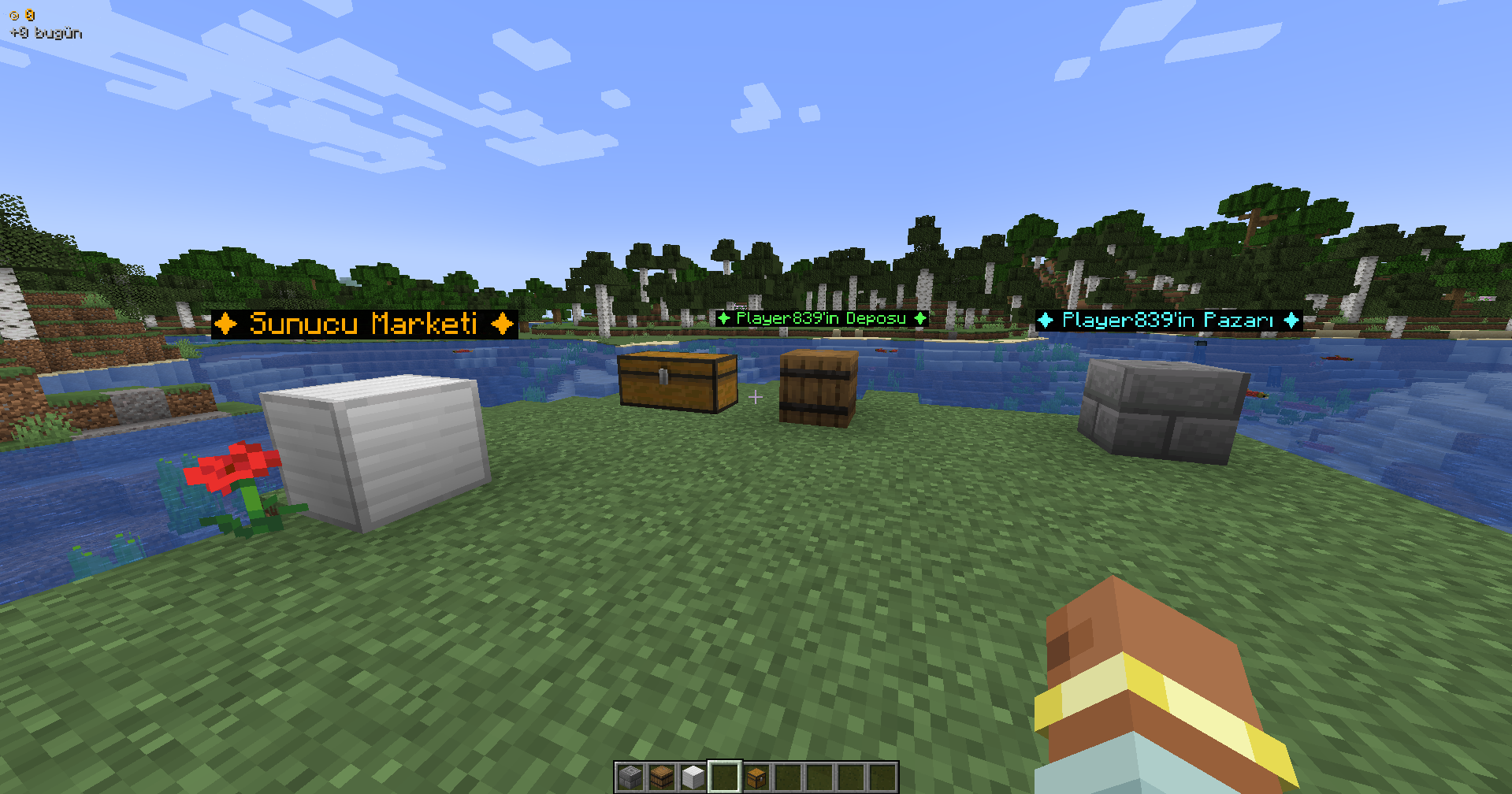 Block's and Linked Storage
 -
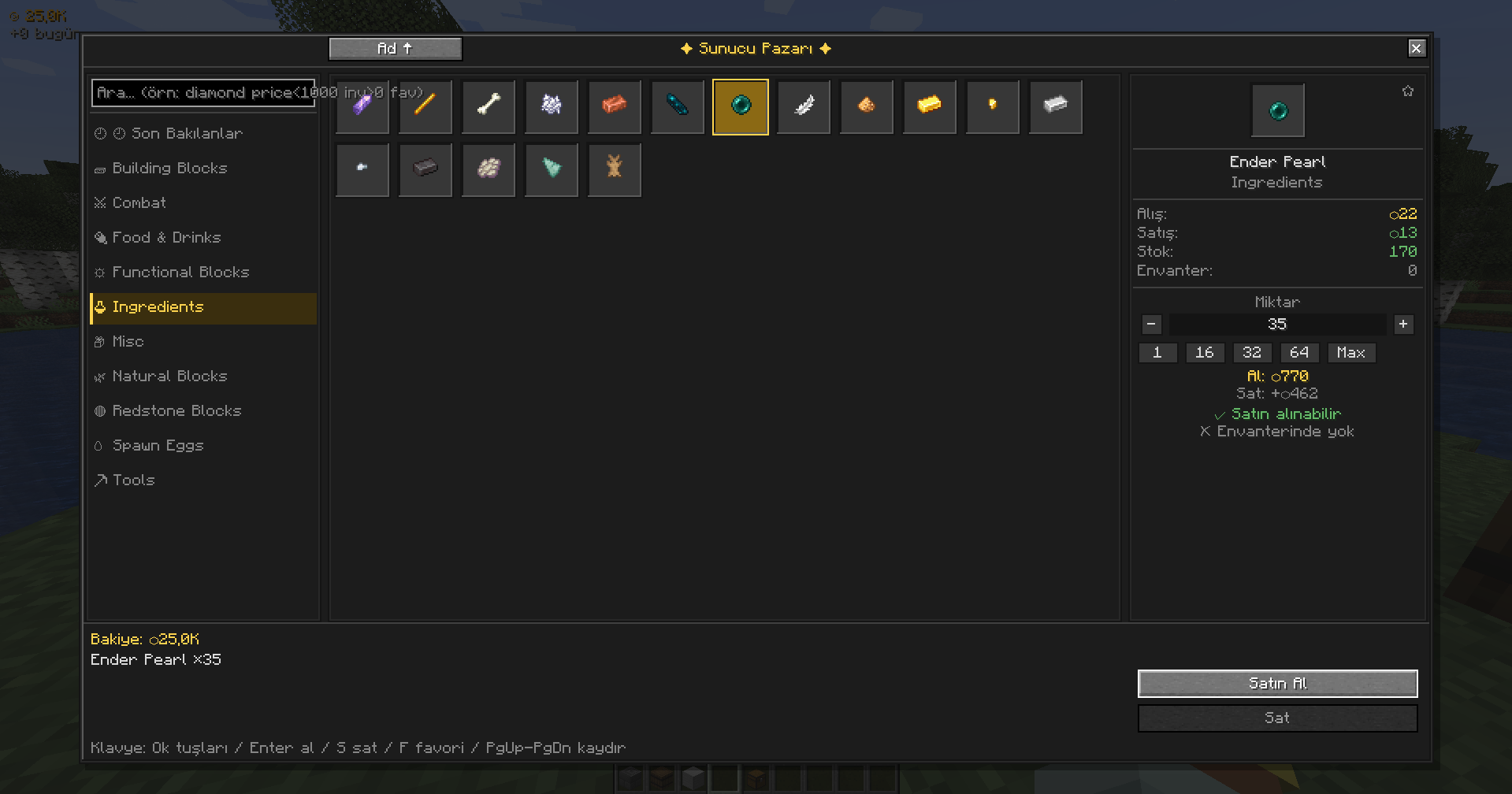 Market Block GUI
Versions
Files
Relations
Project Relations
More like this
Similar Mods
Suggestions use data such as tags, dependencies, dependents, descriptions, titles, and more to rank how much they overlap with this mod.
On ModDex
Community snapshot
By the numbers
Statistics


Get it on
Available Platforms
On ModDex
Community snapshot
By the numbers