
Community listing page, reviews here may not be monitored by the author.
ColonyChat

No reviews yet
Brings AI conversation to MineColonies: chat with your citizens, let them talk to each other, and have them act on your requests. Works with any OpenAI-compatible API, including local models.
Community voices
Reviews
No reviews yet. Be the first to review this project!
Get it on
Available Platforms
About
Project Details
For authors
Embed Badge
If you're the author of this project, you can embed a live badge anywhere that supports HTML or Markdown. It updates automatically whenever ratings change.
Use HTML for any page that supports it, or Markdown for README files and Markdown-based descriptions.
Identifiers
Platform IDs
Resources
External Links
About
Description
ColonyChat
Give your MineColonies citizens a brain. ColonyChat connects your colonists to a large language model, so they can talk with you, chat among themselves, and actually act on what you ask.
No vendor lock-in. It works with any OpenAI-compatible endpoint — including a local model in Ollama on your own machine. Run it completely offline with zero API cost.
What it does
Talk to your citizens
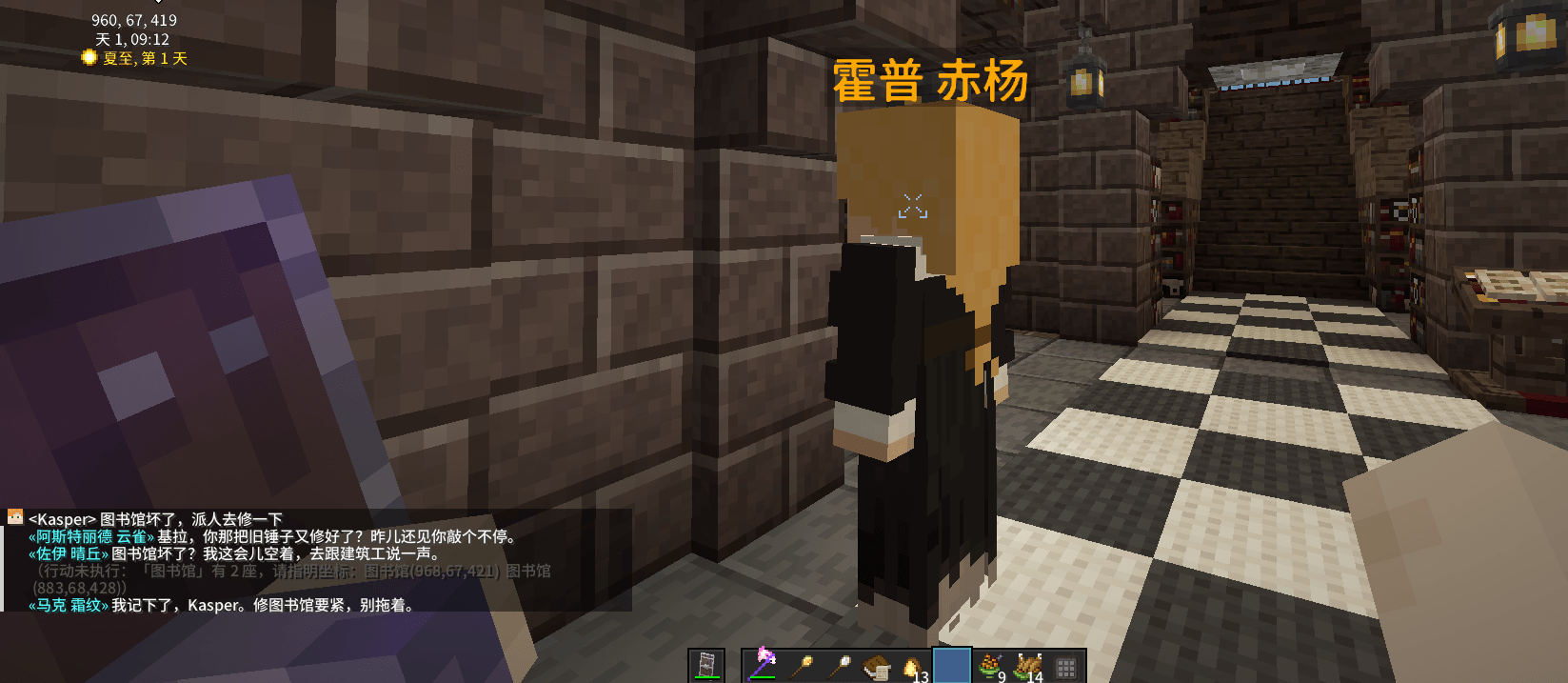
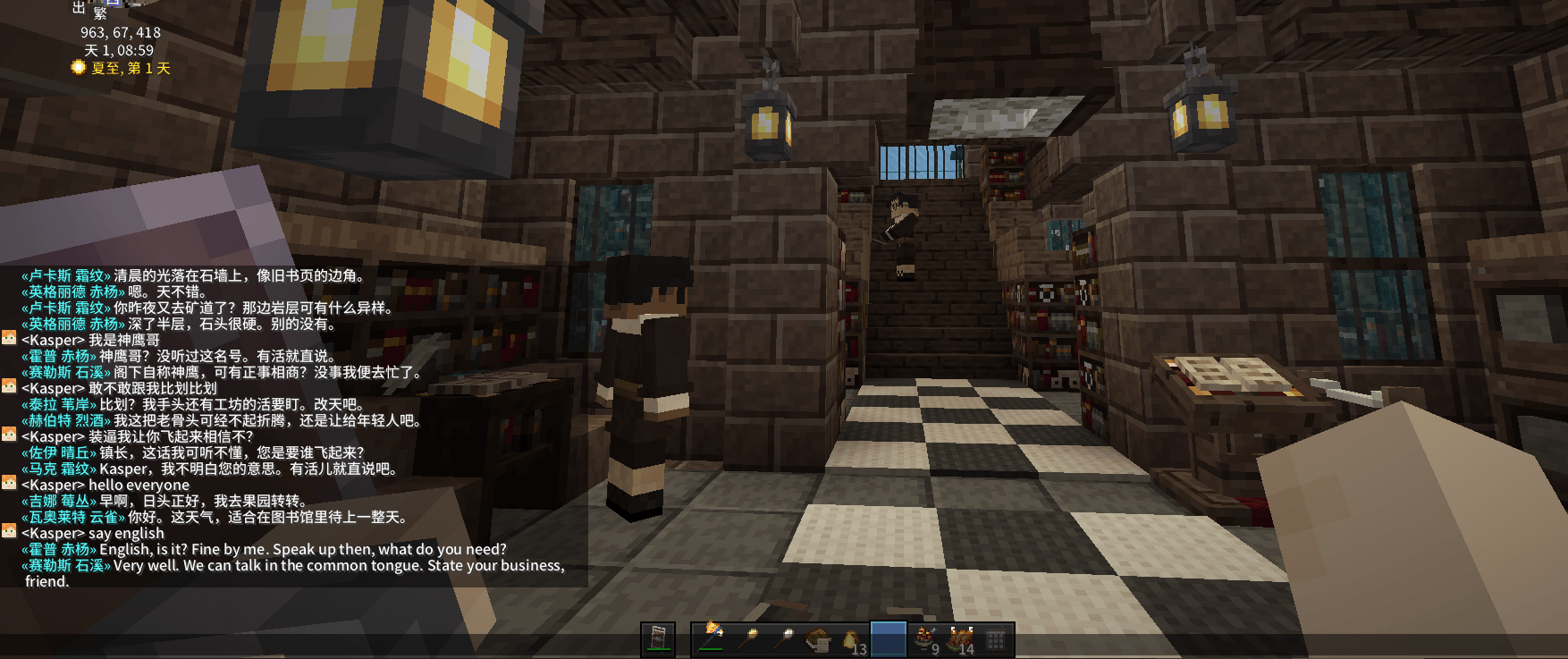
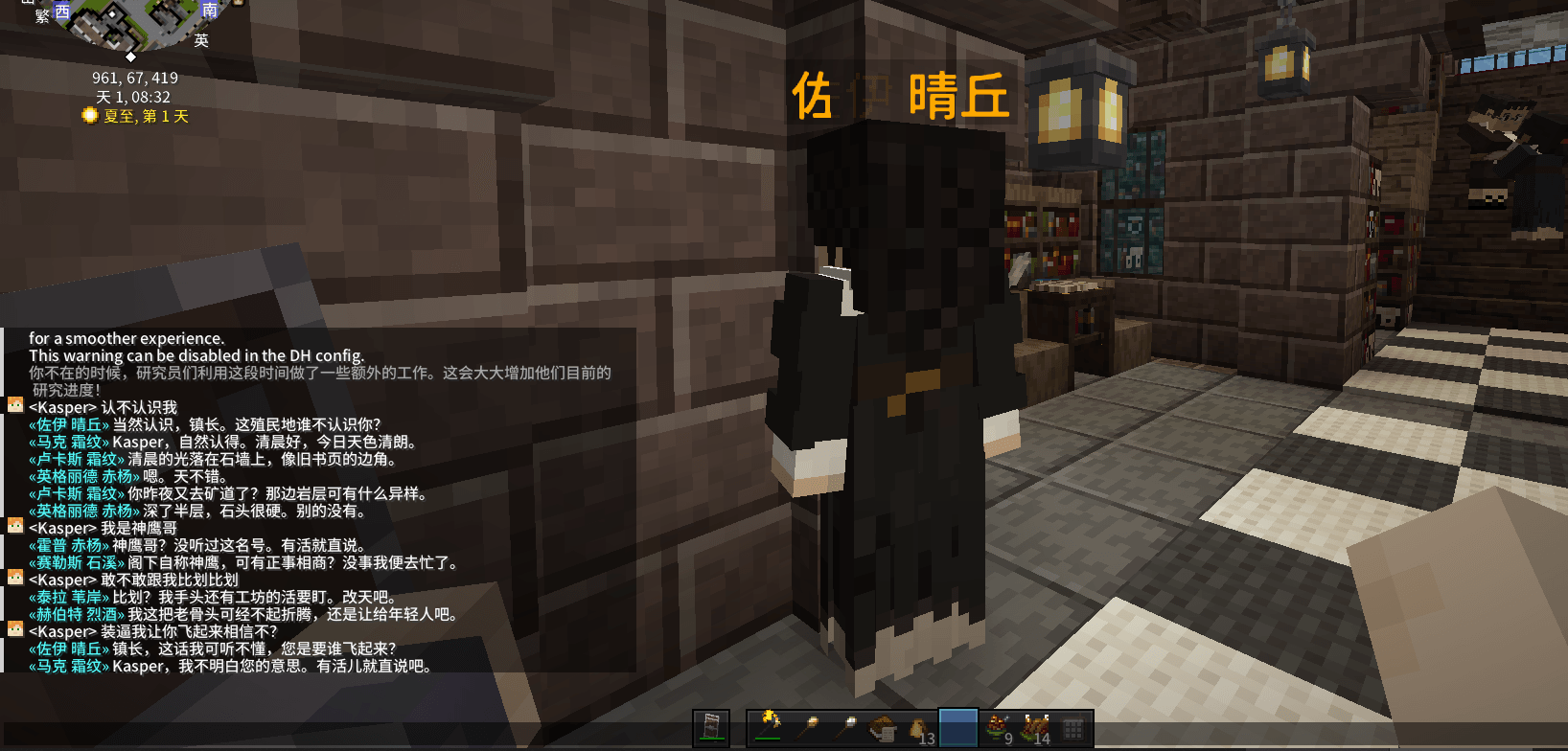
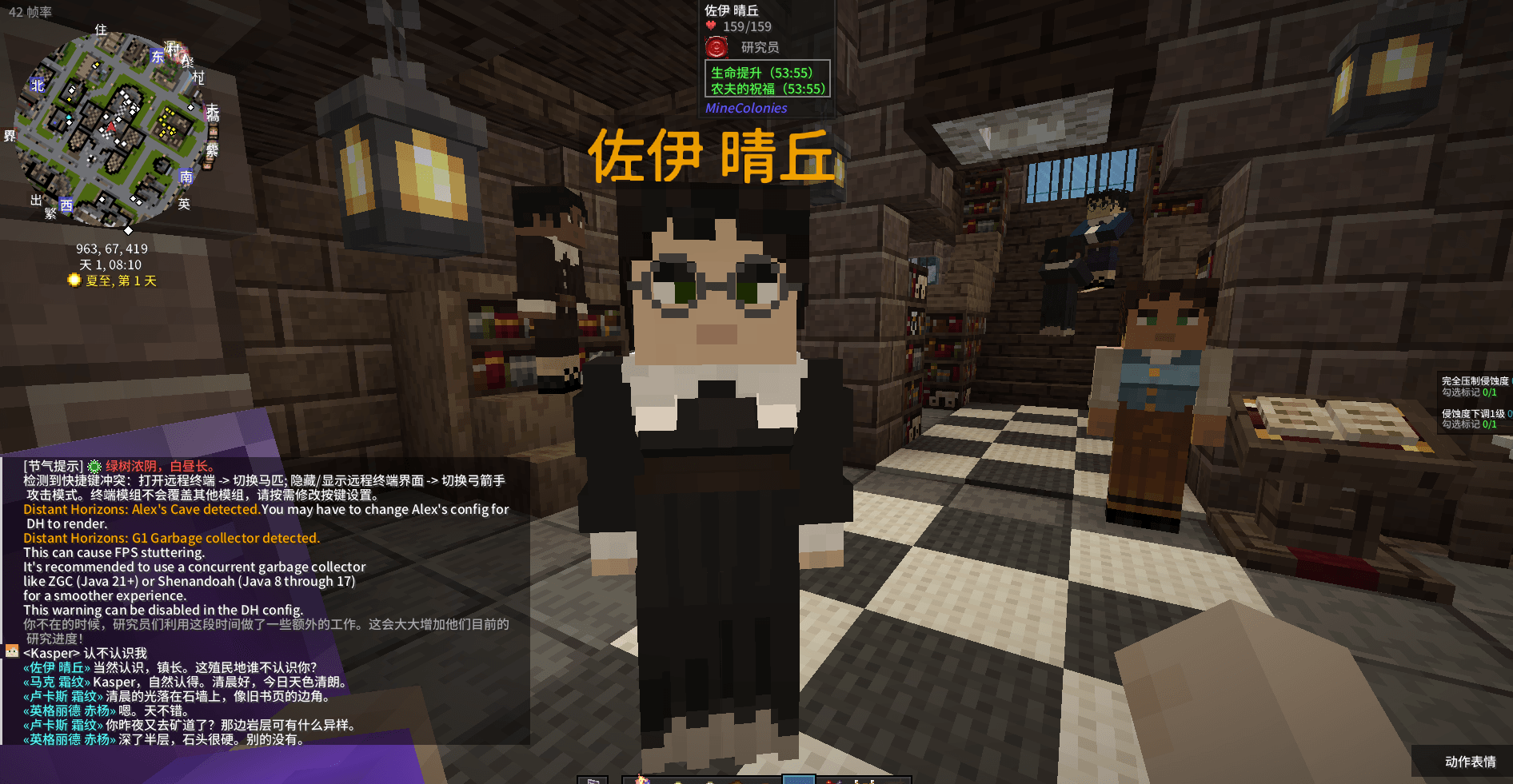
Type in chat and nearby colonists answer — in character, aware of the in-game time and weather, and remembering earlier conversations.
Call someone by name and they answer
Address a colonist by name and that specific colonist replies, even if other citizens are standing closer.
Citizens talk to each other
Idle colonists standing near each other start their own conversations, delivered line by line so it reads like a real exchange. Family and partners are preferred.
They act on what you say
Ask for supplies, a building repair or upgrade, or to put idle hands on an open job. The request is passed to the right colonist and the colony's own work system handles it.
Persistent personalities
Each colonist gets a personality on first contact, then fixed forever and stored with your save. A Personality tab is added inside the standard MineColonies citizen window.
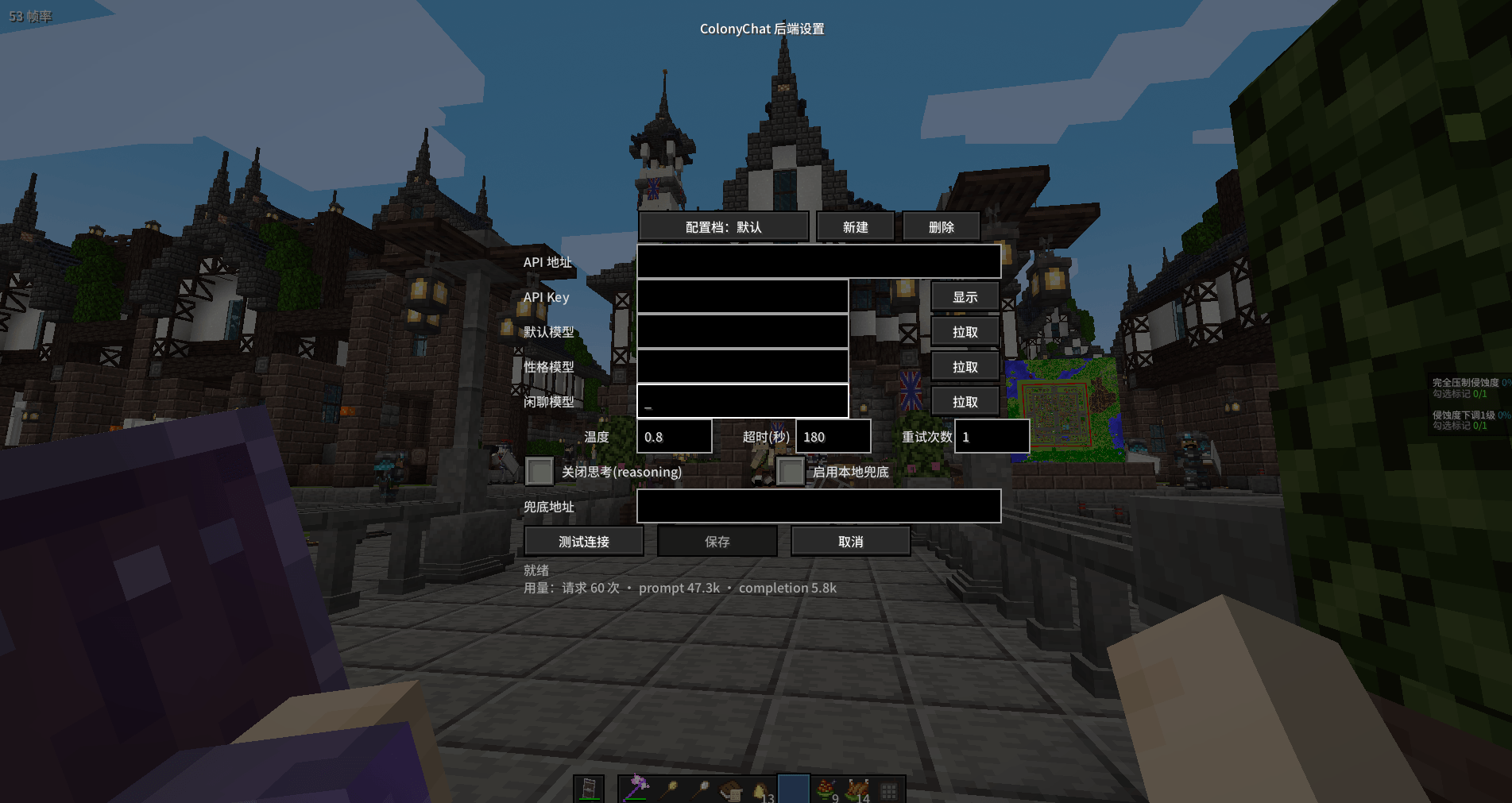
In-game settings screen
Change endpoint, key and model without editing config files. Includes a connection test button, model list fetching, multiple switchable profiles, and token usage tracking.
Setup
- Install MineColonies and its dependencies.
- Put ColonyChat in your mods folder.
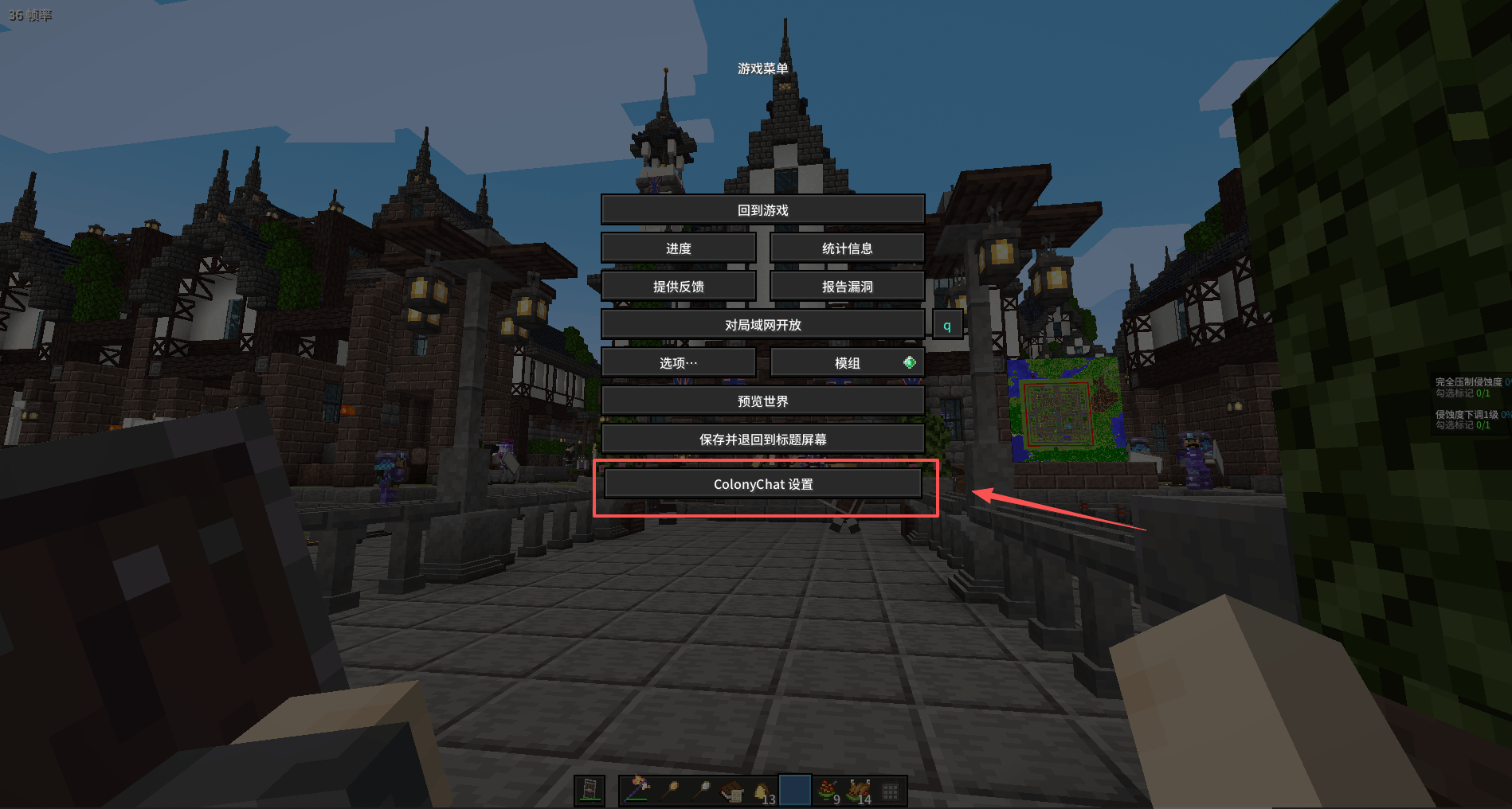
- Open the settings screen: press Esc and choose ColonyChat Settings, or run /colonychat config
- Fill in the base URL, API key and model, then press Test.
For a local model, set the URL to http://127.0.0.1:11434/v1 and use a model you have already pulled.
Commands
- /colonychat config - open the settings screen
- /colonychat info - show current status
- /colonychat npc - force a colonist conversation now (operator)
- /colonychat persona - inspect or regenerate a personality (operator)
Requirements
- Minecraft 1.20.1
- Forge 47.x
- MineColonies 1.1.1197 or newer (required)
- An OpenAI-compatible API endpoint, cloud or local
Single-player is fully supported. The personality viewer reads save data directly and is therefore single-player only.
ColonyChat 中文说明
给 MineColonies 的殖民者装上大脑。让殖民者能用大语言模型与你对话、彼此闲聊,并真正照着你的话去做事。
不绑定任何第三方服务。 支持任意 OpenAI 兼容接口,包括你本机运行的 Ollama,可完全离线、零 API 费用使用。
功能
与殖民者对话
在聊天框发言,附近殖民者会用符合性格的语气回话,能感知当前时间与天气,并记得之前的对话。
点名必答
直接喊某位殖民者的名字,他一定会回应,不会因为别人站得更近而被抢答。
殖民者之间自主闲聊
空闲且相邻的殖民者会自己聊起来,台词逐句出现而不是一次刷屏,优先让亲属与伴侣配对。
照着你的话去做
可以让他们取物资、报修或升级建筑、把闲散人手安排到空缺岗位。请求会转交给对应工种的殖民者,由殖民地自己的工作系统执行。
性格永久固定
每位殖民者在首次接触时生成性格,之后永久保存于存档。MineColonies 原版殖民者窗口里会多出一个性格页签,随时可查看。
图形化设置界面
不用改配置文件就能更换端点、密钥和模型。带连接测试、模型列表拉取、多套配置档一键切换,以及 token 用量统计。
安装
- 安装 MineColonies 及其前置。
- 把 ColonyChat 放进 mods 文件夹。
- 打开设置界面:按 Esc 选择 ColonyChat 设置,或输入 /colonychat config
- 填入 API 地址、密钥、模型,点测试连接。
用本地模型的话,地址填 http://127.0.0.1:11434/v1,模型填你已经拉取的名称。
命令
- /colonychat config - 打开设置界面
- /colonychat info - 查看当前状态
- /colonychat npc - 立即触发一次殖民者闲聊(需管理员)
- /colonychat persona - 查看或重新生成性格(需管理员)
前置要求
- Minecraft 1.20.1
- Forge 47.x
- MineColonies 1.1.1197 或更高(必需)
- 任意 OpenAI 兼容接口,云端或本地均可
完全支持单机。性格查看功能直接读取本地存档数据,因此仅单机可用。
制作 / Credits
本模组由 DeepSeek-4.1-flash 开发完成。
Developed by DeepSeek-4.1-flash.
Screenshots
Gallery
-
 5684feea40a9ec320543345b013a005f.png 5684feea40a9ec320543345b013a005f.png
 -
 c4b54e050caf1e697fb9f06f0ad1952b.png c4b54e050caf1e697fb9f06f0ad1952b.png
 -
 12974d800c48ab9767fd09de645b718d.png 12974d800c48ab9767fd09de645b718d.png
 -
 c83aaf921260e5b24935e634f77bdb8d.png c83aaf921260e5b24935e634f77bdb8d.png
 -
 b8af5954a76dad143b3f4c620025fe66.png b8af5954a76dad143b3f4c620025fe66.png
 -
 c49211993d7525c37e28a229bdd7d58d.png c49211993d7525c37e28a229bdd7d58d.png
Versions
Files
Relations
Project Relations
More like this
Similar Mods
Suggestions use data such as tags, dependencies, dependents, descriptions, titles, and more to rank how much they overlap with this mod.
On ModDex
Community snapshot
By the numbers
Statistics
Want to reach Minecraft players?
We're looking for a server hosting partner to feature here and other parts of the site. Interested? Send us a message!
Get in touchGet it on
Available Platforms
On ModDex
Community snapshot
By the numbers
Statistics
Resources