
Community listing page, reviews here may not be monitored by the author.
Colored Alphabet blocks

No reviews yet
An English letter blocks mod with dyable colors support for Minecraft.
Community voices
Reviews
No reviews yet. Be the first to review this project!
Get it on
Available Platforms
Compatibility
Supported Environments
Must be installed on both the client and the server.
About
Project Details
For authors
Embed Badge
If you're the author of this project, you can embed a live badge anywhere that supports HTML or Markdown. It updates automatically whenever ratings change.
Use HTML for any page that supports it, or Markdown for README files and Markdown-based descriptions.
Identifiers
Platform IDs
About
Description
Alphabet Block Mod
A Minecraft mod that adds beautiful, fully dyeable A-Z alphabet blocks to the game! decorating building or creating word-guessing games.
Offical fork from Thai Alphabet blocks





✨ Features
- 27 Placeable Alphabet Blocks: Includes all English letters (A-Z) and a matching empty wood block.
- Dual-Layer Dyeing System:
- Background Panel Customization: Right-click a block with any of the 16 Minecraft Dyes to dye the background wood panel.
- Glyph/Letter Customization: Sneak + Right-click a block with any dye to customize the letter color independently!
- High-Quality Cutout Rendering: Crafted using transparent cutout layers, ensuring sharp letter edges, crisp visibility, and integration with the surrounding wood texture.
- Dedicated Creative Tab: Comes with an organized custom Creative Tab containing all the letters in alphabetical order for quick access.
- Multi-Loader Support: Runs natively on Fabric, Forge, and NeoForge for Minecraft
1.21.11.
🎨 Dyeing Guide
| Action | Target | Description |
|---|---|---|
| Right-Click with Dye | Background Wood Panel | Colors the background panel to any of the 16 vanilla dye colors. |
| Shift + Right-Click with Dye | Glyph / Letter | Colors the character (letter) itself. (Does not apply to the Empty Block). |
📥 Installation
- Make sure you have installed the mod loader of your choice:
- (Fabric Users) Download and install the Fabric API for your version of Minecraft.
- Download the mod
.jarfile matching your Mod Loader and Minecraft version1.21.11. - Place the downloaded
.jarfile into your.minecraft/mods/folder. - Boot up the game and look for the Alphabet Blocks creative tab!
📝 License
This project is licensed under the Apache License 2.0.
Screenshots
Gallery
-
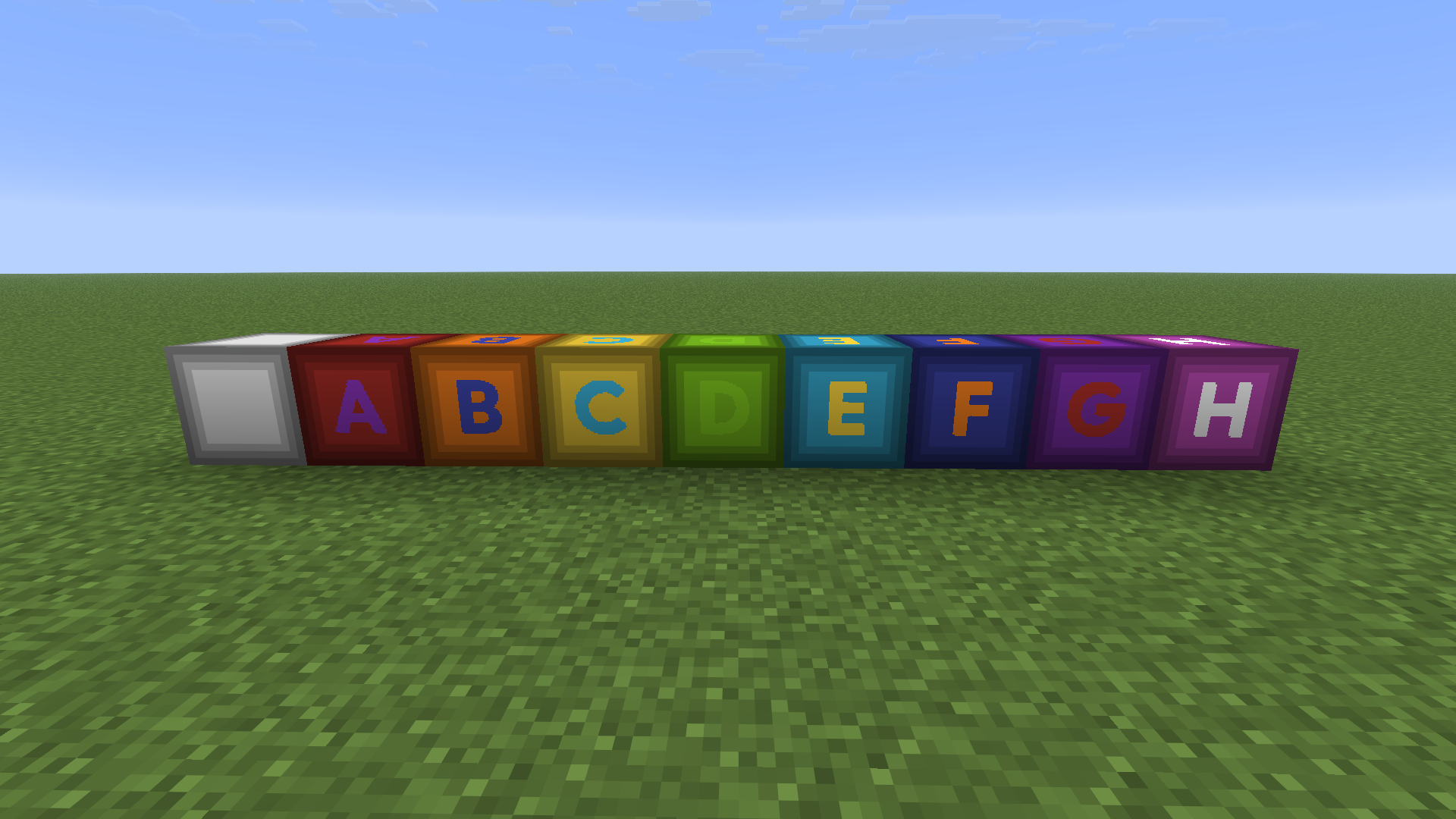 Colors Right-click with dye on a background wood panel change it to any of the 16 vanilla dye colors. Shift + right-click with dye on a glyph or letter to color the character (this doesn’t apply to the empty block).
Versions
Files
Relations
Project Relations
More like this
Similar Mods
Suggestions use data such as tags, dependencies, dependents, descriptions, titles, and more to rank how much they overlap with this mod.
On ModDex
Community snapshot
By the numbers
Statistics

Want to reach Minecraft players?
We're looking for a server hosting partner to feature here and other parts of the site. Interested? Send us a message!
Get in touchGet it on
Available Platforms
On ModDex
Community snapshot
By the numbers