Community listing page, reviews here may not be monitored by the author.
Colorful Trims

No reviews yet
Adds the ability to use dyes in the smithing table
Community voices
Reviews
No reviews yet. Be the first to review this project!
Get it on
Available Platforms
Compatibility
Supported Environments
Runs entirely on the server. Also works in singleplayer.
Must be installed on both the client and the server.
The author has not specified where this runs.
Varies by version.
About
Project Details
For authors
Embed Badge
If you're the author of this project, you can embed a live badge anywhere that supports HTML or Markdown. It updates automatically whenever ratings change.
Use HTML for any page that supports it, or Markdown for README files and Markdown-based descriptions.
Identifiers
Platform IDs
Resources
External Links
About
Description
Information
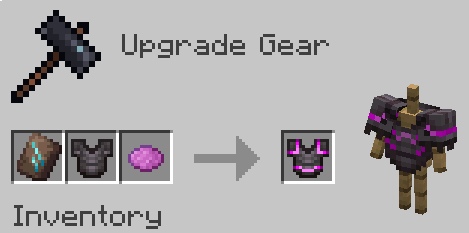
Use any dye along with trims to customize your armor. This works with all trims and armor like how you would do it with any other material.
You need the resource pack in order for you to see the custom armor trims. Without it you would see the missing texture texture. If something doesn't work check the FAQ below. If you find any bugs you can report them to my discord server.
1.21.5+ Note
In order to be able to trim items, you may need to drop them on the ground first.
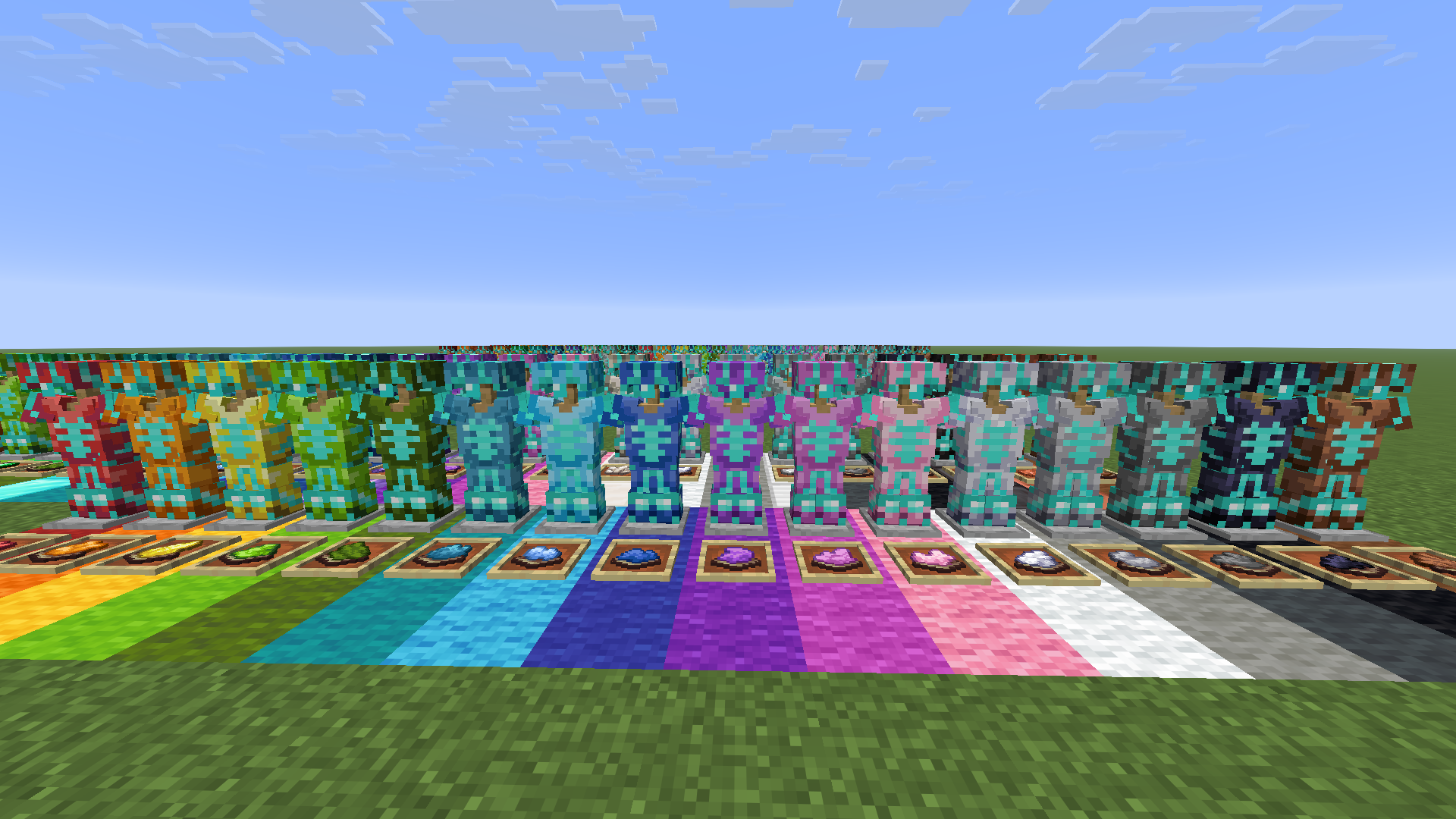
Where trims fall compared to all vanilla ones:
Want the trims to glow? Use my other pack, Emissive Trims!

FAQ
Q: Why does it have a red X over the smithing table when trying to craft it?
A: Drop the dye on the ground, pick it up, and try it again. If that doesnt work restart the server. If neither of those worked report it in the discord
Q: Why can't I put the dye in the smithing table?
A: If it still doesn't work make sure you have installed the datapack correctly. If you are sure you did then report it in the discord
Q: Why do all the dye recipes not work?
A: You have to restart your world/server/realm. It should then work after you do that
Q: I get a missing texture when trying to use this how do I fix it?
A: Make sure to download the resourcepack
Q: Where can I download the resourcepack?
A: Those who click the big download button at the top of the screen are only prompted to download the datapack and not the resourcepack. Modrinth does not show both of them in that menu. You instead have to go to the versions tab.
Where to download the resourcepack
First you have to go to the versions tab

Then you go to the version you want
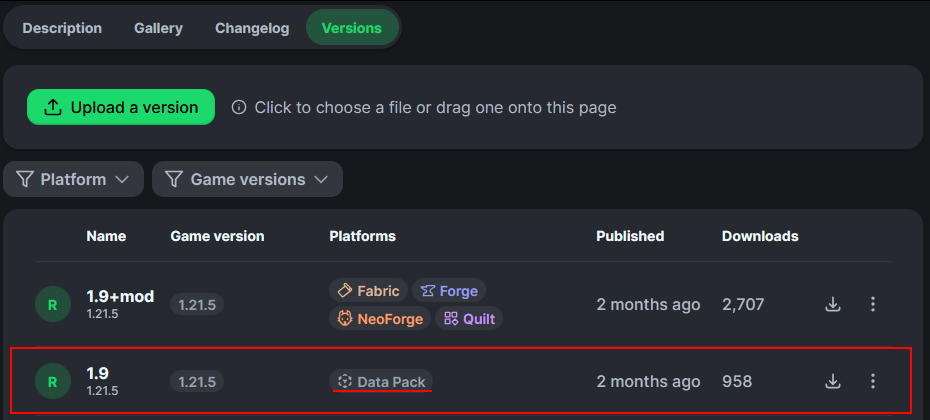
Then underneath the datapack download is the resourcepack download
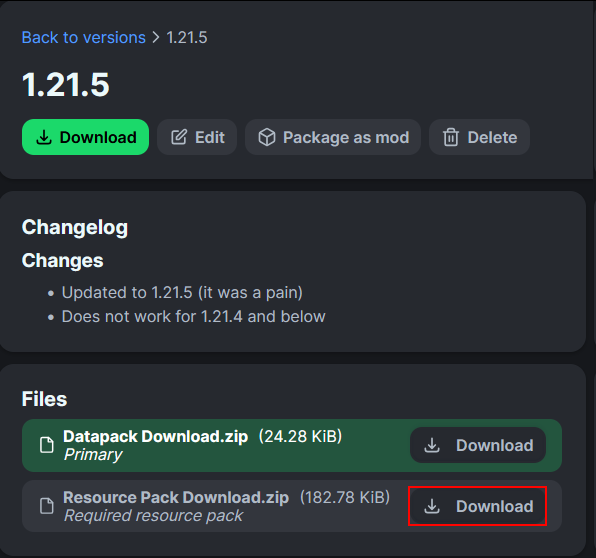
How to install
-
On the server / singleplayer install the datapack and enable it. Restart the server afterwards for the smithing table to work.
-
On the client equip the resource pack in order to see the textures. This is required to do.
You could also just use the mod on both the client and server

Screenshots
Gallery
-
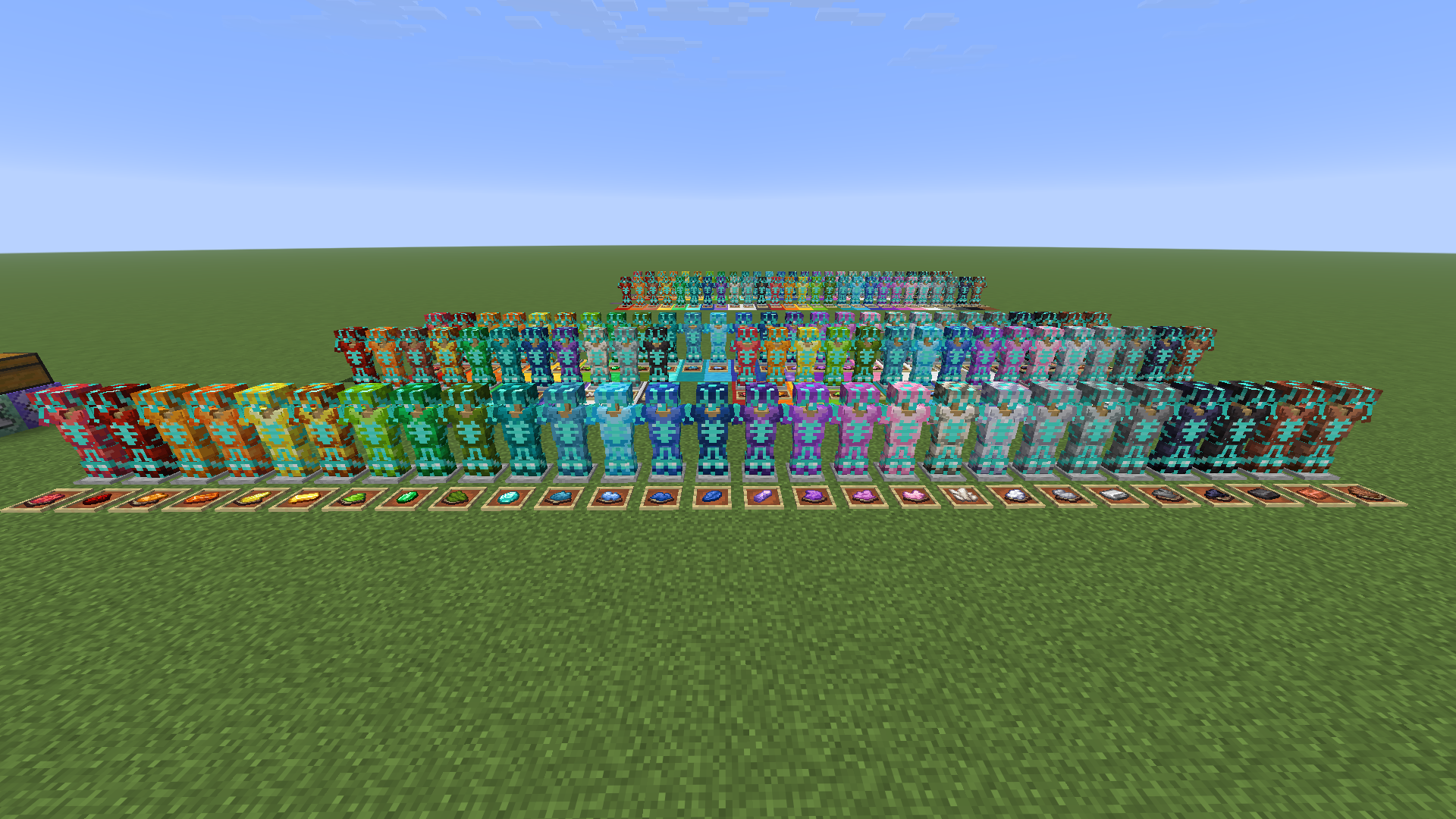
v2.0 trim colors
-
Any Template can be used Use any template along with dye
-
All trims based on where they fit in the rainbow
-
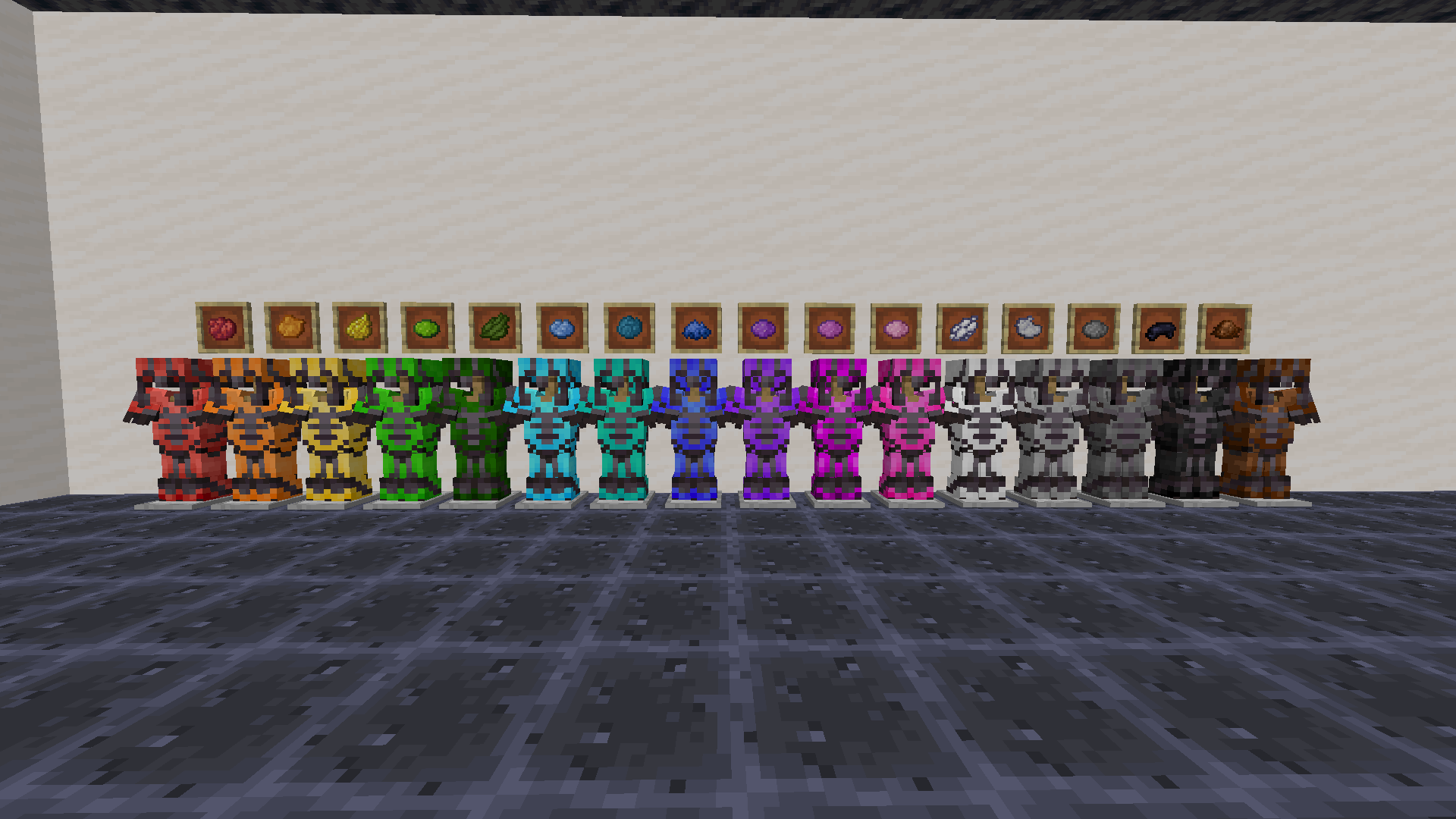 Legacy trim colors Use any dye
Versions
Files
Relations
Project Relations
More like this
Similar Mods
Suggestions use data such as tags, dependencies, dependents, descriptions, titles, and more to rank how much they overlap with this mod.
On ModDex
Community snapshot
By the numbers
Statistics

Want to reach Minecraft players?
We're looking for a server hosting partner to feature here and other parts of the site. Interested? Send us a message!
Get in touchGet it on
Available Platforms
On ModDex
Community snapshot
By the numbers
Statistics
Resources