Community listing page, reviews here may not be monitored by the author.
ColorfulBlock


No reviews yet
A lightweight NeoForge mod adding paint-able blocks with 6 independently colorable faces, 64 solid color variants, and a color brush tool.
Community voices
Reviews
No reviews yet. Be the first to review this project!
Get it on
Available Platforms
Compatibility
Supported Environments
Must be installed on both the client and the server.
About
Project Details
For authors
Embed Badge
If you're the author of this project, you can embed a live badge anywhere that supports HTML or Markdown. It updates automatically whenever ratings change.
Use HTML for any page that supports it, or Markdown for README files and Markdown-based descriptions.
Identifiers
Platform IDs
Resources
External Links
About
Description
ColorfulBlock
ColorfulBlock is a lightweight NeoForge mod that adds vibrant, fully paint-able blocks to Minecraft. No other mod dependencies required — just NeoForge!
Features
🎨 Color Block
A block with 6 independently color-able faces — perfect for custom building accents, pixel art, and signage.
- Right-click with an empty hand to open the color picker GUI
- Interact with the 3D preview: drag to rotate, click a face to select it
- Adjust colors via HSL sliders, HEX input, or image color picking (paste an image path!)
- Apply colors per-face or all at once
- Sneak + right-click while holding the block to edit its colors before placing
- Colors are preserved when mined or picked with middle-click
🖌️ Color Brush
A tool for picking and applying colors directly in the world.
- Sneak + right-click to open the color picker GUI
- Right-click a Color Block face to pick up its color
- Right-click again with a color stored to paint the face (consumes durability)
- Right-click on air with a color stored to clear it
- Glows (enchantment glint) when holding a color
🧱 Solid Color Blocks
64 separate block variants (16 dye colors × 4 brightness levels: dark/medium/light/bright) for maximum mod compatibility.
- Fully compatible with Copycats+, Create's Copycat Block, and all block-modeling mods
- Uses standard block tint-index rendering — no block entity overhead
- Right-click with any vanilla dye to change color
- Sneak + right-click with empty hand to cycle brightness
- Use the Color Brush to pick and apply any color
- Crafted from Color Blocks: 4 Color Blocks → 4 White Bright Solid Blocks
🖼️ Color Picker GUI
A feature-packed color picker accessible from both the Color Block and the Color Brush:
- 3D block preview — drag to rotate and inspect every face
- HSL sliders for intuitive color tuning
- HEX input for precise color values
- Image color picking — paste a file path to load an image, then click to pick colors
- Enlarge mode — click "放大" to zoom the image 4× for precise pixel picking, auto-restores after picking
Dependencies
- NeoForge 21+ (required)
No other mod dependencies! Works standalone or alongside any other mod.
Recommended Complementary Mods
- Copycats+ — use Solid Color Blocks as copycat materials
- Create — use Solid Color Blocks with Create's Copycat Block
- Any mod that uses the standard block tint-index system
Screenshots
Gallery
-
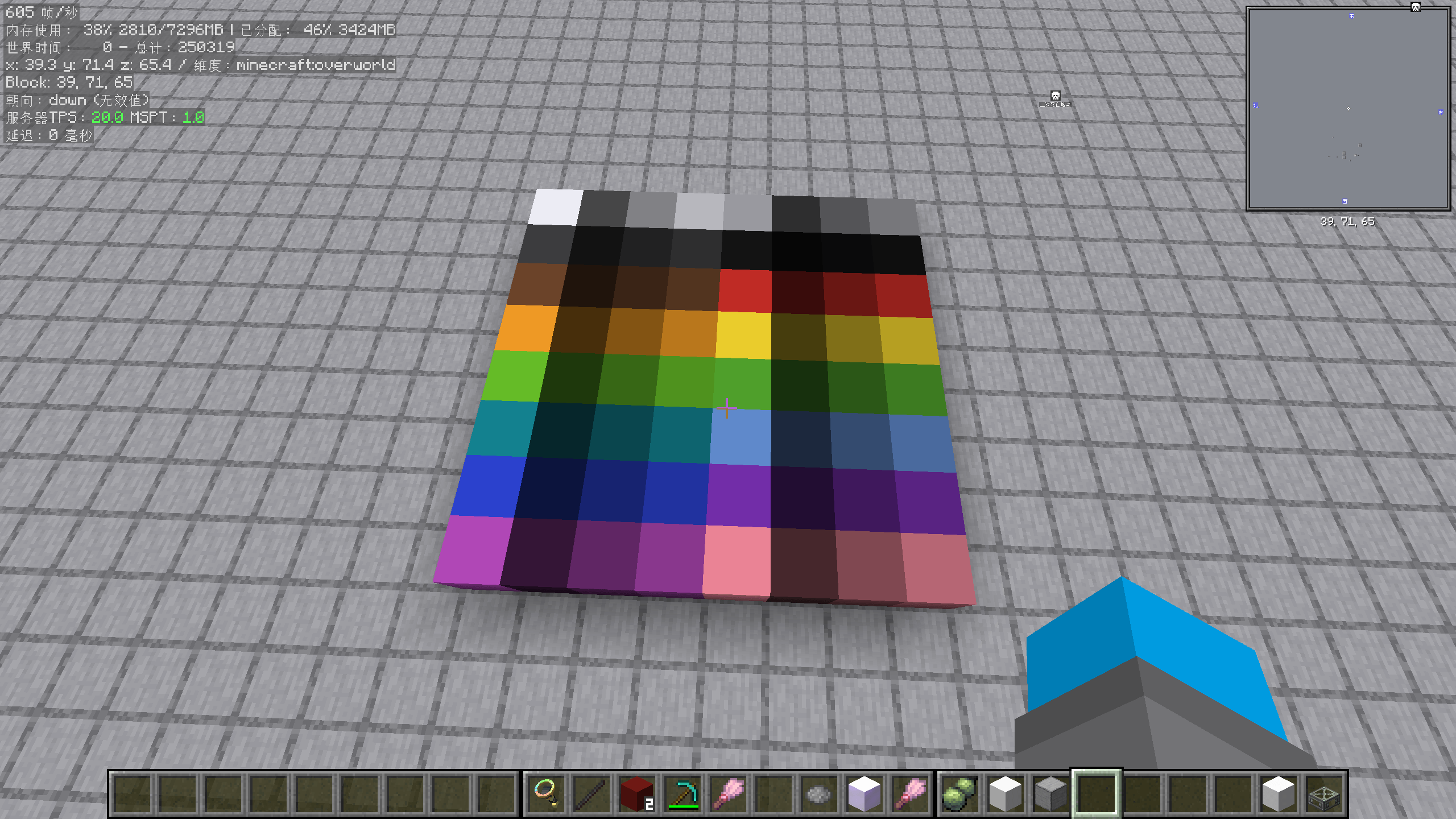 å±å¹æªå¾(579).png å±å¹æªå¾(579).png
Versions
Files
Relations
Project Relations
More like this
Similar Mods
Suggestions use data such as tags, dependencies, dependents, descriptions, titles, and more to rank how much they overlap with this mod.
On ModDex
Community snapshot
By the numbers
Statistics
Want to reach Minecraft players?
We're looking for a server hosting partner to feature here and other parts of the site. Interested? Send us a message!
Get in touchGet it on
Available Platforms
On ModDex
Community snapshot
By the numbers
Statistics
Resources