
Community listing page, reviews may not be monitored by the author.
ComboPlus+


No reviews yet
It is a mod that is similar to a rhythm-based game but this time i decided to added it in Minecraft. the mod basically checks how long you can hold a combo and how good your reach is when fighting your opponent.

Community voices
Reviews
No reviews yet. Be the first to review this project!
Get it on
Available Platforms
Compatibility
Supported Environments
Runs entirely on the client. Works on vanilla servers.
About
Project Details
For authors
Embed Badge
If you're the author of this project, you can embed a live badge anywhere that supports HTML or Markdown. It updates automatically whenever ratings change.
Use HTML for any page that supports it, or Markdown for README files and Markdown-based descriptions.
Identifiers
Platform IDs
Resources
External Links
About
Description
⚔️🔥 Combo+ | Hit Hard. Combo Harder.
Tired of hitting someone 15 times in Minecraft and having absolutely NOTHING to show for it?
You land a perfect combo. Your opponent gets absolutely demolished. And Minecraft rewards you with... nothing.
BRO WHERE IS MY REWARD FOR THAT MASTERPIECE?
Combo+ is a client-side PvP combo tracker that turns ordinary fights into satisfying combat experiences with animated combo counters, hit judgments, sound effects, and milestone rewards.
Whether you're a sweaty PvPer trying to hit a 100-hit combo or someone who just wants cool numbers flying around their screen, Combo+ has you covered.
🎬 Showcase Video: https://www.youtube.com/watch?v=ZrOb0LzfdJs
🧠 The "STOP HITTING ME" Combo System
Every hit matters. Every streak counts.
-
Automatic Combo Tracking: Every successful hit increases your combo counter.
-
Combo Resets: Taking damage or waiting too long resets your streak.
-
3-Hit Activation: Your combo counter starts appearing after 3 consecutive hits.
-
Smart Hit Detection: Built-in delay protection prevents hits from being counted twice.
-
Real-Time Tracking: Watch your combo increase as you absolutely destroy your opponent.
Get 3 hits? Nice.
Get 10 hits? You're cooking.
Get 50 hits? Your opponent might actually be AFK.
GET 100 HITS? BRO IS FIGHTING A TRAINING DUMMY.
🎯 The "HOW GOOD WAS THAT HIT?" Judgment System
Not every hit deserves a standing ovation.
Combo+ evaluates your attacks based on timing, distance, and accuracy, giving each hit its own judgment.
-
PERFECT: A beautifully executed hit.
-
SMASH: A powerful attack that deserves recognition.
-
HEADSHOT: You actually aimed for once.
-
GOOD: Solid timing. Nothing embarrassing.
-
BAD: Could've been better.
-
HORRID: Please uninstall your mouse drivers and start over.
✨ Floating Hit Judgments
-
3D Judgments: Animated ratings appear directly in the Minecraft world.
-
Melee & Ranged Support: Works with close-range combat and projectiles.
-
Special Feedback: Headshots and smash attacks receive unique visual feedback.
-
Optional Judgments: Disable the entire system when you want a cleaner experience.
Imagine fighting someone and seeing HORRID appear after your attack.
EVEN YOUR OWN MOD IS DISRESPECTING YOU.
🖥️ The "LOOK AT MY COMBO" HUD
What's the point of hitting a crazy combo if you can't flex it?
Combo+ includes a fully animated HUD that makes every successful streak feel rewarding.
-
Animated Numbers: Your combo counter scales and fades smoothly.
-
Dynamic Display: Only appears while you're actively chaining hits.
-
Automatic Hiding: Disappears after inactivity.
-
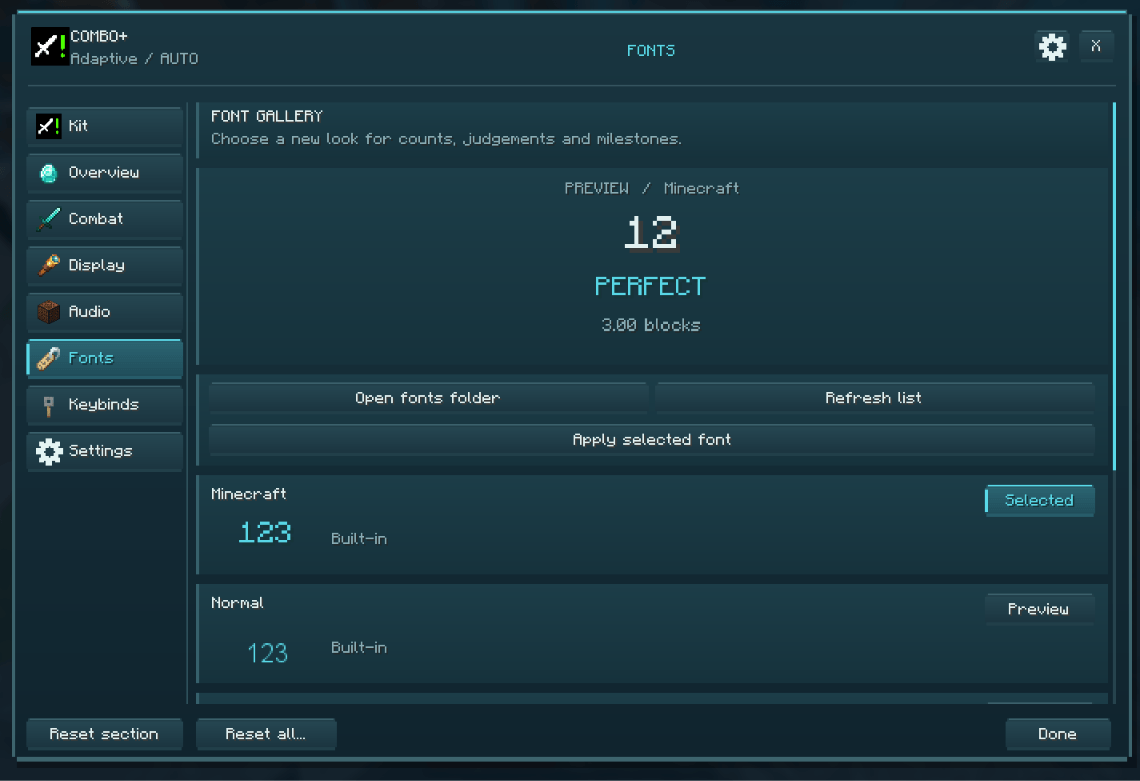
Custom Number Textures: Change how your combo numbers look.
-
Minecraft Font: Use the classic Minecraft font.
-
Simple Mode: Switch to a cleaner, minimal display.
Your combo goes up.
The numbers get bigger.
The effects get better.
Your opponent gets increasingly concerned.
THIS IS NOT A FIGHT ANYMORE. THIS IS A COMBO MONTAGE.
✨ Simple Mode | Less Clutter. More Violence.
Not everyone wants their screen looking like a casino slot machine.
Simple Mode keeps everything clean while maintaining the satisfying combo experience.
-
Minimal Combo Counter: A clean, text-based display.
-
Smooth Pulsing: Higher combos trigger subtle animations.
-
Dynamic Colors: The combo counter changes colors as your streak grows.
-
Milestone Titles: Important combo milestones appear alongside your counter.
Perfect for players who want to see their combos without sacrificing half their screen.
🏆 The "BRO IS STILL GOING" Milestone System
Hitting someone three times is cool.
Hitting them 50 times is a completely different situation.
Combo+ rewards higher hit streaks with increasingly satisfying milestones.
-
5-Hit Milestones: Earn a milestone every 5 consecutive hits.
-
Special Milestones: Unique rewards at 10, 25, 50, 100 hits, and beyond.
-
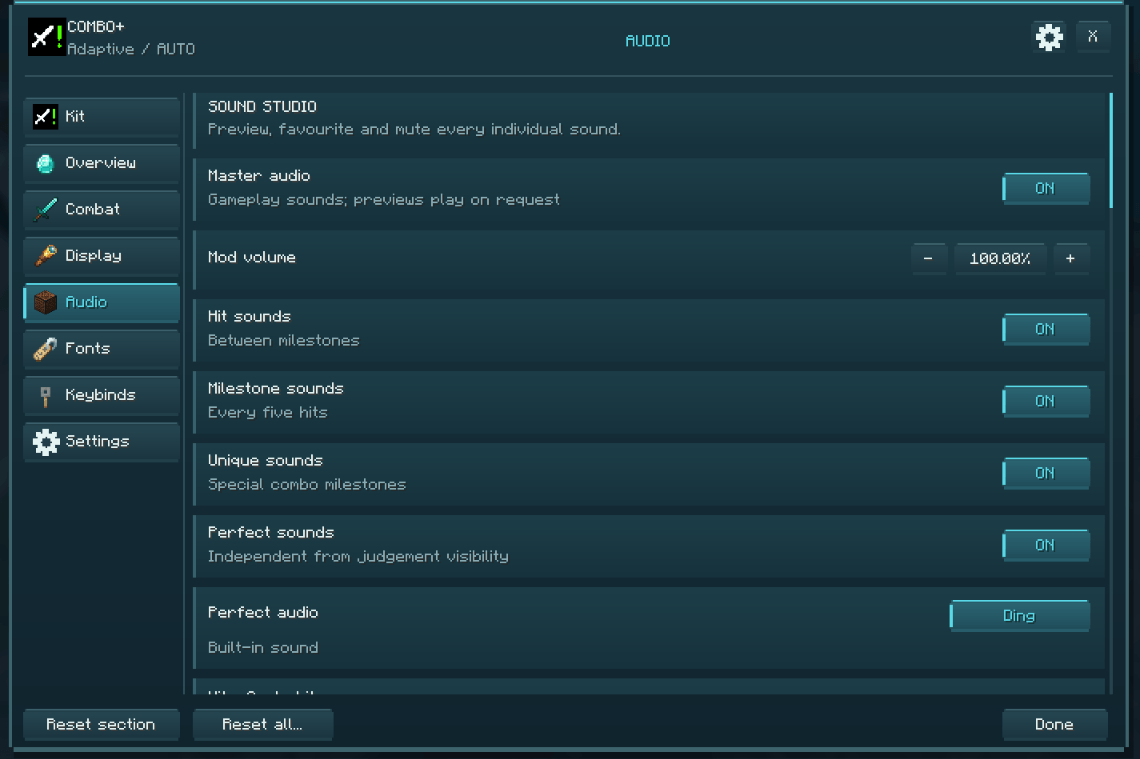
Custom Sounds: Different milestone tiers have their own audio effects.
-
Custom Text: Special titles appear when you reach important streaks.
-
Custom Textures: Milestones can feature unique visuals.
-
Perfect Streak System: Maintain perfectly judged hits to keep special milestone effects active.
Miss a perfect hit?
Say goodbye to your perfect streak visuals.
THE MOD EXPECTS PERFECTION. YOUR AIM DOES NOT AGREE.
🔊 Sounds That Make Every Hit Feel Personal
Because apparently hearing your opponent take damage wasn't satisfying enough.
Combo+ includes dynamic sound feedback that evolves throughout your combo.
-
Unique Hit Sounds: Different sounds play as your combo increases.
-
Milestone Sounds: Special audio plays when you reach important streaks.
-
Increasing Pitch: Sounds become progressively higher-pitched as your combo grows.
-
Sound Toggle: Turn everything off when you've had enough.
One hit sounds normal.
Ten hits sound satisfying.
Fifty hits sound like you're conducting an entire orchestra.
BEETHOVEN IF HE PLAYED MINECRAFT PVP.
⚙️ The "LET ME CUSTOMIZE EVERYTHING" Menu
Don't like something? Change it.
Combo+ includes an in-game settings menu that lets you customize your experience without constantly editing configuration files.
-
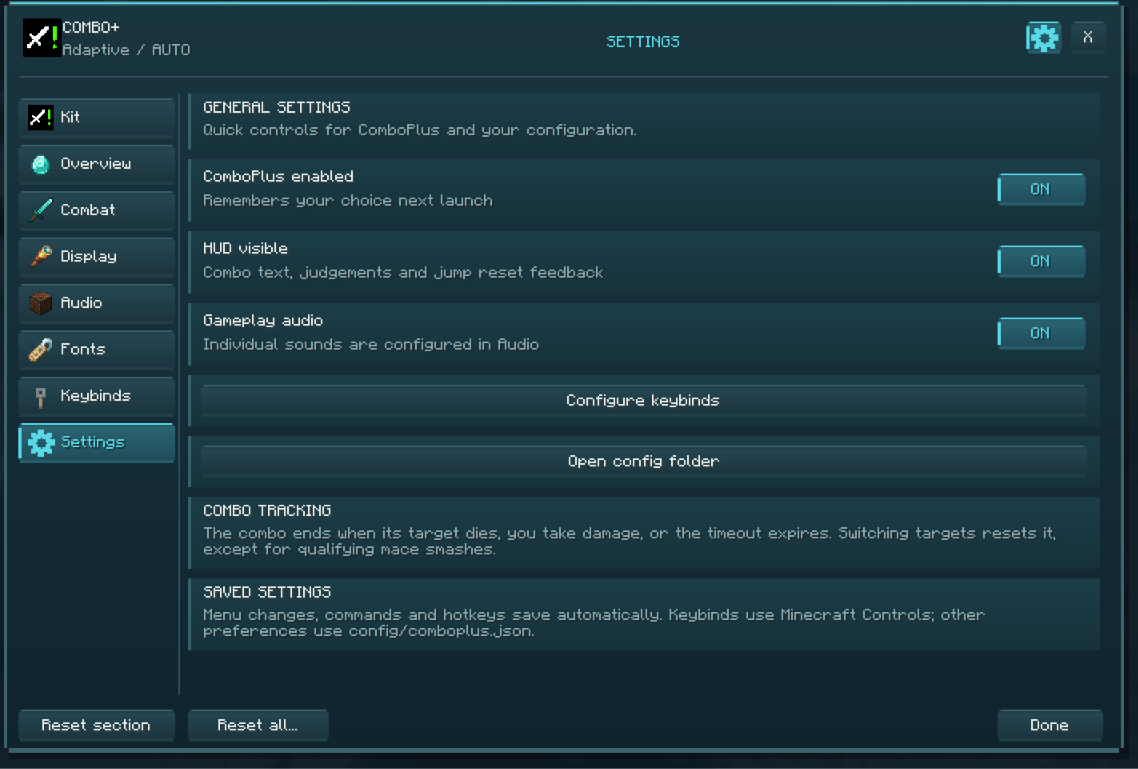
Main Toggle: Enable or disable the entire mod.
-
HUD Toggle: Show or hide the combo display.
-
Sound Toggle: Enable or disable combat sound effects.
-
Number UI: Control the animated combo numbers.
-
Judgment Toggle: Enable or disable hit judgments.
-
Simple Mode: Switch between regular and minimal displays.
-
Font Selection: Choose between Minecraft and normal fonts.
-
Instant Feedback: Settings update as you change them.
Make it flashy.
Make it minimal.
Make it sound like you're fighting the final boss.
YOUR SCREEN. YOUR COMBOS. YOUR PROBLEM.
⌨️ How To Actually Use It
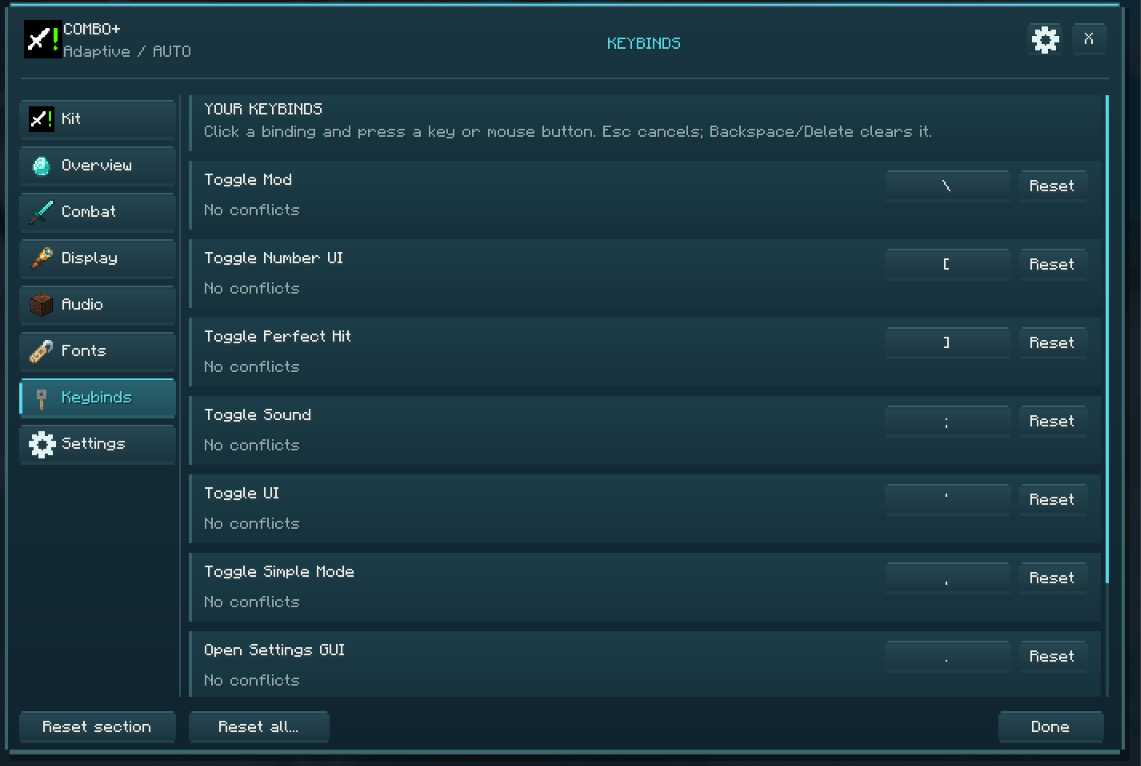
All keybinds can be customized in Minecraft's normal Controls menu.
| What You Want To Do | How To Do It |
|---|---|
| Enable / Disable Combo+ | /comboplus on or /comboplus off |
| Toggle Combo HUD | /comboplus ui on or /comboplus ui off |
| Toggle Sounds | /comboplus sound on or /comboplus sound off |
| Toggle Number UI | /comboplus number on or /comboplus number off |
| Toggle Hit Judgments | /comboplus perfect on or /comboplus perfect off |
| Toggle Simple Mode | /comboplus simple on or /comboplus simple off |
| Change Font | /comboplus font minecraft or /comboplus font normal |
| Open Settings | /comboplus gui |
🎮 Quick Keybinds
Don't want to type commands in the middle of a fight?
Combo+ also includes customizable keybinds for:
-
Toggle Mod
-
Toggle UI
-
Toggle Sounds
-
Toggle Number UI
-
Toggle Perfect Judgments
-
Toggle Simple Mode
-
Open Config GUI
💡 Why Install Combo+?
-
⚔️ PvP Sweats: Track every hit and push your combos to ridiculous numbers.
-
🎯 Aim Enthusiasts: Get instant feedback on your timing, distance, and accuracy.
-
🔥 Combo Grinders: Chase milestones and maintain perfect streaks.
-
🎬 Content Creators: Make PvP clips more satisfying with animated counters and judgments.
-
🎨 Customization Addicts: Change your combo HUD, fonts, textures, sounds, and visual effects.
-
🖥️ Minimalists: Keep your screen clean with Simple Mode.
-
💻 Client-Side Players: Enjoy the combo tracking experience directly from your client.
🤝 The Idiot Responsible
Caioxbz.
⚔️🔥 Combo+ | Every Hit Counts.
You hit once.
You hit twice.
You hit ten times.
Your combo counter starts going crazy.
Your opponent can't touch the ground.
Your screen is celebrating.
And somehow you still manage to lose the fight.
CONGRATULATIONS. YOU JUST HIT A 40-HIT COMBO AND STILL LOST.
At least the numbers looked cool.
Combo+ ⚔️🔥

A fast-paced combo tracker for PvP that rewards precision, timing, and consistency with satisfying visuals, sounds, and milestones.
Combo System 🧠
Track your hit streaks in real time and push your limits during combat.
How It Works Your combo increases with every successful hit Taking damage or waiting too long resets your combo Combos start displaying at 3 hits Built-in delay protection prevents false double-counts
Judgment System 🎯
Every hit is evaluated based on timing, distance, and accuracy.
Hit Ratings PERFECT / SMASH / HEADSHOT – high-skill hits GOOD – solid timing BAD / HORRID – weak or poorly timed hits Features Floating 3D judgments rendered in the world Works for both melee and ranged combat Headshots and smash attacks have unique feedback Optional: disable judgments for a cleaner experience
Combo HUD 🖥️
A dynamic on-screen combo display designed for PvP clarity.
Features Animated combo counter with scaling + fade effects Appears only when actively chaining hits Automatically disappears after inactivity Supports: Custom number textures Minecraft font mode Minimal “Simple Mode” UI
Simple Mode ✨
A clean, modern combo display for minimal setups.
Text-based combo counter Smooth pulsing animation at higher combos Dynamic color shifting Displays milestone titles alongside combo
Milestone System 🏆
Reach higher combos to unlock visual and audio rewards.
Features Milestones every 5 hits Special milestone tiers (10, 25, 50, 100, etc.) Custom: Sounds Text Textures “Perfect streak” system: Miss a perfect hit → lose milestone visuals
Sound Feedback 🔊
Audio feedback that evolves with your combo.
Unique sounds for each hit in a chain Special sounds for milestone combos Increasing pitch as combo grows Fully toggleable
Customization ⚙️
Control everything directly in-game.
Commands /comboplus on|off – Enable/disable mod /comboplus ui on|off – Toggle HUD /comboplus sound on|off – Toggle sounds /comboplus number on|off – Toggle number UI /comboplus perfect on|off – Toggle judgments /comboplus simple on|off – Toggle simple mode /comboplus font minecraft|normal – Switch font /comboplus gui – Open settings screen
Keybinds ⌨️
Quick toggles for everything:
Toggle Mod Toggle UI Toggle Sounds Toggle Number UI Toggle Perfect Judgments Toggle Simple Mode Open Config GUI
(All keybinds are customizable in controls)
Config GUI 🧩
A built-in settings screen for quick adjustments. Toggle all major features Instant feedback on changes Accessible via command or keybind
Why Use Combo+? 💡
⚔️ Improve combat timing and consistency 🎯 Get instant feedback on your hits 🔥 Make PvP feel more rewarding 🎨 Customize your experience to match your style
Milestones Credits Caioxbz
Screenshots
Gallery
-
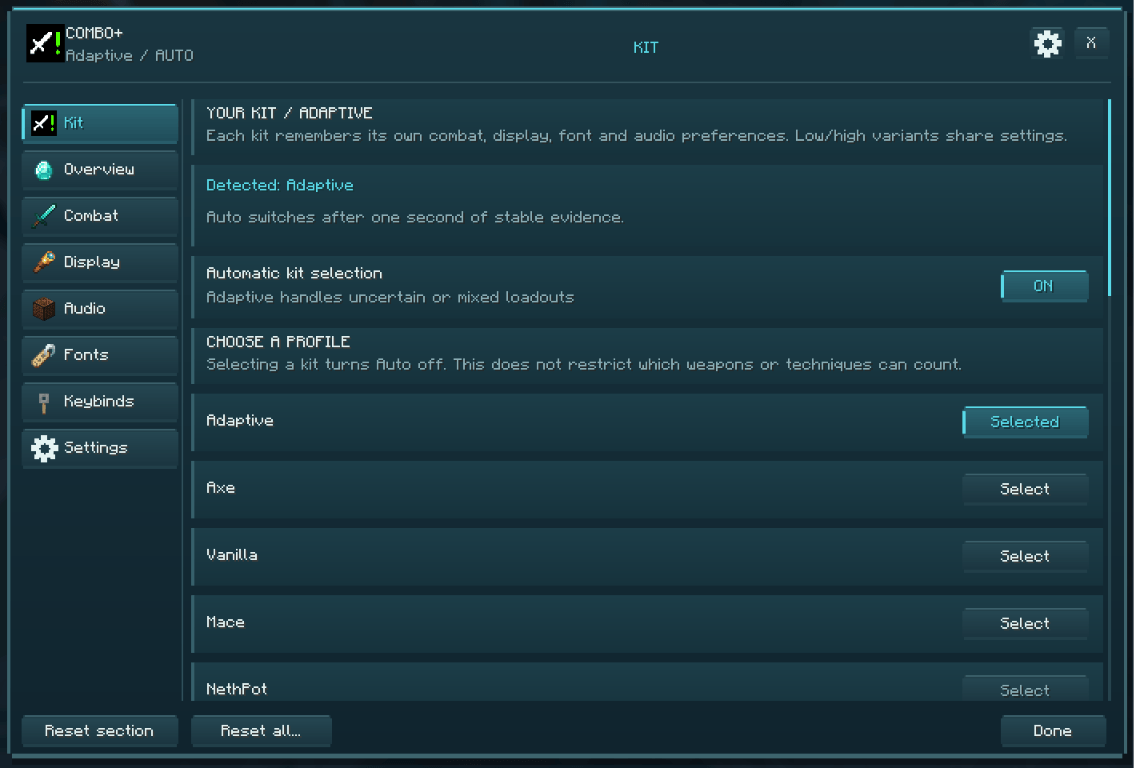 Kit
-
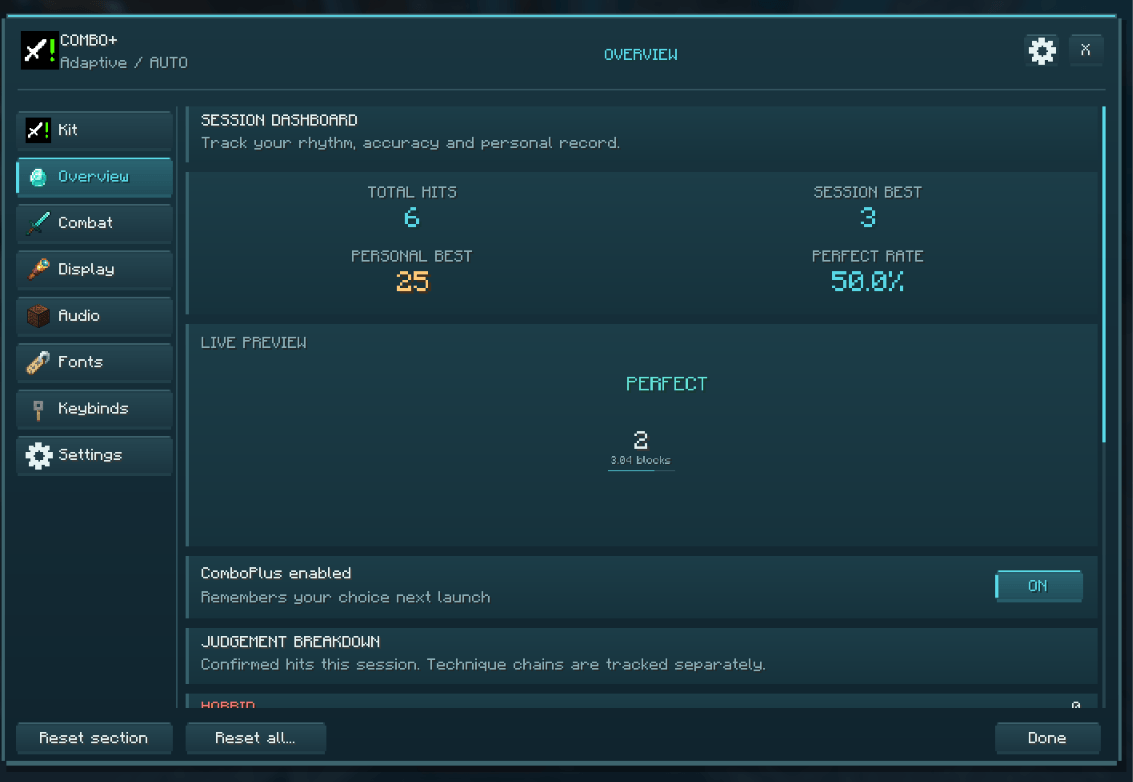 Overview
-
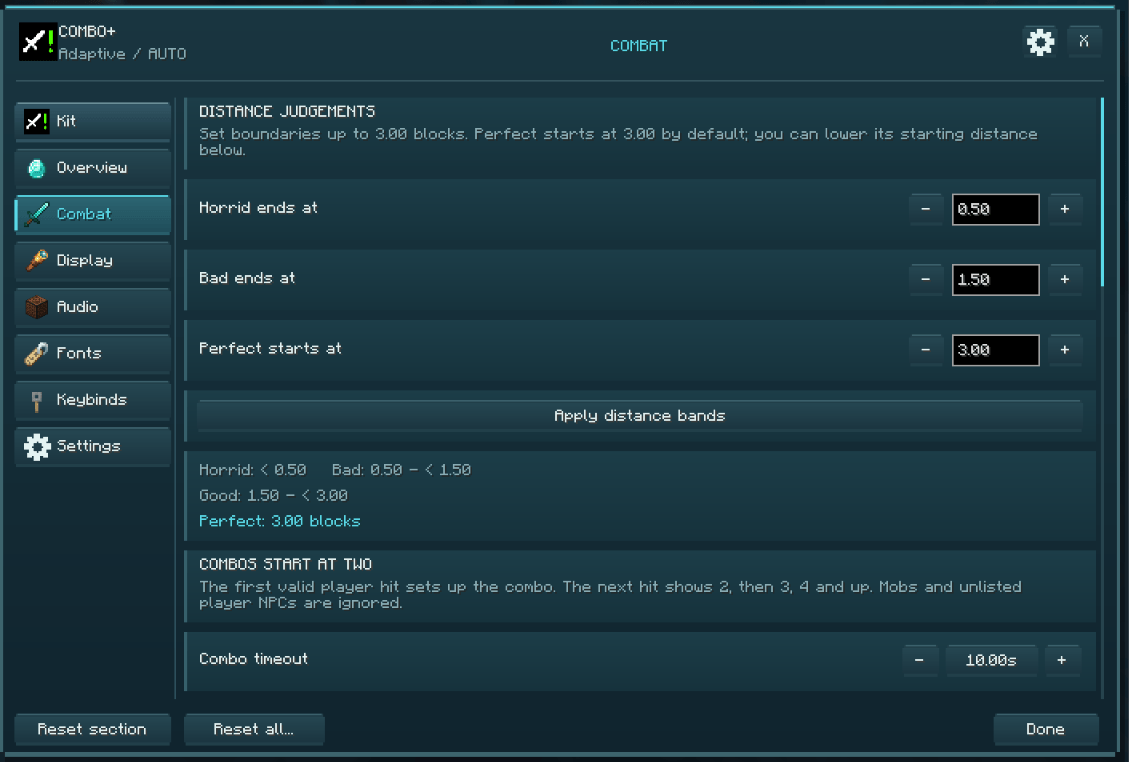 Combat
-
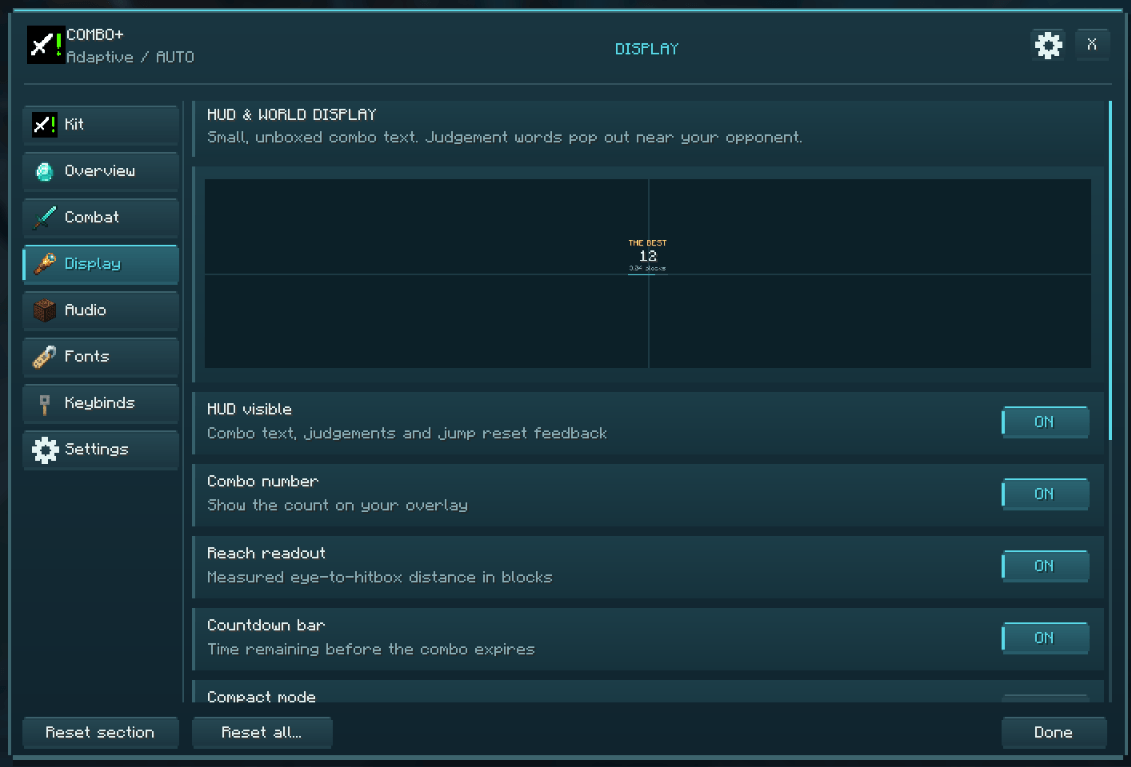 Display
-
 Audio
-
 Fonts
-
 Keybinds
-
 Settings
-
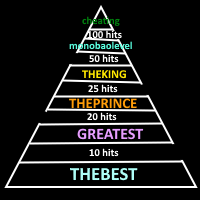 Milestones🪦
-
 Gui💠
-
 Overview💠
-
 Combat💠
-
 Display💠
-
 Audio💠
-
 Fonts💠
-
 Keybinds💠
-
 Setting💠
-
 Combo💠
-
 Jump resets💠
Versions
Files
Relations
Project Relations
More like this
Similar Mods
Suggestions use data such as tags, dependencies, dependents, descriptions, titles, and more to rank how much they overlap with this mod.
On ModDex
Community snapshot
By the numbers
Statistics

Get it on
Available Platforms
On ModDex
Community snapshot
By the numbers
Statistics
Resources