![Come Here! [MechaCapture]](https://media.forgecdn.net/avatars/thumbnails/1909/897/256/256/639191962654973175.png)
Community listing page, reviews here may not be monitored by the author.
Come Here! [MechaCapture]


No reviews yet
Did you ever wanted to catch any mob? Well here is your chance!
Community voices
Reviews
No reviews yet. Be the first to review this project!
Get it on
Available Platforms
Compatibility
Supported Environments
Must be installed on both the client and the server.
About
Project Details
For authors
Embed Badge
If you're the author of this project, you can embed a live badge anywhere that supports HTML or Markdown. It updates automatically whenever ratings change.
Use HTML for any page that supports it, or Markdown for README files and Markdown-based descriptions.
Identifiers
Platform IDs
Resources
External Links
About
Description
How it works
Features
Requirements
Configuration
Multiplayer
Come Here! adds a complete mob capture system to Minecraft. Capture creatures, move them between devices and disks, and showcase them — with full entity data preserved.
You receive the Come Here! Manual on your first join (craftable with Book + Egg if lost). It covers every item and recipe so you’re never lost.
How it works
- Craft a Capture Device and charge it at a Charging Station (XP)
- Right-click a mob to capture it — right-click air to release
- Expand with a Capture Station + Storage Disks to build a mob library
- Use a Display Pedestal to show off your favorites as a hologram
Features Capture Device
- One mob per device
- Full NBT preserved (health, gear, variants, custom names, modded mobs)
- Charge system: 0/100 captures, 150 XP per charge
- Dynamic item tint based on stored mob
Charging Station
- Charge 1, 5, 20, or 50 at once
Capture Station
- Store, unstore, and delete mobs via GUI
- Hologram previews for stored mobs
Storage Disks (Mk.I – Mk.V)
- Mk.I: 4 slots → Mk.V: 24 slots
- Upgrades keep all stored mobs
Display Pedestal
- Spinning mob hologram
- Breaking the pedestal releases the mob into the world
Come Here! Manual
- Patchouli guide with categories and live crafting pages
Requirements
- Minecraft 1.20.1
- Fabric Loader 0.19.3+
- Fabric API
- Patchouli (Fabric)
Configuration Edit config/come-here.json to blacklist mobs from capture (e.g. minecraft:wither).
Multiplayer Station GUIs and pedestal displays sync over the network.
Screenshots
Gallery
-
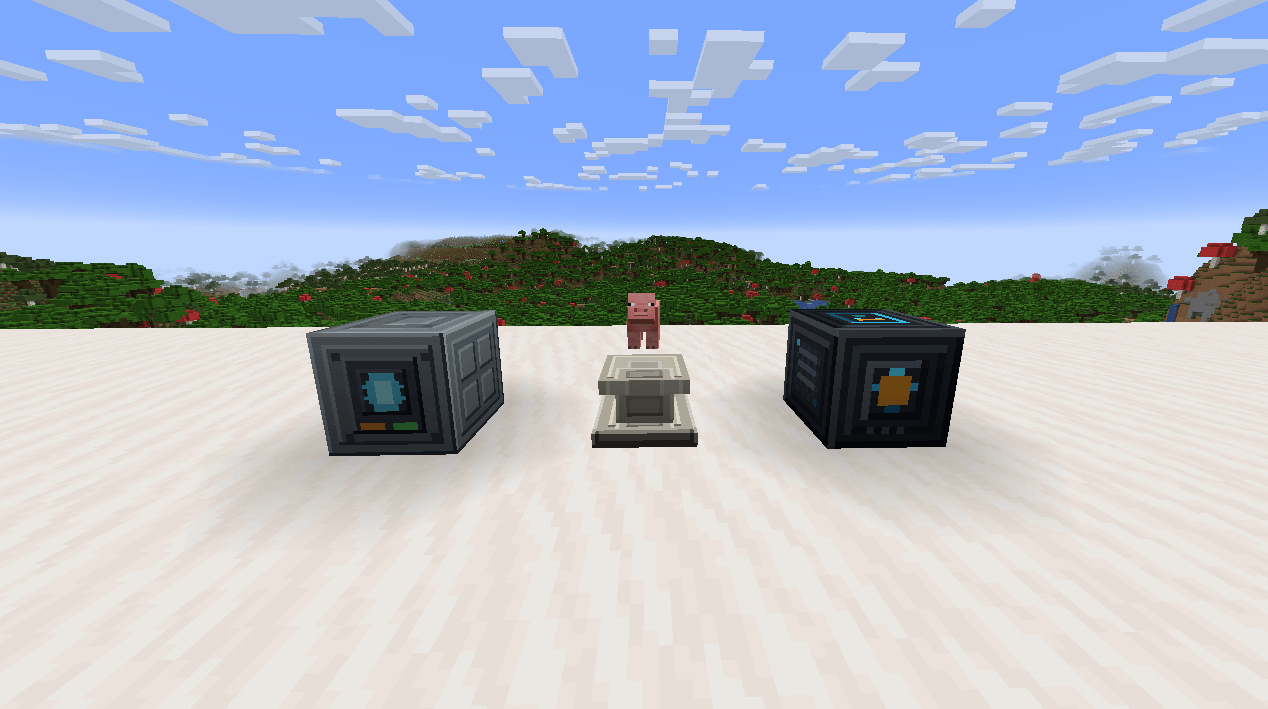 Block Showcase.png Block Showcase.png
 -
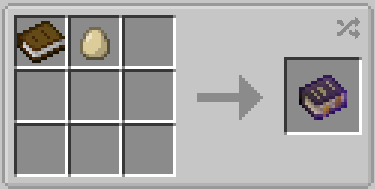 Guide Book.png Guide Book.png
 -
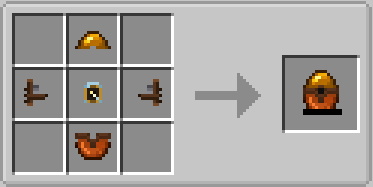 Capture Device.png Capture Device.png
 -
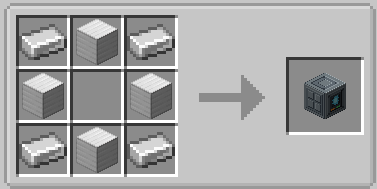 Capture Station.png Capture Station.png
 -
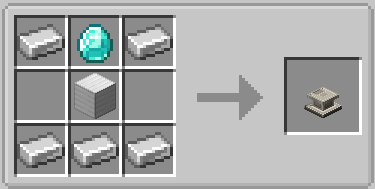 Display Pedestal.png Display Pedestal.png
 -
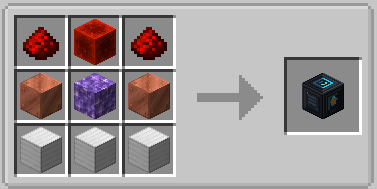 Charging Station.png Charging Station.png
 -
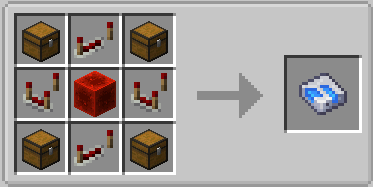 Mk1.png Mk1.png
 -
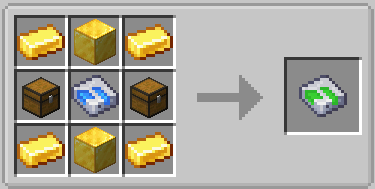 Mk2.png Mk2.png
 -
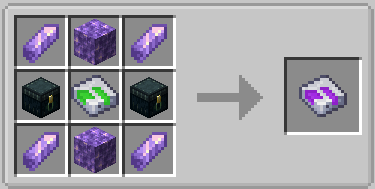 Mk3.png Mk3.png
 -
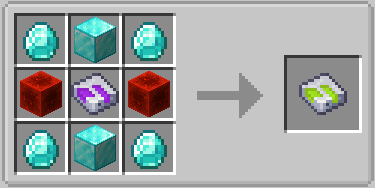 Mk4.png Mk4.png
 -
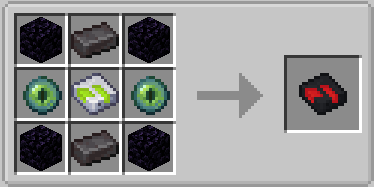 Mk5.png Mk5.png
-
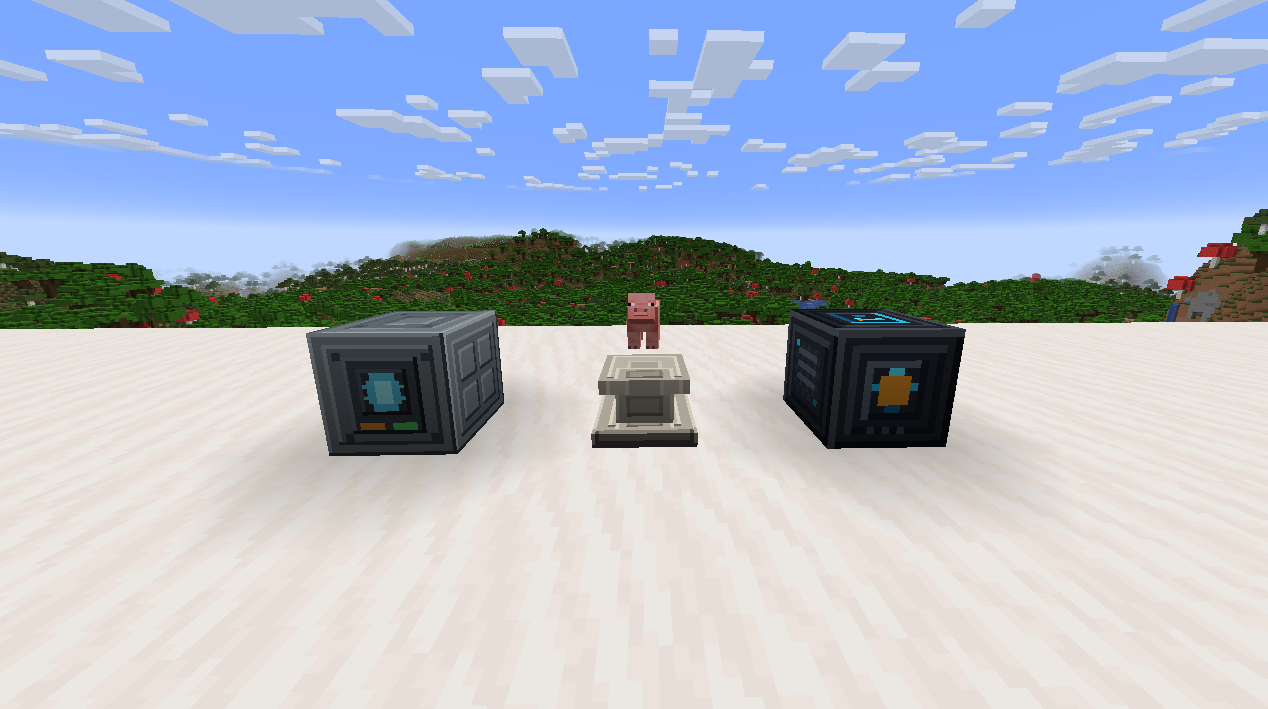 Block Showcase
 -
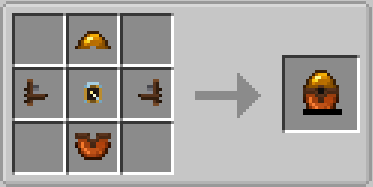 Capture Device
 -
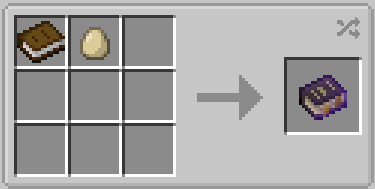 Guide Book
 -
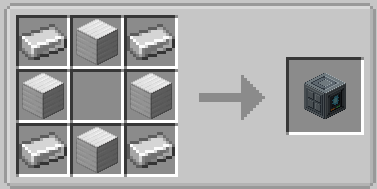 Capture Station
 -
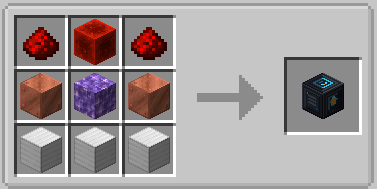 Charging Station
 -
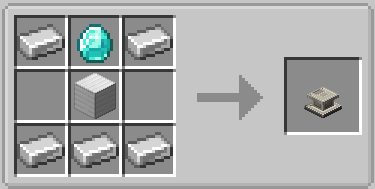 Display Pedestal
 -
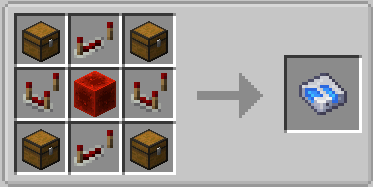 Storage Disk Mk.1
Versions
Files
Relations
Project Relations
More like this
Similar Mods
Suggestions use data such as tags, dependencies, dependents, descriptions, titles, and more to rank how much they overlap with this mod.
On ModDex
Community snapshot
By the numbers
Statistics
Want to reach Minecraft players?
We're looking for a server hosting partner to feature here and other parts of the site. Interested? Send us a message!
Get in touchGet it on
Available Platforms
On ModDex
Community snapshot
By the numbers
Statistics
Resources