
Community listing page, reviews here may not be monitored by the author.
Command Alchemy

No reviews yet
Combine items into new ones with /mix a polished recipe browser, in-GUI mixing workbench, per-player private recipes, and admin permission controls.
Community voices
Reviews
No reviews yet. Be the first to review this project!
Get it on
Available Platforms
About
Project Details
For authors
Embed Badge
If you're the author of this project, you can embed a live badge anywhere that supports HTML or Markdown. It updates automatically whenever ratings change.
Use HTML for any page that supports it, or Markdown for README files and Markdown-based descriptions.
Identifiers
Platform IDs
Resources
External Links
About
Description
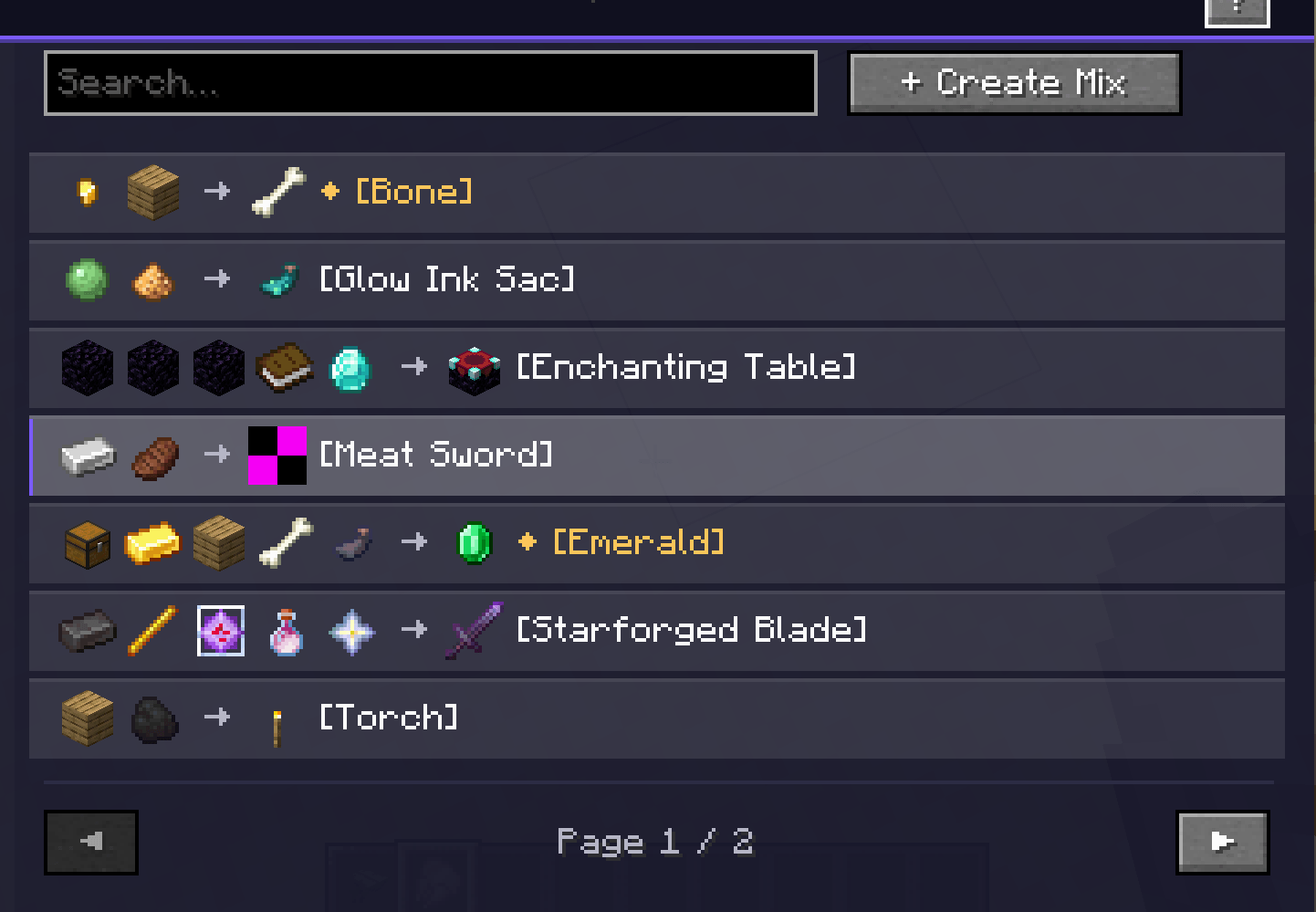
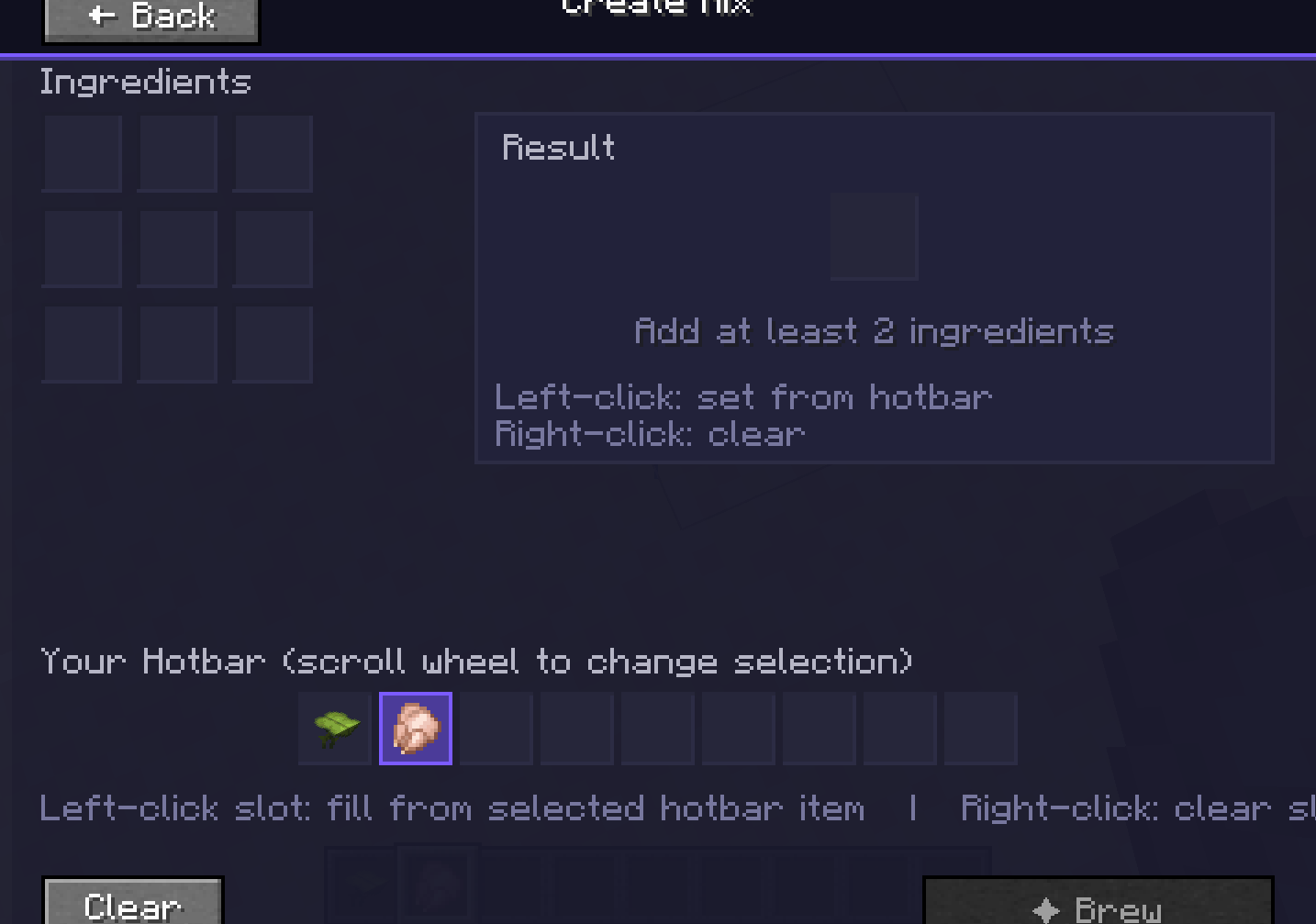
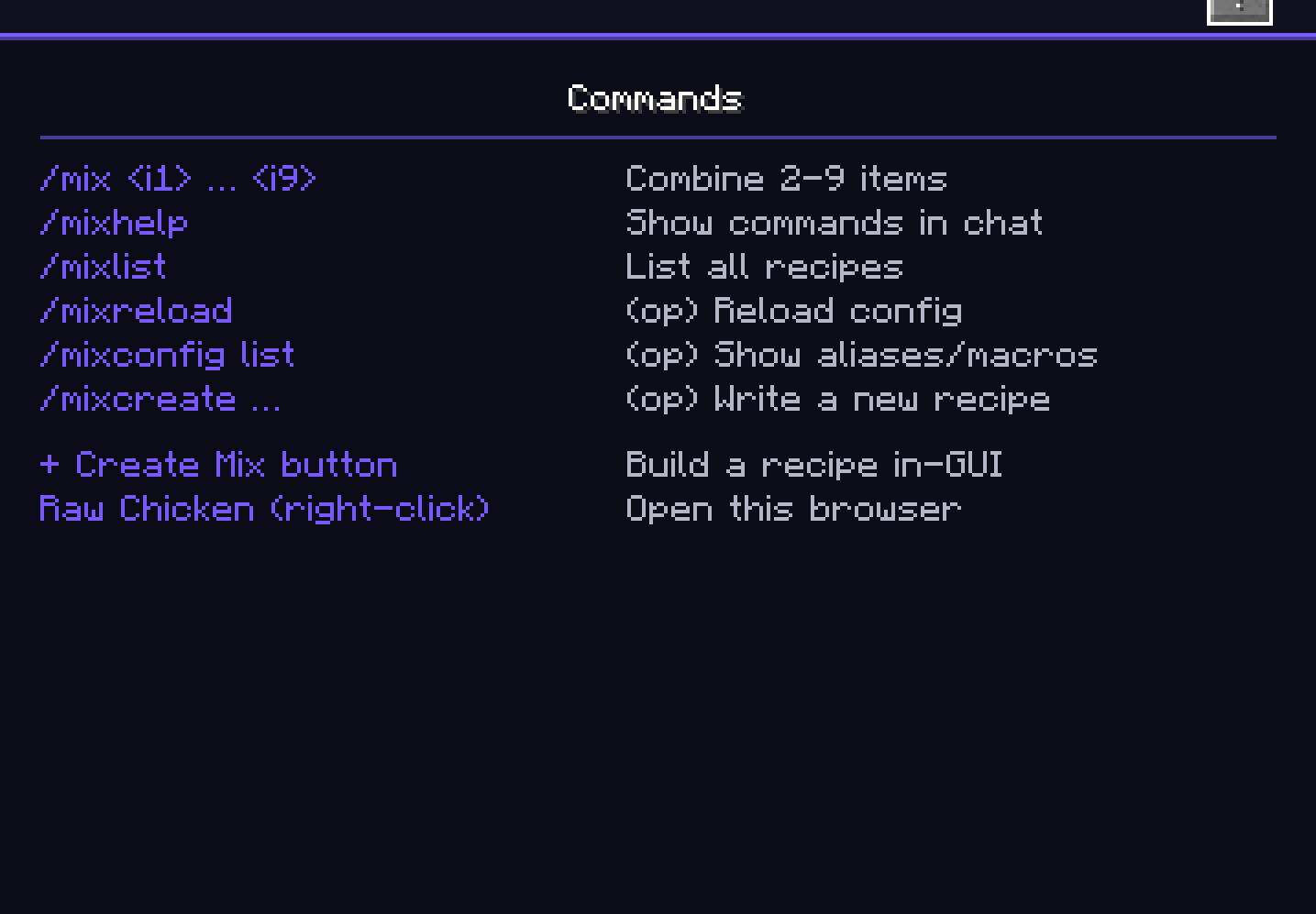
Command Alchemy A Minecraft mod that adds a custom crafting system using the /mix command. Combine items, create your own recipes, and share them with others. How It Works Use /mix to combine 2 to 9 items from your inventory. If they match a recipe, the ingredients are consumed and the result is added to your inventory. Right-click a raw chicken in your main hand to open the Recipe Browser (the chicken isn’t eaten). Features Recipe Browser Search recipes by ingredient or result name. Click any recipe to craft it instantly. Weighted recipes show a ◆ marker with a tooltip listing all possible outcomes and their odds. Includes animated transitions, hover highlights, and a help overlay listing every command. Mix Workbench Click “+ Create Mix” to open a 3×3 grid. Place ingredients from your hotbar, and the workbench previews the result (or shows “No matching recipe”). Brew with one click. Private Recipes Recipes you create are private by default. Use /mixshare to share with a specific player, /mixunshare to revoke, /mixmine to list yours, and /mixdelete to remove one. The browser marks shared recipes in violet and your own in green. Data-Driven Recipes Drop JSON files into the data folder to add recipes. Supports specific items, item tags, cross-mod items, single or weighted outputs, and custom names, lore, and enchantments. Permissions Server owners configure three tiers (Default, Trusted, Admin) under [permissions], each with its own crafting and management rights. Brew Feedback Successful brews show a green chat message with the item’s tooltip, play a brewing sound, and emit particles around your character. Custom Commands Define aliases, macros, and shortcuts in config/command_alchemy.toml. Sample Recipes • Meat Sword: Iron ingot + cooked beef = custom sword • Torch from Planks: Any planks + coal = 4 torches • Starforged Blade: 5 ingredients = named, lored, enchanted netherite sword • Grand Enchant: 5 ingredients = enchanting table • Gambler’s Pouch: Gold nugget + planks = weighted loot • Pirate’s Bounty: 5 ingredients = 6-tier weighted treasure Commands
| Command | Access | Purpose |
|---|---|---|
/mix |
Anyone | Combine items |
/mixhelp |
Anyone | List all commands |
/mixlist |
Anyone | List loaded recipes |
/mixmine |
Anyone | List your private recipes |
/mixcreate |
Anyone | Save a new private recipe |
/mixshare |
Owner | Share a recipe |
/mixunshare |
Owner | Unshare a recipe |
/mixdelete |
Owner | Delete a recipe |
/mixbrew |
Trusted+ | Brew a recipe |
/mixreload |
Admin/Op | Reload config |
/mixconfig |
Admin/Op | Show custom commands |
/mixadmin |
Admin/Op | Manage permissions |
Installation 1. Install Minecraft 1.21.1 2. Install NeoForge 21.1.224 3. Drop CA-1.1.0.jar into your mods folder 4. Launch the game and right-click a raw chicken to open the browser Compatibility
| Minecraft | 1.21.1 |
| NeoForge | 21.1.224 or newer |
| Java | 21 |
| Mod loader | NeoForge only |
| Side | Required on both client and server |
License MIT, free to use, modify, and redistribute with attribution.
Screenshots
Gallery
-
 {EF221130-F919-4DD9-855F-5BDF7744992D}.png {EF221130-F919-4DD9-855F-5BDF7744992D}.png
 -
 {E49B94B3-37FA-4688-B326-0ECCFDE3A234}.png {E49B94B3-37FA-4688-B326-0ECCFDE3A234}.png
 -
 {33145342-5B1D-415B-992F-51E6E90177AE}.png {33145342-5B1D-415B-992F-51E6E90177AE}.png
Versions
Files
Relations
Project Relations
More like this
Similar Mods
Suggestions use data such as tags, dependencies, dependents, descriptions, titles, and more to rank how much they overlap with this mod.
On ModDex
Community snapshot
By the numbers
Statistics
Want to reach Minecraft players?
We're looking for a server hosting partner to feature here and other parts of the site. Interested? Send us a message!
Get in touchGet it on
Available Platforms
On ModDex
Community snapshot
By the numbers
Statistics
Resources