
Command Blocks to Sign
No reviews yet
Convert command blocks to clickable signs by waxing a sign that has command blocks (max 4) behind it.
Data Packs were introduced to vanilla Minecraft in version 1.13 and allow the server to modify data about the game, or run commands. Data Packs are compatible with all mod loaders.
Forge is a popular mod loader for versions 1.1+ of Minecraft.
Neoforge is a fork of the Minecraft Forge available for versions 1.20.1+ of Minecraft. Many Forge mods are compatible with Neoforge and vice versa.
Fabric is a mod loader for versions 1.14+ of Minecraft, particularly popular for client side and optimization mods.
Quilt is a fork of the Fabric mod loader. Many Fabric mods are compatible with Quilt and vice versa.
Community voices
Reviews
Click once to include, again to exclude, again to clear
No reviews yet. Be the first to review this project!
Get it on
Available Platforms
 Modrinth
Compatibility
Supported Environments
About
Project Details
For authors
Embed Badge
If you're the author of this project, you can embed a live badge anywhere that supports HTML or Markdown. It updates automatically whenever ratings change.
Use HTML for any page that supports it, or Markdown for README files and Markdown-based descriptions.
Identifiers
Platform IDs
About
Description
Command Blocks to Sign
Transform your command blocks into clickable signs!
⚙️ Server side!
If you only install this datapack/mod on your server/LAN, it will work for everyone else without them needing to install it!
📖 Instructions:
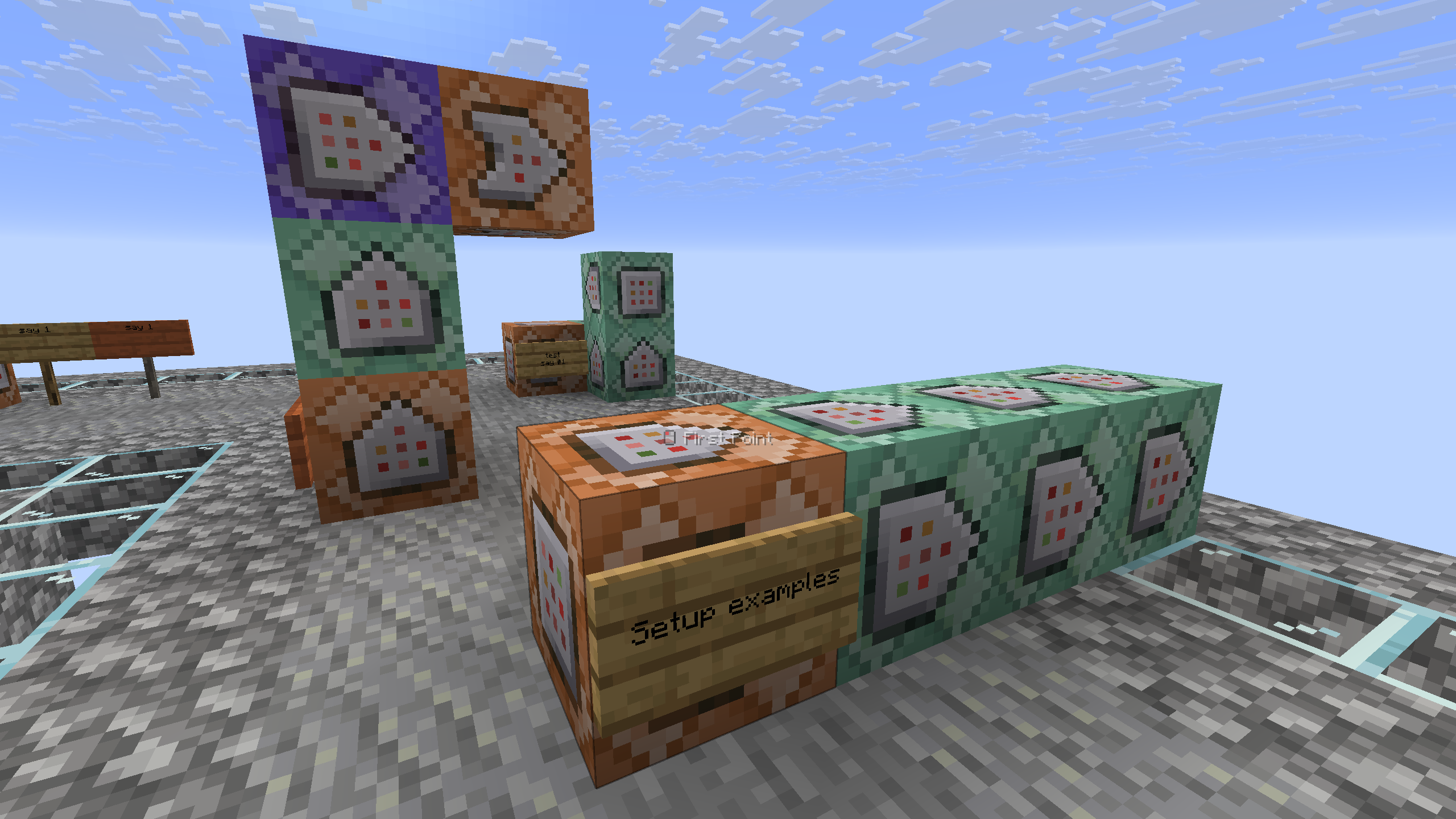
- Place a sign on the side of the command block that you want to convert, with a maximum of 4 command blocks. (They must be facing one to another).
- Take a honeycomb and right click the sign to wax it. (The wax will be removed)
- That's it! Your sign is ready.
The system only reacts if the sign is on a command block, otherwise it will do nothing and the waxing of the sign will act as usual.
⤵️ Installation:
Datapack:
Download the latest release and put the datapack .zip file into the datapacks folder of your Minecraft world.
Mod:
Download the latest release and put the mod .jar file into the mods folder of your Minecraft game.
✍️ Feedback, Questions & Suggestions
I'm always listening! If you happen to have questions, suggestions or just encountered a bug, then feel free to join my discord server to ask for help in the "mods and datapacks" section. Click to join the server
Screenshots
Gallery
-
 Setup examples
 -
 Thumbnail
Versions
Files
Relations
Project Relations
More like this
Similar Mods
Suggestions use data such as tags, dependencies, dependents, descriptions, titles, and more to rank how much they overlap with this mod.
On ModDex
Community snapshot
By the numbers
Statistics

Want to reach Minecraft players?
We're looking for a server hosting partner to feature here and other parts of the site. Interested? Send us a message!
Get in touchGet it on
Available Platforms
On ModDex
Community snapshot
By the numbers