Command Books
No reviews yet
Save command macros, and run them on a simple item use.
Fabric is a mod loader for versions 1.14+ of Minecraft, particularly popular for client side and optimization mods.
Community voices
Reviews
Click once to include, again to exclude, again to clear
No reviews yet. Be the first to review this project!
Get it on
Available Platforms
 Modrinth
Compatibility
Supported Environments
About
Project Details
For authors
Embed Badge
If you're the author of this project, you can embed a live badge anywhere that supports HTML or Markdown. It updates automatically whenever ratings change.
Use HTML for any page that supports it, or Markdown for README files and Markdown-based descriptions.
Identifiers
Platform IDs
About
Description
Command books
Mostly intended for creative or development purposes. This is similar in spirit to using a chain of command blocks, but more portable and easier setup.
Usage
Write commands into a book-and-quill, one command per lines. To execute the commands, hold the book in your off-hand, and use a stick in your main hand. All commands are run in succession, even if one fails along the way.
The book's user is considered the source of the commands. Usage of books can be locked behind a specific permission level; by default 2 (Game Master).
in v2 (MC 1.21.5), command books are separate from regular book and quils, and are found in the creative inventory under the operator tab. Those require a Debug Stick instead of a regular stick.
Environment
Core functionalities are fully server-side
Client-side installation is recommended to avoid opening the book every time you execute it. It is useless to players without permissions to execute books.
Screenshots
Gallery
-
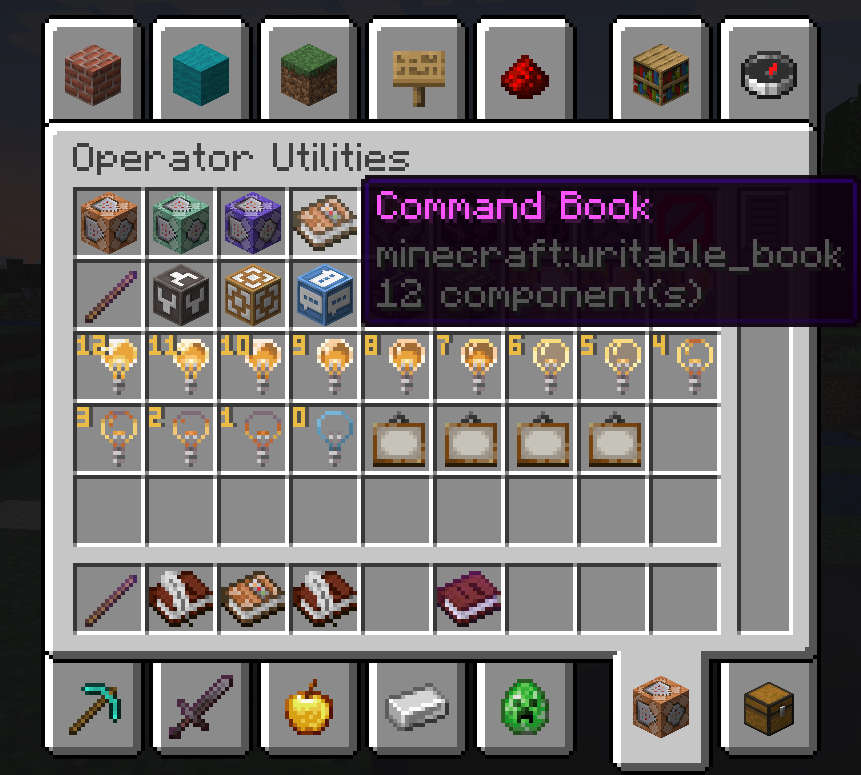 Creative Inventory (v2) v1 uses regular book and quils instead.
 -
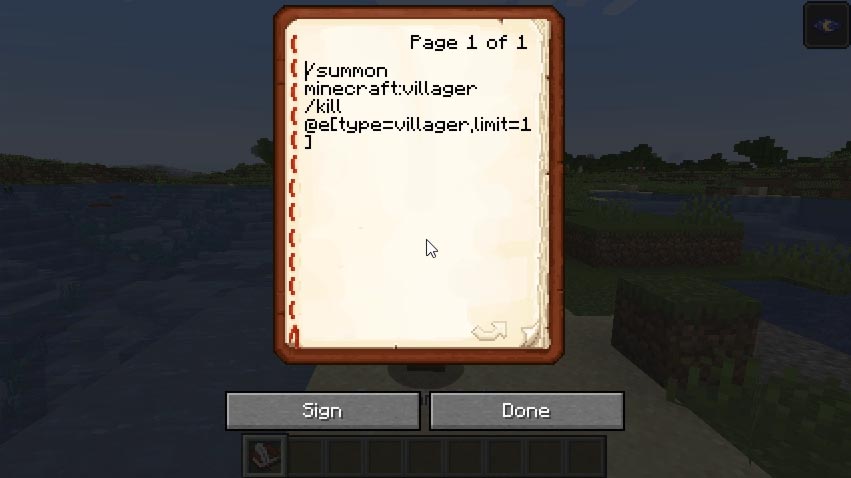 Command Example One command per line. Lines that are automatically wrapped still count as a single line, so long as you don't manually insert a newline character.
 -
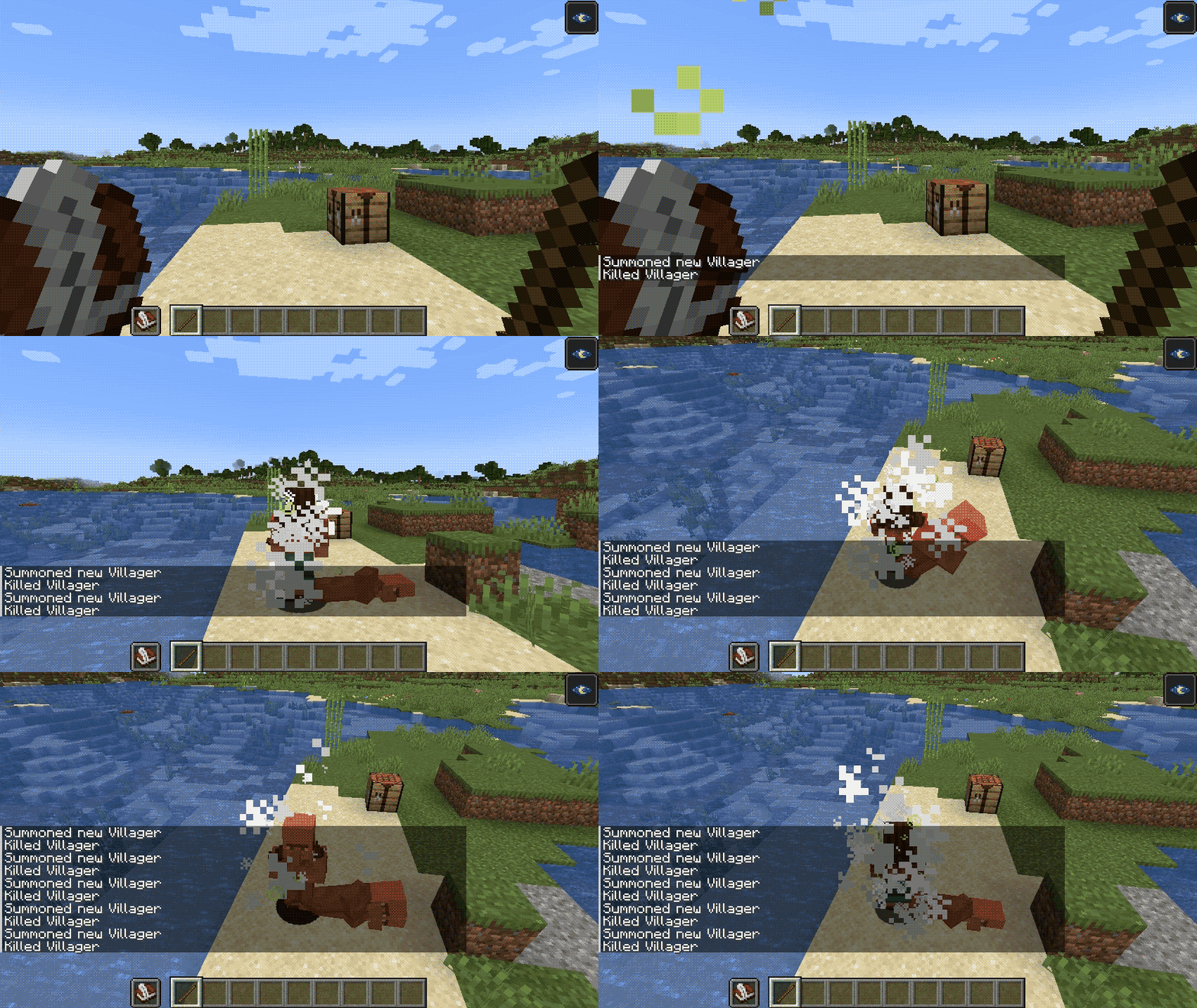 Book Usage To execute, hold the book in your off-hand, and a stick (v1) or a debug stick (v2) in your main hand.
Versions
Files
Relations
Project Relations
More like this
Similar Mods
Suggestions use data such as tags, dependencies, dependents, descriptions, titles, and more to rank how much they overlap with this mod.
On ModDex
Community snapshot
By the numbers
Statistics

Want to reach Minecraft players?
We're looking for a server hosting partner to feature here and other parts of the site. Interested? Send us a message!
Get in touchGet it on
Available Platforms
On ModDex
Community snapshot
By the numbers