
Command Debug Service
No reviews yet
This is a mod that provides a method to execute and debug Minecraft commands by external programs. It is used to be a command debug connect kit between Minecraft and external programs.
Community voices
Reviews
Click once to include, again to exclude, again to clear
No reviews yet. Be the first to review this project!
Get it on
Available Platforms
 Modrinth
Compatibility
Supported Environments
About
Project Details
For authors
Embed Badge
If you're the author of this project, you can embed a live badge anywhere that supports HTML or Markdown. It updates automatically whenever ratings change.
Use HTML for any page that supports it, or Markdown for README files and Markdown-based descriptions.
Identifiers
Platform IDs
About
Description
Command Debug Service




Introduction
This mod is a subproject of Command Debug DevKit. It is designed for optimized Minecraft command coding and debugging by connect to external editor or IDE. This Command Debug DevKit project is replacement of Minecraft Command Studio with more lightweight file size and better scalability, therefore, it is more suitable for develops to carry out secondary development.
Setup
- Install Minecraft with
Fabric/QuiltLoader and Fabric API/Quilted Fabric API for your Minecraft version. - Download the mod.
- Put the mod into your
modsfolder.
Usage
-
My most recommanded approach is to use the IntelliJ IDEA Plugin with this mod. So before using this mod, you should install IntelliJ IDEA Community or Ultimate, or install other JetBrains IDE except Rider. Then download the plugin from my GitHub Releases or JetBrains Marketplace.
-
Start your IDE, create or open a project, then create or open a file with suffix
.mcfunction. -
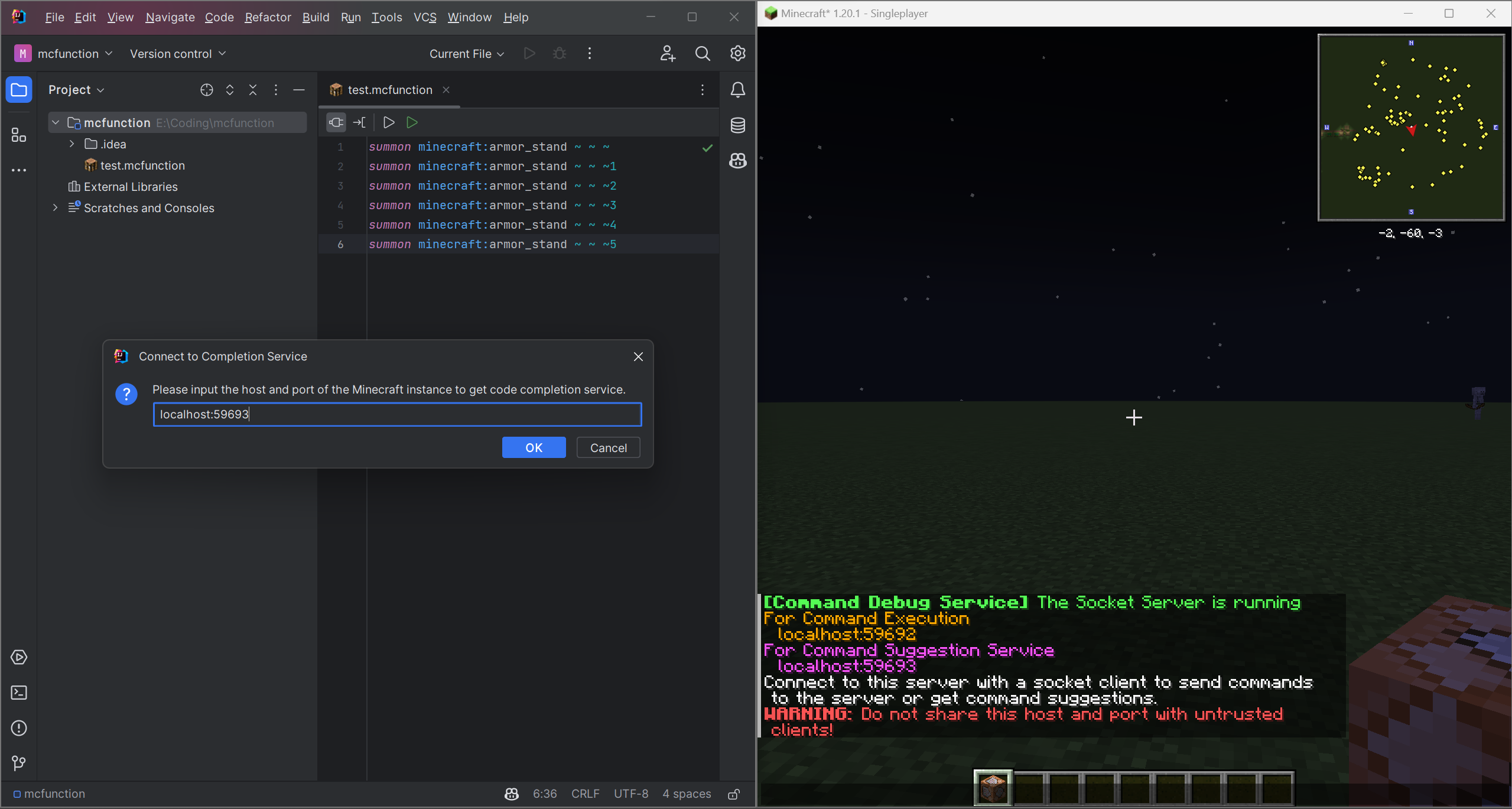
Start your Minecraft game and join a world. The mod will create two socket server and show the host and port information in the game chat.
-
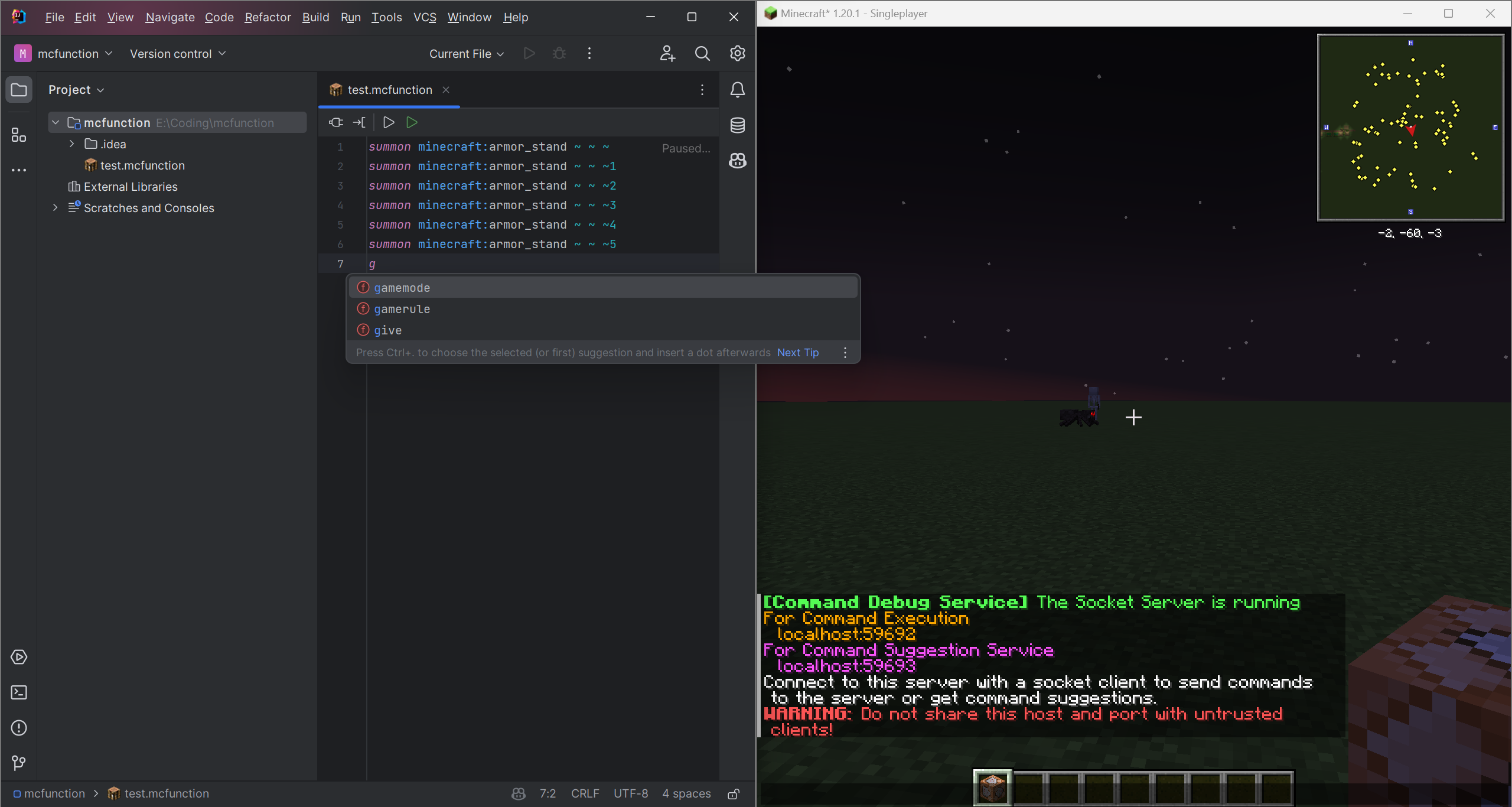
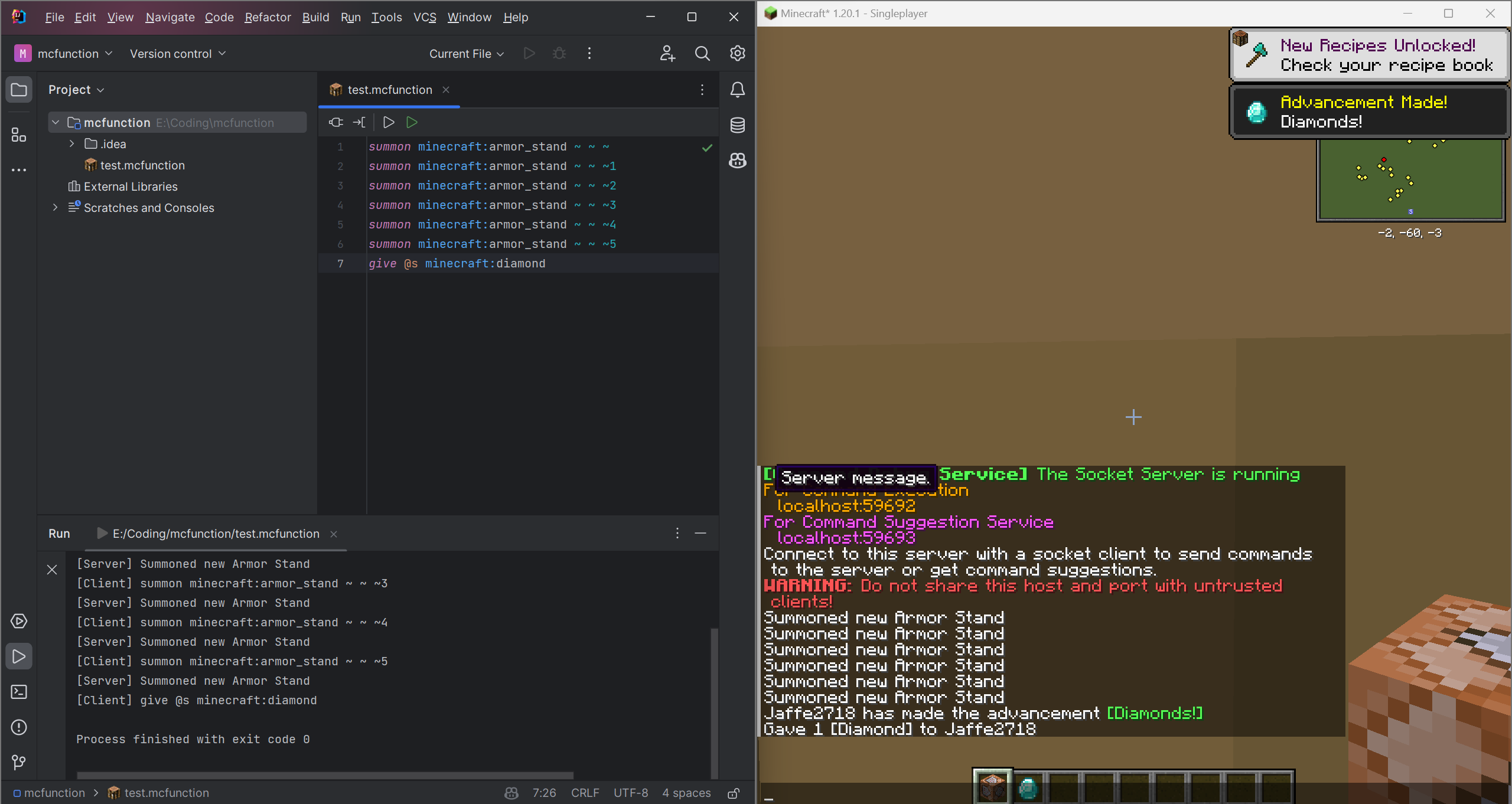
Connect to these two socket servers by entering the host and port which shown in the game chat. Then you can use the code completion and code execution service.

Info
This project is licensed under the MIT License.
You can use this project for any purpose for free.
See the LICENSE file for details.
Currently, this project is still in development. If you have any idea or suggestion, please open an issue or pull request.
And the plugin is only for IntelliJ Platform IDEs, if you want to use other IDEs such as Eclipse and VSCode, you can create a plugin for it and pull request to this project.
What's more, the mod is only for Fabric and Quilt currently, you can rewrite it for Forge or other mod loaders and pull request to this project.
I will be very grateful if you can help me to improve this project.
For more infomation, please visit Command Debug DevKit
Screenshots
Gallery
Versions
Files
Relations
Project Relations
More like this
Similar Mods
Suggestions use data such as tags, dependencies, dependents, descriptions, titles, and more to rank how much they overlap with this mod.
On ModDex
Community snapshot
By the numbers
Statistics

Want to reach Minecraft players?
We're looking for a server hosting partner to feature here and other parts of the site. Interested? Send us a message!
Get in touchGet it on
Available Platforms
On ModDex
Community snapshot
By the numbers