
Community listing page, reviews here may not be monitored by the author.
Command Helper Mod


No reviews yet
This mod helps players who want to explore the versatility of Minecraft commands without reading long documentation.
Community voices
Reviews
No reviews yet. Be the first to review this project!
Get it on
Available Platforms
Compatibility
Supported Environments
Runs entirely on the client. Works on vanilla servers.
About
Project Details
For authors
Embed Badge
If you're the author of this project, you can embed a live badge anywhere that supports HTML or Markdown. It updates automatically whenever ratings change.
Use HTML for any page that supports it, or Markdown for README files and Markdown-based descriptions.
Identifiers
Platform IDs
About
Description
Explore Minecraft commands quickly and easily! Command Helper displays concise command information right in your HUD, helping you understand parameters and usage without reading long documentation.
Features
Hold Alt (or any key you set in Keybinds) to show a tooltip at your cursor, which displays information about the command you're trying to run. Info includes what the command will do and its parameters.
Ask the assistant
In the help window, you'll find an Ask Assistant button. By entering your own Gemini API key, you can chat directly with the AI in-game to get help with commands and parameters.
(Note: To use this feature, you must acknowledge the geolocational availability and agree to Google's Privacy Policy and Terms of Service).
Important Disclaimer
The AI features are powered by Google's Gemini 2.0 Flash model. To comply with the Minecraft EULA and standard platform guidelines, you must provide your own API key – we cannot bundle a shared or developer API key with the mod.
Privacy & Data Security: Your API key is stored safely on your local machine and is only used to communicate with Google's servers. When you use the assistant, only your written prompt, your current Minecraft version, and your local time/date are sent to Google to provide accurate context. Absolutely no data is collected by the mod creators, and nothing is shared with any other third parties.
Don't know how to get an API key?
Check the mod's website for more information.
Collaboration
Other developers can use Command Helper to display help information for their custom commands too. Visit the GitHub site for more information.
Explore Minecraft commands quickly and easily! Command Helper displays concise command information right in your HUD, helping you understand parameters and usage without reading long documentation.
Features
Hold Alt (or any key you set in Keybinds) to show a tooltip at your cursor, which displays information about the command you're trying to run. Info includes what the command will do and its parameters.
Ask the assistant
In the help window, you'll find an Ask Assistant button. By entering your own Gemini API key, you can chat directly with the AI in-game to get help with commands and parameters.
(Note: To use this feature, you must acknowledge the geolocational availability and agree to Google's Privacy Policy and Terms of Service).
Important Disclaimer
The AI features are powered by Google's Gemini 2.0 Flash model. To comply with the Minecraft EULA and standard platform guidelines, you must provide your own API key – we cannot bundle a shared or developer API key with the mod.
Privacy & Data Security: Your API key is stored safely on your local machine and is only used to communicate with Google's servers. When you use the assistant, only your written prompt, your current Minecraft version, and your local time/date are sent to Google to provide accurate context. Absolutely no data is collected by the mod creators, and nothing is shared with any other third parties.
Don't know how to get an API key?
Check the mod's website for more information.
Collaboration
Other developers can use Command Helper to display help information for their custom commands too. Visit the GitHub site for more information.
Screenshots
Gallery
-
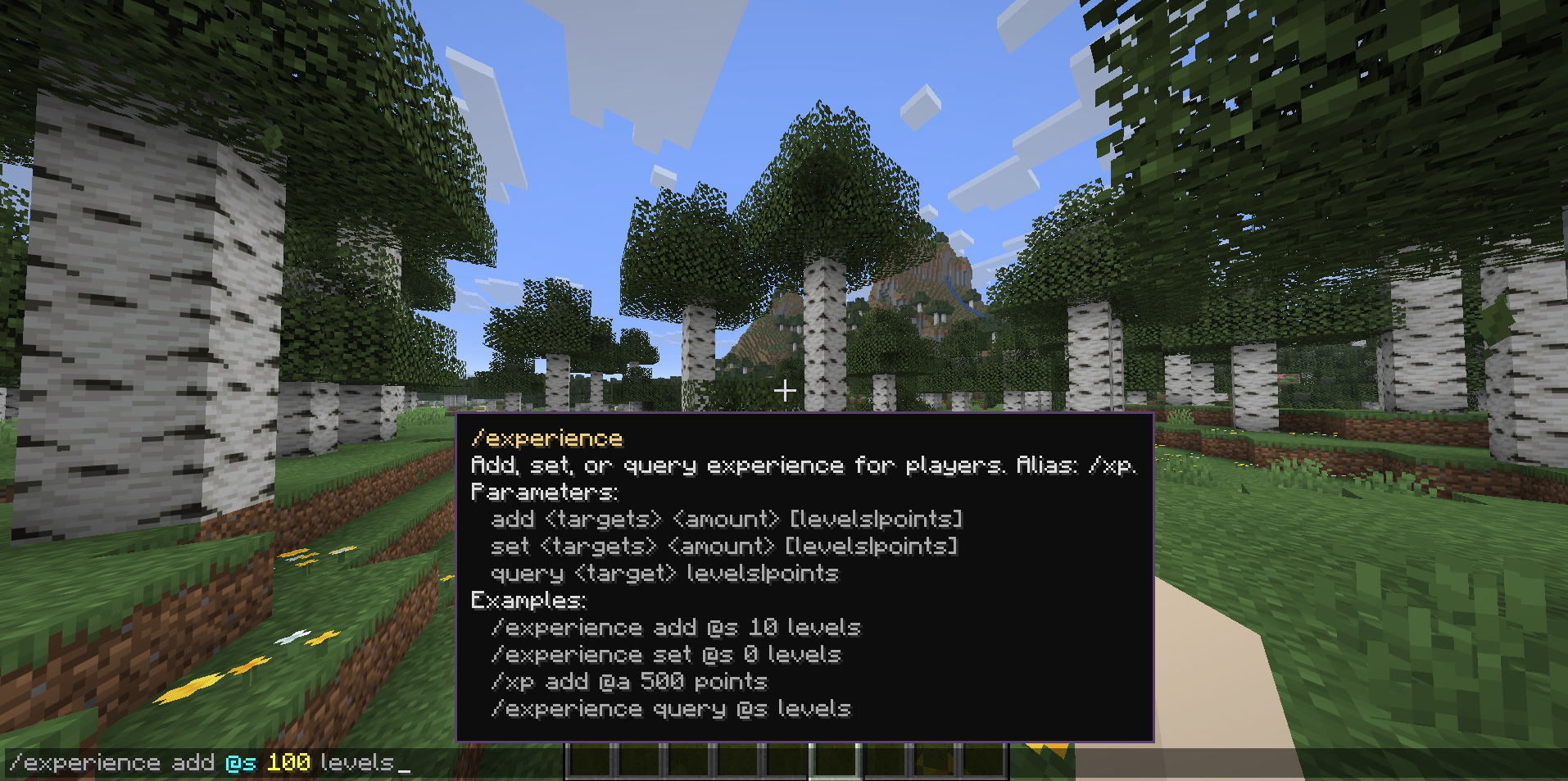 Experience help window This picture shows the help window for the /experience command.
 -
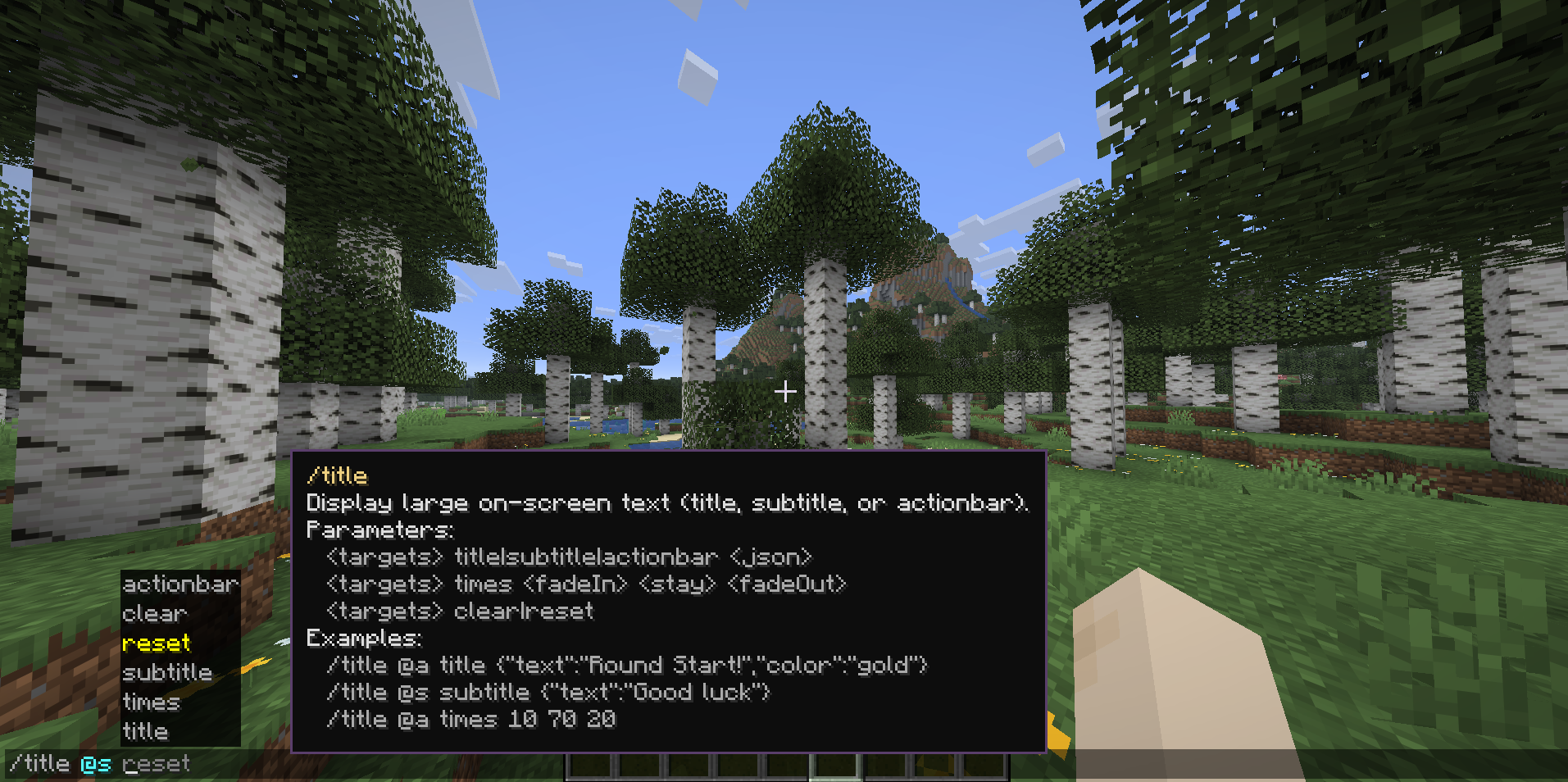 Title help window This picture shows the help window for the /title command.
 -
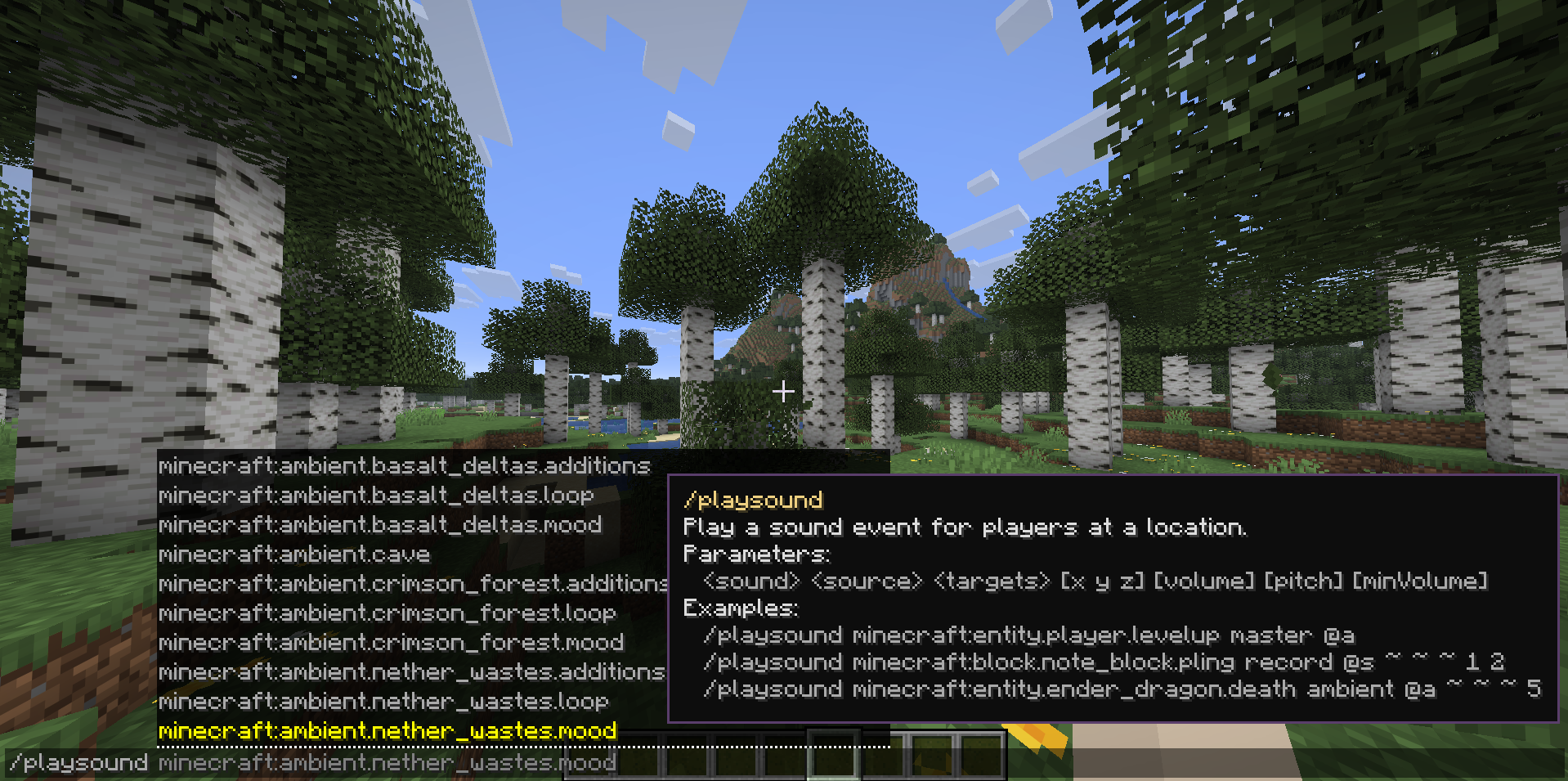 Playsound help window This picture shows the help window for the /playsound command.
Versions
Files
Relations
Project Relations
More like this
Similar Mods
Suggestions use data such as tags, dependencies, dependents, descriptions, titles, and more to rank how much they overlap with this mod.
On ModDex
Community snapshot
By the numbers
Statistics
Want to reach Minecraft players?
We're looking for a server hosting partner to feature here and other parts of the site. Interested? Send us a message!
Get in touchGet it on
Available Platforms
On ModDex
Community snapshot
By the numbers