Community listing page, reviews here may not be monitored by the author.
Command Macros


No reviews yet
Create keybinds for commands!
Community voices
Reviews
No reviews yet. Be the first to review this project!
Get it on
Available Platforms
Compatibility
Supported Environments
Runs entirely on the client. Works on vanilla servers.
About
Project Details
For authors
Embed Badge
If you're the author of this project, you can embed a live badge anywhere that supports HTML or Markdown. It updates automatically whenever ratings change.
Use HTML for any page that supports it, or Markdown for README files and Markdown-based descriptions.
Identifiers
Platform IDs
About
Description
Command Macros

Have a command you commonly use? Tired of repeatedly typing it in over and over? Wouldn't it be easier to press a key on your keyboard to run the command?
How to add a macro:
- Edit the config
- Opening the config menu with Mod Menu.
- Typing the following command : "/Cmdkeybinds showconfig"
- Using the keybind. Editable though the controls screen or the command macros config. By default it is unbound
Command Macros provides a quick and easy method of creating and running macros.
Creating a macros is as easy as specifying the command, and the key to trigger the command.
Restart not required! Editing/Creating a macro takes effect instantly, no need to relaunch.
Keys are not limited to a single macro, multiple macros can be bound to the same key to have multiple commands run at once.
Different Types of Macros:
- Delayed Macro: Command has a configurable delay between key press and execution.
- Repeating Macro: Command while auto repeat while holding down the key. Delay configurable
- Toggled Repeating: Same as Repeating but the key press acts as a toggle, allowing the command to repeat without holding down the key
- RunNTimes(New in 1.6.0!): Command will run N times when pressed. Delay between runs is configurable
- Single use Macro: Command will only execute once per key press
- Display only Macro: Chat screen will be opened and command will be typed in without being executed
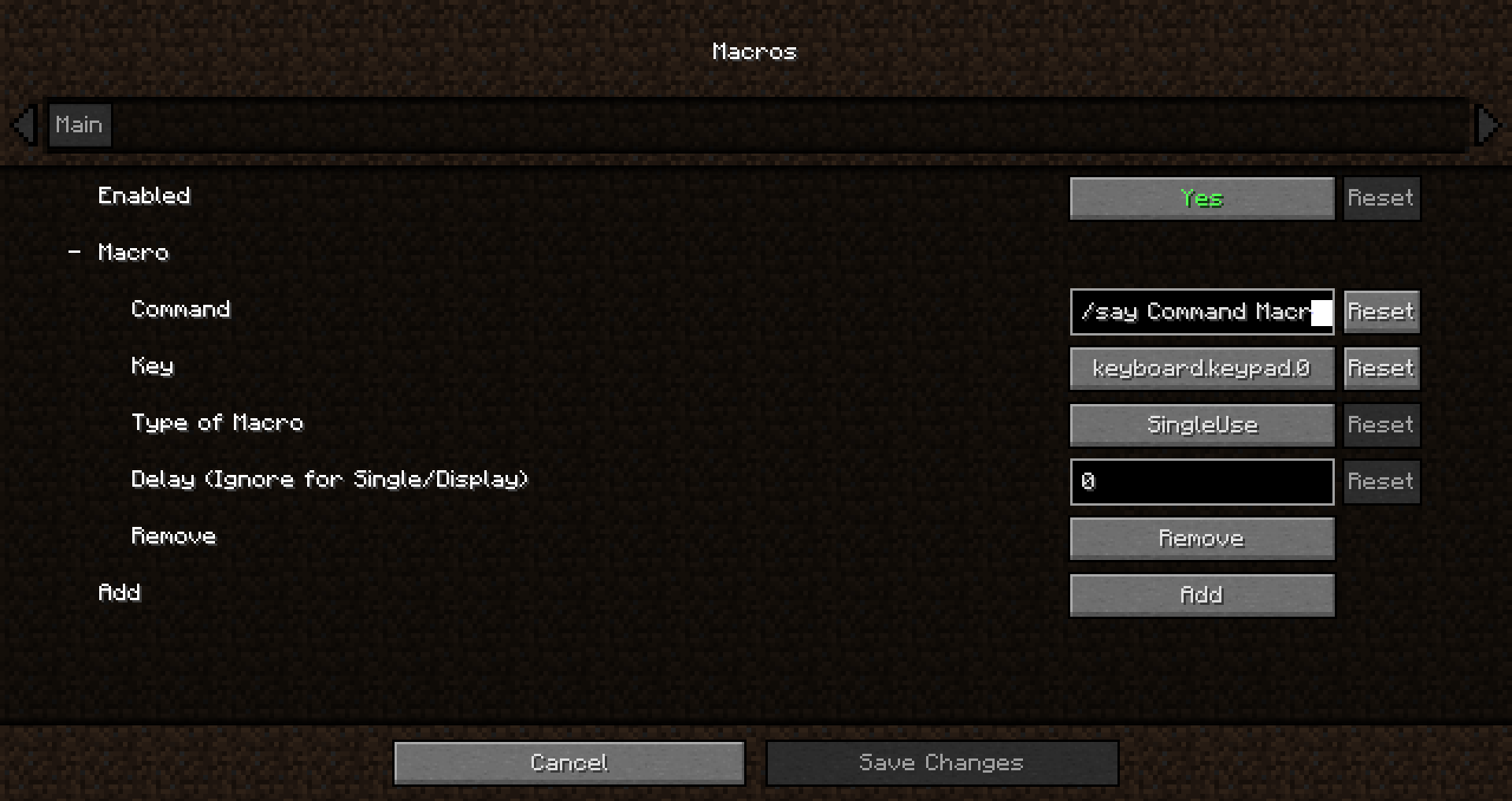
Command Macros
Have a command you commonly use? Tired of repeatedly typing it in over and over? Wouldn't it be easier to press a key on your keyboard to run the command?
How to add a macro:
- Edit the config
- Opening the config menu with Mod Menu.
- Typing the following command : "Cmdkeybinds showconfig"
- Using the keybind. Editable though the controls screen or the command macros config. By default it is unbound
Command Macros provides a quick and easy method of creating and running macros.
Creating a macros is as easy as specifying the command, and the key to trigger the command.
Restart not required! Editing/Creating a macro takes effect instantly, no need to relaunch.
Keys are not limited to a single macro, multiple macros can be bound to the same key to have multiple commands run at once.
Different Types of Macros:
-
Delayed Macro: Command has a configurable delay between key press and execution.
-
Repeating Macro: Command while auto repeat while holding down the key. Delay configurable
-
Toggled Repeating: Same as Repeating but the key press acts as a toggle, allowing the command to repeat without holding down the key
-
RunNTimes(New in 1.6.0!): Command will run N times when pressed. Delay between runs is configurable
-
Single use Macro: Command will only execute once per key press
-
Display only Macro: Chat screen will be opened and command will be typed in without being executed
Screenshots
Gallery
-
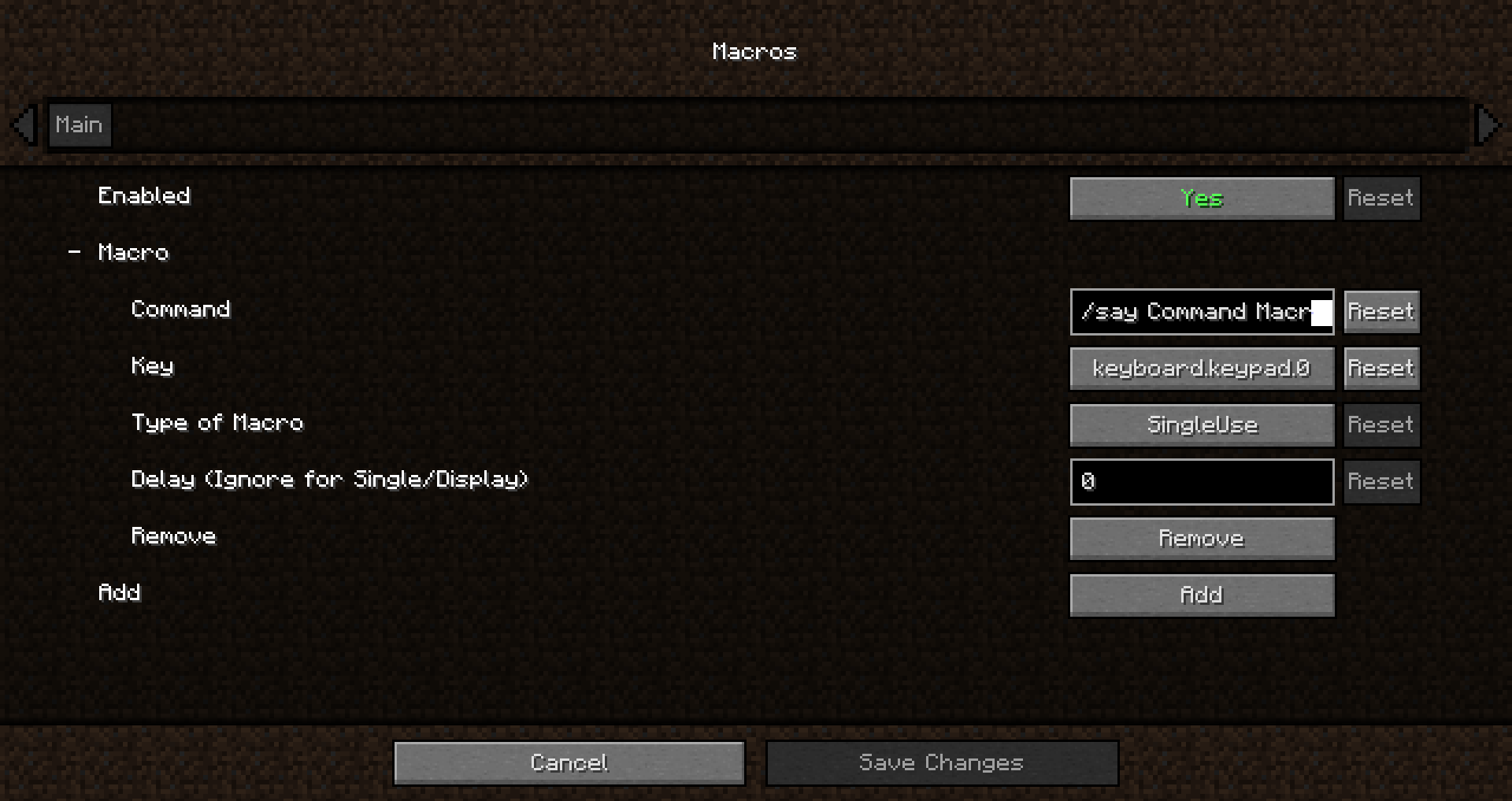 Config Screen 2
 -
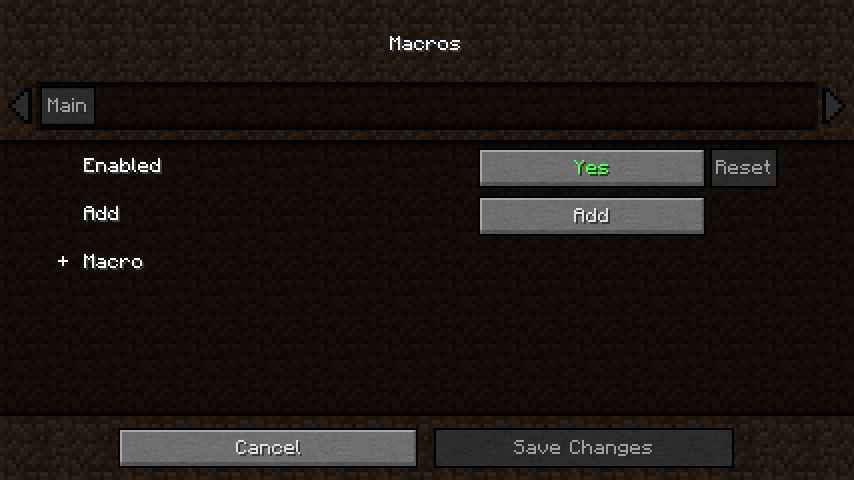 Config Screen
Versions
Files
Relations
Project Relations
More like this
Similar Mods
Suggestions use data such as tags, dependencies, dependents, descriptions, titles, and more to rank how much they overlap with this mod.
On ModDex
Community snapshot
By the numbers
Statistics
Want to reach Minecraft players?
We're looking for a server hosting partner to feature here and other parts of the site. Interested? Send us a message!
Get in touchGet it on
Available Platforms
On ModDex
Community snapshot
By the numbers