
Community listing page, reviews here may not be monitored by the author.
CommandCrafter


No reviews yet
Useful Minecraft command tools in a Fabric mod and VSCode Extension (syntax highlighting, completion, debugging, etc.)
Community voices
Reviews
No reviews yet. Be the first to review this project!
Get it on
Available Platforms
Compatibility
Supported Environments
Works on the client or the server alone, but does more when on both.
About
Project Details
For authors
Embed Badge
If you're the author of this project, you can embed a live badge anywhere that supports HTML or Markdown. It updates automatically whenever ratings change.
Use HTML for any page that supports it, or Markdown for README files and Markdown-based descriptions.
Identifiers
Platform IDs
About
Description


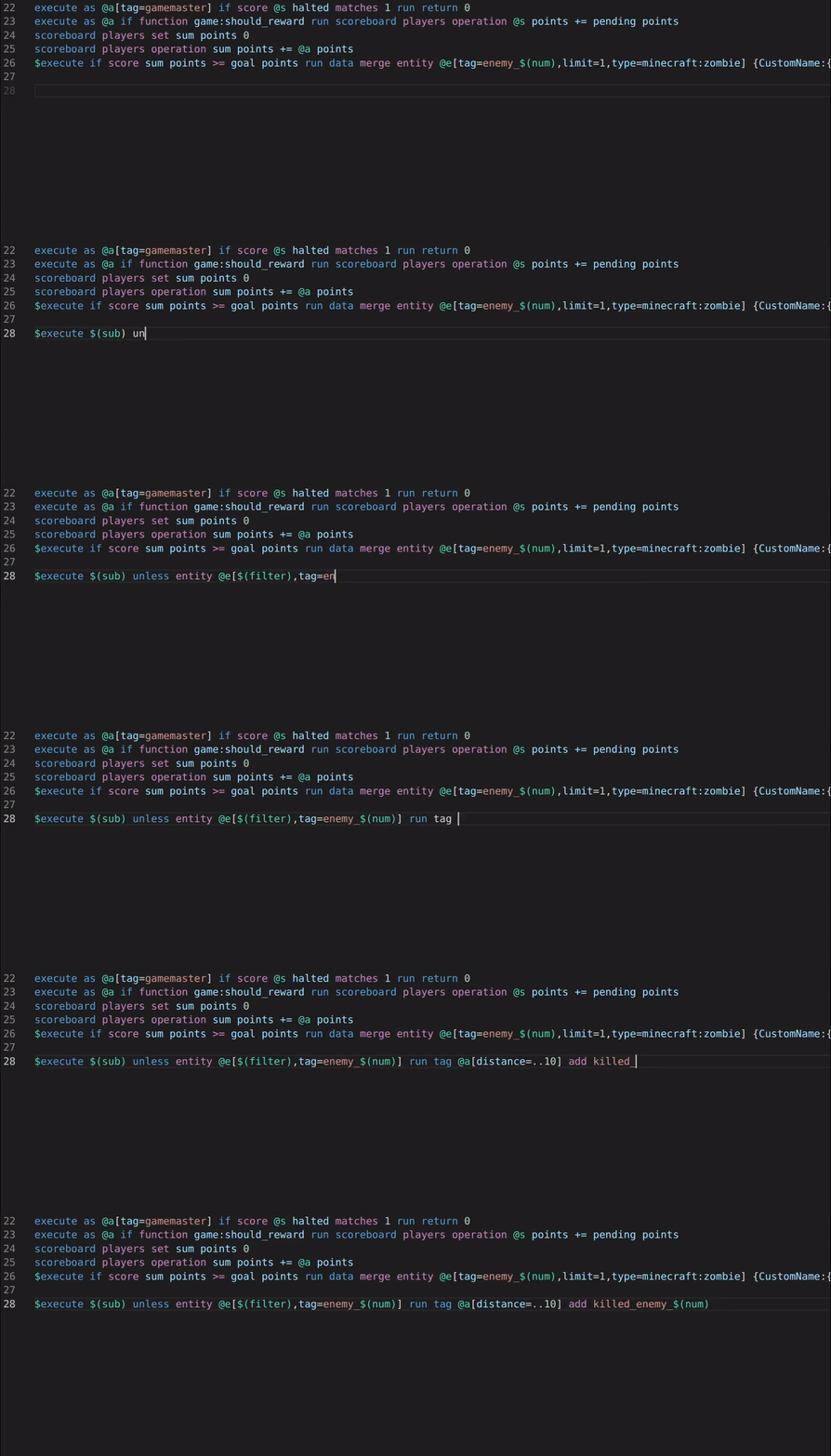
This mod and the corresponding CommandCrafter VSCode extension connects your editor to Minecraft, giving you lots of useful features for datapacks, such as:
- Syntax Highlighting (including macros)
- Auto-completion
- Error checking
- A debugger that lets you set breakpoints and step through functions and evaluate arguments while paused
- Viewing and editing scoreboards/storages in your editor
- Viewing the client's and the server's log in your editor
- Reload datapacks, resourcepacks or shaders with VSCode commands (can be bound to keyboard shortcuts or configured to happen automatically upon saving a file)
CommandCrafter differs from traditional datapack extensions in that everything it does is provided by the mod, which means it can use all the data available inside Minecraft. For example the auto-completion for commands can for the most part use the vanilla suggestions, which means you see all scoreboards that exist in a world or all functions known to Minecraft. CommandCrafter can detect any commands or dynamic registries added by other mods as well. This connection to Minecraft is also what makes the debugger and other features, which require deep integration with Minecraft, possible.
Additionally, the mod includes an extension of the vanilla function syntax, which optionally makes it possible to write multiline commands without backslashes and write inline functions/tags. This new function syntax can be transpiled to a vanilla datapack by the mod using the /datapack build command.
For more info on how to use this mod, visit the Getting Started page on its wiki.

This mod and the corresponding CommandCrafter VSCode extension connects your editor to Minecraft, giving you lots of useful features for datapacks, such as:
- Syntax Highlighting (including macros)
- Auto-completion
- Error checking
- A debugger that lets you set breakpoints and step through functions and evaluate arguments while paused
- Viewing and editing scoreboards/storages in your editor
- Viewing the client's and the server's log in your editor
- Reload datapacks, resourcepacks or shaders with VSCode commands (can be bound to keyboard shortcuts or configured to happen automatically upon saving a file)
CommandCrafter differs from traditional datapack extensions in that everything it does is provided by the mod, which means it can use all the data available inside Minecraft. For example the auto-completion for commands can for the most part use the vanilla suggestions, which means you see all scoreboards that exist in a world or all functions known to Minecraft. CommandCrafter can detect any commands or dynamic registries added by other mods as well. This connection to Minecraft is also what makes the debugger and other features, which require deep integration with Minecraft, possible.
Additionally, the mod includes an extension of the vanilla function syntax, which optionally makes it possible to write multiline commands without backslashes and write inline functions/tags. This new function syntax can be transpiled to a vanilla datapack by the mod using the /datapack build command.
For more info on how to use this mod, visit the Getting Started page on its wiki.
Screenshots
Gallery
-
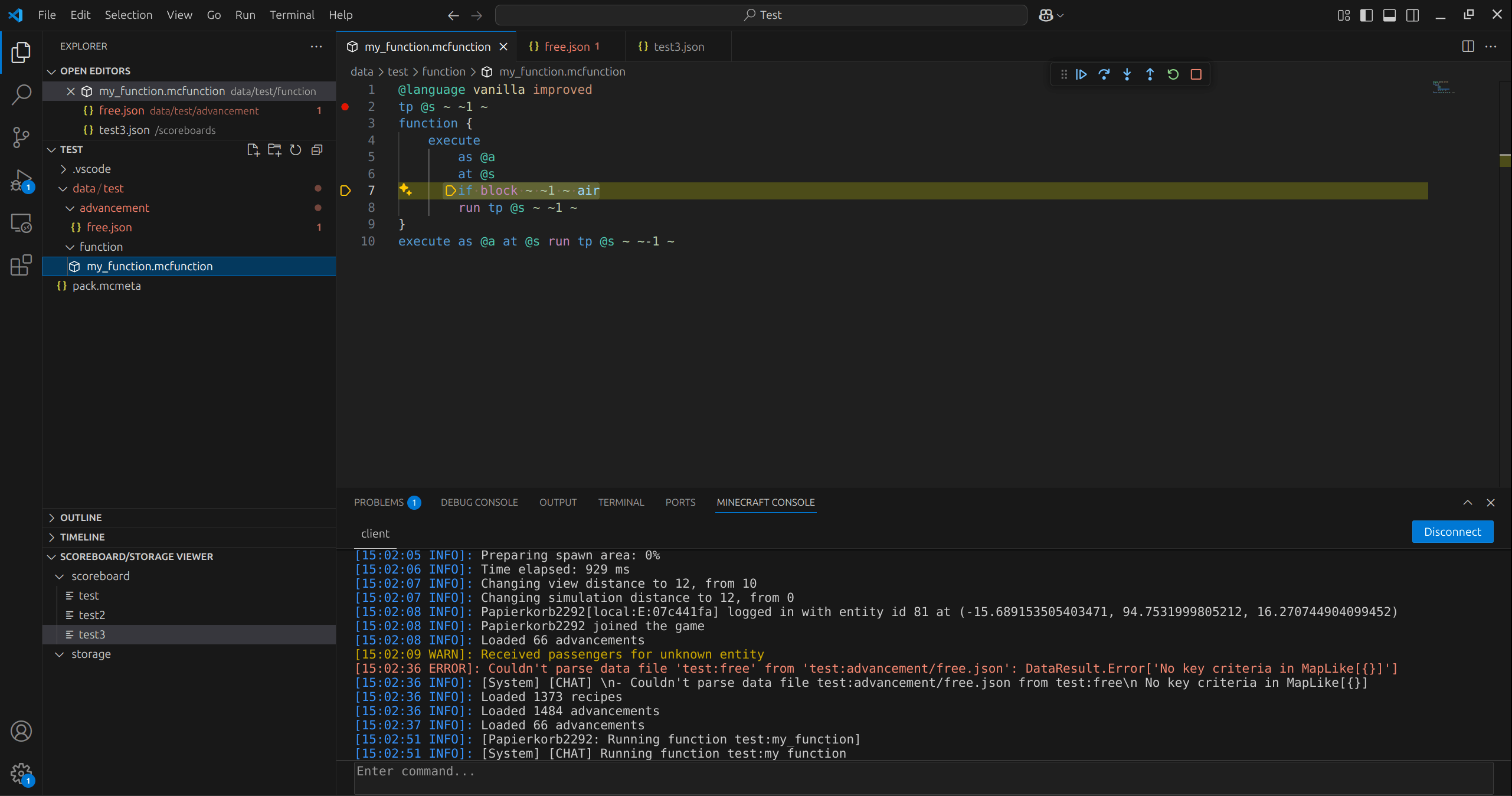 CommandCrafter CommandCrafter.png
 -
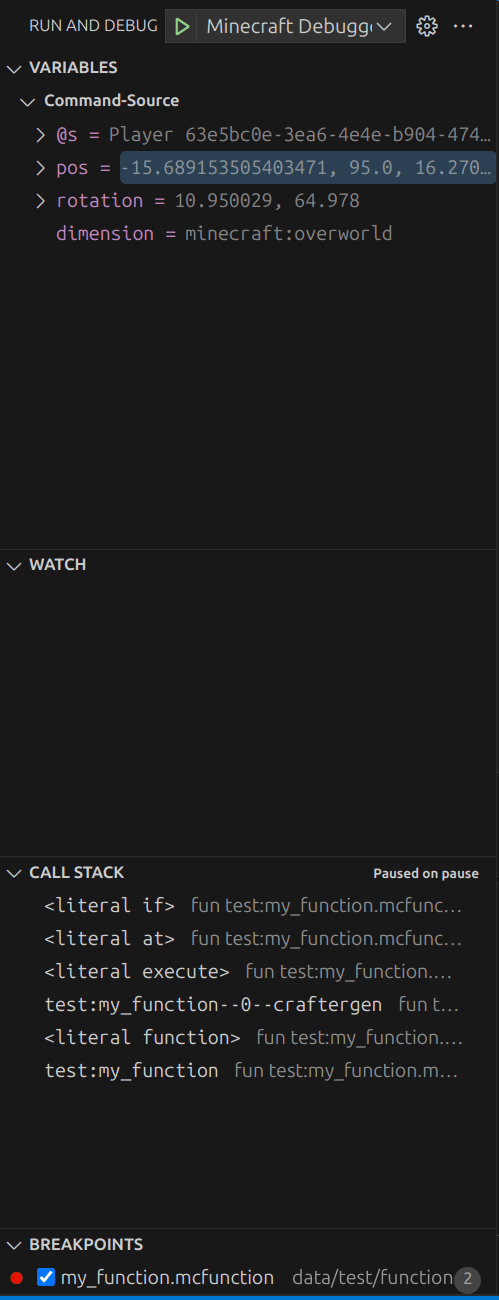 Debug context CommandCrafter2.png
-
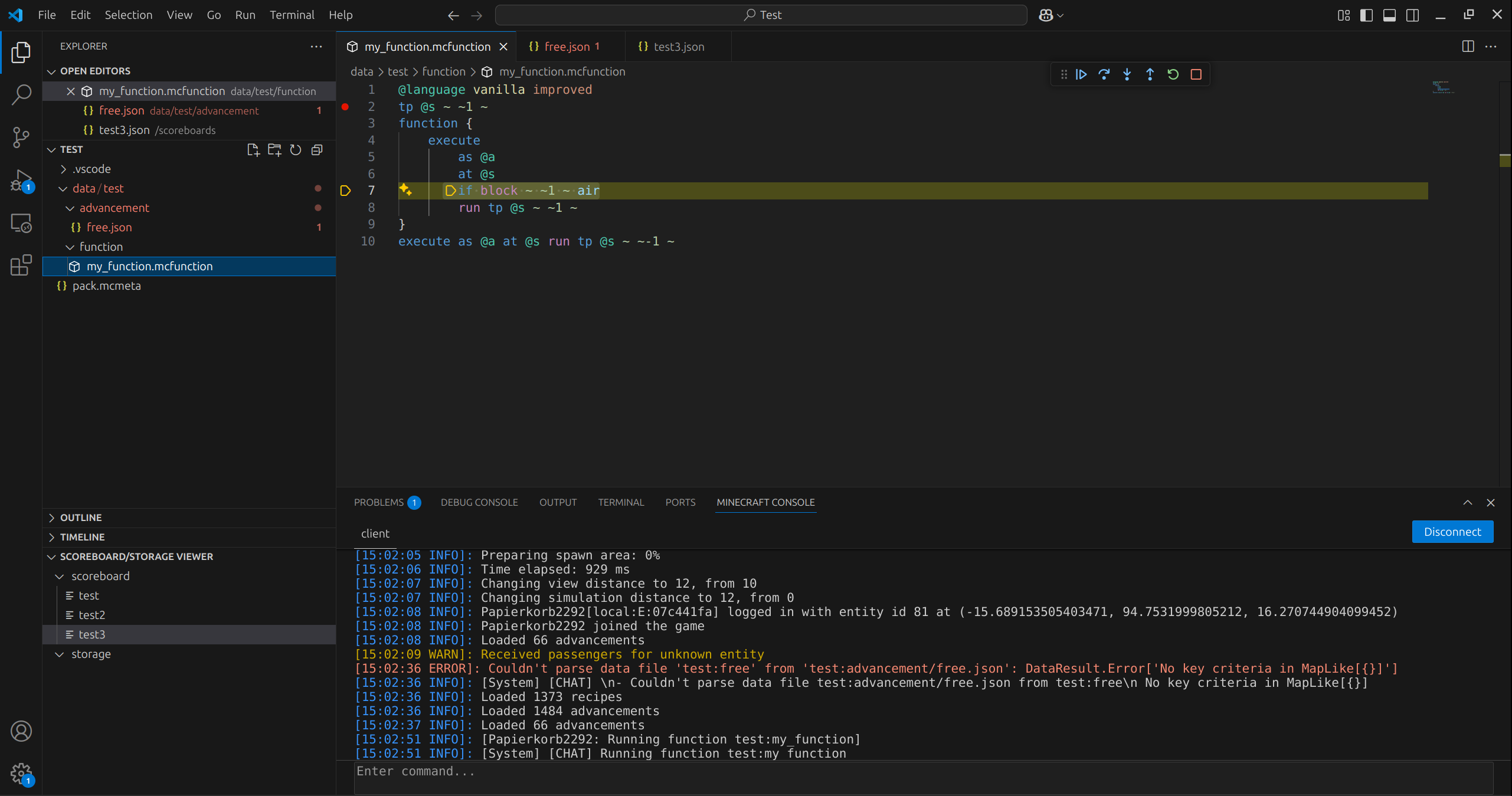 CommandCrafter An example function is opened in VSCode, for which syntax highlighting is provided by the language server, which also shows the Minecraft log. Additionally, the function is currently being debugged and the scoreboards and storages are listed.
 -
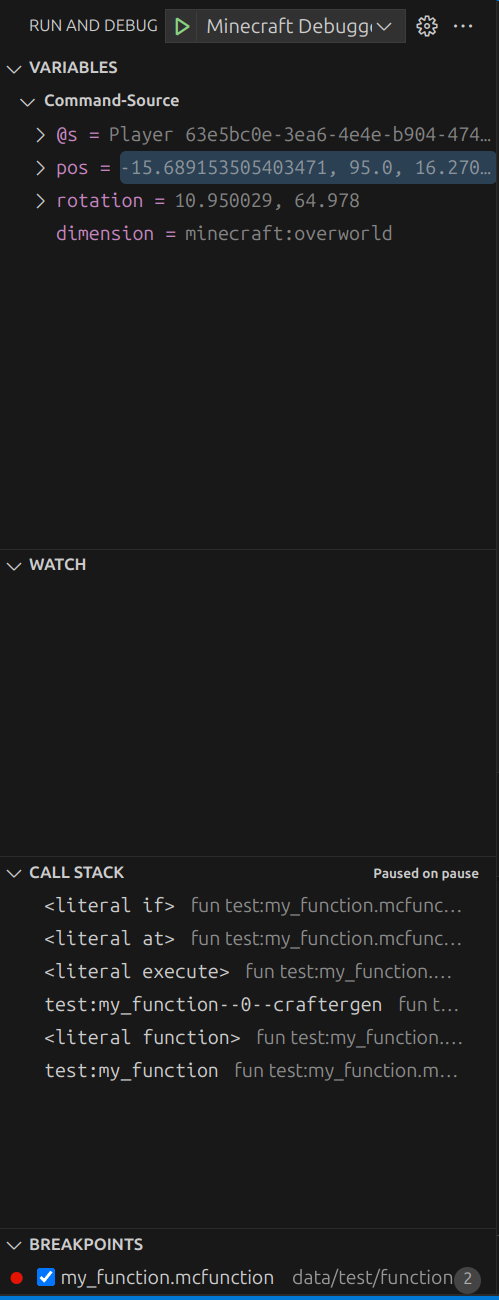 Debug context The context available to you when debugging a function
Versions
Files
Relations
Project Relations
More like this
Similar Mods
Suggestions use data such as tags, dependencies, dependents, descriptions, titles, and more to rank how much they overlap with this mod.
On ModDex
Community snapshot
By the numbers
Statistics
Want to reach Minecraft players?
We're looking for a server hosting partner to feature here and other parts of the site. Interested? Send us a message!
Get in touchGet it on
Available Platforms
On ModDex
Community snapshot
By the numbers