Community listing page, reviews here may not be monitored by the author.
CommandStructures


No reviews yet
Spawn Jigsaw Structures by command!
Community voices
Reviews
No reviews yet. Be the first to review this project!
Get it on
Available Platforms
Compatibility
Supported Environments
Runs entirely on the server. Also works in singleplayer.
About
Project Details
For authors
Embed Badge
If you're the author of this project, you can embed a live badge anywhere that supports HTML or Markdown. It updates automatically whenever ratings change.
Use HTML for any page that supports it, or Markdown for README files and Markdown-based descriptions.
Identifiers
Platform IDs
About
Description
INFO
This utility mod for Neoforge, Forge, Quilt, and Fabric is great for any modder or datapacker that is looking to create custom jigsaw structures but wants a way to spawn the structures quickly or have all nbt pieces laid out neatly. It also provides a way to spawn configuredfeatures and placedfeatures to make debugging those easier.
What this mod does is it created the /spawnstructure, /spawnpieces, /spawnrawstructure, /spawnfeature/and /spawnplacedfeature command that you can use. The full args for the commands are:
/spawnstructure <location> <startpoolresourcelocation> <depth> <heightmapsnap> <legacyboundingboxrule> <disableprocessors> <sendchunklightingpacket> <randomseed>
Details of each arg:
<location> - Where to spawn the structure. Can do ~ ~ ~ to spawn it where you currently are or ~50 ~ ~ to spawn it 50 blocks away from you.
<startpoolresourcelocation> - The path to the template pool to use to start the structure gen from. For plains vanilla village, this would be "minecraft:village/plains/town_centers" which is the start pool for villages. You can choose other pools for testing purposes. This is a required argument. The rest of the arguments past this one are optional.
<depth> - How many pieces outward from the starting piece should the jigsaw structure generate. Think of it like how long a branch should go in length. Not how many pieces in the structure total. Villages are 6 in depth.
<heightmapsnap> - Whether the structure should generate at top land or should spawn where the player is.
<legacyboundingboxrule> - Special internal rule that fiddles with bounding boxes of the pieces. This is required to be true for villages to generate properly. All other structures should have this be false.
<disableprocessors> - Whether structure processors should be turned off for this structure generation or not. Processors are often used to randomized a structure's block or replace blocks based on conditions like how village roads turns into planks when it goes into water.
<sendchunklightingpacket> - If true, the game will send a packet to try and cause players to reload all visible chunks. If off, it may provide significant performance boost but if the structure or feature places blocks in a very weird way, those blocks may not show up until the chunk is reloaded. Example, minecraft:forest_rock feature places blocks without sending changes to client. Most features and structures will be fine and sendchunklightingpacket can be set to false. (default is false)
<randomseed> - Use this and pass in a seed if you want to keep generating the same structure layout over and over every time you run the command anywhere. Great for testing to see if you fixed why a piece wasn't spawning in your structure.
(1.20.4+ only) /fillstructurevoid <size>
Details of each arg:
<size> - The size of the sphere outward from where you're standing. The air in the sphere will be replaced with structure void. It does so by recursively spreading out, so it won't replace air inside house or enclosed spaces. Good for filling outside of houses with structure void in a quick and dirty way. Used best with Structure Void Toggle mod.
(1.18 only) /spawnrawstructure <location> <configuredstructure> <savestructurebounds> <sendchunklightingpacket> <randomseed>
Details of each arg:
<location> - Where to spawn the structure. Can do ~ ~ ~ to spawn it. Note: ConfigureStructures may ignore the y value of this argument so be aware of that. Ocean Monuments always spawn below sealevel for example.
<configuredstructure> - The ConfiguredStructure to spawn. Note, many structures have special hardcoded internal checks that may prevent generation. For example, End Cities will not spawn is land at spot is below 60, Desert Temple and Jungle temples will not spawn at or below sealevel, and other structures may have more strict checks. The biome checks has been bypassed and for many vanilla structures, I have added code to bypass many of their strict checks so that Mineshafts always spawn when doing this command for example. Modded structures may have extremely strict checks that prevent generation. This argument is a required argument. The rest of the arguments past this one are optional.
<savestructurebounds> - Whether to save the structure's boundaries to the chunk itself. This bounds is for triggering advancements, spawning structure specific mobs over time like guardians and pillagers, and various other bounds related stuff.
<sendchunklightingpacket> - If true, the game will send a packet to try and cause players to reload all visible chunks. If off, it may provide significant performance boost but if the structure or feature places blocks in a very weird way, those blocks may not show up until the chunk is reloaded. Example, minecraft:forest_rock feature places blocks without sending changes to client. Most features and structures will be fine and sendchunklightingpacket can be set to false. (default is true)
<randomseed> - Use this and pass in a seed if you want to keep generating the same structure layout over and over every time you run the command anywhere. Great for testing to see if you fixed why a piece wasn't spawning in your structure.
/spawnpieces <resourcelocationpath> <location> <savepieces> <floorblock> <fillerblock> <rowlength> <spacing (1.20.4+)>
Details of each arg:
<resourcelocationpath> - The path to search under for all nbt pieces to spawn in a grid. This command can target a single nbt piece as well. This is the only required argument. All other arguments are optional.
<location> - Where to start placing the pieces down at. ~ ~ ~ is the default which is where the player is standing.
<savepieces> - Whether to auto save every nbt piece spawned into the "generated" folder in the world's save folder.
<floorblock> - What block to place on the floor that the nbt pieces will sit on. This is usually Barrier blocks or Stone.
<fillerblock> - What block to place to clear the area for the nbt piece. Common blocks chosen here are Air or Structure Void.
<rowlength> - How many nbt pieces should be placed per row before the next row of pieces is started.
<spacing> - Only in 1.20.4 and newer. How far apart the pieces should be.
(1.18 only) /spawnfeature <configuredfeatureresourcelocation> <location> <sendchunklightingpacket>
Details of each arg:
<configuredfeatureresourcelocation> - The resourcelocation of the configuredfeature to spawn. Do note, some features have internal checks to know if a spot is valid such as Desert Wells requiring to be placed on sand.
<location> - Where to spawn the configuredfeature at.
<sendchunklightingpacket> - If true, the game will send a packet to try and cause players to reload all visible chunks. If off, it may provide significant performance boost but if the structure or feature places blocks in a very weird way, those blocks may not show up until the chunk is reloaded. Example, minecraft:forest_rock feature places blocks without sending changes to client. Most features and structures will be fine and sendchunklightingpacket can be set to false. (default is true)
(1.18 only) /spawnplacedfeature <placedfeatureresourcelocation> <location> <sendchunklightingpacket>
Details of each arg:
<placedfeatureresourcelocation> - The resourcelocation of the placedfeature to spawn. Do note, some placedfeatures have internal checks to know if a spot is valid or rarity placements. For example, Desert Wells have a 1/1000 rarity placement so you could be doing this command around a 1000 times before a Desert Well decides to spawn.
<location> - Where to spawn the placedfeature at. NOTE: to better simulate worldgen, the location here will pass the bottommost corner position of the chunk it is in to the placedfeature. So using this command is like normal worldgen spawning without the biome checking being done. If your placedfeature has a "minecraft:biome" placement check, it will be ignored to help with debugging easier without needing to be in the right biome.
<sendchunklightingpacket> - If true, the game will send a packet to try and cause players to reload all visible chunks. If off, it may provide significant performance boost but if the structure or feature places blocks in a very weird way, those blocks may not show up until the chunk is reloaded. Example, minecraft:forest_rock feature places blocks without sending changes to client. Most features and structures will be fine and sendchunklightingpacket can be set to false. (default is true)
I hope you enjoy this mod to make structure building a little easier and don't forget to report any bugs or issues you find with this mod in the Issue tab above or in my discord below! Or you can comment on this mod page too
Discord Link to #telepathicgrunt-mods channel for my mods! :

This utility mod for Neoforge, Forge, Fabric, and Quilt is great for any modder or datapacker that is looking to create custom jigsaw structures but wants a way to spawn the structures quickly or have all nbt pieces laid out neatly. It also provides a way to spawn configuredfeatures and placedfeatures to make debugging those easier.
What this mod does is it created the /spawnstructure, /spawnpieces, /spawnfeature/ and spawnplacedfeature command that you can use. The full args for the commands are:
/spawnstructure
- Where to spawn the structure. Can do ~ ~ ~ to spawn it where you currently are or ~50 ~ ~ to spawn it 50 blocks away from you.
- the path to the template pool to use to start the structure gen from. For plains vanilla village, this would be "minecraft:village/plains/town_centers" which is the start pool for villages. You can choose other pools for testing purposes. This is the only required argument. All other arguments are optional.
- How many pieces outward from the starting piece should the jigsaw structure generate. Think of it like how long a branch should go in length. Not how many pieces in the structure total. Villages are 6 in depth.
- Whether the structure should generate at top land or should spawn where the player is.
- Special internal rule that fiddles with bounding boxes of the pieces. This is required to be true for villages to generate properly. All other structures should have this be false.
- Whether structure processors should be turned off for this structure generation or not. Processors are often used to randomized a structure's block or replace blocks based on conditions like how village roads turns into planks when it goes into water.
- If true, the game will send a packet to try and cause players to reload all visible chunks. If off, it may provide significant performance boost but if the structure or feature places blocks in a very weird way, those blocks may not show up until the chunk is reloaded. Example, minecraft:forest_rock feature places blocks without sending changes to client. Most features and structures will be fine and sendchunklightingpacket can be set to false. (default is false)
- Use this and pass in a seed if you want to keep generating the same structure layout over and over every time you run the command anywhere. Great for testing to see if you fixed why a piece wasn't spawning in your structure.
(1.20.4+ only) /fillstructurevoid
- The size of the sphere outward from where you're standing. The air in the sphere will be replaced with structure void. It does so by recursively spreading out, so it won't replace air inside house or enclosed spaces. Good for filling outside of houses with structure void in a quick and dirty way. Used best with Structure Void Toggle mod.
(1.18 only) spawnrawstructure
- Where to spawn the structure. Can do ~ ~ ~ to spawn it. Note: ConfigureStructures may ignore the y value of this argument so be aware of that. Ocean Monuments always spawn below sealevel for example.
- The ConfiguredStructure to spawn. Note, many structures have special hardcoded internal checks that may prevent generation. For example, End Cities will not spawn is land at spot is below 60, Desert Temple and Jungle temples will not spawn at or below sealevel, and other structures may have more strict checks. The biome checks has been bypassed and for many vanilla structures, I have added code to bypass many of their strict checks so that Mineshafts always spawn when doing this command for example. Modded structures may have extremely strict checks that prevent generation. This argument is a required argument. The rest of the arguments past this one are optional.
- Whether to save the structure's boundaries to the chunk itself. This bounds is for triggering advancements, spawning structure specific mobs over time like guardians and pillagers, and various other bounds related stuff.
- If true, the game will send a packet to try and cause players to reload all visible chunks. If off, it may provide significant performance boost but if the structure or feature places blocks in a very weird way, those blocks may not show up until the chunk is reloaded. Example, minecraft:forest_rock feature places blocks without sending changes to client. Most features and structures will be fine and sendchunklightingpacket can be set to false. (default is true)
- Use this and pass in a seed if you want to keep generating the same structure layout over and over every time you run the command anywhere. Great for testing to see if you fixed why a piece wasn't spawning in your structure.
/spawnpieces <spacing (1.20.4+)>
- The path to search under for all nbt pieces to spawn in a grid. This command can target a single nbt piece as well. This is the only required argument. All other arguments are optional.
- Where to start placing the pieces down at. ~ ~ ~ is the default which is where the player is standing.
- Whether to auto save every nbt piece spawned into the "generated" folder in the world's save folder.
- What block to place on the floor that the nbt pieces will sit on. This is usually Barrier blocks or Stone.
- What block to place to clear the area for the nbt piece. Common blocks chosen here are Air or Structure Void.
- How many nbt pieces should be placed per row before the next row of pieces is started.
- Only in 1.20.4 and newer. How far apart the pieces should be.
(1.18 only) /spawnfeature
- The resourcelocation of the configuredfeature to spawn. Do note, some features have internal checks to know if a spot is valid such as Desert Wells requiring to be placed on sand.
- Where to spawn the configuredfeature at.
- If true, the game will send a packet to try and cause players to reload all visible chunks. If off, it may provide significant performance boost but if the structure or feature places blocks in a very weird way, those blocks may not show up until the chunk is reloaded. Example, minecraft:forest_rock feature places blocks without sending changes to client. Most features and structures will be fine and sendchunklightingpacket can be set to false. (default is true)
(1.18 only) /spawnplacedfeature
- The resourcelocation of the placedfeature to spawn. Do note, some placedfeatures have internal checks to know if a spot is valid or rarity placements. For example, Desert Wells have a 1/1000 rarity placement so you could be doing this command around a 1000 times before a Desert Well decides to spawn.
- Where to spawn the placedfeature at. NOTE: to better simulate worldgen, the location here will pass the bottommost corner position of the chunk it is in to the placedfeature. So using this command is like normal worldgen spawning without the biome checking being done. If your placedfeature has a "minecraft:biome" placement check, it will be ignored to help with debugging easier without needing to be in the right biome.
- If true, the game will send a packet to try and cause players to reload all visible chunks. If off, it may provide significant performance boost but if the structure or feature places blocks in a very weird way, those blocks may not show up until the chunk is reloaded. Example, minecraft:forest_rock feature places blocks without sending changes to client. Most features and structures will be fine and sendchunklightingpacket can be set to false. (default is true)
Screenshots
Gallery
-
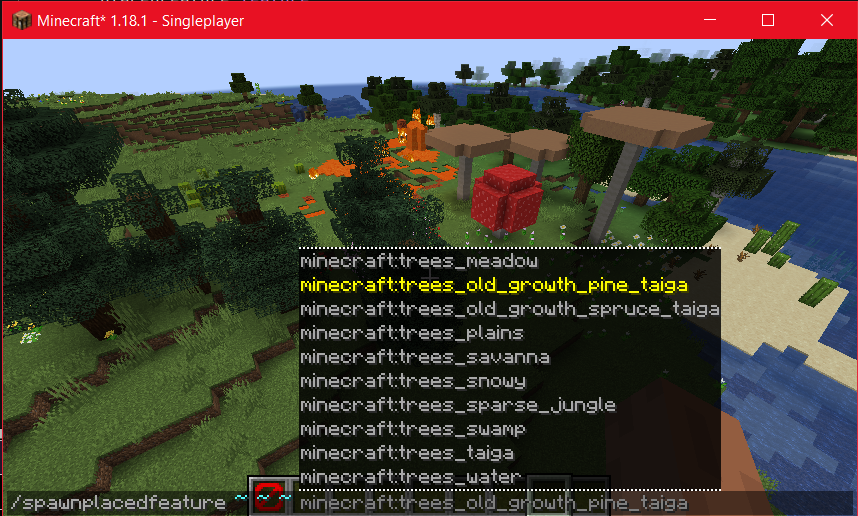 /spawnplacedfeature Simulate worldgen for your placedfeature with this command. The biome check is ignored but the rest of the placements will be ran.
 -
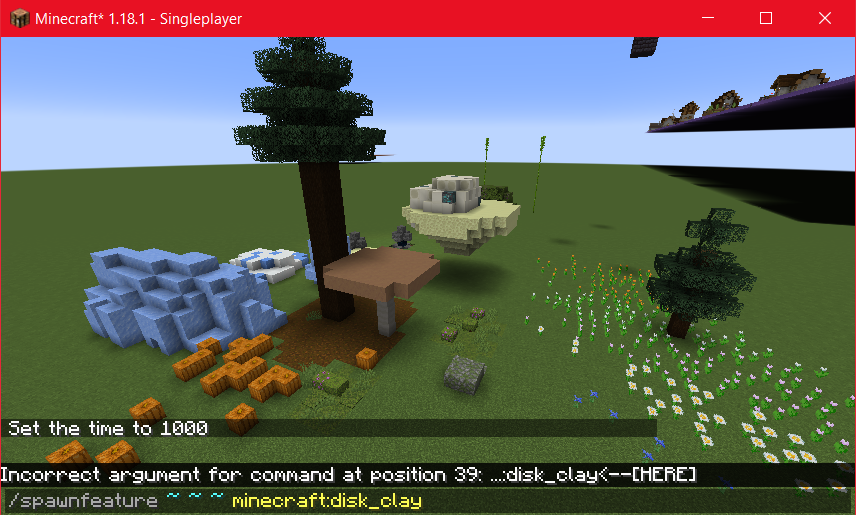 /spawnfeature A useful command to test features to see how they spawn. Do note, some features have internal checks to know if a spot is valid to spawn at.
 -
 /spawnpieces This command spawns all nbt pieces it can find under a given path. The first arg is required. The rest are optional. You can make this command target only a single structure piece as well.
 -
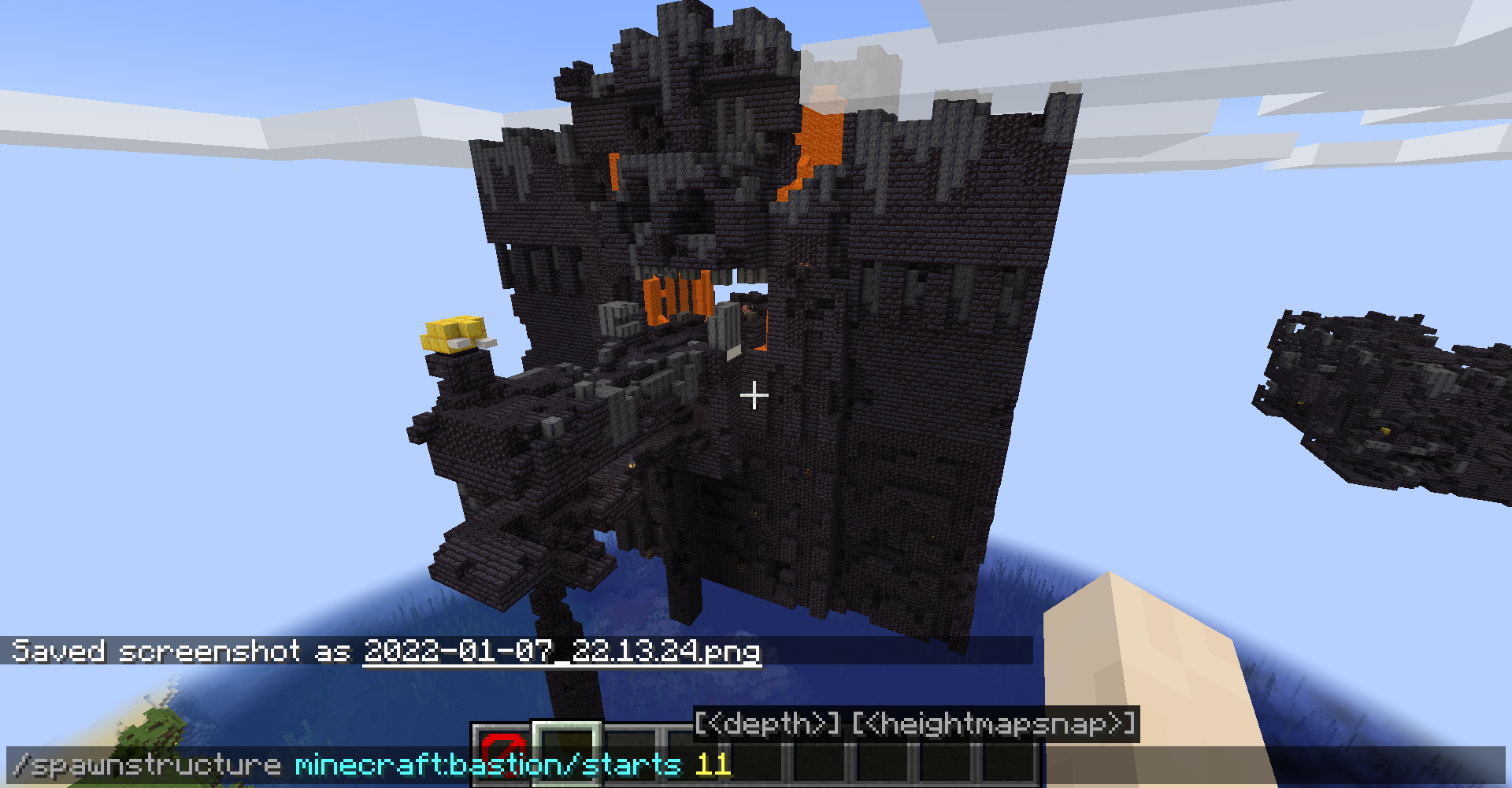 /spawnstructure This command lets you spawn a structure from a given template pool. Only the position and resourcelocation arg is required. The rest are optional. (new update requires position arg unlike picture)
-
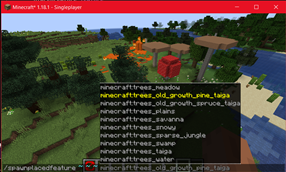 /spawnplacedfeature Simulate worldgen for your placedfeature with this command. The biome check is ignored but the rest of the placements will be ran.
 -
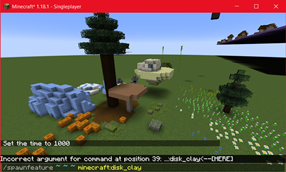 /spawnfeature A useful command to test features to see how they spawn. Do note, some features have internal checks to know if a spot is valid to spawn at.
 -
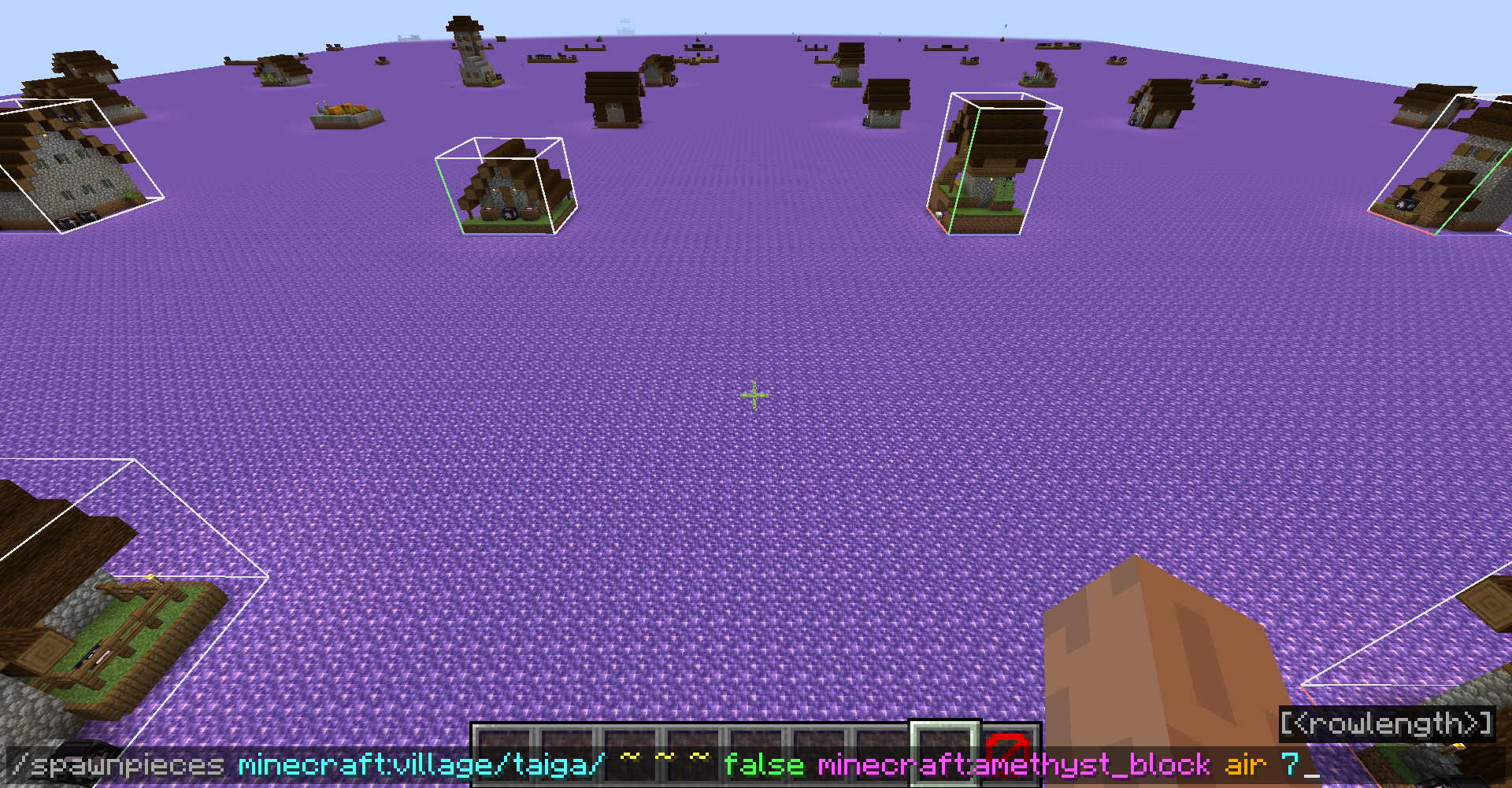 /spawnpieces This command spawns all nbt pieces it can find under a given path. The first arg is required. The rest are optional. You can make this command target only a single structure piece as well.
 -
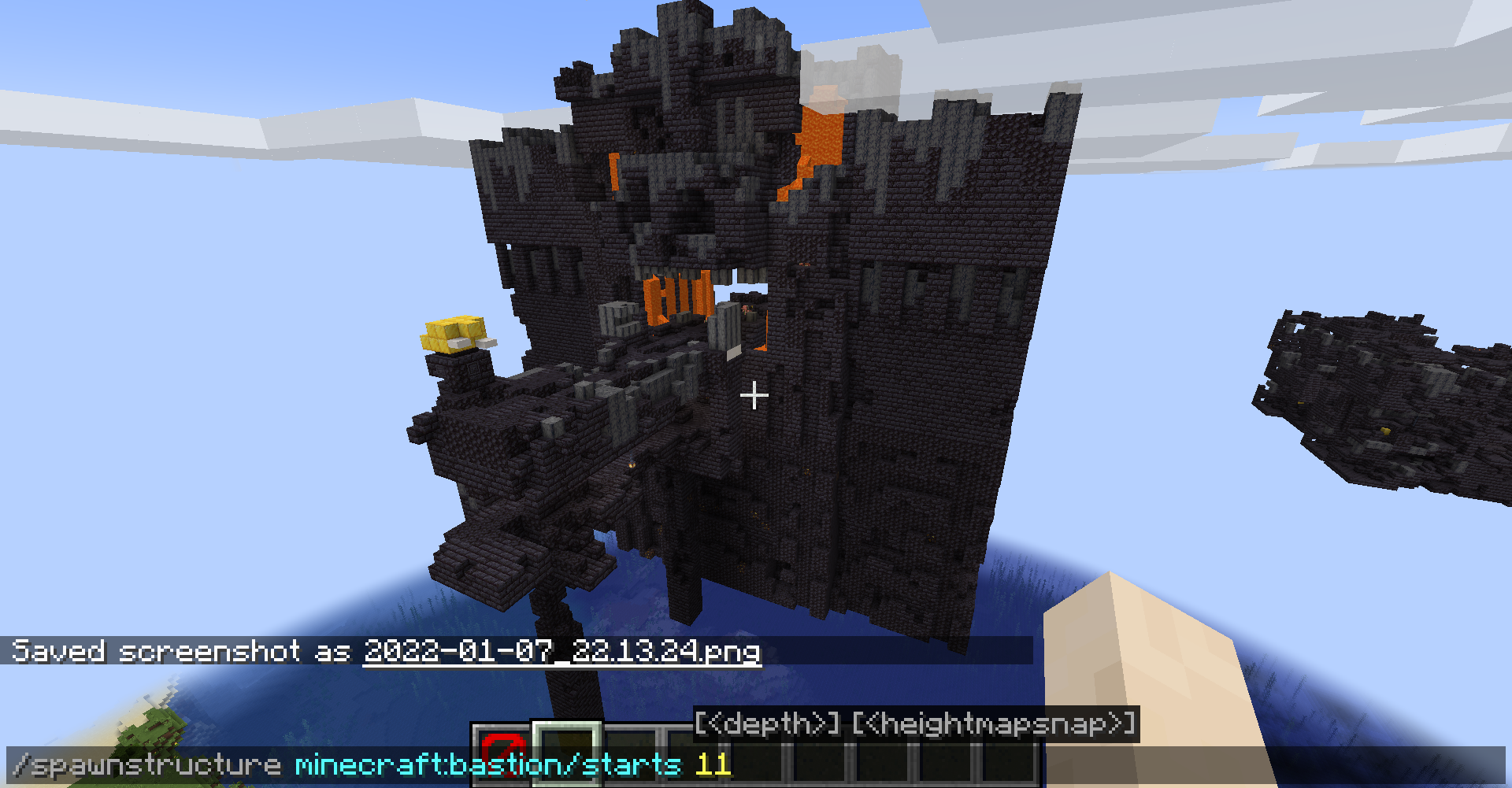 /spawnstructure This command lets you spawn a structure from a given template pool. Only the position and resourcelocation arg is required. The rest are optional. (new update requires position arg unlike picture)
Versions
Files
Relations
Project Relations
More like this
Similar Mods
Suggestions use data such as tags, dependencies, dependents, descriptions, titles, and more to rank how much they overlap with this mod.
On ModDex
Community snapshot
By the numbers
Statistics
Want to reach Minecraft players?
We're looking for a server hosting partner to feature here and other parts of the site. Interested? Send us a message!
Get in touchGet it on
Available Platforms
On ModDex
Community snapshot
By the numbers