Community listing page, reviews may not be monitored by the author.
Compact

No reviews yet
Highly Configurable Compressed blocks for 1.13+

Community voices
Reviews
No reviews yet. Be the first to review this project!
Get it on
Available Platforms
About
Project Details
For authors
Embed Badge
If you're the author of this project, you can embed a live badge anywhere that supports HTML or Markdown. It updates automatically whenever ratings change.
Use HTML for any page that supports it, or Markdown for README files and Markdown-based descriptions.
Identifiers
Platform IDs
About
Description
Overview
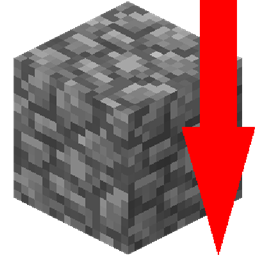
Compact is a mod that adds configurable compressed blocks to the game. Crafting recipes are as you expect with 3x3 compressing up to the next level with reversal.
What makes it different from the dozens of other mods that add compressed blocks?
* Unlike most traditional compressed blocks mods which have a hardcoded list of blocks, or hardcoded compression limit, this mod allows you to configure both, including modded blocks.
* In addition, this mod creates a unique block for every compression/compressible so that they can be easily used in recipes without having to remember complex prefixes or fiddle with NBT. For example, all compact registrynames will be in the form of `compressed:cobblestone_1x`
* Because this mod uses registry names instead of NBT to differentiate between them, no Tile Entities are required and it will work with mods like Project E that don't support NBT based implementations (Like Preston for example).
How does it work?
First configure the blocks that you want to be compressible(this includes most modded blocks), defaults are provided below,
Next, configure the max number of times that they are compressible from 1 (default: 32) up to 2 billion max although the game will crash so don't set it that high, remember every compression level/compressible is a new block.
Example is provided in the config file
Example config
| { | |
| "compressible": [ | |
| { | |
| "registry_name": "minecraft:cobblestone", | |
|
"texture": "block/cobblestone" "max_compression" : 32 |
|
| }, | |
| { | |
| "registry_name": "minecraft:dirt", | |
|
"texture": "block/dirt" "max_compression" : 32 |
|
| }, | |
| { | |
| "registry_name": "minecraft:netherrack", | |
|
"texture": "block/netherrack" "max_compression" : 32 |
|
| }, | |
| { | |
| "registry_name": "minecraft:sand", | |
|
"texture": "block/sand" "max_compression" : 32 |
|
| }, | |
| { | |
| "registry_name": "minecraft:gravel", | |
|
"texture": "block/gravel" "max_compression" : 32 |
|
| } | |
| ], | |
| "loaded_blocks": -1 | |
| } |
Once configured, the resource pack will be automatically created and will not change until the config does.
Possible Overhead
Given that the mod can arbitrarily define any number of blocks, steps have been taken to ensure the lowest overhead possible while still being user friendly
The mod adds only 1 16x16 texture of it's own, the rest are taken from already existing textures via the config, this avoids the possibility of running into TextureStichExceptions or needlessly bloating the texture atlas, meaning less ram used.
This mod only has one model file that it uses to name and tint the compressed blocks, and uses IBlockColor for the different levels of compression to avoid the need for additional textures.
Anything else that is needed is generated in the external resource pack and loaded to give models/textures to the autogenerated blocks.
Dangers
* Even though Minecraft now has a 2 billion block id limit, a block is still a block and adding too many blocks to the game will slow it down and increase ram usage, don't add more compression levels than you will use.
* Because this mod's config is loaded before block registration, changing it may make you unable to join servers if you have the incorrect blocks so they must be kept in sync.
Defaults
In groups of 4x compression:

Contact info
Discord for all of my projects: https://discord.gg/T6xdX7G
Screenshots
Gallery
Versions
Files
Relations
Project Relations
More like this
Similar Mods
Suggestions use data such as tags, dependencies, dependents, descriptions, titles, and more to rank how much they overlap with this mod.
On ModDex
Community snapshot
By the numbers
Statistics

Get it on
Available Platforms
On ModDex
Community snapshot
By the numbers