Community listing page, reviews here may not be monitored by the author.
Compass3D


No reviews yet
A Fabric mod which provides a visual representation of Y-axis direction of compasses.
Community voices
Reviews
No reviews yet. Be the first to review this project!
Get it on
Available Platforms
Compatibility
Supported Environments
Runs entirely on the client. Works on vanilla servers.
About
Project Details
For authors
Embed Badge
If you're the author of this project, you can embed a live badge anywhere that supports HTML or Markdown. It updates automatically whenever ratings change.
Use HTML for any page that supports it, or Markdown for README files and Markdown-based descriptions.
Identifiers
Platform IDs
About
Description
Compass3D


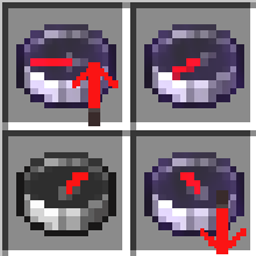
This mod renders an arrow over compasses in the inventory/hotbar. This arrow points up or down, showing you which direction (on the Y axis) you need to travel to reach the coordinate.
As of v2.0.0, this also applies to compasses placed in Item Frames. These arrows have their own configs for placement. This features works by default with all compasses except the Recovery Compass. You can install another mod Framed Recovery Compass Fix to make it work.
I had the idea for this mod when working on the tracking compass for my Server Side Commands mod. I realized that you had no way to determine the Y value of the coordinates of a compass. So, I did some research, and found the mod Simple Shulker Preview, which did something similar to what I wanted, and forked it. That project was under the LGPL-3.0 license so click here for a list of the changes I made.
This mod also supports several mods. See the Mod Support List for a list of supported mods, or to suggest new mods to support.

Configs
This mod gives you the ability to configure the size and placement of arrows, as well as the arrow type for each supported compass. The config menu is fairly self-explanatory, so I will not elaborate on that further here.
This mod comes with the Cloth Config API built in to
implement configs (there should be no need to download it yourself). You need to install Cloth Config API in order for this project to work. I would recommend installing ModMenu alongside it if you actually want to use them though, because I didn't want to create yet another config mapping for such a simple mod.
Resource Pack
I made a couple resource packs with alternate icons if you want. You can download them here.
If you don't like the textures and want to make a resource pack to change them, here are the paths to the textures. Please let me know if you do (via a GitHub issue) so I can link them there.
assets/compass3d/textures/item/up_arrow.pngassets/compass3d/textures/item/down_arrow.pngassets/compass3d/textures/item/recovery_up_arrow.pngassets/compass3d/textures/item/recovery_down_arrow.png
There are also other arrows for modded compasses. Check the directory on GitHub to see them all.
What is the item compass3d:*_arrow?
So to add the arrow overlays, I had to register a nonexistent item on the client side.
However, I discovered in testing that it shows up in autocomplete when doing /give.
This generates an error when used in multiplayer, but as the item doesn't exist you shouldn't worry about it.
Compass3D
This mod renders an arrow over compasses in the inventory/hotbar. This arrow points up or down, showing you which direction (on the Y axis) you need to travel to reach the coordinate.
As of v2.0.0, this also applies to compasses placed in Item Frames. These arrows have their own configs for placement. This features works by default with all compasses except the Recovery Compass. You can install another mod Framed Recovery Compass Fix to make it work.
I had the idea for this mod when working on the tracking compass for my Server Side Commands mod. I realized that you had no way to determine the Y value of the coordinates of a compass. So, I did some research, and found the mod Simple Shulker Preview, which did something similar to what I wanted, and forked it. That project was under the LGPL-3.0 license so click here for a list of the changes I made.
This mod also supports several modded compasses. See the Mod Support List for a list of supported mods, or to suggest new mods to support.
Configs
This mod gives you the ability to configure the size and placement of arrows, as well as the arrow type for each supported compass. The config menu is fairly self-explanatory, so I will not elaborate on that further here.
This mod comes with the Cloth Config API built in to
implement configs (there should be no need to download it yourself). You need to install Cloth Config API in order for this project to work. I would recommend installing ModMenu alongside it if you actually want to use them though, because I didn't want to create yet another config mapping for such a simple mod.
Resource Pack
I made a couple resource packs with alternate icons if you want. You can download them here.
If you don't like the textures and want to make a resource pack to change them, here are the paths to the textures. Please let me know if you do (via a GitHub issue) so I can link them there.
assets/compass3d/textures/item/up_arrow.pngassets/compass3d/textures/item/down_arrow.pngassets/compass3d/textures/item/recovery_up_arrow.pngassets/compass3d/textures/item/recovery_down_arrow.png
There are also other arrows for modded compasses. Check the directory on GitHub to see them all.
What is the item compass3d:*_arrow?
So to add the arrow overlays, I had to register a nonexistent item on the client side.
However, I discovered in testing that it shows up in autocomplete when doing /give.
This generates an error when used in multiplayer, but as the item doesn't exist you shouldn't worry about it.
Screenshots
Gallery
-
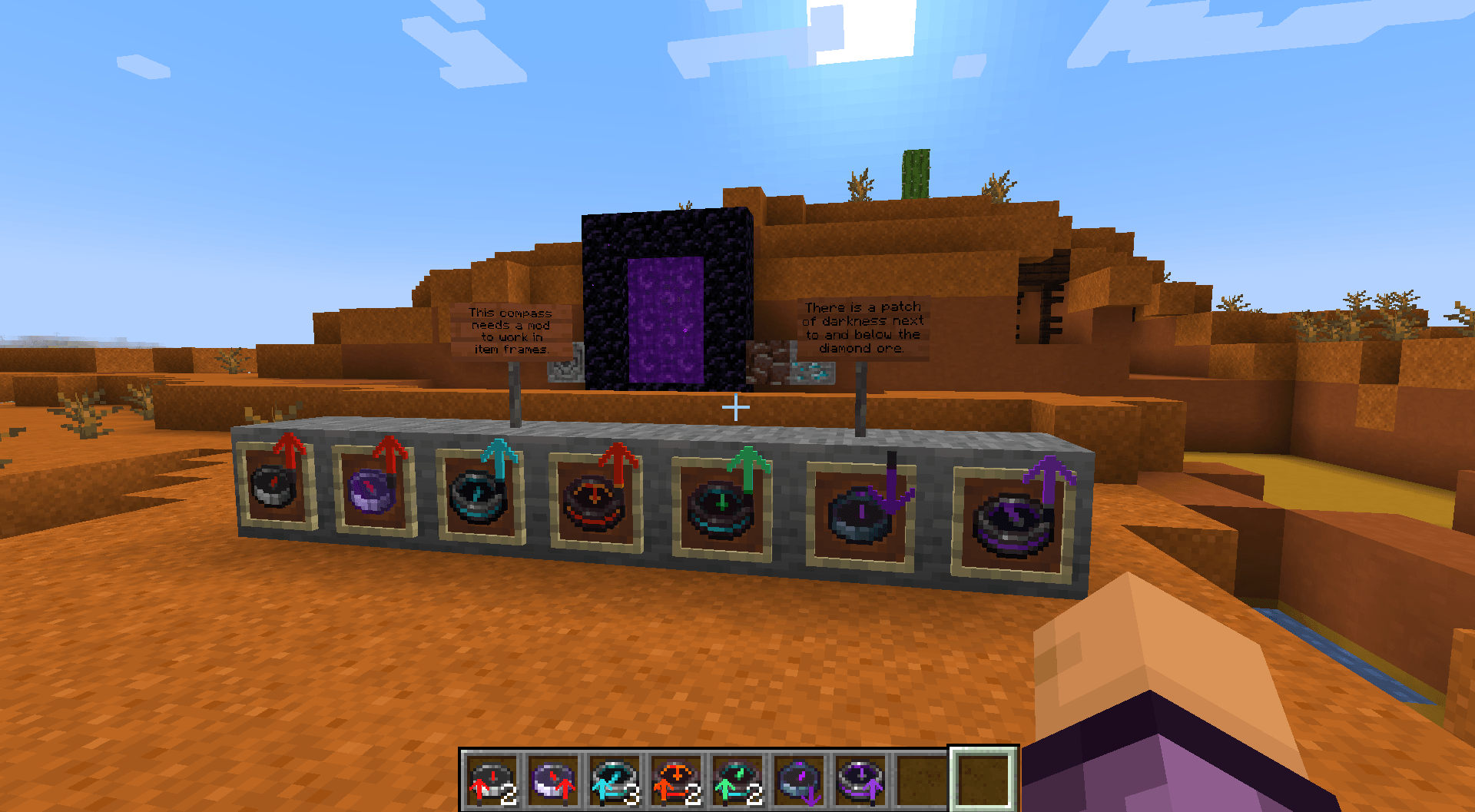 All Supported Compasses (v2.1.0) From left to right, Compass, Lodestone Compass, Recovery Compass (doesn't work in frames*), Netherite Compass, Miner's Compass, Dark Compass, and Portal Linking Compass. *Works in frames in v2.1.0 if you have another mod installed.
-
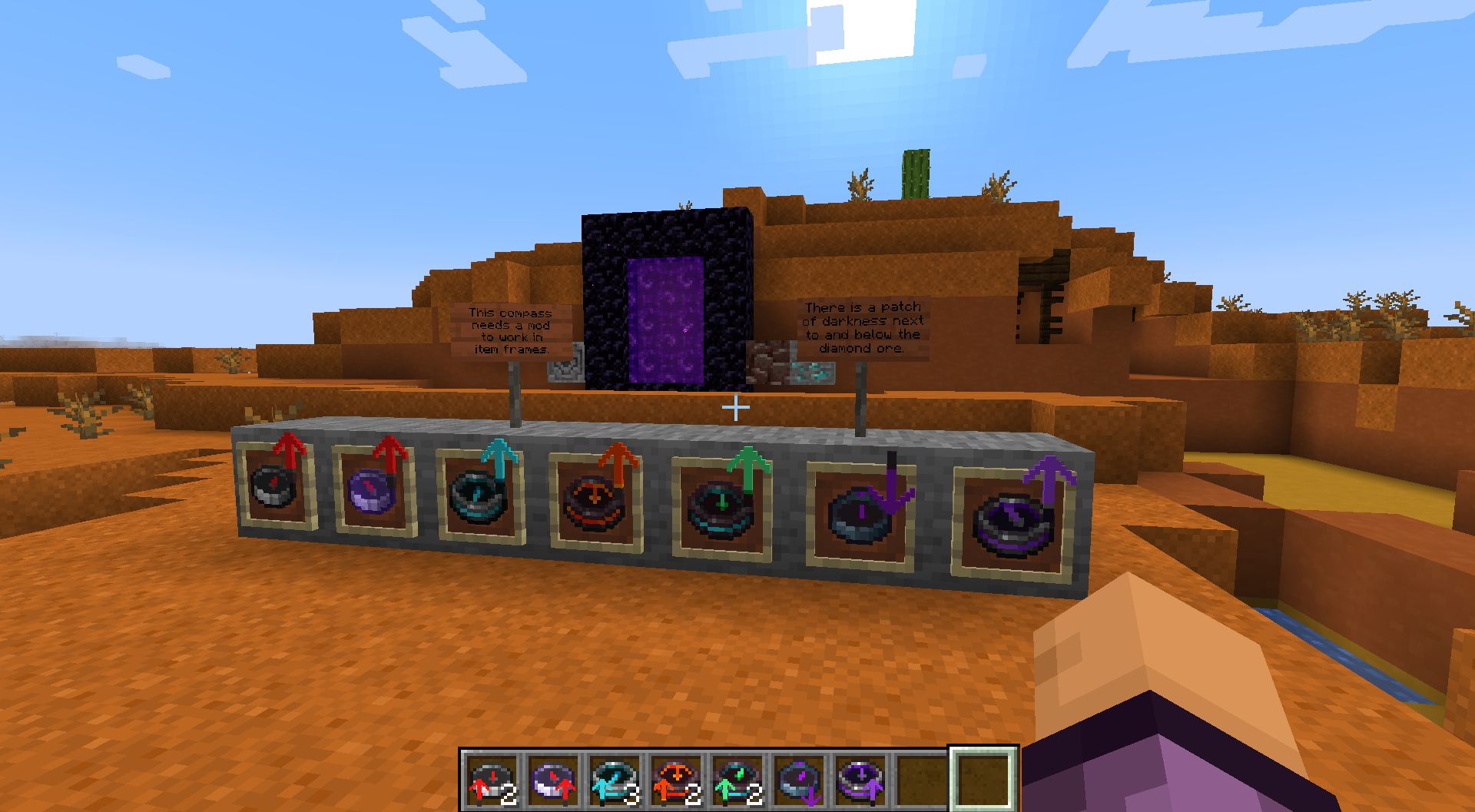 All Supported Compasses (v2.1.0) From left to right, Compass, Lodestone Compass, Recovery Compass (doesn't work in frames*), Netherite Compass, Miner's Compass, Dark Compass, and Portal Linking Compass. *Works in frames in v2.1.0 if you have another mod installed.
Versions
Files
Relations
Project Relations
More like this
Similar Mods
Suggestions use data such as tags, dependencies, dependents, descriptions, titles, and more to rank how much they overlap with this mod.
On ModDex
Community snapshot
By the numbers
Statistics
Want to reach Minecraft players?
We're looking for a server hosting partner to feature here and other parts of the site. Interested? Send us a message!
Get in touchGet it on
Available Platforms
On ModDex
Community snapshot
By the numbers