Community listing page, reviews here may not be monitored by the author.
CompassLocator


No reviews yet
Displays coordinates, direction, biome and locator bar while holding a compass. Compass ∙ Death Compass ∙ Locator Bar ∙ Lodestone
Community voices
Reviews
No reviews yet. Be the first to review this project!
Get it on
Available Platforms
Compatibility
Supported Environments
Must be installed on both the client and the server.
About
Project Details
For authors
Embed Badge
If you're the author of this project, you can embed a live badge anywhere that supports HTML or Markdown. It updates automatically whenever ratings change.
Use HTML for any page that supports it, or Markdown for README files and Markdown-based descriptions.
Identifiers
Platform IDs
About
Description
CompassLocator
📌 This is a client-side mod. A server-side plugin version is also available → Modrinth · CurseForge
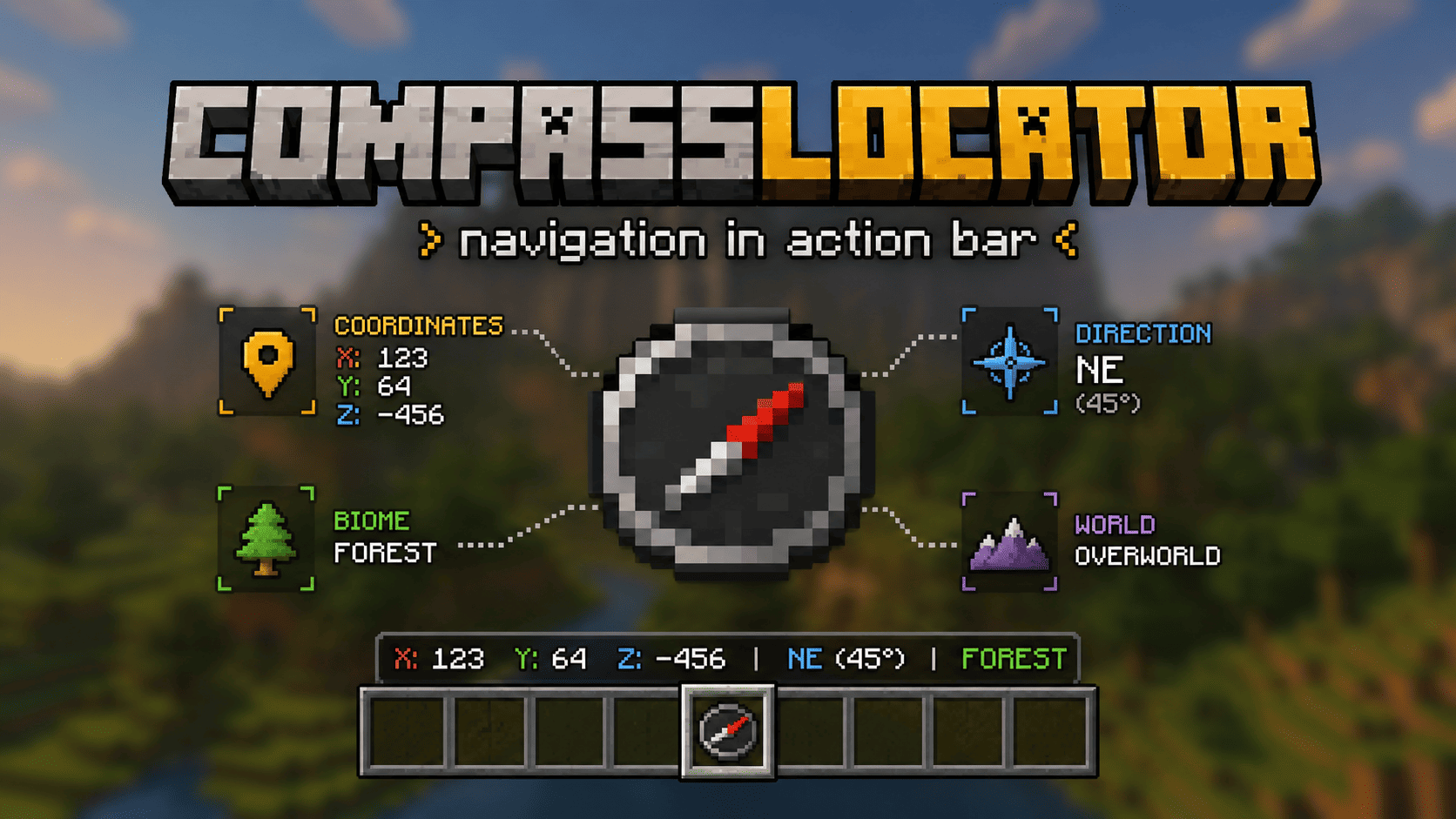
CompassLocator is a client-side mod for Minecraft 1.21.6+ that adds useful compass information directly to the action bar. A port of the CompassLocator plugin, now with even more features and an in-game config GUI.
No more opening F3. Just hold a compass and see:
- where you are
- which direction you're facing
- what biome you're in
- where you died last time
- players around you on the radar
Features
Normal Compass
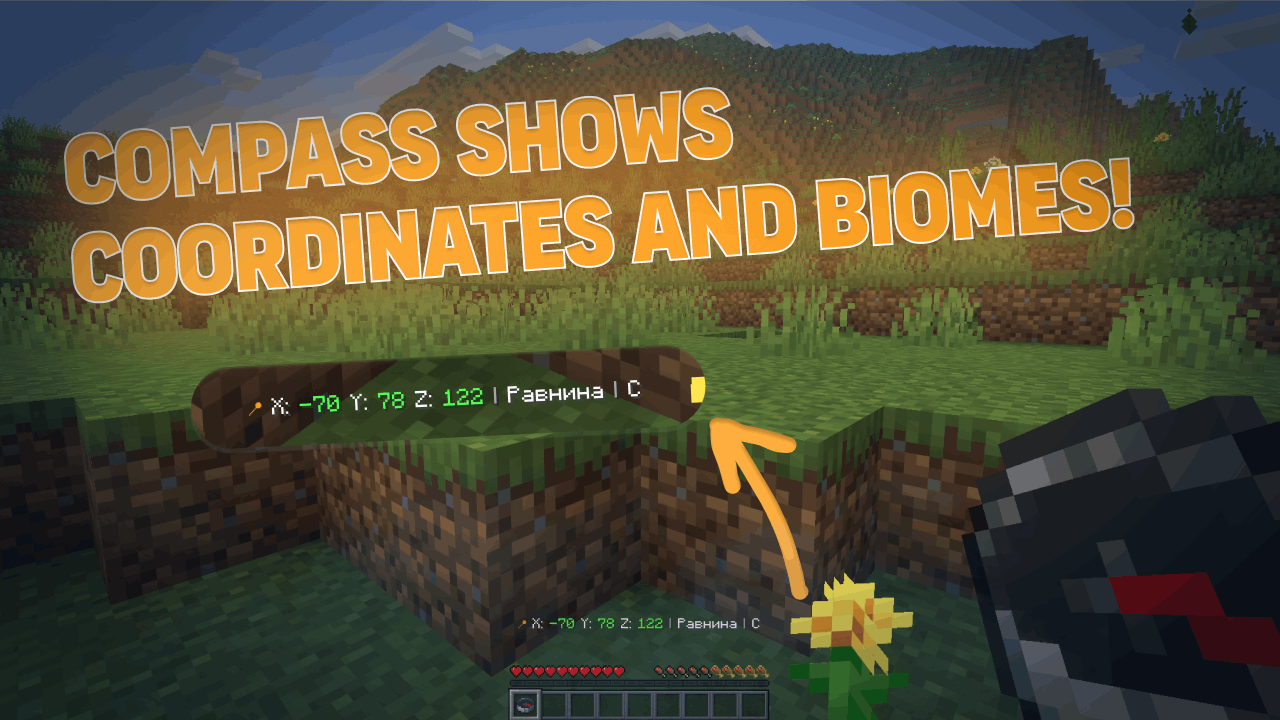
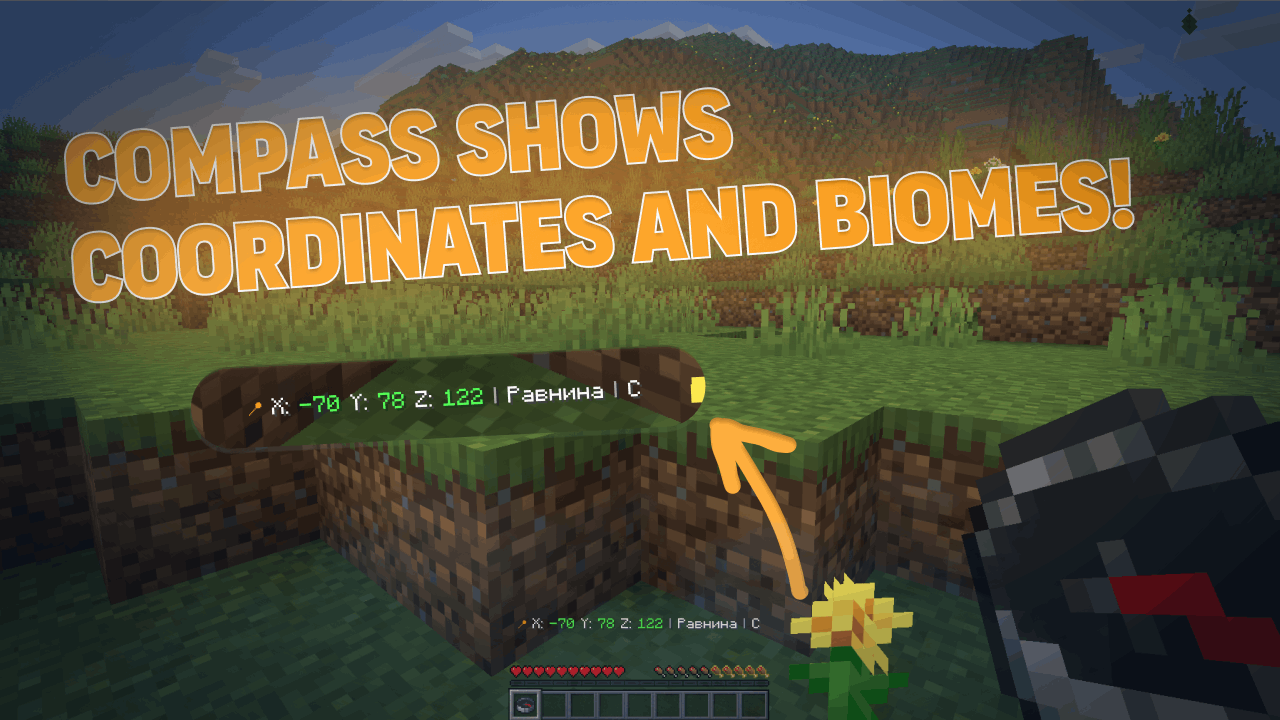
- Coordinates (adjustable precision — integer or decimal)
- Current biome
- Cardinal direction (North/South or N/S)
- Time of day (optional)
- World name (optional)
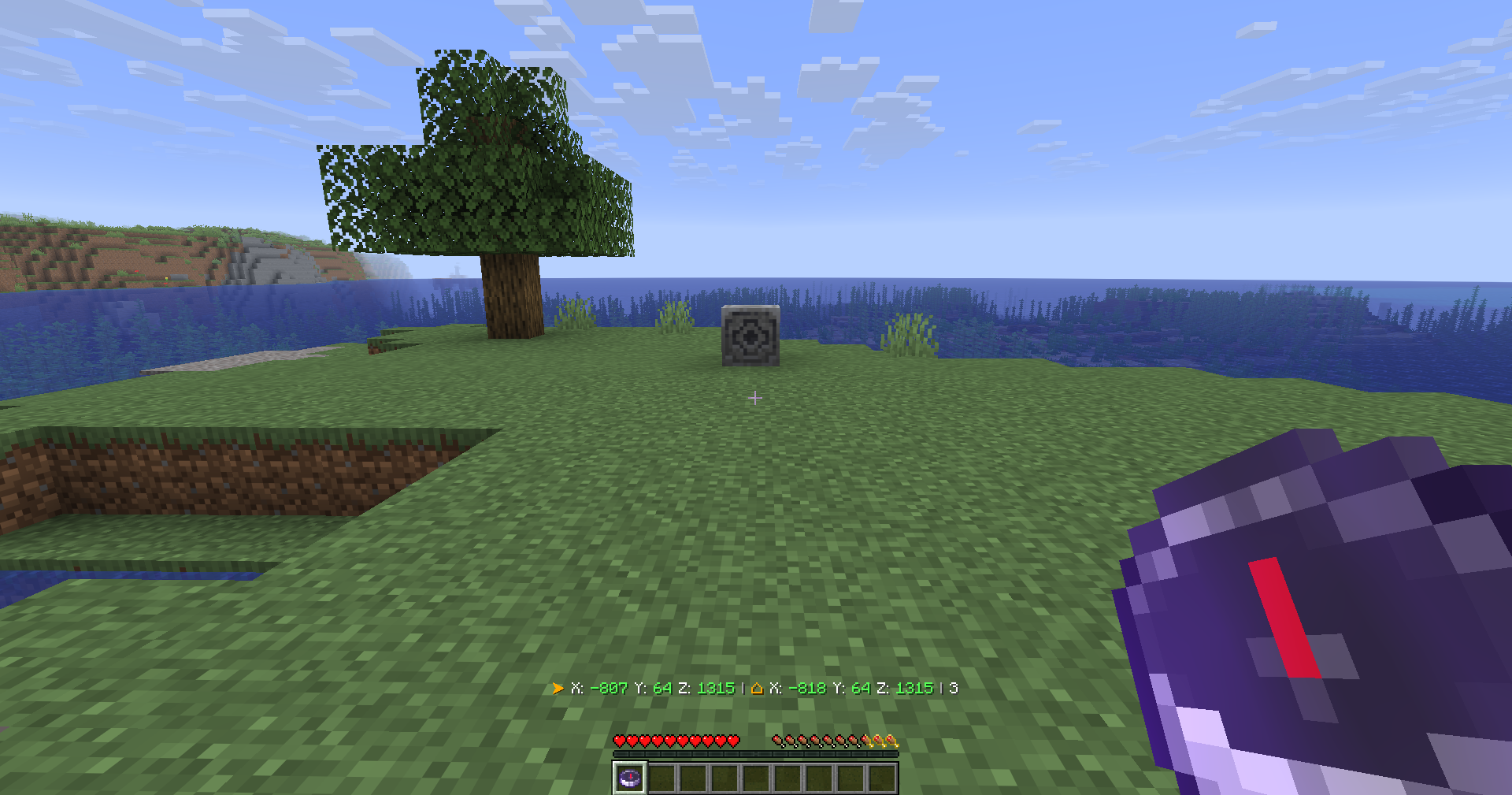
- Lodestone support — shows the coordinates your compass is linked to, even if broken (shows last known position)
Recovery Compass
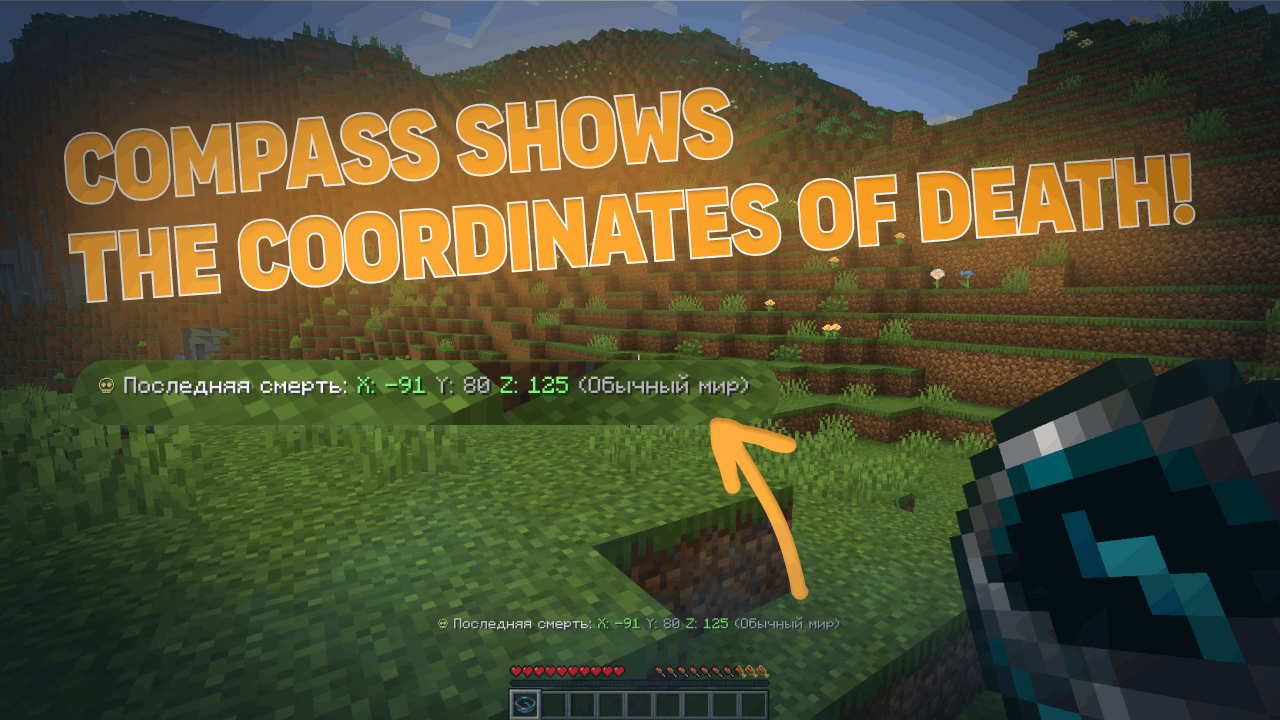
- Where you last died (coordinates)
- Which world
- Time since death
- Distance to death location
Combined Mode
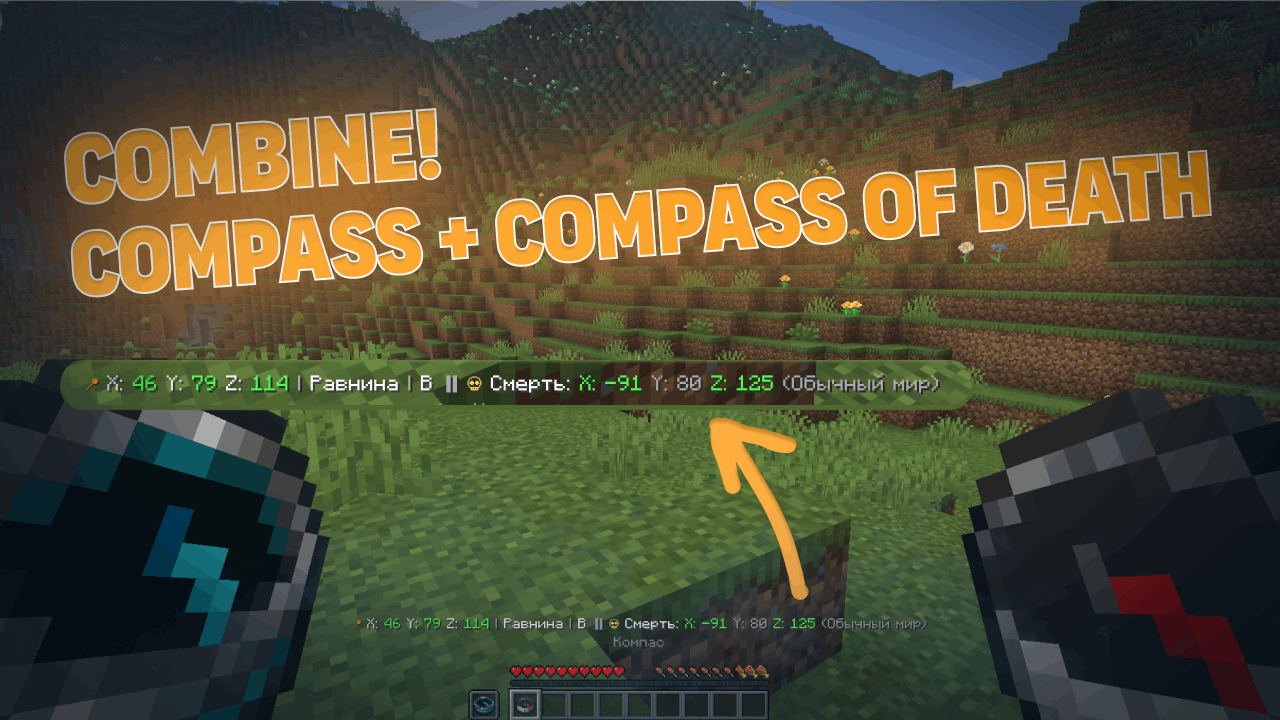
- Hold a normal compass in one hand and a recovery compass in the other
- The action bar shows information from both at once
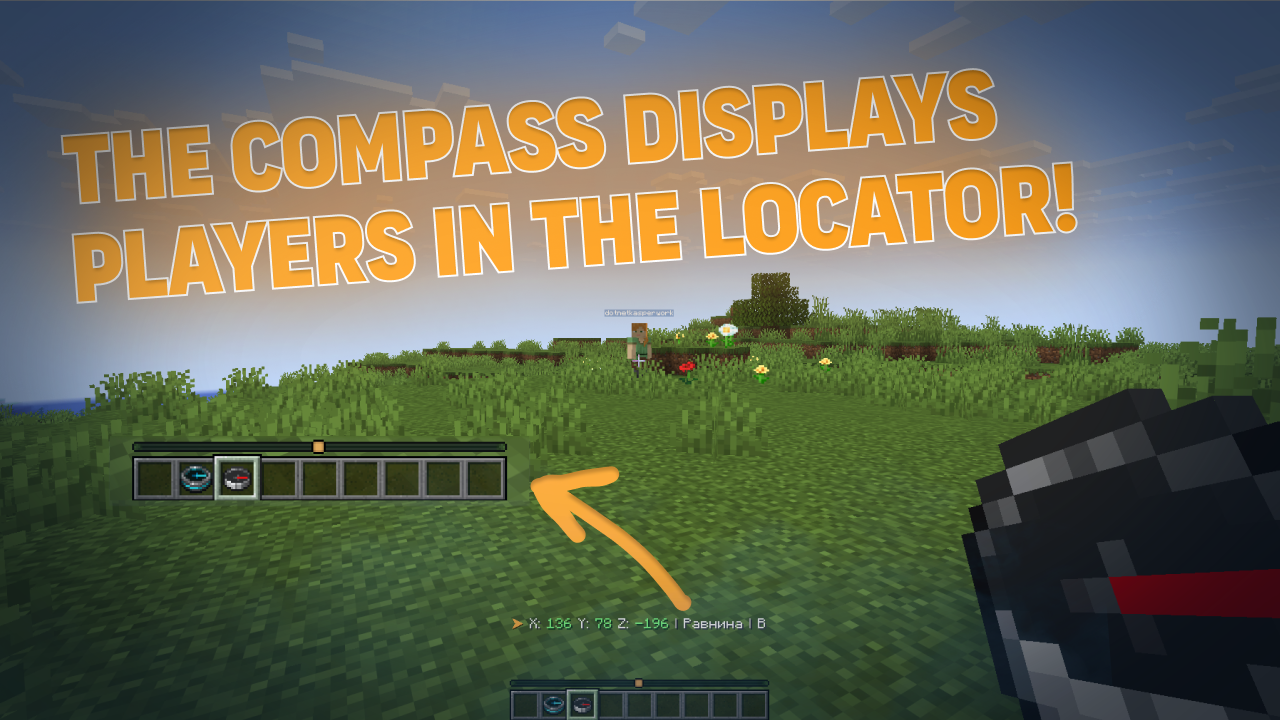
PvP/HCF-style Locator Bar
- See nearby players on your radar
- Shows player direction relative to you
- Perfect for competitive gameplay
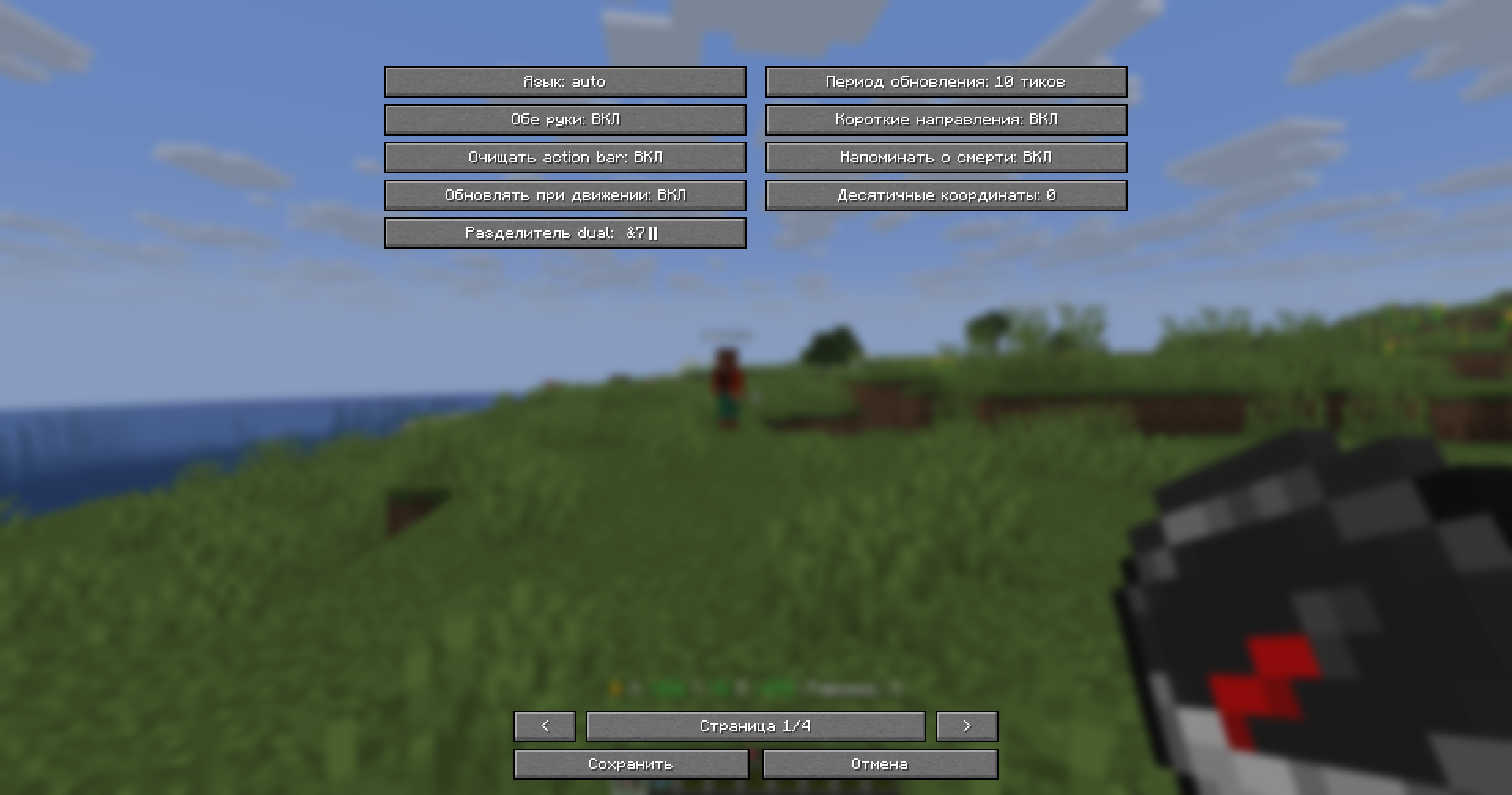
In-Game Configuration GUI
- Full configuration menu right in your game
- No need to edit files manually (but you still can)
- Changes apply instantly
Gallery
Normal Compass
Recovery Compass
Combined Mode
Locator Bar
In-Game Config GUI
Lodestone (Working)
Lodestone (Broken)
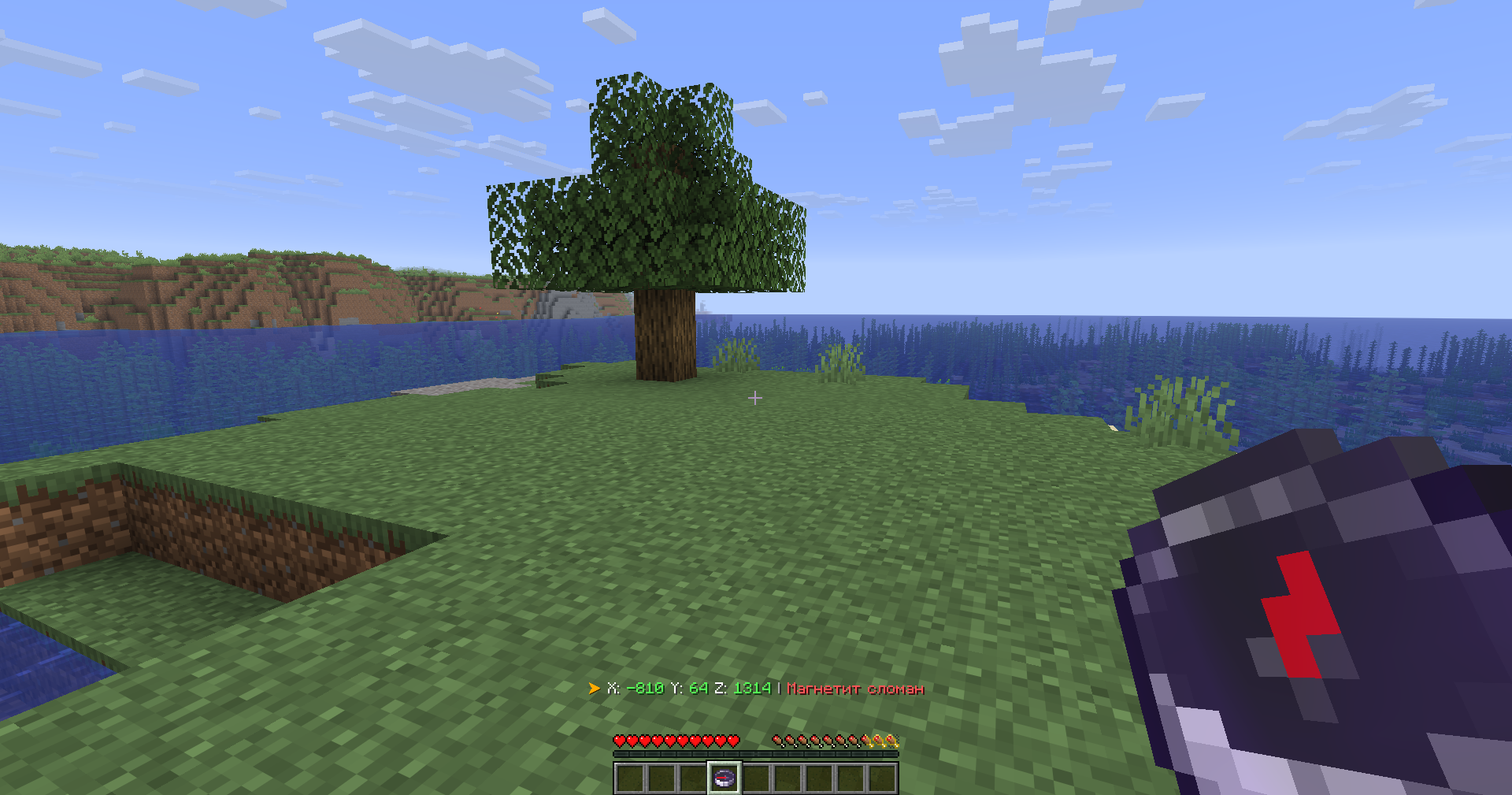
Usage
Simply hold a compass in your hand. That's it.
The mod works with both hands — main hand and offhand.
Configuration
The mod offers two ways to configure everything:
| Method | What you can do |
|---|---|
| In-Game GUI | Change settings on the fly, see changes immediately |
| YAML Files | config.yml and lang.yml — all original plugin settings preserved |
You can toggle every feature individually, change colors, adjust update frequency, and much more.
Installation
Fabric
- Install Fabric Loader for Minecraft 1.21.6+
- Put Fabric API and CompassLocator in your
mods/folder - Launch the game
Forge
- Install Forge for Minecraft 1.21.6+
- Put CompassLocator in your
mods/folder - Launch the game
Dependencies
Fabric
Required:
- Fabric API
Optional (recommended):
- Mod Menu — for the configuration screen
- Cloth Config API — for advanced config options
Forge
No required dependencies.
Requirements
- Minecraft 1.21.6+
- Java 21
There's also a server plugin version!
A server-side plugin for Paper/Spigot/Purpur on Minecraft 1.21+.
👉 CompassLocator — Plugin Version Modrinth
👉 CompassLocator — Plugin Version CurseForge
FAQ
Do I need to install anything on the server? No. This is a client-side mod. It works on any server, even vanilla.
Does it work in multiplayer? Yes. The Locator Bar shows other players even if they don't have the mod installed.
What's the difference between the mod and the plugin? The plugin runs on the server. The mod runs on your client and has access to more features (like the in-game GUI and client-side optimizations).
Do I need Mod Menu and Cloth Config? No, but they're recommended. Without them, you can still edit config.yml manually.
Does the compass work in both hands? Yes, you can hold it in either hand. Both are checked.
Links
Modrinth • Telegram • GitHub • kasperoid
© 2026 kasperoid — All Rights Reserved







📌 This is a client-side mod. A server-side plugin version is also available → Modrinth · CurseForge
📌 What is this?
CompassLocator is a client-side mod for Minecraft 1.21.6+ that adds useful compass information directly to the action bar. A port of the CompassLocator plugin, now with even more features and an in-game config GUI.
No more opening F3. Just hold a compass and see:
- where you are
- which direction you're facing
- what biome you're in
- where you died last time
- players around you on the radar
✨ Features
Normal Compass
- Coordinates (adjustable precision — integer or decimal)
- Current biome
- Cardinal direction (North/South or N/S)
- Time of day (optional)
- World name (optional)
- Lodestone support — shows the coordinates your compass is linked to, even if broken (shows last known position)
Recovery Compass
- Where you last died (coordinates)
- Which world
- Time since death
- Distance to death location
Combined Mode
- Hold a normal compass in one hand and a recovery compass in the other
- The action bar shows information from both at once
PvP/HCF-style Locator Bar
- See nearby players on your radar
- Shows player direction relative to you
- Perfect for competitive gameplay
In-Game Configuration GUI
- Full configuration menu right in your game
- No need to edit files manually (but you still can)
- Changes apply instantly
🖼️ Gallery
| Normal Compass | Recovery Compass | Combined Mode | Locator Bar |
|---|---|---|---|
|
|
|
|
| In-Game Config GUI | Lodestone (Working) | Lodestone (Broken) |
|---|---|---|
|
|
|
🎮 Usage
Simply hold a compass in your hand. That's it.
The mod works with both hands — main hand and offhand.
🛠 Configuration
The mod offers two ways to configure everything:
| Method | What you can do |
|---|---|
| In-Game GUI | Change settings on the fly, see changes immediately |
| YAML Files | config.yml and lang.yml — all original plugin settings preserved |
You can toggle every feature individually, change colors, adjust update frequency, and much more.
📥 Installation
Fabric
- Install Fabric Loader for Minecraft 1.21.6+
- Put Fabric API and CompassLocator in your
mods/folder - Launch the game
Forge
- Install Forge for Minecraft 1.21.6+
- Put CompassLocator in your
mods/folder - Launch the game
📦 Dependencies
Fabric
Required:
- Fabric API
Optional (recommended):
- Mod Menu — for the configuration screen
- Cloth Config API — for advanced config options
Forge
No required dependencies.
⚙️ Requirements
- Minecraft 1.21.6+
- Java 21
🔄 There's also a server plugin version!
A server-side plugin for Paper/Spigot/Purpur on Minecraft 1.21+.
❓ FAQ
Do I need to install anything on the server?
No. This is a client-side mod. It works on any server, even vanilla.Does it work in multiplayer?
Yes. The Locator Bar shows other players even if they don't have the mod installed.What's the difference between the mod and the plugin?
The plugin runs on the server. The mod runs on your client and has access to more features (like the in-game GUI and client-side optimizations).Do I need Mod Menu and Cloth Config?
No, but they're recommended. Without them, you can still edit `config.yml` manually.Does the compass work in both hands?
Yes, you can hold it in either hand. Both are checked.🔍 Поисковые теги / Search keywords
Русский: компас, координаты, направление, биом, радар, локатор бар, action bar, locator bar, компас смерти, death compass, recovery compass, точка смерти, магнетит, lodestone, навигация, стороны света, время суток, мир, часы, время в майнкрафт, F3, замена F3, текст над инвентарем, текст над сердечками, action bar текст, информация на экране, hud, интерфейс, мод майнкрафт, клиентский мод
English: compass, coordinates, direction, biome, radar, locator bar, action bar, death compass, recovery compass, death point, lodestone, navigation, cardinal directions, time of day, world, clock, minecraft time, F3, F3 alternative, action bar text, above inventory text, above hearts text, hud, interface, minecraft mod, client mod
🔗 Links

© 2026 kasperoid — All Rights Reserved
Screenshots
Gallery
-
 Combined Compass System Use the regular compass together with the death compass to track both your position and your last death point simultaneously.
 -
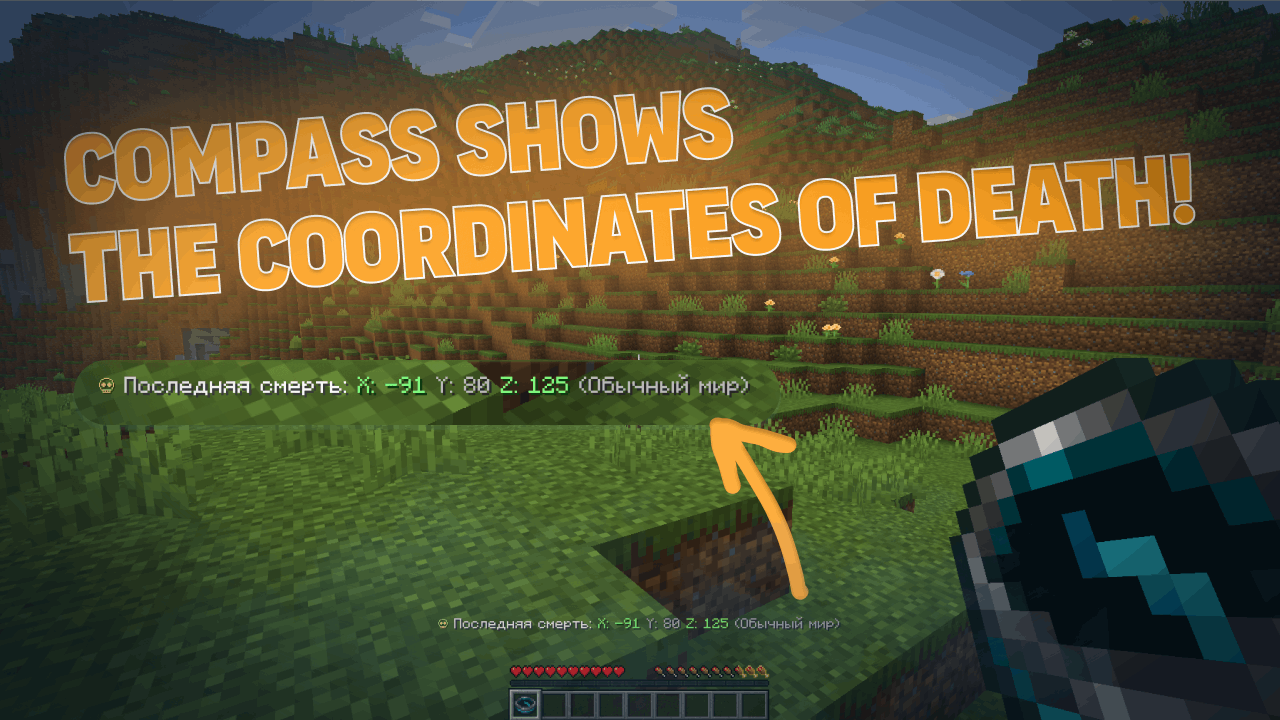 Death Coordinates Tracking Automatically saves and displays your last death location to help you recover lost items quickly.
 -
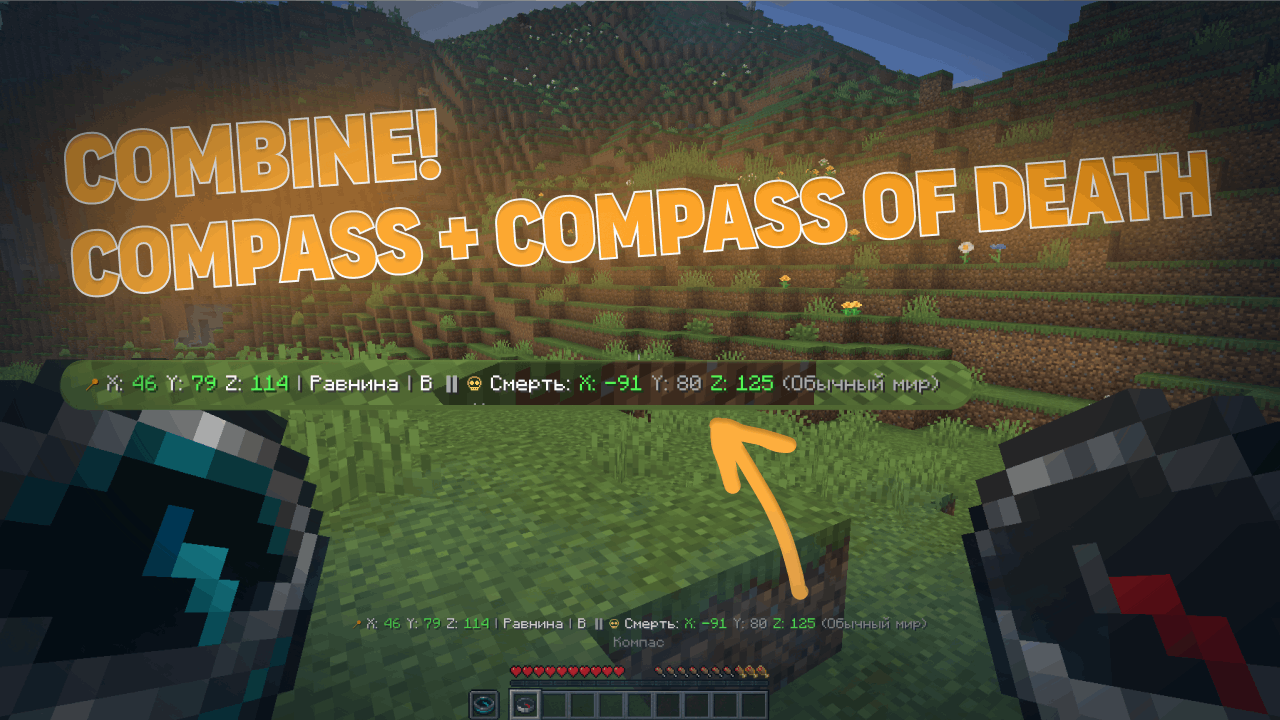 Combined Compass System Use the regular compass together with the death compass to track both your position and your last death point simultaneously.
 -
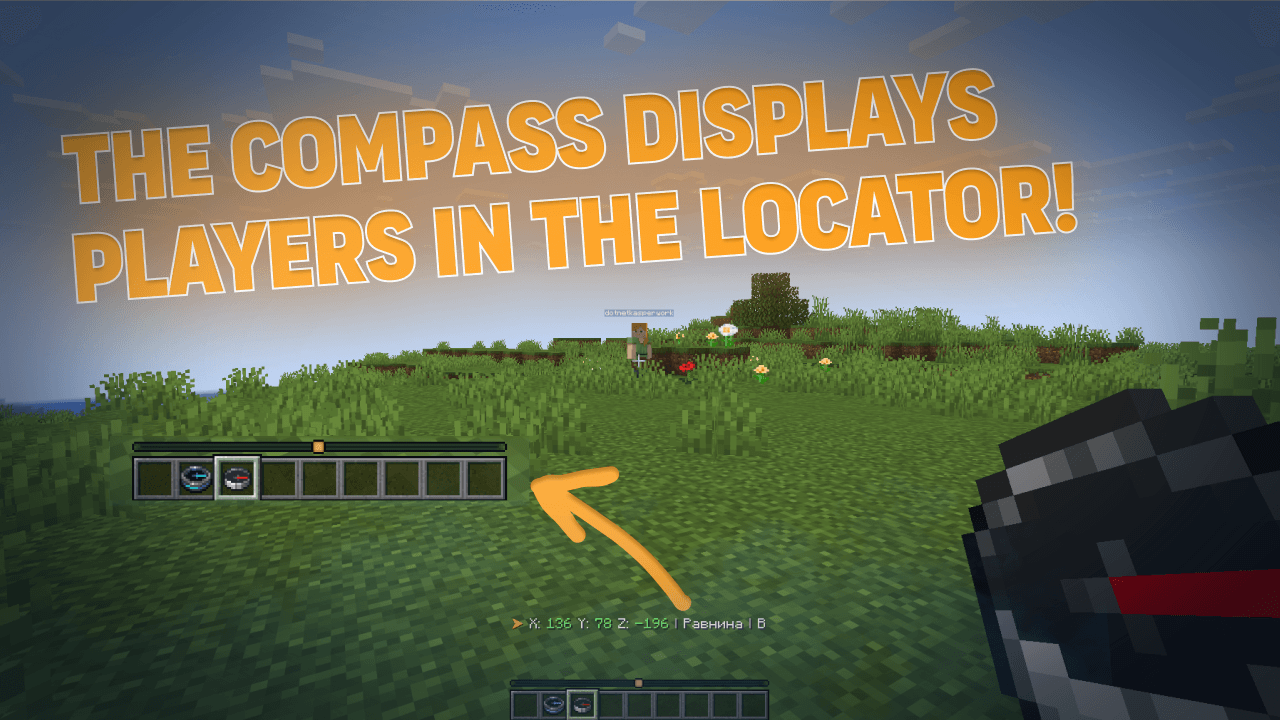 Player Locator Bar Track nearby players in real time while holding a compass. The locator bar points toward other players and updates dynamically during gameplay.
 -
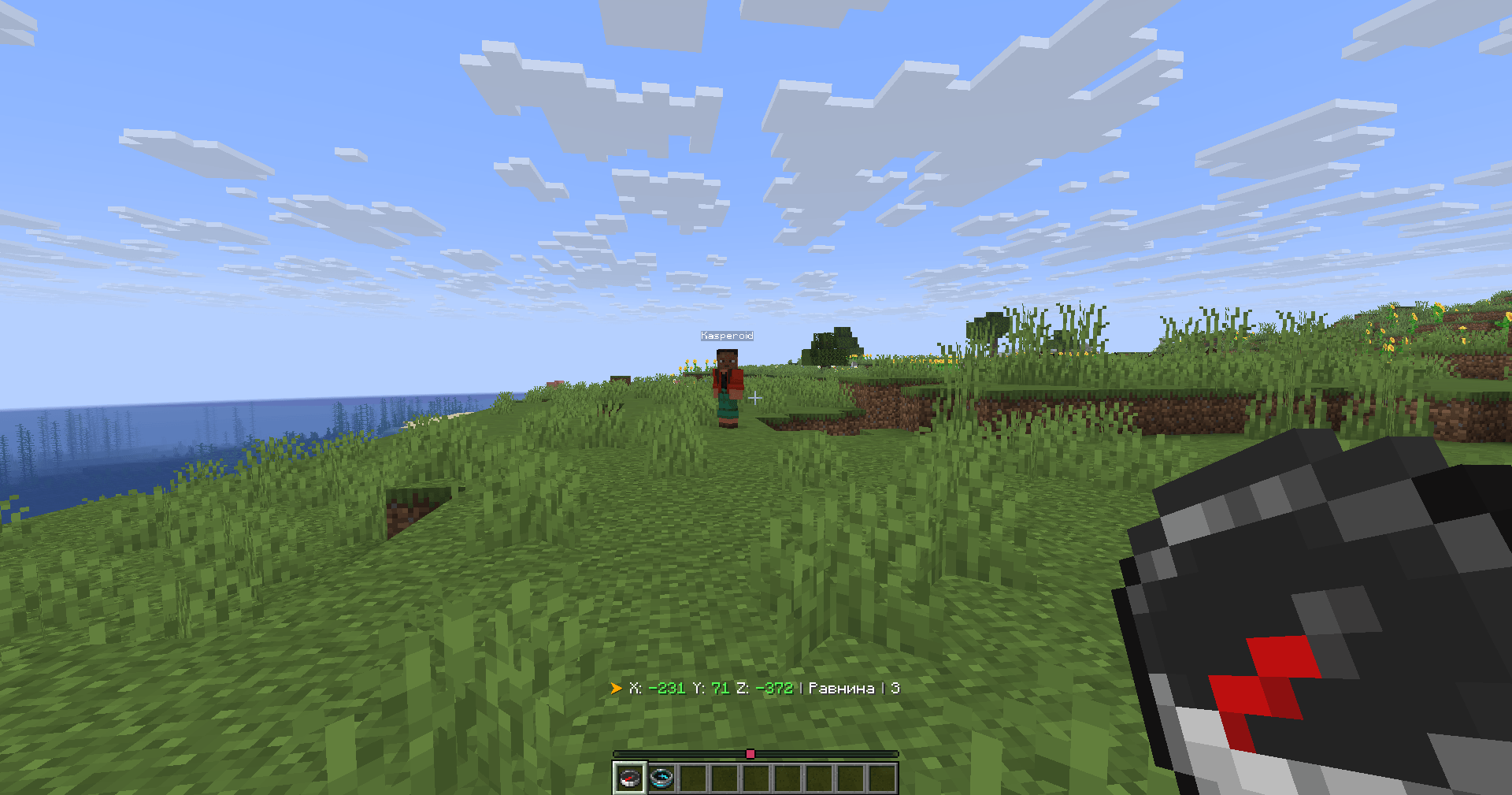 Compass and Locator Bar Locator bar showing nearby players while holding a compass.
 -
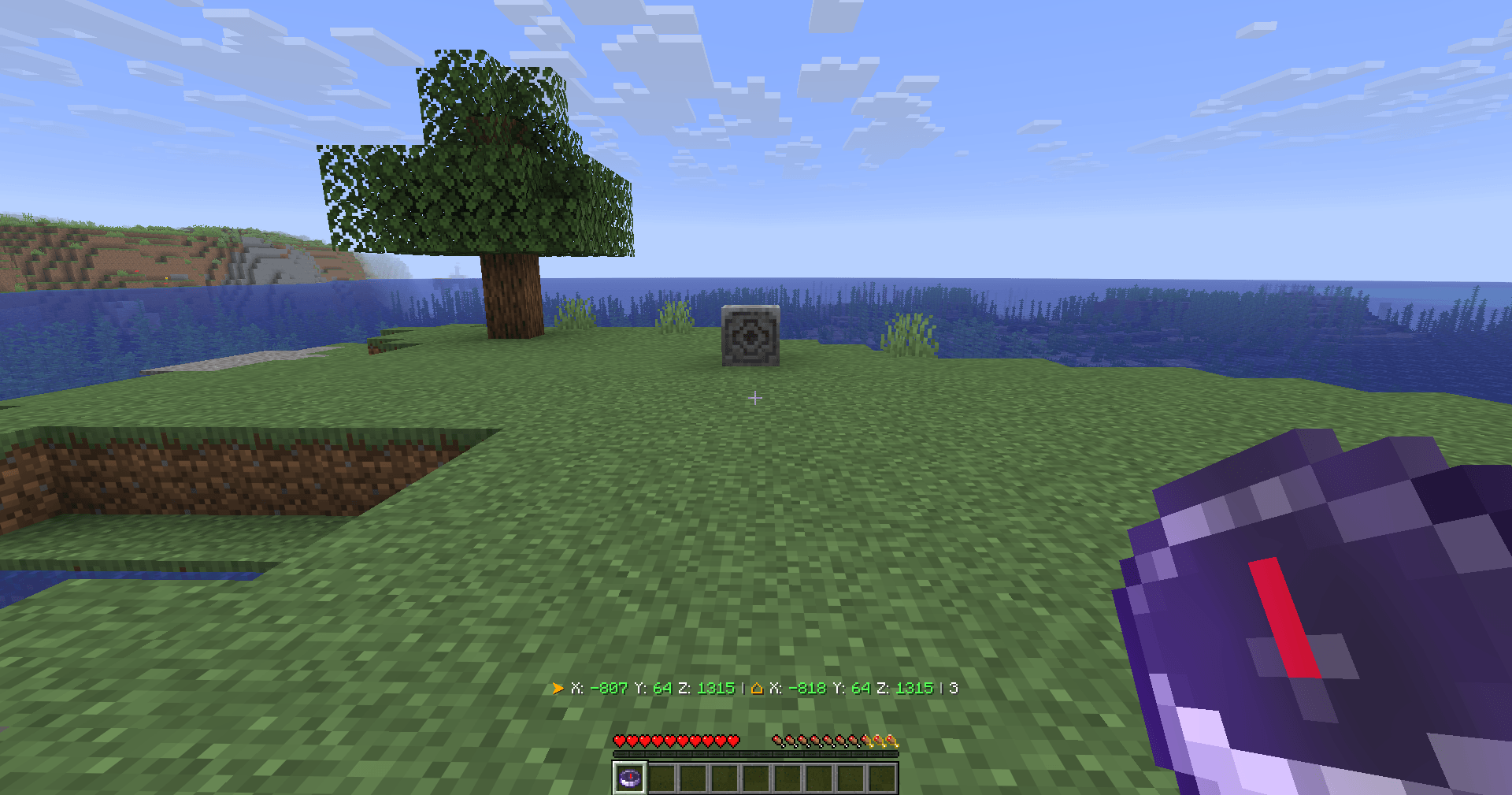 Binding a compass to magnetite Bind the compass to the magnetite as usual, but now the compass will also display the magnetite's coordinates if it is not resolved.
 -
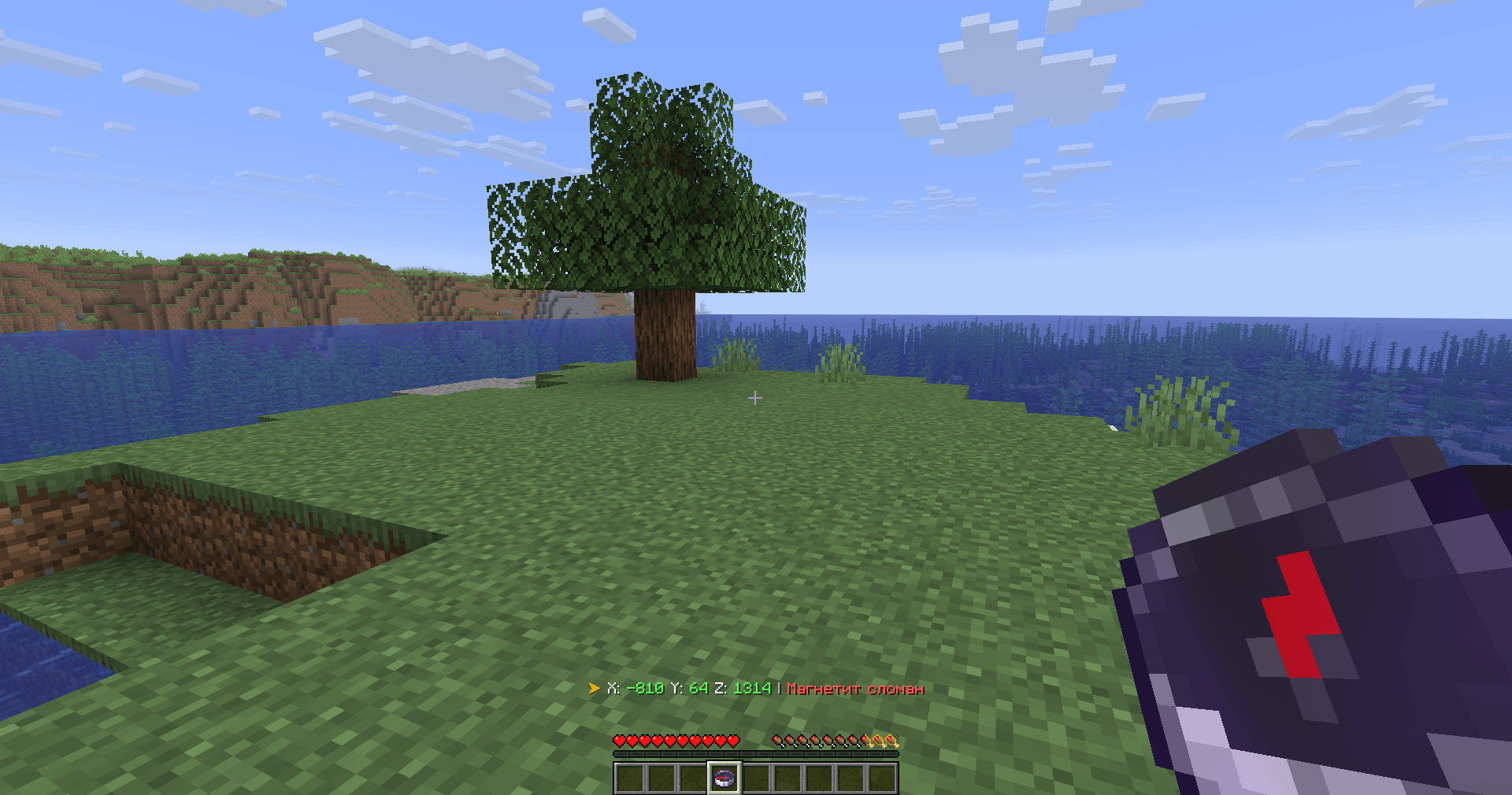 Magnetite is broken If the magnetite is broken, its coordinates can no longer be displayed! (This can be changed in the settings)
 -
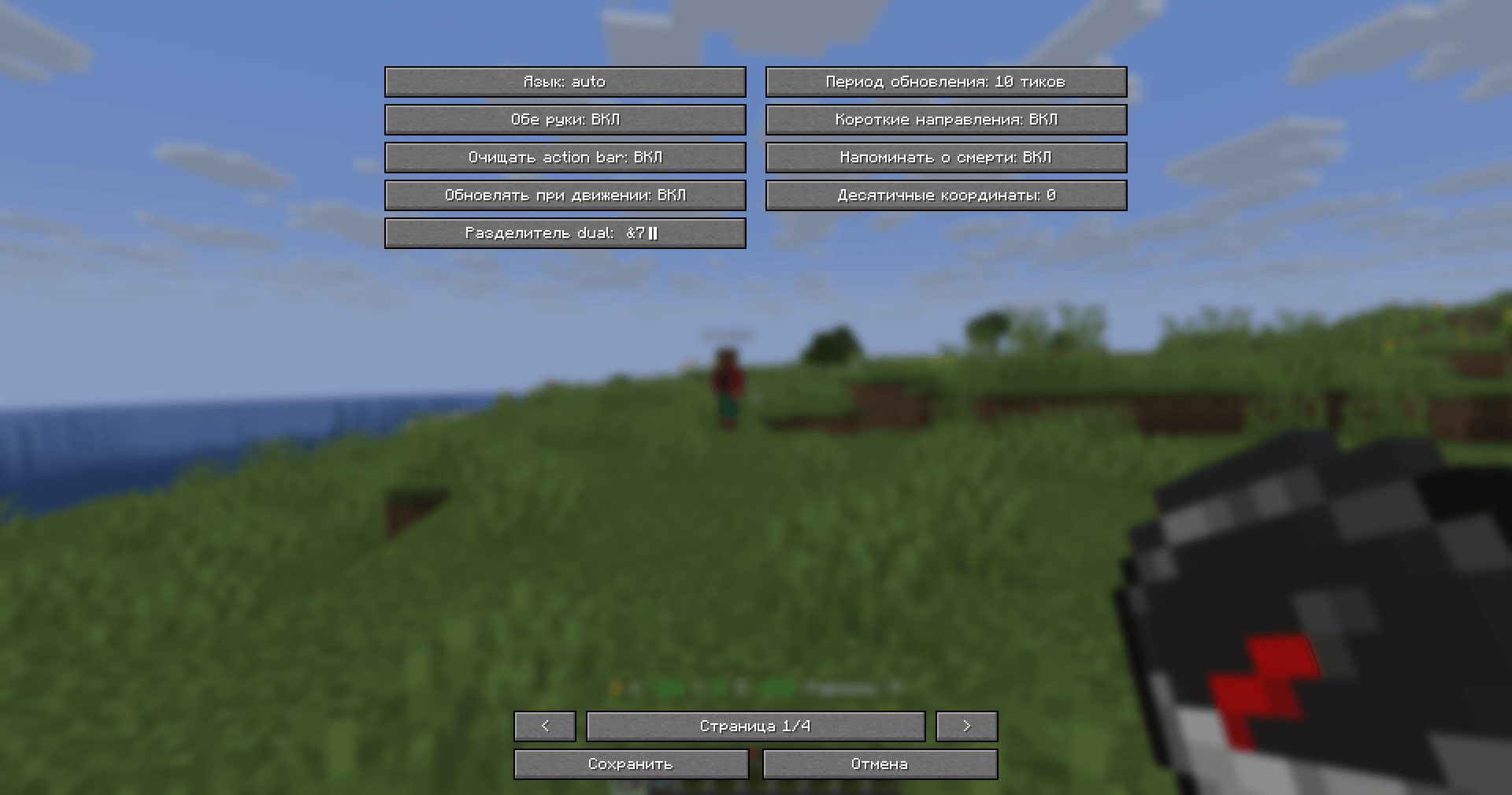 Customization directly in the game Configure CompassLocator directly in-game.
 -
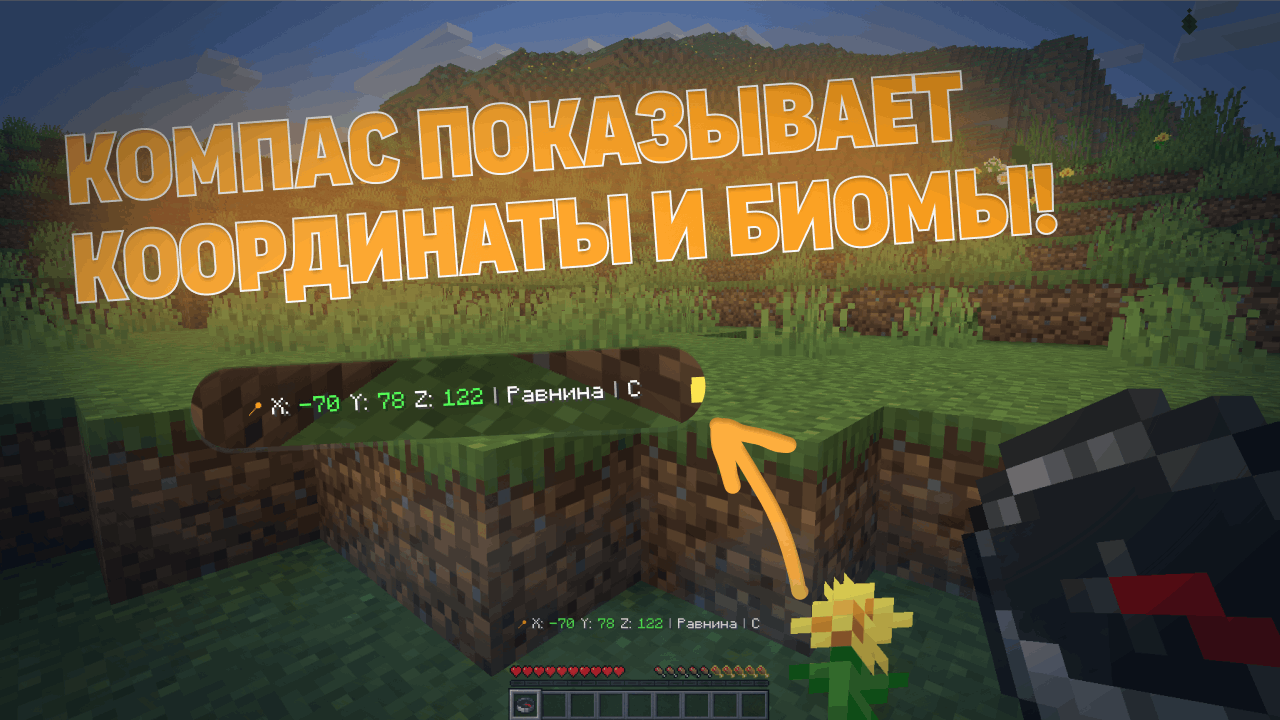 Отображение координат и биомов Компас отображает координаты в реальном времени, информацию о биомах и стороны света непосредственно на экране.
 -
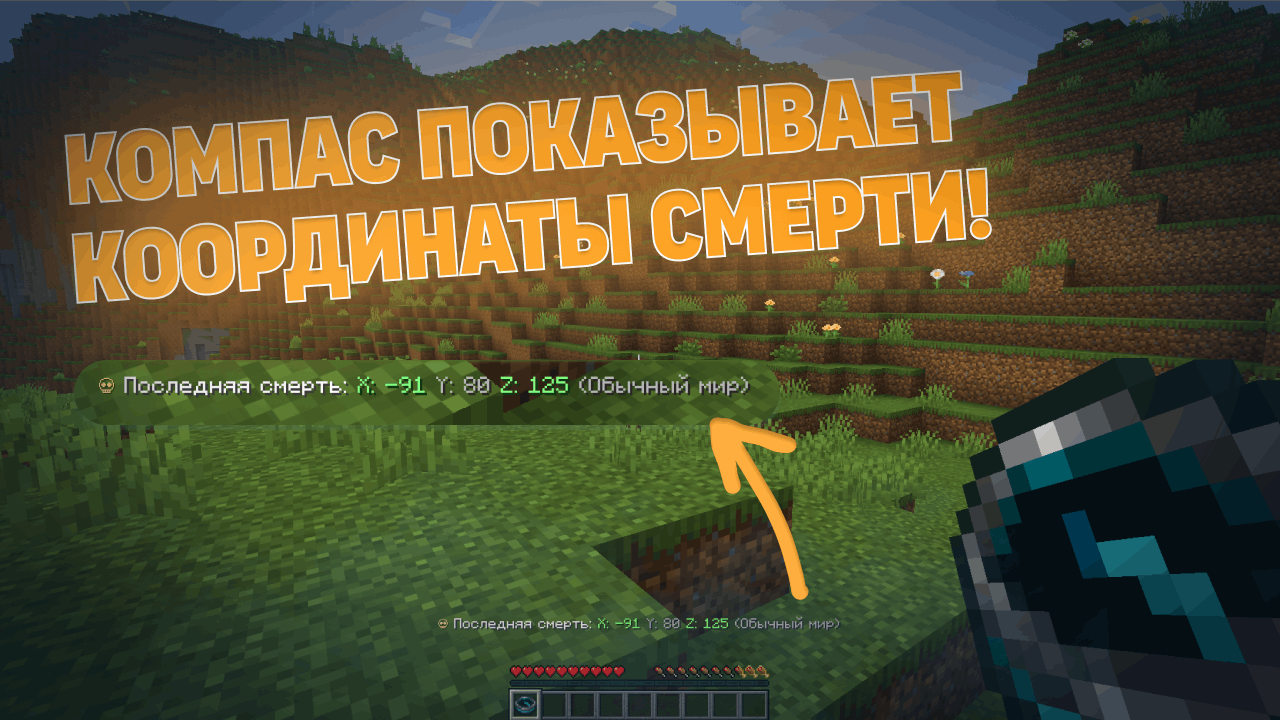 Отслеживание координат смерти Автоматически сохраняет и отображает место вашей последней смерти, чтобы помочь вам быстро восстановить потерянные вещи.
 -
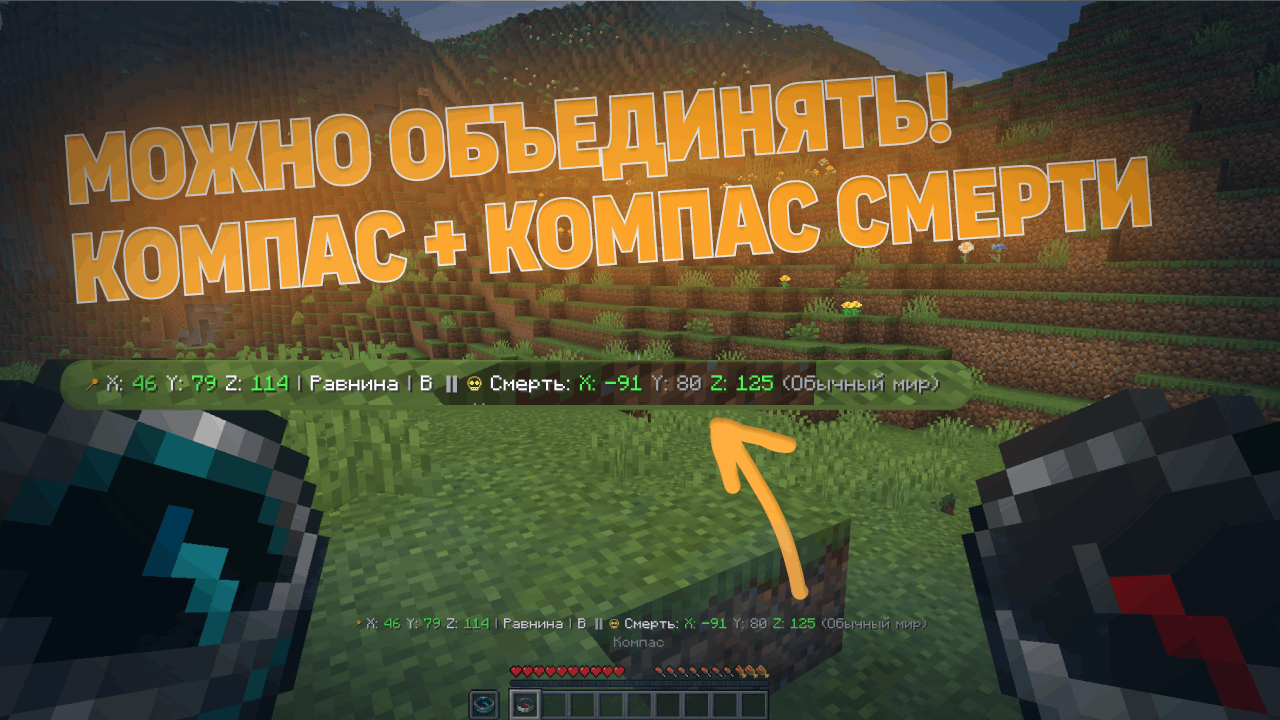 Комбинированная компасная система Используйте обычный компас вместе с компасом смерти, чтобы одновременно отслеживать свое местоположение и точку последней смерти.
 -
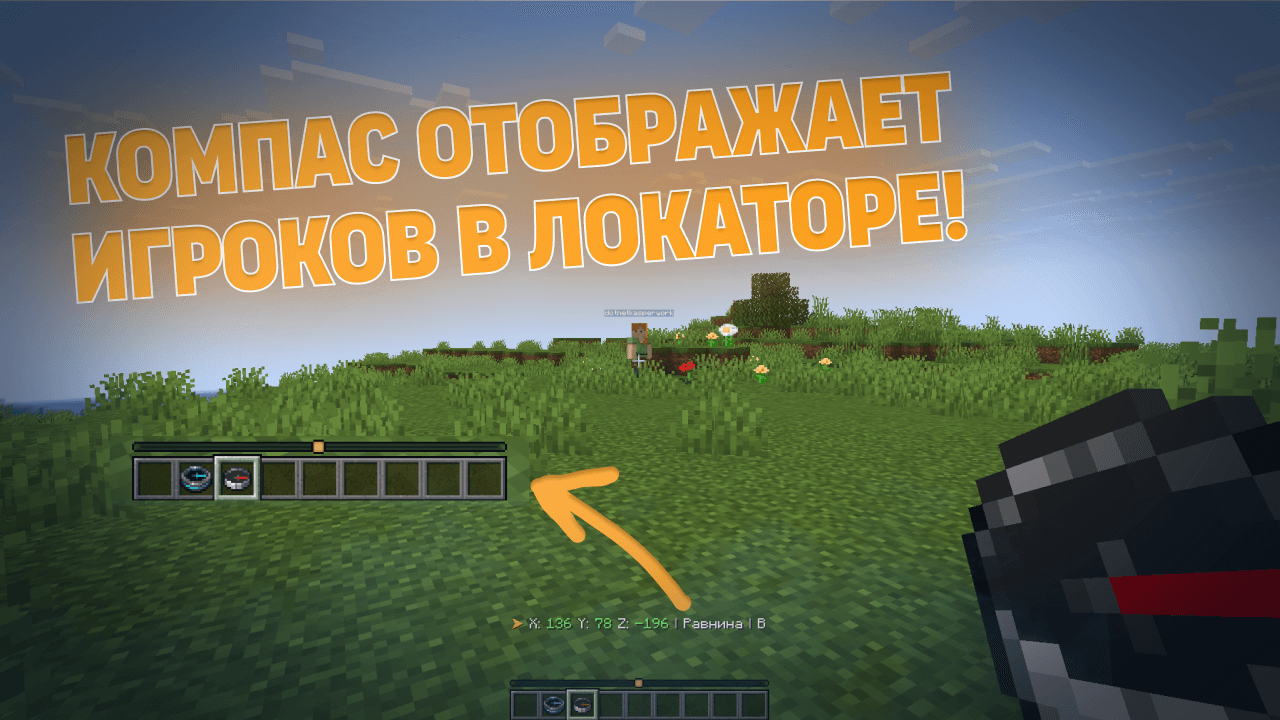 Панель поиска игроков Отслеживайте находящихся поблизости игроков в режиме реального времени, держа в руках компас. Полоса привязки указывает на других игроков и динамически обновляется во время игры.
 -
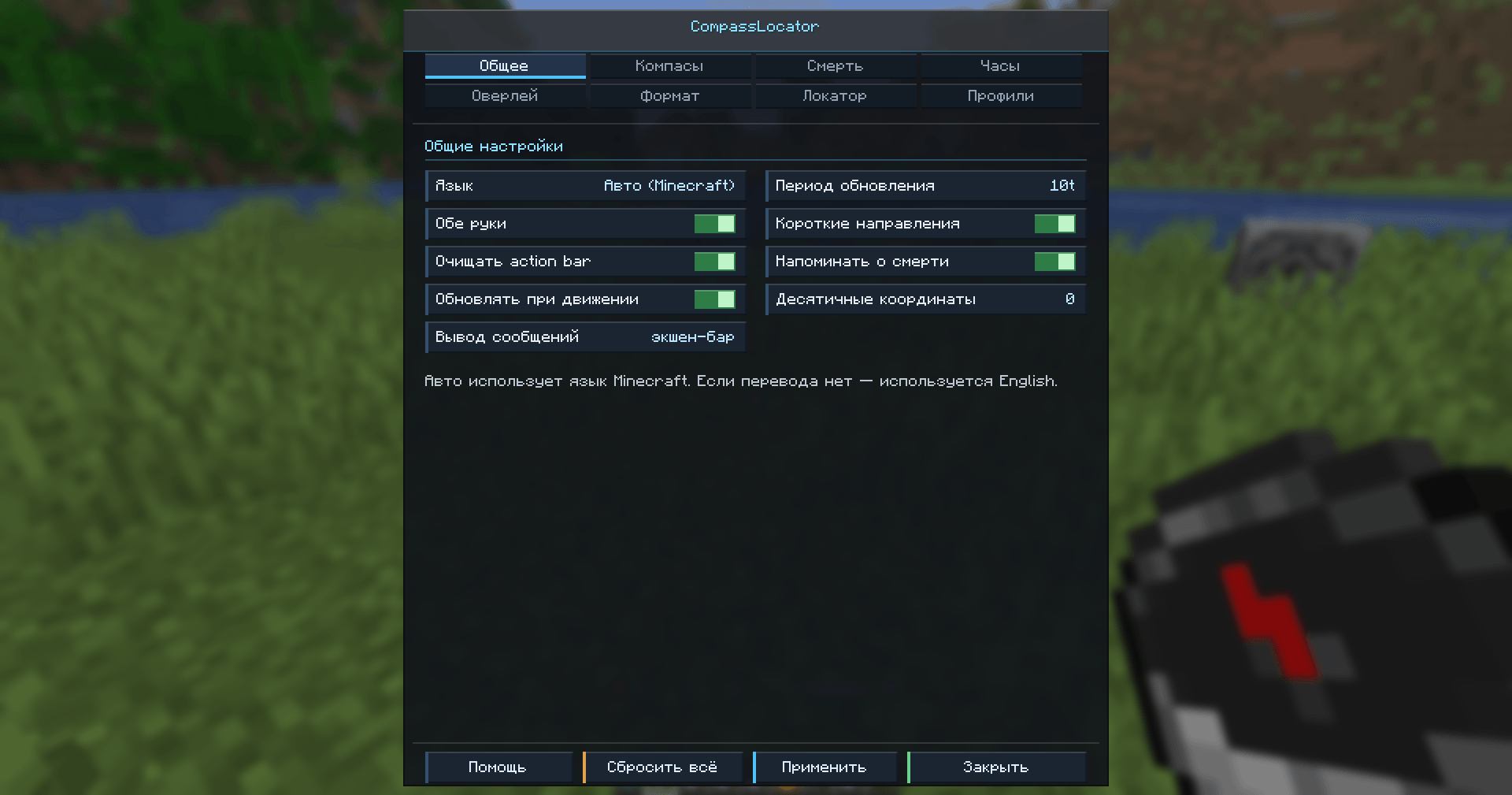 Updated in-game settings GUI Easily customize your mod without accessing the game files.
-
Coordinates & Biome Display The compass displays live coordinates, biome information, and cardinal direction directly in the HUD.
-
Death Coordinates Tracking Automatically saves and displays your last death location to help you recover lost items quickly.
-
Combined Compass System Use the regular compass together with the death compass to track both your position and your last death point simultaneously.
-
Player Locator Bar Track nearby players in real time while holding a compass. The locator bar points toward other players and updates dynamically during gameplay.
-
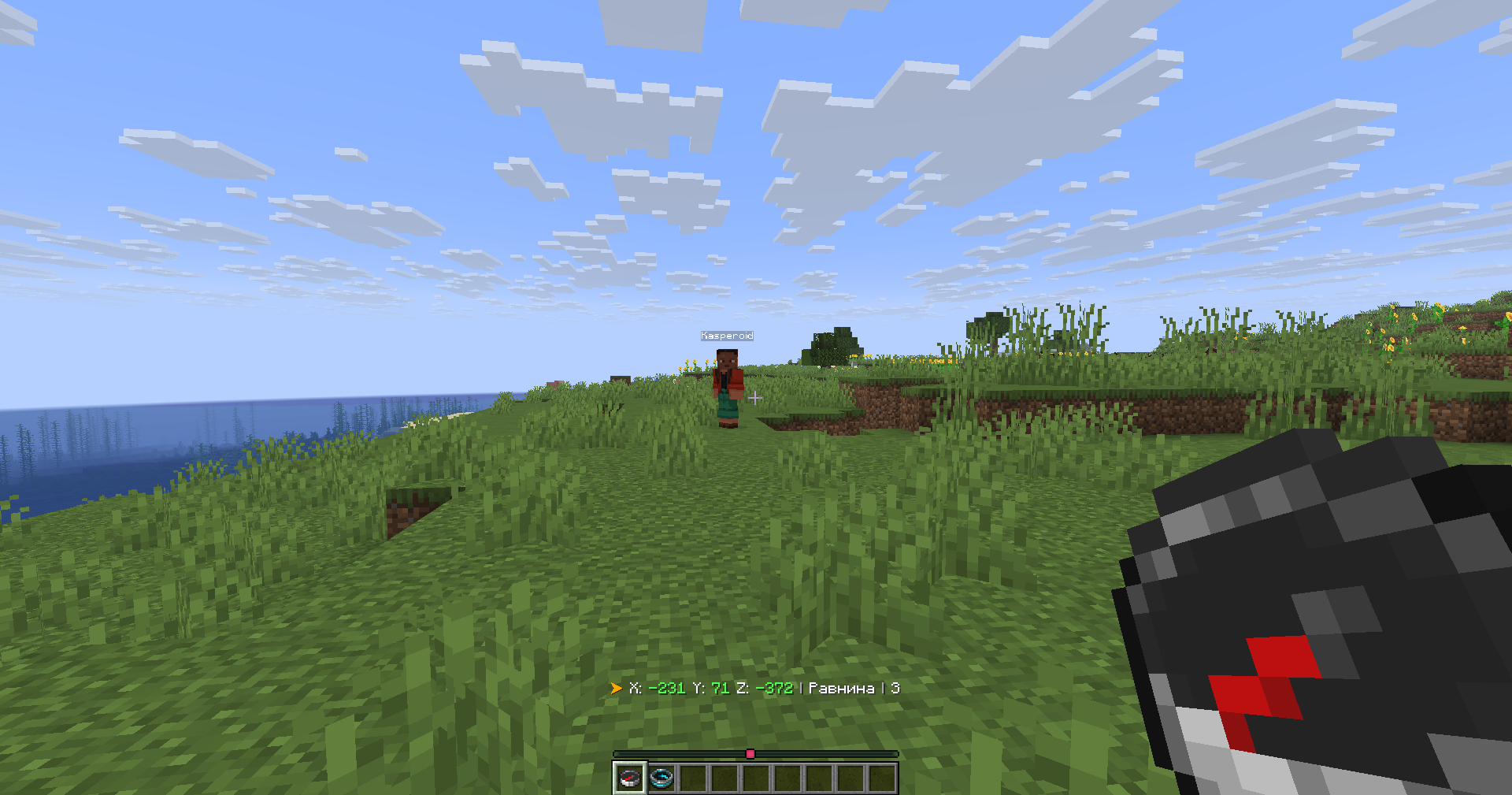 Compass and Locator Bar Locator bar showing nearby players while holding a compass.
 -
Customization directly in the game Configure CompassLocator directly in-game.
-
Binding a compass to magnetite Bind the compass to the magnetite as usual, but now the compass will also display the magnetite's coordinates if it is not resolved.
-
Magnetite is broken If the magnetite is broken, its coordinates can no longer be displayed! (This can be changed in the settings)
-
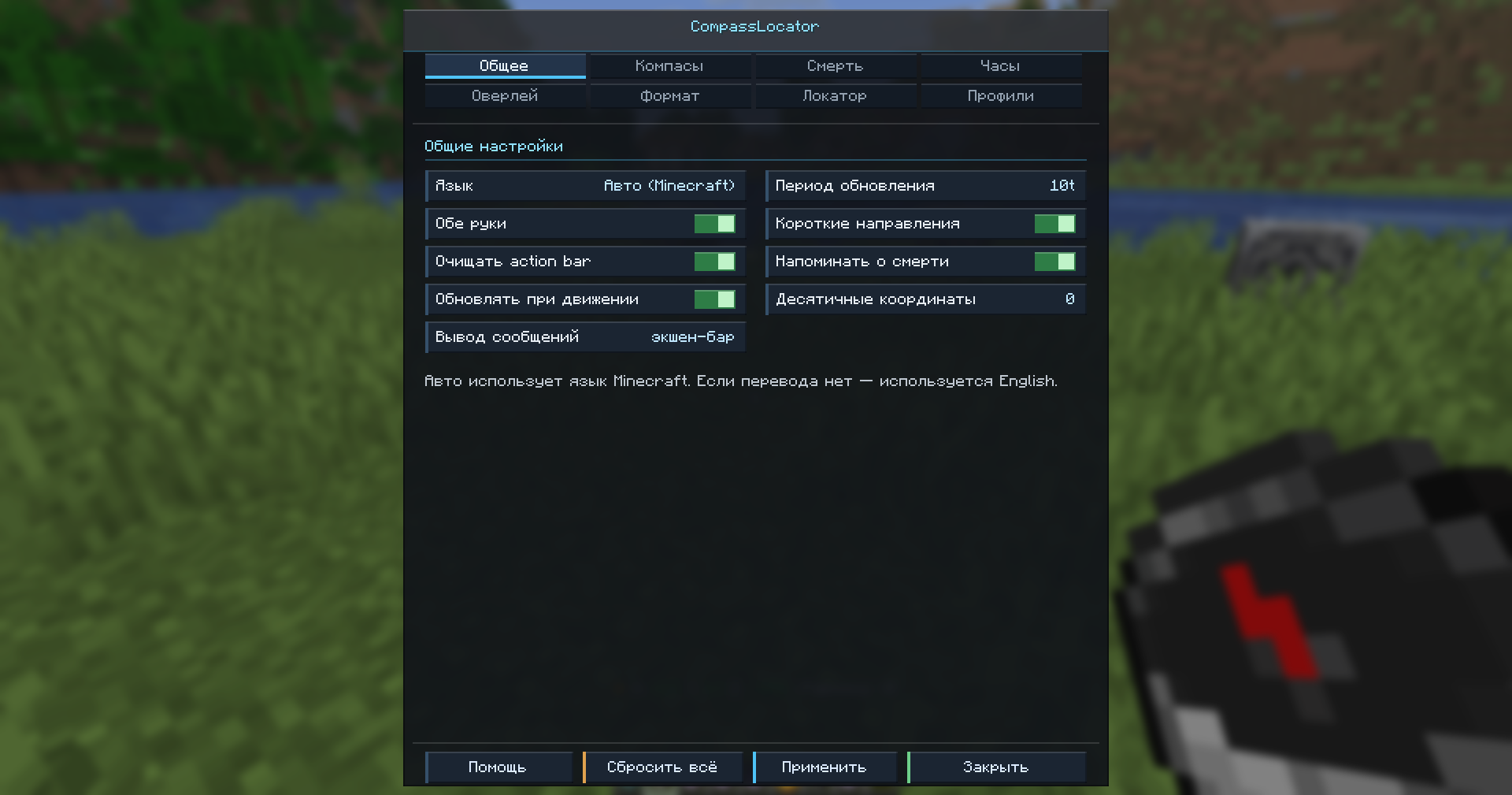 Updated in-game settings GUI Easily customize your mod without accessing the game files.
 -
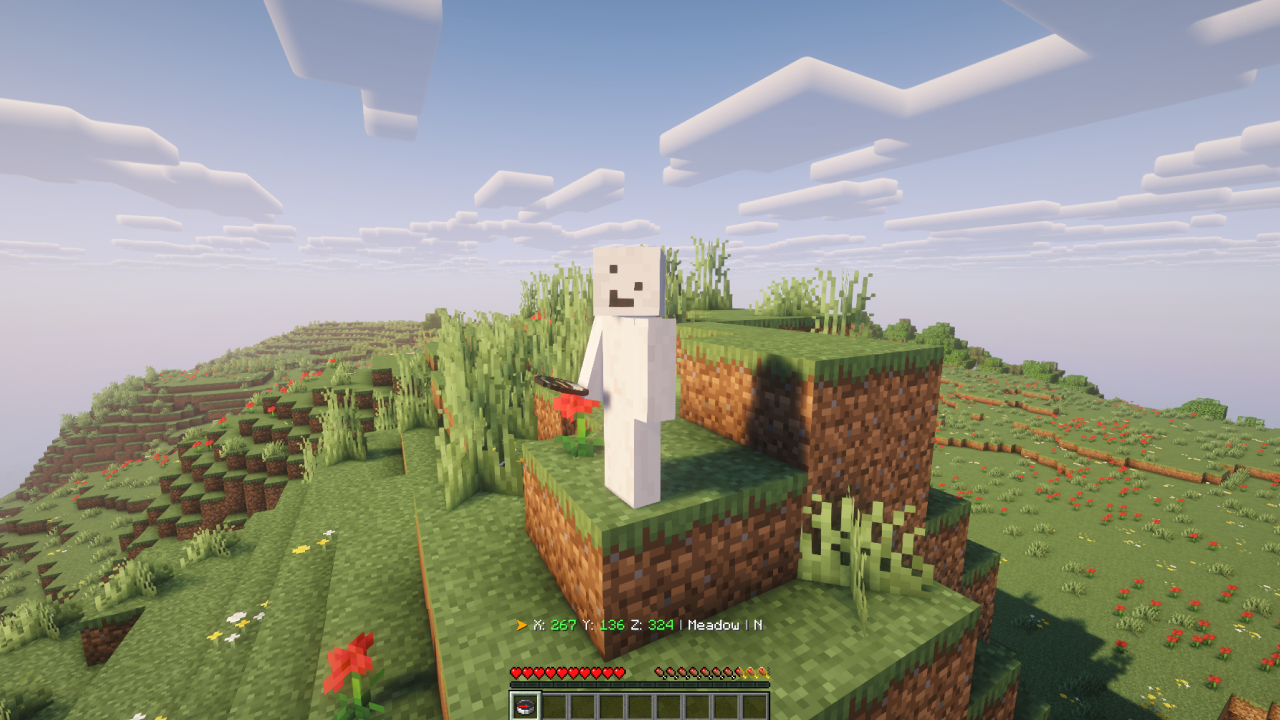 Explore the world of Minecraft with CompassLocator! Take a compass with you on a hike and use it to navigate in the action bar. It will show you coordinates, your viewing direction, and the biome.
 -
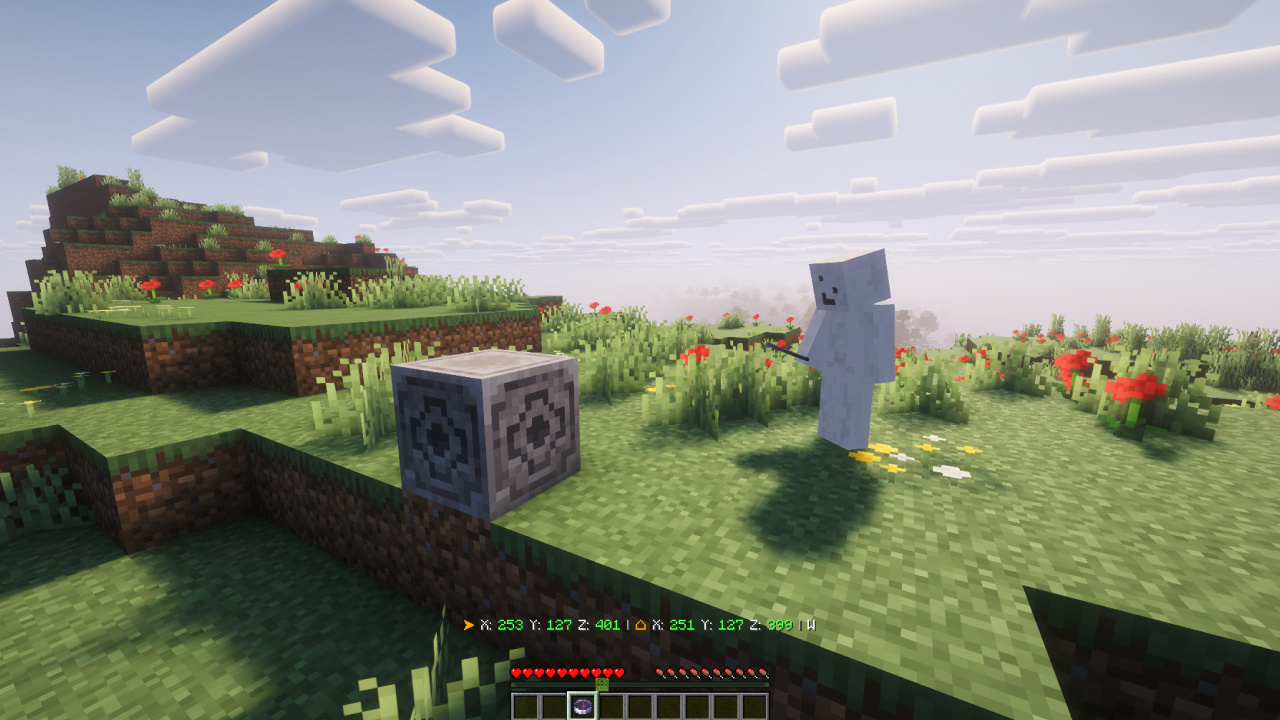 Mark waypoints with a compass and magnetite! Take the compass, right-click on the magnetite, and connect your compass to the magnetite's coordinates. Now you can set out on your journey without fear of losing your home.
 -
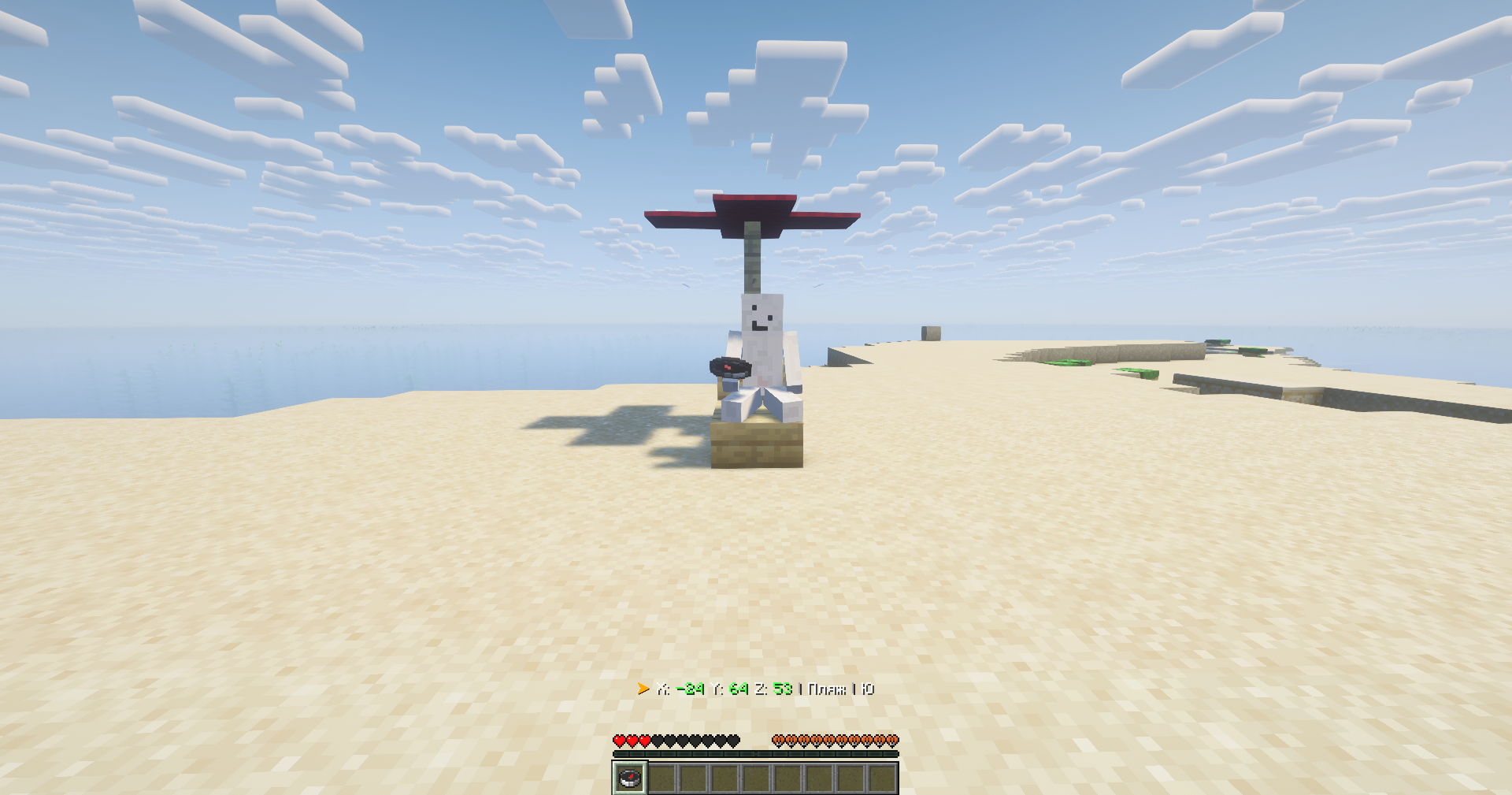
Versions
Files
Relations
Project Relations
More like this
Similar Mods
Suggestions use data such as tags, dependencies, dependents, descriptions, titles, and more to rank how much they overlap with this mod.
On ModDex
Community snapshot
By the numbers
Statistics
Want to reach Minecraft players?
We're looking for a server hosting partner to feature here and other parts of the site. Interested? Send us a message!
Get in touchGet it on
Available Platforms
On ModDex
Community snapshot
By the numbers