Community listing page, reviews may not be monitored by the author.
Compressed Blocks Mod

No reviews yet
Compress and uncompress some blocks like Stone, Cobblestone, Wood, ...

Community voices
Reviews
No reviews yet. Be the first to review this project!
Get it on
Available Platforms
About
Project Details
For authors
Embed Badge
If you're the author of this project, you can embed a live badge anywhere that supports HTML or Markdown. It updates automatically whenever ratings change.
Use HTML for any page that supports it, or Markdown for README files and Markdown-based descriptions.
Identifiers
Platform IDs
About
Description
Compressed Blocks Mod - v1.3
Complete documentation over here. CraftBukkit/Spigot server versions over here.
This is a Minecraft Mod that allow you to compress and uncompress some blocks like Stone, Cobblestone, Wood, Sand, SoulSand, Gravel, Dirt and Netherrack. Get this mod and you're gonna spare a lot of space !

Compatibility
This mod works in single and multiplayer (with server), equipped with Forge. So, make sure to install it first. Since the 1.2, it is also compatible with other mod like ExtraUtils 2.
If there is a problem, see this page for compatibility details between versions.
Downloads
This mod is currently available for:
- Minecraft 1.11.2 Download last version (1.3): over here.
- Minecraft 1.10.2 Download last version (1.2): over here.
The previous versions and the changelogs are available on the mod website.
Installing
Simply put the .jar mod file into the "mods" directory of you minecraft client folder, or server folder.
How to use this mod ?
First, here is the list of the blocks that you can compress (and uncompress):
- All kind of woods (Logs)
- new 1.1: All kind of planks !
- new 1.2: Andesite, Diorite & Granite !
- Dirt
- Stone
- Cobblestone
- Sand and Red Sand
- Gravel
- Soul Sand
- Netherrack
Crafts for compressing and uncompressing:
Get a crafting table and do like on this picture. You can naturally do these crafts with all the blocks listed above.

Block placing and destroying
All compressed blocks can be placed in the world. But, once you destroy them, you don't get back a compressed block. You got a stack of the uncompressed blocks. For example: if you destroy a compressed Cobblestone block, a stack of 4 ~ 7 Cobblestone drop. Like on this picture:

And since version 1.2, once you destroy a compressed Stone, it drop a stack of Cobblestone (instead of a stack of stone before).
Behaviors of compressed blocks
The compressed Sand and Soul Sand that fall, the Stone that drop Cobblestone, and the list of many others behaviors featured in this mod are available on the Behaviors page.

Any bug ? Any suggestion ?
Just post a message on the issues page. All the doc of previous versions is available over here.
Screenshots
Gallery
-
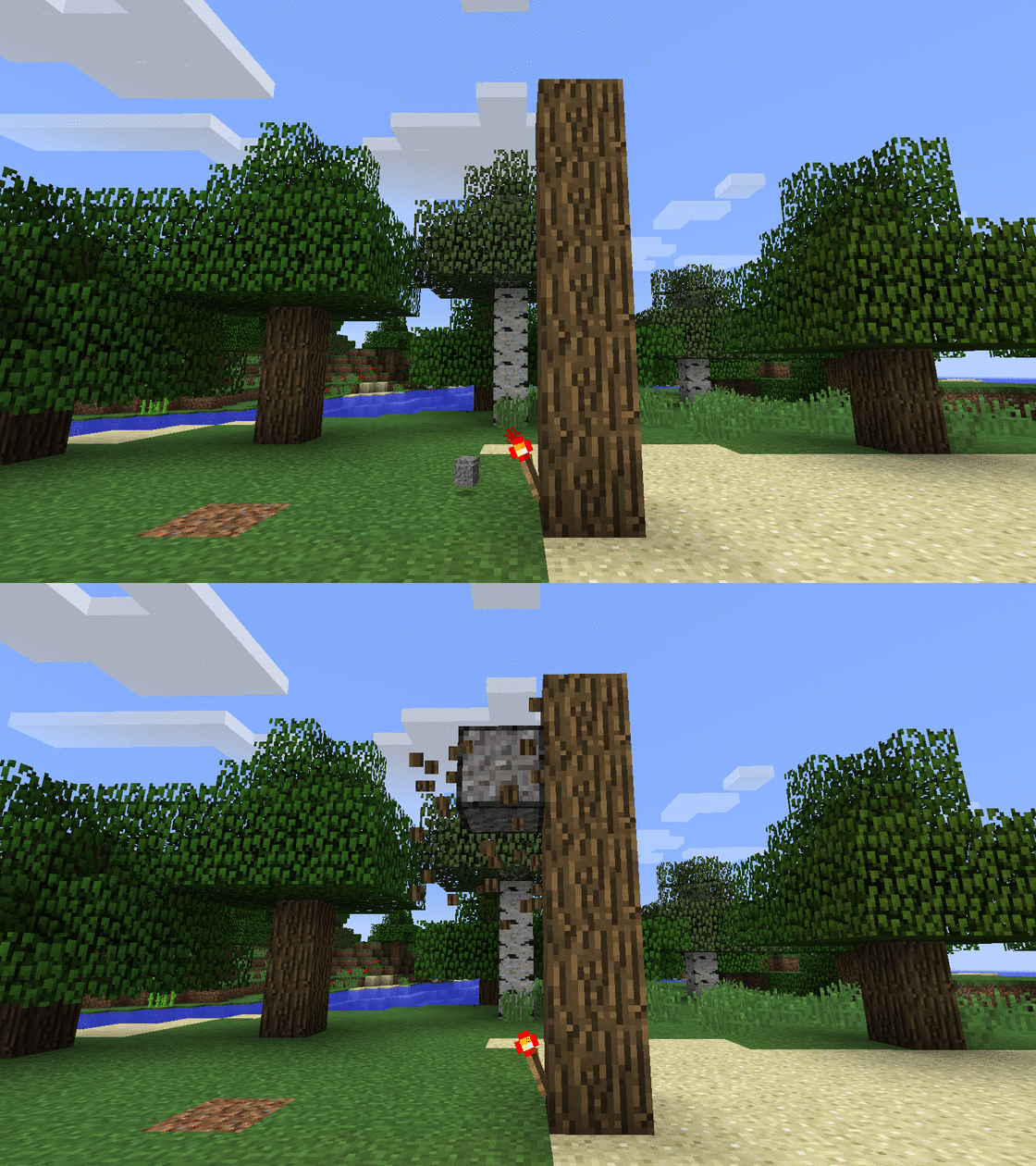 Compressed Gravel falling
 -
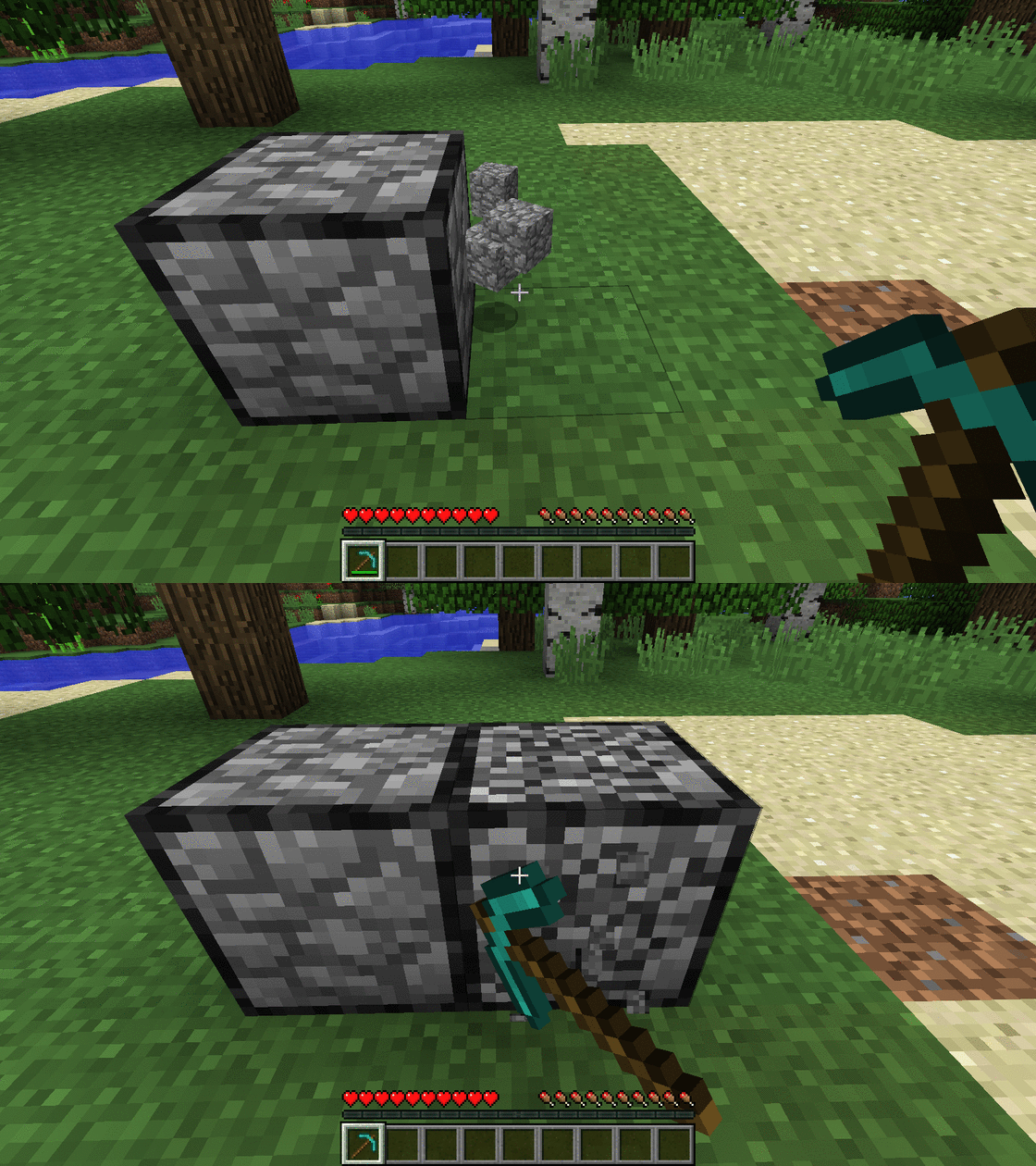 Compressed Cobblestone destroying
 -
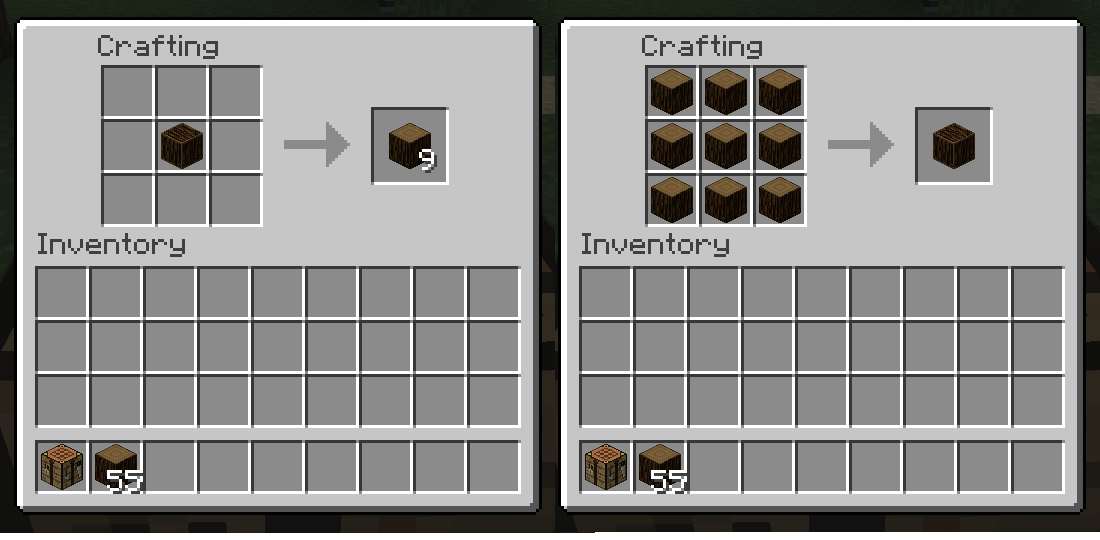 Craft
Craft -
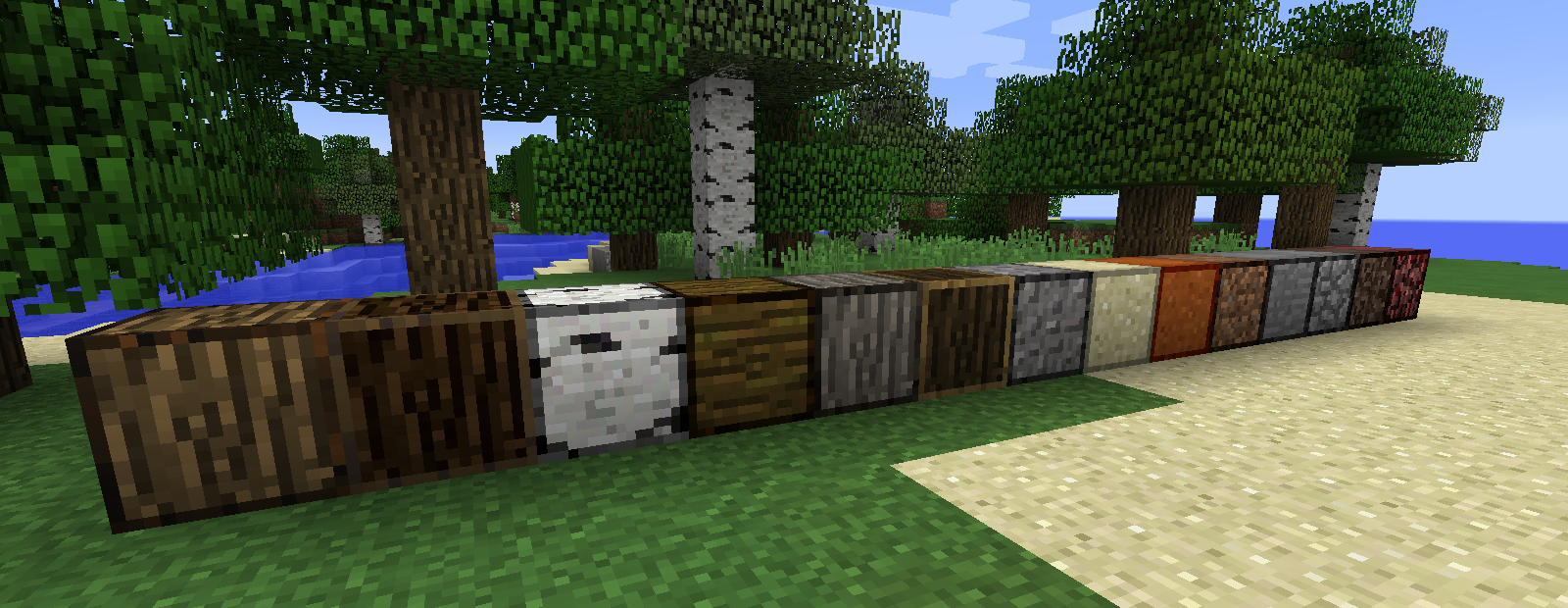 Compressed blocks
Versions
Files
Relations
Project Relations
More like this
Similar Mods
Suggestions use data such as tags, dependencies, dependents, descriptions, titles, and more to rank how much they overlap with this mod.
On ModDex
Community snapshot
By the numbers
Statistics

Get it on
Available Platforms
On ModDex
Community snapshot
By the numbers