Community listing page, reviews may not be monitored by the author.
Configurable Difficulty


No reviews yet
A server-side Minecraft mod that adjusts entity attributes based on their biome, dimension, and depth

Community voices
Reviews
No reviews yet. Be the first to review this project!
Get it on
Available Platforms
Compatibility
Supported Environments
Runs entirely on the server. Also works in singleplayer.
About
Project Details
For authors
Embed Badge
If you're the author of this project, you can embed a live badge anywhere that supports HTML or Markdown. It updates automatically whenever ratings change.
Use HTML for any page that supports it, or Markdown for README files and Markdown-based descriptions.
Identifiers
Platform IDs
About
Description
Configurable Difficulty
A server-side Minecraft mod that adjusts entity attributes based on their biome, dimension, and depth. Supports both NeoForge and Fabric mod loaders.
Features
Triple Multiplier System:
- Dimension Multipliers: Base difficulty per dimension (Nether, End, modded dimensions)
- Biome Multipliers: Difficulty scaling per biome
- Depth Scaling: Progressive difficulty based on Y-coordinate (Overworld only)
- Final Formula:
Dimension × Biome × Depth
Modded Biome Support: Works with ALL biome mods
Modded Dimension Support: Works with ANY dimension
- Auto-fallback: Unconfigured dimensions use Overworld as baseline
Attribute Split by Entity Type:
- Players: Only receive Luck attribute (better loot quality)
- Mobs: Receive all combat attributes (Health, Armor, Damage, etc.) except Luck
Configurable Attributes:
- Max Health
- Armor
- Armor Toughness
- Attack Damage
- Attack Speed
- Attack Knockback
- Knockback Resistance
- Luck (players only)
Y-Coordinate Depth Scaling:
- Applies only in Overworld
- Deeper underground = harder difficulty
- Configurable depth threshold and max depth
- Linear scaling mode available
Configuration
The config file is located at config/configurable-difficulty.json5.
Example Configuration
{
  "enabled": true,
  "playerMode": "dynamic",
  "mobMode": "spawn_only",
  "checkInterval": 20,

  // Players: Always affected (luck attribute only)
  // Mobs: Which entity types should be affected (all attributes except luck)
  "applyToHostileMobs": true,
  "applyToPassiveMobs": false,
  "applyToNeutralMobs": false,

  "debug": {
    "enabled": false,
    "logBiomeChanges": true,
    "logAttributeChanges": true
  },

  "enabledAttributes": {
    // Mob attributes: maxHealth, armor, armorToughness, attackDamage, attackSpeed, attackKnockback, knockbackResistance
    // Player attribute: luck (loot quality)
    "maxHealth": true,
    "armor": true,
    "armorToughness": true,
    "attackDamage": true,
    "attackSpeed": false,
    "attackKnockback": false,
    "knockbackResistance": true,
    "luck": false
  },

  "dimensionMultipliers": {
    "minecraft:overworld": {
      "maxHealth": 1.0,
      "armor": 1.0,
      "attackDamage": 1.0,
      "luck": 1.0
    },
    "minecraft:the_nether": {
      "maxHealth": 1.5,
      "armor": 1.3,
      "attackDamage": 1.5,
      "luck": 1.2
    },
    "minecraft:the_end": {
      "maxHealth": 2.0,
      "armor": 1.5,
      "attackDamage": 2.0,
      "luck": 1.5
    }
  },

  "biomeMultipliers": {
    "minecraft:desert": {
      "maxHealth": 1.5,
      "armor": 0.8,
      "attackDamage": 1.3,
      "knockbackResistance": 0.1,
      "luck": 1.1
    },
    "minecraft:deep_dark": {
      "maxHealth": 2.5,
      "armor": 2.0,
      "armorToughness": 1.5,
      "attackDamage": 2.0,
      "knockbackResistance": 0.4,
      "luck": 1.5
    }
  },

  "depthScaling": {
    "enabled": false,
    "yThreshold": 0,
    "maxDepth": -64,
    "scalingMode": "linear",
    "maxMultipliers": {
      "maxHealth": 2.0,
      "armor": 1.5,
      "attackDamage": 1.5,
      "luck": 1.3
    }
  }
}
Multiplier Calculation
The final multiplier for any attribute is calculated as:
Final Multiplier = Dimension Multiplier × Biome Multiplier × Depth Multiplier
Example 1: Nether Zombie in Crimson Forest
- Dimension: Nether → 1.5x health
- Biome: Crimson Forest → 2.0x health
- Depth: N/A (depth scaling only in Overworld)
- Final: 1.5 × 2.0 = 3.0x health
Example 2: Overworld Zombie in Deep Dark at Y=-32
- Dimension: Overworld → 1.0x health
- Biome: Deep Dark → 2.5x health
- Depth: Y=-32 (halfway to -64) → 1.5x health
- Final: 1.0 × 2.5 × 1.5 = 3.75x health
Example 3: Player in The End
- Dimension: The End → 1.5x luck
- Biome: Default → 1.0x luck
- Depth: N/A
- Final: 1.5 × 1.0 = 1.5x luck (better loot drops!)
Adding Modded Biomes and Dimensions
Adding Modded Biomes
Simply add the biome ID to the biomeMultipliers section:
"biomeMultipliers": {
  "biomesoplenty:ominous_woods": {
    "maxHealth": 2.0,
    "attackDamage": 1.8
  },
  "terralith:volcanic_peaks": {
    "maxHealth": 2.3,
    "armor": 1.8,
    "attackDamage": 1.9
  }
}
Adding Modded Dimensions
Simply add the dimension ID to the dimensionMultipliers section:
"dimensionMultipliers": {
  "minecraft:overworld": {
    "maxHealth": 1.0,
    "attackDamage": 1.0,
    "luck": 1.0
  },
  "twilightforest:twilight_forest": {
    "maxHealth": 1.3,
    "attackDamage": 1.3,
    "luck": 1.1
  },
  "aether:the_aether": {
    "maxHealth": 0.8,
    "attackDamage": 0.8,
    "luck": 1.2
  }
}
Note: Unconfigured dimensions automatically fall back to the Overworld settings as a baseline.
How It Works
Multiplier System
The mod applies attribute modifiers using a three-tier multiplier system:
Dimension Multiplier: Base difficulty for the entire dimension
- Applied to all entities in that dimension
- Higher values make the whole dimension harder
Biome Multiplier: Specific difficulty per biome
- Applied on top of the dimension multiplier
- More dangerous biomes have higher multipliers
Depth Multiplier: Progressive difficulty based on Y-coordinate
- Only applies in the Overworld
- Entities deeper underground face higher multipliers
- Configurable threshold and max depth
Final Formula: Dimension × Biome × Depth
Player Attribute Split
Players receive different attributes than mobs:
Players: Only receive the Luck attribute
- Affects loot quality from blocks, mobs, and chests
- Dynamic mode: Updates as player moves between biomes
- Spawn-only mode: Set at spawn, never changes
Mobs: Receive combat attributes (all except luck)
- Max Health, Armor, Armor Toughness
- Attack Damage, Attack Speed, Attack Knockback
- Knockback Resistance
- Spawn-only mode: Set at spawn, persists forever
Spawn-Only Mode (Default for Mobs)
When an entity spawns:
- Checks the spawn dimension and biome
- Calculates combined multiplier (dimension × biome)
- Applies attribute multipliers
- Entity keeps those stats forever, even if it moves
Dynamic Mode (Default for Players)
Every checkInterval ticks (default 20 = 1 second):
- Checks entity's current dimension and biome
- If changed from previous, recalculates multiplier
- Removes old modifiers and applies new ones
- Health percentage is preserved when max health changes
Depth Scaling (Overworld Only)
- Applies only in the Overworld dimension
- Progressive difficulty based on Y-coordinate
- Configurable via
depthScalingconfig sectionyThreshold: Y-level where scaling starts (above = no bonus)maxDepth: Y-level where max multiplier is reachedscalingMode: Currently supports "linear" scalingmaxMultipliers: Maximum multipliers atmaxDepth
Example (config: yThreshold=0, maxDepth=-64):
- Y=0 to 63: 1.0x (no depth bonus)
- Y=-32: 1.5x (halfway to max)
- Y=-64: 2.0x (maximum depth bonus)
Configurable Difficulty
A server-side Minecraft mod that adjusts entity attributes based on their biome, dimension, and depth. Supports both NeoForge and Fabric mod loaders.
Features
-
Triple Multiplier System:
- Dimension Multipliers: Base difficulty per dimension (Nether, End, modded dimensions)
- Biome Multipliers: Difficulty scaling per biome
- Depth Scaling: Progressive difficulty based on Y-coordinate (Overworld only)
- Final Formula:
Dimension × Biome × Depth
-
Modded Biome Support: Works with ALL biome mods
-
Modded Dimension Support: Works with ANY dimension
- Auto-fallback: Unconfigured dimensions use Overworld as baseline
-
Attribute Split by Entity Type:
- Players: Only receive Luck attribute (better loot quality)
- Mobs: Receive all combat attributes (Health, Armor, Damage, etc.) except Luck
-
Configurable Attributes:
- Max Health
- Armor
- Armor Toughness
- Attack Damage
- Attack Speed
- Attack Knockback
- Knockback Resistance
- Luck (players only)
-
Y-Coordinate Depth Scaling:
- Applies only in Overworld
- Deeper underground = harder difficulty
- Configurable depth threshold and max depth
- Linear scaling mode available
Configuration
The config file is located at config/configurable-difficulty.json5.
Example Configuration
{
  "enabled": true,
  "playerMode": "dynamic",
  "mobMode": "spawn_only",
  "checkInterval": 20,

  // Players: Always affected (luck attribute only)
  // Mobs: Which entity types should be affected (all attributes except luck)
  "applyToHostileMobs": true,
  "applyToPassiveMobs": false,
  "applyToNeutralMobs": false,

  "debug": {
    "enabled": false,
    "logBiomeChanges": true,
    "logAttributeChanges": true
  },

  "enabledAttributes": {
    // Mob attributes: maxHealth, armor, armorToughness, attackDamage, attackSpeed, attackKnockback, knockbackResistance
    // Player attribute: luck (loot quality)
    "maxHealth": true,
    "armor": true,
    "armorToughness": true,
    "attackDamage": true,
    "attackSpeed": false,
    "attackKnockback": false,
    "knockbackResistance": true,
    "luck": false
  },

  "dimensionMultipliers": {
    "minecraft:overworld": {
      "maxHealth": 1.0,
      "armor": 1.0,
      "attackDamage": 1.0,
      "luck": 1.0
    },
    "minecraft:the_nether": {
      "maxHealth": 1.5,
      "armor": 1.3,
      "attackDamage": 1.5,
      "luck": 1.2
    },
    "minecraft:the_end": {
      "maxHealth": 2.0,
      "armor": 1.5,
      "attackDamage": 2.0,
      "luck": 1.5
    }
  },

  "biomeMultipliers": {
    "minecraft:desert": {
      "maxHealth": 1.5,
      "armor": 0.8,
      "attackDamage": 1.3,
      "knockbackResistance": 0.1,
      "luck": 1.1
    },
    "minecraft:deep_dark": {
      "maxHealth": 2.5,
      "armor": 2.0,
      "armorToughness": 1.5,
      "attackDamage": 2.0,
      "knockbackResistance": 0.4,
      "luck": 1.5
    }
  },

  "depthScaling": {
    "enabled": false,
    "yThreshold": 0,
    "maxDepth": -64,
    "scalingMode": "linear",
    "maxMultipliers": {
      "maxHealth": 2.0,
      "armor": 1.5,
      "attackDamage": 1.5,
      "luck": 1.3
    }
  }
}
Multiplier Calculation
The final multiplier for any attribute is calculated as:
Final Multiplier = Dimension Multiplier × Biome Multiplier × Depth Multiplier
Example 1: Nether Zombie in Crimson Forest
- Dimension: Nether → 1.5x health
- Biome: Crimson Forest → 2.0x health
- Depth: N/A (depth scaling only in Overworld)
- Final: 1.5 × 2.0 = 3.0x health
Example 2: Overworld Zombie in Deep Dark at Y=-32
- Dimension: Overworld → 1.0x health
- Biome: Deep Dark → 2.5x health
- Depth: Y=-32 (halfway to -64) → 1.5x health
- Final: 1.0 × 2.5 × 1.5 = 3.75x health
Example 3: Player in The End
- Dimension: The End → 1.5x luck
- Biome: Default → 1.0x luck
- Depth: N/A
- Final: 1.5 × 1.0 = 1.5x luck (better loot drops!)
Adding Modded Biomes and Dimensions
Adding Modded Biomes
Simply add the biome ID to the biomeMultipliers section:
"biomeMultipliers": {
  "biomesoplenty:ominous_woods": {
    "maxHealth": 2.0,
    "attackDamage": 1.8
  },
  "terralith:volcanic_peaks": {
    "maxHealth": 2.3,
    "armor": 1.8,
    "attackDamage": 1.9
  }
}
Adding Modded Dimensions
Simply add the dimension ID to the dimensionMultipliers section:
"dimensionMultipliers": {
  "minecraft:overworld": {
    "maxHealth": 1.0,
    "attackDamage": 1.0,
    "luck": 1.0
  },
  "twilightforest:twilight_forest": {
    "maxHealth": 1.3,
    "attackDamage": 1.3,
    "luck": 1.1
  },
  "aether:the_aether": {
    "maxHealth": 0.8,
    "attackDamage": 0.8,
    "luck": 1.2
  }
}
Note: Unconfigured dimensions automatically fall back to the Overworld settings as a baseline.
How It Works
Multiplier System
The mod applies attribute modifiers using a three-tier multiplier system:
-
Dimension Multiplier: Base difficulty for the entire dimension
- Applied to all entities in that dimension
- Higher values make the whole dimension harder
-
Biome Multiplier: Specific difficulty per biome
- Applied on top of the dimension multiplier
- More dangerous biomes have higher multipliers
-
Depth Multiplier: Progressive difficulty based on Y-coordinate
- Only applies in the Overworld
- Entities deeper underground face higher multipliers
- Configurable threshold and max depth
Final Formula: Dimension × Biome × Depth
Player Attribute Split
Players receive different attributes than mobs:
-
Players: Only receive the Luck attribute
- Affects loot quality from blocks, mobs, and chests
- Dynamic mode: Updates as player moves between biomes
- Spawn-only mode: Set at spawn, never changes
-
Mobs: Receive combat attributes (all except luck)
- Max Health, Armor, Armor Toughness
- Attack Damage, Attack Speed, Attack Knockback
- Knockback Resistance
- Spawn-only mode: Set at spawn, persists forever
Spawn-Only Mode (Default for Mobs)
When an entity spawns:
- Checks the spawn dimension and biome
- Calculates combined multiplier (dimension × biome)
- Applies attribute multipliers
- Entity keeps those stats forever, even if it moves
Dynamic Mode (Default for Players)
Every checkInterval ticks (default 20 = 1 second):
- Checks entity's current dimension and biome
- If changed from previous, recalculates multiplier
- Removes old modifiers and applies new ones
- Health percentage is preserved when max health changes
Depth Scaling (Overworld Only)
- Applies only in the Overworld dimension
- Progressive difficulty based on Y-coordinate
- Configurable via
depthScalingconfig sectionyThreshold: Y-level where scaling starts (above = no bonus)maxDepth: Y-level where max multiplier is reachedscalingMode: Currently supports "linear" scalingmaxMultipliers: Maximum multipliers atmaxDepth
Example (config: yThreshold=0, maxDepth=-64):
- Y=0 to 63: 1.0x (no depth bonus)
- Y=-32: 1.5x (halfway to max)
- Y=-64: 2.0x (maximum depth bonus)
Screenshots
Gallery
-
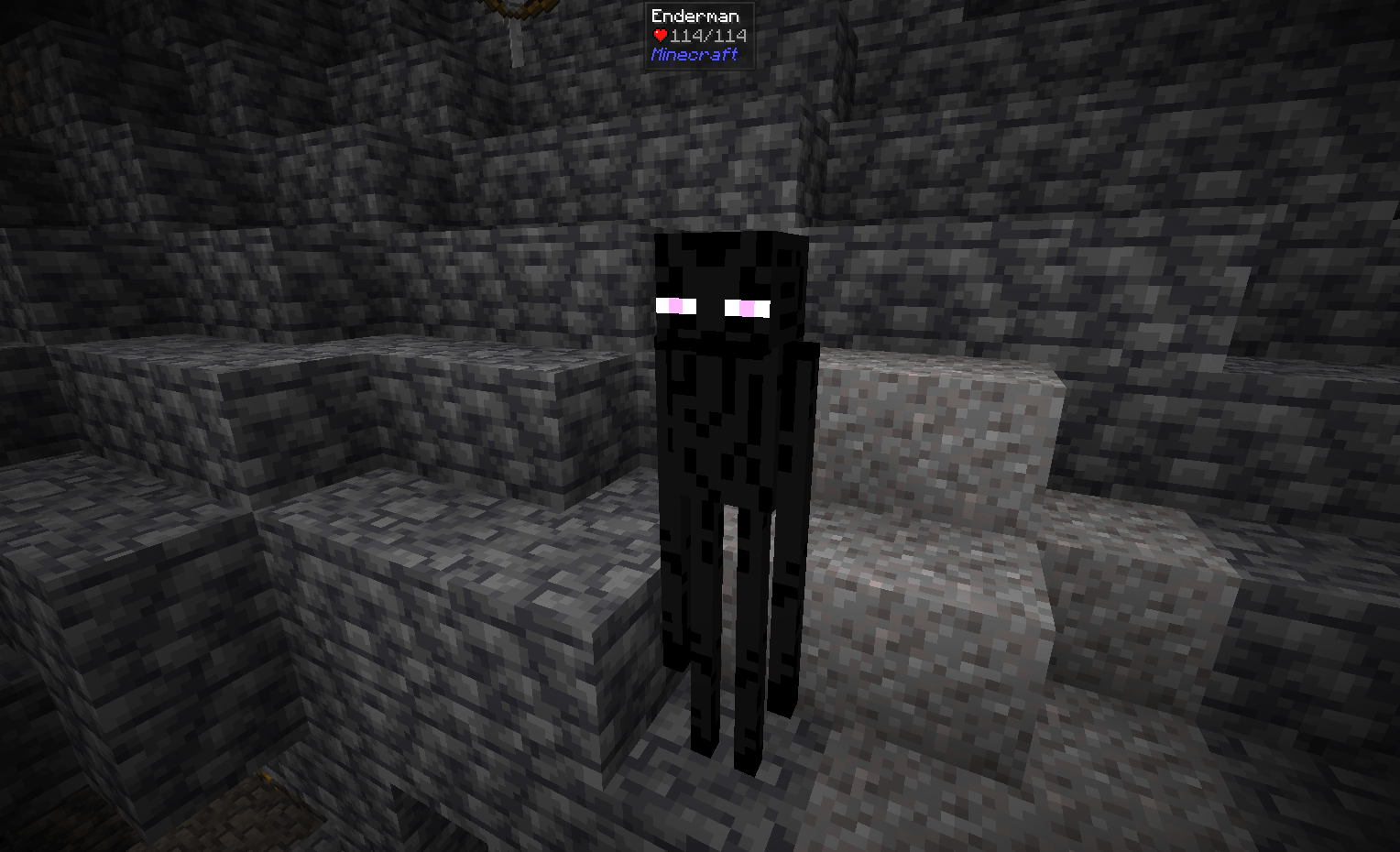 2026-01-13_12.20.28.png 2026-01-13_12.20.28.png
 -
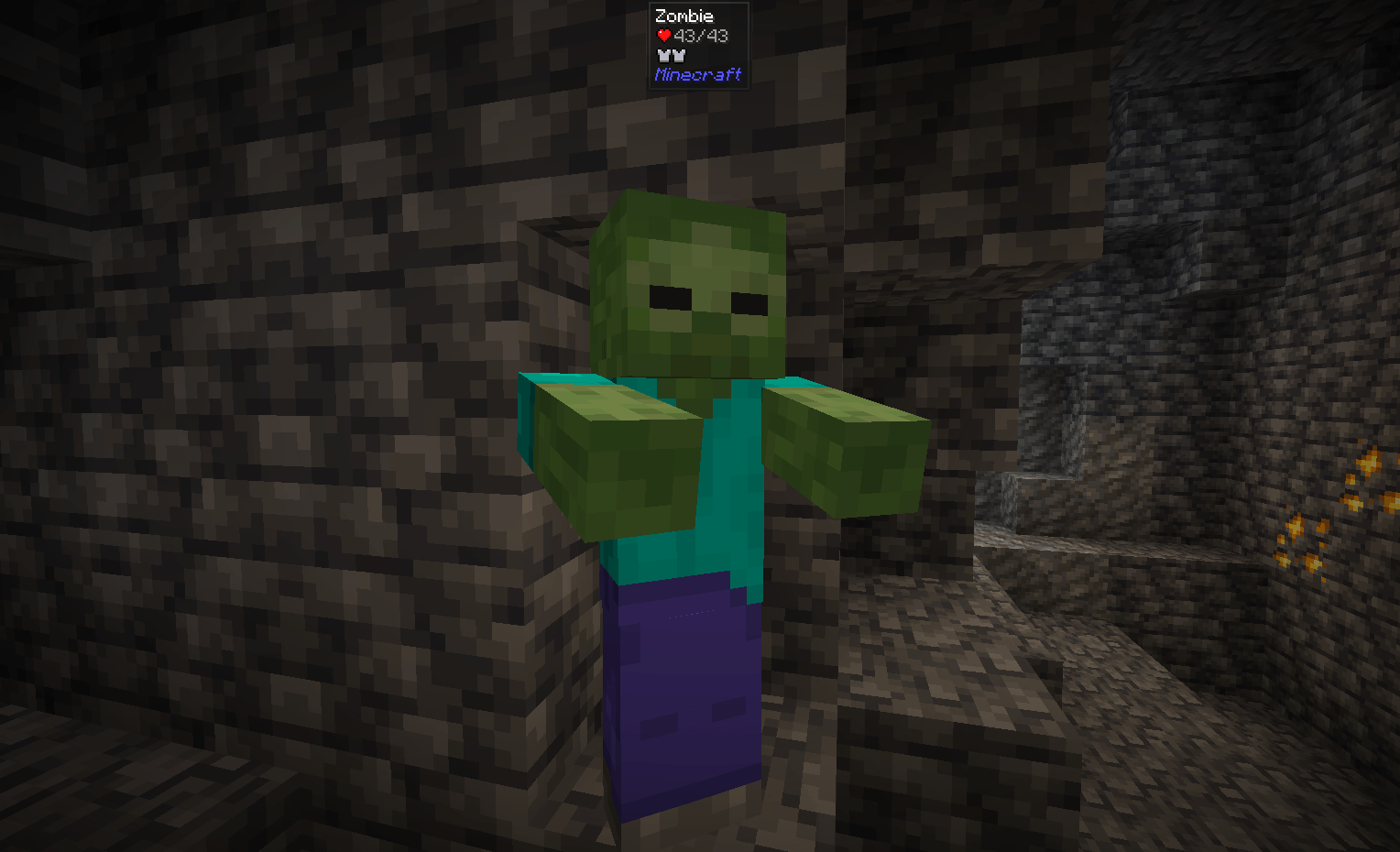 2026-01-13_12.20.16.png 2026-01-13_12.20.16.png
 -
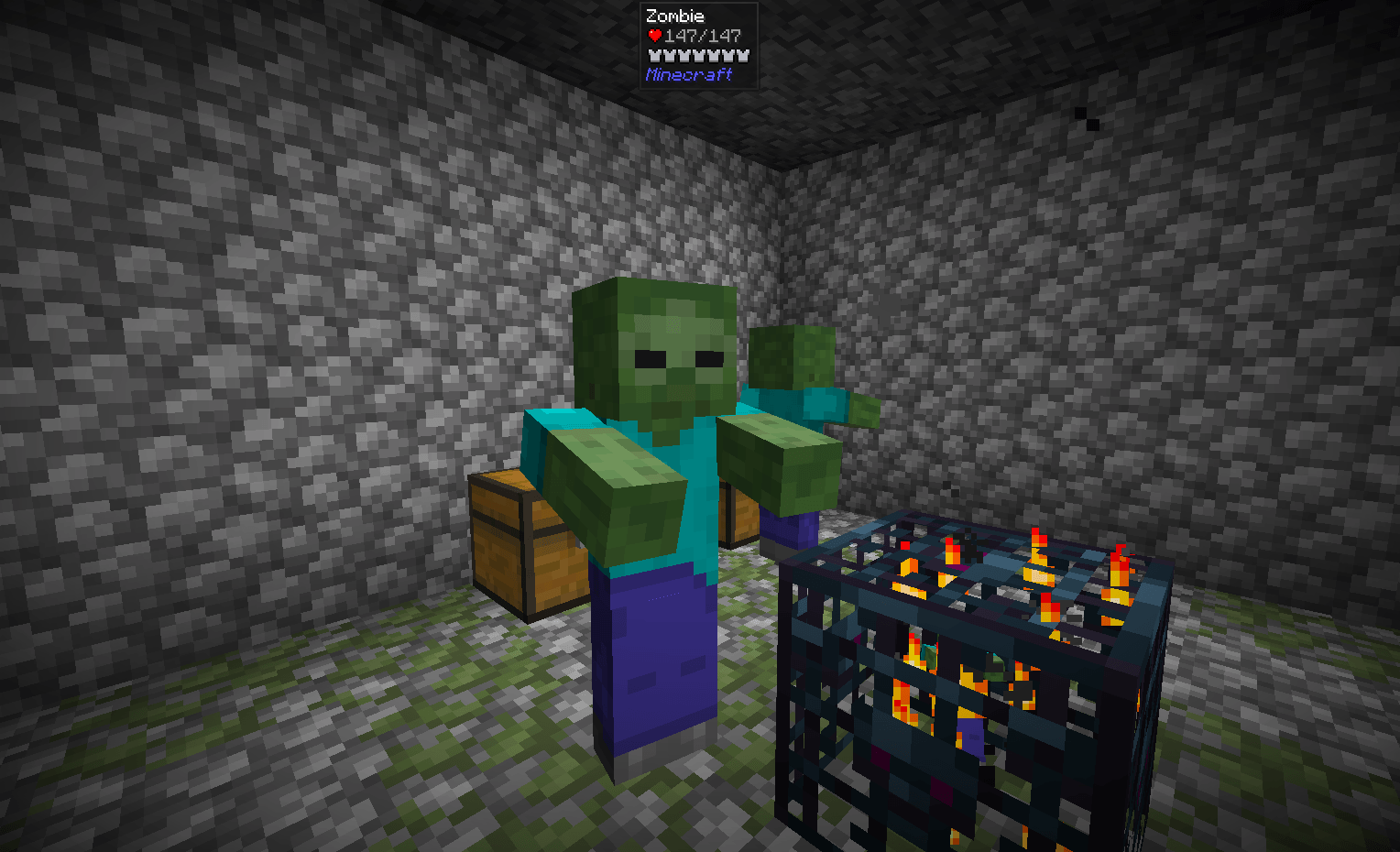 2026-01-13_12.19.47.png 2026-01-13_12.19.47.png
-
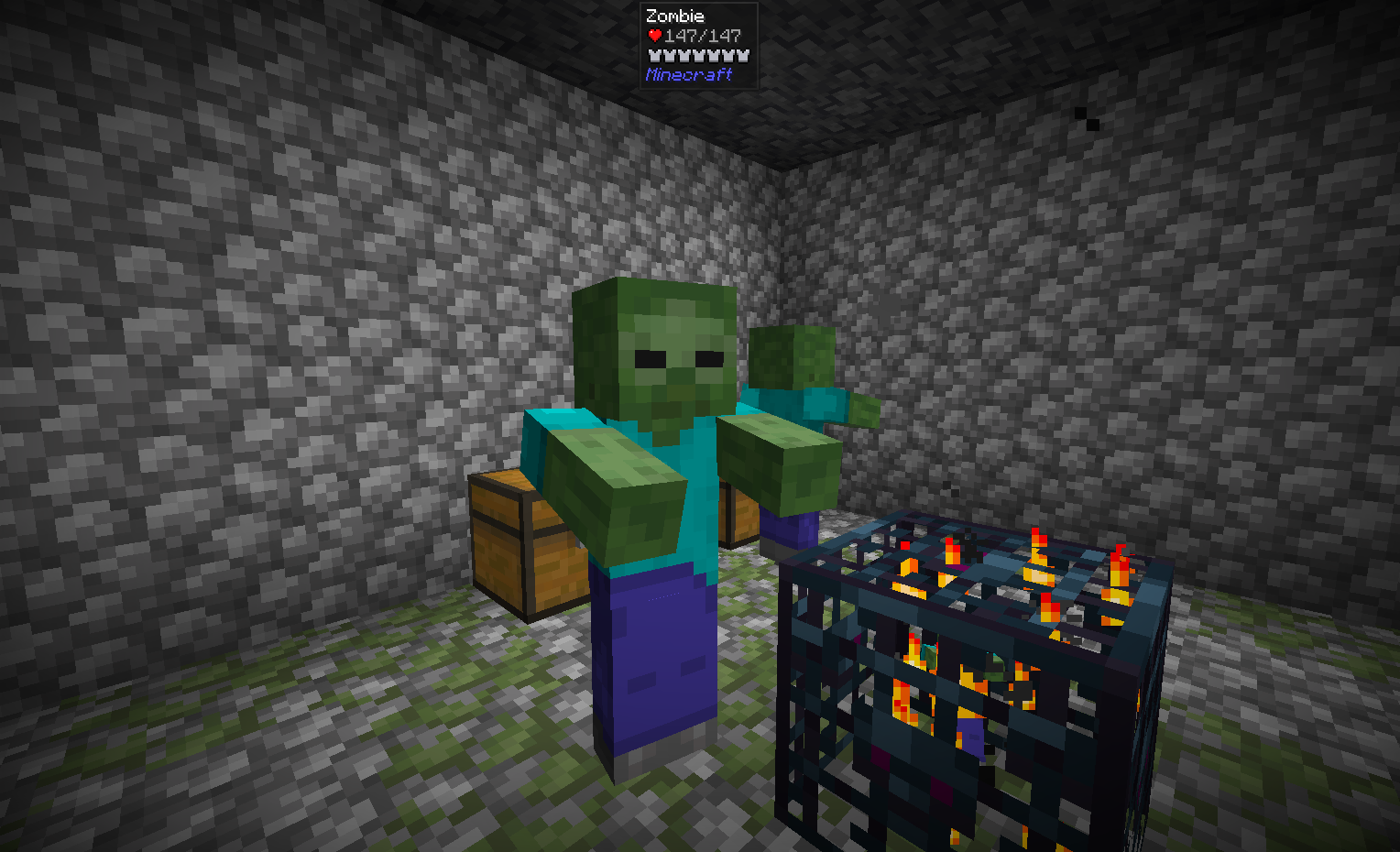 Works with spawners!
 -
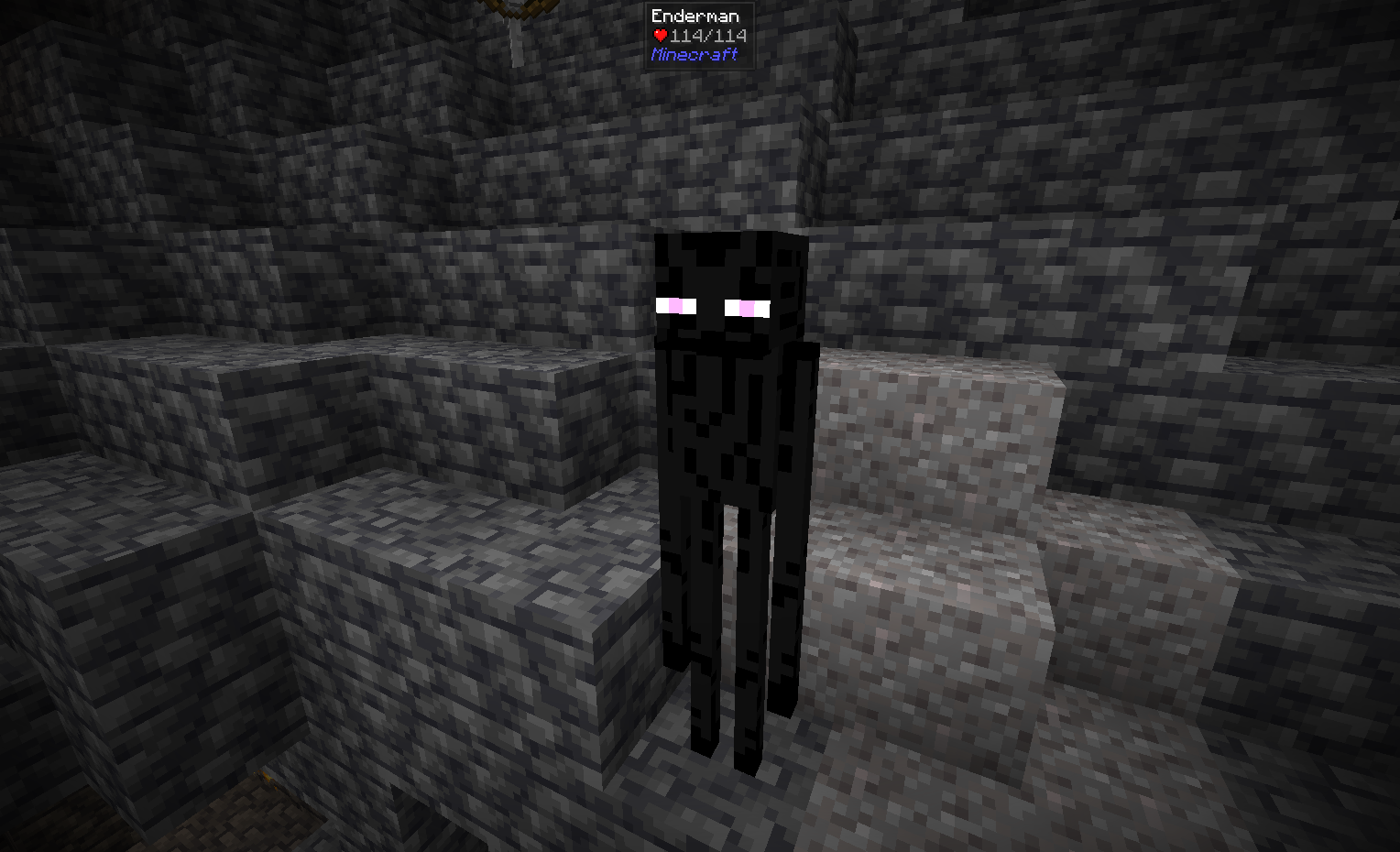 A boosted enderman
 -
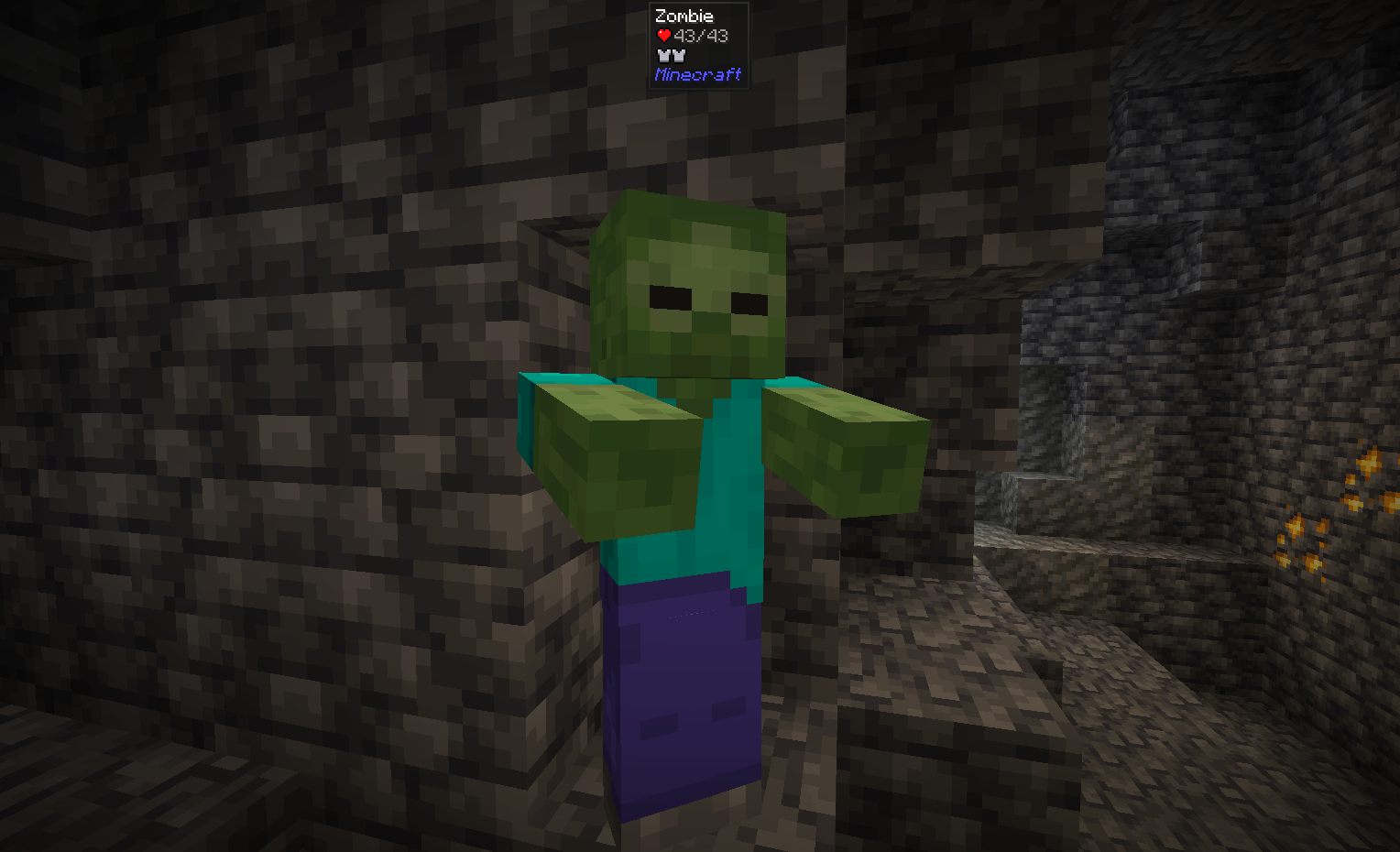 A boosted zombie
Versions
Files
Relations
Project Relations
More like this
Similar Mods
Suggestions use data such as tags, dependencies, dependents, descriptions, titles, and more to rank how much they overlap with this mod.
On ModDex
Community snapshot
By the numbers
Statistics

Get it on
Available Platforms
On ModDex
Community snapshot
By the numbers