
Community listing page, reviews may not be monitored by the author.
Customize Early Loading Window - Neoforge

No reviews yet
Customize your fml early window as you like. Now finally for Neoforge !

Community voices
Reviews
No reviews yet. Be the first to review this project!
Get it on
Available Platforms
About
Project Details
For authors
Embed Badge
If you're the author of this project, you can embed a live badge anywhere that supports HTML or Markdown. It updates automatically whenever ratings change.
Use HTML for any page that supports it, or Markdown for README files and Markdown-based descriptions.
Identifiers
Platform IDs
Resources
External Links
About
Description
Customizable FML Early Loading Progress for Neoforge !

Hello everyone !
After some time of thinking how to make every element of fml early loading window customizable it finally happened :)
I must say it was quite a bit challange for me since I really don't know that much about programming but here we are !
I was inspired by this mod betterloadingscreen by shedaniel
And also by this one Simple Custom Early Loading by lukaskabc
After launching game with this mod the config file will be created with the name:
"dark-edition-early-neoforge-window.json".
And also your default colors for fml early loading screen will be black and white so don't freakt out ;)
As for me I really like combination of colors from this one Dark Loading Screen Neoforge By CraisinLord
And actually those two mods mine and that one are my favourite combination.
For changes to appear you have to set this in fml.toml file:
earlyWindowProvider = "darkfmlneoforgewindow"
Here are things you can set in this file and it will effect said fml early loading window:
- main background color,
- performance bar background color, general color, frame color [ this is a bar with ram usage at the top ] ,
- progress bars background colors, general colors, frame colors and set how many of them are visible,
- turn on and off log messages in the left corner,
- turn on and off the fox animation in right corner,
- turn on and off the text for what neoforge version is used,
- and you can change the image that is over progress bars and under mojang studio logo
When it comes to setting different images and custom ones here is instruction:
a) Go to the config folder,
b) Look for "dark-edition-early-neoforge-window.json",
c) If you want the simple logo, look for the line that says "image: logoplain.png",
d) Options for built-in images:
- logoplain.png - is simple,
- logof.png - is the game's most recent logo,
- loading.apng - is an animation of the word "loading"
If you want to use custom images, you can create a folder inside the config/dark-edition-early-neoforge-window-loading,put yours images there, and go to modify "dark-edition-early-neoforge-window.json", then change name of your file in this line "image:"
Screenshots
Gallery
-
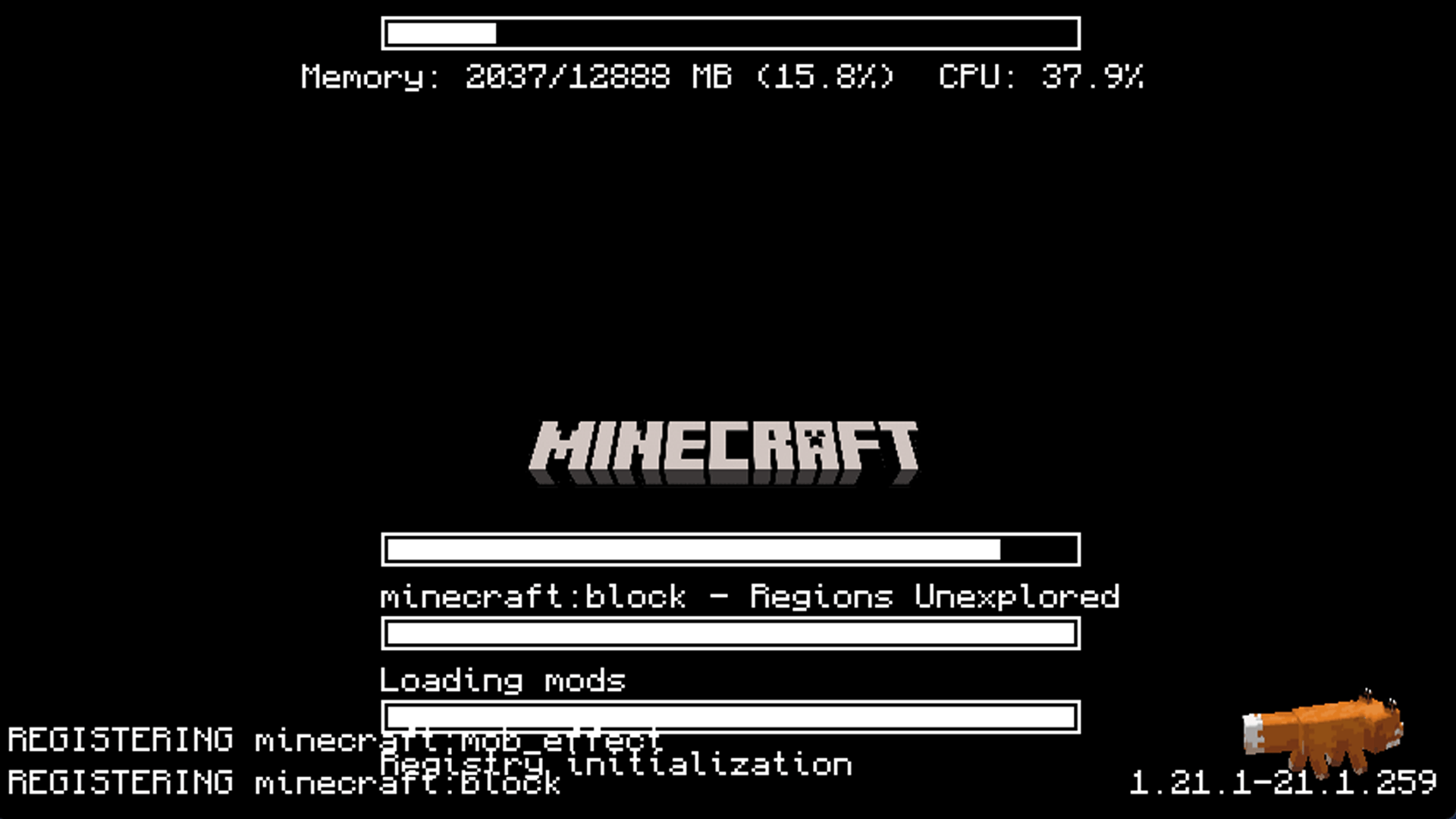 First launch without changes
 -
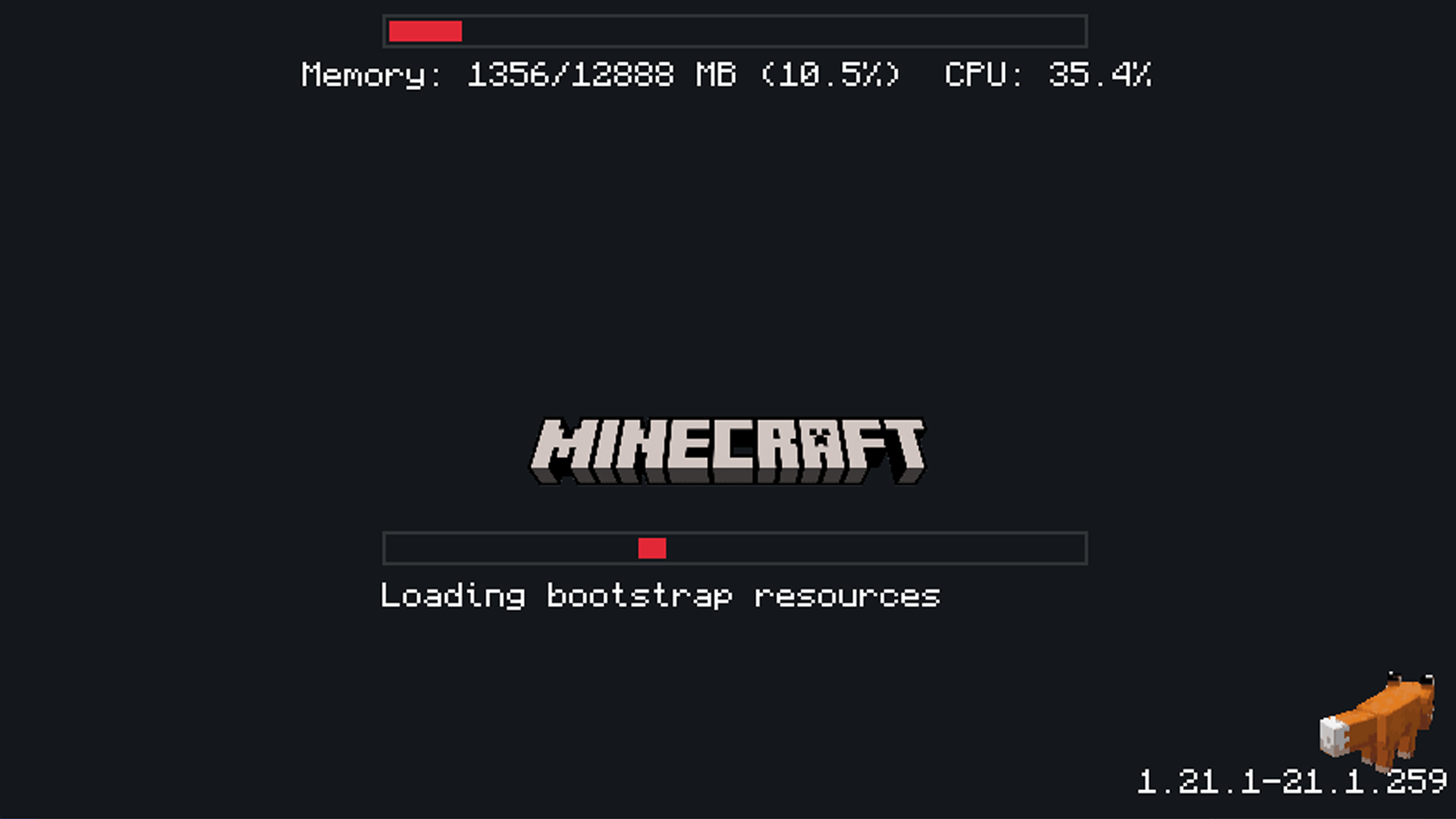 After making changes in config file
Versions
Files
Relations
Project Relations
More like this
Similar Mods
Suggestions use data such as tags, dependencies, dependents, descriptions, titles, and more to rank how much they overlap with this mod.
On ModDex
Community snapshot
By the numbers
Statistics

Get it on
Available Platforms
On ModDex
Community snapshot
By the numbers
Statistics
Resources