
Community listing page, reviews here may not be monitored by the author.
Controlled

No reviews yet
Control your world entities and gamerules
Community voices
Reviews
No reviews yet. Be the first to review this project!
Get it on
Available Platforms
About
Project Details
For authors
Embed Badge
If you're the author of this project, you can embed a live badge anywhere that supports HTML or Markdown. It updates automatically whenever ratings change.
Use HTML for any page that supports it, or Markdown for README files and Markdown-based descriptions.
Identifiers
Platform IDs
Resources
External Links
About
Description
Controlled
Controlled gives you simple, precise control over which entities are allowed to spawn in your world.
Disable one mob, reduce its spawn rate, limit how many can exist, block an entire category, or control every entity from a particular mod—all from a searchable in-game menu. Controlled supports vanilla and modded entities through the Forge entity registry, so you do not need to type registry IDs manually.
Safe by default
Controlled changes nothing when first installed. Its master control switch is disabled, all entity rules are set to Default, spawn chances remain at 100%, caps remain unlimited, and existing entities are preserved.
You decide when the mod starts controlling spawns.
Main features
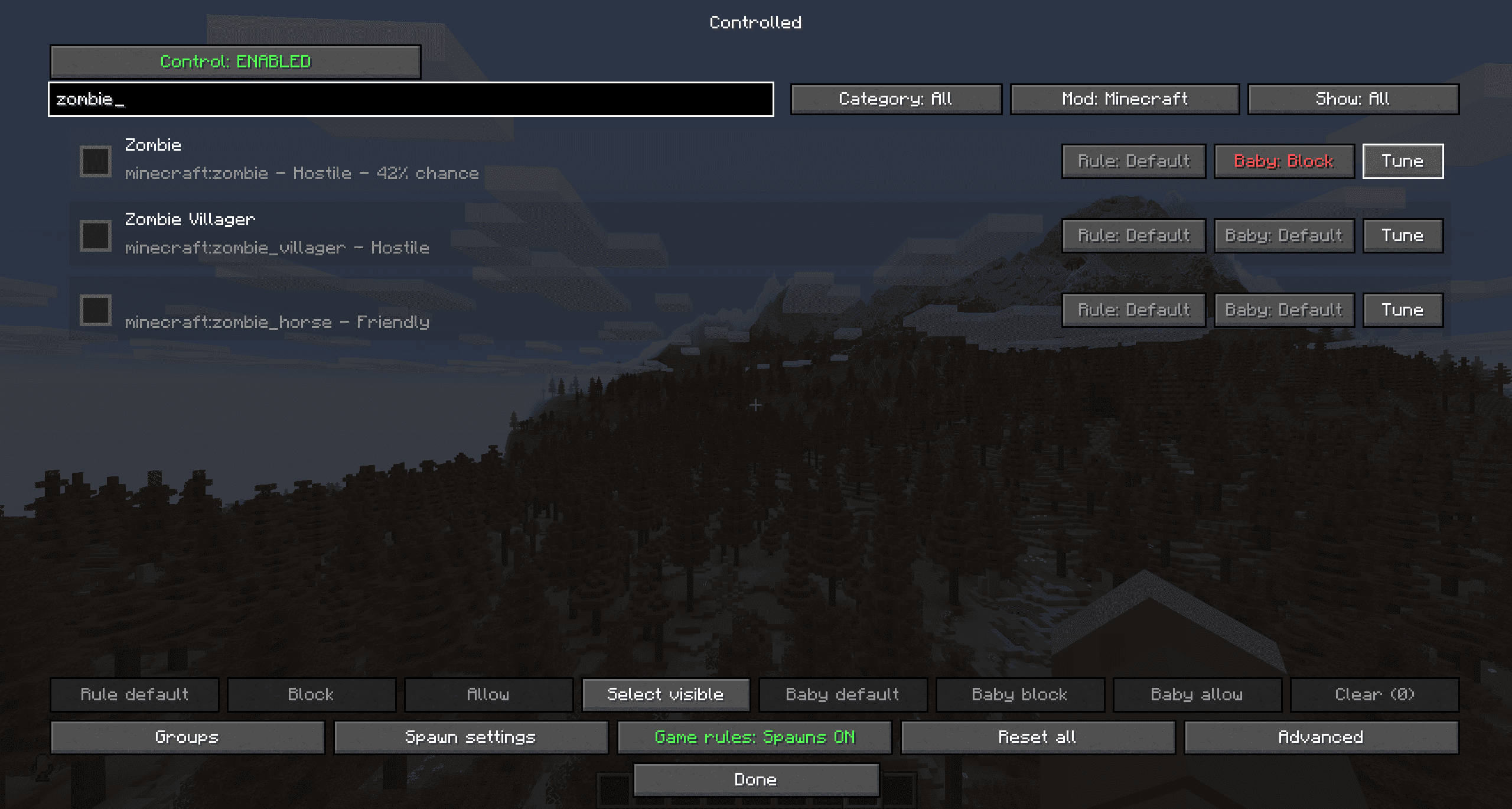
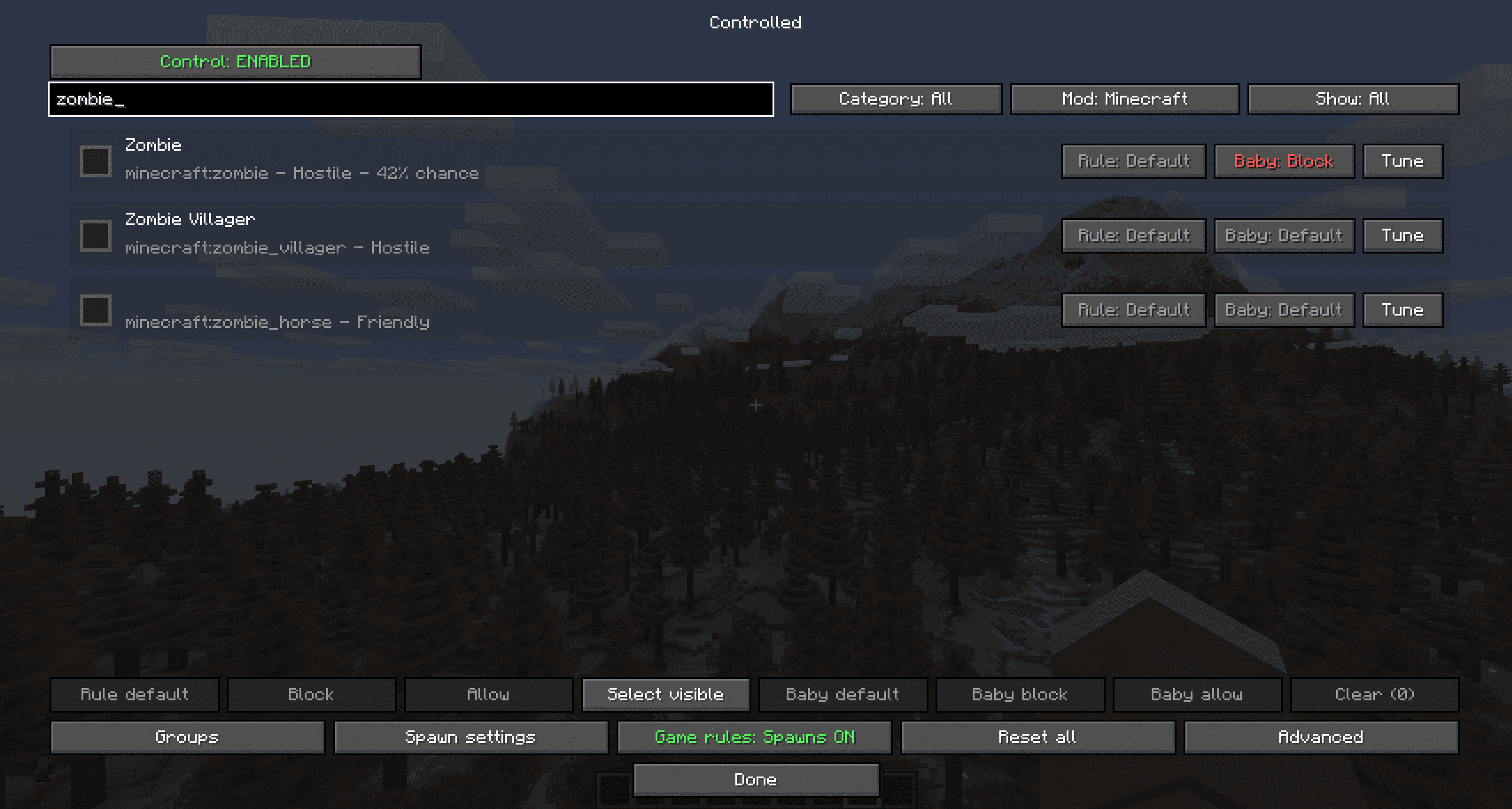
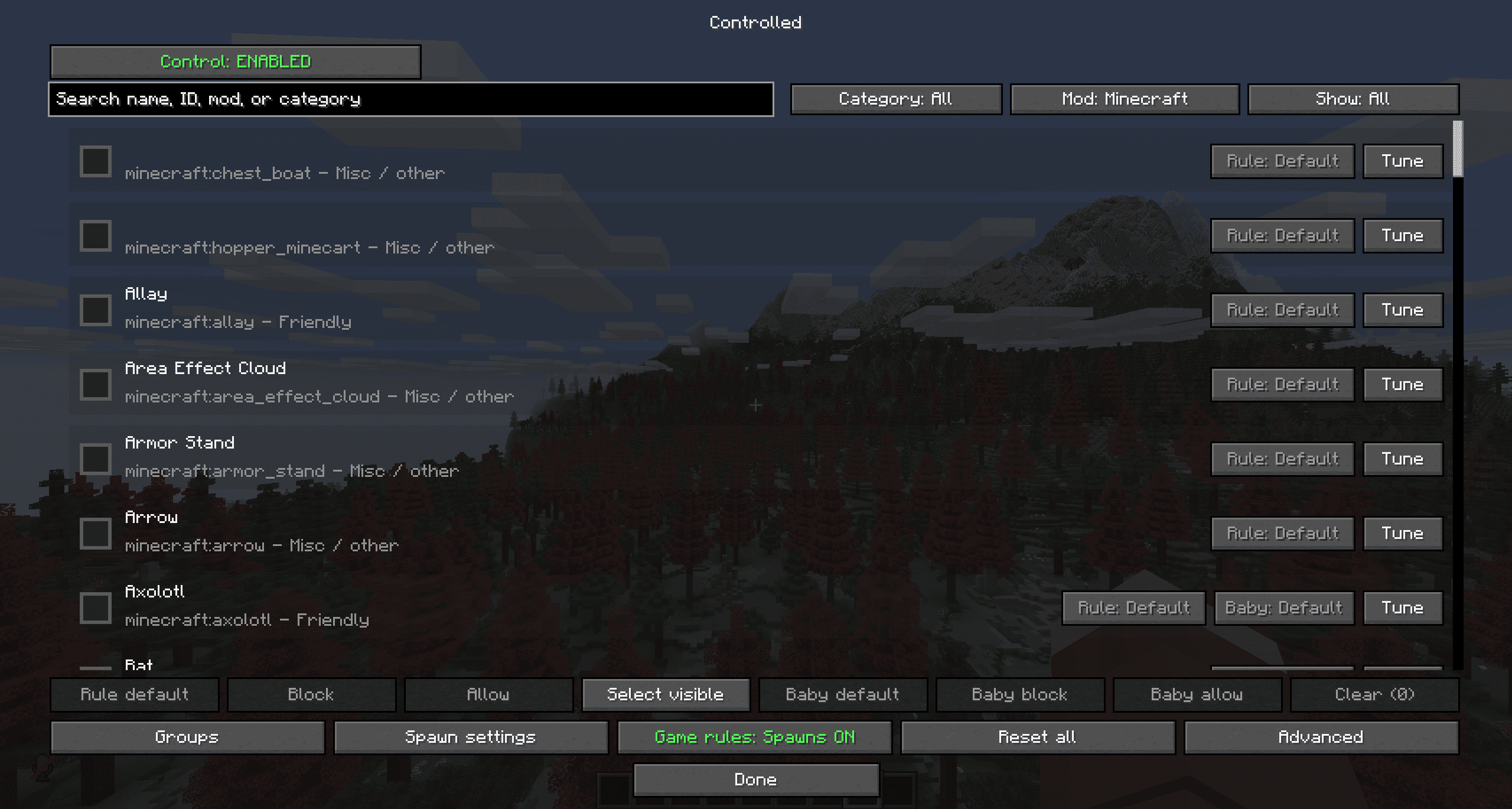
Searchable list of every registered vanilla and modded entity
Filter entities by name, registry ID, category, mod name, or namespace
Select multiple entities and change their rules together
Three clear rule states: Default, Block, and Allow
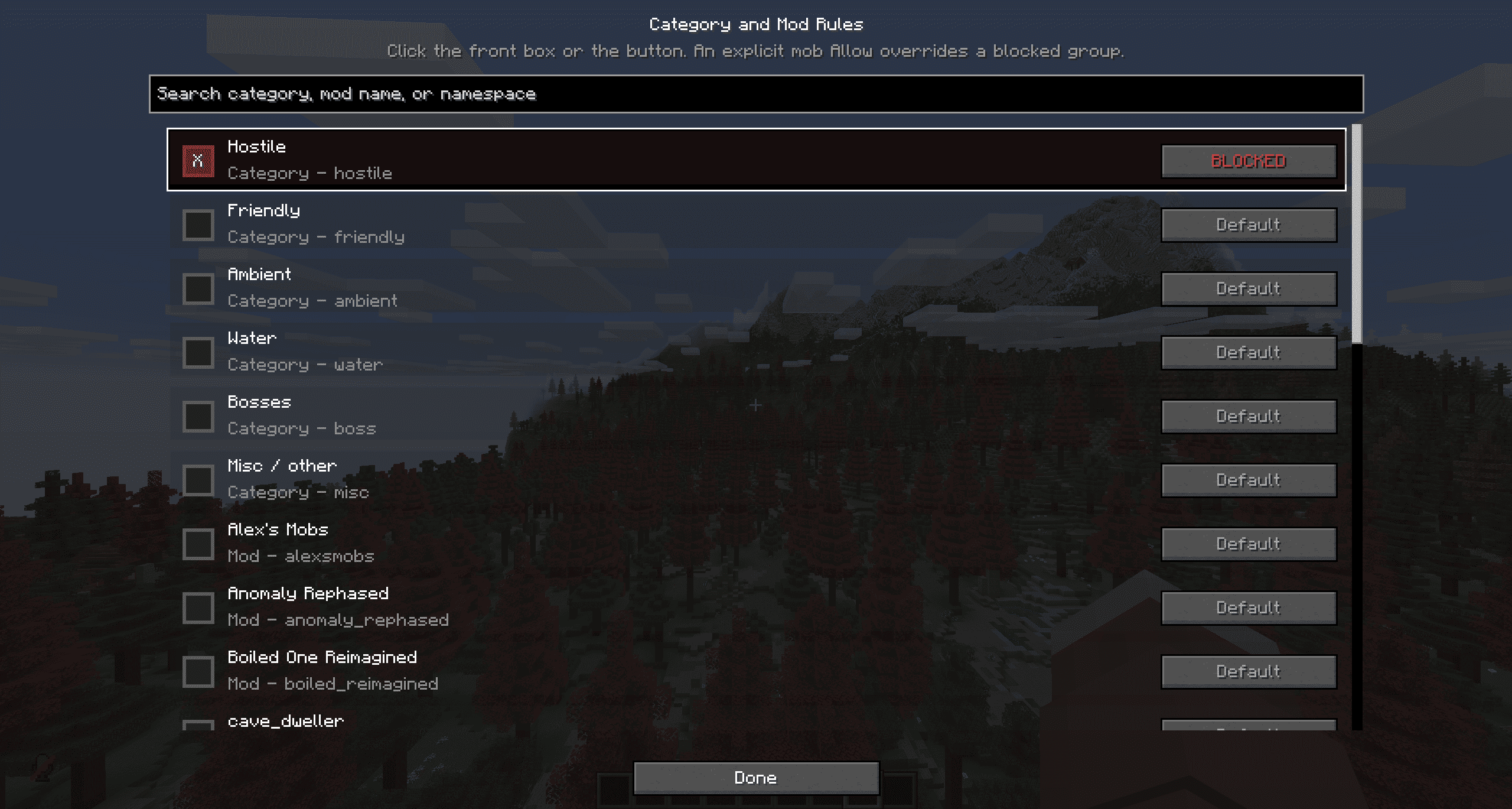
Block entire categories or entire mods
Add exceptions that bypass a blocked category or mod
Separate rules for detectable baby mobs
Set an individual spawn chance from 0% to 100%
Set a loaded-dimension cap for each entity type
Choose which spawn sources the rules affect
View and edit every gamerule registered in the current world
Built-in support for modded entities and modded gamerules
Optional Configured integration for advanced configuration access
Multiplayer permission checks for gamerule editing
No mixins and no replacement entity classes
Easy entity control
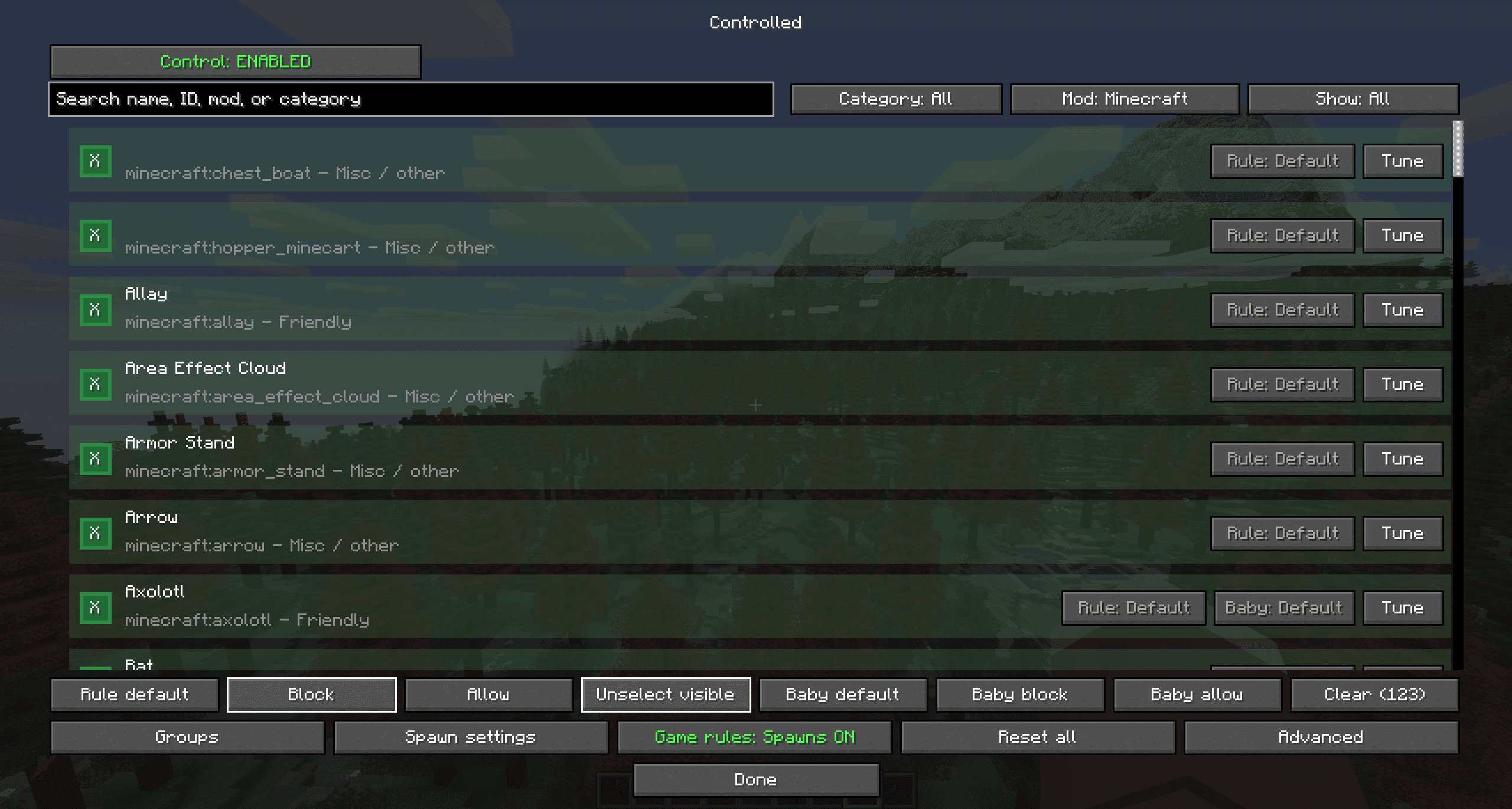
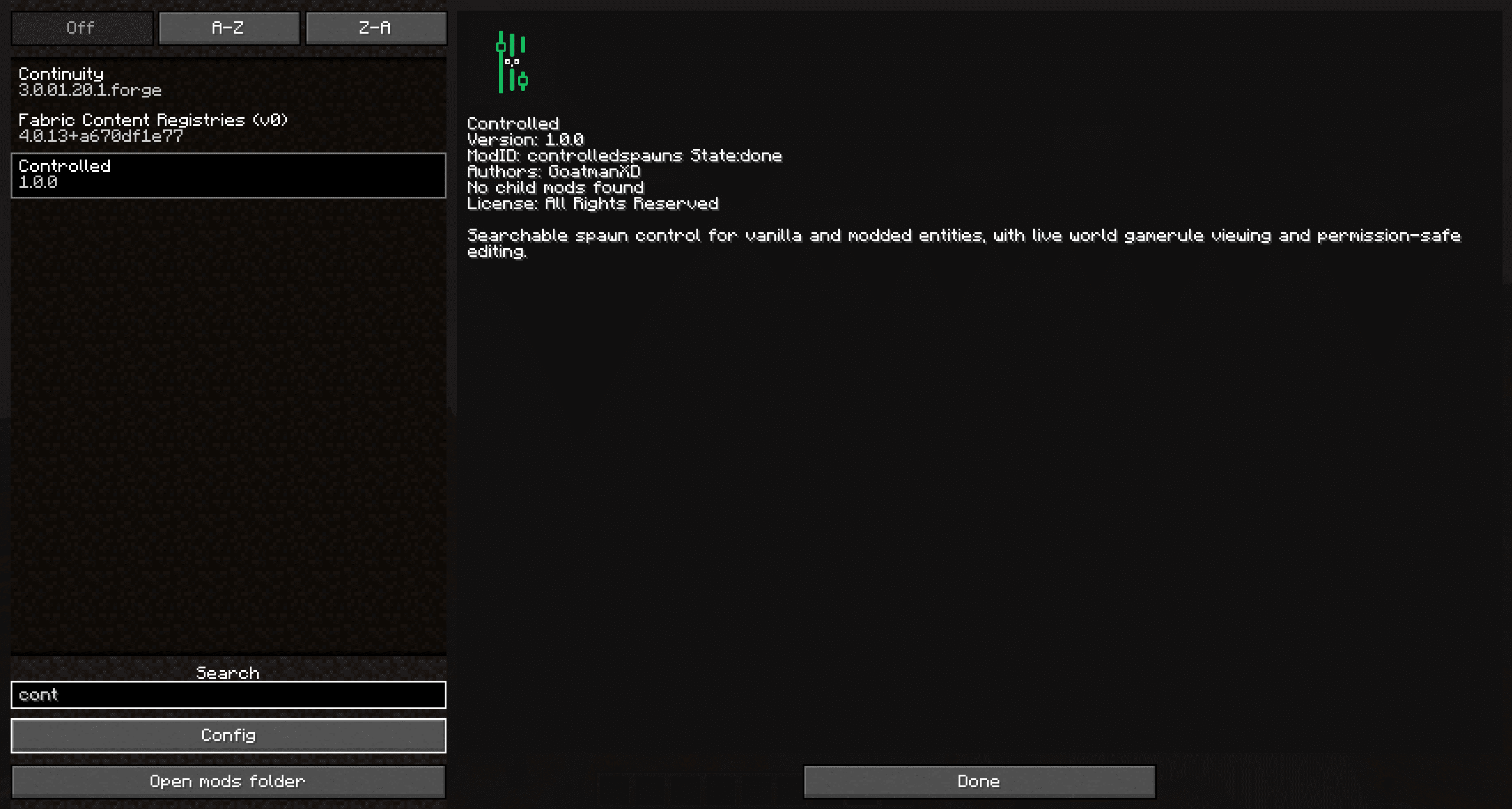
Open Mods → Controlled → Config to access the main menu.
The entity list opens on Minecraft entities and can be changed to show other installed mods, categories, blocked entities, allowed entities, or all entities. Use the search box to find a mob by its displayed name, registry ID, mod name, namespace, or category.
Click the square at the front of a row to select it. You can select several entities and apply the same rule to all of them.
Each entity has three possible rules:
Default: Controlled does not give the entity a special block or allow rule.
Block: The selected entity is prevented from spawning through enabled spawn sources.
Allow: The selected entity is allowed even when its category or mod is blocked.
An explicit Allow rule takes priority over category and mod blocking, making whitelisting simple. For example, you can block the entire Hostile category but still allow creepers.
Categories and mod groups
Entities are automatically organized into:
Hostile
Friendly
Ambient
Water
Bosses
Miscellaneous / Other
You can block a complete category with one setting. You can also block every entity belonging to a particular mod namespace. Controlled uses the owning mod’s displayed name where available; unknown ownership is placed under Other with its namespace shown.
Modded bosses that are not detected automatically can be added to the custom boss list through the advanced configuration.
Baby mob controls
Baby variants can be controlled separately from their adult form when the entity exposes a detectable baby state.
You can:
Block the baby form of a specific entity
Explicitly allow a specific baby form
Block all detectable baby mobs
Keep the adult version unchanged
This makes setups such as “allow zombies but disable baby zombies” possible.
Spawn chance and mob caps
Every entity can be tuned individually:
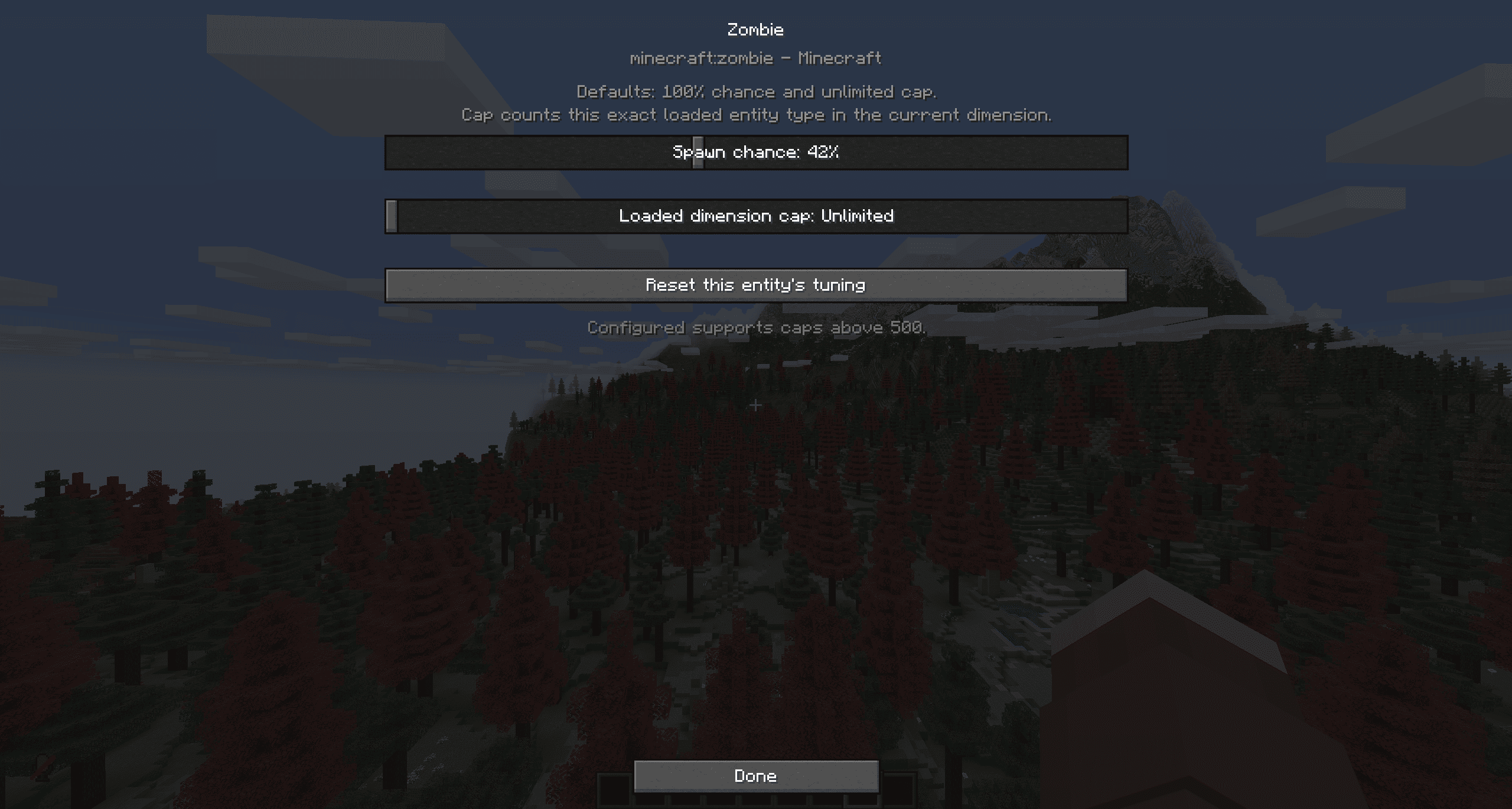
Spawn chance: Choose a value from 0% to 100%. A lower value reduces successful spawn attempts without completely removing the entity unless it is set to 0%.
Loaded-dimension cap: Limit how many loaded entities of that exact type may exist in the current dimension. Unlimited is the default.
These controls apply only to the spawn sources you enable and do not remove existing entities unless loaded-entity removal is separately enabled.
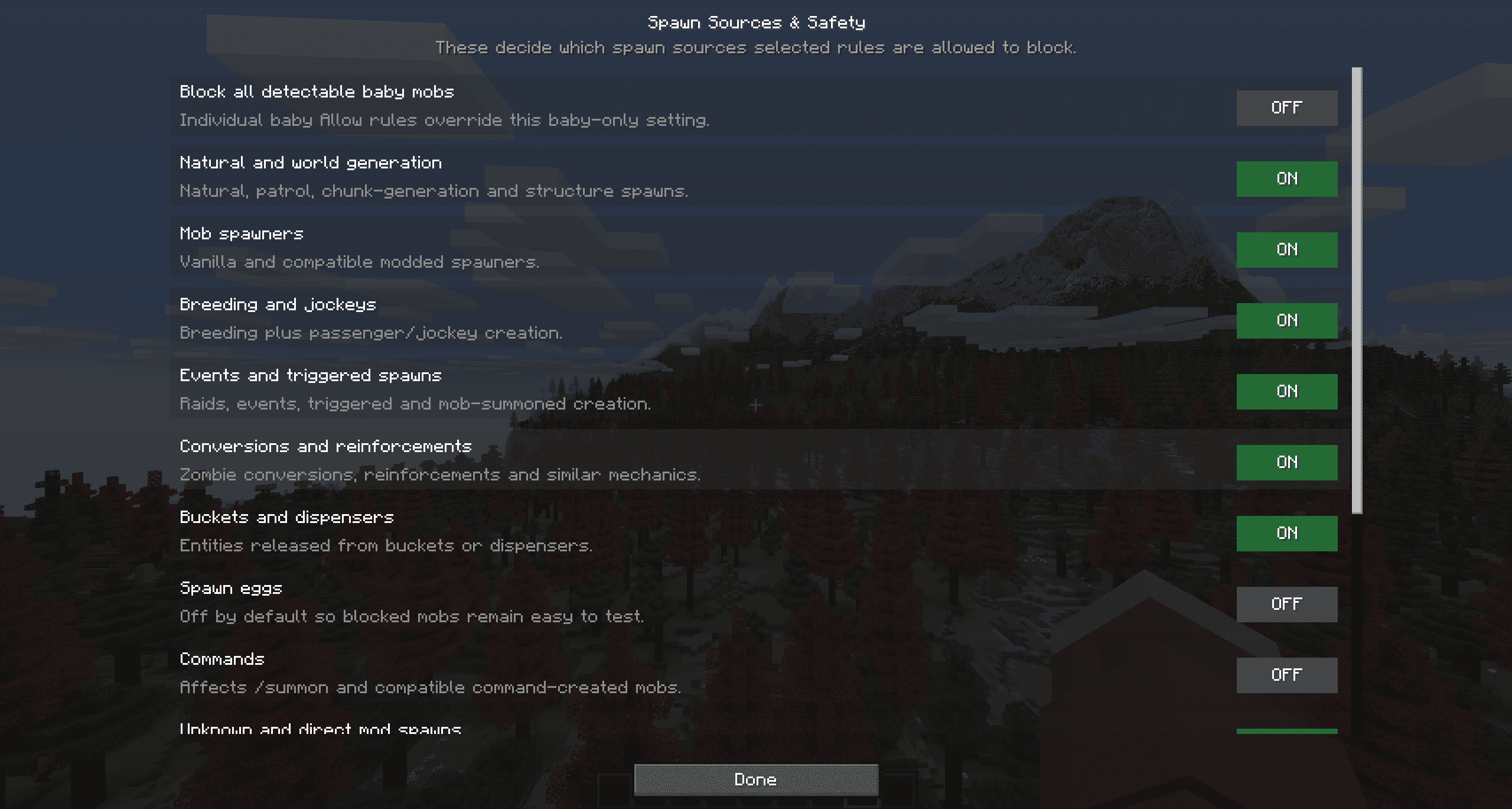
Spawn source controls
Choose exactly which creation methods Controlled may block:
Natural spawning and world generation
Mob spawners
Breeding and jockey creation
Events, raids, triggered spawns, and mob-summoned entities
Conversions and reinforcements
Buckets and dispensers
Spawn eggs
Commands such as
/summonUnknown or direct modded spawn methods
Spawn eggs and commands are not blocked by default, allowing blocked entities to remain easy to test.
Existing entity safety
Controlled normally affects new spawns only. Existing entities are left alone.
An optional setting can stop blocked entities when their chunks are loaded. Because this is more destructive, it is disabled by default. Separate safety options protect:
Named entities
Tamed entities owned by players
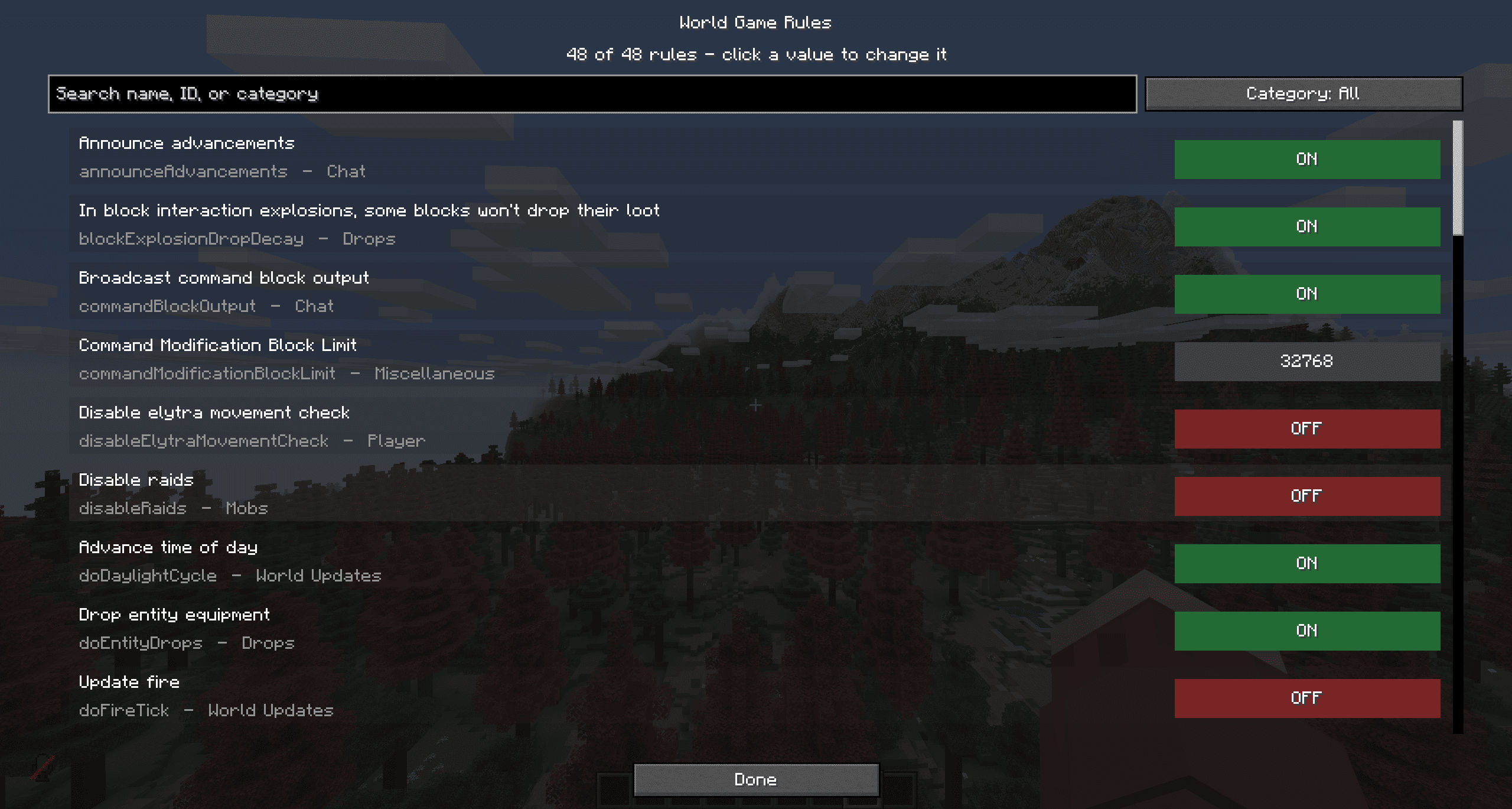
World gamerule editor
Controlled includes a separate screen for the live gamerules of the currently loaded world.
Search all boolean and integer gamerules
View their current server values
Toggle boolean rules
Edit integer rules
See gamerules added by other mods
Quickly check and change doMobSpawning
The screen edits the active world, not a world that has not been created yet. In multiplayer, changing gamerules requires operator permission level 2 or higher.
Mod compatibility
Controlled reads entities from the Forge registry instead of using a hardcoded vanilla-only list. This allows entities from most Forge mods to appear automatically.
Spawn control uses public Forge events and avoids mixins, entity-class replacement, and creating modded entities just to display them. Unknown or unusual direct spawn methods can be covered by the optional compatibility fallback.
Some mods may create entities through custom systems that bypass normal Forge spawn events. Enable Unknown and direct mod spawns when those entities need stricter control.
Multiplayer
For multiplayer spawn control, install Controlled on the server and use the same configuration there. Installing it on clients provides the in-game menus. Gamerule changes are sent to the server and checked against operator permissions.
Server owners can distribute or edit:
config/controlledspawns-common.toml
Requirements
Minecraft 1.20.1
Forge 47.x
Java 17
Configured is optional. If installed, it provides access to Controlled’s advanced Forge configuration from its Configured screen.
Important notes
Controlled manages spawning and loaded-entity limits. It does not modify mob AI, attributes, drops, models, or textures.
Caps count loaded entities of the exact type in the current dimension.
Baby controls depend on the entity exposing a detectable baby state.
The master switch must be enabled before entity spawn rules take effect.
License
Controlled is All Rights Reserved. Refer to the license included with the mod for permissions covering personal use, modpacks, videos, redistribution, modification, and source use.
Author: GoatmanXD
Screenshots
Gallery
-
 2026-08-15_02.27.45.png 2026-08-15_02.27.45.png
 -
 2026-08-15_02.27.31.png 2026-08-15_02.27.31.png
 -
 2026-08-15_02.26.05.png 2026-08-15_02.26.05.png
 -
 2026-08-15_02.25.39.png 2026-08-15_02.25.39.png
 -
 2026-08-15_02.23.53.png 2026-08-15_02.23.53.png
 -
 2026-08-15_02.23.50.png 2026-08-15_02.23.50.png
 -
 2026-08-15_02.23.43.png 2026-08-15_02.23.43.png
 -
 2026-08-15_02.23.23.png 2026-08-15_02.23.23.png
 -
 2026-08-15_02.22.41.png 2026-08-15_02.22.41.png
Versions
Files
Relations
Project Relations
More like this
Similar Mods
Suggestions use data such as tags, dependencies, dependents, descriptions, titles, and more to rank how much they overlap with this mod.
On ModDex
Community snapshot
By the numbers
Statistics
Want to reach Minecraft players?
We're looking for a server hosting partner to feature here and other parts of the site. Interested? Send us a message!
Get in touchGet it on
Available Platforms
On ModDex
Community snapshot
By the numbers
Statistics
Resources