
CoolCrosshair
No reviews yet
CoolCrosshair adds a fully customizable crosshair to Minecraft. Open the settings menu with the H key (English) to adjust its appearance. Make your HUD more personalized and comfortable!
Fabric is a mod loader for versions 1.14+ of Minecraft, particularly popular for client side and optimization mods.
Community voices
Reviews
Click once to include, again to exclude, again to clear
No reviews yet. Be the first to review this project!
Get it on
Available Platforms
 Modrinth
Compatibility
Supported Environments
About
Project Details
For authors
Embed Badge
If you're the author of this project, you can embed a live badge anywhere that supports HTML or Markdown. It updates automatically whenever ratings change.
Use HTML for any page that supports it, or Markdown for README files and Markdown-based descriptions.
Identifiers
Platform IDs
Resources
External Links
About
Description
🎉 CoolCrosshair – Make Your Aim Uniquely Yours! 🎉
Tired of the same old crosshair in Minecraft? 🎮 Say goodbye to the default look and hello to total personalization with CustomCrosshair! This mod gives you full control over how your crosshair appears on screen, so you can craft the perfect aiming experience that fits your style and playstyle. 😎
With CustomCrosshair, you’re not stuck with a one‑size‑fits‑all solution. You can tweak tons of visual details: change the color to match your armor or build palette, adjust the size so it’s just right for your resolution, pick the shape that feels most natural, and even fiddle with opacity and outlines to get that crisp, clean look. 🎨✨
And the best part? Getting to the settings is super simple! Just press the H key (English layout) to open the intuitive menu—no digging through config files, no hassle. 🖱️⚡ Whether you’re a PvP pro who needs pixel‑perfect precision or a builder who wants a subtle, unobtrusive marker, this mod has you covered. 🛠️🏗️
CustomCrosshair is lightweight, easy to use, and designed to enhance your gameplay without slowing things down. It’s the perfect touch for players who care about both performance and aesthetics. 📈👁️
Give your Minecraft HUD a fresh new look today—download CustomCrosshair and make every shot (or every block placement) feel just right! 💥🎯
Screenshots
Gallery
-
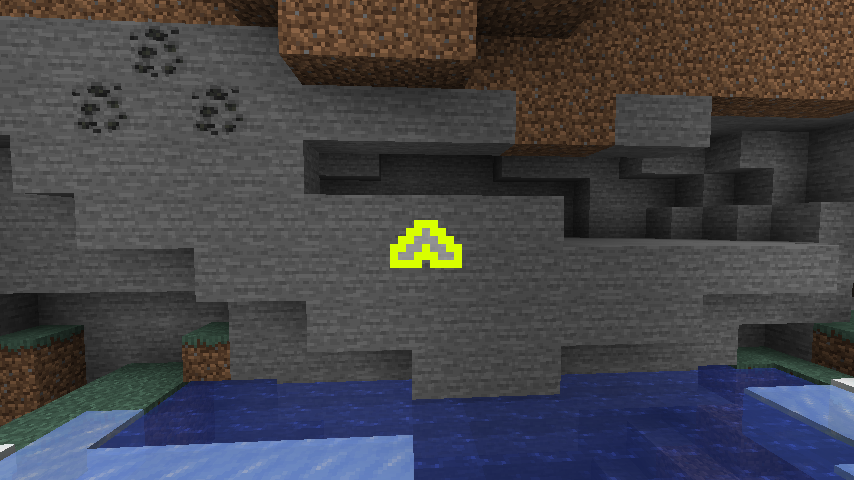 Draw your own crosshair!
 -
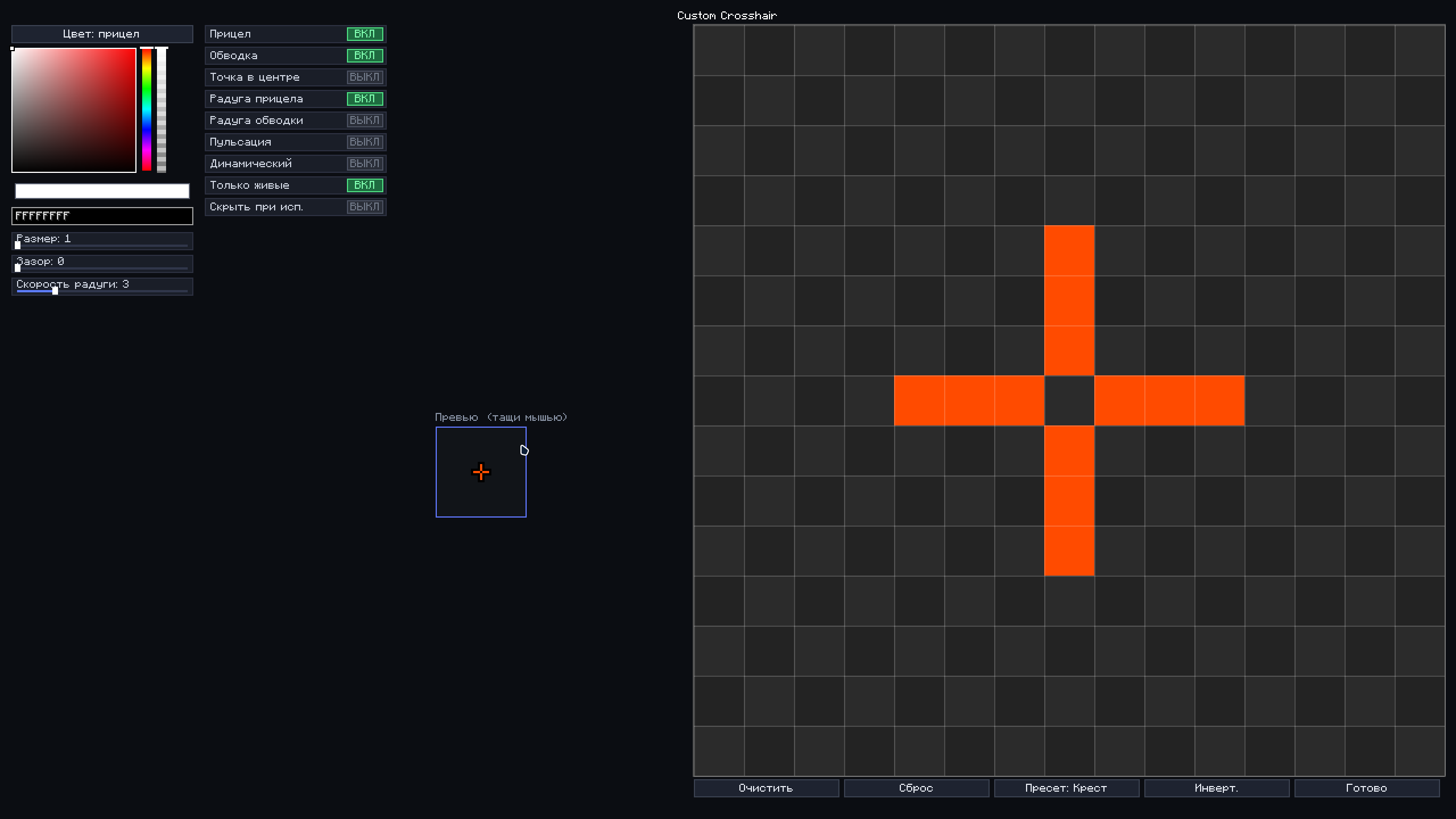 Clean & Intuitive Control Panel Crosshair Settings Menu — Press [H] to Open Full control over your reticle: change crosshair color, adjust outline, or enable rainbow mode. All in one clean interface.
 -
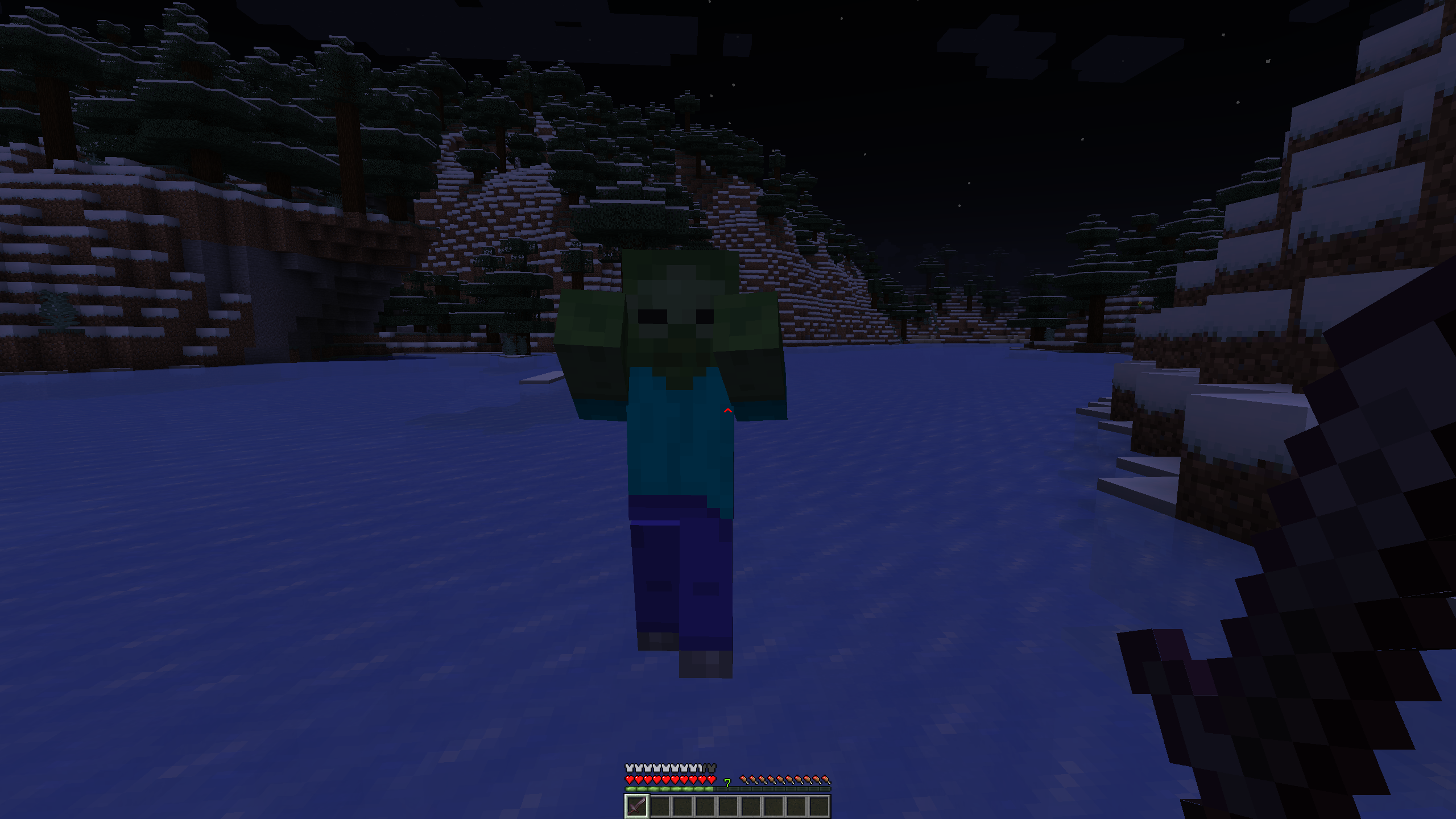 Dynamic Crosshair — Color-Reactive Aiming Crosshair changes color on entity targeting.
Versions
Files
Relations
Project Relations
More like this
Similar Mods
Suggestions use data such as tags, dependencies, dependents, descriptions, titles, and more to rank how much they overlap with this mod.
On ModDex
Community snapshot
By the numbers
Statistics

Want to reach Minecraft players?
We're looking for a server hosting partner to feature here and other parts of the site. Interested? Send us a message!
Get in touchGet it on
Available Platforms
On ModDex
Community snapshot
By the numbers
Statistics
Resources