
Community listing page, reviews here may not be monitored by the author.
Copper Ledgers


No reviews yet
Help your golems remember where things go!
Community voices
Reviews
No reviews yet. Be the first to review this project!
Get it on
Available Platforms
Compatibility
Supported Environments
Must be installed on both the client and the server.
About
Project Details
For authors
Embed Badge
If you're the author of this project, you can embed a live badge anywhere that supports HTML or Markdown. It updates automatically whenever ratings change.
Use HTML for any page that supports it, or Markdown for README files and Markdown-based descriptions.
Identifiers
Platform IDs
Resources
External Links
About
Description
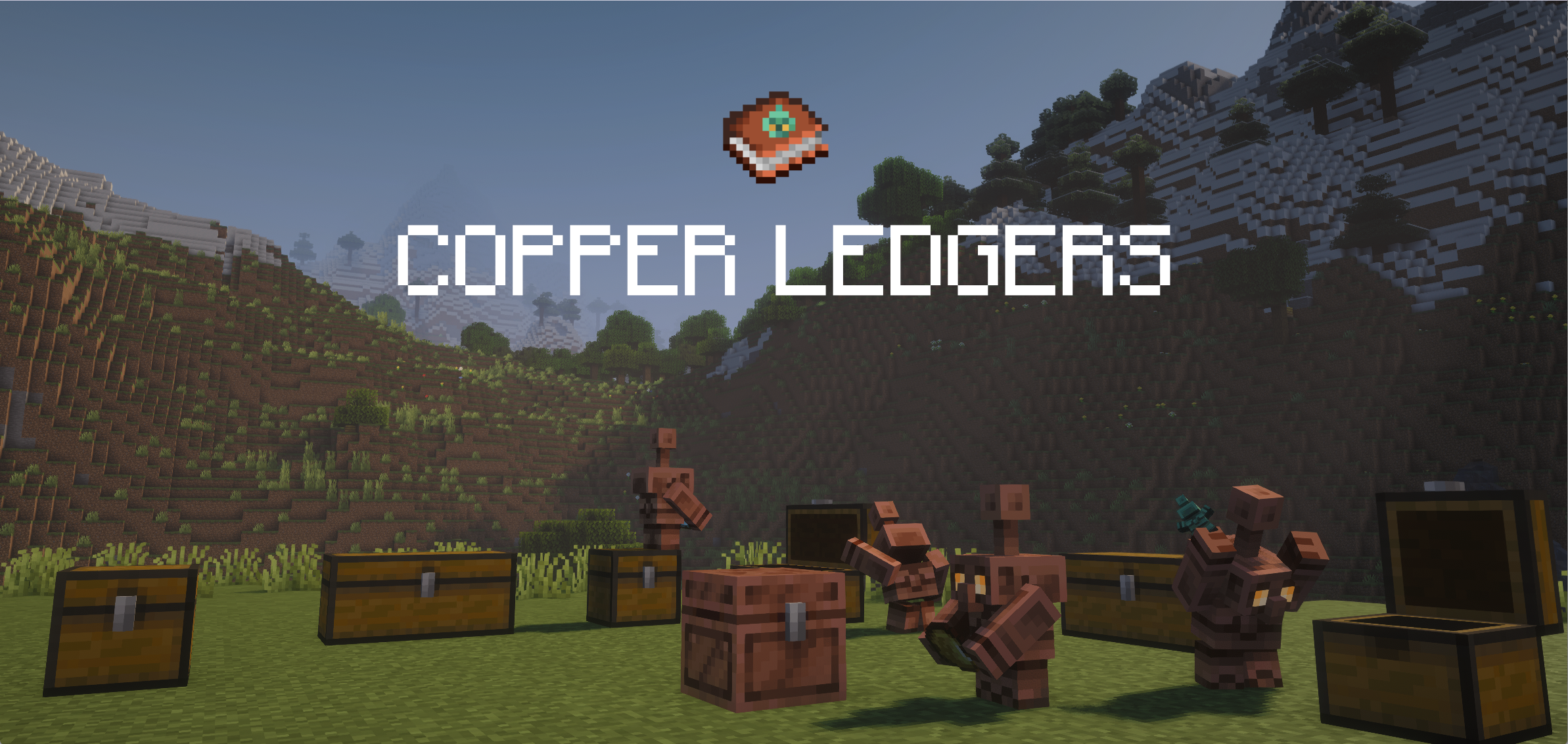
Help your golems remember where things go!
ℹ️ The mod
Ever taken your entire supply of an item out of a chest, only for your copper golems to immediately forget that's where that item belongs?
This mod adds the Copper Ledger,
which allows you to create a checklist of any items from your inventory.
When you place the ledger into a chest, a copper golem will put items specified by the ledger into the chest, even if there are none actually there.
If a copper golem reaches a chest with no ledger, or a ledger that does not list the item, it falls back to the default behavior.
This is useful for:
- Dedicating a chest to a set of item types, without having to always keep at least one of each item in the chest
- Planning out and organizing a storage system
📙 Recipe
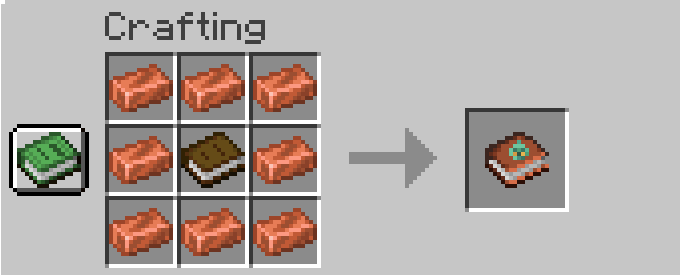
Craft a ledger by surrounding a book with 8 copper ingots
⁉️ How to use
Adding and removing items
Quick add and remove
Probably the simplest way to edit ledgers is to pick it up on your cursor and left-click on a desired item. A lot like a bundle*:
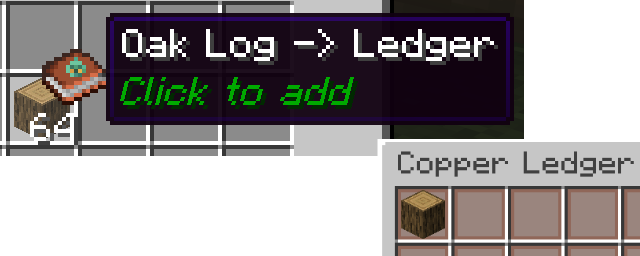
💡 *Note that this doesn't consume the item from your inventory. Ledgers store *records* of item types (up to 54 of them), not the actual items themselves.
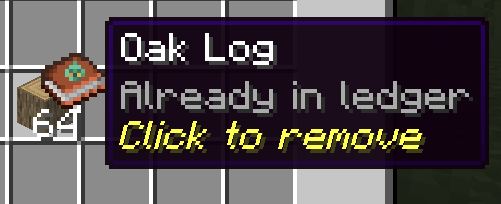
Or, if the item is already in the ledger, you can remove it in the same way:
Let's start an example: we'll dedicate a chest to a bunch of ore types.
Full ledger screen
To open a ledger, right click with it in your hand.
You can add any item from your inventory on this screen by clicking on it.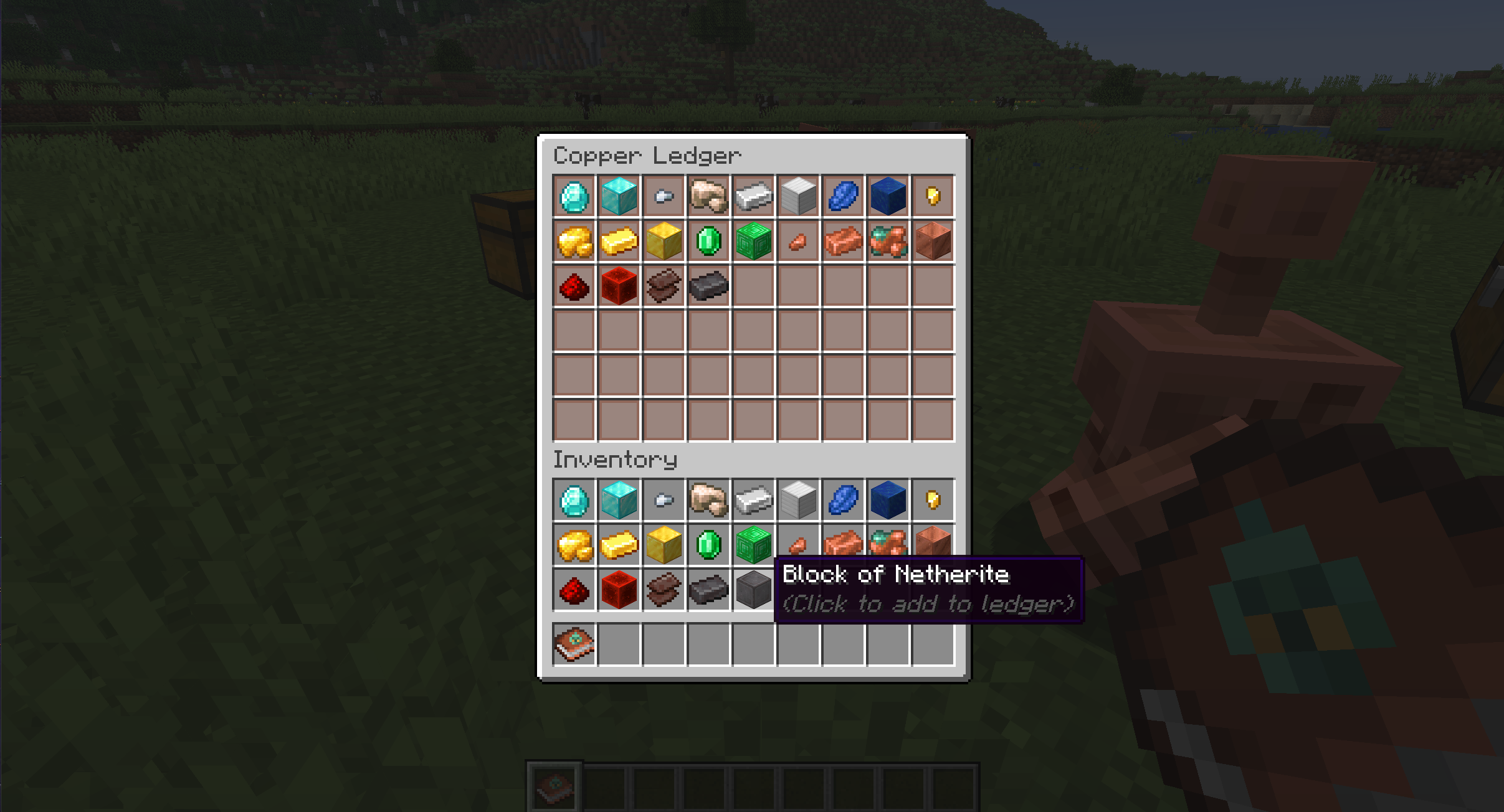
Let's say we decided against keeping lapis with these ores. You remove items from the ledger by clicking on them.
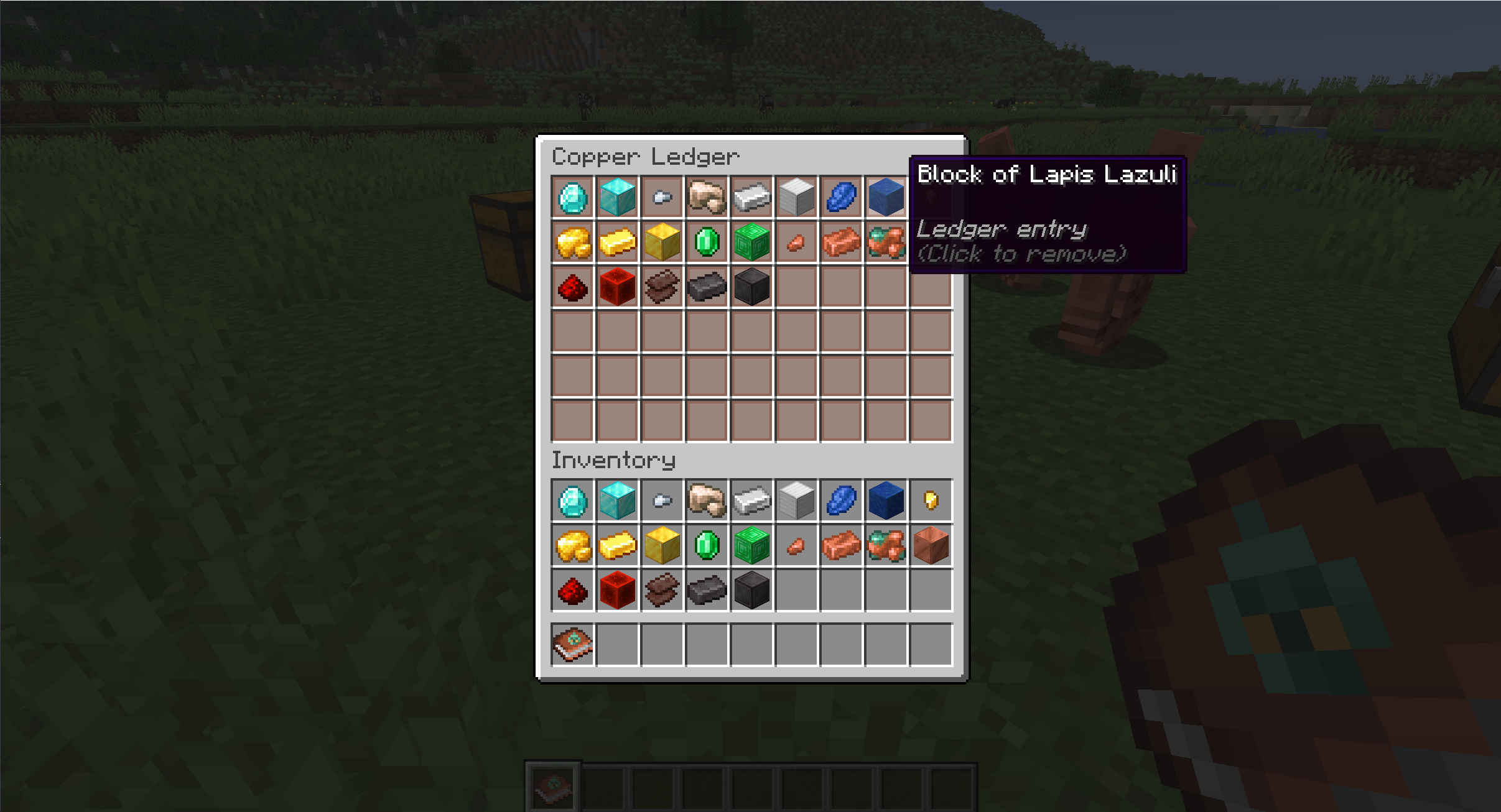
We can now place the ledger in our desired chest.
⚙️ Ledgers in Action
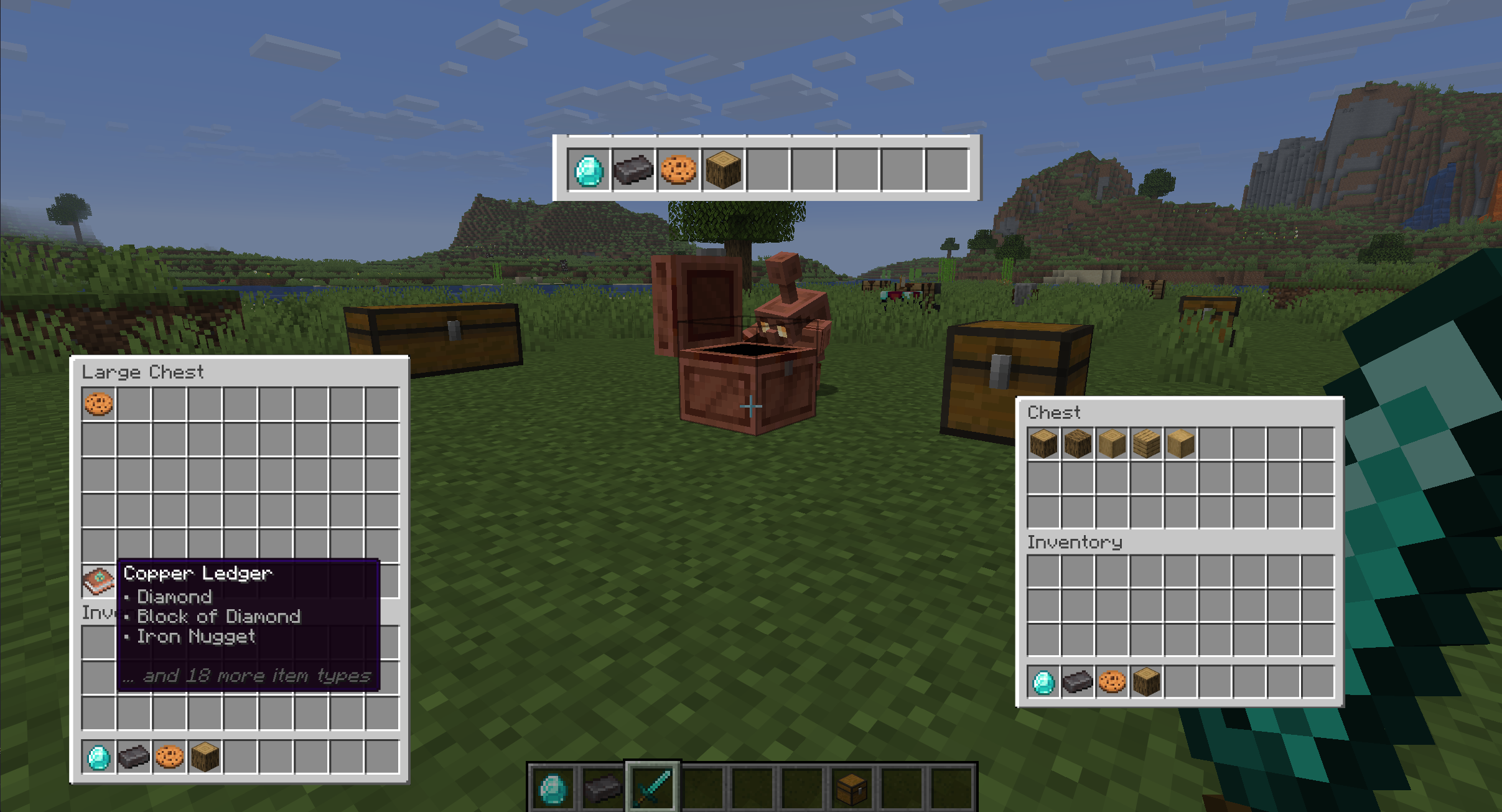
In the example below, we'll give the golem a diamond, a netherite ingot, a cookie, and an oak log. We have two chests:
- On the left, we have a double chest with the ore ledger, along with a cookie.
- Notice how the chest doesn't actually have any actual diamonds or netherite.
- On the right, we have a small chest, with various types of wood. This will show that chests without ledgers behave normally.
🤖 How it works
When searching a chest, golems now immediately check for one or more ledgers.
- If a ledger is found that specifies the golem's item, the golem will treat that chest as if it has that item
- If no ledgers are found, or if none of them specify the item in the golem's hand, the golem will fall back on vanilla behavior.
With this in mind, we expect the golem to put the diamond, netherite, and cookie into the double chest, and the oak log into the single.
🏃 You can see this in action here!
🚮 Clear and de-craft
If you'd like to clear a ledger, you can either spam click the items away, or scrape it off in a grindstone
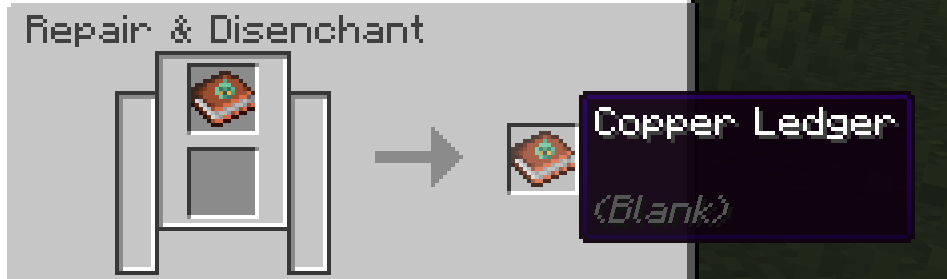
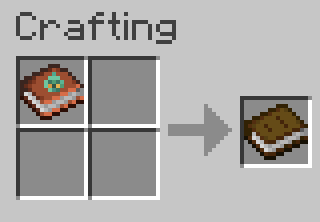
Or if you just want your book back, throw it into a crafting table (at the cost of your copper)
🖥️ Compatibility & Requirements
- Minecraft version 26.2
- Fabric (Requires Fabric API)
✨️ Installation
Copper Ledgers must be installed on both the client and, if applicable, the server, due to custom items and GUIs.
🗺️ Potential future features
These features are tentative ideas I'd like to pursue and are subject to change
- Recipe Book Ledger Picker
- Allow players to add any item unlocked in the recipe book, instead of requiring the item to be in player inventory
- May exist as a toggleable alternative to the existing mechanic
- Server-only Option
- Allow clients to join a Copper Ledger enabled server without installing the mod locally

Help your golems remember where things go!
ℹ️ The mod
Ever taken your entire supply of an item out of a chest, only for your copper golems to immediately forget that's where that item belongs?
This mod adds the Copper Ledger,
which allows you to create a checklist of any items from your inventory.
When you place the ledger into a chest, a copper golem will put items specified by the ledger into the chest, even if there are none actually there.
If a copper golem reaches a chest with no ledger, or a ledger that does not list the item, it falls back to the default behavior.
This is useful for:
- Dedicating a chest to a set of item types, without having to always keep at least one of each item in the chest
- Planning out and organizing a storage system
📙 Recipe
Craft a ledger by surrounding a book with 8 copper ingots
⁉️ How to use
Adding and removing items
Quick add and remove
Probably the simplest way to edit ledgers is to pick it up on your cursor and left-click on a desired item. A lot like a bundle*:
💡 *Note that this doesn't consume the item from your inventory. Ledgers store records of item types (up to 54 of them), not the actual items themselves.
Or, if the item is already in the ledger, you can remove it in the same way:
Let's start an example: we'll dedicate a chest to a bunch of ore types.
Full ledger screen
To open a ledger, right click with it in your hand.
You can add any item from your inventory on this screen by clicking on it.
Let's say we decided against keeping lapis with these ores. You remove items from the ledger by clicking on them.

We can now place the ledger in our desired chest.
⚙️ Ledgers in Action
In the example below, we'll give the golem a diamond, a netherite ingot, a cookie, and an oak log. We have two chests:
- On the left, we have a double chest with the ore ledger, along with a cookie.
- Notice how the chest doesn't actually have any actual diamonds or netherite.
- On the right, we have a small chest, with various types of wood. This will show that chests without ledgers behave normally.

🤖 How it works
When searching a chest, golems now immediately check for one or more ledgers.
- If a ledger is found that specifies the golem's item, the golem will treat that chest as if it has that item
- If no ledgers are found, or if none of them specify the item in the golem's hand, the golem will fall back on vanilla behavior.
With this in mind, we expect the golem to put the diamond, netherite, and cookie into the double chest, and the oak log into the single.
🏃 You can see this in action here!
🚮 Clear and de-craft
If you'd like to clear a ledger, you can either spam click the items away, or scrape it off in a grindstone
Or if you just want your book back, throw it into a crafting table (at the cost of your copper)
🖥️ Compatibility & Requirements
- Minecraft version 26.2
- Fabric (Requires Fabric API)
✨️ Installation
Copper Ledgers must be installed on both the client and, if applicable, the server, due to custom items and GUIs.
🗺️ Potential future features
These features are tentative ideas I'd like to pursue and are subject to change
- Recipe Book Ledger Picker
- Allow players to add any item unlocked in the recipe book, instead of requiring the item to be in player inventory
- May exist as a toggleable alternative to the existing mechanic
- Server-only Option
- Allow clients to join a Copper Ledger enabled server without installing the mod locally
Screenshots
Gallery
-
 Banner
Versions
Files
Relations
Project Relations
More like this
Similar Mods
Suggestions use data such as tags, dependencies, dependents, descriptions, titles, and more to rank how much they overlap with this mod.
On ModDex
Community snapshot
By the numbers
Statistics
Want to reach Minecraft players?
We're looking for a server hosting partner to feature here and other parts of the site. Interested? Send us a message!
Get in touchGet it on
Available Platforms
On ModDex
Community snapshot
By the numbers
Statistics
Resources