Community listing page, reviews here may not be monitored by the author.
Corner Portal Linking


No reviews yet
Use glazed terracotta to help linking Nether portals.

Community voices
Reviews
No reviews yet. Be the first to review this project!
Get it on
Available Platforms
Compatibility
Supported Environments
Runs entirely on the server. Also works in singleplayer.
About
Project Details
For authors
Embed Badge
If you're the author of this project, you can embed a live badge anywhere that supports HTML or Markdown. It updates automatically whenever ratings change.
Use HTML for any page that supports it, or Markdown for README files and Markdown-based descriptions.
Identifiers
Platform IDs
Resources
External Links
About
Description
Corner Portal Linking
Ever had some issues connecting portals that were too close to each other? This mod lets you customize how your Nether portals connect.
⚠️ This mod requires Fabric API.
⚠️ This mod can be run on a server with vanilla clients.

How to
For the most part, portals in this mod work like portals in vanilla. It does NOT increase the reach distance of portals or allow overworld to overworld travel.
1. Play normally until you have portals that mess with each other.
2. Place matching Glazed Terracotta blocks in any of the corners of the portals you want to force link.
3. The game will now prioritize matching Glazed Terracotta corners over distance when looking for an exit portal.
4. A partial match can be enough. Priority is given to the best match.
5. The orientation of the Glazed Terracotta does not matter.
Details
1. Corners can be flipped horizontally (see the blue-red example above).
2. When several exit portals match, the game will decide between them with normal vanilla priority.
3. When no Glazed Terracotta is set up, portals work like in vanilla.
This mod helps you tell the game how Nether portals that are in the same area should connect.

It's really simple:
- You put Glazed Terracotta in the corners to create a pattern.
- The portal on the other side that matches that pattern best is selected.
- Otherwise it defaults to the one chosen in vanilla.
If you need to know more:
- The horizontal orientation of the pattern does not matter (see the example, the blue-red one is flipped).
- When several destination portals match, the one that matches more blocks wins.
- If there is still a tie, the best portal is picked with normal vanilla priority.
- When no Glazed Terracotta is set up, portals work like in vanilla.
Screenshots
Gallery
-
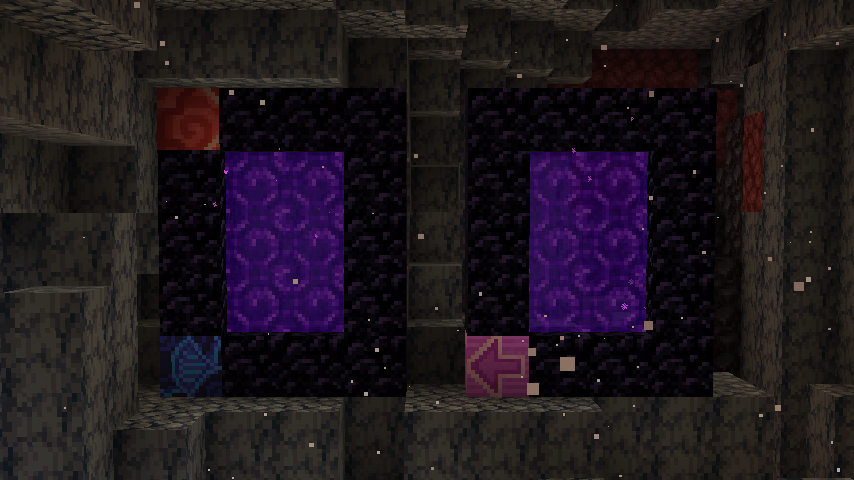 connect to ones in the Nether
 -
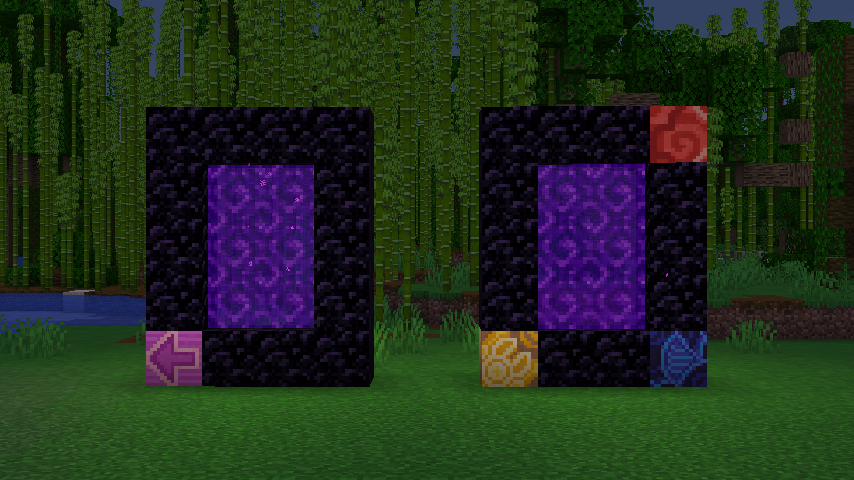 Portals in the overworld
-
 Example Each portal connects to the one that matches best!
Versions
Files
Relations
Project Relations
More like this
Similar Mods
Suggestions use data such as tags, dependencies, dependents, descriptions, titles, and more to rank how much they overlap with this mod.
On ModDex
Community snapshot
By the numbers
Statistics
 (opens in a new tab)
Get it on
Available Platforms
On ModDex
Community snapshot
By the numbers
Statistics
Resources