Community listing page, reviews may not be monitored by the author.
Cosmetics Equipment


No reviews yet
Wear armor for protection and use cosmetic slots for style. Purely visual and easy to use.

Community voices
Reviews
No reviews yet. Be the first to review this project!
Get it on
Available Platforms
Compatibility
Supported Environments
Must be installed on both the client and the server.
About
Project Details
For authors
Embed Badge
If you're the author of this project, you can embed a live badge anywhere that supports HTML or Markdown. It updates automatically whenever ratings change.
Use HTML for any page that supports it, or Markdown for README files and Markdown-based descriptions.
Identifiers
Platform IDs
Resources
External Links
About
Description
Cosmetics Equipment
Choose your look while keeping the protection and abilities of your real equipment. Cosmetics Equipment adds four appearance slots for your head, chest, legs, and feet.
Wardrobe remaster — 2.0.0 beta
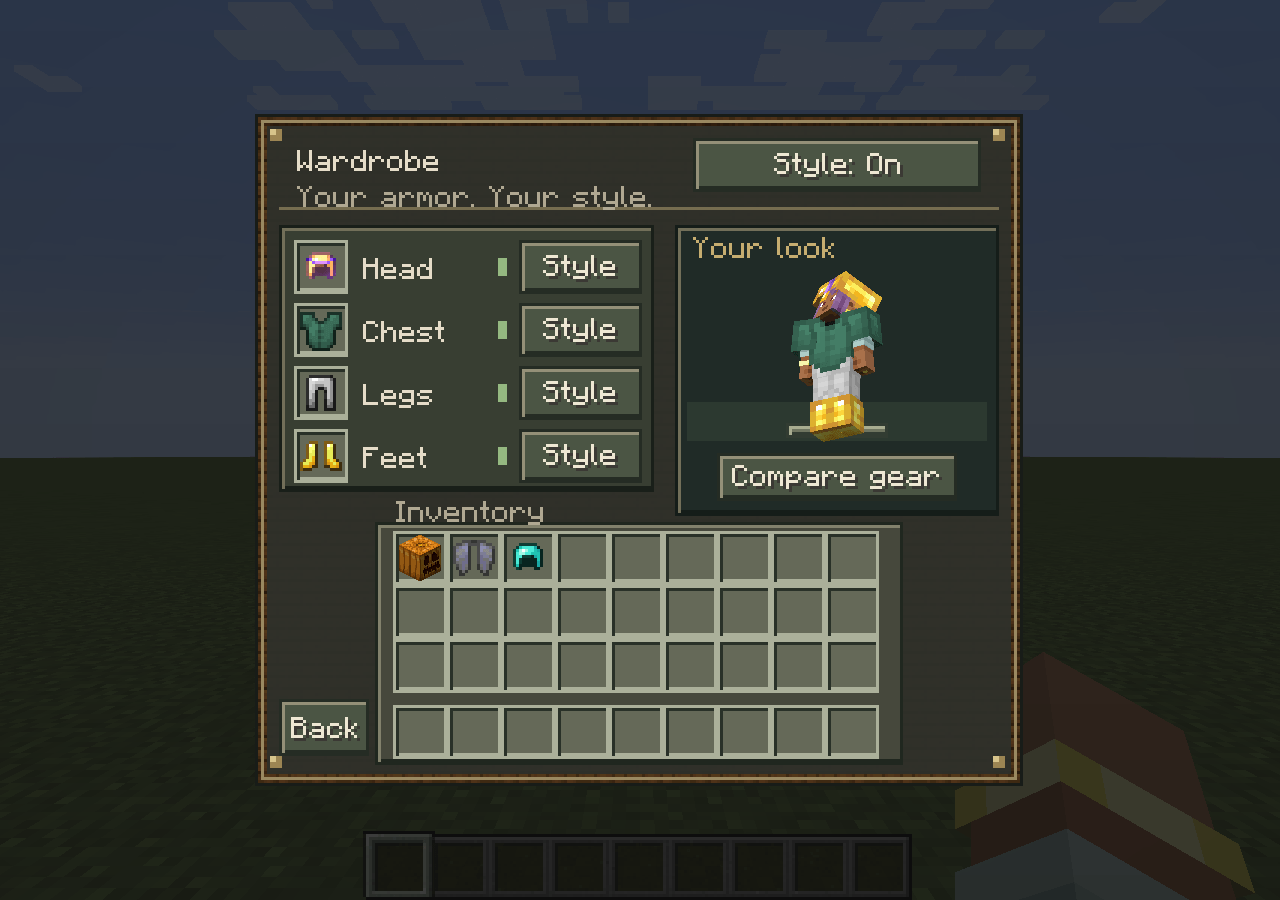
- A Minecraft-style wardrobe with a live player preview.
- Separate cosmetic slots for armor, pumpkins, skulls, and Elytra.
- Switch each slot between Style and Gear, or toggle your whole outfit.
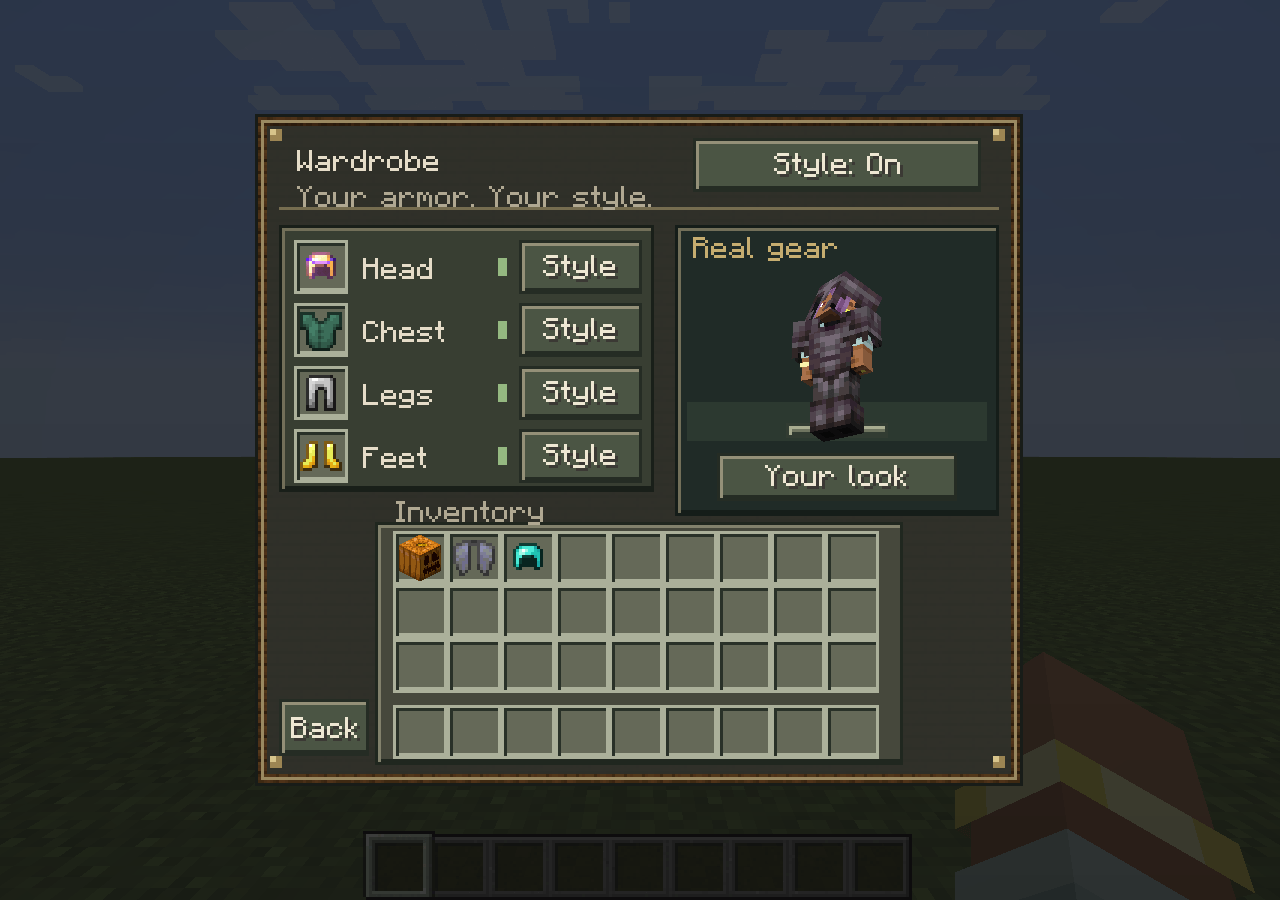
- Compare gear previews your real equipment without changing what other players see.
- Multiplayer appearance syncing, configurable inventory button placement, and a quick-toggle keybind.
- Existing Cosmetics player save data remains readable.
How to use
- Press G, or click the W button beside your inventory.
- Place a wearable in its matching cosmetic slot. Shift-click also works.
- Use Style / Gear to choose which appearance to show.
An empty cosmetic slot shows your real equipment. Cosmetic items grant no protection, enchantment effects, flight, or other gameplay abilities. This mod does not add new armor items.
Installation
Minecraft 1.20.1 · Forge · Java 17
Install the same version on the server and every client. Remove the old Cosmetics jar before installing the update. No additional mod dependencies are required.
The remaster is a beta. Back up your world before upgrading. Other loaders and Minecraft versions are not supported by this release; compatibility with every modpack is not guaranteed.
Death settings
Cosmetic items are kept when keepInventory or keepCosmetics is enabled. If both are disabled, they drop on death. Appearance preferences survive respawning.
/gamerule keepCosmetics trueConfiguration
Client settings: config/cosmetics-client.toml
World/server settings: <world>/serverconfig/cosmetics-server.toml
Change keybinds in Options → Controls → Cosmetics. Server owners can disable appearances while still allowing players to reclaim stored items.
Inspired by Cosmetic Armor Reworked.
Cosmetics
Cosmetics is a simple cosmetic armor mod that lets you keep your armor stats while changing how your character looks.
You can wear real armor for protection and use cosmetic slots to display different armor (or nothing at all). Perfect if you want style without sacrificing stats.
🔹 Features
- Separate cosmetic armor slots (Head, Chest, Legs, Feet)
- Keep full armor stats while changing appearance
- Easy-to-use GUI (button in player inventory)
- Toggle cosmetics on/off anytime
- Purely visual — no gameplay advantages
🔹 Notes
- Does not add new armor items
- Does not affect combat or balance
- Inspired by Cosmetic Armor Reworked
🔹 How to use
- Open your inventory
- Click “Open Cosmetics”
- Put armor into cosmetic slots
- Enjoy the look 😄
Screenshots
Gallery
-
 logo
-
 Wardrobe
-
 Compare Gear
-
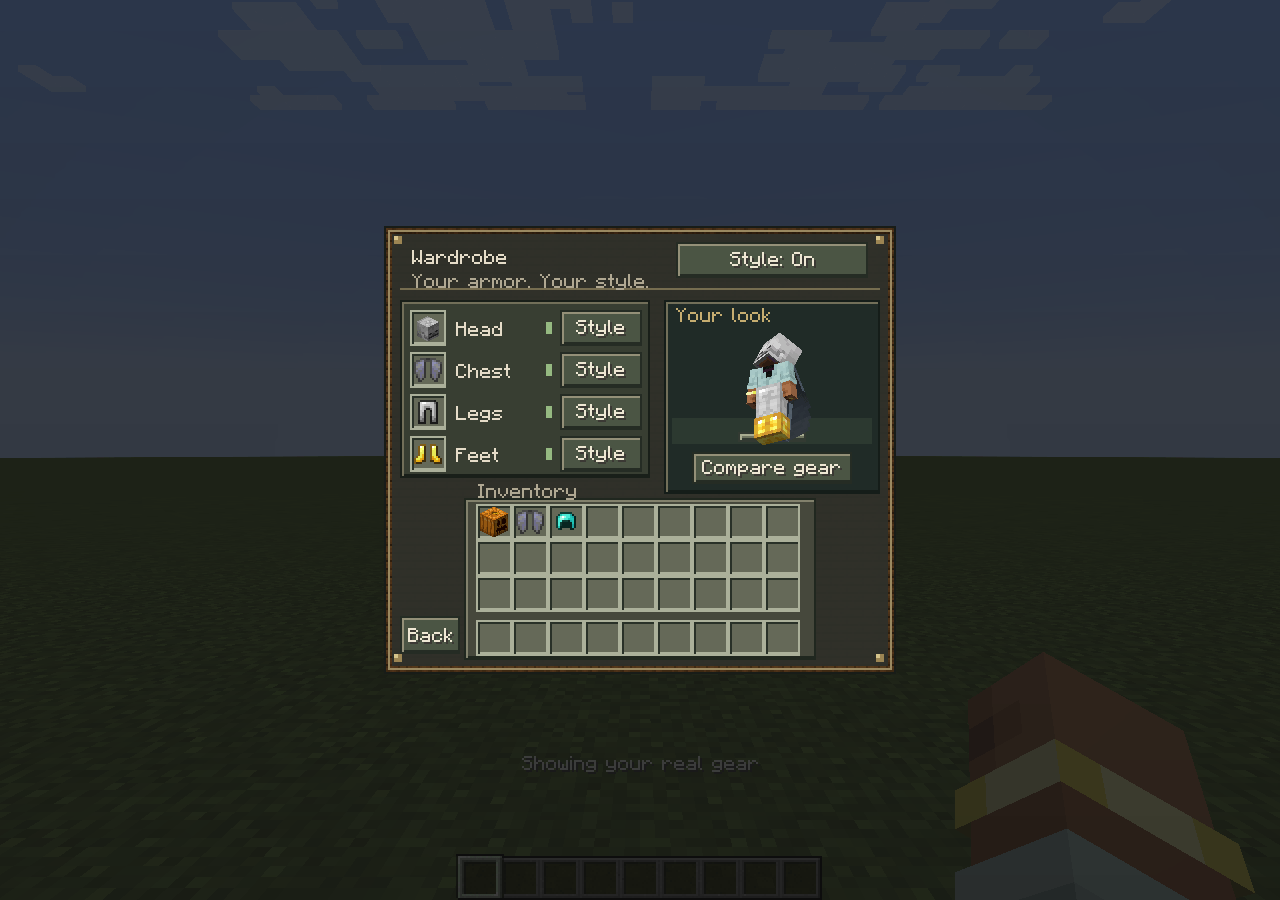 Skull Elytra
-
 logo
-
 where to find
-
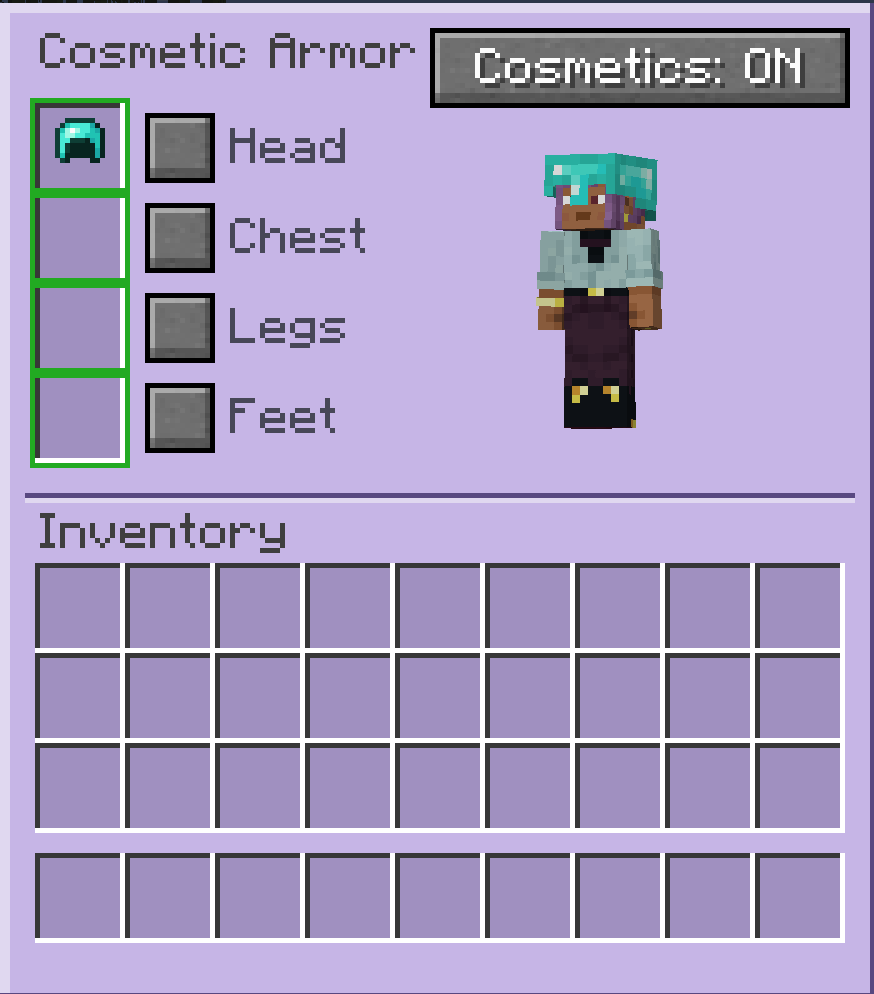 how it looks
Versions
Files
Relations
Project Relations
More like this
Similar Mods
Suggestions use data such as tags, dependencies, dependents, descriptions, titles, and more to rank how much they overlap with this mod.
On ModDex
Community snapshot
By the numbers
Statistics

Get it on
Available Platforms
On ModDex
Community snapshot
By the numbers
Statistics
Resources