
Crafter Presets
No reviews yet
A Mod Where You Can Load Crafter Presets!
Features systems for better item storage and organization.
Fabric is a mod loader for versions 1.14+ of Minecraft, particularly popular for client side and optimization mods.
Community voices
Reviews
Click once to include, again to exclude, again to clear
No reviews yet. Be the first to review this project!
Get it on
Available Platforms
 Modrinth
Compatibility
Supported Environments
About
Project Details
For authors
Embed Badge
If you're the author of this project, you can embed a live badge anywhere that supports HTML or Markdown. It updates automatically whenever ratings change.
Use HTML for any page that supports it, or Markdown for README files and Markdown-based descriptions.
Identifiers
Platform IDs
Resources
External Links
About
Description
Crafter Presets lets you save and load slot configurations for Crafter blocks with a single click or hotkey.
Features
- Multiple Presets — Create, rename, edit, and manage as many presets as you need from the Presets tab. Each preset stores a full 3×3 slot layout. A visual grid editor lets you design presets without needing a Crafter block.
- Single Preset Mode — Prefer the simplicity of one preset? Toggle this on in the Presets tab and the save button will always overwrite your current preset.
- Save & Load — Save your current Crafter slot layout with the on-screen button. Load the selected preset with the Load button or press J.
- Auto-Load & Auto-Exit — Toggle both with F9 or in the settings menu. When enabled, opening a Crafter automatically applies your selected preset and closes the GUI.
- Silent Mode — Suppresses slot-clicking sounds during preset loading.
- Outlines — Crafters loaded with a preset are highlighted with a colored outline. Pick any color you want in the Miscellaneous tab.
- Settings Menu — Press ~ to open a tabbed settings screen: Settings for behavior toggles, Presets for preset management, and Miscellaneous for silent mode and outline color.
All presets and settings are saved to disk and persist across sessions. Automatically migrates v2 presets. Client-side only — no server mod required.
Screenshots
Gallery
-
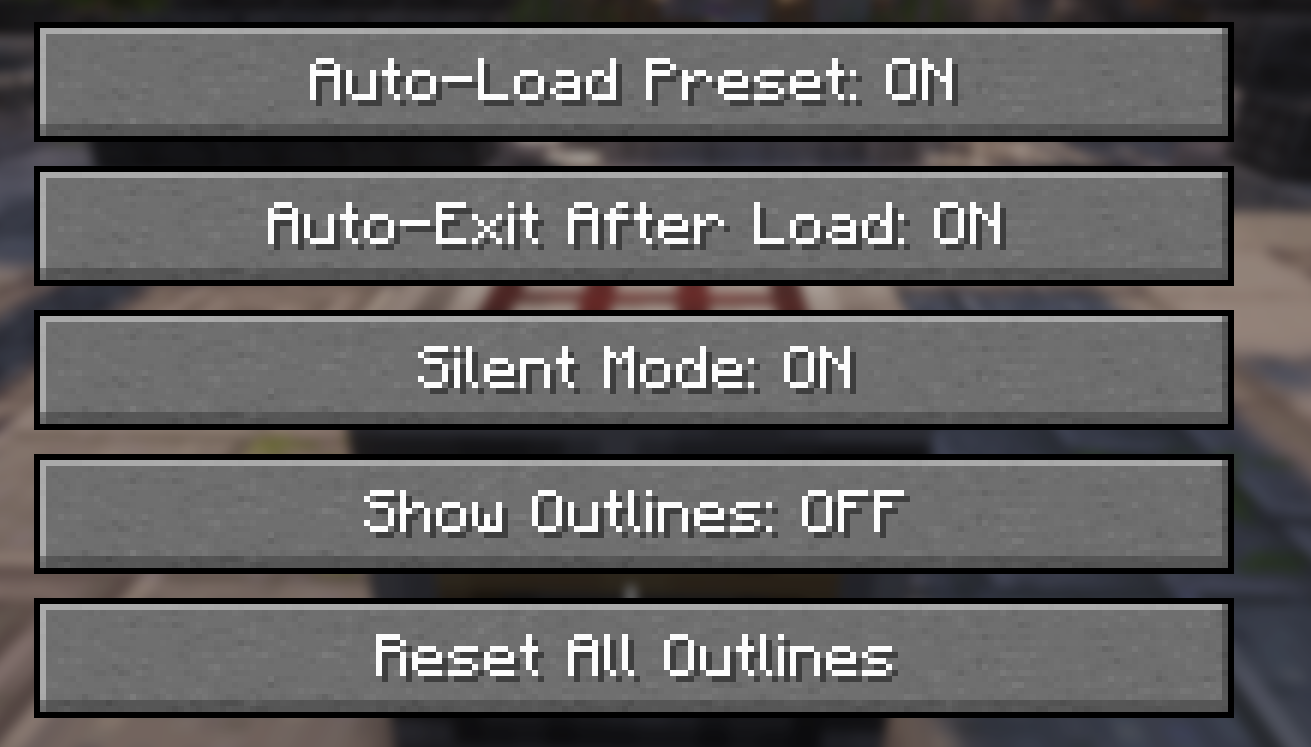 GUI Add the GUI when you press the " ` " key, where you can configure everything about the mod.
 -
 Buttons Adds two new buttons where you can save a preset or load a preset.
Versions
Files
Relations
Project Relations
More like this
Similar Mods
Suggestions use data such as tags, dependencies, dependents, descriptions, titles, and more to rank how much they overlap with this mod.
On ModDex
Community snapshot
By the numbers
Statistics

Want to reach Minecraft players?
We're looking for a server hosting partner to feature here and other parts of the site. Interested? Send us a message!
Get in touchGet it on
Available Platforms
On ModDex
Community snapshot
By the numbers
Statistics
Resources